# CapCut's Video Editor Is Coming to ChatGPT
> CapCut is bringing its video editing and generation tools into ChatGPT, where you build a first draft from an idea or your own clips and keep editing it by asking. The open beta lands in November, and an early version already works in ChatGPT's desktop app.
By Pat Simmons · October 25, 2026 · 5 min
Canonical: https://www.aiformortals.co/blog/capcut-in-chatgpt
CapCut [announced a plugin](https://x.com/capcutapp/status/2114062937094823955) that puts its video editing and generation tools right inside ChatGPT.
You start in a chat with an idea or a few of your own clips, CapCut builds a first draft of the video, and you keep shaping it by asking for changes in plain words. When you want to do the fine work by hand, you open the same project in CapCut's web editor.
CapCut showed it off at its CapCut World event in Los Angeles, and its launch video says the open beta comes to phones, computers and the web in November. Here's that announcement, with the demo:
## How a video gets made and edited inside a chat
I haven't tried it myself yet, but CapCut's demo video and [its page for the plugin](https://www.capcut.com/tools/capcut-x-codex) show how it works from start to finish.
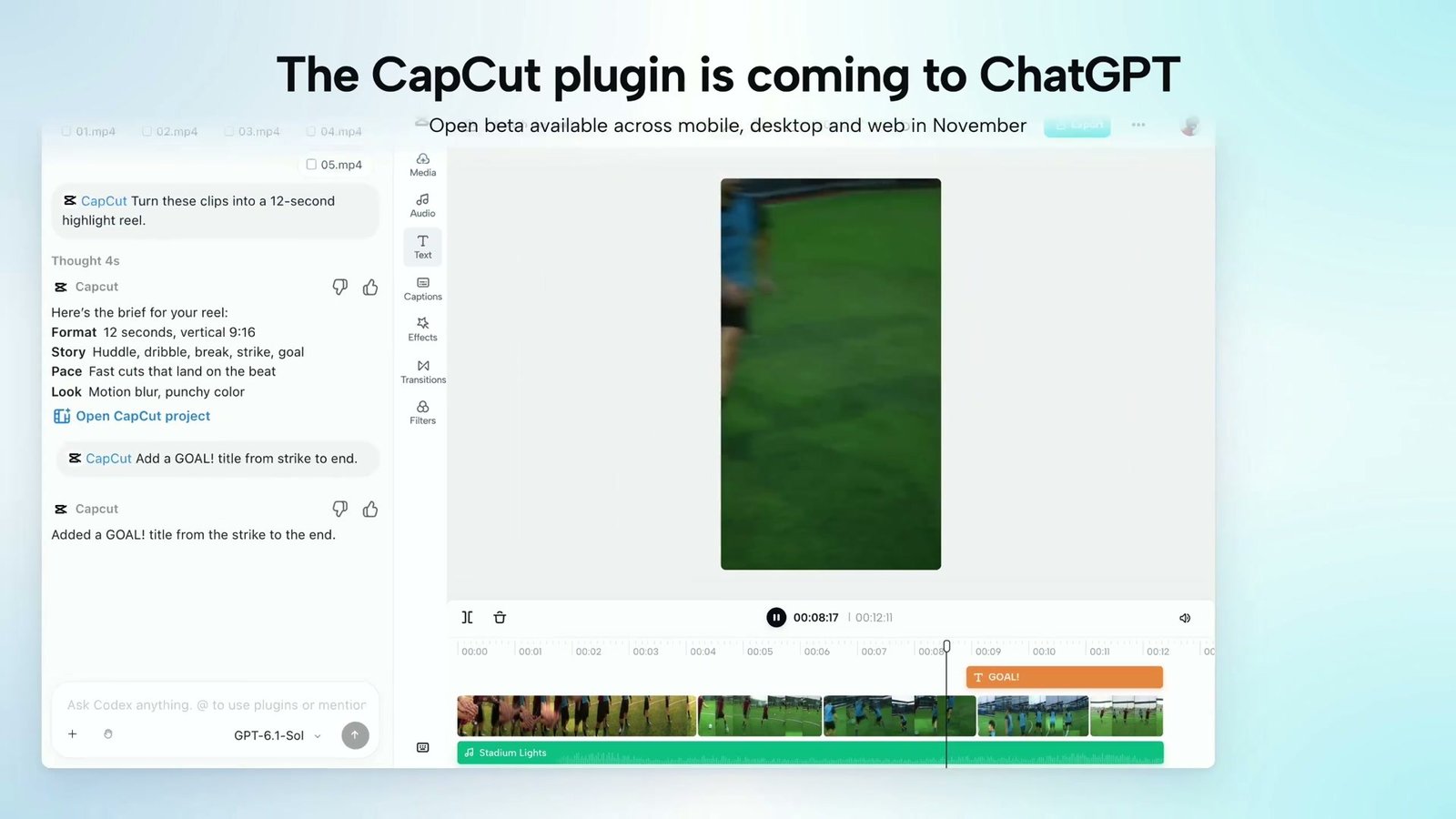
In the demo, someone drops five soccer clips into a chat and writes "Turn these clips into a 12-second highlight reel." CapCut answers with a short brief before it builds anything: 12 seconds, vertical, the story running huddle, dribble, break, strike and goal, with fast cuts on the beat and a punchy, motion-blurred look.
Then a timeline shows up next to the chat with the clips, a music track and a button to open the project in CapCut. The next ask is just "Add a GOAL! title from strike to end," and the title lands on the timeline exactly there.
The chat asks for a GOAL! title, and CapCut adds it to the timeline from the strike to the end. From CapCut's launch video
CapCut's page lists the kinds of changes you can ask for: shorten scenes, reorder clips, swap in different visuals, change when text appears, update the music, or rework the whole structure.
At the event, CapCut also demoed asks like making a scene run longer, making the captions easier to read and keeping the background music playing under a voiceover, according to [TechTudo, which was in the room](https://www.techtudo.com.br/noticias/2026/10/capcut-ganha-integracao-com-chatgpt-e-edicao-de-videos-por-ia-edapps.ghtml).
You don't have to bring footage, either. You can describe the video you want, and CapCut generates the images and clips for a first draft that stays fully editable.
## Everything in CapCut's library comes along
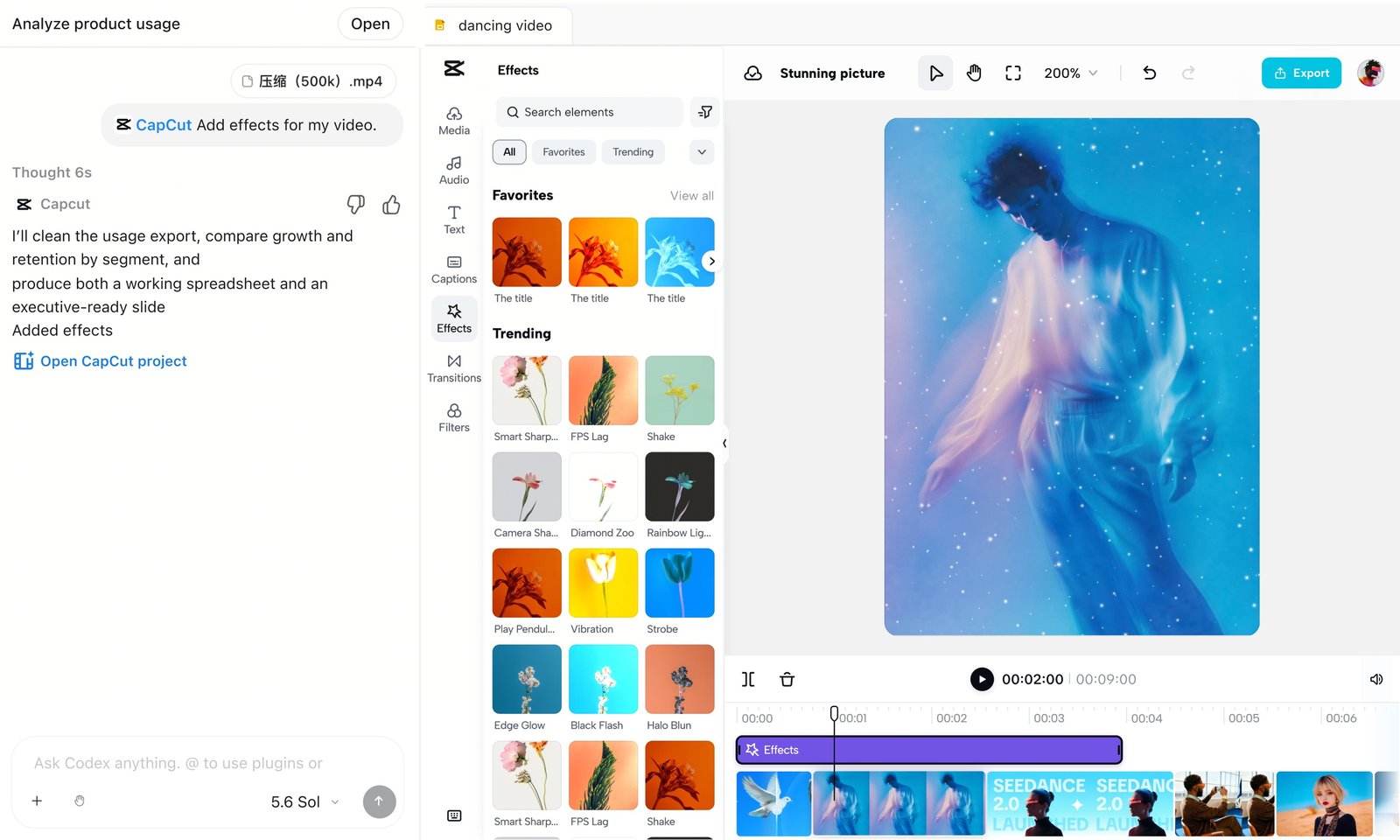
The plugin pulls from what CapCut calls hundreds of thousands of creative assets: effects, transitions, filters, stickers and music. It can also search CapCut's templates for one that fits what you're making, then swap your own media into it.
Asking for effects in the chat, with CapCut's effects library and the timeline open beside it. From CapCut's plugin page
When you'd rather take over, you launch the CapCut editor from the conversation. There you can go through each track, fine-tune the timing and replace anything by hand, then share or publish from CapCut.
Once the plugin is installed (the setup is below), you call it up by typing @CapCut in a chat, and the asks can be as casual as the ones in the demo. A first one might look like this:
> @CapCut Turn these clips from my sister's wedding into a 45-second vertical video for Instagram. Open on the first dance, keep the music soft, and add captions for the toasts.
And the follow-ups are just as plain:
> Cut the second scene down by two seconds, move the cake clip to the very end, and make the captions bigger.
## How to try the early version today
You don't have to wait for November if you use ChatGPT's desktop app on a Mac or Windows computer. CapCut's page says the early version runs there, and that "availability may vary by app version, account, and region."
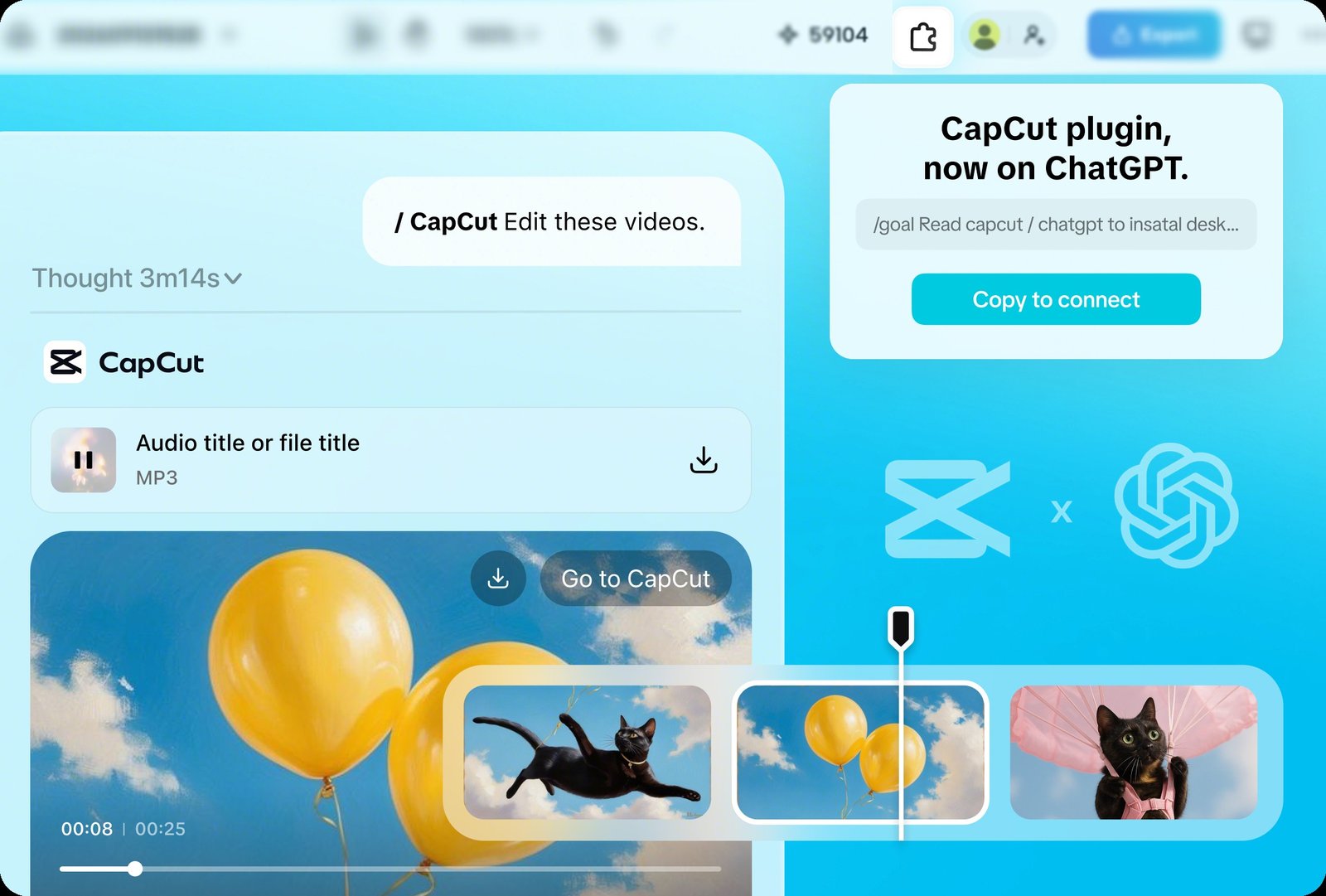
Setup takes a few steps. On CapCut's page you copy an install prompt and paste it into Codex in ChatGPT's desktop app. That prompt points ChatGPT to CapCut's install guide, and ChatGPT walks you through installing the plugin and signing in with your CapCut account.
The early-access card on CapCut's page, where you copy the install prompt. From CapCut's plugin page
After that, ChatGPT can also pick CapCut on its own when your request is about a video, which is how every plugin works in ChatGPT, according to [OpenAI's plugins help page](https://help.openai.com/en/articles/20001256).
CapCut says you can try it free, though TechTudo reported that some of CapCut's new AI features may use the credits that come with its premium plans. Neither company has said which ChatGPT plans it needs, whether you'll need CapCut Pro, or what day in November the open beta starts.
## CapCut joins Canva, Figma and Photoshop inside ChatGPT
At DevDay this month, OpenAI opened ChatGPT up to full apps from other companies, which you add as plugins the same way, with [Canva, Figma and Photoshop working right inside the chat](https://www.aiformortals.co/blog/openai-devday-2026-explained). In each one, you change your work by asking in plain words, and the app does the edit next to the conversation.
CapCut brings in the video editor a lot of people already use for their social clips.
Editing a video by asking is already how I work, since I have [Claude doing most of my editing in Premiere](https://www.aiformortals.co/blog/opus-5-5-edits-my-videos-premiere) now, and it feels natural enough that I think a lot of CapCut users will take to the plugin quickly.
I also [tested FilmCraft](https://www.aiformortals.co/blog/filmcraft), a free Premiere Pro clone, and had Claude edit in it, which shows what editing by asking looks like on a full timeline:
## Sources
- [CapCut on X: the CapCut plugin is coming to ChatGPT](https://x.com/capcutapp/status/2114062937094823955)
- [CapCut: CapCut × Codex](https://www.capcut.com/tools/capcut-x-codex)
- [OpenAI Help: Plugins in ChatGPT](https://help.openai.com/en/articles/20001256)
- [OpenAI Help: Apps in ChatGPT](https://help.openai.com/en/articles/11487775)
- [TechTudo: CapCut ganha integração com ChatGPT e edição de vídeos por IA](https://www.techtudo.com.br/noticias/2026/10/capcut-ganha-integracao-com-chatgpt-e-edicao-de-videos-por-ia-edapps.ghtml)
- [CapCut World](https://www.capcutworld.com/)