# ChatGPT Lets You Lock Private Chats Behind a PIN
> OpenAI added Locked Chats to ChatGPT, a PIN-protected folder that keeps the conversations you pick out of your chat history and search, on every plan, Free included.
By Pat Simmons · October 20, 2026 · 5 min
Canonical: https://www.aiformortals.co/blog/chatgpt-locked-chats
OpenAI added Locked Chats to ChatGPT. You pick a conversation and lock it, and it leaves your chat history, your pinned chats and your search results for a separate folder that opens only with a 4-digit PIN, or with Face ID, Touch ID or your phone's unlock.
It's rolling out gradually on every plan, from Free, Go, Plus and Pro to Business, Enterprise and Edu, according to [OpenAI's help article](https://help.openai.com/en/articles/20001411-using-locked-chats-in-chatgpt). It works on the web, in the iPhone and Android apps, and in the [new ChatGPT desktop app](https://www.aiformortals.co/blog/how-to-get-the-most-out-of-the-new-chatgpt-app) for Mac and Windows. If **Lock chat** isn't in a chat's **•••** menu yet, your account doesn't have the feature.
The lock hides chats from anyone looking at your screen. In [OpenAI's launch video](https://x.com/ChatGPT/status/2112597766333673624), someone asks ChatGPT to help them propose to their partner in a low-key way, then locks that chat. OpenAI says it's meant for moments like that, when you've discussed something personal or planned a surprise and then hand your device to friends or family.
## Lock any chat from its menu and set your PIN
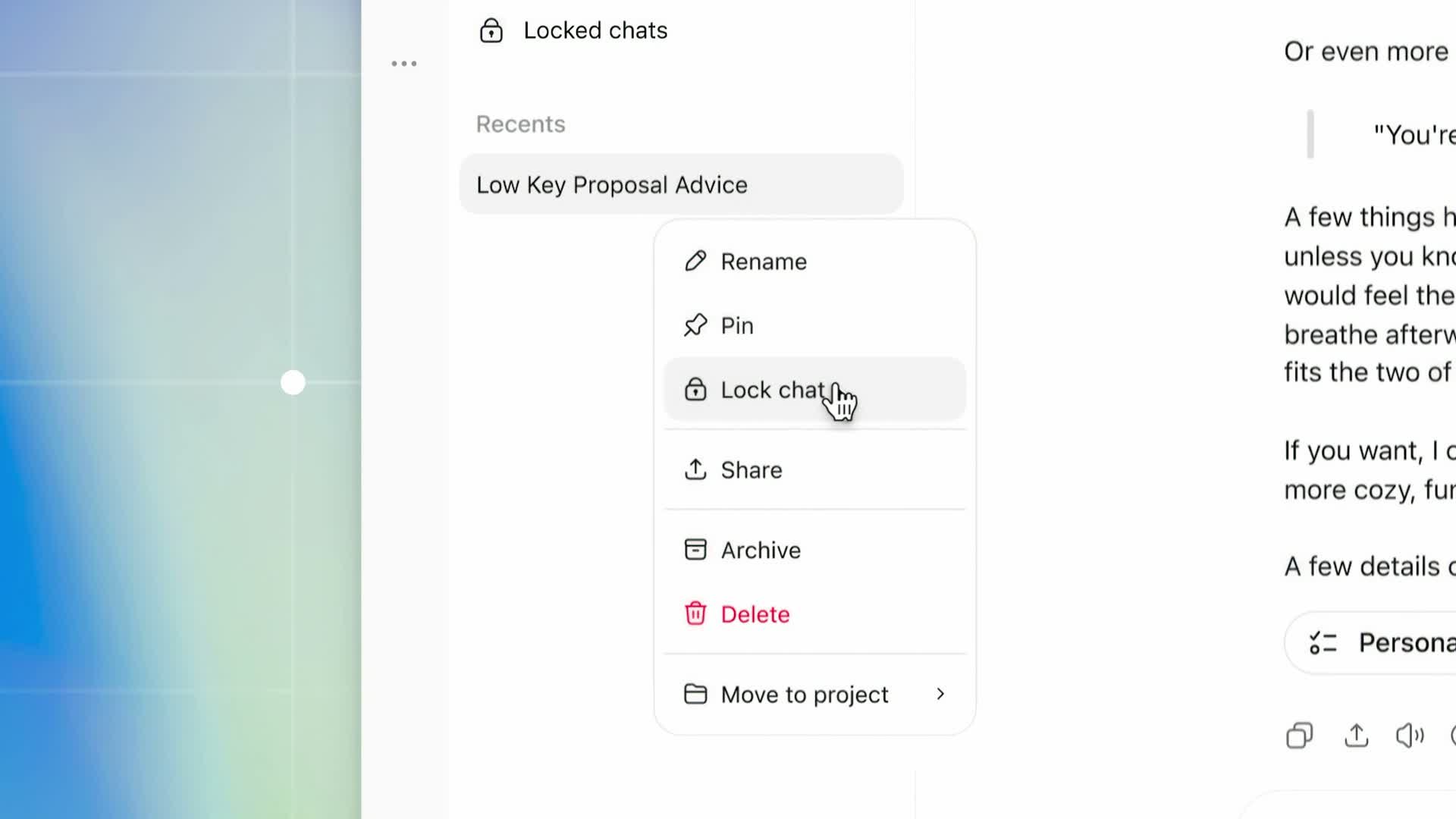
To lock a conversation you already have, open the **•••** menu next to it and choose **Lock chat**, then choose **Lock chat** again to confirm.
Lock chat sits in each conversation's ••• menu. From OpenAI's launch video on X
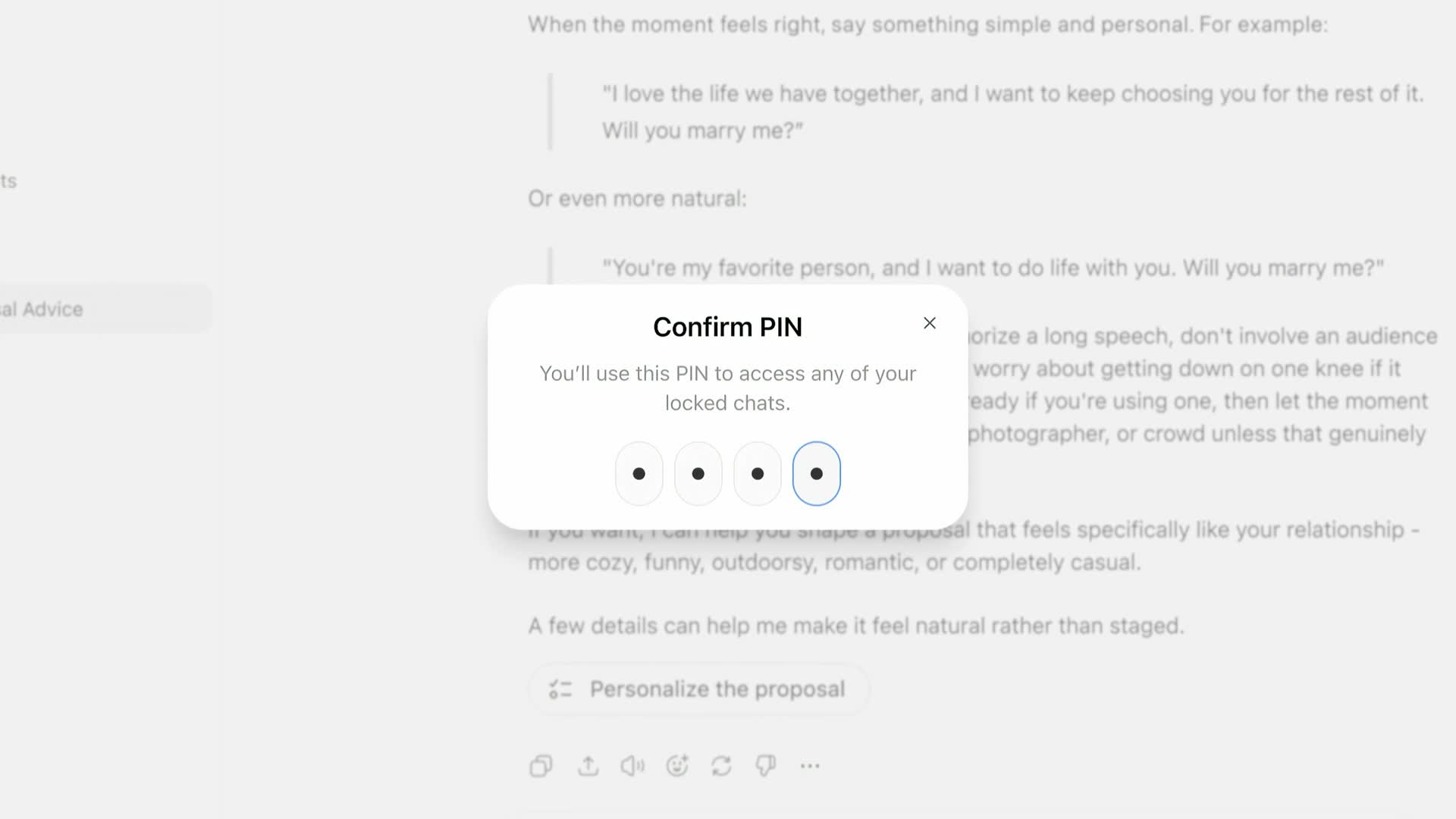
The first time you do it, ChatGPT asks you to create a 4-digit PIN and type it twice. That PIN belongs to your OpenAI account, so the same one works on every device where you're signed in.
Setting the account PIN the first time you lock a chat. From OpenAI's launch video on X
On an iPhone, you can open it with Face ID or Touch ID instead by turning that on under **Settings**, **Security and login**, **Account PIN**. On Android, ChatGPT offers **Use device unlock** when it asks for your PIN. Either one only works on the phone where you switch it on.
After too many wrong guesses, ChatGPT shuts the folder for a while before it lets you try again.
## Find your locked chats under Projects, and start new ones there
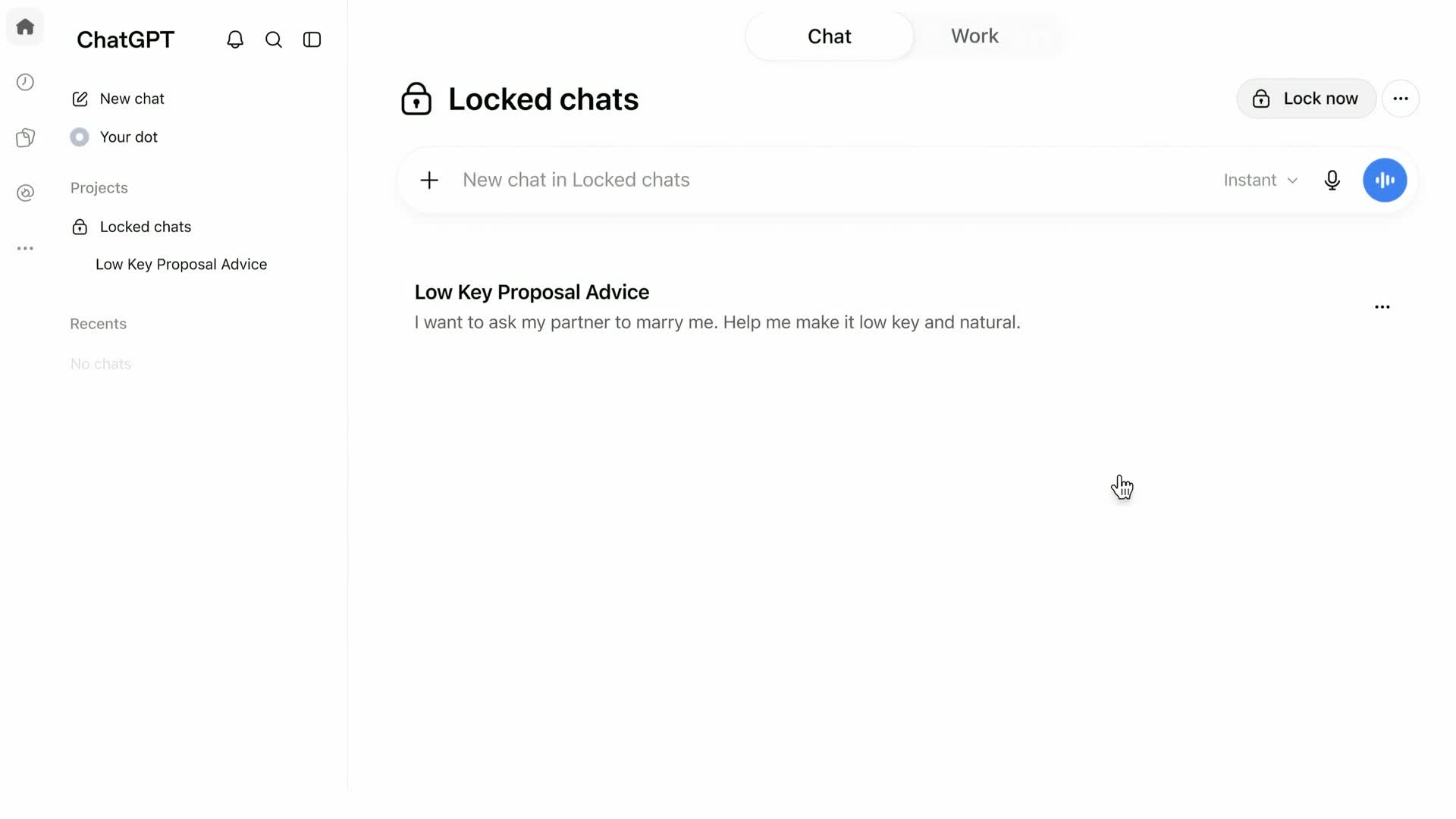
The locked conversation moves to **Projects**, then **Locked chats**, and its title and messages disappear from your regular history. OpenAI says search results can take a little time to catch up.
The Locked chats folder, with a box for starting a new private chat and a Lock now button. From OpenAI's launch video on X
Once you've locked one chat, you can start brand-new conversations straight from that folder, and they never show up in your regular history at all.
The folder stays open for a limited time. On the web and in the desktop app, it closes after you've been away from that tab or window (OpenAI doesn't say exactly how long), or when you refresh or close the tab.
Opening a new tab means typing the PIN again. On a phone, it closes after a minute away from it or a minute with the app in the background.
When you're done, the **Lock now** button closes it right away. Before you hand over a phone or share your screen, that's the button to press.
You can rename and delete locked chats, but you can't search across them, archive them, pin them, move them or share them. Anyone who gets past the PIN can still copy what's in them.
## Check your other devices before you hand one over
I haven't tried Locked Chats myself yet, but OpenAI's help article flags a gap worth knowing about. If ChatGPT is already open on another device, that device may keep showing the locked chat's title until its chat list refreshes, and an iPhone may keep showing the messages it already loaded.
On the web, the chat you just locked can also stay open in the tab you locked it from. So if you lock something on your laptop, refresh ChatGPT on your phone before you pass it around.
## Locked chats keep their own memory and files
If you use ChatGPT's Memory, locked chats can still draw on what it already knows about you. Anything new you tell it inside a locked chat is remembered only for your other locked chats, so it won't come up in a regular conversation.
Locking a chat doesn't erase what ChatGPT remembered from it before you locked it. If you unlock a chat later, it goes back to your regular history and the whole conversation can feed your regular Memory, but the memories it made while locked don't move over.
Files you uploaded or created in a locked chat are locked with it and hidden from Space, where ChatGPT keeps your files. Files that came from somewhere else in Space stay visible there.
Two more things change when you lock. A chat you lock from inside a project leaves that project and stops using its instructions and files, and it won't go back to the project if you unlock it. A chat you already shared with a link keeps that link working, so delete the link separately if you want it gone.
## Locking hides a chat from people, and OpenAI keeps it the same way
OpenAI says the lock changes where a chat appears and how you open it. It keeps the chat under the same retention rules as everything else, and your "Improve the model for everyone" setting applies to it the same way, so if that setting is on, a locked chat can help train OpenAI's models like any other chat. OpenAI also says the lock adds no end-to-end encryption or separate vault.
On work accounts, admins can't turn the feature off, unlock your chats or reset your PIN. That keeps coworkers out of the folder, but locked chats in Enterprise and Edu workspaces still show up in the message logs a company's compliance team can pull, so your employer can still see them that way.
If your account gets ads, they can show up in locked chats too, the same as in the rest of the app. Here's [how ChatGPT's ads work](https://www.aiformortals.co/blog/chatgpt-picture-ads) and the settings that control them.
## Forget your PIN and every locked chat is deleted
Changing your PIN and resetting it do very different things. To change it, go to **Settings**, **Security and login**, **Account PIN** and enter your current PIN first, even if you normally use Face ID. Your locked chats stay put.
Resetting a PIN you've forgotten **permanently deletes every locked chat**, along with the memories and files kept only inside them. OpenAI Support can't bring them back, and neither can a workspace admin.
## The chats you can't lock
The Lock chat option doesn't appear on temporary chats, archived chats, group chats, chats started from someone's shared link, or chats with scheduled tasks, meeting recordings or background tasks running. Conversations in Codex, OpenAI's coding agent, can't be locked either, and neither can Work conversations that run locally on your computer.
ChatGPT for Healthcare doesn't have the feature. Voice works inside locked chats on the web and on phones, but the desktop app doesn't support it there.
## Why it matters
Until now, the only way to keep a private ChatGPT conversation out of sight was a Temporary Chat, which stays out of your history and disappears when you close it, or deleting the conversation afterward.
Locked Chats lets you keep those conversations and come back to them. It makes sense for any chat you wouldn't want your kids or partner to scroll past when they borrow your phone, like a surprise you're planning, a health question or a hard conversation you're rehearsing.
ChatGPT keeps learning more about people's lives. It can now [look at your bank accounts](https://www.aiformortals.co/blog/chatgpt-finances-free), and on Pro, a dot, the always-on agent OpenAI launched in September, can read your Gmail once you connect it. As more of your life ends up in ChatGPT, more of your chat history is the kind you'd keep behind a PIN. Here's my video on Dots:
## Sources
- [OpenAI Help Center: Using locked chats in ChatGPT](https://help.openai.com/en/articles/20001411-using-locked-chats-in-chatgpt)
- [OpenAI: ChatGPT release notes (Introducing locked chats)](https://help.openai.com/en/articles/6825453-chatgpt-release-notes)
- [ChatGPT on X: Locked chats launch video](https://x.com/ChatGPT/status/2112597766333673624)
- [OpenAI Help Center: Temporary chat in ChatGPT](https://help.openai.com/articles/8914046)
- [TechCrunch: ChatGPT now lets you lock your chats](https://techcrunch.com/2026/10/20/chatgpt-now-lets-you-lock-your-chats/)