# Google's Video Model Now Makes 15-Second Clips You Fix by Asking
> Gemini Omni 1.2 Flash makes clips with sound up to 15 seconds long, and you can change a finished clip by typing what you want. Three a month are free in Google Vids. Here's what you can change, where to use it, and what it still gets wrong.
By AI for Mortals Staff · November 5, 2026 · 5 min
Canonical: https://www.aiformortals.co/blog/gemini-omni-15-second-videos
Google [released Gemini Omni 1.2 Flash](https://blog.google/innovation-and-ai/technology/developers-tools/introducing-gemini-omni-1-2-flash/), the new version of its Gemini Omni video model. It makes clips with sound up to 15 seconds long, up from 10, and you can change a finished clip by typing what you want instead of starting over.
You can pick any length from 3 to 15 seconds, one second at a time. It's an update to Omni 1.1 Flash, which Google Vids has [used to make free AI videos since September](https://blog.google/products-and-platforms/products/workspace/gemini-omni-in-google-vids/).
## Where to use Gemini Omni for free, and which plans get 15 seconds
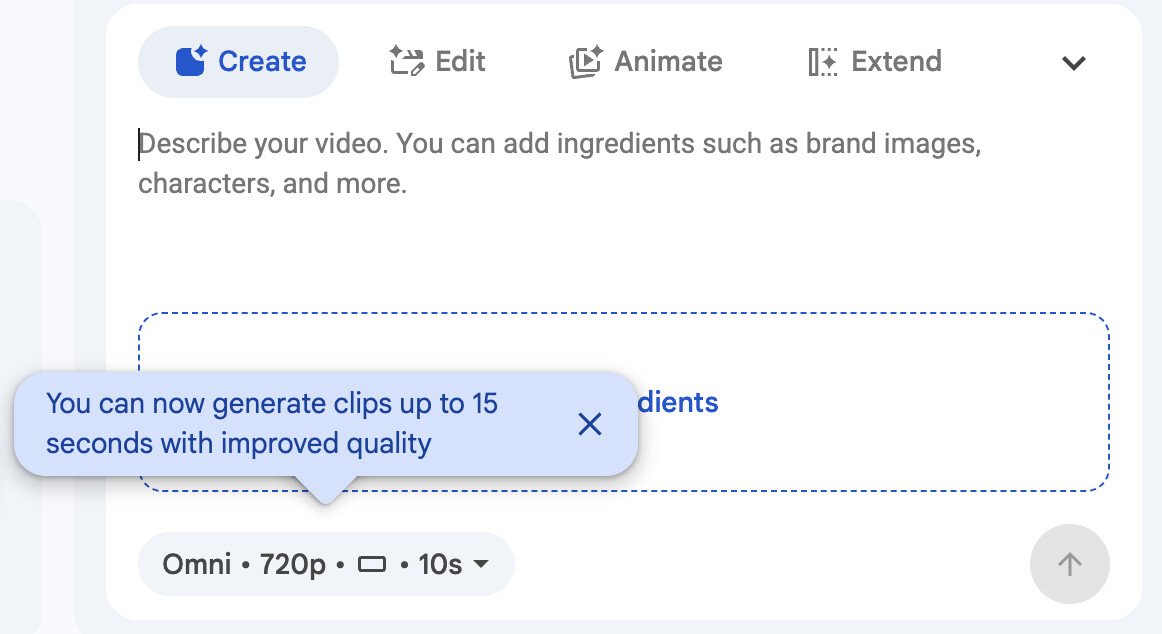
**Google Vids, free.** Vids is Google's video maker, and it comes free with any Google account. With Omni 1.2 Flash there, you can make [up to three 15-second videos a month at no cost](https://blog.google/products-and-platforms/products/workspace/omni-1-2-flash-google-vids/). Go to [vids.new](https://vids.new) on a computer, and set the length with a slider.
Google says it reaches accounts over one to three days, so if you don't see 15 seconds yet, check back tomorrow.
Omni in Google Vids, where you choose the clip length. From Google Workspace Updates
**The Gemini app, paid.** It's [rolling out to everyone on a paid Google AI plan](https://x.com/GeminiApp/status/2118406227533435391) with fix-by-asking edits. The 15-second clips there are for Ultra subscribers. Google hasn't published a daily number, and video counts against the same usage allowance as everything else you do in Gemini.
## What you can change in a finished clip by typing
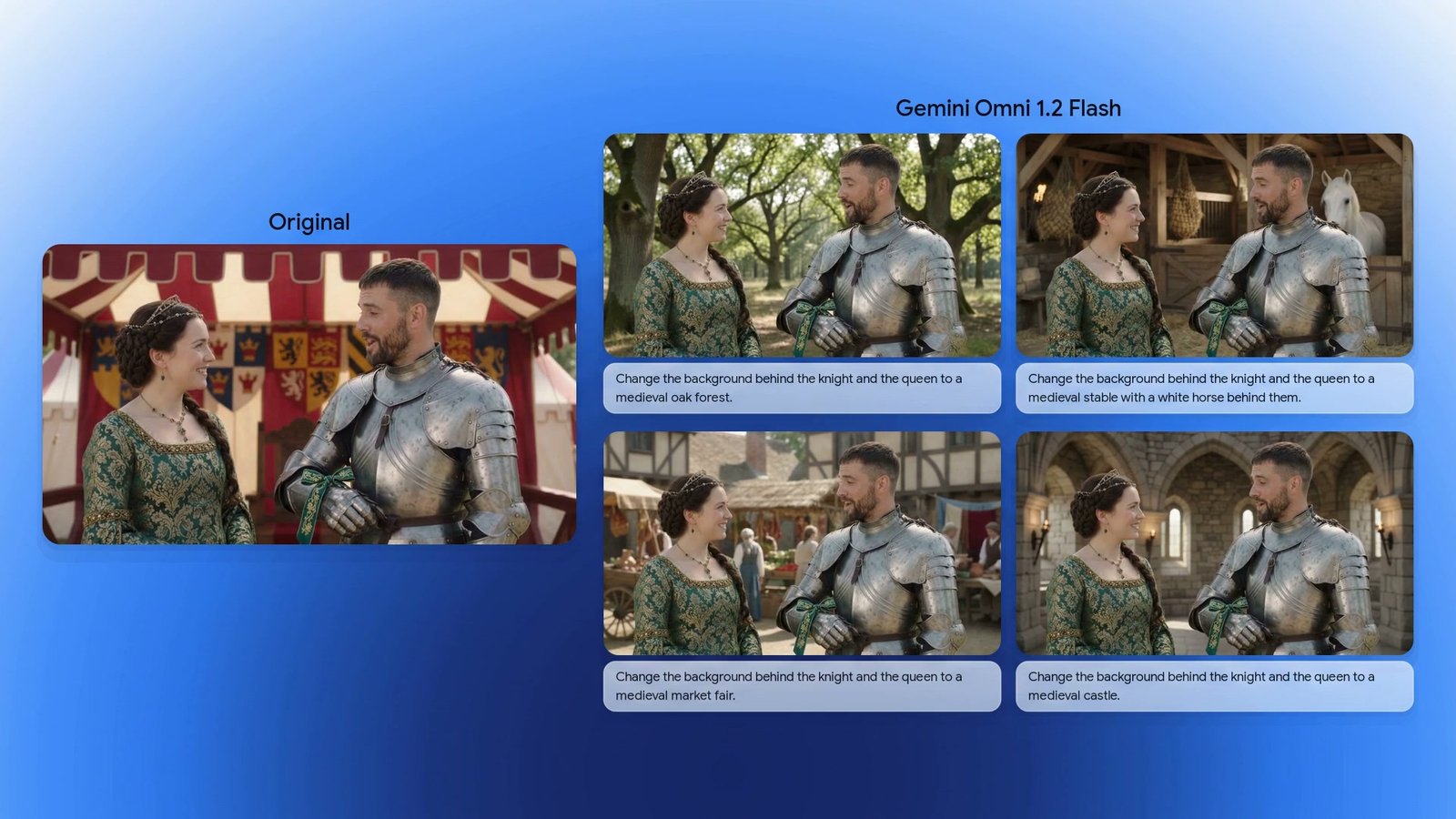
Once you have a clip, you can ask for changes in the chat, one request at a time, on the same clip:
- **Swap the product or the background**
- **Change the lighting or the weather**
- **Change the video from wide to vertical**, for a social post
One clip and four typed background swaps, with the same characters and framing. From Google's announcement
When we [tested Gemini Omni 1.2 Flash by editing a video just by chatting with it](https://www.aiformortals.co/blog/gemini-omni-flash-1-2-tested), changes to what's in the scene worked: a new background, night to day, even a switch to anime with the logo still spelled right. Changes to the camera or the pacing didn't, and a short request ("make it bright daytime instead of night") worked better than a long, detailed one.
So keep each request to one change, in a few words:
> "Same clip, but make it a rainy evening."
## Use your own product photos and characters
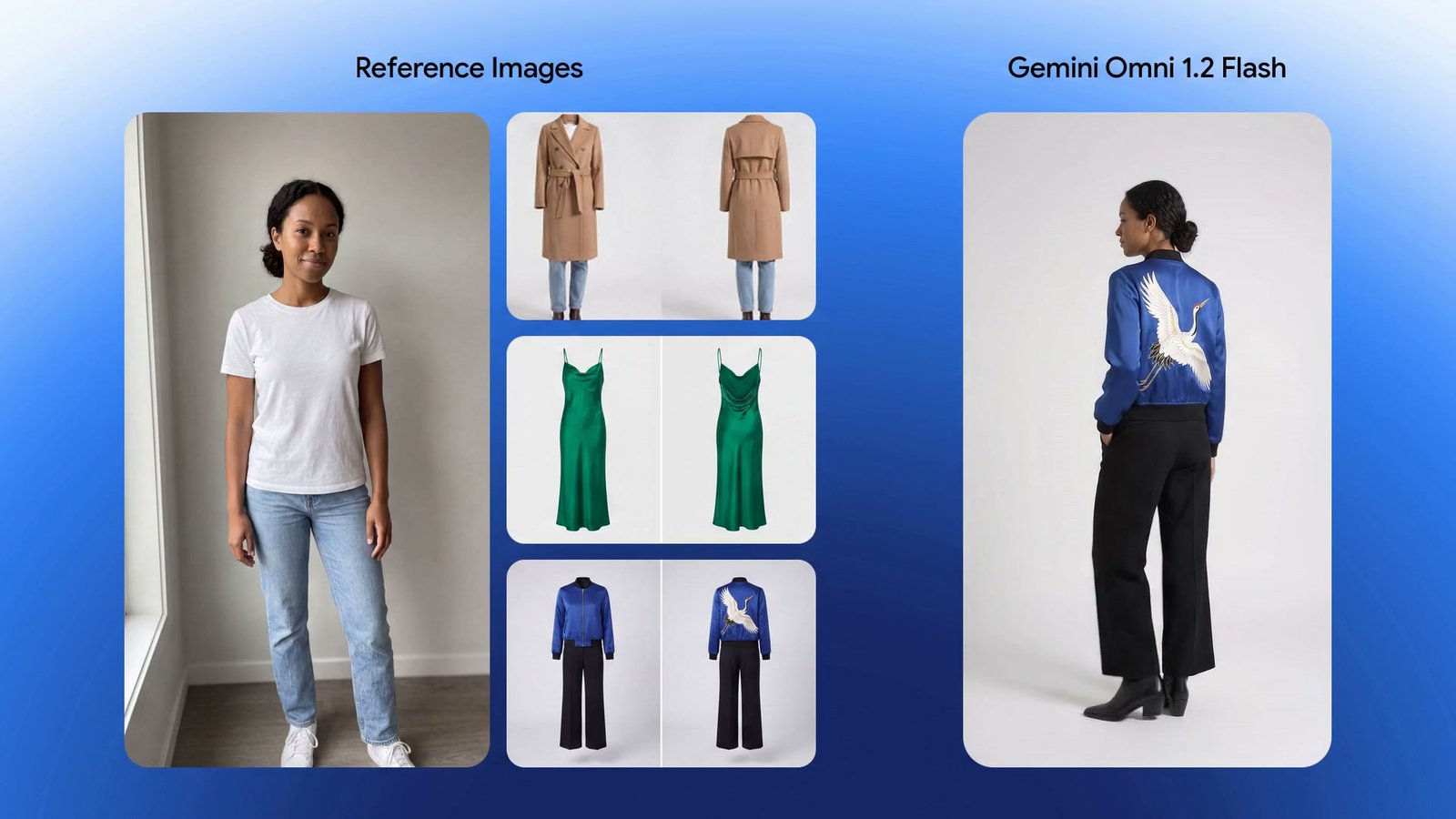
You can give it photos of your own product, person or style, plus a short motion clip of up to three seconds or a sound to match. Google says it **keeps faces, clothes, packaging text and brand colors the same** from the first frame to the last, even when the camera angle changes.
Photos of a person and three outfits go in, and the jacket's embroidery survives into the clip. From Google's announcement
It also gives each character in a scene its own voice, with clearer lip sync, and Google says camera moves have fewer jump cuts than before. In our test, a talking clip said its line word for word, and a 15-second scene hit all three of its timed moments.
## What Gemini Omni still gets wrong
Google lists what the model still struggles with: **fast sports action, scripts that change quickly and complicated physics**. So a calm product shot plays to its strengths better than a sports highlight does.
Every clip carries **SynthID, Google's invisible watermark** for AI-made content, so it can be identified as AI-made later.
## Try it on one real work video first
Since Vids already made free AI videos, the change for most people is that those free clips now run 15 seconds and **can be fixed by typing instead of made again**. That makes three a month enough to test it on one real work video, like a short product explainer or a social post, before you pay for anything. Make one clip, then spend your next two on edits to see whether fixing it by asking actually saves you time.
If you already make videos inside ChatGPT, compare it with [CapCut's editor coming to ChatGPT](https://www.aiformortals.co/blog/capcut-in-chatgpt). And if you're deciding which assistant to pay for in the first place, our rundown of [what Claude, Gemini, Grok and the others do and cost](https://www.aiformortals.co/blog/chatgpt-alternatives) puts Google's plans next to the rest.
For developers, Omni 1.2 Flash costs 30% less than 1.1 through Google's API, at $0.07 a second for 720p video. It's also in Google's Flow filmmaking tool.
## Sources
- [Google: Gemini Omni 1.2 Flash, fast and cost-effective with longer clips](https://blog.google/innovation-and-ai/technology/developers-tools/introducing-gemini-omni-1-2-flash/)
- [Google: Omni 1.2 Flash in Google Vids at no cost](https://blog.google/products-and-platforms/products/workspace/omni-1-2-flash-google-vids/)
- [Google Workspace Updates: Gemini Omni 1.2 Flash now in Vids](http://workspaceupdates.googleblog.com/2026/11/gemini-omni-12-flash-now-in-vids-with-15second-generations-and-improved-quality.html)
- [Google: Gemini Omni in Google Vids, September](https://blog.google/products-and-platforms/products/workspace/gemini-omni-in-google-vids/)
- [Google DeepMind: Gemini Omni 1.2 Flash](https://deepmind.google/blog/gemini-omni-12-flash-fast-and-cost-effective-with-longer-clips/)
- [Gemini App on X: rolling out to Google AI subscribers](https://x.com/GeminiApp/status/2118406227533435391)
- [Google Workspace on X: three free videos a month in Vids](https://x.com/GoogleWorkspace/status/2118433926507118720)
- [Gemini API changelog, November 5](https://aistudio.google.com/docs/changelog#11-05-2026)