# HeyGen Avatar 6: Can It Pass for the Real You?
> HeyGen's new avatar model gestures to match your script: how close it gets to a real recording, what a minute costs and how to direct its hands.
By AI for Mortals Staff · November 17, 2026 · 8 min
Canonical: https://www.aiformortals.co/blog/heygen-avatar-6
HeyGen Avatar 6 came out on November 17. It's HeyGen's new model for AI avatars: you give it a photo and a short clip of yourself talking, type a script, and it makes a video of you saying it.
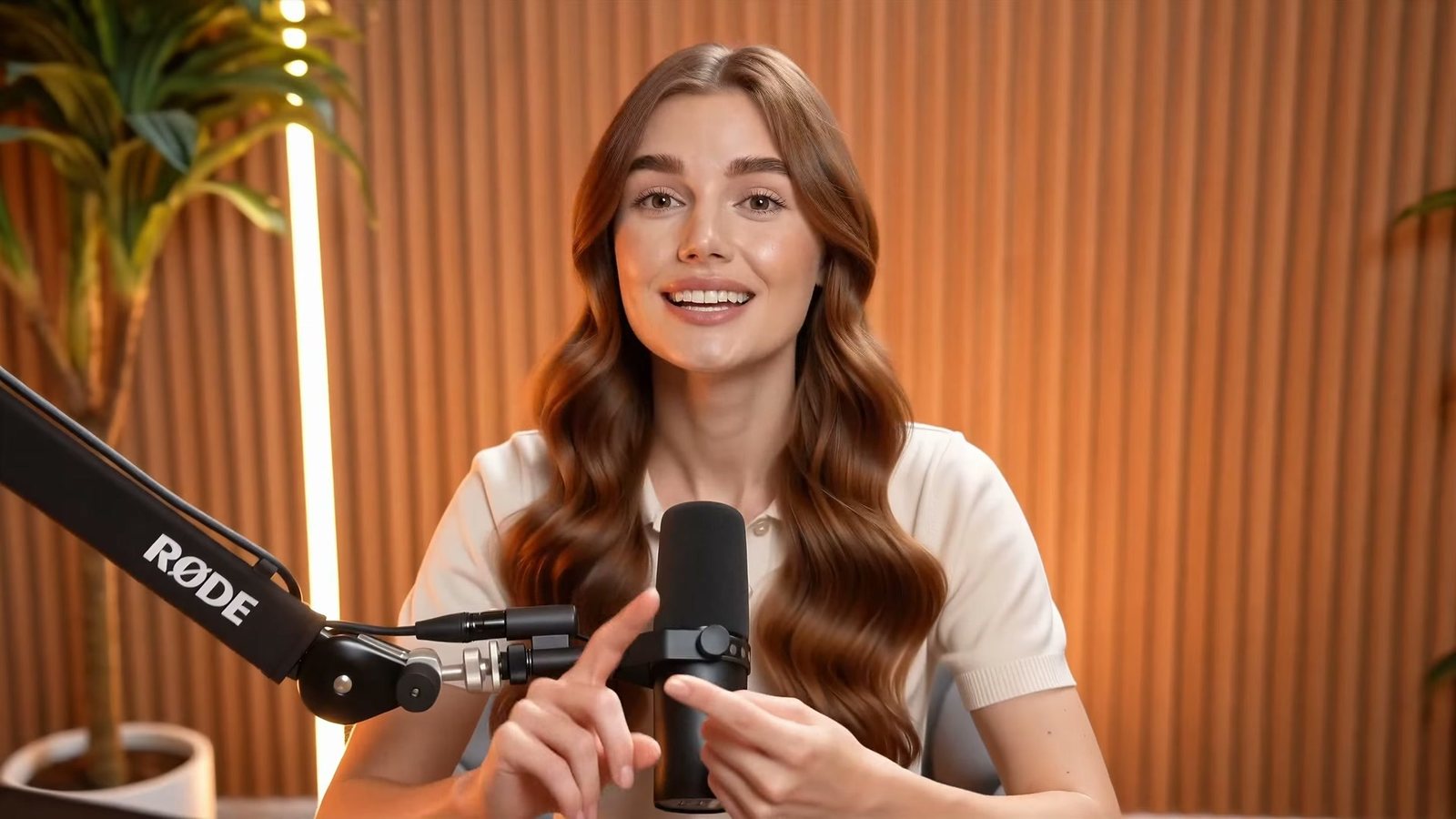
The difference from earlier HeyGen avatars is the body. Avatar 6 reads the script and moves to match it, so it counts on its fingers when you list three things and points when you say "down there."
HeyGen's headline claim is that 84% of people couldn't tell it from a real recording. Below is what that number actually measures, how Avatar 6 did in an outside blind vote, what a minute of video costs on each plan, and the prompts that make its gestures land where you want them.
We haven't filmed our own side-by-side yet. This post is built from HeyGen's research, the independent Avatar Arena results and what early testers found in their first runs.
## What's new in HeyGen Avatar 6
can you tell which one is real? 84% couldn't. introducing Avatar 6, #1 on New Measure's Avatar Arena
Here are the changes HeyGen lists on its [Avatar 6 page](https://www.heygen.com/models/heygen-avatar-6):
- **Gestures that follow the script.** The model works out where to point, count or motion to the side from what the words mean. Older HeyGen avatars looked like you but repeated the same few hand movements whatever you said.
- **Fresh movement on every line**, instead of a loop of motion replayed under new audio.
- **Sharper video.** Every frame is made at 2K, and you can export in 1080p or 2K.
- **Two avatars in one shot.** Write both sides of a script and get a host-and-guest conversation in one video. HeyGen points to its MCP connector for this, covered further down.
A frame from HeyGen's Avatar 6 showcase. The presenter is generated, and the counting gesture comes from the script. Source: HeyGen
To make an avatar of yourself, HeyGen asks for one clear photo and a short recording of you talking: at least 15 seconds in its setup steps, up to 30 seconds in its launch post. The clip is how the model learns your voice, your expressions and the way you move.
There are two versions. **Avatar 6 Turbo** is the cheaper one, and **Avatar 6 Pro** is the one HeyGen calls its most lifelike. Which you get depends on your plan (pricing is below).
## Can people tell Avatar 6 from a real recording?
The 84% figure comes from HeyGen's own test, and it's easy to misread. It doesn't mean 84% of viewers were fooled.
HeyGen showed raters two clips side by side, one real recording and one Avatar 6 video of the same sentence with the same audio, and asked which was real. They picked the avatar 42.2% of the time. If nobody could tell at all, it would be 50%, a coin flip. HeyGen doubles 42.2 and calls the result "84.4% indistinguishable."
So on a side-by-side, people still spotted the real one more often than not, but not by much. The older Avatar V scored 44.4% on the same measure.
HeyGen also showed single clips on their own, with no real video to compare against, and asked if each looked real:
| Clip shown alone | Judged real |
|---|---|
| A real recording | 78.9% |
| Avatar 6 with the person's own voice | 65.1% |
| Avatar 6 with a HeyGen AI voice | 56.5% |
Even real recordings only convinced about four in five raters. The voice made a clear difference too: the same avatar was judged real noticeably less often when it spoke with an AI voice instead of the person's own.
These are HeyGen's numbers from its [Avatar 6 research report](https://www.heygen.com/research/avatar-6-model), based on a few hundred answers per row. Treat them as the company's best case.
## How HeyGen Avatar 6 ranked against Synthesia, Tavus and others
[Avatar Arena](https://newmeasure.ai/avatar-arena), run by New Measure, a separate AI testing company, works like a blind taste test. A creator writes a short script, two companies' avatars each read it, and the creator votes before learning which company made which video.
Avatar 6 came first on both of its leaderboards, voted on between October 27 and November 16. The scores work like chess ratings, where 1,000 is average:
| Your own avatar (made from your clip) | Score |
|---|---|
| HeyGen Avatar 6 | 1,197 |
| Creatify Aurora 2.0 | 1,053 |
| VEED Lipsync 2.0 | 1,000 |
| Captions Avatar X | 896 |
| Runway GWM-1 Avatars | 854 |
| Ready-made presenters | Score |
|---|---|
| HeyGen Avatar 6 | 1,237 |
| Creatify Aurora 2.0 | 1,088 |
| Tavus Phoenix-4.5 | 920 |
| JoggAI | 887 |
| Synthesia EXPRESS-1 | 868 |
The gap was widest on movement. Against Runway, Captions and Synthesia, at least nine in ten voters said HeyGen's avatar moved more naturally. Lip sync was closer: Creatify matched or beat HeyGen about one time in three.
Avatar 6 was slower than most rivals. A typical video took about three minutes, against about one minute for Runway, and one in ten of HeyGen's personal-avatar videos took more than nine and a half minutes.
The arena's results have limits. Scripts were capped at 500 characters, so almost every video was 35 seconds or shorter, and the votes say nothing about a ten-minute training video or about other languages.
About one in six voters asked for changes to the video they picked, and many of those requests were about the winner: fewer hand gestures, a calmer face, a different outfit. The arena's editor could only change the words, so it couldn't fix those.
If you're weighing HeyGen against the alternatives more broadly, our [plain-English guide to HeyGen](/blog/what-is-heygen) covers its other features, and our [roundup of the best AI video generators](/blog/ai-video-generators-guide) covers tools that make whole scenes instead of a talking presenter.
## How to make your own HeyGen AI avatar with Avatar 6
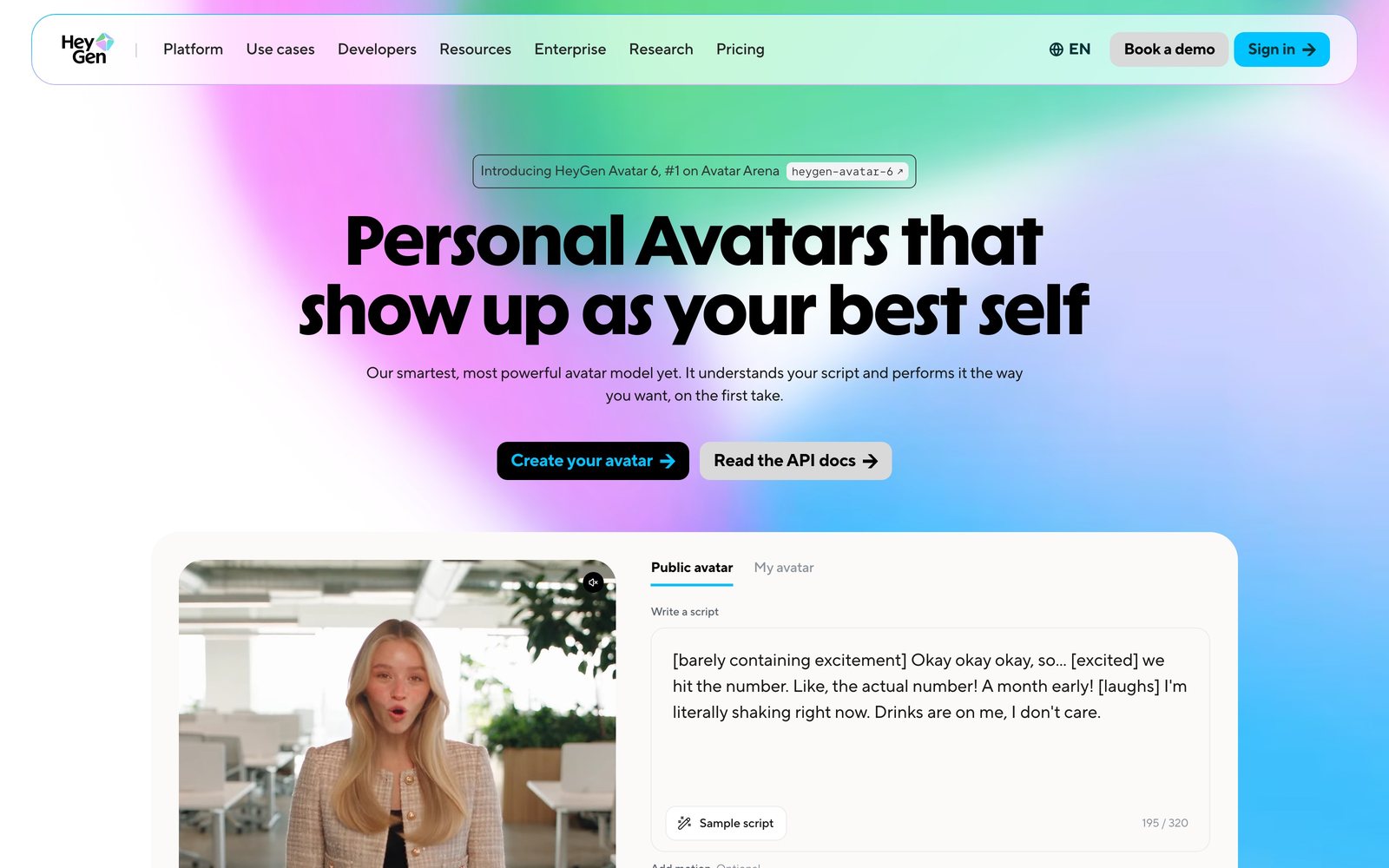
You can try Avatar 6 with one of HeyGen's ready-made presenters without making an avatar of yourself. The [Avatar 6 page](https://www.heygen.com/models/heygen-avatar-6) has a box where you type a script, add an optional motion note and pick a presenter, and you get two free takes there before it sends you to the app.
The try-it panel on HeyGen's Avatar 6 page. Bracketed tags like [excited] and [laughs] set the delivery. Source: HeyGen
To make one of yourself in the HeyGen app:
1. **Take the right photo.** Use a clear, front-facing photo from the waist up with both hands in view and some space around your arms. One early tester found that a head-and-shoulders photo gives you a video with no hand gestures at all, since the model has no hands to move.
2. **Record your clip.** At least 15 seconds of you talking naturally to the camera. HeyGen's own tutorial says to turn off your phone's beauty filter, so the avatar learns your real face.
3. **Verify it's you.** HeyGen asks you to record a short on-camera consent statement that includes a one-time code, and the avatar won't render until HeyGen matches the face in it to the face in your footage. You can only make an avatar of yourself or of someone who has clearly given you permission.
4. **Write or paste the script**, or upload your own audio. Pick Avatar 6 Pro or Turbo, set the voice, and generate.
Your first video is free and needs no card. A one-minute Avatar 6 video takes a few minutes to render, longer at busy times.
## Motion prompts that make Avatar 6's gestures land
Avatar 6 picks gestures on its own, and for a lot of scripts that's enough. When you want a specific move on a specific word, there's a motion box where you describe it in plain words.
HeyGen's own examples tie every gesture to a phrase from the script, and one early tester who ran 22 short test clips found the same thing: a gesture tied to a word lands on that word. Here's the pattern in a form you can paste:
```
Warm and friendly. On "three things", hold up three fingers. On "the link below", point down with your index finger. On "thanks for watching", give a small wave with your right hand.
```
What worked less well in those tests:
- **"At the end" doesn't work.** A gesture asked for "at the end" came out as the wrong move, or finished before the last word. Name the last word instead.
- **One gesture per sentence.** Three gestures asked for in one line blurred together, and three fingers turned into two and then a fist.
- **Some preset moves misfire.** Waves, shrugs and fist pumps came out well. Crossed arms froze the avatar for the whole clip, and a clap turned into prayer hands.
The full test, with each clip side by side, is here:
Under the motion box there's a **More expressive** switch, which is on by default. With it off, the tester's avatar kept its hands folded for the whole clip while only its head and mouth moved, so leave it on unless you want a very still presenter.
For a calmer delivery, like a tutorial or a serious company update, say so in the box:
```
Calm and steady, like explaining something to a colleague. Keep your hands low and use small, open-handed gestures. Don't smile on the sentence about the delay.
```
Two more things the tests turned up. The same audio and the same prompt gave the exact same video twice, so if you want a different take, change a word. And Turbo moved its hands more stiffly than Pro on the same line; on that seven-second clip, Turbo cost one credit less.
## HeyGen pricing for Avatar 6: what a minute costs
HeyGen charges in credits, spent per minute of finished video. Here's what HeyGen's [pricing page](https://www.heygen.com/pricing) and [avatars page](https://www.heygen.com/avatars) list on November 17:
| Plan | Price | Credits a month | Avatar 6 |
|---|---|---|---|
| Free | $0 | 3 videos | 3 watermarked videos a month, up to 1 minute each |
| Creator | $29 a month | 600 | Avatar 6 Turbo, 1080p |
| Pro | $49 a month | 1,000 | Avatar 6 Turbo and Pro, plus a professional voice clone |
| Business | $149 a month | 1,500 | Avatar 6 Pro, 5 custom avatars |
| Credits per finished minute | 1080p | 2K |
|---|---|---|
| Avatar 6 Turbo | 20 | 35 |
| Avatar 6 Pro | 40 | 58 |
In practice, Creator's 600 credits cover about 30 minutes of Turbo video at 1080p. Pro's 1,000 credits cover about 25 minutes of Avatar 6 Pro at 1080p, or about 17 minutes at 2K.
Paying yearly takes two months off. Unused credits roll over for one month on Creator.
The Cinematic tab, which drops your avatar into a scene you describe (walking into a studio, say), costs far more. The same early tester spent 74 credits on a four-second clip, and that clip didn't use the person's own voice.
## Early HeyGen reviews: what people like and what bugs them
The day-one reaction on X was mostly amazement. Creators who already run social accounts with a HeyGen clone said the new model finally picks up their mannerisms and changes in mood. One well-known tech founder said avatars are getting close to impossible to tell from a real person, even for people who follow AI closely.
The criticism is about the small things. Under HeyGen's own real-or-avatar challenge video, one viewer said the avatar version looked a bit softer and smoother than the real person, and that it was missing the small smile the real person had between lines.
Cost is the other recurring complaint. HeyGen's community threads have long had people saying it gets expensive once you make videos at volume, and on launch day an open-source alternative was being passed around on X as a way to skip the subscription.
There's also the risk that comes with any avatar this convincing. HeyGen's consent check is meant to stop someone from uploading a clip of you, but the videos themselves can still be used to fool people once they're out in the world. Our guide to [voice clones, deepfakes and how to spot them](/blog/ai-scams) covers what to watch for.
## Make Avatar 6 videos from Claude or ChatGPT
Avatar 6 is also in HeyGen's MCP connector, so Claude or ChatGPT can make a video of your avatar at the end of a chat. In ChatGPT, add the HeyGen app and type /heygen. In Claude, add [HeyGen's MCP server](https://www.heygen.com/model-context-protocol) as a connector. It uses your plan's credits either way.
That's also where the two-avatar conversations live for now. A prompt like this works once the connector is set up:
```
Using HeyGen, make a 45-second video with my avatar as the host and a second avatar as the guest. The host asks what changed in our refund policy this month, and the guest answers in three short points. Use Avatar 6 Pro.
```
HeyGen also makes HyperFrames, a free tool for making animated videos with Claude or Codex. We covered [the HyperFrames app](/blog/hyperframes-studio) recently, and this video from our channel shows what it does with Codex:
## Sources
- [HeyGen: Avatar 6 model page](https://www.heygen.com/models/heygen-avatar-6)
- [HeyGen: Avatar 6 research report](https://www.heygen.com/research/avatar-6-model)
- [HeyGen on X: the Avatar 6 announcement](https://x.com/HeyGen/status/2122738284405117217)
- [HeyGen on X: the Avatar Arena post](https://x.com/HeyGen/status/2122773765029531805)
- [New Measure: Avatar Arena results](https://newmeasure.ai/avatar-arena)
- [HeyGen: pricing](https://www.heygen.com/pricing)
- [HeyGen: AI avatars page (credits per minute)](https://www.heygen.com/avatars)
- [HeyGen developer docs: Avatar 6](https://developers.heygen.com/docs/models/avatar-6.md)
- [HeyGen on YouTube: Avatar 6 launch video](https://www.youtube.com/watch?v=8ZVeOsIFUPg)
- [Early hands-on test: 22 Avatar 6 clips, Pro vs Turbo vs Avatar 5](https://www.youtube.com/watch?v=4TmAwyuIqxg)
- [Reddit r/generativeAI: HeyGen is too expensive at scale](https://www.reddit.com/r/generativeAI/comments/1tri3tp/heygen_is_too_expensive_at_scale_what_are_you/)