X Feed Cleaner.
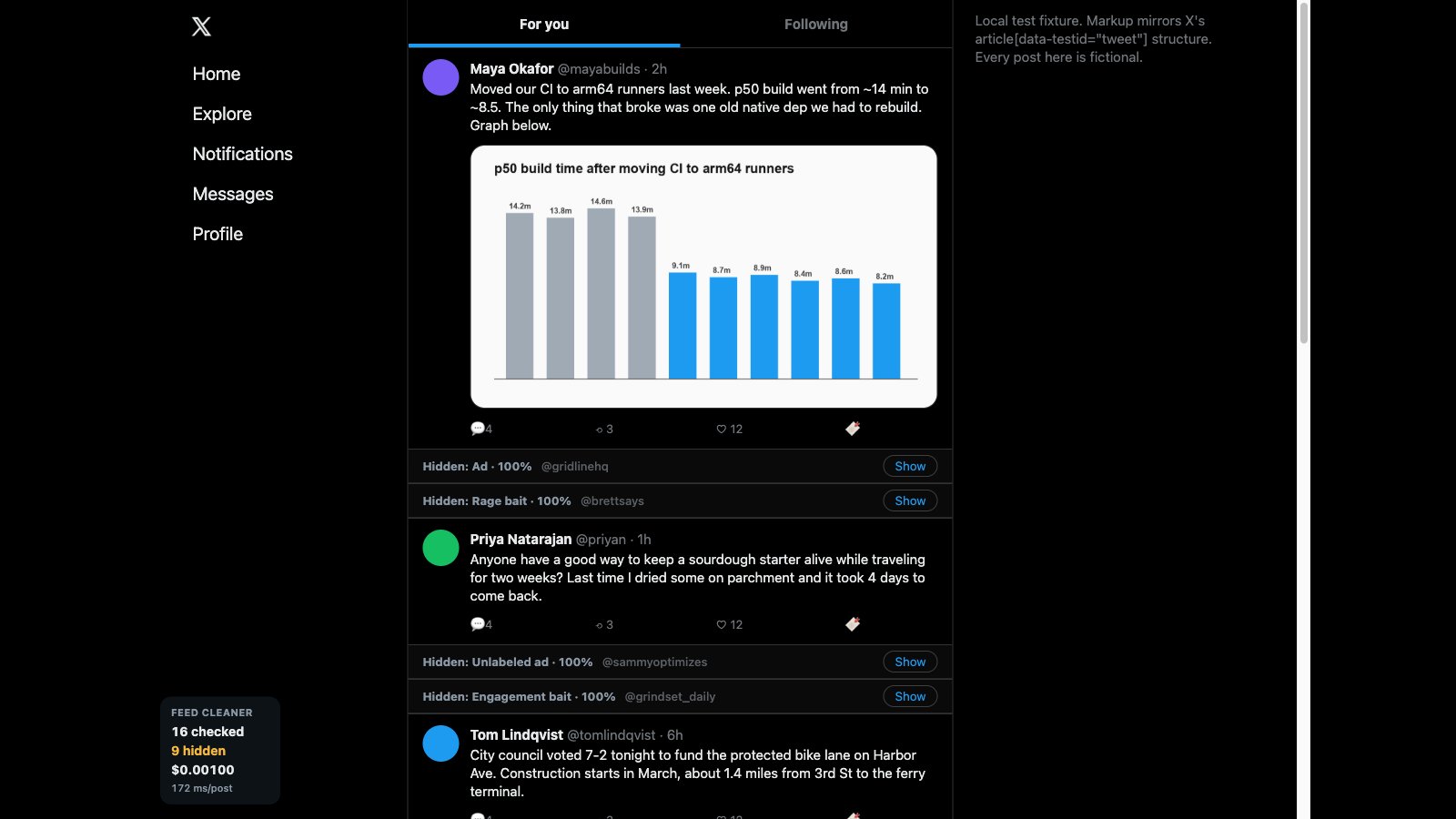
A Chrome extension that checks every post on X as you scroll and folds ads, hidden sponsored posts, rage bait and engagement bait into a thin bar you can open with one click. It only reads and hides. It never likes, posts, follows or clicks anything on X.
On GitHub. No API keys inside. You add your own OpenAI key during setup.
Set it up
- Get the code from GitHub (clone the repo, or Code, Download ZIP). The extension is the
x-feed-cleaner/extensionfolder. - In Chrome, go to
chrome://extensionsand turn on Developer mode (top right). - Click Load unpacked and pick the
extensionfolder insidex-feed-cleaner. - Click the extension in your toolbar to open its settings. Paste your OpenAI API key, click Save, then Test key. It should say something like
Works: 136 ms. - Open or reload x.com. A counter appears in the bottom-left corner with posts checked, posts hidden and cost so far.
Your key is stored only in Chrome's local extension storage on your computer and is sent only to api.openai.com. I tested it against a copy of an X feed with 16 made-up posts. If the counter stays at 0 on the real site, X has changed its page layout.
What it cost in my tests
| Per post | About 200 ms and about 630 input tokens |
| Per 100 posts | $0.0063, well under a penny |
| Test feed | 16 of 16 posts sorted correctly, three runs in a row |
Built with one prompt for the video I Tested OpenAI's Decisions API on 7 Real Use Cases. See all the demos.