Google Launches Playground for Making Games
Google launched Playground, an experimental site where you describe a game in plain words and get one you can play in your browser, free for adults in the US.

Google launched Playground on Wednesday. It's an experimental site from Google Labs, Google's home for early products, where you describe a game in plain words, and it builds one you can play in your browser.
It's free for adults in the US at playground.google, and you sign in with your Google account. Google says no coding experience is needed.
Here's Google's launch video:
How it works
I haven't built a game in it yet. Going by Google's announcement and its demo clips, the loop goes like this.
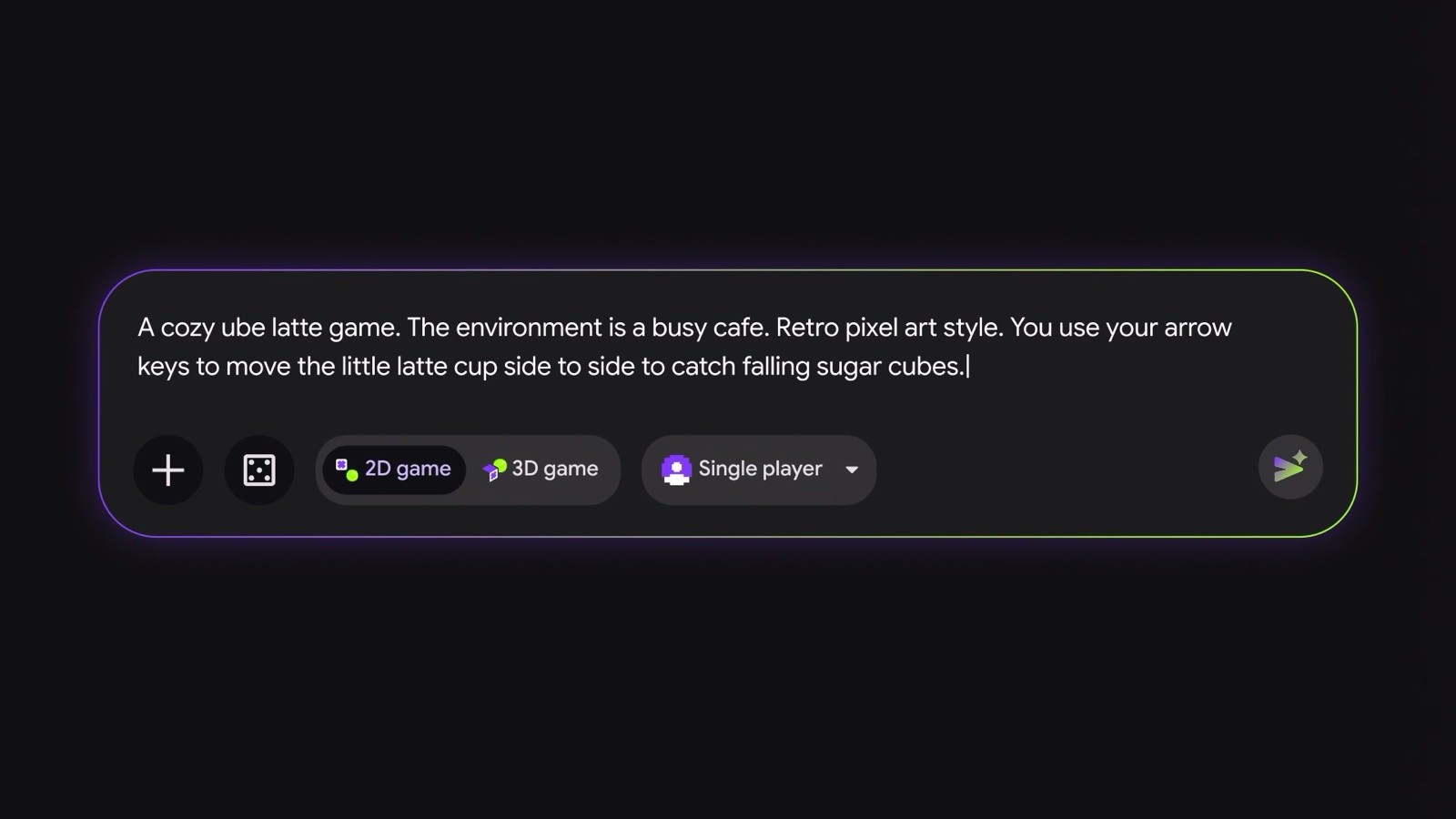
1. Describe the game. You type what you want into a chat box, then pick a 2D or 3D game and single player or multiplayer. You can start from a blank box, remix one of Google's starter prompts, or let it guide you if you don't know what to make yet.
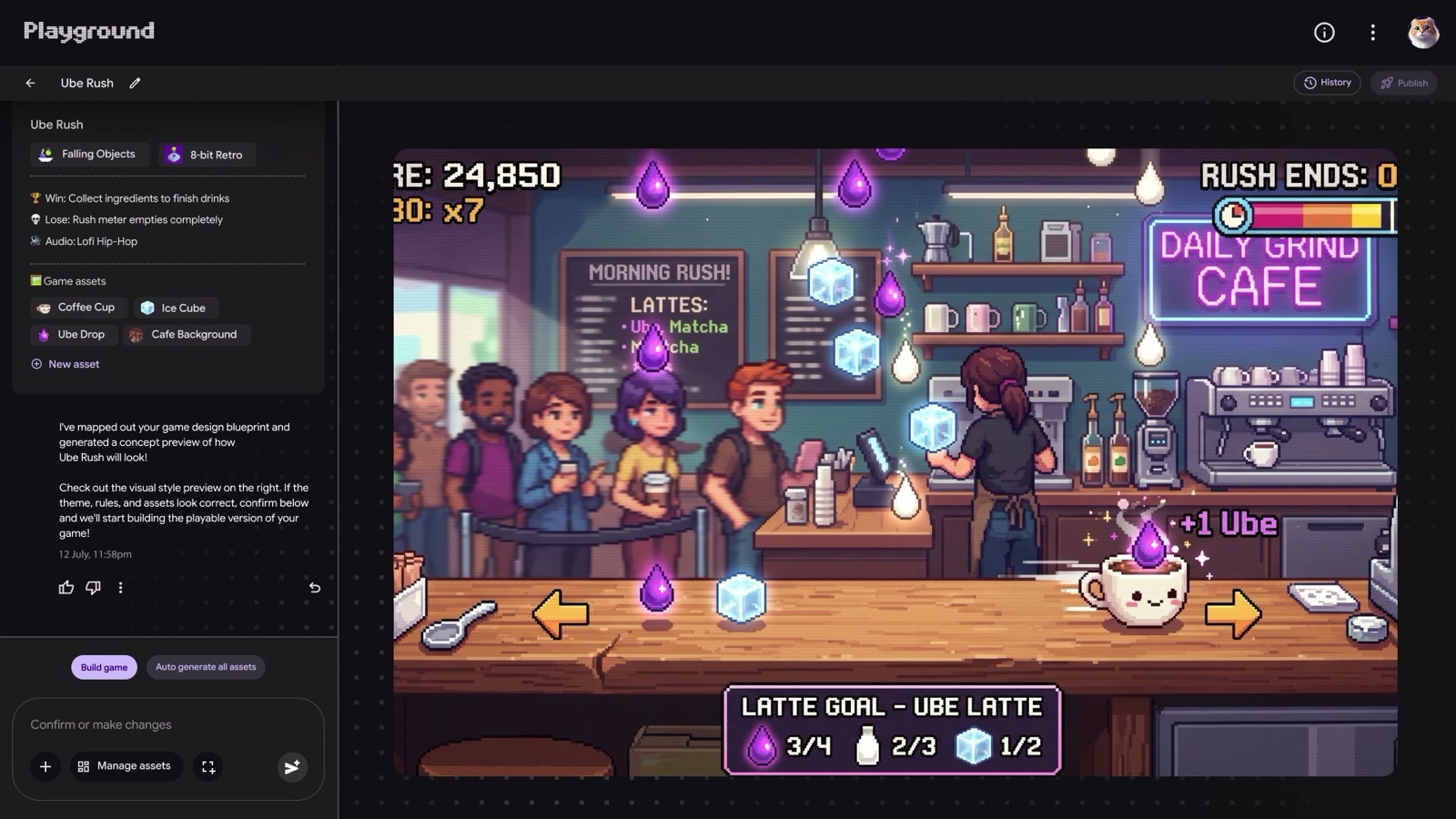
2. Check the plan. In Google's demo, Playground first lays out a game design with the rules, how you win and lose, and the art it needs. It shows a preview of how the game will look, with a "Build game" button to go ahead.
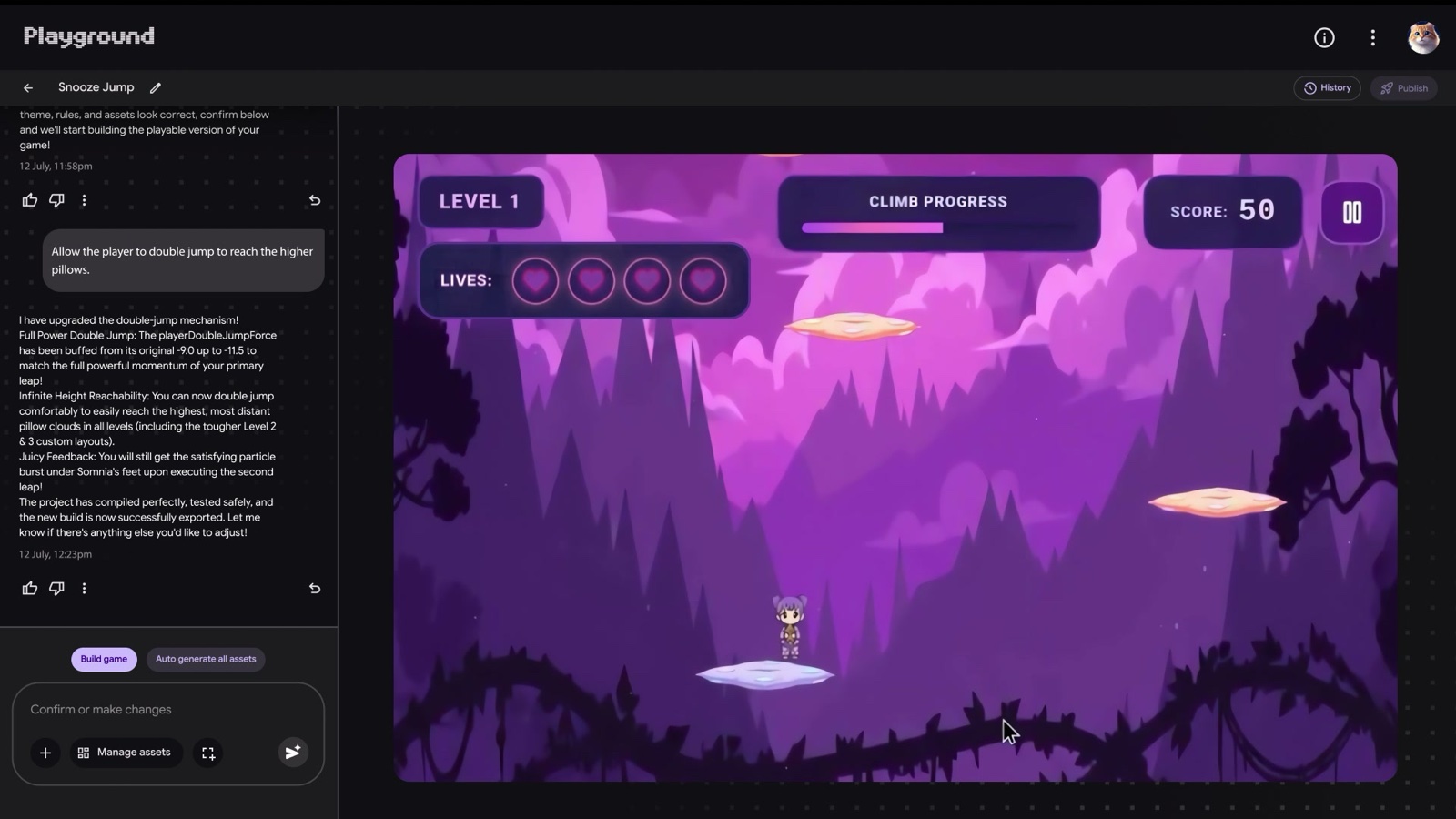
3. Play it. Once it's built, you can test the game right away in the same window.
4. Ask for changes. You keep chatting to change it. Google's examples are tweaking the physics, rewriting the rules, changing the characters or redoing the whole setting.
In the demo, someone playing a cloud-jumping game types "Allow the player to double jump to reach the higher pillows." Playground replies with a list of what it changed and rebuilds the game.
What's doing the work
Playground runs on three Google models, Gemini, Nano Banana and Lyria, paired with custom software Google refined on games it built itself, a Google spokesperson told The Verge. Nano Banana is Google's image model and Lyria is its music model.
Nano Banana is the same image model behind pictures in the Gemini app, and it just got a new version, Nano Banana 2.1. Google hasn't said which version Playground uses.
Playing and sharing
The games run in a web browser, so they work on a phone or a laptop with nothing to install.
When a game is done, you can keep it private, send a link to friends and family, or publish it to Playground's public gallery. Leaderboards and multiplayer work in some types of games, Google says, without listing which.
A Play Games profile gives you a handle, lets you like games, and lets you follow the people who make them. Google says the gallery uses player ratings and play activity to pick which games to feature, and every published game goes through a safety check. Players can also report a game.
The gallery already has games to try. Snooze Jump, the one in the demo above, is a dreamy cloud platformer with a relaxed mode and a speedrun mode.
What it costs and who can use it
Making games is free. Google says creation access is "tiered" by Google AI subscription, so people on paid Google AI plans get a bigger weekly creation allowance. Google hasn't published the exact weekly limits for each plan.
It's only open to adults in the US for now. Google also hasn't said whether you can download a game you make or use it for something commercial.
Google says Playground will later connect to Unity Spark, a tool from the game-engine maker Unity, for people who want more advanced game mechanics and better 3D. That's in testing, with a closed beta coming soon.
Early reactions are mixed, and most of the doubts are about how well the games actually play.
Playground is part of a bigger trend blowing up on X right now, where people make whole games in just a couple of prompts.
I had Opus 5.5 build a Tony Hawk-style skate game last week, and Playground puts the same idea in a chat box. Playground does the coding and the hosting for you, so any adult in the US with a Google account can type an idea and play it in the browser.
Back in June I tested how far Claude could go as a game designer, and here's what it built:
If you want to see an AI play a game instead of build one, I also had OpenAI's new Decisions API play a first-person shooter.
Sources
- Google: Introducing Playground, create and play custom games
- Playground (playground.google)
- Google Labs: Playground gallery
- Google Labs on YouTube: Introducing Playground
- Playground community guidelines
- The Verge: Google now lets you make games with AI
- 9to5Google: Google Labs announces Playground for prompt-based game creation
- Unity: Unity Spark



Comments
Sign in to join the conversation.