OpenAI’s GPT-6.1 Terra Makes Your ChatGPT Plan Go Further
OpenAI's GPT-6.1 Terra is a faster, cheaper model for routine computer work like filling in forms and drafting proposals. OpenAI says your paid plan covers far more tasks with it in Work and Codex.

OpenAI released GPT-6.1 Terra on Monday, the new version of the mid-size model that first came out with GPT-5.6 in July.
It's built for everyday computer work, like filling out forms, reading drawings and screenshots, and drafting proposals. OpenAI says it's faster than its bigger models and uses much less of your plan.
Here's OpenAI's launch post, with the demo video:
How to switch to Terra in ChatGPT Work and Codex
Terra lives in ChatGPT Work, the mode where ChatGPT carries out multi-step tasks for you, and in Codex, its coding mode. It isn't in regular Chat conversations.
According to OpenAI's release notes, it's rolling out to Plus, Pro, Business, Enterprise and Edu plans, and it may take a little while to reach your account. Free and Go plans don't get it.
To use it in Work, open Advanced in Work's Power setting and choose GPT-6.1 Terra from the model list, according to OpenAI's model guide. In Codex, pick it from the same model list, and Codex keeps it until you change it.
Some Plus and Pro users won't have to do anything. OpenAI says some of them may find Terra at Medium in Work's default Power setting, where Sol at Light used to be.
On Enterprise and Edu, your workspace admin controls which models you can use, so Terra may not show up until they turn it on.
How many more tasks your plan covers with Terra
Your plan's limits stay the same, and each Terra task uses less of your allowance, so they go further.
OpenAI's pricing page gives rough estimates for how many messages a Plus plan covers in each five-hour window on your own computer:
- GPT-6 Astra: 5 to 45 messages
- GPT-6.1 Sol: 15 to 160 messages
- GPT-6.1 Terra: 35 to 285 messages
That's roughly twice as many as Sol and far more than Astra. The ranges are wide because a short task uses much less than a long one. Pro plans have no five-hour limit, though weekly limits can apply.
If you buy extra credits, Terra's credit rates are half of Sol's. Fast mode uses up your allowance 2.5 times as quickly, so leave it off when you're trying to stretch your plan.
What Terra handles well: forms, drawings, screenshots and drafts
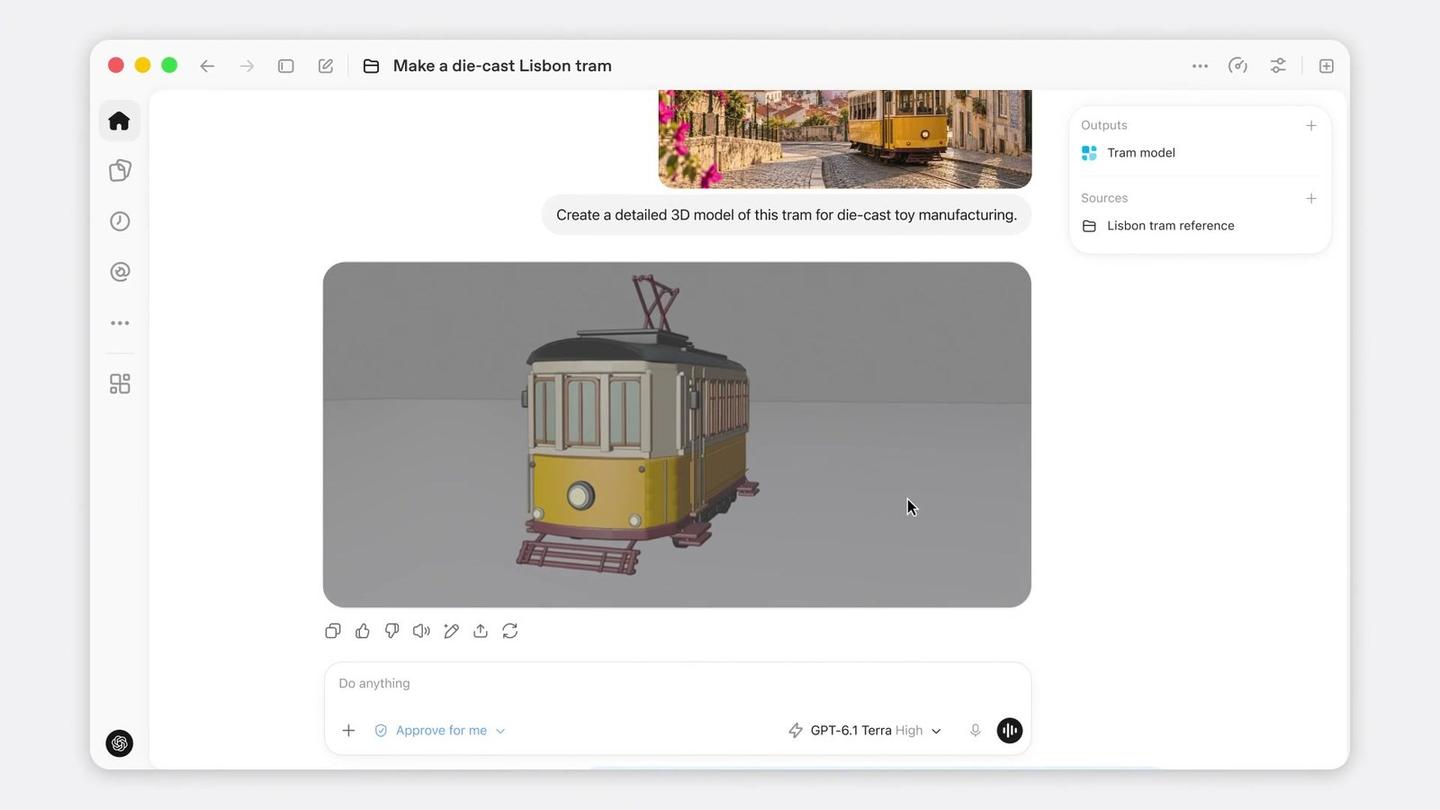
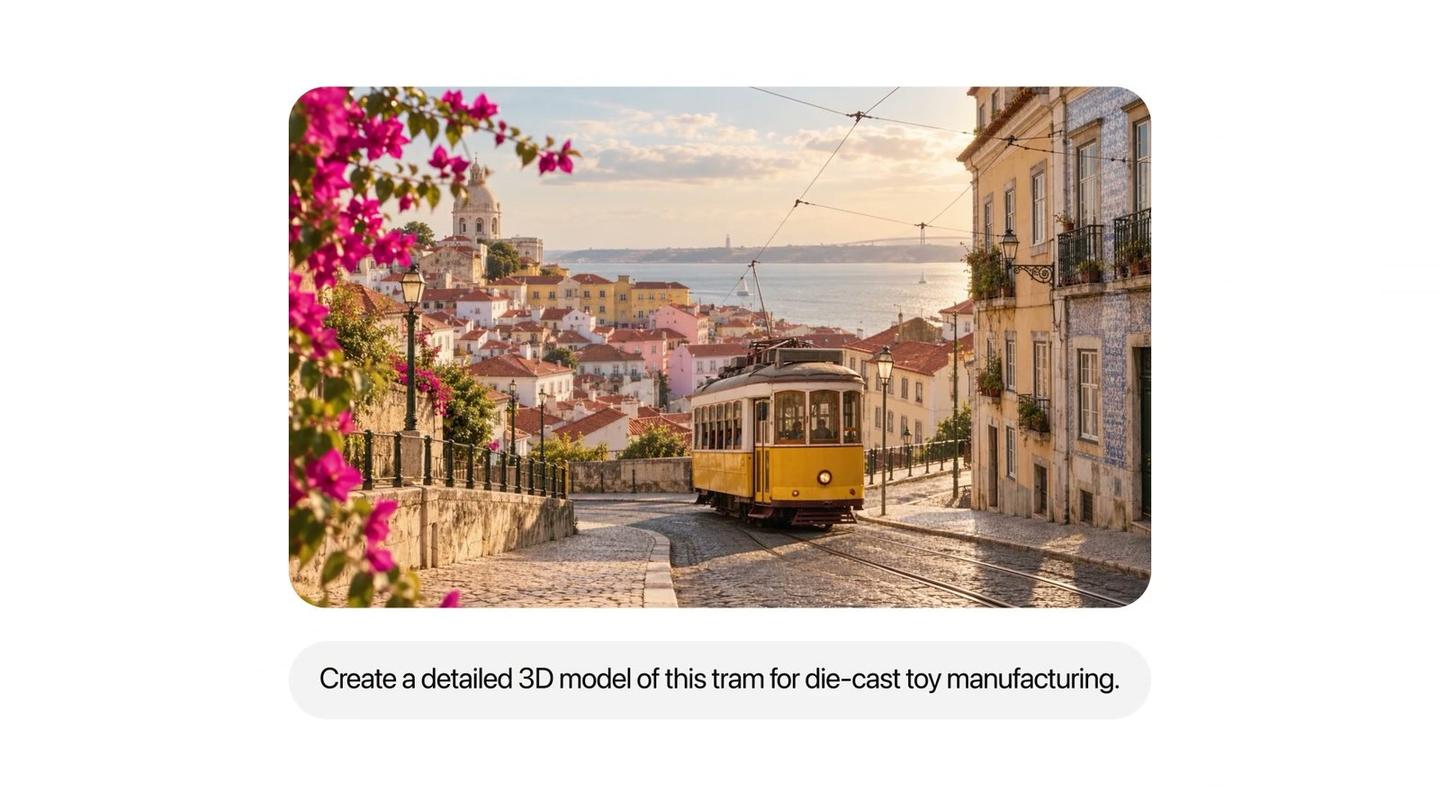
In OpenAI's launch video, someone gives Terra a photo of a Lisbon tram and one line: "Create a detailed 3D model of this tram for die-cast toy manufacturing."
Terra opens a 3D modeling app and builds the tram piece by piece on screen. The finished model comes back to the Work chat, where you can ask for changes.
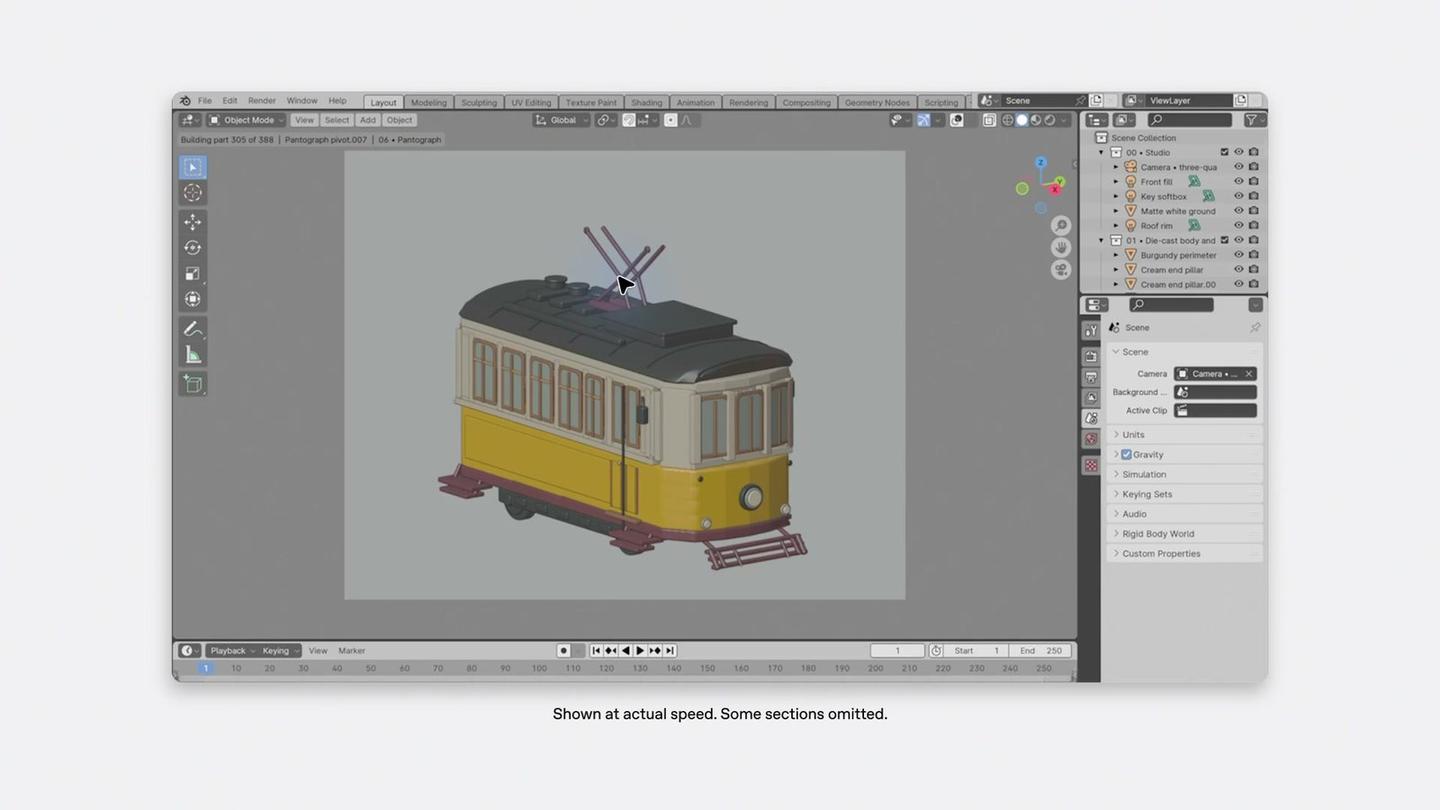
That's what Terra is built for: reading the screen, then clicking and typing across apps to finish a task. OpenAI says it does this more than three times faster than Sol and Astra, and scored about as well as Astra on its tests of professional computer work.
It's also better at getting facts right. On a set of questions OpenAI wrote to trip models into factual mistakes, Terra got 16.7% wrong at a low thinking setting, down from 53.6% for GPT-5.6 Terra. At its highest setting, that fell to 4.3%, close to Sol and Astra.
Here are a few first jobs to try in Work with Terra selected. To read a set of screenshots, this one comes from OpenAI's own guide:
Review these dashboard screenshots and summarize the main changes. Refer to the chart labels and values, and flag anything you can't read confidently.
To fill in a form from paperwork you already have:
Open the new vendor form at [link] and fill it in using the details in the attached PDF. Stop before you submit it and show me everything you entered.
And to draft a proposal from your own notes:
Use these meeting notes and my rate sheet to draft a one-page proposal for [client]. Keep it in plain language and list anything I still need to confirm with them.
OpenAI suggests checking names, numbers and details Terra pulled from images against your originals before you send anything on.
When to pick Sol or Astra instead
OpenAI's model guide splits the four models by the kind of work:
- GPT-6.1 Terra for everyday writing and visual work, like drafting proposals, reviewing visual materials and filling out forms from source documents.
- GPT-6.1 Sol for long-running work across code, apps and documents when cost is a concern.
- GPT-6 Astra for the hardest end-to-end jobs that need sustained reasoning and judgment.
- GPT-6 Luna for simple, repeatable jobs where you know what a good result looks like, like pulling details out of documents or turning notes into a table.
OpenAI's announcement also says Sol and Astra remain the better choice for the most complex coding.
So a simple habit is to start routine jobs in Terra, and switch to Sol when a result misses details or the job needs a lot of planning. You switch in the same model list.
Where else you'll find Terra
Terra also reached other tools on launch day. GitHub added it to Copilot, its coding assistant, for everyday coding at a lower cost than Sol.
Developers can use it in OpenAI's API, where it costs half as much as GPT-5.6 Terra and GPT-6.1 Sol. OpenAI also claims that at its highest setting Terra completes a typical computer task for about a ninth of what Claude Opus 5.5 costs. That's OpenAI's own figure.
OpenAI says Terra is skilled enough at cybersecurity to reach the highest risk level in its safety framework, so it keeps the protections OpenAI built for Astra.
How I already split work between a big and a small model
I already do this kind of split in Claude. When I had Claude run my video editing software, I gave Sonnet 5.5 most of the editing. That work burns through usage fast, and Sonnet is faster and cheaper than Opus 5.5 while keeping up with it on computer use.
Here's that review:
Terra looks like OpenAI's version of that trade, and I haven't tested it yet.



Comments
Sign in to join the conversation.