GPT-6 Comes to Every ChatGPT Plan
OpenAI is moving ChatGPT's regular chat to GPT-6 on every plan, and its answers can now include charts, maps and small tools you can tap and use.

OpenAI is moving ChatGPT's regular chat to GPT-6 on every plan. Paid plans started getting it on Wednesday, and the Free and Go plans start on Thursday, worldwide.
It comes with a new way of answering that OpenAI calls Intelligent UI. Replies can now include charts, maps, buttons, sliders and small tools you use right inside the chat.
It lands in the middle of OpenAI's promised 28 days of ChatGPT and Codex upgrades, a month of near-daily releases. Here's OpenAI's launch video:
Which model you get
Sol, Luna and Astra are OpenAI's names for different GPT-6 models. Astra is the most capable, Sol is the everyday model for paid plans, and Luna is the lighter one.
Plus, Pro, Business and Enterprise get GPT-6 Sol. Free and the low-cost Go plan get GPT-6 Luna. OpenAI says both are tuned for everyday conversation.
There's nothing to switch on. They replace GPT-5.6 Sol and GPT-5.6 Luna, the models ChatGPT has run since July.
A few details matter depending on your plan:
- Only the Chat tab changes. Work, ChatGPT's tab for longer jobs it does on its own, and Codex, OpenAI's coding tool, keep the models they already had. On Enterprise plans, your workplace admin decides when you get it.
- Chat gets GPT-6 Sol. The newer GPT-6.1 Sol, which launched on September 29, stays in Work and Codex. That's the most common complaint: a lot of paid users wanted 6.1 in Chat too, and some read the choice as a way for OpenAI to save money.
- Pro's top reasoning option is unchanged. It still runs on GPT-6 Astra and doesn't do Intelligent UI. Every other reasoning level in the model menu, from Instant up to Extra High, does.
- The rollout is gradual. OpenAI says it "starts rolling out" Wednesday, so it may take a while to reach your account.
The Free plan's pricing page now lists "Unlimited text chats with GPT-6," with limits on uploads, image making and voice chats. OpenAI told CNET it doesn't expect the new visual answers to "meaningfully" change how much you use, because "by and large it's very efficient."
What Intelligent UI looks like
OpenAI says it trained GPT-6 to build each answer from text, visuals and interactive pieces, picking whichever fits your question. A comparison might come side by side, and an explanation might come as a diagram you can tap. When plain text is the best answer, you get plain text.
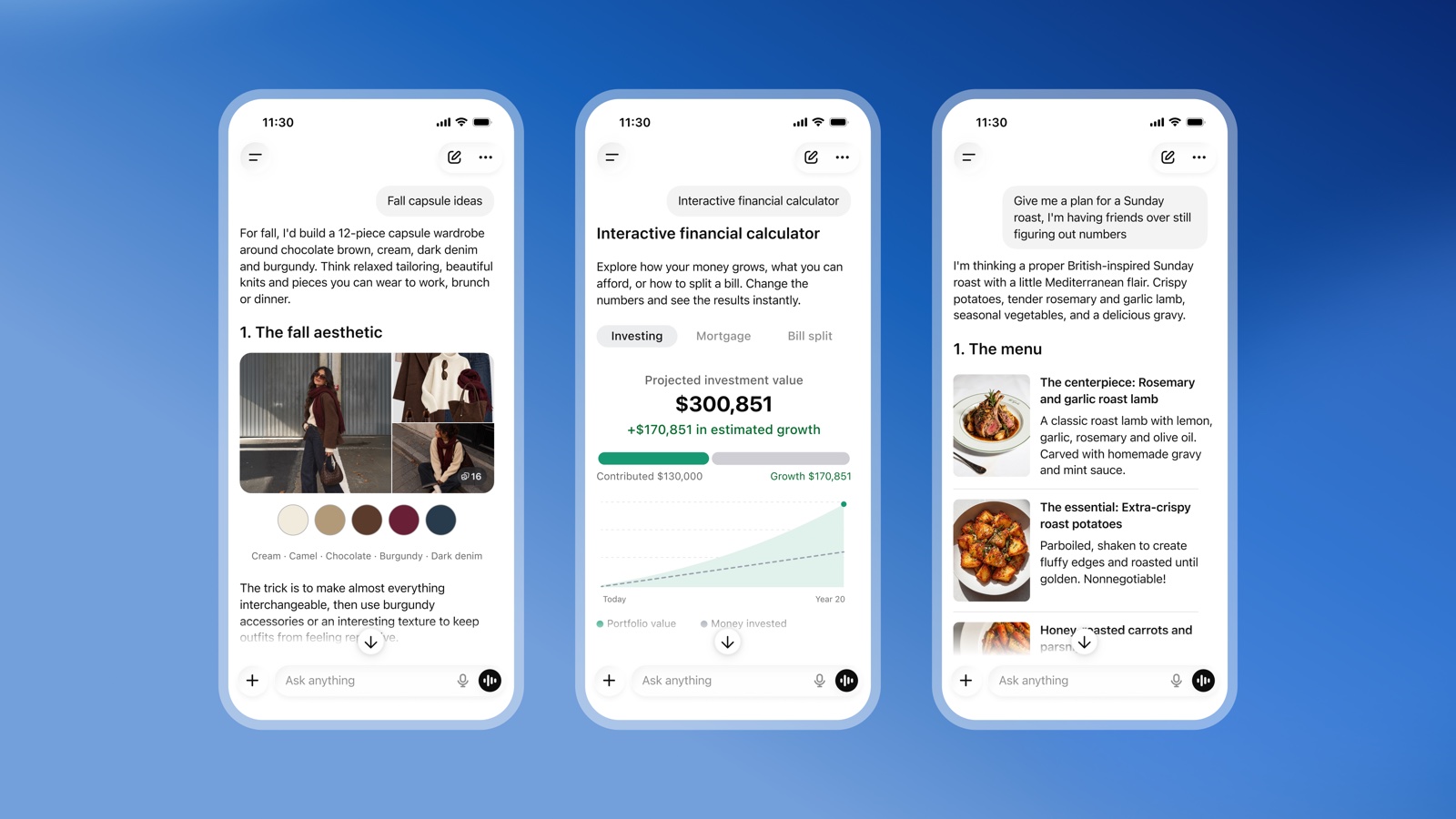
It shows up in three main ways.
Plans you can see. Ask how to cook a Sunday roast for friends and the cooking timeline sits next to the recipe, with a slider for how many guests are coming that changes the amounts. Plan a road trip and the stops land on a map, with notes on which detours are worth it.
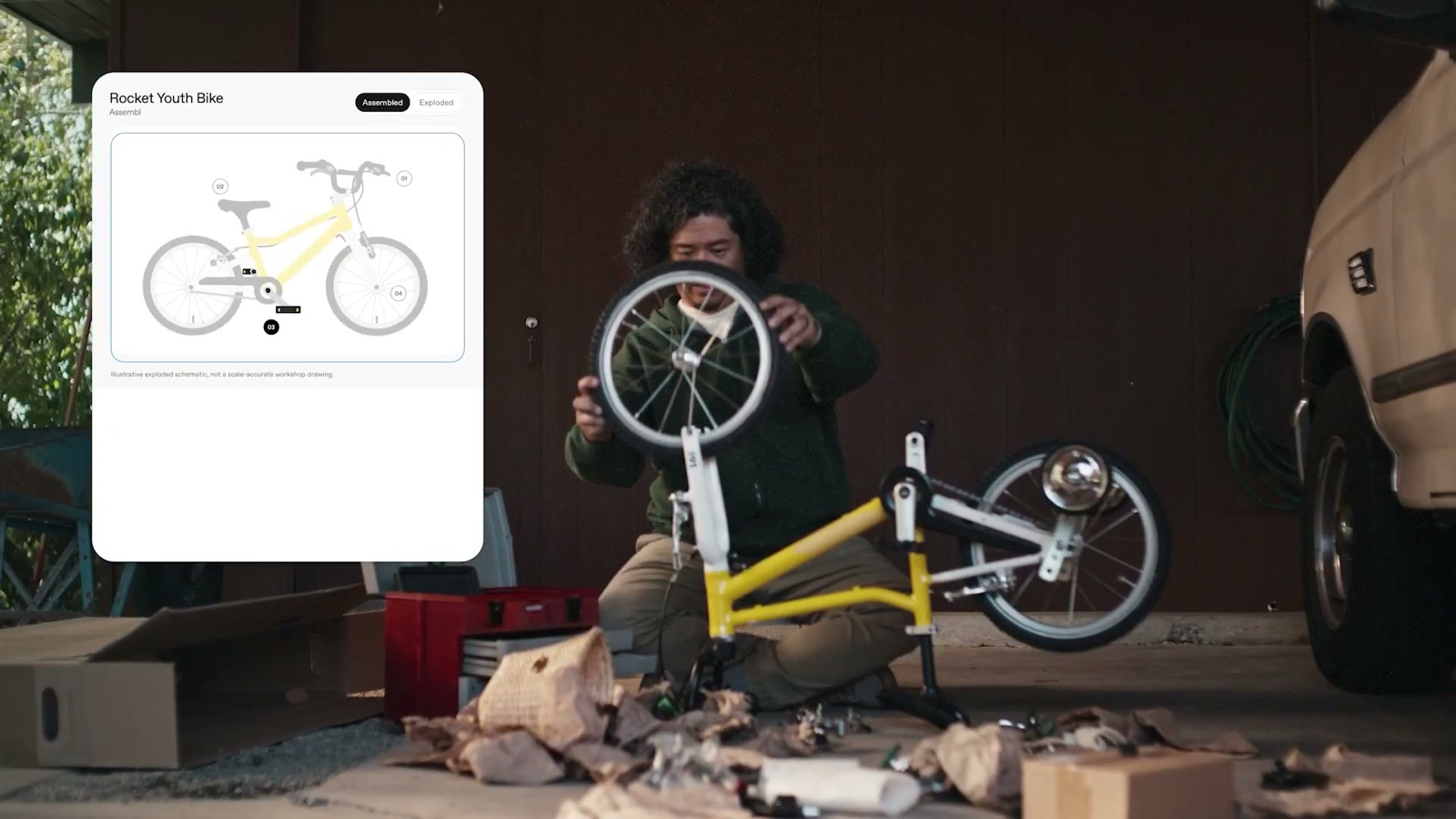
Explanations you can play with. You can change an input and watch what happens. Examples in early coverage include how an airplane wing makes lift, how a bicycle works, and the soccer offside rule with players you drag around the field to see where the line falls.
Tools made on the spot. You can ask it to build a small tool for the job in front of you, like a calculator to see how your savings could grow, a bill splitter for dinner with friends, or a game to play in the chat. It works on the web and in the phone app.
OpenAI admits "there's still work ahead to improve the model's design judgment," so expect some answers to get a visual they didn't need.
How it works
Per OpenAI's announcement, the company built a library of ready-made screen parts, like charts, buttons and forms, that look the same on the web and on your phone. GPT-6 picks the parts and arranges them for each question.
OpenAI also built a compiler, software that turns that layout into a working screen while the model is still writing. That's why the visuals fill in as the answer streams in, instead of all at once at the end.
For now it works when you type or dictate a message, CNET reports, and not in voice conversations.
OpenAI hasn't named a setting that turns the visuals off. TechCrunch reports you'll be able to dial the visuals back, the way you adjust ChatGPT's personality, but OpenAI hasn't said where that setting lives.
To see it for yourself once it reaches your account, try "Plan a Sunday roast for six friends" or "Build me a bill splitter for dinner with four friends."
Faster answers, too
GPT-6 can start answering while it's still thinking or searching, then add what it finds without you asking again. For questions that need a web search, OpenAI says GPT-6 Instant starts answering 44% sooner on average than GPT-5.6 Instant. That number comes from OpenAI's own tests.
I've been using Claude to draw clickable charts and small apps for client work and all sorts of other stuff (its artifacts work really well), so it's nice to finally see this roll out to ChatGPT's free users.
ChatGPT's version looks even more complex and interactive, which excites me. I use ChatGPT to learn random things all the time, and for a visual learner like me, it's a no-brainer.
Free users get GPT-6 Luna, and it already has a cheap rival. Anthropic's new Claude Haiku 5.5, also on a free plan, outscored Luna on every test both took in Anthropic's own comparison.
I tested the top GPT-6 model, Astra, when it first came out, and you can see how it stacked up against GPT-5.6 Sol and Anthropic's Fable 5.1:
Sources
- OpenAI: GPT-6 and Intelligent UI for everyone
- OpenAI Help Center: ChatGPT release notes, October 7
- OpenAI: GPT-6 Sol and GPT-6 Luna system card, October 2026 update
- ChatGPT pricing
- OpenAI on YouTube: Introducing GPT-6 in ChatGPT with Intelligent UI
- TechCrunch: ChatGPT is getting a lot more visual
- CNET: GPT-6 brings visual answers to ChatGPT
Comments
Sign in to join the conversation.