Granola AI note-taker: what it is, what it costs, and who it's for
Granola is an AI notepad that transcribes your meetings from your computer's own audio, so no bot joins the call. It's free with 30 days of history, and Business costs $14 per user a month, per Granola's own pricing page and docs.

On this page
- What is Granola AI?
- How does Granola AI work? (No bot joins your call)
- Does Granola AI transcribe, and does it record audio?
- Is Granola AI free? Pricing plans compared
- What AI model does Granola use?
- Privacy, consent and training on your data
- Who Granola is for, and who should skip it
- Questions people ask about Granola
Granola is an AI notepad for meetings. It listens through your computer's microphone and system audio, so no bot joins the call, and it transcribes as the meeting happens. When the meeting ends, it turns your own rough notes and the transcript into organized notes with action items.
It works with Zoom, Google Meet, Microsoft Teams "and every other meeting app", and there are apps for Mac, Windows, iPhone and Android. Granola says it does not record or save audio or video at any point during the call.
Granola is free to start. The Basic plan costs $0 and keeps 30 days of meeting history. Business is $14 per user per month and adds unlimited history, a choice of AI models in chat, and integrations such as Notion, HubSpot and Zapier. Enterprise is $35 per user per month. By default, Granola may use anonymized data to improve its own models until you switch that off in Settings.
Last checked November 8, 2026: the prices and plans come from Granola's pricing page, and how it works comes from Granola's help docs, both opened that day. We haven't run our own tests of Granola, so this page sticks to what Granola itself states, linked where it's stated.
What is Granola AI?
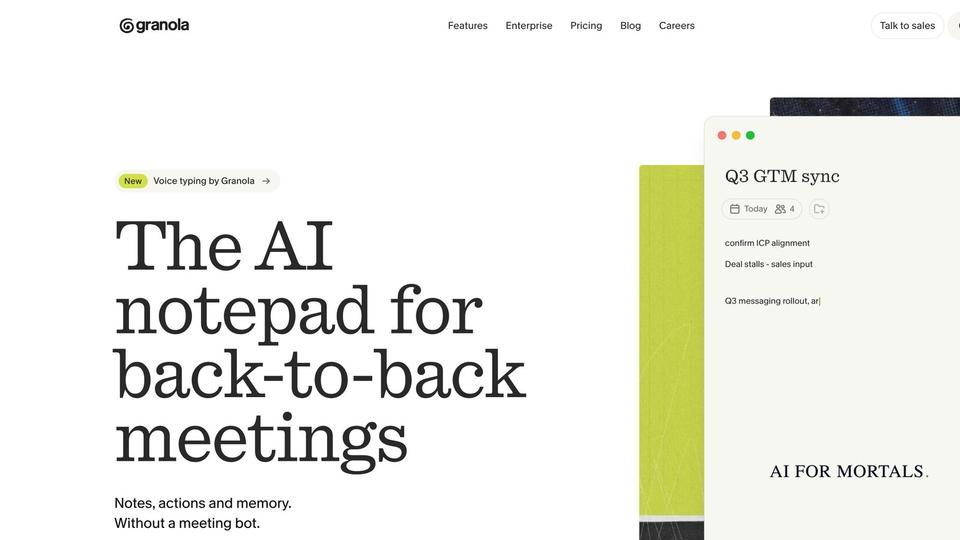
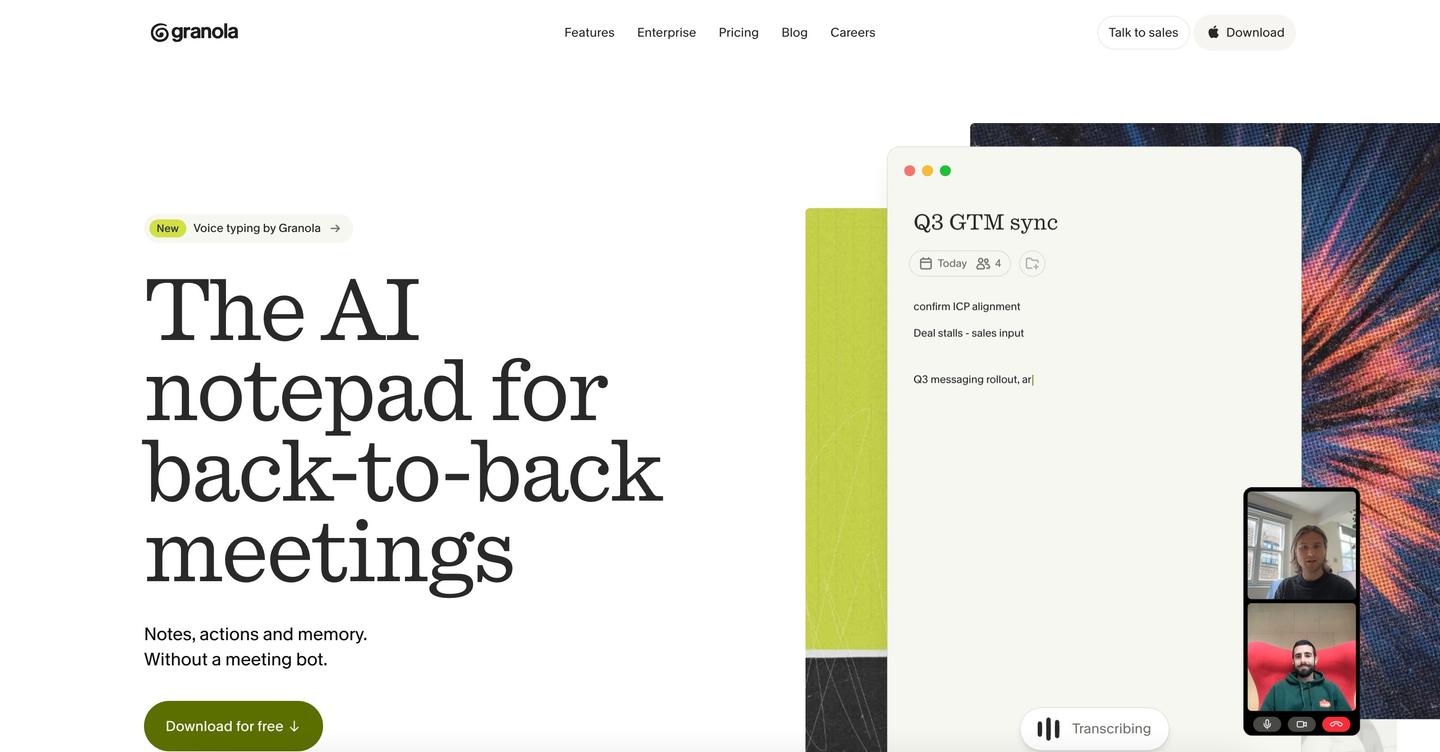
Granola is an AI note-taking app for people with a lot of meetings. Granola calls it "the AI notepad for back-to-back meetings", and its job is to give you notes, action items and follow-ups as soon as a call ends.
You still take notes yourself, as much or as little as you like. Granola's homepage says it "uses meeting context to write clear notes, personal to you".
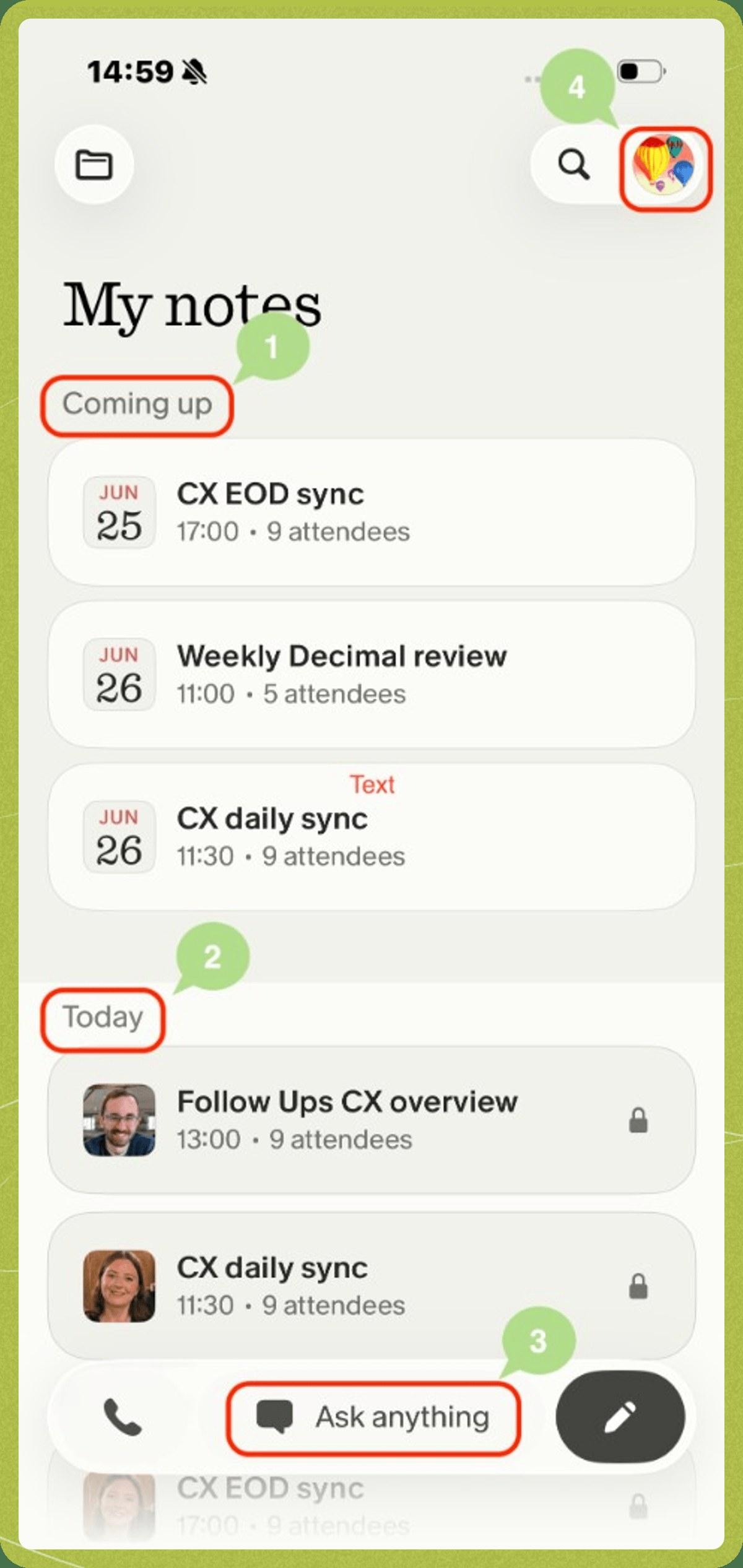
It also helps before and after the call. Granola syncs with your calendar and preps a Brief before every external meeting with who's attending and what you discussed last time, though the pricing page lists pre-meeting briefs and follow-up emails as Business and Enterprise features. On every plan you can also chat with your meetings ("Ask anything") to recall details or list action items.
For a running log of Granola's new features, see our Granola updates and new features page.
How does Granola AI work? (No bot joins your call)
Granola works by capturing the audio on your own computer. On desktop, it captures audio from your device, so no bot joins the call, and that works the same way in Zoom, Google Meet, Microsoft Teams and other meeting apps.
The loop goes like this, per Granola's help docs:
- You open the meeting's note, from a notification, your home screen or "New Note".
- Granola transcribes your microphone and your computer's sound as the meeting runs.
- You type whatever notes you want during the call.
- When the meeting ends, Granola writes up the notes and action items.
Granola does not automatically transcribe meetings unless you've clicked into a note. It stops on its own when it detects the call has ended, after 15 minutes with no new audio, or when you put your computer to sleep. If you jump straight from one call into another, Granola's docs suggest clicking stop between them, because the two meetings can otherwise merge into one transcript.
Because it captures your computer's whole sound output, Granola can't isolate one app's audio. Music you play during a meeting ends up in the transcript too. The same feature lets it transcribe any internet call that plays through your computer, including ones that aren't on your calendar.
You need the desktop app (Mac or Windows) or the phone app to transcribe. The web version at notes.granola.ai is for viewing and editing notes only.
Does Granola AI transcribe, and does it record audio?
Yes, Granola transcribes, and no, it doesn't keep a recording. It passes audio from your microphone and system audio to its transcription provider and "does not record or save audio or video at any point during the call, so there's no way to access audio from your meetings." Granola's docs don't name the transcription provider.
On iPhone it works a little differently. Granola temporarily caches audio during the meeting and deletes it once transcription is done, keeping only the transcript.
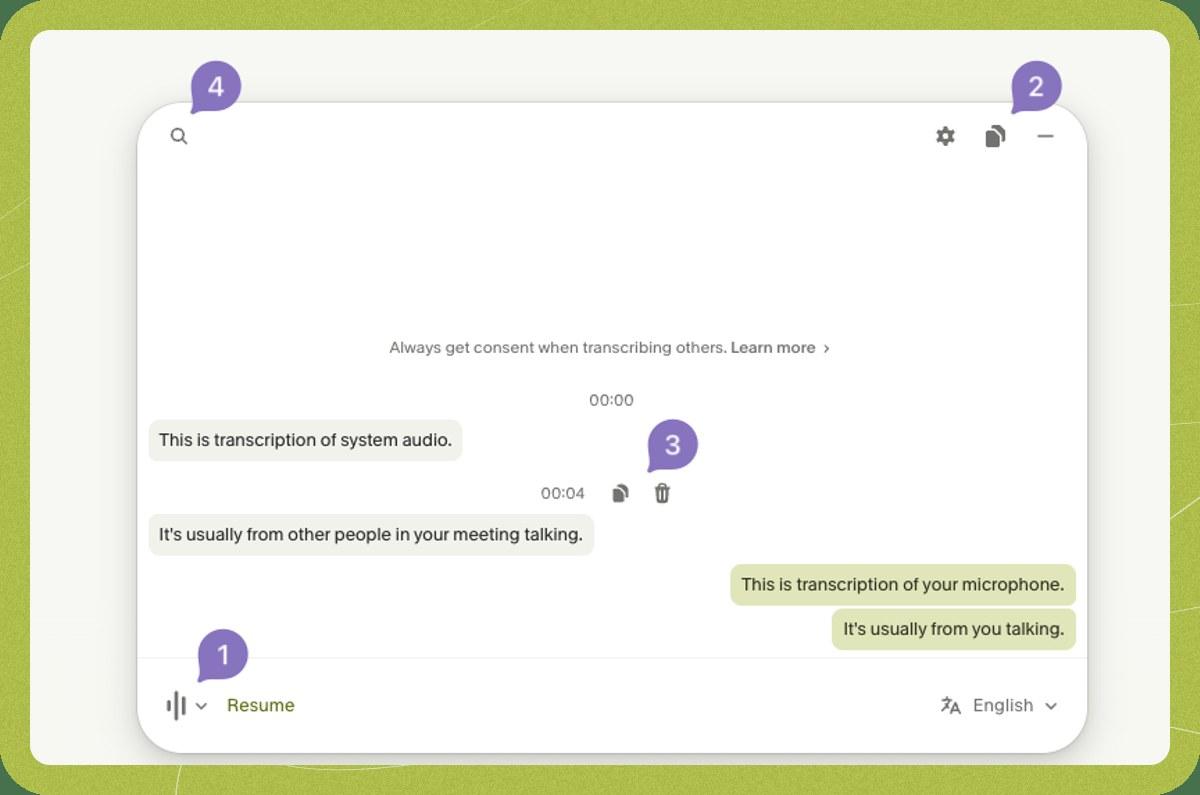
Granola can label who said what. Speaker tags using each person's display name work in Google Meet, Zoom and Microsoft Teams on Mac and Windows. Everywhere else, the transcript shows "Me" for your microphone and "Them" for everyone else, and you can correct a name in your notes or ask Granola's chat to fix it.
You can copy the whole transcript, copy or delete single chunks, and search it. Granola only transcribes live meetings, so it can't import a pre-recorded file such as an MP3.
Is Granola AI free? Pricing plans compared
Yes, Granola has a free plan. Basic costs $0 per user per month and includes AI meeting notes, AI chat within and across meetings, note templates, voice typing and the Slack integration, but it only shows 30 days of meeting history. Business costs $14 per user per month and Enterprise costs $35. The pricing page shows each price "per user per month" and has no separate yearly price.
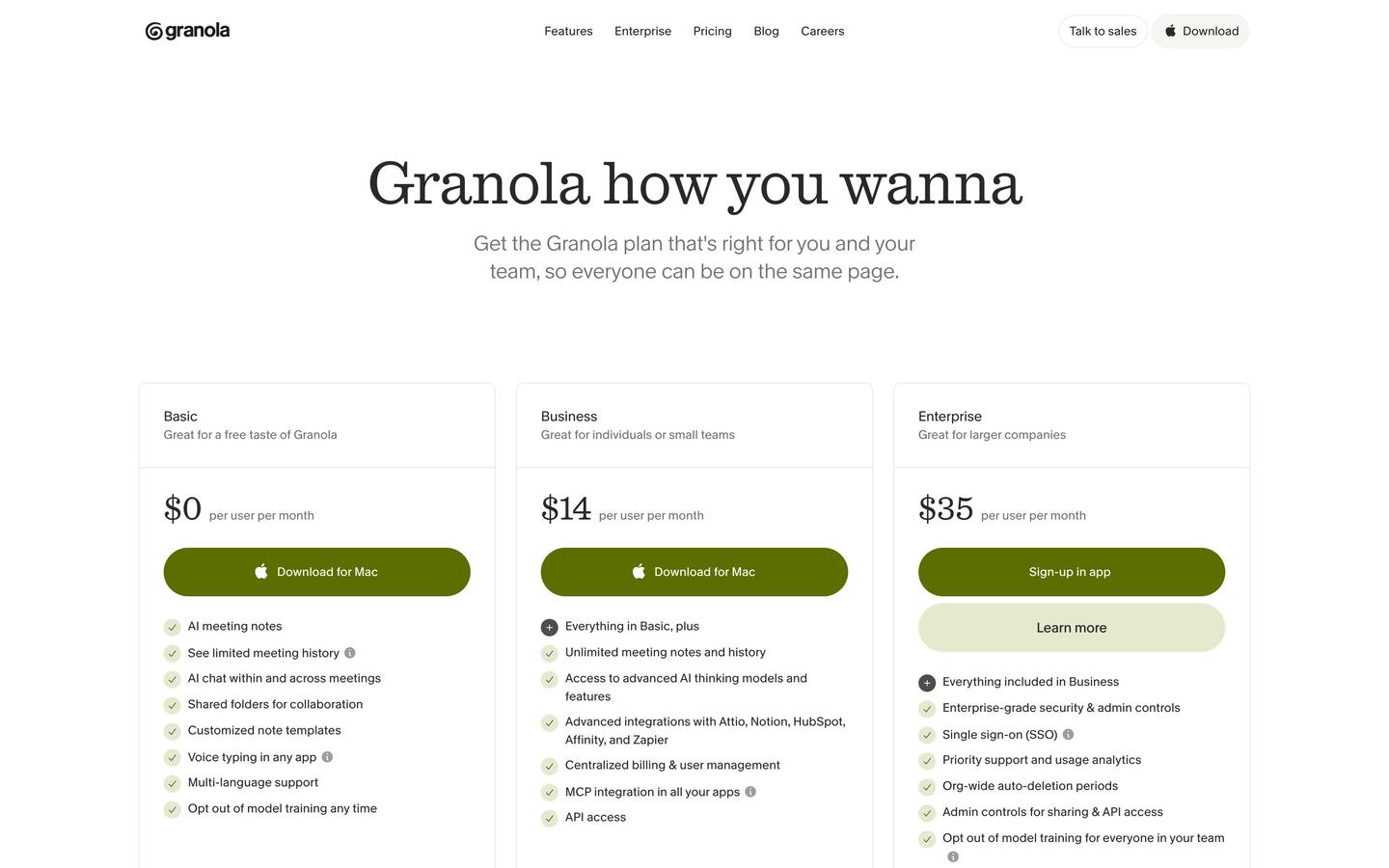
| Plan | Price | Meeting history | AI model in chat | Integrations | Admin and security |
|---|---|---|---|---|---|
| Basic | $0 per user per month | 30 days | Auto only (Granola picks) | Slack | Model training opt-out per person |
| Business | $14 per user per month | Unlimited | Your choice of model | Adds Notion, Zapier, HubSpot, Attio, Affinity, API access | Central billing and user management |
| Enterprise | $35 per user per month | Unlimited | Your choice of model | Adds advanced ones such as Salesforce | SSO, SCIM, audit API, HIPAA-compliant workspaces, org-wide auto-deletion and training opt-out |
Prices and features from Granola's pricing page, checked November 8, 2026.
Every plan, free included, gets the same note-taking basics. The comparison table on the pricing page lists bot-free device-audio capture, the desktop, iPhone, Android and Apple Watch apps, speaker tagging, audio deleted after transcription and SOC 2 Type II certification on all three plans.
Business adds longer memory and more connections. Basic shows 30 days of meeting history, and its connection to AI apps such as Claude and ChatGPT (MCP, a standard way for AI apps to read data from other tools) only reaches your personal notes from the last 30 days. Business keeps unlimited history, opens MCP to your personal and shared workspace notes, adds pre-meeting briefs, follow-up emails and a workspace-wide dictionary, and lets you pick the AI model in chat.
Enterprise is for companies with stricter security rules. Granola says Enterprise "has more org-wide controls and is typically for companies with higher compliance and security requirements", and its SSO (one company login for every app) is for workspaces with 50 or more users.
What AI model does Granola use?
Granola uses a mix of models and doesn't publish a single one for its notes. Its help docs say it uses "a combination of models" for different parts of the service and keeps switching between them, and you can't bring your own model.
In Granola's chat, the model depends on your plan. On Basic, Granola picks the model for each chat (Auto) and other models show greyed out. On Business and Enterprise, a default model is preselected and you can switch to any model in the list, including Anthropic's Fable 5.1.
Fable 5.1 is available to Business workspaces. On Enterprise it's off until a workspace admin turns it on, and it can't be used in HIPAA-enabled workspaces. Granola notes that when Fable 5.1 is used, Anthropic keeps the chat's input and output logs for 30 days for trust and safety.
Privacy, consent and training on your data
Your notes are private unless you share them, meeting audio isn't kept, and Granola may use anonymized data to improve its own models unless you turn that off. Its help docs say notes are only visible to you unless you choose to share them.
Training on your data is on by default for Basic and Business. Granola says it "may use anonymized data to improve our services", and that its agreements stop its AI providers from training on your data. To switch it off on desktop, click your workspace name in the bottom-left corner, open Settings, then Preferences, and turn off "Use my data to improve models for everyone". It applies to your whole account, and Enterprise workspaces are opted out by default.
Granola tells its users to "always get consent when transcribing others", and says its guide is not legal advice because recording laws vary by place. It offers ways to let people know you're using it: when you turn them on, a watermark appears on your camera and an automatic message goes into the meeting chat. If a conversation turns sensitive, you can pause transcription, and you can delete anything from a note afterward.
Who Granola is for, and who should skip it
Granola is built for people who spend much of their day on video calls and want notes without a bot in the room. Its pricing page describes Basic as "a free taste of Granola", Business as "great for individuals or small teams" and Enterprise as "great for larger companies".
The phone app covers meetings away from your desk. Granola for iPhone and Android takes notes in in-person meetings and on outbound phone calls made through its built-in dialer, your notes sync across devices, and on iPhone you can start notes from an Apple Watch running watchOS 11 or later.
Granola is a poor fit in a few cases, based on what its own docs say it can't do:
- You need the meeting audio afterward, which Granola doesn't keep.
- You want to transcribe recordings you already have, since it only works on live meetings.
- You take most of your video calls on your phone.
- You need HIPAA compliance or SSO, which are Enterprise only.
- You want meetings older than 30 days on the free plan.
The phone limit comes straight from Granola's mobile guide, which says "phones don't let apps capture audio from other apps", so on a phone it's designed for in-person meetings and its own dialer.
See every AI tool we track, with changelogs, Granola included. For an assistant that takes on tasks by text message, read about ChatGPT's Dot, an always-on assistant you can text.
Questions people ask about Granola
Does Granola work on Windows?
Yes. Granola is available for macOS, Windows, iOS and Android, and transcription runs in the Mac or Windows desktop app or the phone apps.
Can I use Granola in a web browser?
Only to read and edit notes. The web version at notes.granola.ai can't capture or transcribe meetings.
Can Granola transcribe Zoom calls on my phone?
No. On a phone, Granola can't transcribe virtual meeting calls. It handles in-person meetings and outbound calls made through its own dialer.
Does Granola join the meeting as a bot?
No. It uses your computer's audio, so it doesn't invite a bot into the call.
Can other people see my Granola notes?
Not unless you share them. Notes stay private unless you create or enable sharing links.
How do I stop Granola training on my meetings?
On desktop, open Settings, then Preferences, and turn off "Use my data to improve models for everyone". The Android app doesn't have the toggle yet, but changing it on desktop or iPhone applies everywhere.
Does Granola work in other languages?
Granola lists multi-language support on every plan, including the free one.
Is Granola HIPAA compliant?
Only on Enterprise. Granola says it is HIPAA compliant for Enterprise customers and SOC 2 compliant on every plan.
Does Granola work with Notion, HubSpot or Salesforce?
Notion, HubSpot, Zapier, Attio and Affinity need the Business plan or higher, and Salesforce is listed under Enterprise. Slack works on the free plan.
Is Granola available in China?
The iPhone app isn't available in the App Store in China.
Sources
- Granola: Pricing (checked November 8, 2026)
- Granola: Homepage
- Granola Help Center: How transcription works
- Granola Help Center: Understanding model selection in Granola Chat
- Granola Help Center: Models and training
- Granola Help Center: When to use AI notetaking
- Granola Help Center: Getting started with Granola for mobile

Comments
Sign in to join the conversation.