The prompt
Build the Clanker Coffee Background Agent cold brew bottle as a photoreal, interactive 3D product in the browser.

Context you should know: this is going into a video watched by a large audience. Your build is put on screen next to other frontier models given this identical prompt.

The comparison is blind. Never put your model name, your company's name, or any mention of which AI made it anywhere in what you build: not in on-screen text, credits, the page title, file names, code comments, or metadata.

Everything you know about the brand is in `./clanker-kit/`: the brand guide, logos, labels (`labels/label-05-background-agent.png` is this bottle's label), product photography (`product-photos/05-background-agent.png` is the bottle), fonts and colors. Use only this kit. Do not search the web for Clanker Coffee or look for anything previously made for this brand.

**The graphics must be photoreal. This is the whole test and it is judged strictly.** It sits on screen next to real product photography, and it has to hold up. Physically based materials with real values: glass with correct refraction and thickness, a label that reads as printed paper with a slight sheen, metal that reads as metal, liquid that reads as cold brew. Real-world scale, an HDR environment for lighting and reflections, soft contact shadows, ambient occlusion, filmic tone mapping, anti-aliasing. No cartoon, toon, flat or low-poly shading, no placeholder primitives, no plastic-looking defaults. If any frame looks like a 3D demo rather than a product shot, fix it.

Requirements:

1. **Model the bottle yourself**, in code or with Blender driven by Python scripts, matching the product photo's shape and proportions: 32 fl oz, the cap, the label wrap. Apply the real label art from the kit.
2. **Interaction.** Drag to orbit, scroll to zoom. Click to crack the cap, then pour the cold brew into a glass of ice: the liquid flows, fills, and the ice shifts. Condensation beads and runs down the cold glass.
3. **Lighting and staging** worthy of a premium product shot, in the brand's look (World's Fair art deco, brass and navy), with the product as the hero.
4. **Runs smoothly** in a desktop browser at 1920x1080.
5. **Deliver** a runnable project with a documented run command and a README that says how you built the model, materials and liquid.
The exact prompt from the article.
The builds
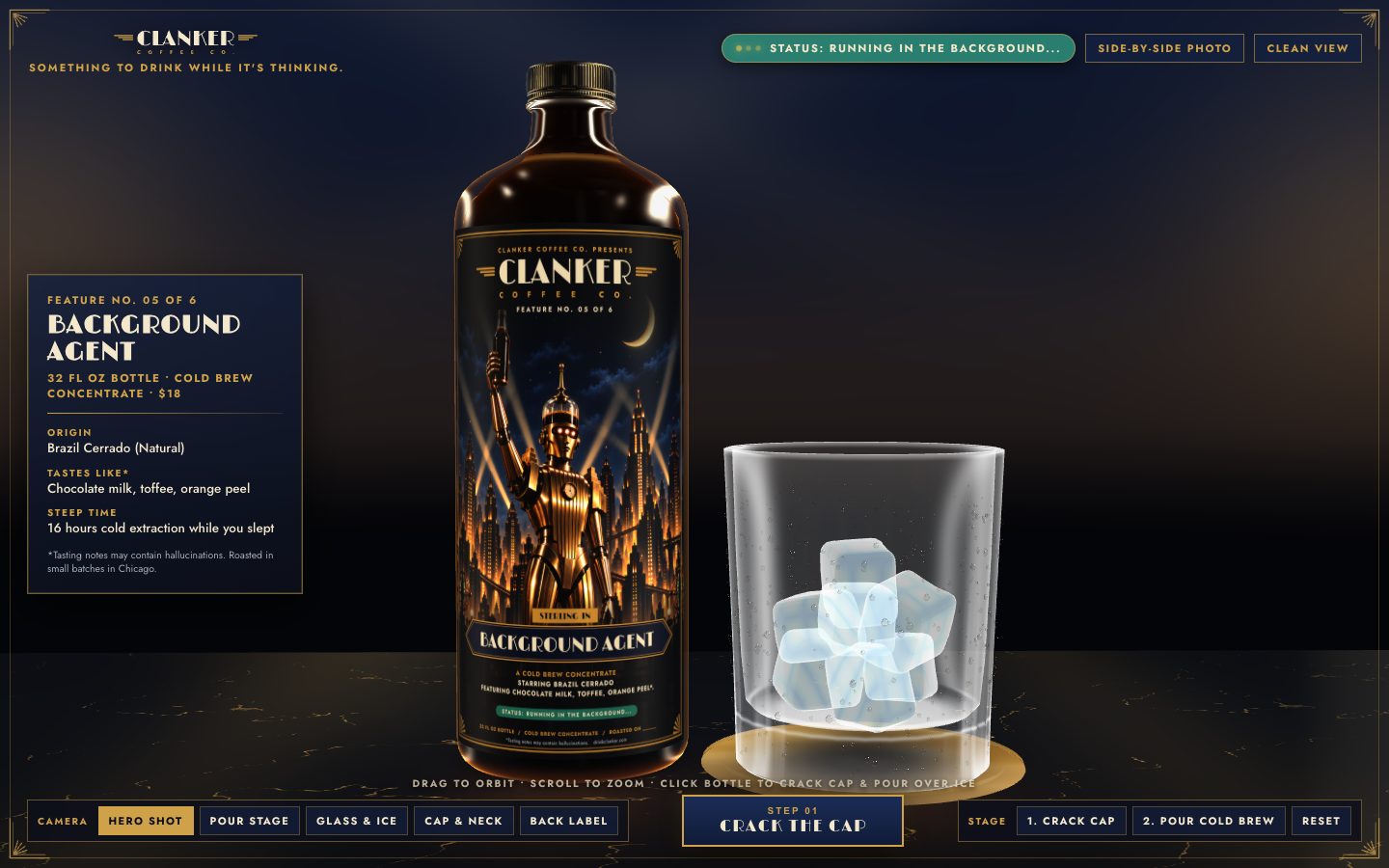
Gemini 4 Argon · Screenshot of the buildRuns in your browser

Written by
Pat Simmons. Pat tests AI models and tools on his YouTube channel.