AI for Finance and Accounting: How to Use ChatGPT, Claude and Copilot, Job by Job, With Prompts
Hand ChatGPT, Claude or Copilot in Excel your exports, ask for drafts you check, and keep client data on business plans that don't train on it.

On this page
- How do you use AI in finance?
- AI for accounting: 5 jobs to hand it, with prompts
- AI for financial analysis: variances, forecasts and models
- Which AI tools do accountants use?
- Is it safe to put client data into ChatGPT or Claude?
- Where AI gets numbers wrong, and how to check it
- AI courses for accountants and finance teams
- Questions people ask about AI for finance and accounting
AI is most useful in finance and accounting as an assistant that drafts and analyzes from numbers you hand it. You upload a bank export, a ledger extract or a budget-vs-actual sheet, and ChatGPT, Claude or Copilot in Excel can list the items that don't match, draft variance commentary, build a forecast table or write the formula you need. Then you check every figure before it goes anywhere.
The free plans of ChatGPT and Claude are enough to try this on made-up or anonymized numbers. For client or company data, use a business plan: OpenAI says it won't train on a ChatGPT Business workspace's data, and Anthropic's plan table lists no model training by default on Claude's Team and Enterprise plans. Your accounting software may already have its own AI: QuickBooks has Intuit AI and Xero has JAX. Copy-paste prompts for each job are below.
Last checked November 27, 2026: every price, plan and data-training default on this page, against the vendors' own pricing, help and product pages for ChatGPT, Claude, Microsoft 365 Copilot, QuickBooks and Xero, which are listed under Sources. Prices are US prices.
How do you use AI in finance?
You give the AI a file or a pasted table, tell it the job in plain words, and ask for a draft you can check: a list of exceptions, a table, a formula, a memo or an email. It works on the numbers you supply, so the quality of the answer depends on the export you give it and on you checking the result.
There are three places to do this:
- A chat app, ChatGPT or Claude, where you upload spreadsheets, CSVs and PDFs.
- Inside the spreadsheet itself, with Copilot in Excel or Claude for Microsoft 365.
- Inside the ledger, with the AI your accounting software ships, such as Intuit AI in QuickBooks or JAX in Xero.
The chat apps need nothing beyond an account. OpenAI's data analysis help page says ChatGPT can analyze .xls, .xlsx and .csv files, summarize trends and outliers, build tables and charts, and run calculations in Python, a programming language it writes and runs for you. It also says the best results come from "descriptive column headers in the first row" and one record per row, so tidy the export before you upload it.
Claude's Free plan lists file creation and running code, and the $20 Pro plan adds Claude Data and Claude for Microsoft 365, which puts Claude inside Excel. If you run a small business and do your own books, our guide to AI for small business owners, job by job covers invoices and customer emails in more depth.
AI for accounting: 5 jobs to hand it, with prompts
The five jobs below suit a chat app because each one starts from an export you already have. Every prompt is an example to adapt, and you should try each one first on a copy of the data with client names, account numbers and tax IDs removed.
1. Match a bank statement to the ledger
Export the bank transactions and the cash account from your ledger for the same period as CSV files, upload both, and ask for the items that appear in one file and not the other.
I've uploaded two files for October: a bank export and a ledger export of our cash account. Match them by amount and date (allow 3 days either way). Give me a table of every item that is in the bank but not the ledger, and every item in the ledger but not the bank, with date, amount and description. Then give me the totals of each list so I can tie them to the reconciliation difference.
Asking for the totals gives you a number you can check against the difference your reconciliation already shows. If they don't agree, ask it which rows it skipped.
2. Flag odd entries in the general ledger
Upload a general ledger detail report and ask for the entries a reviewer would want to look at twice.
This is our general ledger detail for Q3. List entries that look like possible duplicates (same amount and vendor within 7 days), round-number entries over $5,000, entries posted to suspense or miscellaneous accounts, and any account whose Q3 total is more than 25% above its Q2 total. Show each in a table with the row number from the file so I can find it.
The row numbers let you go straight to the source line. Treat the list as places to look: the AI can flag a pattern, and only you can say whether an entry is wrong.
3. Write the Excel formula you can't remember
You don't need to upload anything for this one. Describe the sheet and the result you want.
In Excel, sheet "TB" has account numbers in column A and balances in column D. Sheet "Mapping" has account numbers in column A and the report line in column B. Write a formula for Mapping column C that pulls the balance from TB for each account, and shows 0 if the account isn't in TB. Explain each part of the formula in one line.
Asking for the explanation is how you catch a formula that runs without errors and still picks up the wrong column.
4. Turn your close notes into a month-end checklist
Paste last month's close notes or task list and ask for a checklist you can reuse.
Below are my notes from last month's close. Turn them into a month-end close checklist as a table: task, owner, day of close it's due (day 1 to day 5), what "done" looks like, and which report proves it. Group the tasks by cash, receivables, payables, accruals, payroll and reporting. Don't add tasks that aren't in my notes; list anything you think is missing separately at the end.
Keeping suggested additions in a separate list stops the AI from mixing its own ideas into your actual process.
5. Draft the email asking a client for missing documents
Give it the list of what's missing and the deadline, and ask for a short, polite email.
Write a short, friendly email to a bookkeeping client asking for these missing items: receipts for 4 card charges over $500 (listed below), the October statement for their second bank account, and a note on what the $2,300 transfer on Oct 14 was for. We need them by Nov 10 to finish the month. Plain English, no jargon, under 150 words.
AI for financial analysis: variances, forecasts and models
For analysis, the AI drafts the first version of the commentary, the forecast table or the model change, and you supply the judgment about why the numbers moved. It can calculate a variance; only someone who knows the business can explain one.
Draft variance commentary
Attached is our budget vs actual for October by department. For every line that is more than 10% and more than $10,000 off budget, write one sentence stating the variance in dollars and percent. Leave a [REASON] placeholder for the cause. Don't guess at reasons. Put the lines in order of dollar size, largest first.
The [REASON] placeholder keeps the AI from inventing an explanation. You fill in the causes from what the department heads tell you.
Build a 13-week cash forecast table
Using the attached AR aging, AP aging and last 6 months of bank activity, build a 13-week cash forecast table: opening cash, receipts, payments by category, closing cash. List every assumption you made (collection timing, payroll dates, recurring bills) in a separate table so I can change them. Give me the result as a downloadable spreadsheet.
The assumptions table is the part to check first, because every number in the forecast comes from it.
Work on a model inside Excel
If your model lives in Excel, you can work on it in place. Microsoft's Copilot in Excel guide says it helps "when you're updating budgets, creating financial models, or analyzing data" and that it uses Excel's own tables, charts, PivotTables and formulas, so "your content stays editable."
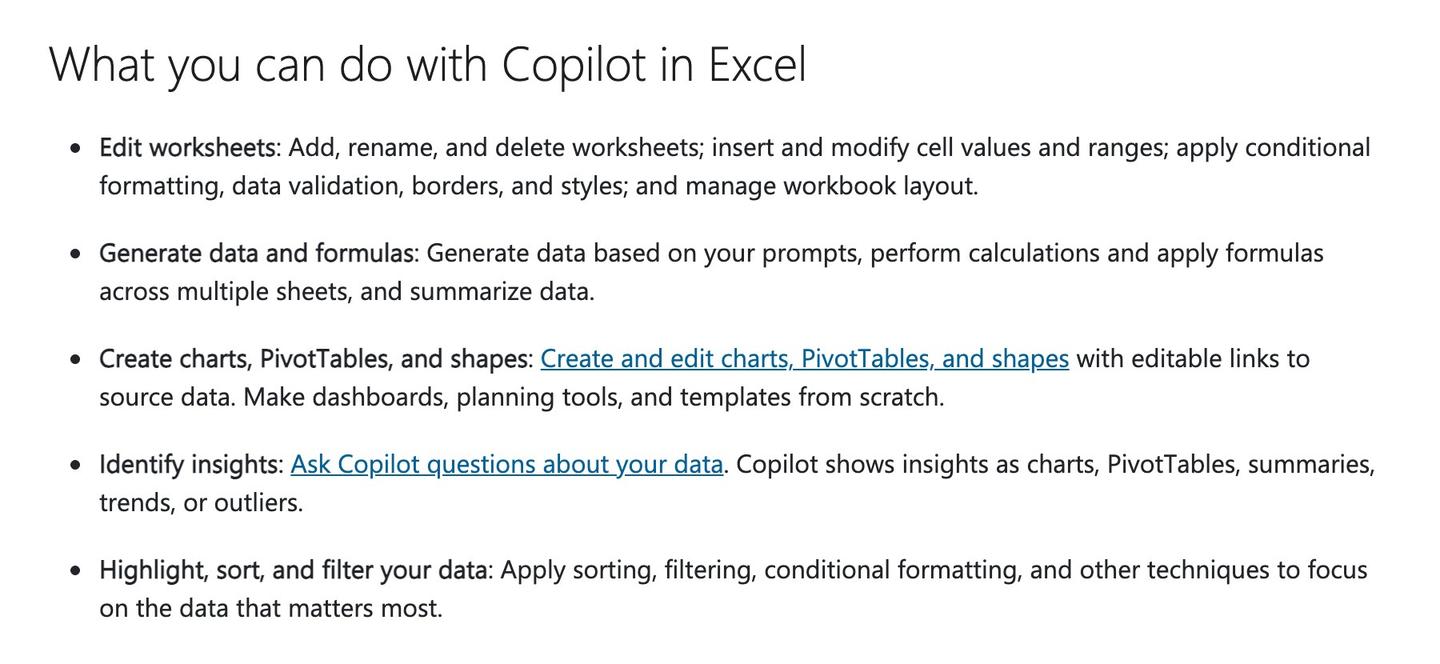
Copilot in Excel has three modes. Edit mode changes the workbook directly, plan mode shows you a plan to approve before it edits, and chat mode, in Microsoft's words, "can analyze your workbook data and provide insights without making changes to your workbook." On a live model, start in chat or plan mode.
Claude can work inside Excel too. Anthropic's Claude for Financial Services page says Claude for Microsoft 365 "can read formulas, build and update models, edit slides, write memos" in Excel, PowerPoint, Word and Outlook, and Claude's pricing table includes it from the Pro plan up.
People searching for the "best AI for financial modeling" usually want one of these two. AI for Mortals hasn't tested either on financial models, so this page doesn't rank them. Copilot is the one to try if your company already pays for Microsoft 365 Copilot, and Claude for Microsoft 365 if your team already uses Claude.
Which AI tools do accountants use?
The AI tools open to accountants fall into three groups: general chatbots (ChatGPT and Claude), AI inside the spreadsheet (Copilot in Excel), and AI inside the ledger (Intuit AI in QuickBooks and JAX in Xero). The table shows what each costs and what the vendor says about training on your data, ordered by where the tool runs.
| Tool | What it does for finance work | Where it runs | Price (US) | Training on your data |
|---|---|---|---|---|
| ChatGPT | Analyzes uploaded spreadsheets, CSVs and PDFs; builds tables and charts | Chat app (web, desktop, mobile) | Free; Plus $20 a month; Business $25 per user a month, or $20 billed yearly | Business: not used for training. Free and Plus: used unless you turn it off |
| Claude | Analyzes files and runs code; Claude for Microsoft 365 works in Excel from Pro up | Chat app, plus Excel, PowerPoint, Word and Outlook | Free; Pro $20 a month ($17 billed yearly); Team $25 per seat a month, or $20 billed yearly | Team and Enterprise: none by default. Free, Pro, Max and Ultra: opt-out |
| Copilot in Excel | Edits sheets, writes formulas, builds charts and PivotTables, answers questions about your data | Excel on Windows, Mac, web and mobile | Microsoft 365 Business Standard with Copilot $23.50 per user a month, or the Copilot Business add-on from $18 per user a month, both paid yearly | Microsoft lists Enterprise Data Protection on the Copilot Business add-on |
| Intuit AI (QuickBooks) | Categorizes expenses, cleans up and reconciles books, finds anomalies, gives financial insights, depending on plan | Inside QuickBooks Online | Simple Start $38 a month; Essentials $85; Plus $140; Advanced $340 (list prices) | Not stated on Intuit's AI page |
| JAX (Xero) | Answers questions about your Xero data, charts trends, creates invoices and quotes | Inside Xero | No extra charge for Xero subscribers | Xero says JAX chat doesn't use your data to train the AI models |
For the full plan-by-plan breakdown of the two chatbots, see what every ChatGPT plan costs and what every Claude plan costs. OpenAI's ChatGPT Plus help page lists Plus at "$20/month (billed monthly)" with file uploads and analysis included.
ChatGPT and Claude: the general assistants
Both chatbots handle every job in the prompt sections above. ChatGPT Business is OpenAI's plan for teams, at $25 per user a month or $20 a month billed yearly for a Standard seat, and OpenAI's help page says "OpenAI won't train on your workspace's data." Claude's pricing page lists Pro at $20 a month or $17 a month billed yearly, and Team, for 2 to 150 people, at $25 per seat a month or $20 billed yearly. What's new in each app is tracked on our ChatGPT updates and features and Claude updates and features pages.
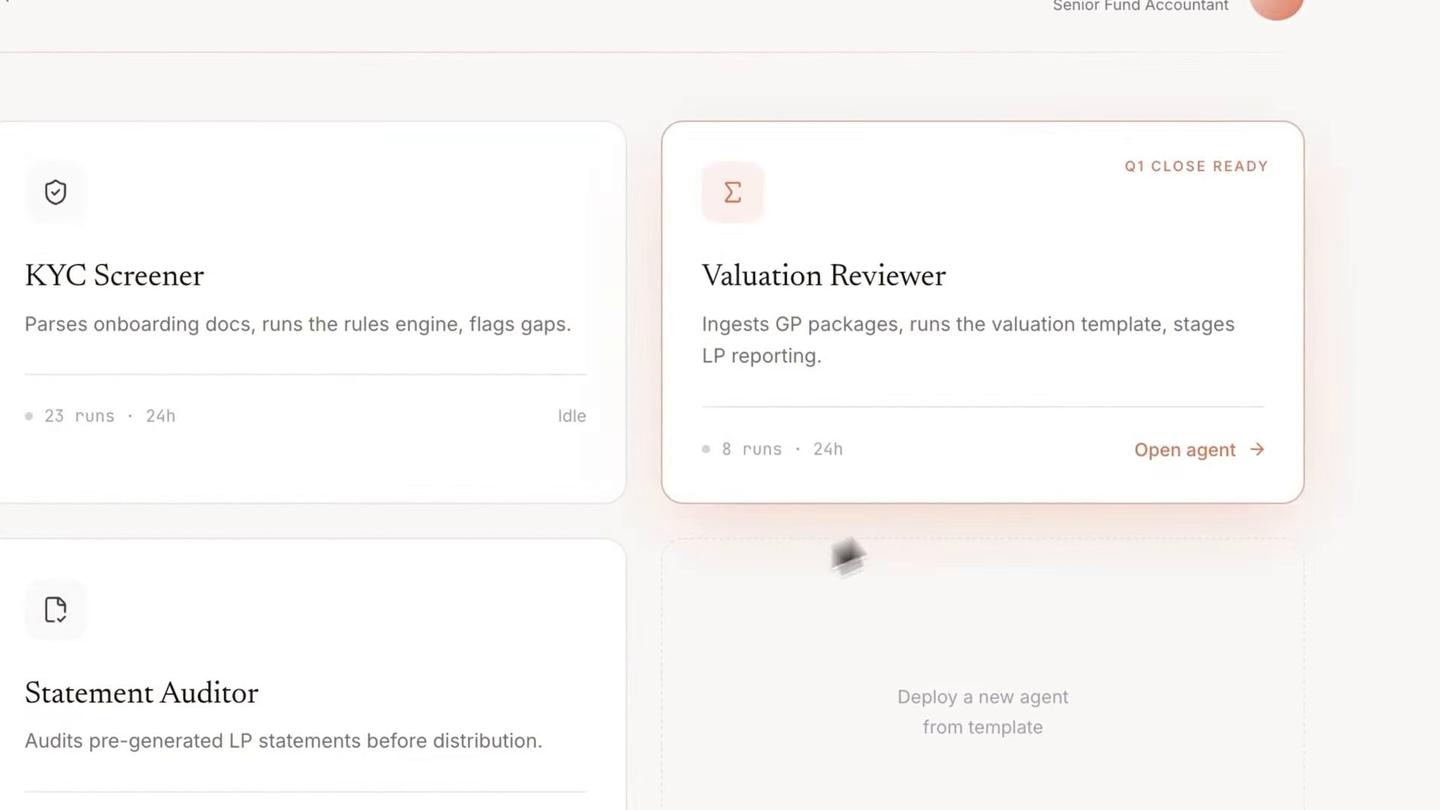
Anthropic also sells Claude for Financial Services to banks, insurers and asset managers. Its page says it connects to data sources including LSEG, FactSet, S&P Global (Capital IQ), Morningstar and PitchBook, and that it comes with agent templates for "pitch books, credit memos, KYC screening, and fund accounting."
Copilot in Excel
Copilot in Excel comes with Microsoft 365 plans that include Copilot. Microsoft's Copilot business pricing page lists Microsoft 365 Business Standard with Copilot at $23.50 per user a month and Business Premium with Copilot at $32, both paid yearly. If your company already has Microsoft 365, the Copilot Business add-on is listed from $18 per user a month, paid yearly, down from $21. Microsoft's support page notes that if you don't see Copilot in Excel, it may not be included in your subscription or your organization may have turned it off.
QuickBooks and Xero: AI inside the ledger
The AI in your accounting software works on the books directly, so there's no export to upload. Intuit's AI page describes a set of AI agents in QuickBooks Online, and which ones you get depends on the plan. Simple Start ($38 a month) lists expense categorizing. Essentials ($85) adds "Cleans up your books with Accounting AI." Plus ($140) lists "Reconciles your books" and "Finds and fixes anomalies," and Advanced ($340) adds Finance AI for financial insights. Those are list prices; Intuit was running a discount for the first three months when we checked.
Xero's AI is called JAX. Xero's JAX page says it is available to all Xero subscribers at no additional charge for now, answers questions such as "What was my total income in the last six months?", and can create invoices and quotes. On data, Xero's FAQ says "JAX chat doesn't use your data to train the LLMs it uses."
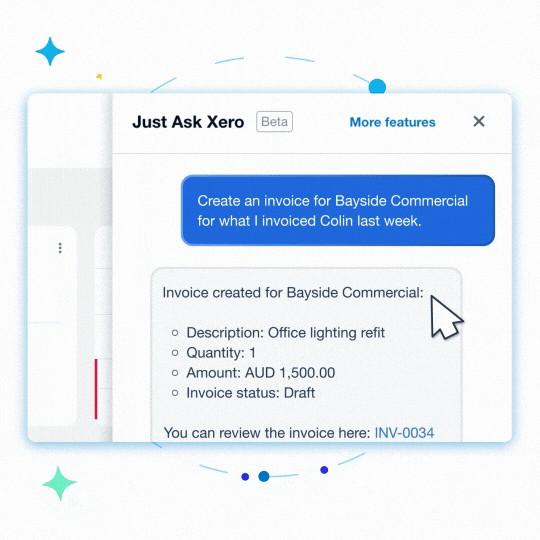
The invoice comes back as a draft for you to review, which is how you should treat everything these tools produce.
Is it safe to put client data into ChatGPT or Claude?
It is safest on a business plan, after checking your firm's policy, and with only the data the job needs. The business plans don't use your data for training by default; the personal plans can unless you switch it off.
On ChatGPT Free and Plus, OpenAI's Plus help page says "OpenAI may use conversations to improve model performance and safety" and that you can opt out at any time. OpenAI's data controls page says sharing is on by default for Free, Plus and Pro, and you turn it off under Settings, then Data controls, by switching off "Improve the model for everyone." Claude's pricing table lists model training as "Opt-out" on Free, Pro, Max and Ultra, and "None by default" on Team and Enterprise.
Training is one question. Tax preparers have legal duties too. The IRS's Publication 4557, Safeguarding Taxpayer Data, says "Protecting taxpayer data is the law" and that under the FTC Safeguards Rule, "tax return preparers must create and enact security plans to protect client data." Any AI tool that touches client data belongs in that plan.
Whatever plan you use, these habits reduce what's exposed:
- Remove names, Social Security numbers, tax IDs and account numbers before uploading, or replace them with codes.
- Upload the columns the job needs, without the whole file.
- Do client work in your company's business workspace.
- Ask your IT or compliance lead which tools are approved before you start.
If you're looking at AI for your own household money instead, that's a different set of apps: see AI apps for your own money: ChatGPT Finances and Claude Personal Finance.
Where AI gets numbers wrong, and how to check it
AI can misread a file, pick the wrong column or method, or give a confident answer built on a wrong assumption, so every figure needs a check before it's used. The vendors say so themselves. OpenAI's data analysis page tells you to "review the generated code, outputs, and assumptions before relying on the result," warns that ChatGPT "may not reliably extract exact values from image-based tables, scanned files, or files with complex visual layouts," and says it may choose an analysis method "that does not match your intent on the first try."
Anthropic's finance page says Claude "can link figures and claims back to the underlying data and documents so teams can verify work before they act." Ask for those links, and follow them back to the source.
Run these checks on anything you plan to use:
- Tie every total back to a number you already trust: the trial balance, the bank statement or the report the data came from.
- Ask it to show its work: the formula, the filter or the rows it used.
- When exact values count, upload a spreadsheet or CSV export.
- Run a new prompt first on a month you've already closed by hand, and compare.
- Treat the output as a draft that still needs a reviewer's sign-off and your professional judgment.
AI courses for accountants and finance teams
AICPA & CIMA sells AI courses for CPE credit, and OpenAI and Anthropic both run their own course sites. The AICPA's AI Accelerator Program, Operational Tier is a self-study course aimed at staff and senior accountants, priced at $300 for AICPA or CIMA members and $360 for nonmembers, with access for a year after purchase. The same program has a Transitional tier for financial analysts and finance staff, and a Strategic tier on AI governance and strategy.
Anthropic's Claude Academy describes itself as "Free courses on Claude and AI, from Anthropic," with product courses for Claude. OpenAI Academy offers an "Apply AI at Work" track for knowledge workers that, in OpenAI's words, covers "core habits in prompting and review" and repeatable workflows. Neither is specific to accounting.
Questions people ask about AI for finance and accounting
What is the best AI for accounting?
AI for Mortals hasn't tested AI tools on accounting work, so this page doesn't name a winner. Pick by where your numbers live: the AI in QuickBooks or Xero for work in the ledger, Copilot in Excel or Claude for Microsoft 365 for spreadsheets, and ChatGPT or Claude for files and drafting.
Is there a free AI for accountants?
Yes. ChatGPT and Claude both have free plans, and Xero says JAX costs nothing extra for Xero subscribers. Keep client data off free personal plans; use them with made-up or anonymized numbers.
Can ChatGPT read an Excel file?
Yes. OpenAI's help page lists .xls, .xlsx and .csv files among the formats ChatGPT can analyze. It says a file with many complex formulas may not be analyzed in full, and suggests splitting large files.
Does Claude work inside Excel?
Yes. Claude for Microsoft 365 runs inside Excel, PowerPoint, Word and Outlook, and Claude's pricing table includes it on Pro ($20 a month) and above.
Can AI read scanned receipts and PDF statements?
It can try, but OpenAI says ChatGPT may not reliably pull exact values from scanned files or image-based tables. When the exact amounts count, export a spreadsheet or CSV from the bank or the app instead.
Is there AI for financial advisors?
Anthropic sells Claude for Financial Advisors, which its page says connects to custodian, portfolio, planning and CRM systems and covers onboarding, meeting prep, portfolio reviews, proposals and compliance reviews.
Can I use AI output in client deliverables?
Only after you've checked it. Treat AI output as a draft: tie the numbers to the source, review the wording, and apply the same sign-off you would to a colleague's work.
Sources
- OpenAI Help: ChatGPT Business overview
- OpenAI Help: What is ChatGPT Plus?
- OpenAI Help: Data controls in ChatGPT
- OpenAI Help: Data analysis with ChatGPT
- Claude pricing
- Claude for Financial Services
- Microsoft Support: Get started with Copilot in Excel
- Microsoft Copilot pricing for business
- QuickBooks: Intuit AI
- Xero: JAX
- IRS Publication 4557, Safeguarding Taxpayer Data
- AICPA & CIMA: AI Accelerator Program, Operational Tier
- Claude Academy
- OpenAI Academy





Comments
Sign in to join the conversation.