
Microsoft's Copilot Cowork Goes Public, Powered by Anthropic's Models
The assistant that runs a whole task for you is out of preview and switched on across Microsoft 365, even though it leans on the same Anthropic models as the rival it's chasing.

For most of the last two years, the AI inside your work apps mostly wrote things for you. It drafted the email and waited for you to hit send. On June 16, Microsoft turned that around. Copilot Cowork is now generally available worldwide, and it does the whole job: you hand it a goal, and it works through the steps and comes back with a finished result, then bills you for the effort.
What Cowork actually does
Cowork lives inside Microsoft 365 Copilot, the assistant your company may already pay for. The difference is what happens after you ask. Instead of returning a suggestion, it carries out a multi-step task end to end across the tools you already use. It drafts and sorts email in Outlook, builds a Word doc, Excel sheet, or slide deck from scratch, posts an update in Teams, and clears conflicts on your calendar, including sending a decline note to whoever set the meeting. You can even tell it to run a task on a schedule so a recurring report just appears.
Microsoft says more than half of the Fortune 500 used it during the three-month preview that ran from late March, and pointed to a few concrete jobs it handled. A sales lead aimed it at a stalled pipeline and got back a ranked list of at-risk deals with the exact follow-up that went cold on each, which Microsoft framed as turning a week of manual review into a single morning. Another team used it to compare roughly 4,000 files across two product versions.
It does not run wild. You approve each real action before it happens, and Cowork flags the riskier ones, like sending or posting, with a risk indicator. If you trust it on a certain kind of action, you can tell it to stop asking.
The cloud-versus-desktop fork
Here is the part worth understanding, because it shapes how the work feels. Cowork is cloud-hosted. Your files are not stored on your machine, and a task keeps running even when your laptop is off and closed. Kick off a long report at 5pm, shut the lid, and it finishes overnight.
That design is the real story, more than any feature checklist. Cowork is Microsoft's answer to Anthropic's Claude Cowork, which launched the same idea of an assistant for non-technical office work. The two even use the same engine: at general availability, Microsoft's version runs on Anthropic's Opus 4.8 and Sonnet 4.6 models, the same family Claude Cowork uses. (Microsoft also says its own first-party model, Cowork 1, is coming in the next few weeks.)
So the marketing fight is about price, but the choice that matters to you is location. Claude Cowork runs on your desktop, working on the local files and apps in front of you. Microsoft's runs in the cloud, on the files inside your company's Microsoft 365 walls. One keeps the work on your machine. The other keeps it running while your machine sleeps, inside your employer's systems. Which you want depends on where your work actually lives and who you want holding the files.
The catch is the meter
Cowork is not part of your flat Copilot subscription. It requires that per-user license and then bills on top, by usage, in something called Copilot Credits priced at a penny each. What you pay per task depends on how much the AI had to think, how many sources it pulled, and how long it ran. Microsoft groups tasks loosely as light, medium, or heavy.
This is the first time the AI inside Office runs on a meter instead of a flat fee, and the reaction online has been less about awe than about the bill. The sharpest worry, repeated across Reddit's sysadmin and IT crowds, is that you cannot see the cost before the work is done. As one widely-shared comment put it, you do not know if a single task will cost fifty cents or fifty dollars until you already have the answer and the charge. One self-described power user who said he was hammering the tool estimated his own usage at about $183 a month, though he was stress-testing it, not working normally.
There is a fair counterpoint, and it also came from the crowd: Microsoft let people use Cowork free for three months, so a meter was always coming, and a per-task cost does push you to point the tool at work where it actually pays off. Microsoft built in some guardrails for exactly this anxiety. Cowork is off by default, and an admin has to switch it on. Companies can set spending limits per user or group and turn on usage alerts. Anyone who used the preview gets a grace period before billing starts on July 1.
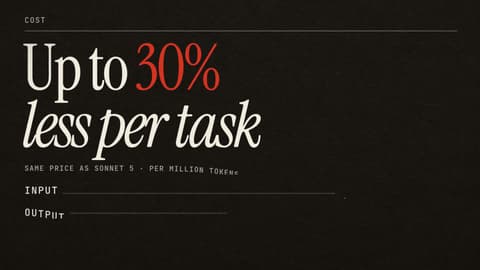
One honest note on Microsoft's headline boast. It says Cowork came out 30 to 40 percent cheaper than Claude Cowork on the same Opus model. That figure is from Microsoft's own internal test, not an independent one, so treat it as a claim, not a verdict.
The thing to take from this is the shift in what the AI at your desk is for. It moved from drafting the work to doing the work, the skippable busywork, inside the apps you already live in. The chasing-down-a-stalled-pipeline job that used to eat a Tuesday is the kind of thing it now finishes while you do something else.
The catch is that the feature good enough to do a week of work in a morning is exactly the one your finance team will be watching, because for the first time the assistant runs on a meter instead of a flat subscription. The reasonable way to think about it is a taxi, not a buffet: every trip has a fare, so you take it for the trips worth taking. In practice you will not see it until your company's admin turns it on, and when you do, you still approve each real action it takes. Used on the right tasks, it gives you back hours. Pointed at everything, it gives you a bill.
Sources
- Microsoft 365 Blog — Copilot Cowork is now generally available
- Microsoft Learn — Cowork overview
- Anthropic — Claude Cowork product page
- Satya Nadella on X — GA announcement
- @FlowAltDelete on X — real-usage cost estimate and the "free since March" counter
- @ns123abc on X — the usage-pricing reaction
- Winbuzzer — Microsoft opens Copilot Cowork for delegated office work
- Storyboard18 — global rollout of Copilot Cowork





Comments
Sign in to join the conversation.