
Microsoft Puts Word, Excel and PowerPoint Inside Copilot
Office in Copilot opens a real Word, Excel or PowerPoint file beside your Copilot chat, starting with companies in Microsoft's Frontier early-access program.

Microsoft started rolling out Office in Copilot on Friday, October 9. It opens a real Word, Excel or PowerPoint file right beside your chat in the Copilot app, so you can ask for a document and keep working on it in the same window.
It's available to companies in Frontier, Microsoft's program for testing new Copilot features early, and Microsoft hasn't given a date for everyone else.
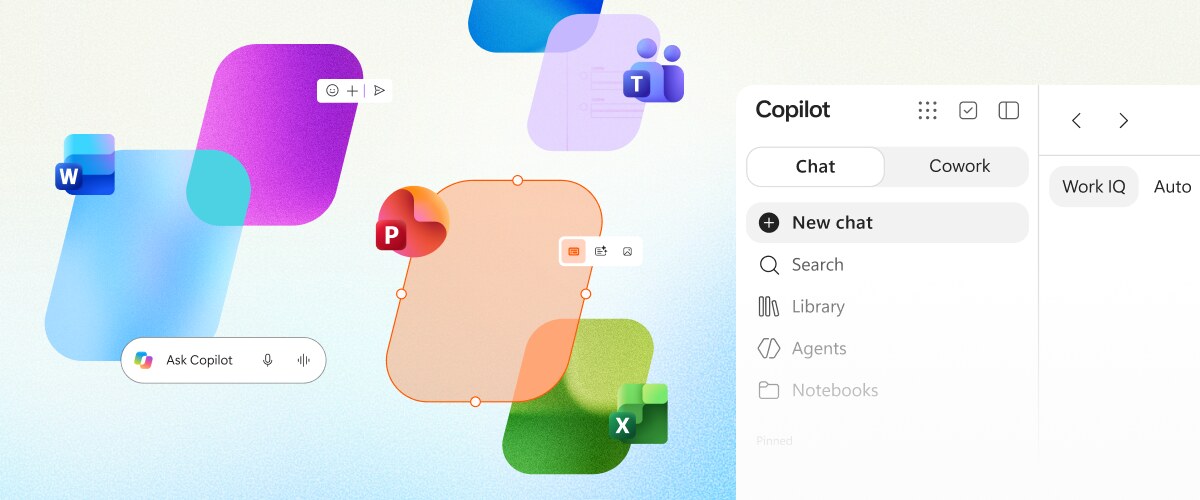
How to make a Word doc from a Copilot chat
According to Microsoft's announcement, you start in Chat, or in Cowork, the Copilot mode for handing off longer jobs. Then you ask for a document, like Microsoft's own example:
Turn these research notes into a customer-ready launch brief with an executive summary, key messages, risks, and next steps.
Copilot writes a Word document, and it opens side by side with your conversation. The chat stays put, so you can keep asking for changes, like "Make the opening more direct" or "Add a table comparing the three rollout options."
You can also click into the document and edit it yourself with the usual Word controls. You can pick which AI model Copilot uses for the job, or leave it on Auto and let Copilot choose.
Your coworkers can edit the same file with you
Every file Copilot makes is saved to your OneDrive, so it works like any other Office file. You can share it, leave comments and see who else is in the document, and everyone's edits show up in real time.
Copilot keeps it all in one file, so there are no separate drafts to merge later. When you open it in the regular Word, Excel or PowerPoint app, it's exactly as you left it.
The file keeps its formatting, comments, sharing settings and version history. It also follows your company's existing security labels and compliance rules.
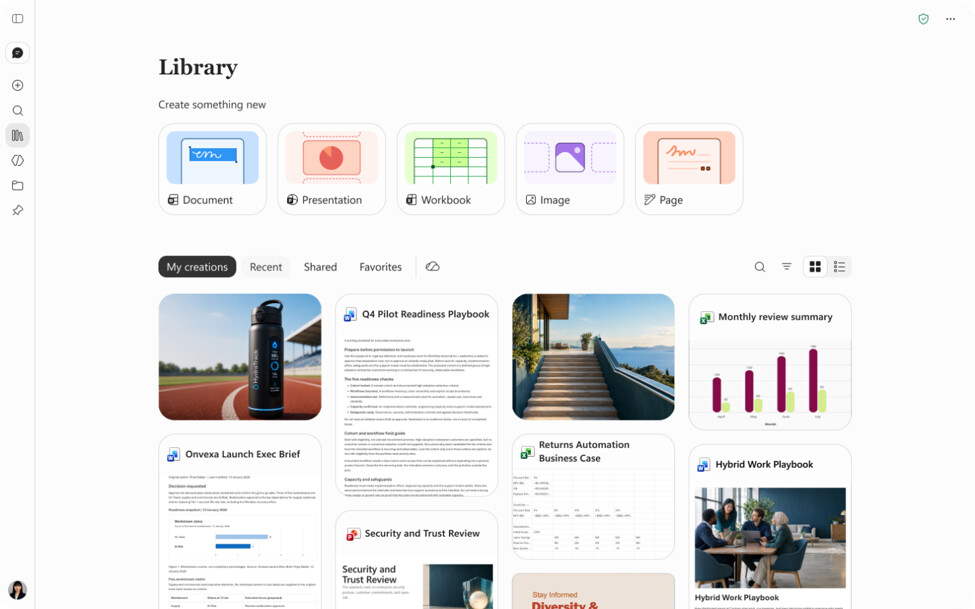
Find every recent file in the new Library
The Copilot app has a new Library that collects your recent Word, Excel and PowerPoint files, whether you made them in Copilot or in the Office apps. It also holds Copilot pages and images you've made with AI.
From there you can reopen a file and keep editing it next to Copilot, or start a new document, spreadsheet or presentation.
What Copilot adds in Excel and PowerPoint
Microsoft is bringing its newer Copilot features from the Office apps into Office in Copilot too:
- PowerPoint keeps slides on-brand on its own and applies custom templates.
- Excel shows you what Copilot changed in a spreadsheet, so you can review its edits, and suggests charts for your data.
- Skills and connectors, add-ons that give Copilot specialist know-how or access to other apps, bring specialized help across Microsoft 365, like financial analysis in Excel and legal work in Word.
Three prompts to try once your company has it:
Turn the notes from [meeting or document] into a one-page project update with a summary at the top, a table of open items with owners, and next steps.
Build an Excel budget for [project] with a tab for monthly costs and a chart comparing planned and actual spend.
Make a six-slide PowerPoint pitching [idea] to my team, using our company template.
Who can use Office in Copilot right now
Office in Copilot shows up in Chat and Cowork once your company is in Frontier.
To get Frontier, you need a Microsoft 365 Copilot license, and your company's IT admin has to opt in, according to Microsoft's Frontier page.
It's part of Microsoft's rebuilt Copilot app, which launched on September 25 with new Home, Code and Autopilot sections. Copilot Notebooks is getting the same Office editing for Frontier users in its October update.
I don't personally use Copilot, and it's somewhat baffling to me that this is only rolling out now, since ChatGPT has been able to pull in your Google Docs for over a year and Claude can already create and edit files in OneDrive.
ChatGPT's Google Drive connector shows up in OpenAI's release notes as far back as June 2025. Claude's Microsoft 365 connector got the ability to create and update files in OneDrive and SharePoint on July 7, once a company admin turns it on.
Claude also works inside Google Docs, Sheets and Slides now, and Anthropic made its own Docs, Slides and Design tools free. Google announced on October 8 that its Gemini agent will work right inside Docs and Sheets.
Alas, if you're on Microsoft 365 and you're forced to use Copilot, this can definitely speed up your work.
Sources
- Microsoft: Introducing Office in the new Microsoft Copilot app
- Microsoft Copilot on X: the full power of Office is coming to Copilot
- Microsoft: Introducing the new Copilot with Home, Code and Autopilot
- Microsoft: What's new in Copilot Notebooks, October 2026
- Microsoft: Frontier for business users
- Anthropic: Claude release notes
- OpenAI: ChatGPT Business release notes
- Google Cloud: Welcome to Gemini at Work 2026



Comments
Sign in to join the conversation.