Fable 5.2: No-Hype Full Review & Testing
Anthropic just released Fable 5.2, so I put it through three builds against Opus 5.5, Fable 5.1, GPT-6 Astra and Gemini 4 Argon, with the exact prompts and what every build cost.

Well, I thought it was going to be Fable 5.5, but I guess we'll take it. Fable 5.2 has officially dropped, and it seems like we finally have a model that surpasses Opus 5.5, at least according to Anthropic's benchmarks.
So I put it to the test across three huge builds: 3D modeling and real physics, high-end web design, and an interactive history lesson with a full narrated film.
I ran it against every major model out right now, Opus 5.5, Fable 5.1, GPT-6 Astra and Gemini 4 Argon, and I clocked how long each one took, how many tokens it burned and what it cost.
What I tested
Every model got the exact same prompt, and each one ran in its own company's coding tool: Claude Code for the Claude models, Codex for GPT-6 Astra and Antigravity for Gemini 4 Argon.
The four comparison models ran in October, and Fable 5.2 ran the day it came out. I stopped each Fable 5.2 run once it was in its final polish, so you're seeing those builds as they stood at that point.
Every prompt is below, and you can copy it and run it yourself.
The skills used in these builds (free on GitHub)
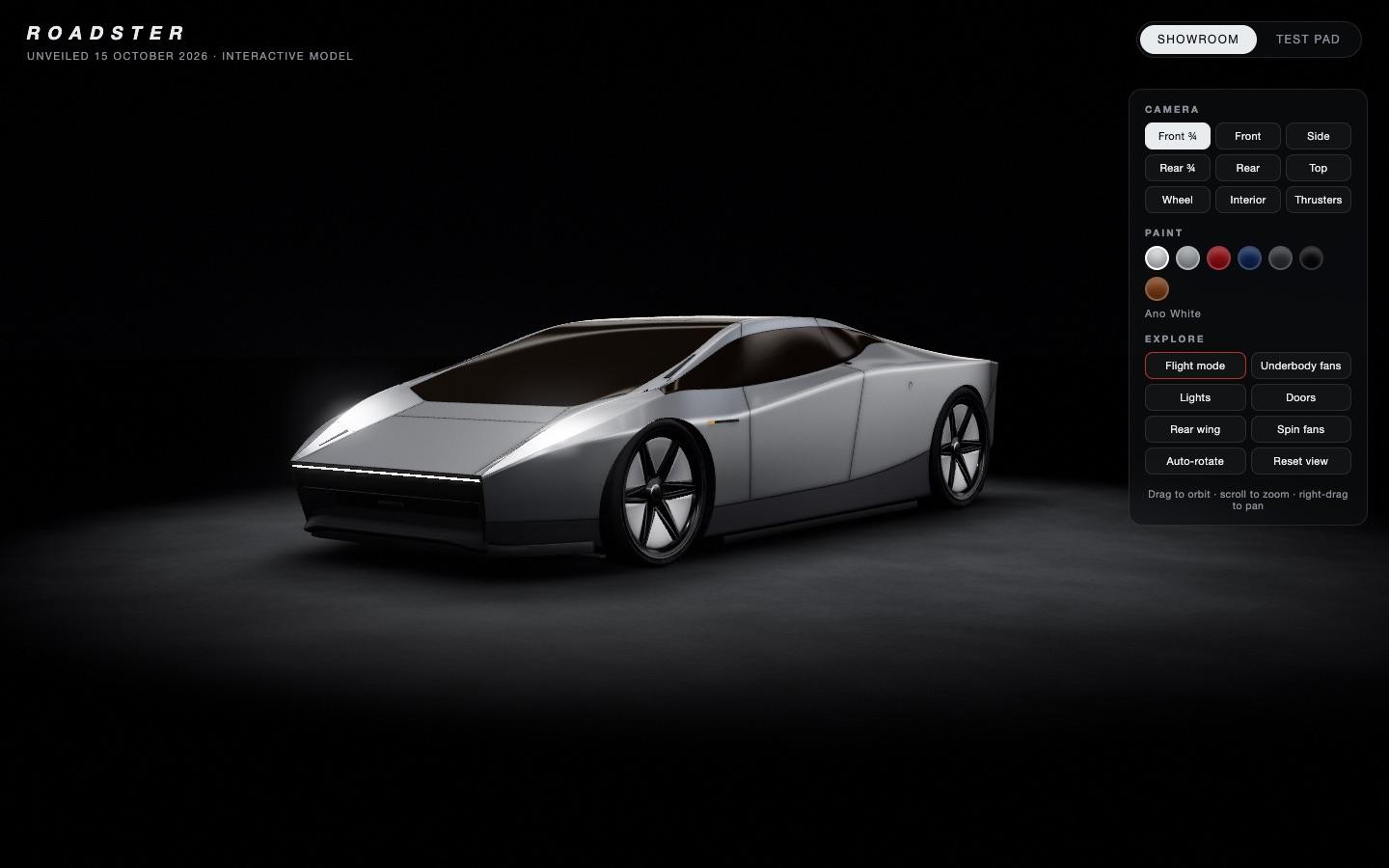
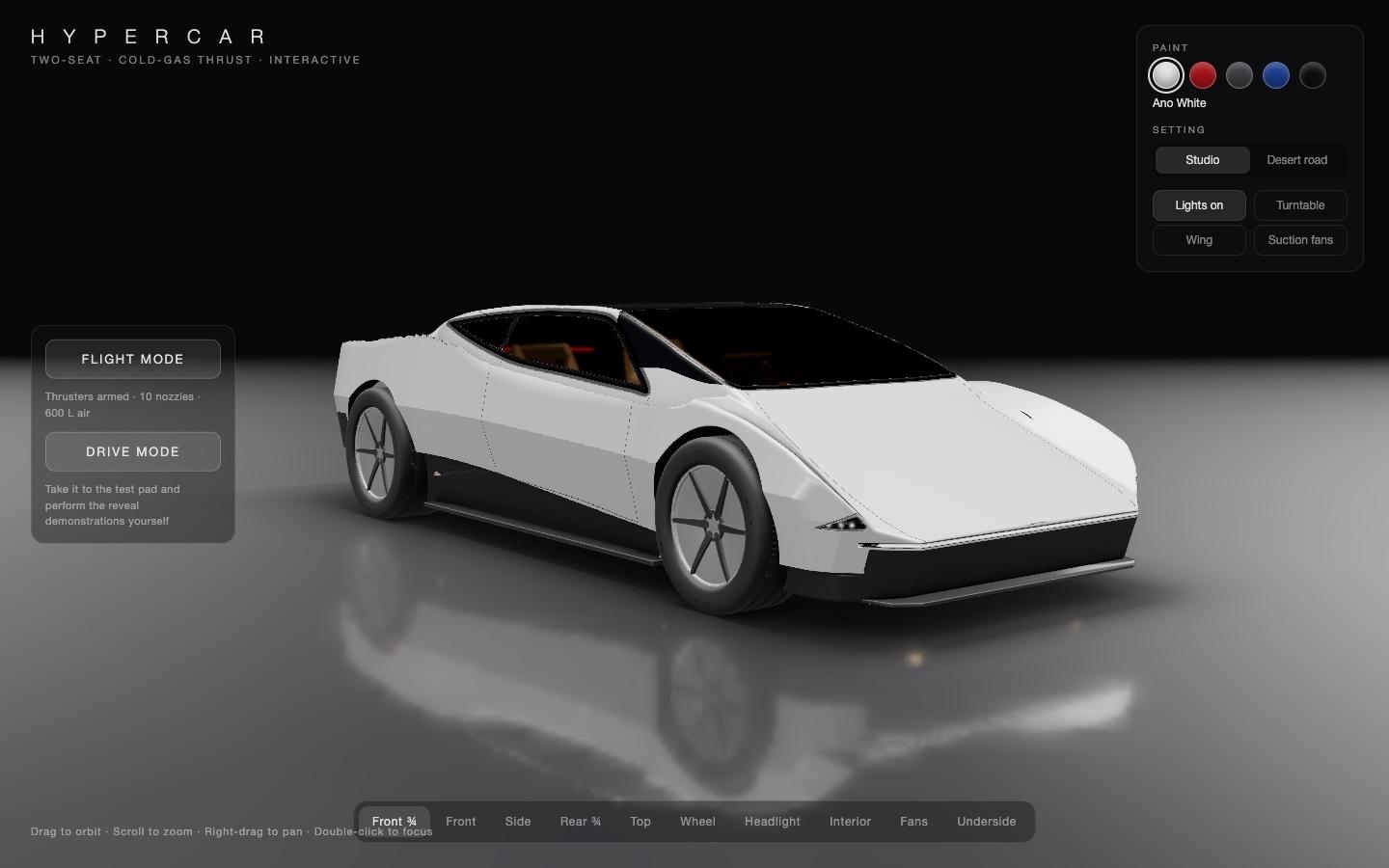
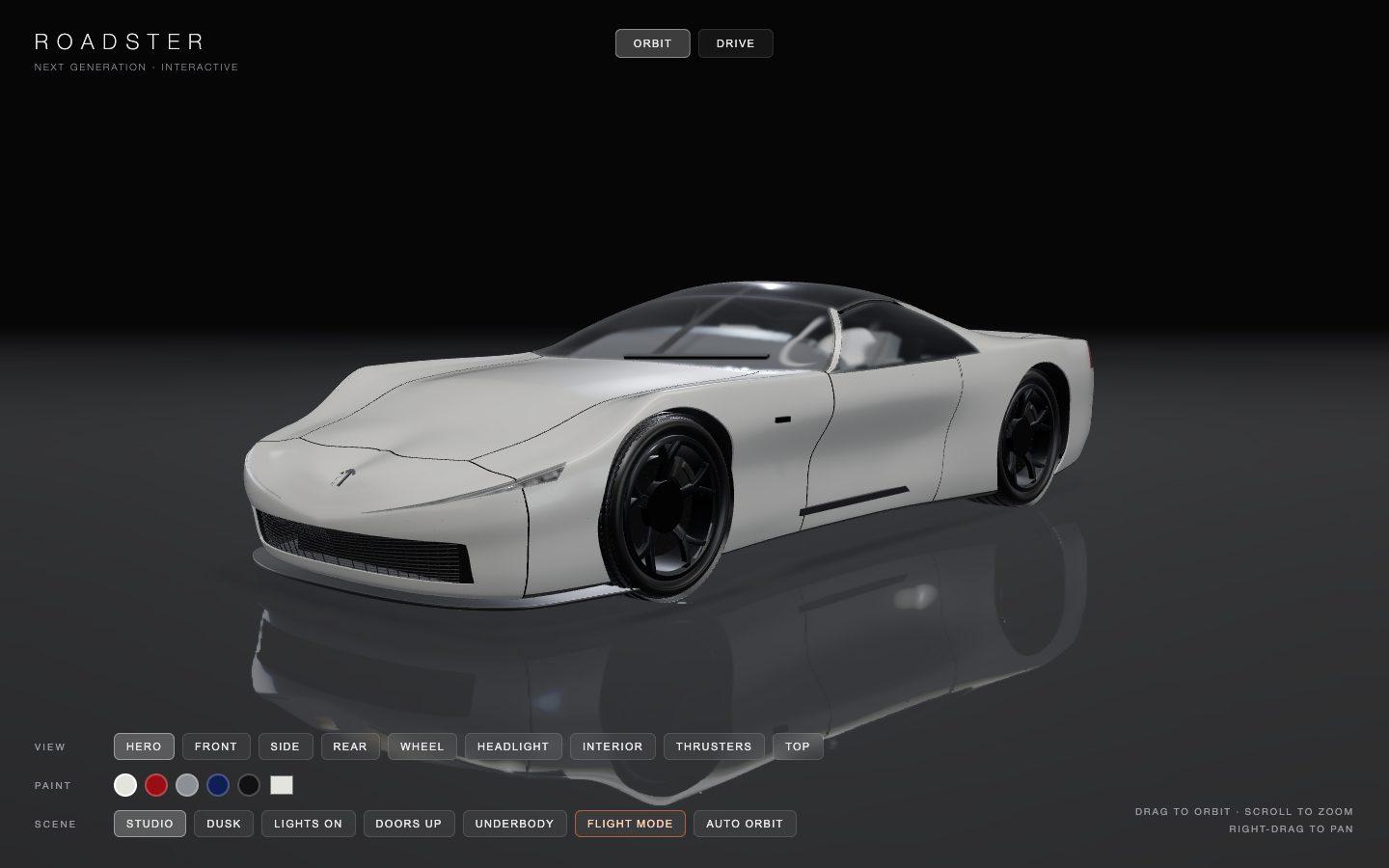
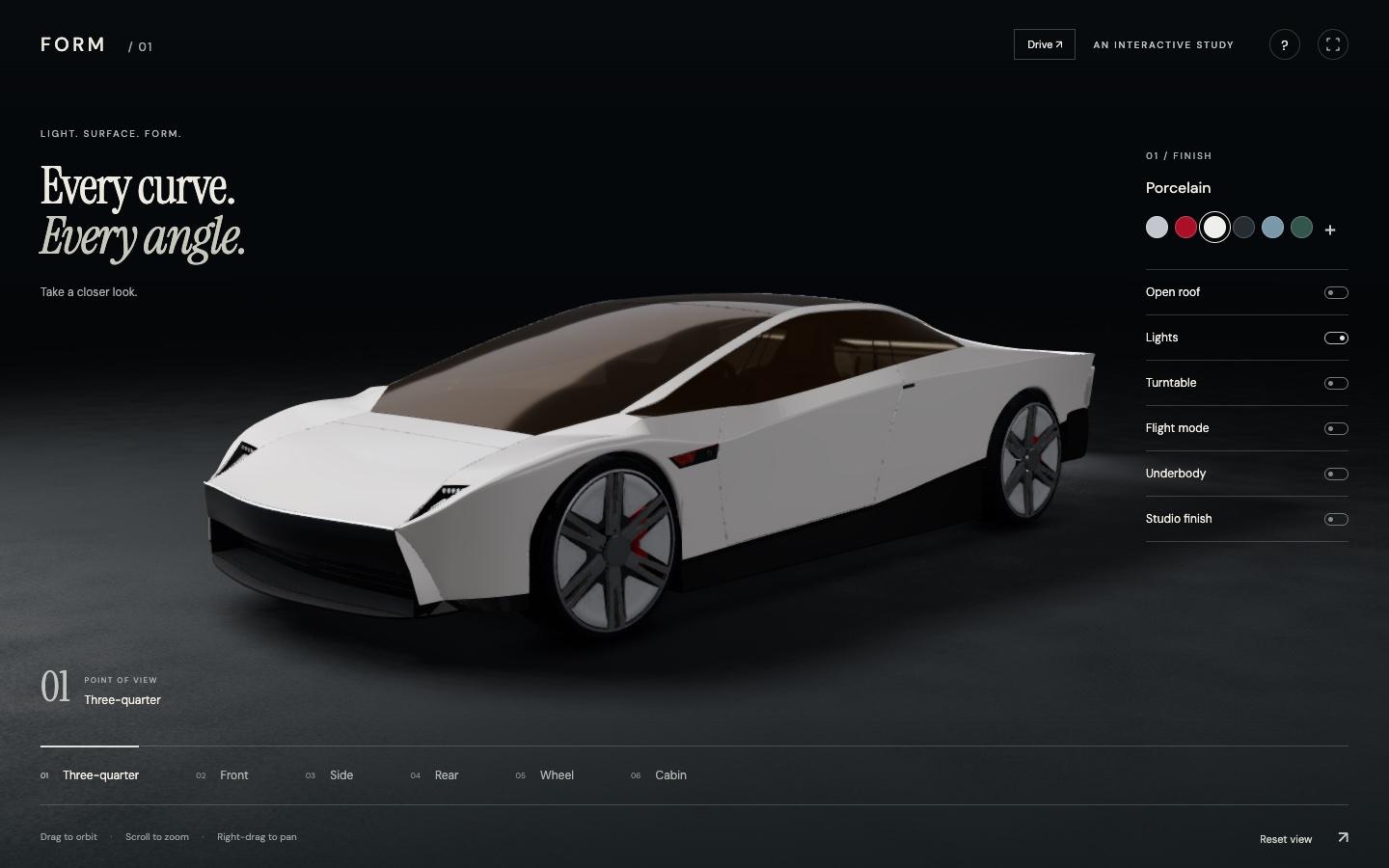
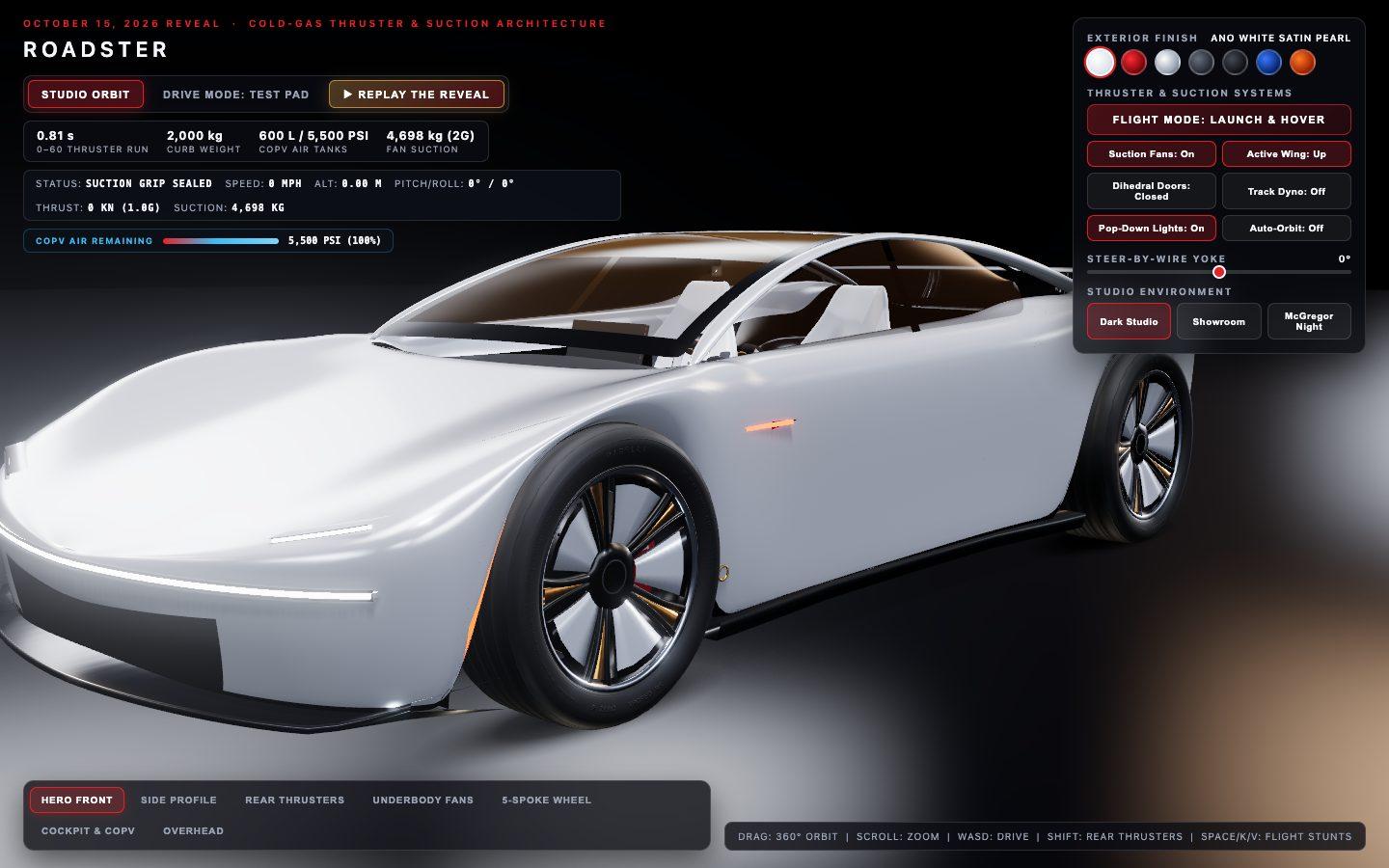
Test 1: The flying Tesla Roadster, drivable
Model the new Tesla Roadster in Blender from scratch and put it in a 3D viewer you can spin, fly and drive.
Model the Tesla Roadster unveiled on October 15, 2026 in Blender from scratch and put it in a photoreal, interactive 3D viewer in the browser that anyone can spin around.

Context you should know: this is going into a video watched by a large audience. Your 3D car is explored on camera next to other frontier models given this identical prompt.

The comparison is blind. Never put your model name, your company's name, or any mention of which AI made it anywhere in what you make: not in on-screen text, credits, the page title, file names, code comments, or metadata.

The car is the Tesla Roadster that Tesla unveiled on October 15, 2026: the "flying" Roadster, with thrusters fed by ultra high-pressure air tanks and underbody fans that suck it to the road, shown at the reveal climbing a ramp, hanging upside down, flipping and landing on its air jets. Research it first: start with `./REVEAL-DEMOS.md`, a sourced account of exactly what the car did at the reveal, and `./reveal-frames/`, frames from the official reveal livestream for every demonstration (timings in its README.md), then find more photos and footage from every angle you can. Get the proportions, the silhouette, the glasshouse, the lights, the wheels, the thruster nozzles and the underbody fans right. A viewer who watched the reveal should recognise it instantly.

**The car must look photoreal in the browser. This is judged strictly.** Physically based car paint with clear coat, real glass with refraction, rubber tyres with sidewall detail, brake discs and calipers, panel gaps, a believable environment and lighting, real shadows and reflections, filmic colour. No toy, cartoon or low-poly look. If a frame looks like a CG prototype, it is not done.

Requirements:

1. **Model the car from scratch.** No downloaded, purchased or kitbashed models, no ready-made car assets of any kind. Build the body, interior visible through the glass, wheels and tyres yourself, in Blender, driven by your own scripts.
2. **An interactive 3D viewer in the browser.** Export the car from Blender (for example as glTF/GLB with its materials and textures) and present it in a web page where the viewer can orbit all the way around it, zoom in close and pan, with smooth damped controls. Studio or environment lighting with real reflections on the paint and glass, soft contact shadows on the floor, filmic tone mapping, anti-aliasing.
3. **Show what makes it new.** A flight mode, triggered from the page, that animates the thruster nozzles firing and the car lifting off and landing on its jets, plus a way to see the underbody fans.
4. **Drive mode.** An outdoor test-pad scene with the curved inverted ramp and a lineup of vehicles to jump over (model them yourself; generic shapes are fine, no brand names). The player drives with the keyboard and a gamepad, with the controls shown on screen, and can perform every demonstration in REVEAL-DEMOS.md live: the 0-60 launch on the four rear thrusters (with the shock diamonds and a live 0-60 timer), switching on the suction fans to drive up the ramp and hold upside down, dropping off and rolling upright on the attitude thrusters, the thruster kickflip over the vehicle lineup, the standing flip, and hovering down to land on the wheels. Add a 'Replay the reveal' button that runs each demonstration automatically in order. Physics should feel believable, with weight, suction, thrust and the air left in the tanks shown on a HUD.
5. **Make it worth exploring.** A few touches that show the car off: for example camera presets (front, side, rear, wheel, interior), a paint colour picker, lights on/off, or doors that open. Your choice.
6. **Runs at a smooth frame rate** in a desktop browser at 1920x1080.
7. **Deliver** a static build of the viewer (dist/ or a top-level index.html) with a documented run command, the .blend file, the scripts that built the car, and a README describing how you built it.
Test 2: Shopify Editions, rebuilt
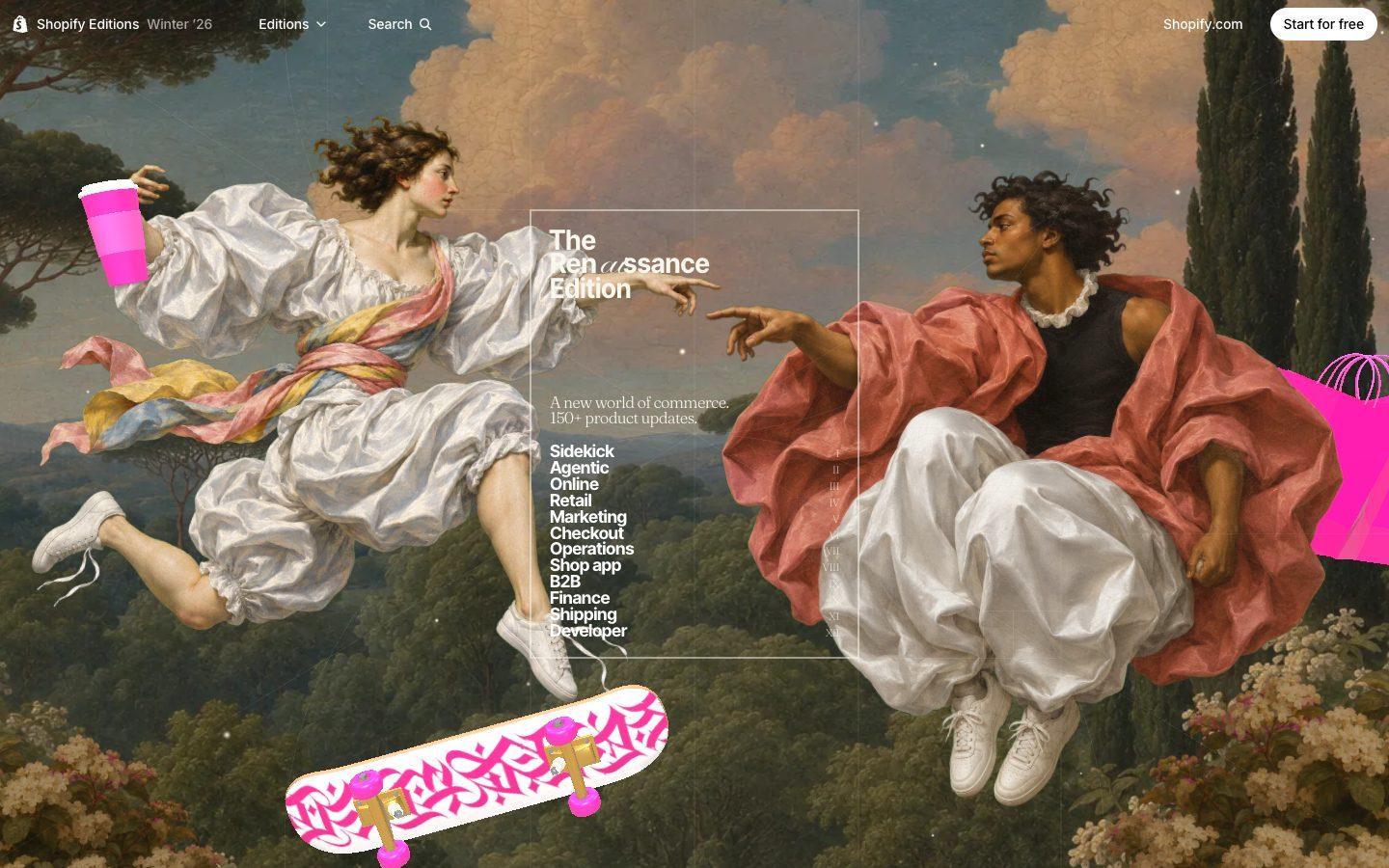
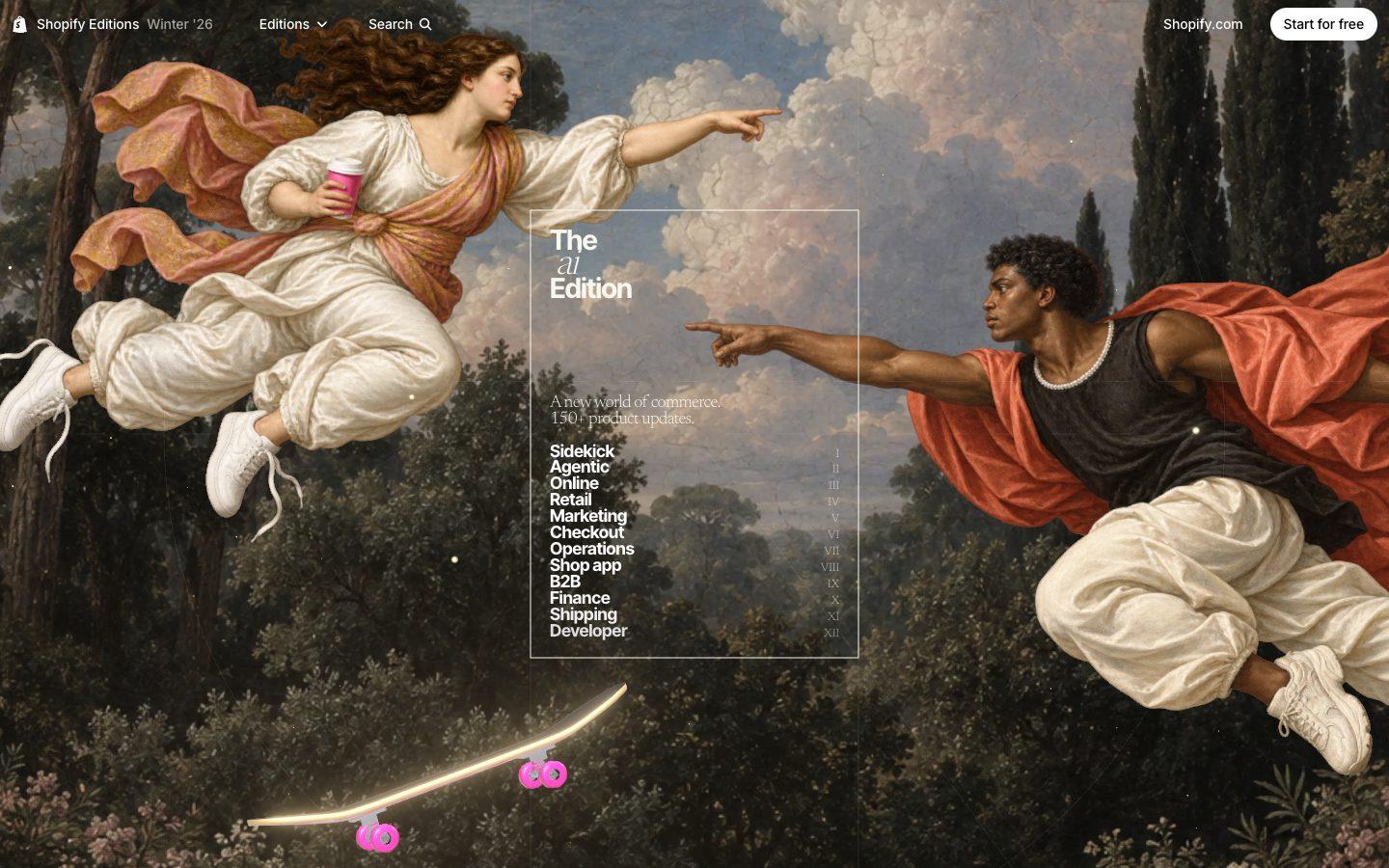
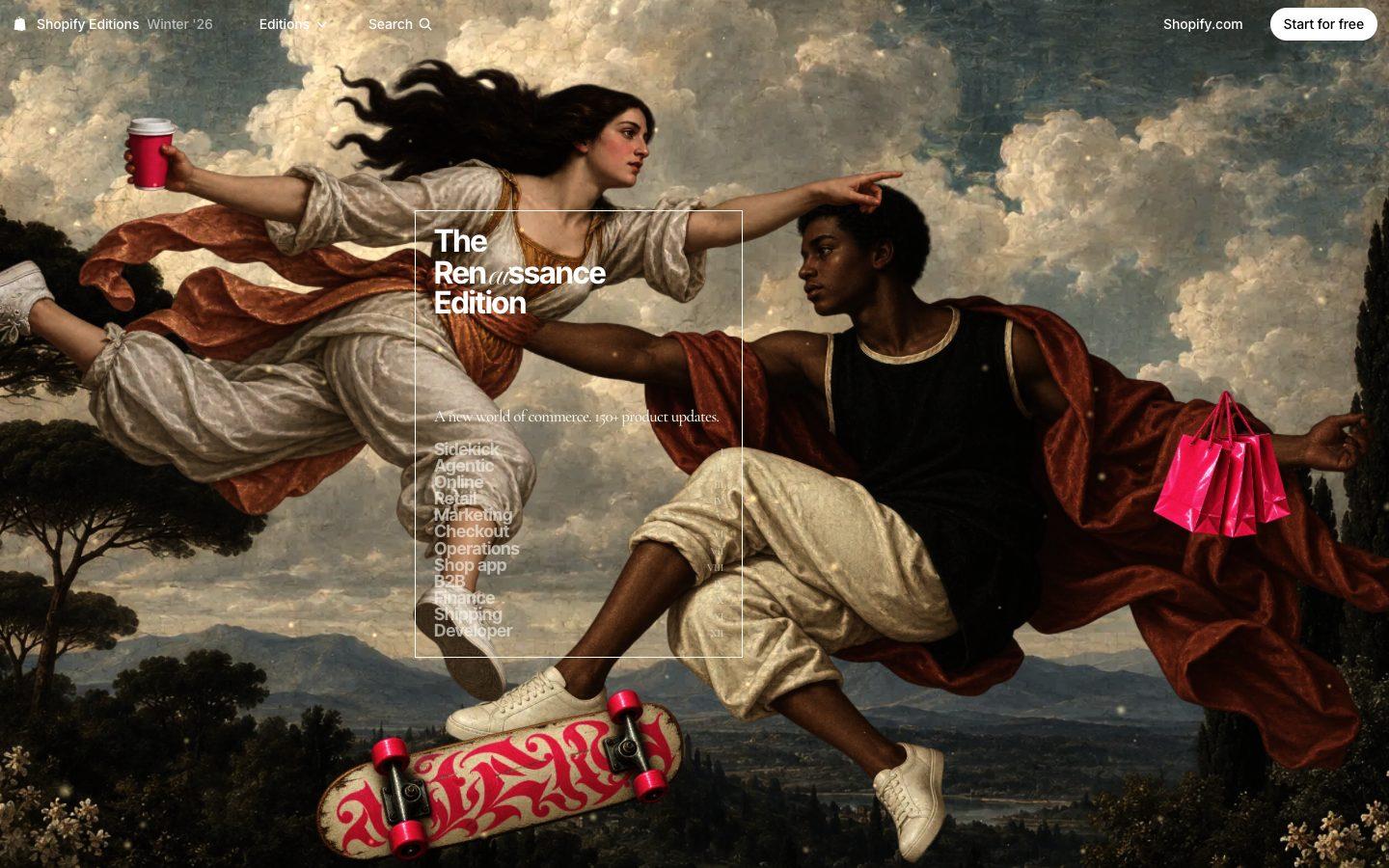
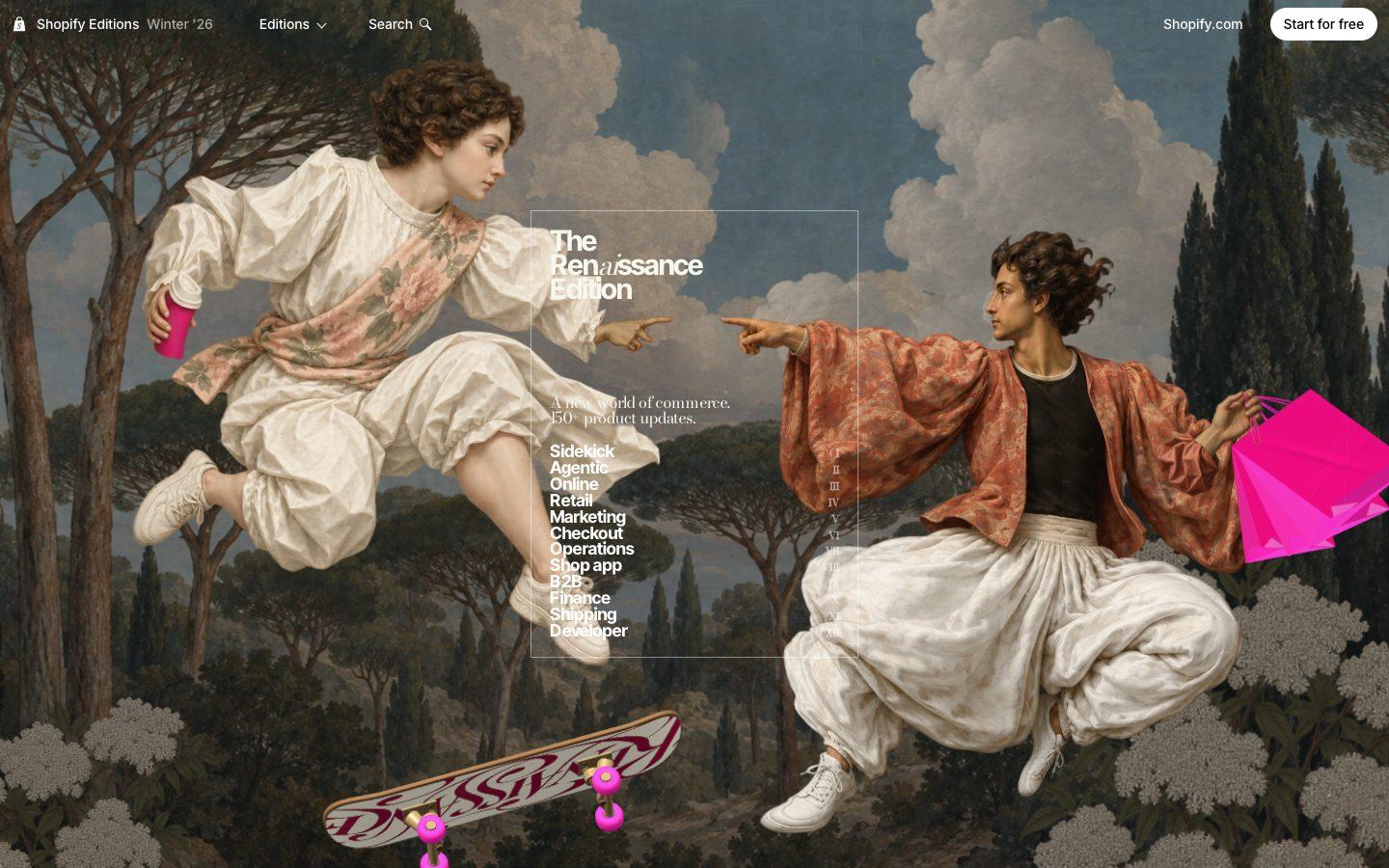
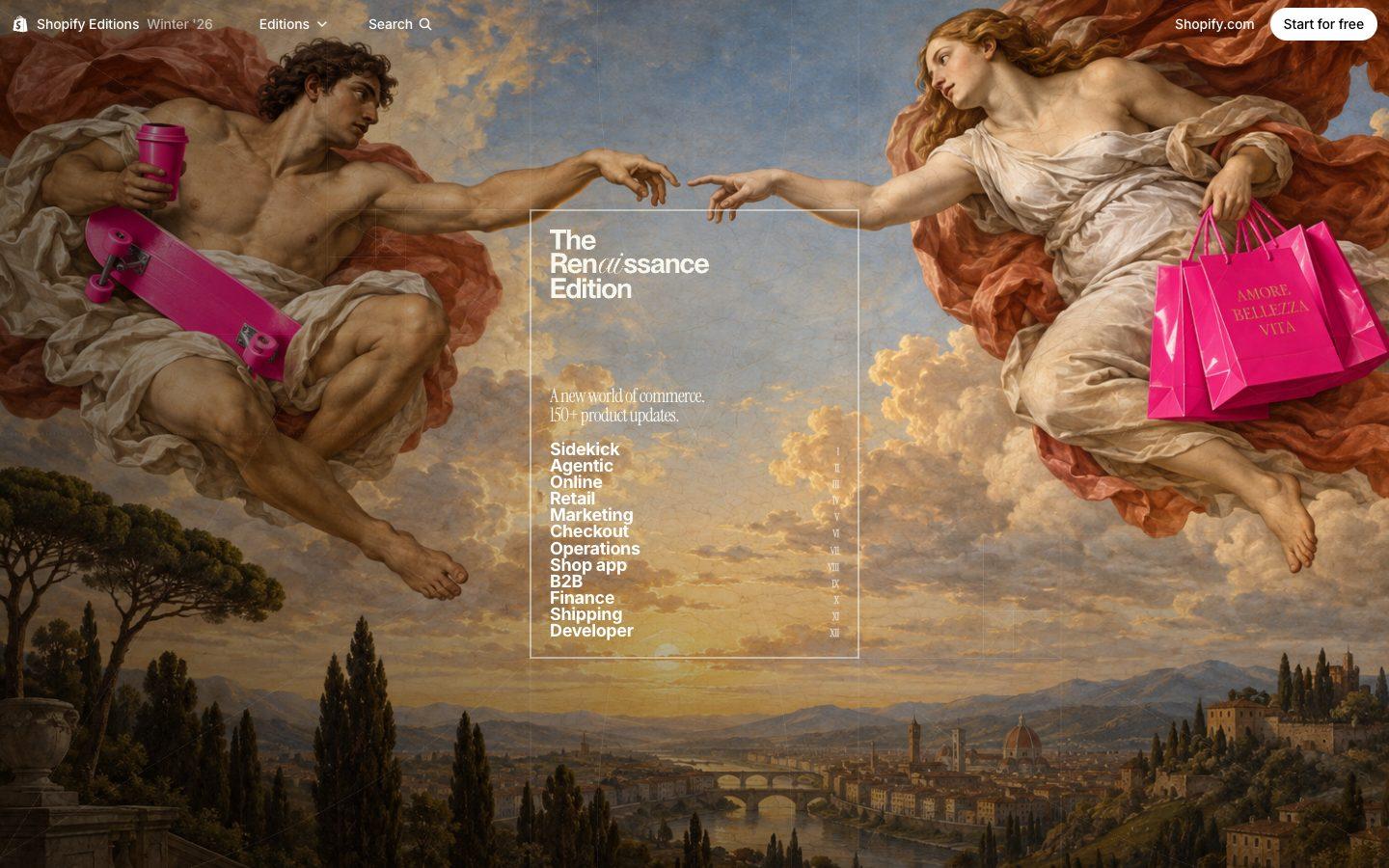
Rebuild Shopify's Winter '26 Editions page pixel for pixel, motion included, making every image and 3D model from scratch.
Rebuild https://www.shopify.com/editions/winter2026 pixel for pixel, motion included, making every asset yourself.

Context you should know: this is going into a video watched by a large audience. Your clone is put on screen next to the real site and next to other frontier models given this identical prompt, at the same viewport.

The comparison is blind. Never put your model name, your company's name, or any mention of which AI made it anywhere in what you build: not in on-screen text, credits, the page title, file names, code comments, or metadata.

**First, read the methodology.** Clone `https://github.com/per-simmons/clone-app-pat-pro-public` and read `SKILL.md` and `references/00-contract.md` before anything else, then each stage reference as you reach it. Follow its workspace layout, artifacts, verification gate and convergence loop. `scripts/assert-styles.mjs` is the gate.

Two overrides, and they win where they conflict with the repo:

- **Do not stop to check in.** You are running unattended. Run the whole pipeline start to finish without asking for approval or asking questions.
- **Use your own browser automation**, headless Playwright or Puppeteer, anywhere the repo says to use the Claude Chrome extension. Computed styles read off the live page through the CSSOM are ground truth. Screenshots and screen recordings are visual reference only, never the gate.

You have two creative tools: **Blender**, driven headless with Python scripts, and an **image generator** you call from the command line. Every raster image in your clone comes from the image generator. Every 3D element comes from Blender or your own code.

**The imagery must match the original exactly. This is judged strictly, side by side.** The Renaissance art direction, the hero, the section artwork and every illustration must match the original's subject, framing, lighting and colour so closely that a viewer has to look twice. No placeholder, flat or "close enough" substitutes.

Requirements:

1. **Recon the whole page before writing code.** The hero, the section navigation (Sidekick, Agentic, Online, Retail, Marketing, Checkout, Operations, Shop app, B2B, Finance, Shipping, Developer), every section top to bottom at desktop and mobile widths, the Editions switcher, every hover, scroll-triggered and expanding state, and the footer.
2. **Extract, don't guess.** Pull real computed values off the live page: type scale, exact colours, spacing, radii, borders, grid and container widths, breakpoints, easing curves and durations, font families and weights.
3. **The motion is the site.** The hero, the scroll-driven transitions, the section navigation behaviour and every interaction must work and feel like the original.
4. **No lifted assets.** Do not hotlink, download, or trace the original's images, video, 3D files, or fonts. Make every image with the image generator and any 3D in Blender or code. Fonts come from an open CDN with metrics matched as closely as you can. List every substitution in the README.
5. **Rebuild it all.** Every section, component and interactive state, at desktop and mobile.
6. **Prove the match.** Run `assert-styles.mjs` against your extracted tokens and iterate until there are zero failures and the project builds clean. Then compare your clone to the real site at the same viewport, desktop and mobile, section by section, and fix what your eye catches that the assertions missed.
7. **Ship it runnable**, with a documented run command and a README covering what you substituted, how you made the imagery, and your final assertion results.
8. **Depth over breadth.** If you have to choose, a hero and first three sections that are indistinguishable from the original beat a whole page that is approximately right.
Test 3: Central Park: a visual history
A short history film drawn like an architect's drawings, plus an interactive 3D Central Park you can click through.
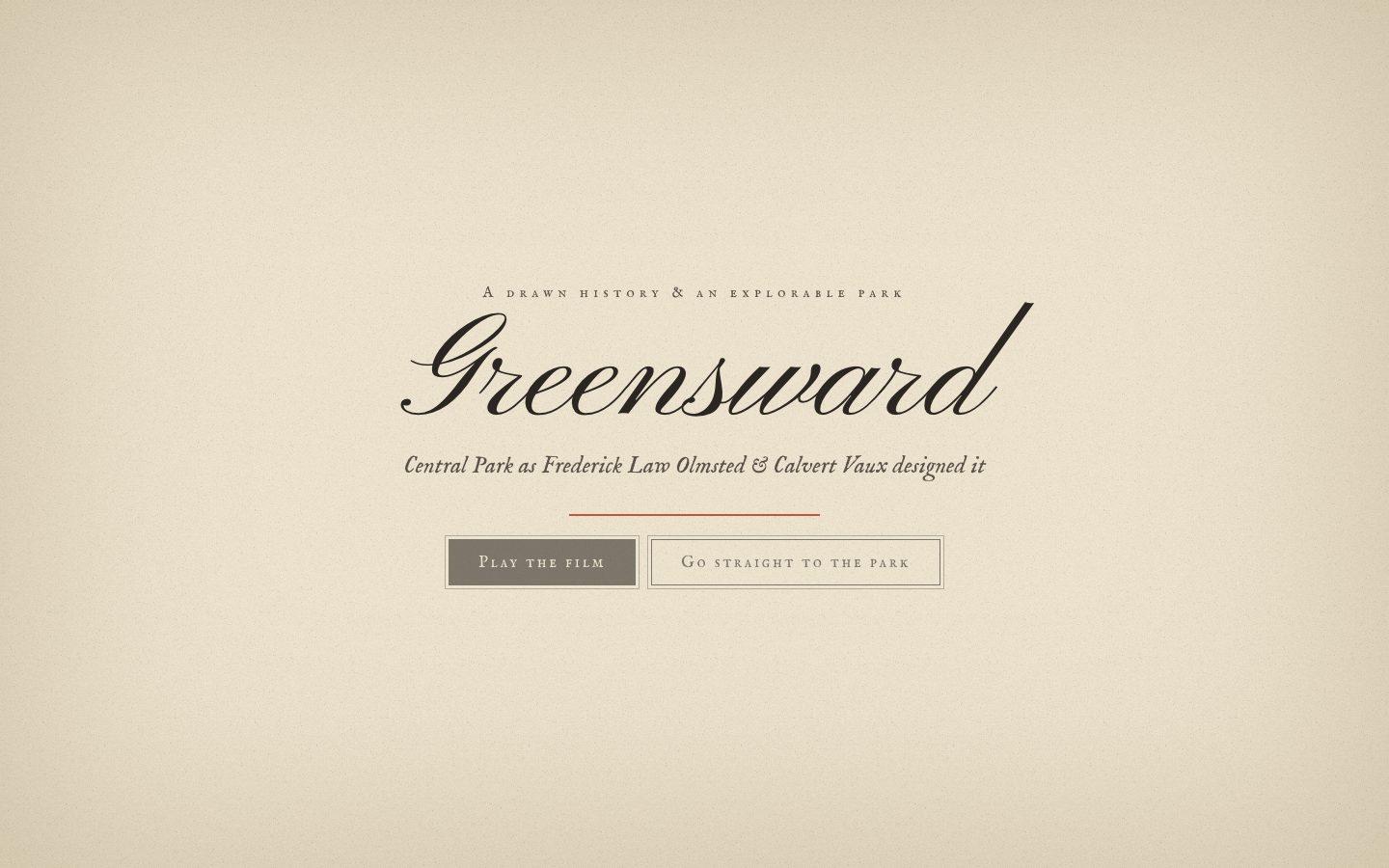
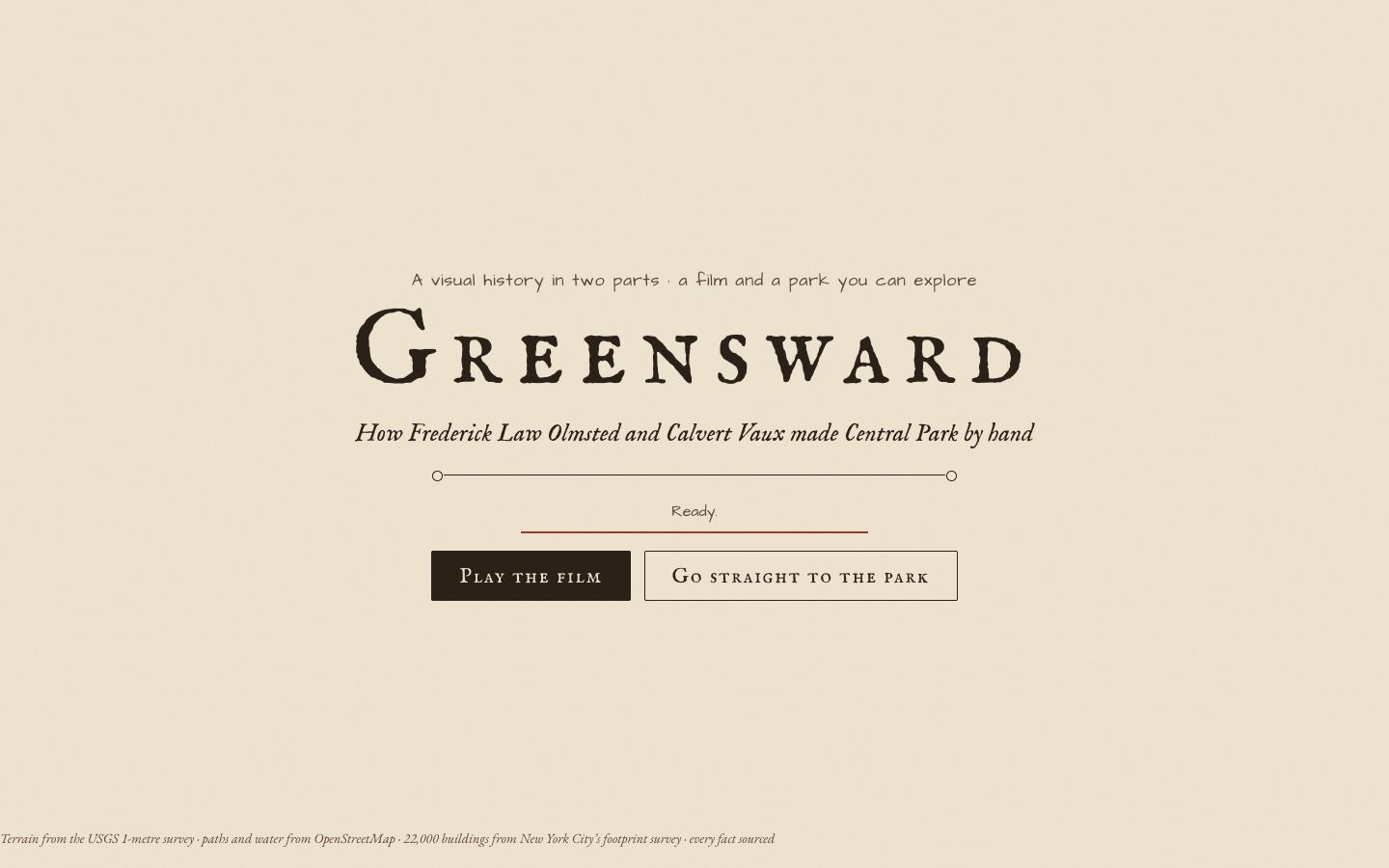
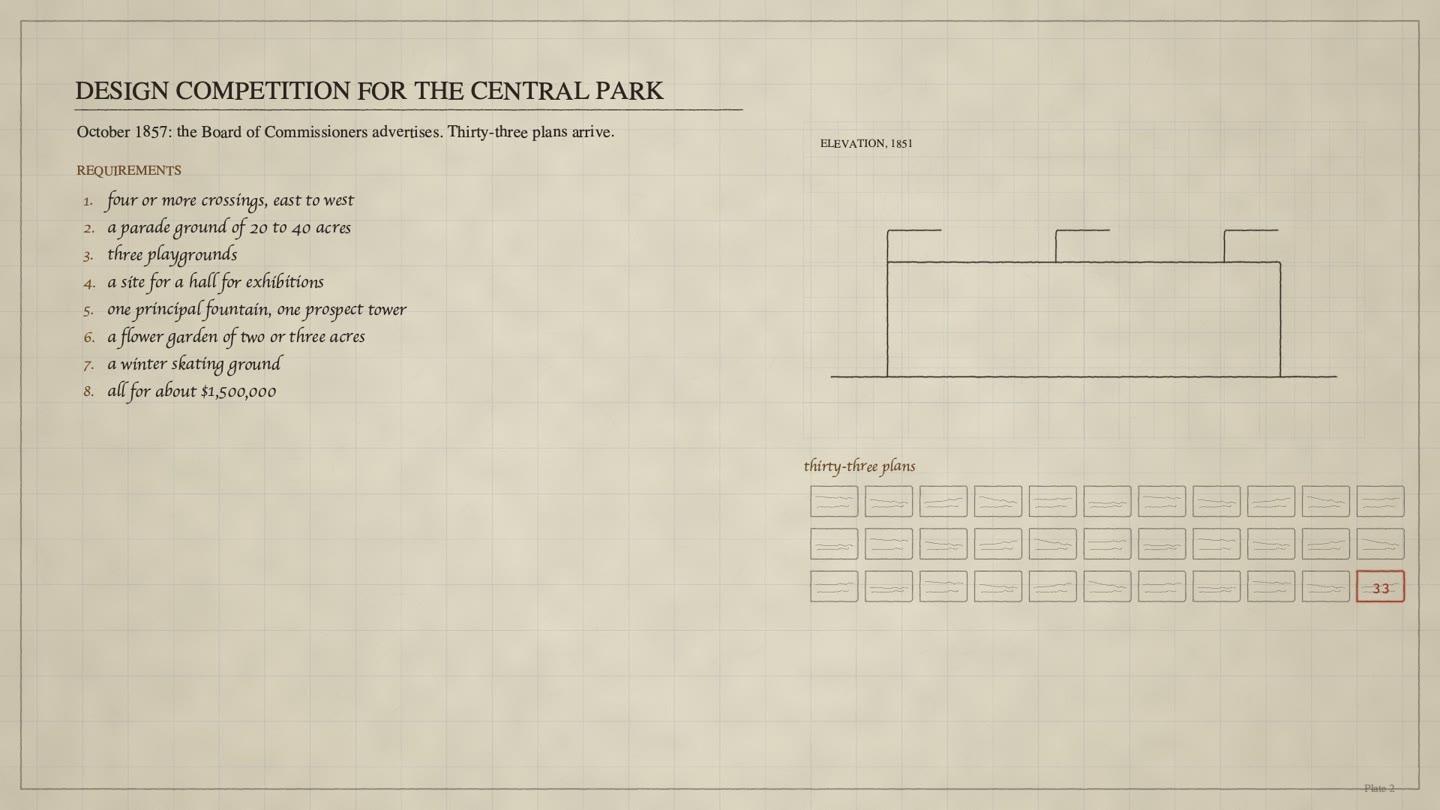
Make a visual history of Central Park as Frederick Law Olmsted and Calvert Vaux designed it, in two parts: a short history film drawn like an architect's drawings, and an interactive 3D park that runs in the browser, where you click into every place and learn its story.

Context you should know: this is going into a video watched by a large audience. Your film is played and your build is explored on camera next to other frontier models given this identical prompt. The person using it is about to attend a talk on Olmsted's landscape experiment and wants to arrive knowing all the most interesting things about how the park was made.

The comparison is blind. Never put your model name, your company's name, or any mention of which AI made it anywhere in what you build: not in on-screen text, credits, the page title, file names, code comments, or metadata.

Research first, from real historical sources: the 1858 Greensward Plan competition, Olmsted and Vaux's design ideas, the park's major landscapes and structures, and how the park was actually built. Every fact, date and name in the build must come from a source; list your sources in the README and in an on-screen sources panel.

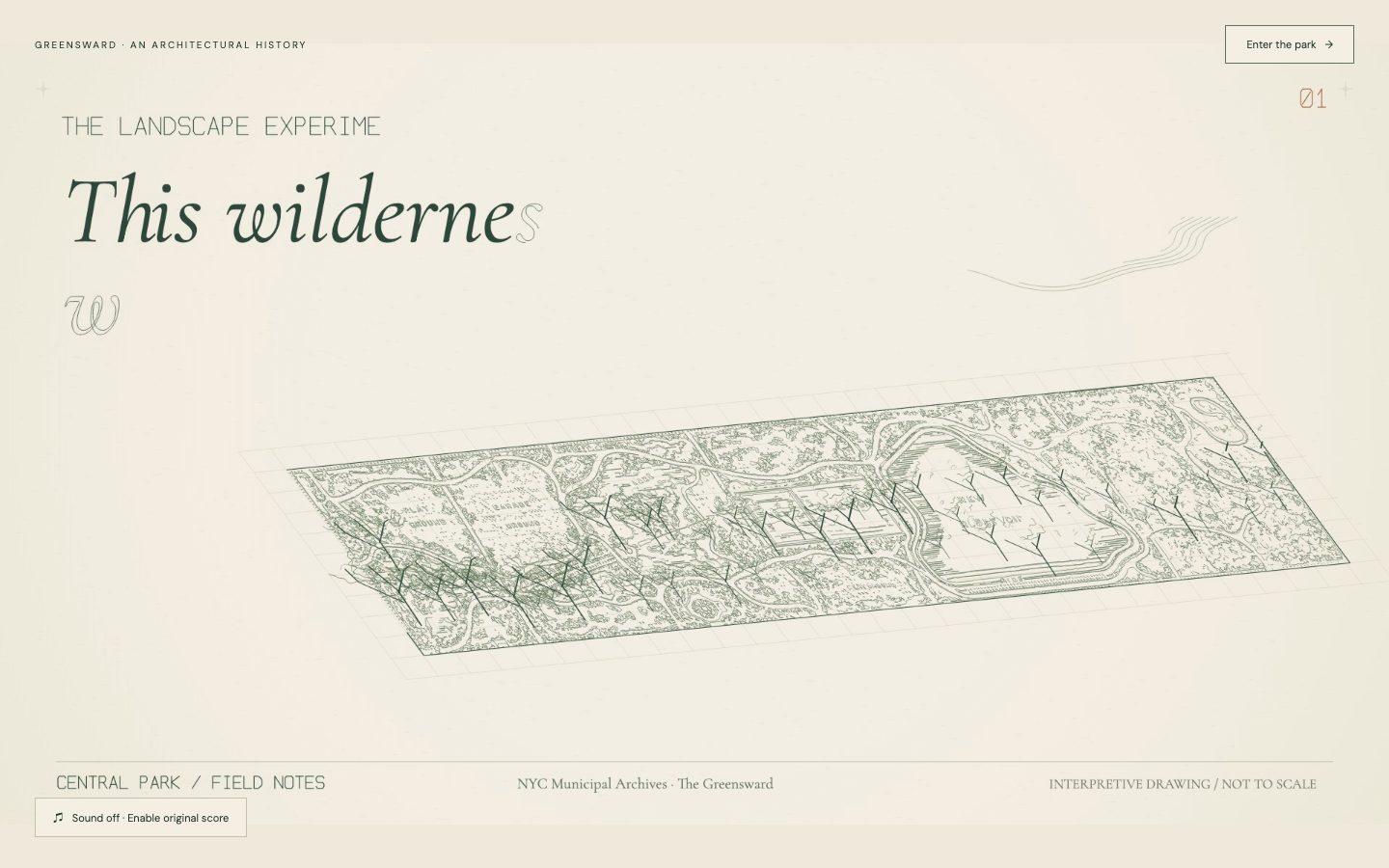
**The 3D must be beautiful. This is judged strictly.** A sweeping 3D Central Park set in its Manhattan grid: real topography, water, meadows, woodland, rock outcrops, paths and bridges, with natural lighting, atmosphere and seasons that feel alive. No grey boxes, flat green planes or placeholder trees.

**Interesting, never boring.** Lead with the surprising, the dramatic and the little-known: the stories, numbers, fights, feats of engineering, hidden details and things a visitor walks past without noticing. Cut anything that reads like a textbook. Every fact is told visually, in the 3D, with a few lines of text at most.

Requirements:

**Part 1: the history film, 60 to 120 seconds.**

**Follow the skill for the film.** Clone https://github.com/per-simmons/launch-video-clone and read its SKILL.md first, then the type files and motion rules it points to, and make the film with it in its Original mode (no reference video). Its motion rules, pacing and QA loop apply to the film. No generic HyperFrames animation: do not use its registry blocks, stock templates, preset transitions or default fade/slide/scale-in motion. Every drawing, line build, transition and type move is designed and animated custom for this film, to the standard of a hand-crafted architectural animation, and the skill's motion rules decide timing and easing. If a moment looks like a template, it is not done.

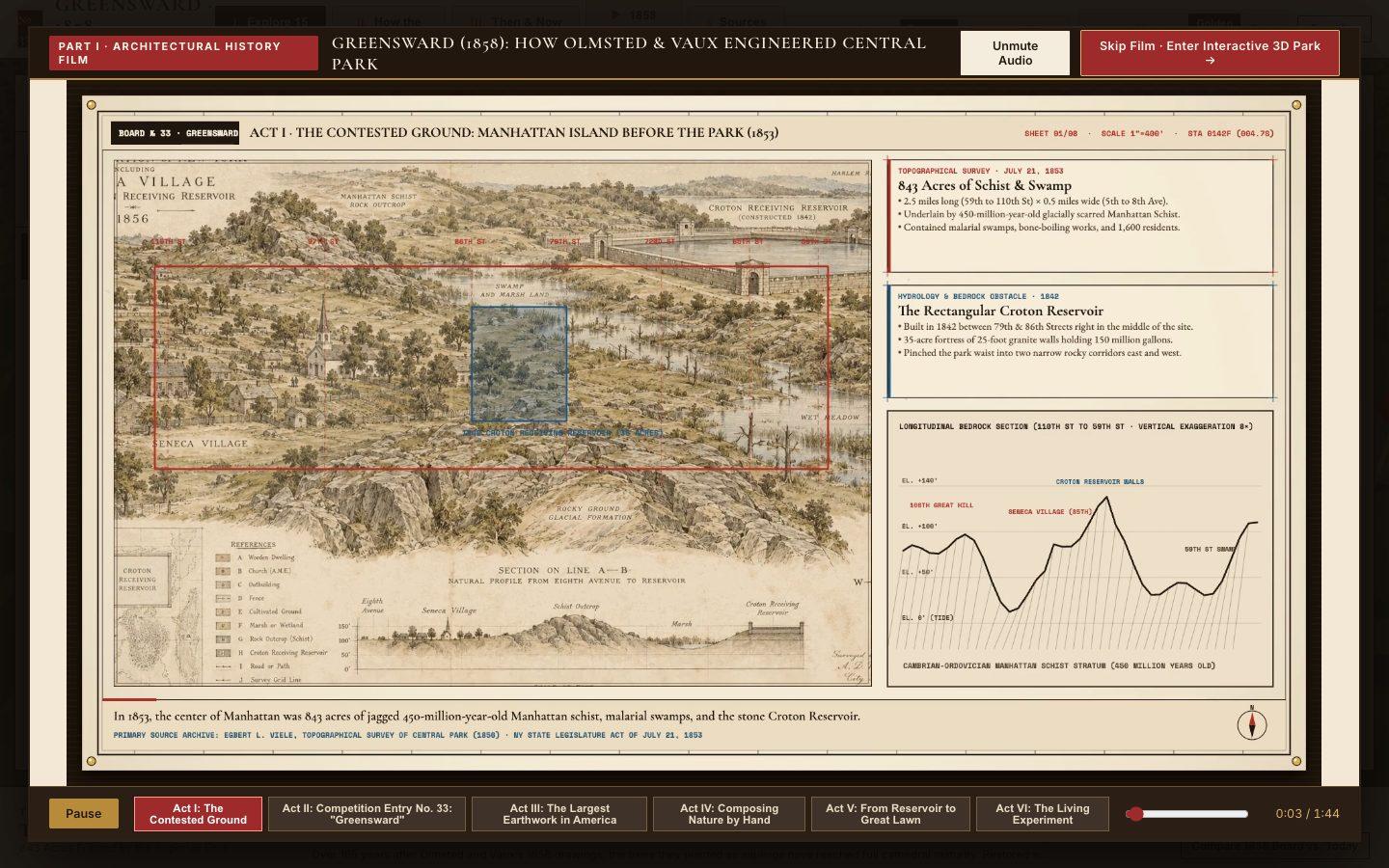
1. **Drawn like an architect's drawings.** Plan views, sections, elevations and perspective sketches in fine ink linework on paper, with hand lettering, survey grids and washes of colour, drawing themselves on screen. Think of the 1858 competition boards coming to life.
2. **The story of the park as a journey.** From the land before the park existed, through the design competition and construction, to the park today. The drawings build, transform and move between eras so the history is shown, not told.
3. **Sound.** A score and sound design you make yourself; narration or on-screen captions are your choice.
4. **Deliver** it as an MP4 at 1920x1080, and also play it inside the interactive park (Part 2) as its intro, with a skip button.

**Part 2: the interactive park.**

5. **Fly the park.** A 3D Central Park in its Manhattan grid you can orbit and zoom, with smooth, cinematic camera moves.
6. **Click into everything.** Every key place, structure and landscape in the park is clickable. Clicking flies you there and opens its story: what it is, why it was designed that way, and its most interesting facts, told with the 3D and the same architectural drawings from the film, with a few lines of text at most. Navigate between places from a map or list as well as by clicking in the 3D.
7. **How the design works.** Make the clever parts visible in 3D and explorable: how the paths, drives and sunken transverse roads keep traffic apart, how views and landscapes were composed, how much of what looks natural was made by hand.
8. **Then and now.** The original Greensward Plan beside the park today, with a timeline you can scrub, and the 3D park changing as you scrub.
9. **Runs at a smooth frame rate** in a desktop browser at 1920x1080.
10. **Deliver** a runnable project with a documented run command and a README with your sources.
What it cost
Fable 5.2 was the most expensive model on Central Park, at $273.47 over 195 minutes. It came second on Shopify at $382.07 and on the Tesla Roadster at $342.58, behind GPT-6 Astra both times.
Gemini 4 Argon was the cheapest on all three. Fable 5.2 lists at $8 per million input tokens and $40 per million output tokens, twice what Opus 5.5 costs.
I stopped all three Fable 5.2 runs while they were still polishing, so its times show how long each build ran before I called it.
These are API-equivalent costs, meaning the real token counts from each build priced at each model’s published rates, even though the builds themselves ran on subscriptions.
The takeaway
Fable 5.2 took longer and cost more than both Opus 5.5 and Fable 5.1 on every test.
I ranked it first on both Shopify and Central Park, with Opus 5.5 second each time. On Shopify it cost more than eight times what Opus 5.5 did, and on Central Park it cost $273.47 against Opus 5.5's $82.33.
My full verdict on whether it's worth the price is in the video.



Comments
Sign in to join the conversation.