GPT Realtime Explained: What GPT-Realtime-2 and 2.1 Do, What They Cost, and How Pat Used It
GPT-Realtime-2.1 is OpenAI's newest speech-to-speech model for live voice agents, sold through its API, and Pat Simmons used GPT Realtime 2 to run his Mac by voice.

On this page
- What is GPT Realtime?
- How much does GPT Realtime cost?
- What's the difference between GPT-Realtime-2, 2.1 and 1.5?
- What can you do with GPT Realtime? Pat ran his computer by voice
- GPT Realtime or GPT-Realtime-mini: which one fits?
- How do you use GPT Realtime if you're not a developer?
- What GPT Realtime can't do
- Questions people ask about GPT Realtime
GPT Realtime is OpenAI's family of speech-to-speech models for live voice agents: apps you talk to that listen, answer out loud and can take actions while the conversation is still going. The newest version is GPT-Realtime-2.1, which you use through OpenAI's API (its service for developers). Audio costs $32 per million tokens going in and $64 per million coming out, according to OpenAI's API pricing page.
Pat Simmons used the version before it, GPT Realtime 2, to build a voice assistant that opened apps, ran Google searches and made edits in Premiere Pro on his Mac, and he covered the build in a video on June 17, 2026.
Last checked November 17, 2026: prices, context windows and status for every GPT Realtime model, from OpenAI's pricing page and model pages.
What is GPT Realtime?
GPT Realtime is a set of OpenAI models built for voice conversations that happen live. OpenAI's Realtime API guide says the model "works directly with audio, maintains conversation state, and can call tools." That means it takes in your voice as audio, answers in audio, keeps track of what was said earlier in the conversation, and can trigger actions such as a web search while you are still talking to it.
The same guide calls the Realtime API "the best starting point for voice agents that need barge-in, low first-audio latency, natural turn taking, and realtime tool use." Barge-in means you can interrupt the model mid-sentence. A tool, as Pat described it in his video, is "a small function, it's a little bit of code that GPT Realtime 2 can trigger on its own" (2:29).
Apps connect to it in one of two ways: over WebRTC from a web browser, or over a WebSocket from a server. Both keep a connection open so audio can flow in both directions. OpenAI's sample code uses gpt-realtime-2.1 and needs a short-lived key, which OpenAI calls an ephemeral client secret, created on your own server.
GPT-Realtime-2.1 works only through OpenAI's Realtime endpoint, and its model page marks the Chat Completions and Responses endpoints as not supported. It has its own price list, separate from OpenAI's newest text models, GPT-6.2 Astra and Sol, and from the rest of what OpenAI makes and sells.
How much does GPT Realtime cost?
GPT-Realtime-2.1 and GPT-Realtime-2 cost $32 per million audio tokens in and $64 per million out, and $4 in and $24 out for text. Tokens are the small units OpenAI counts audio, text and images in. The two current mini models charge $10 in and $20 out for audio, and $0.60 in and $2.40 out for text.
Cached input, a discounted rate for input OpenAI can reuse through what it calls prompt caching, costs $0.40 per million tokens on the full-size models and $0.30 for audio on the mini models.
| Model | Audio in | Audio cached | Audio out | Text in | Text cached | Text out | Image in | Image cached |
|---|---|---|---|---|---|---|---|---|
| gpt-realtime-2.1 | $32.00 | $0.40 | $64.00 | $4.00 | $0.40 | $24.00 | $5.00 | $0.50 |
| gpt-realtime-2 | $32.00 | $0.40 | $64.00 | $4.00 | $0.40 | $24.00 | $5.00 | $0.50 |
| gpt-realtime-2.1-mini | $10.00 | $0.30 | $20.00 | $0.60 | $0.06 | $2.40 | $0.80 | $0.08 |
| gpt-realtime-1.5 | $32.00 | $0.40 | $64.00 | $4.00 | $0.40 | $16.00 | $5.00 | $0.50 |
| gpt-realtime (deprecated) | $32.00 | $0.40 | $64.00 | $4.00 | $0.40 | $16.00 | $5.00 | $0.50 |
| gpt-realtime-mini (deprecated) | $10.00 | $0.30 | $20.00 | $0.60 | $0.06 | $2.40 | $0.80 | $0.08 |
Prices are per million tokens, from OpenAI's API pricing page, checked November 17, 2026.
OpenAI publishes per-token prices for these models and no per-minute rate, so the cost of a conversation depends on how long it runs and how much the model says. The GPT-Realtime-2 and 2.1 pages add that higher reasoning effort "can increase latency and output token usage."
Pat put his own build's cost at "a few pennies per command, but it's not free" (18:13). He also warned that an assistant left streaming to the cloud all day makes "those costs... balloon really quick," which is one reason he switched his to push-to-talk.
OpenAI's separate live-audio models are priced by the minute instead: gpt-realtime-translate costs $0.034 a minute for live translation, and gpt-realtime-whisper costs $0.017 a minute for live transcription.
What's the difference between GPT-Realtime-2, 2.1 and 1.5?
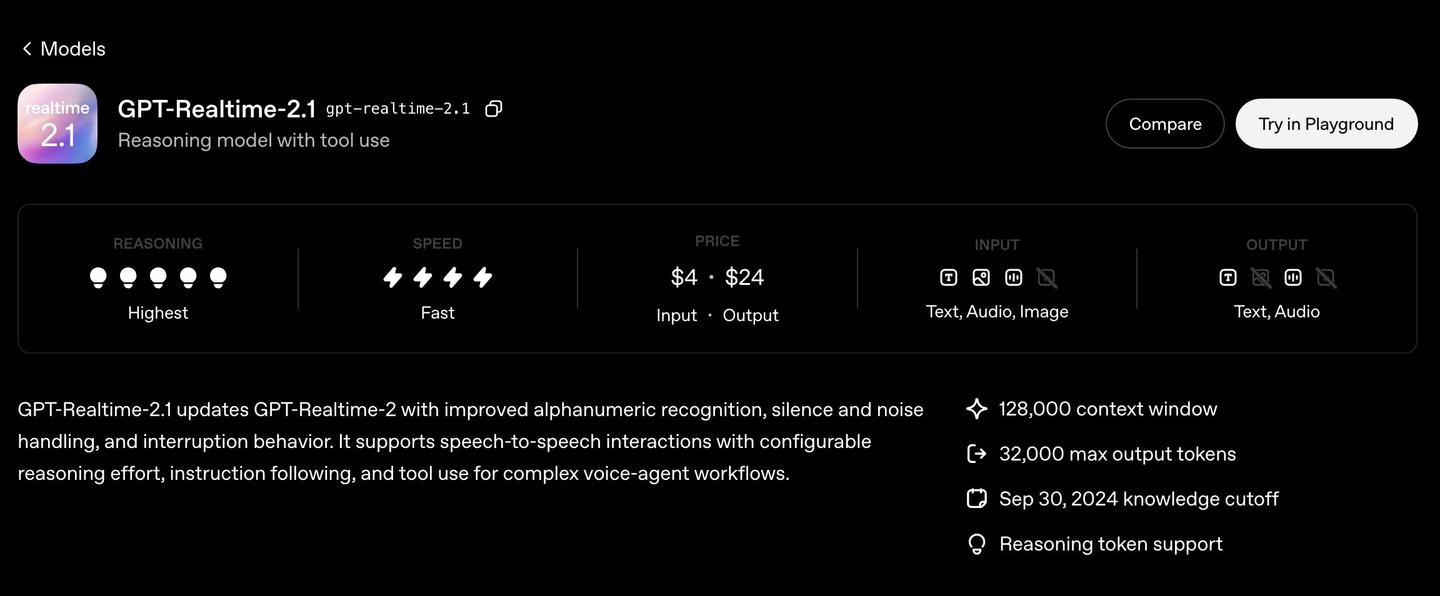
GPT-Realtime-2.1 is the newest of the three. OpenAI describes it as an update to GPT-Realtime-2 with "improved alphanumeric recognition, silence and noise handling, and interruption behavior," at identical prices. Alphanumeric means strings that mix letters and numbers, such as a booking code. GPT-Realtime-1.5 is the older generation, with a quarter of the context window and a much lower cap on the length of each answer.
OpenAI's page for GPT-Realtime-2 calls it "our most capable realtime voice model" and a reasoning model, meaning it can work through a request before it answers. You can set how much reasoning it does, and OpenAI lists "stronger instruction following, and more reliable tool use for complex voice-agent workflows." Both 2 and 2.1 have a 128,000-token context window (how much of the conversation and instructions the model can hold at once) and can write up to 32,000 tokens in one answer.
GPT-Realtime-1.5 is described on its page as "the best voice model for audio in, audio out" and OpenAI's "flagship audio model for voice agents and customer support." It has a 32,000-token context window and a 4,096-token cap on each answer, and its text output costs $16 per million tokens against $24 for the 2 line. Its page doesn't list reasoning support.
The original gpt-realtime, snapshot gpt-realtime-2025-08-28, was OpenAI's "first general-availability realtime model." Its page now marks it deprecated.
| Model | Context window | Max output | Reasoning | Takes in | Gives back | Knowledge cutoff |
|---|---|---|---|---|---|---|
| gpt-realtime-2.1 | 128,000 tokens | 32,000 tokens | Yes | Text, audio, image | Text, audio | Sep 30, 2024 |
| gpt-realtime-2 | 128,000 tokens | 32,000 tokens | Yes | Text, audio, image | Text, audio | Sep 30, 2024 |
| gpt-realtime-2.1-mini | 128,000 tokens | 32,000 tokens | Yes | Text, audio, image | Text, audio | Sep 30, 2024 |
| gpt-realtime-1.5 | 32,000 tokens | 4,096 tokens | Not listed | Text, audio, image | Text, audio | Sep 30, 2024 |
| gpt-realtime (deprecated) | 32,000 tokens | 4,096 tokens | Not listed | Text, audio, image | Text, audio | Oct 1, 2023 |
| gpt-realtime-mini (deprecated) | 32,000 tokens | 4,096 tokens | Not listed | Text, audio, image | Text, audio | Oct 1, 2023 |
Specs from each model's page on OpenAI's developer site, checked November 17, 2026.
Pat's video covers GPT Realtime 2, so everything on this page about 2.1 comes from OpenAI's own description.
What can you do with GPT Realtime? Pat ran his computer by voice
In Pat's video, GPT Realtime 2 ran his Mac by voice: it opened apps, searched Google, wrote into a note in Obsidian and made edits in Premiere Pro, each from a spoken command. He built the assistant by giving OpenAI's GPT Realtime 2 docs to Claude Code and asking for "a simple voice assistant for my Mac using GPT Realtime 2" (5:00). At the start of the video he says "no coding or technical knowledge is required. All it takes is a few prompts to Claude Code" (1:38).
The video opens on the finished assistant. Pat tells it to pause Premiere, step back a couple of frames, open Spotify and put on Herbie Hancock, then open Claude Desktop and pass a request to Claude to rewrite his intro (0:22 to 1:20).
His first version listened all the time, and that caused a problem: while Pat was talking to Claude in another session, the assistant "just started listening and then picking up my conversation with Claude separately" (6:58). He fixed it by asking Claude Code for push-to-talk, a hotkey he holds while speaking, so that "nothing's listening, nothing's streaming to the cloud until I press that key" (8:03).
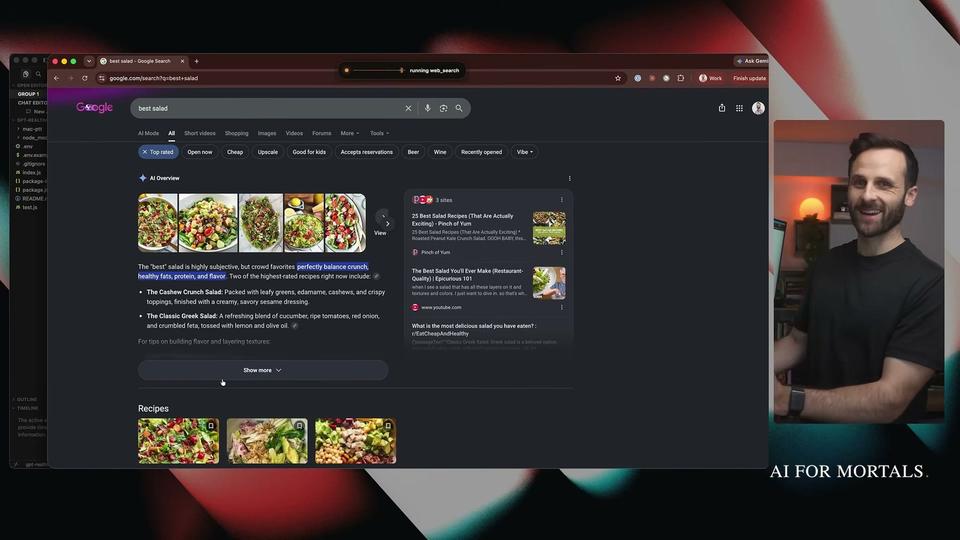
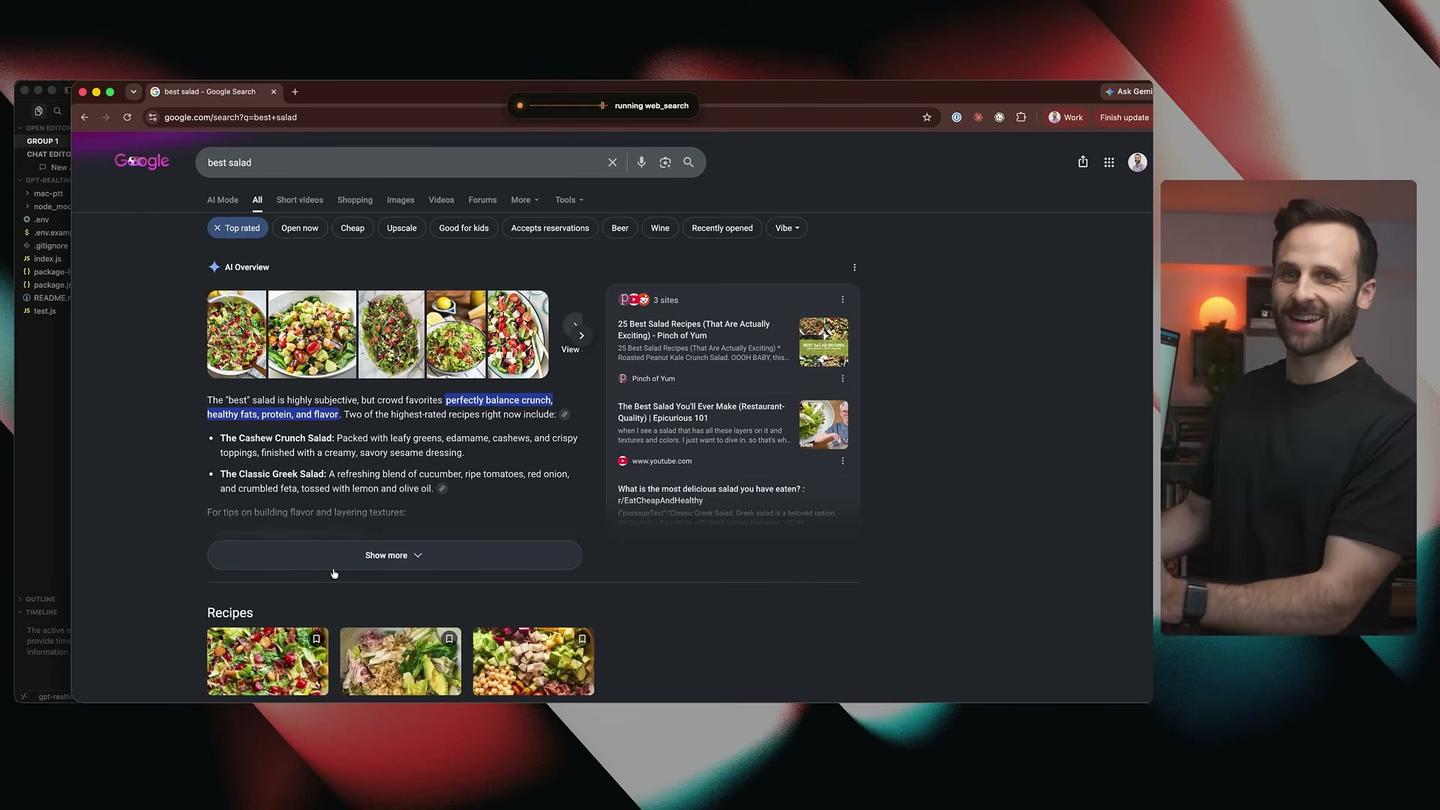
Web search came next, as three tools: open a Chrome tab, type a query and press enter, and click a link it finds by looking at a screenshot of the page (9:47). When he asked it to search for the best salad in Brooklyn, his reaction was "Look how fast that is" (10:56). Asked to click the first link, it opened the image results, and he had to tell it he meant a website (11:13).
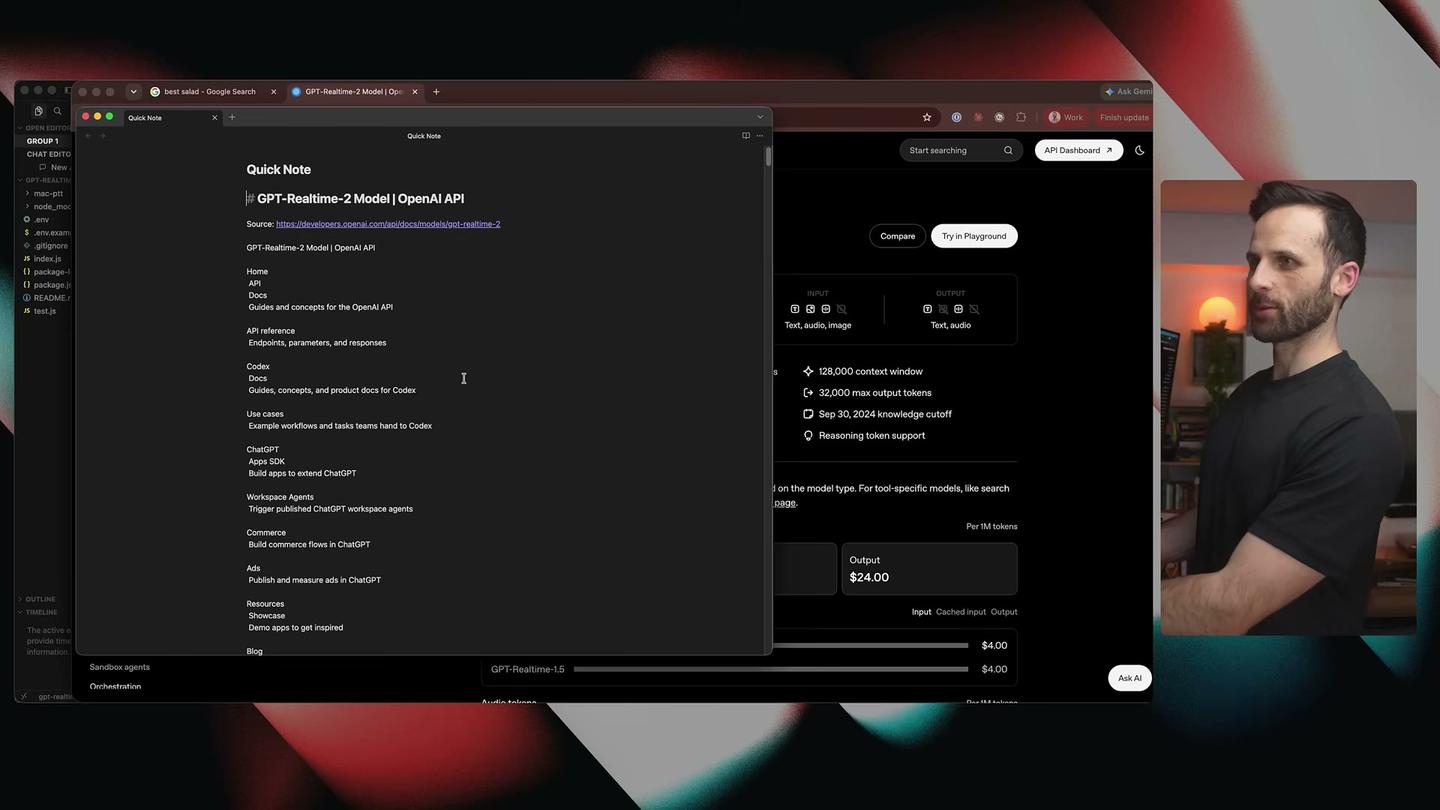
For apps, Pat connected Obsidian through its MCP server, a connector some apps offer so AI agents can read and change what is inside them. In his words, that gave the assistant "basically full access to my Obsidian vault" (12:10). He then had it create a note, find OpenAI's GPT Realtime 2 docs on Google and paste them into the note. On the way it opened Google's AI Mode by mistake, and he told it to go back (13:21).
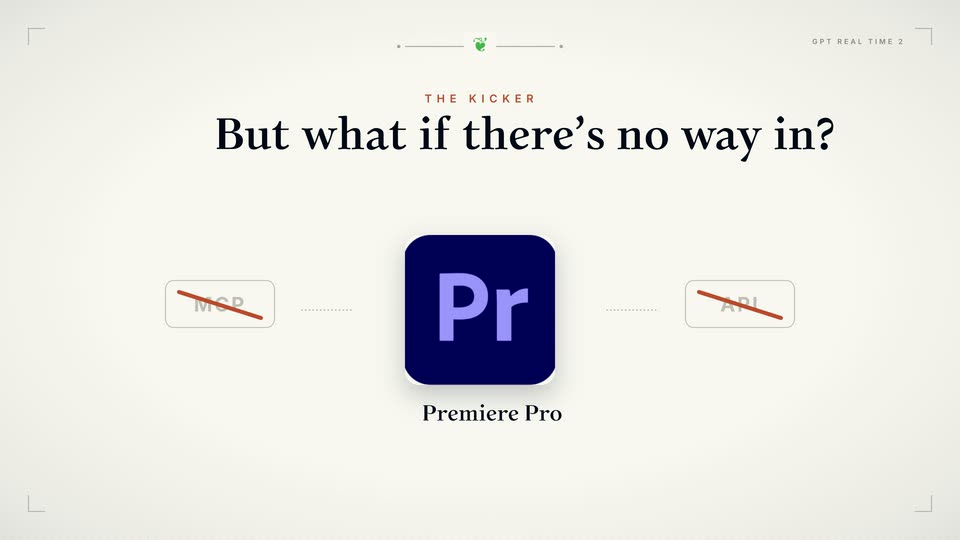
Pat put Premiere Pro among the apps with no MCP server or API to connect to. For those he used the accessibility tree, the structured map of buttons and menus each app hands the operating system so screen readers for blind and low-vision people can work, plus an open-source project called Agent Desktop that reads that map and does the clicking for the agent (14:46). In Premiere, the assistant moved three frames forward, paused playback, cut the clip at the playhead, set in and out points and ran a ripple delete (a cut that also closes the gap) when he asked (16:26 to 17:37).
GPT Realtime or GPT-Realtime-mini: which one fits?
GPT-Realtime-2.1 mini fits when cost and speed come first. It costs $10 in and $20 out per million audio tokens, against $32 and $64 for the full GPT-Realtime-2.1. OpenAI's page for GPT-Realtime-2.1 mini calls it "a distilled reasoning model for faster, lower-cost realtime voice interactions" and says it improves alphanumeric recognition over GPT-Realtime-2. It keeps the same 128,000-token context window and 32,000-token answer cap as the full model.
The full GPT-Realtime-2.1 fits the harder jobs. Its model page shows a reasoning rating of "Highest," and OpenAI describes the 2 line as built for "complex voice-agent workflows" with more reliable tool use.
The pages checked for this article show no head-to-head results between the two, and Pat didn't test the mini model, so the choice comes down to your budget and how much the agent has to do. The older gpt-realtime-mini is marked deprecated and has a 32,000-token context window.
How do you use GPT Realtime if you're not a developer?
You need an OpenAI API account, since GPT Realtime is sold through OpenAI's API. Pat's route was to let an AI coding agent write the code: he pasted OpenAI's GPT Realtime 2 docs into Claude Code with a one-paragraph request, and Claude Code had the first version set up in "like literally 2 and 1/2 minutes" (6:08).
These are the steps he showed in the video:
- Create an API key at platform.openai.com under API keys (5:51).
- Give the key to your coding agent, or put it in your project's .env.local file (5:51).
- Paste the GPT Realtime docs into Claude Code and describe the assistant you want (5:00).
- Ask it to print every tool call so you can see what the assistant did (5:16).
- Ask for push-to-talk, so it only listens while you hold a key (8:21).
- Add one kind of tool at a time: web search, then apps with an MCP server, then harder apps through Agent Desktop (9:47 to 15:52).
To hear the model before building anything, Pat used OpenAI's playground at platform.openai.com/audio/realtime, where you create a session, add instructions and sample functions, and talk to it in the browser (2:47 to 3:53). The sample functions there don't touch your computer, so the model only shows which action it would take.
If what you want is to talk to ChatGPT in its app, that is a different product, covered in ChatGPT's latest features and plans. Pat draws the line in his video: ChatGPT's voice mode "will chat with you, but it can't reach out and touch anything else on your computer," while GPT Realtime 2 can call tools (2:13).
What GPT Realtime can't do
GPT Realtime can't act on your computer or your apps until someone builds the tools for it, and Pat ran into limits even after he had.
Some apps don't expose their controls. "It doesn't work perfectly on every app," Pat said, and some apps "just won't expose many of their controls," which means more back and forth with your coding agent to get them working (17:55).
It has a delay. In Pat's words, "there is a little bit of latency," so for someone used to clicking through an app, "it's going to be a little bit weird to have an agent do this" (18:30).
It can mishear. When Pat asked it to click the GPT Realtime 2 link, it transcribed his words wrongly and still worked out what he meant, which he showed in the logs (4:10).
Its built-in knowledge stops at September 30, 2024, the knowledge cutoff OpenAI lists for GPT-Realtime-2 and 2.1. Anything newer has to come from a tool such as web search.
Usage is capped. At OpenAI's first usage tier, called Build, GPT-Realtime-2 and 2.1 allow 400 requests and 200,000 tokens a minute, and OpenAI raises the limits automatically as an account sends more requests and spends more.
Questions people ask about GPT Realtime
What is OpenAI's newest realtime model?
GPT-Realtime-2.1, with a cheaper GPT-Realtime-2.1 mini beside it. OpenAI's own Realtime guide uses gpt-realtime-2.1 in its sample code.
Can GPT Realtime see images?
Yes. Every GPT Realtime model takes text, audio and images in, and answers in text or audio. Image input costs $5 per million tokens on GPT-Realtime-2.1.
Does GPT Realtime do live translation or captions?
OpenAI handles those with separate models and guides: one for continuous translation, one for live captions and one for transcribing recorded audio.


Comments
Sign in to join the conversation.