Voice OS
Run your Mac with your voice: open apps, play music, run terminal commands and read the screen back.


I built this for my video on running your entire computer with your voice. You talk to your Mac and it does things: opens apps, plays music, runs terminal commands, reads the screen back, controls Premiere and starts a recording.
It's a small, hackable starting point. OpenAI's gpt-realtime-2 is the brain, agent-desktop is the hands, and this repo is the glue. It's meant to be taken apart: clone it, hand it to your coding agent and say "add my app."
What it does
- Listens through push-to-talk, a hold-to-talk hotkey, or a wake word.
- Opens apps, plays music in Spotify and runs terminal commands, including opening your CLI agent.
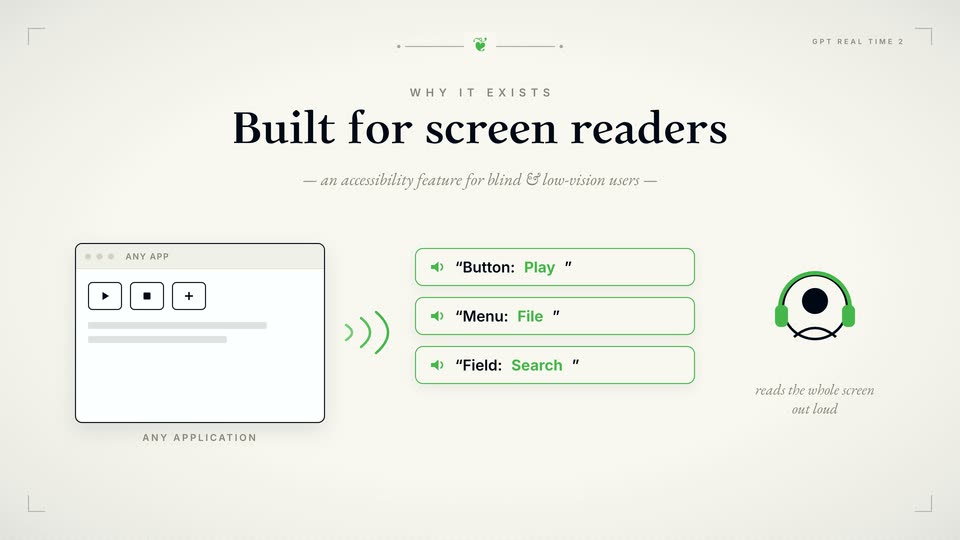
- Reads the screen back to you out loud.
- Starts an OBS recording and controls Premiere playback.
- Lets you add any app: every tool is a short Python function the model calls when your words match its description.
How it works
- Your voice goes to gpt-realtime-2, which decides which tool to call.
- actions.py runs the tool.
- agent-desktop clicks and reads apps through the macOS accessibility tree, with no screenshots. AppleScript handles apps that support it.
- The app does the thing, and the model speaks a confirmation.
What you need
- A Mac
- Node, for agent-desktop
- Python 3.10+
- An OpenAI API key with Realtime access
Install it
git clone https://github.com/per-simmons/voice-os.git
cd voice-os
npm install -g agent-desktop
cp .env.example .env
./run.sh- Grant Accessibility access in System Settings, Privacy & Security, Accessibility. Then paste your OPENAI_API_KEY into .env.
- ./run.sh is push-to-talk: press Enter, talk, and it acts.
The full instructions, and the skill itself, are on GitHub.
Try asking
- “Open Spotify.”
- “Play some Tchaikovsky.”
- “What's on my screen?”
Good to know
- It costs roughly a few cents per command. Push-to-talk and the local wake word cost nothing while idle, but the cloud wake word streams the mic all the time, about $1 an hour.
- A short wake phrase like "hey chat" gets misheard in a noisy room. Push-to-talk is the reliable default.
- The waveform overlay is experimental and can intercept clicks near the top of the screen.