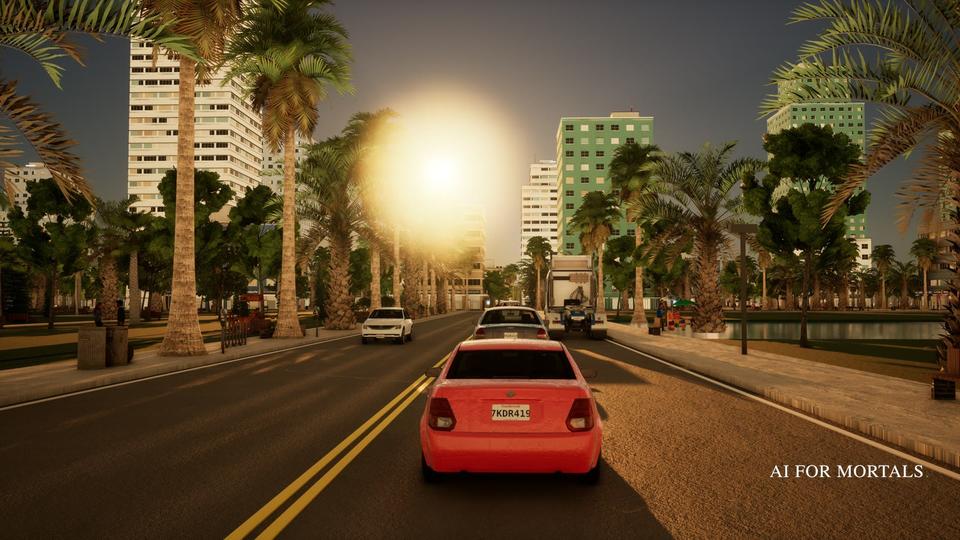
I Spent 100 Hours Trying to Remake GTA 6
AI agents built an original open-world crime game in 1, 10 and 100+ hours, and this post has every prompt, two playable builds and what it cost.

On this page
- The experiment
- The 1-hour build
- The 10-hour build
- The 100-hour build: the agent team
- Brief for fixing motion
- Brief for a fresh reviewer
- Walkthrough: the 100-hour build
- What it cost
- The presentation
- Guide: set up Unreal Engine on your own computer
- Guide: give Claude access to Unreal
- Guide: when renting a cloud GPU makes sense
- Guide: the workflow that worked
- Guide: challenges and solutions
- Guide: the assets I used
- Watch the video
If you want to build your own game in Unreal Engine, jump to the step-by-step guide.
AI agents built a game like GTA 6 in 1, 10 and 100+ hours. Below are the prompts to run the first two yourself, both games to play, what each cost, and the setup for the Unreal version.
The experiment
AI agents built the same original open-world crime game, Vibe City, at three time budgets. Each prompt below bans any name, logo, map or character from an existing game, so you can run them as they are.
- 1 hour. One agent, the browser, a free web 3D library called three.js.
- 10 hours. The same setup, plus free 3D models and textures, and helper agents.
- 100+ hours. A team of agents in Unreal Engine 5.9 on a rented graphics card.
The 1-hour build
Build VIBE CITY, an original ultra-realistic open-world crime game in the browser with three.js and free CC0/CC-BY assets (with a Sketchfab API token), within ONE HOUR of wall-clock time (deadline in DEADLINE.txt). The full spec is in SPEC.md in this folder: read it first and follow it exactly, including the originality and asset rules (no names, logos or content from any existing game). Done = every acceptance check at the bottom of SPEC.md is verified with real browser screenshots, BUILD_NOTES.md is written, and the final working state is committed before the deadline. Never stop early: keep raising realism until the deadline.

# Build VIBE CITY, an original open-world crime game, in the browser with three.js. You have exactly ONE HOUR of wall-clock time. Make the most realistic, most alive open-world city you can in that hour.

## The game
Vibe City is a sun-soaked, neon-lit coastal city in a fictional US state on the Gulf: palm-lined boulevards, beachfront hotels, a downtown of glass towers, canals and causeways, a port, a run-down inland district. The player is a small-time crook trying to get rich. It is a third-person open-world crime game in the tradition of the genre: walk, run, take any car, drive, shoot, rob, get chased by police, do missions.

## Realism bar
Aim for ultra-realistic, not cartoon or low-poly. Every frame should look like a real place at golden hour:
- Physically based materials, a real sky with sun and atmospheric haze, soft shadows, tone mapping (ACES), bloom on neon and sun glints, reflective wet-look roads and glass, ocean water with reflections.
- A day/night cycle; at night streetlights, neon signs and car headlights carry the scene.
- Dense, believable streets: sidewalks, crosswalks, lane markings, palm trees, street lights, parked cars, storefronts, props. No empty grey boxes.
- A camera that feels like a modern open-world game: smooth third-person follow, collision with walls, slight motion when driving fast.

## Mechanics (genre-standard, build as many as the hour allows, in this order)
1. Third-person character: walk, sprint, jump, camera orbit.
2. Pedestrians walking the sidewalks who react to the player: flee from gunfire, scream, get knocked over by cars.
3. Traffic: cars driving lanes and stopping at intersections.
4. Enter and take any car (pull the driver out if occupied); arcade-realistic driving with weight, drifting and collisions.
5. Shooting: aim, lock-on, muzzle flash, hit reactions.
6. Wanted level (1–5 stars): crimes raise it, police cars spawn and chase, escaping their sight lets it decay.
7. One short mission with a marker on a minimap (for example: steal a specific car and deliver it to the docks).
8. HUD: minimap, health, cash, wanted stars, weapon.
9. Robbing pedestrians or a corner store for cash.
10. Sound: engine, gunshots, footsteps, ambient city, sirens, all generated in code with the Web Audio API.

## Free assets: allowed and expected (use them from the start)
Download free assets programmatically. Allowed sources and licenses only: CC0 (Poly Haven API for HDRIs/textures/models, ambientCG, Kenney, Quaternius), CC-BY (Sketchfab downloadable models, credit each one; use the Sketchfab Data API v3 with your API token), three.js example assets (MIT), and MakeHuman/MPFB output (CC0). No ripped game assets, no Mixamo, no paid or "editorial only" assets, nothing with a real brand. Record every asset in CREDITS.md (name, author, URL, license). Optimise: compress textures (KTX2/Basis or WebP), Draco or meshopt geometry, LODs, instancing. You may install tools (Blender via Homebrew, gltf-transform, etc.) for conversion and retargeting.

- You have a Sketchfab API token. Search: GET https://api.sketchfab.com/v3/search?type=models&q=<query>&downloadable=true&license=by (no auth). Download: GET https://api.sketchfab.com/v3/models/<uid>/download with header "Authorization: Token <token>" returns signed glb URLs. Sketchfab has the most realistic free people and cars (many are 3D scans): use it first.
- **Characters must be real-looking civilians in ordinary clothes**, with at least 4 distinct models (different bodies, outfits, skin tones). Never reuse one model for every person, and never use soldier, robot, armored or sci-fi models.
- Use real car models (with glass and wheels) and real PBR textures for roads and buildings.

## Originality rules (hard rules, no exceptions)
- Everything is original. Never use the names, logos, map layout, characters, brands, vehicles, radio stations, missions, music, voice lines or UI art of any existing game or publisher. No "GTA", "Grand Theft Auto", "Rockstar", "Vice City", "Leonida", "Los Santos" or any real game's character names anywhere: code, text, filenames or comments.
- Mechanics are fine to follow (they are genre conventions). Content must be ours: Vibe City's own street names, districts, businesses, car models and characters.
- No real-world brand logos on cars, signs or storefronts. Invent the brands.

## Technical constraints
- three.js in the browser (Vite or plain ES modules).
- It must run at 60 fps on a laptop at 1080p. Use instancing, LOD and frustum culling for the city.
- Start screen with the title VIBE CITY and controls; click to play (pointer lock).
- `npm run dev` or opening `index.html` through a static server must work.

## Timebox and working method
- The deadline is written in DEADLINE.txt in this folder. Check the clock (`date`) often. The build is stopped at the deadline whether you are done or not.
- Keep the game playable at all times. `git commit` a working state at least every 15 minutes, so whatever exists at the deadline is a working game.
- Verify in a real browser: run the game headless, take screenshots of on-foot, driving, a police chase and night, and look at them. Fix what looks wrong or fake. Check the console for errors.
- Do not stop early: if everything passes, keep raising realism until the deadline.
- In the last 5 minutes, stop adding features: make sure it loads, plays and has no console errors, and write BUILD_NOTES.md (what works, controls, what you'd do with more time).

## Acceptance checks (verify each before the deadline)
- [ ] Loads to a start screen with no console errors; click starts the game.
- [ ] The player walks a city that looks realistic at golden hour (screenshot reviewed).
- [ ] Pedestrians and traffic are visible and moving.
- [ ] The player can take a car and drive it.
- [ ] At least one of: shooting, wanted level with police, a mission. More is better.
- [ ] Holds roughly 60 fps (measure it).
- [ ] Close-up screenshot of pedestrians reads as real people in civilian clothes, several distinct models.
- [ ] CREDITS.md lists every downloaded asset with license.
- [ ] No names, logos or content from any existing game (grep the code for them).
- [ ] BUILD_NOTES.md written, final state committed.
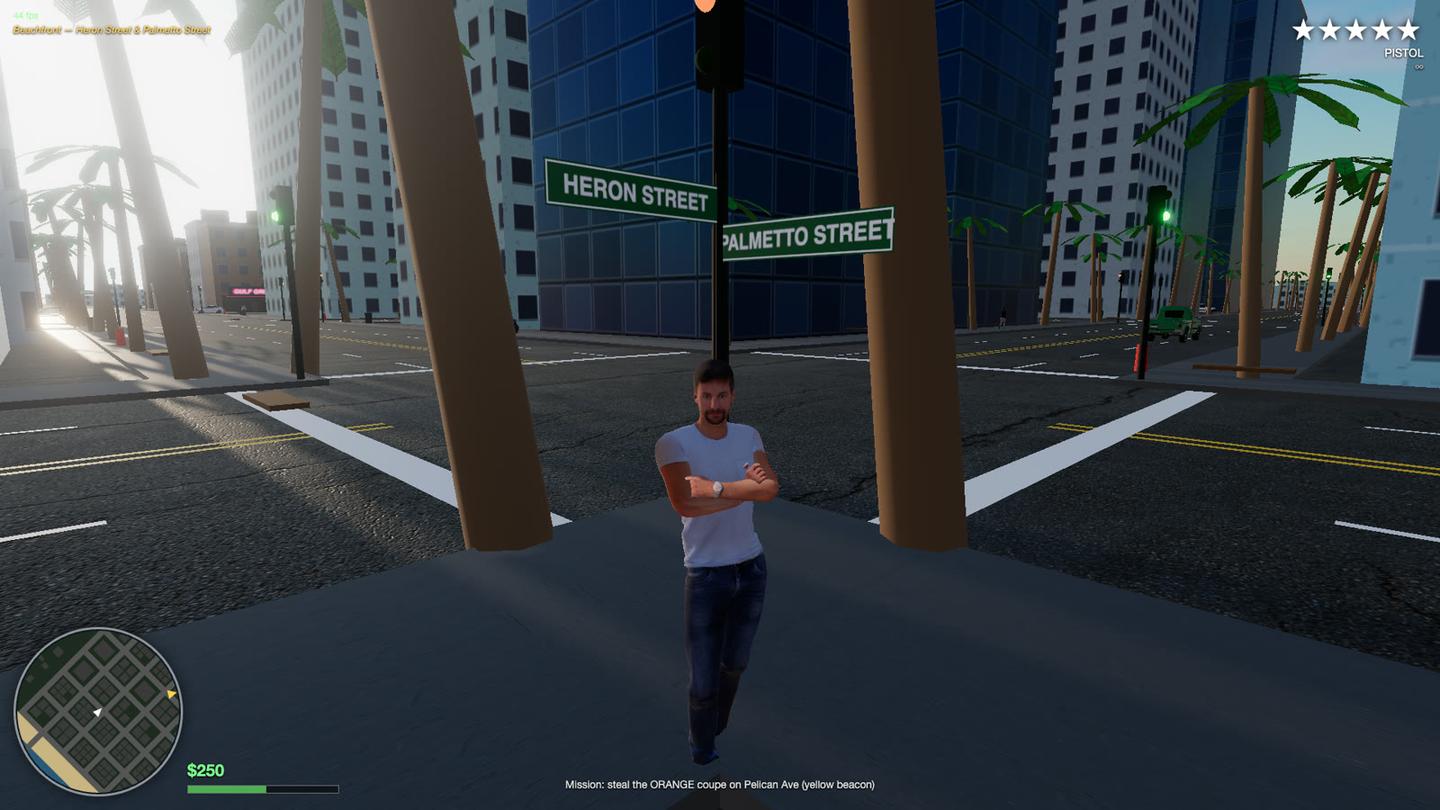
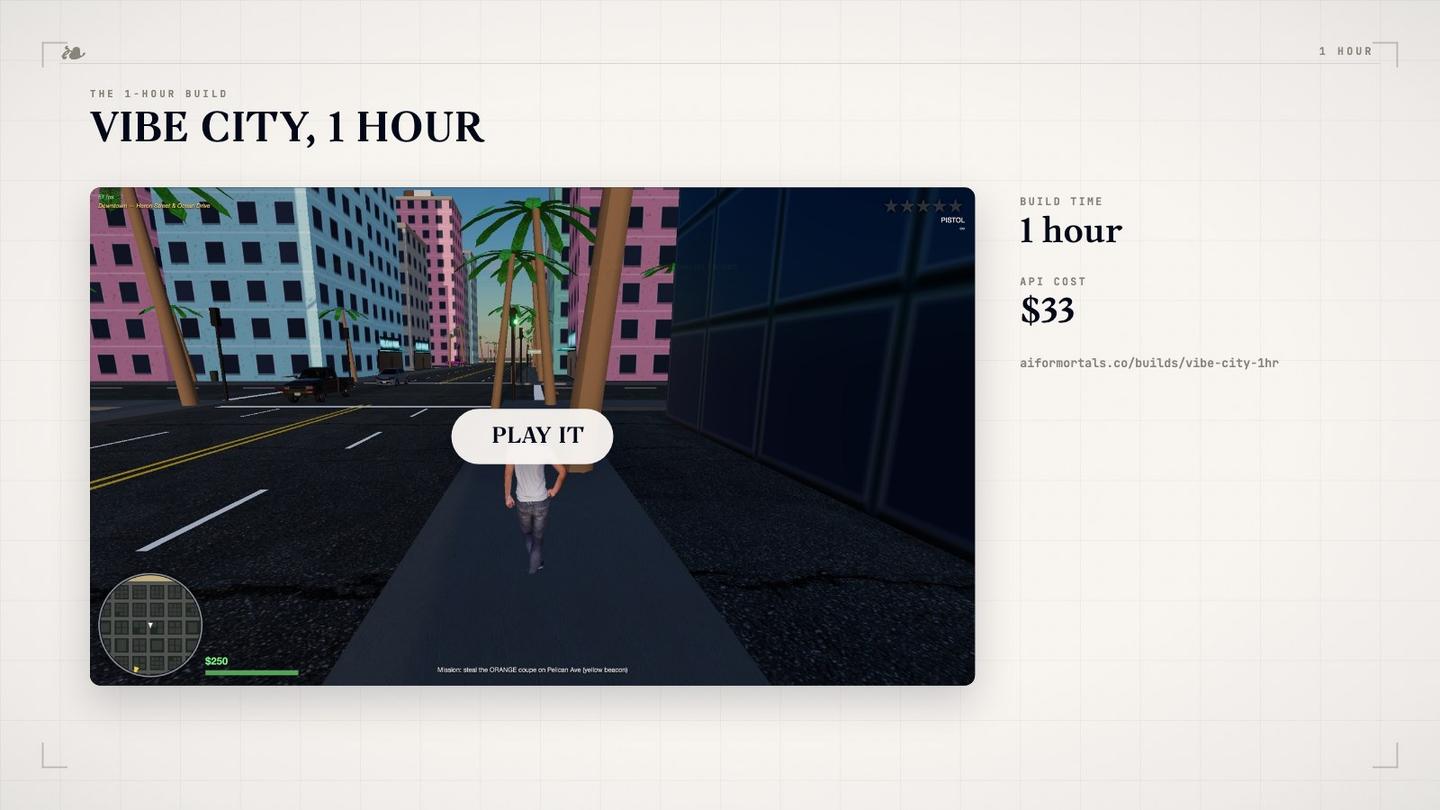
What you get: a small browser city with scanned people, real car models, traffic, driving, a pistol, police from one to five stars and one mission. The buildings are still boxes with a window pattern.
Run it yourself:
- Make an empty folder. Save everything below the first line of the prompt as
SPEC.md, and write the deadline time inDEADLINE.txt. - Get a free Sketchfab API token from your Sketchfab account settings and give it to the agent.
- Run
claudein the folder and paste the first line of the prompt (the/goalline). - Keep something other than the agent in charge of the clock: a script that sends it back to work every time it stops, until the deadline. Left alone, mine called itself done after 28 minutes.
Lesson: give it Sketchfab for realistic people and cars, with one rule: never use the same model for everybody.
The 10-hour build
Build VIBE CITY, an original, ULTRA-REALISTIC open-world crime game in the browser with three.js and free CC0/CC-BY assets, within TEN HOURS of wall-clock time (deadline in DEADLINE.txt). The full spec is in SPEC.md in this folder: read it first and follow it exactly, including the originality and asset-license rules. Done = every acceptance check at the bottom of SPEC.md is verified with real browser screenshots and real input, CREDITS.md and BUILD_NOTES.md are written, and the final state is committed. Never stop early: keep raising realism until the deadline.

# VIBE CITY: the 10-hour build

> **TOP PRIORITY FOR YOUR NEXT CYCLE (publisher, 00:15):** UPDATE 2 (Fish Audio NPC voices) has not been started: there is no voices/ledger.jsonl yet. Do it first, before any other polish: write tools/voices.mjs, cast the voices, render the line sheet within the $15 budget, and wire positional playback with captions. Then continue realism work.

> **UPDATE 2 from the publisher: NPC VOICES with Fish Audio.** You have a Fish Audio API key (prepaid credit; hard budget $15, never exceed it). Give the city real voices:
> - **Pre-render at build time, never at runtime.** The key must never reach the browser or the repo. Write a build script (e.g. tools/voices.mjs) that reads a line sheet (voices/lines.json), calls Fish, caches by hash in public/voices/, and logs every request with its character count and estimated cost in voices/ledger.jsonl. Stop when the ledger reaches the budget.
> - **API:** POST https://api.fish.audio/v1/tts, headers Authorization: Bearer <key>, Content-Type: application/json, and model: drama-3 (falls back silently to s2.1-pro if the header is missing). Body: {"text": ..., "reference_id": <voice id>, "format": "mp3", "normalize": false, "latency": "balanced"}. Drama 3 takes natural-language bracketed directions inside the text, e.g. "[panicked, out of breath] Take it, take the car!". Check https://docs.fish.audio for anything uncertain. Retry 429/5xx with backoff; never retry 4xx.
> - **Voices:** cast 8-12 distinct voices (ages, accents of a Gulf-coast city, genders) with Voice Design (POST /v1/voice-design, model voice-design-1, about $0.01 each) or public library voices. Never clone or imitate a real person or any existing game character.
> - **Lines:** pedestrian barks with 3+ variants each (bumped, aimed at, robbed, car stolen, witnessing a crash, fleeing gunfire, idle chatter and phone calls overheard while walking past), driver reactions (horn rage, carjacked), police ("freeze", pursuit radio chatter), and every mission and cutscene line for the story cast. Original writing only.
> - **In game:** 3D positional audio from the speaking character, captions for every line, no line repeated back to back, mouth or head motion while talking if cheap.
> - Note total Fish spend in BUILD_NOTES.md.

> **UPDATE from the publisher:** you now have a Sketchfab API token. Use it: Sketchfab has the most realistic free people, cars and props (many are 3D scans). Search: GET https://api.sketchfab.com/v3/search?type=models&q=<query>&downloadable=true&license=by (no auth). Download: GET https://api.sketchfab.com/v3/models/<uid>/download with header "Authorization: Token <token>" returns signed glb/gltf URLs. Credit every model in CREDITS.md (CC-BY). Prefer realistic, scanned or PBR models; decimate and compress for 60 fps.


You have TEN HOURS of wall-clock time (deadline in DEADLINE.txt) to build VIBE CITY, an original open-world crime game that runs in the browser. Use three.js. The single goal: make it look and feel as REALISTIC as a modern open-world crime game. The publisher played a one-hour version and said the characters were boxes, the cars felt like you couldn't interact with them, and it needed to be "way more realistic." Treat realism as the top priority in every decision.

## The game
Vibe City is a sun-soaked, neon-lit coastal city in a fictional US state on the Gulf: palm-lined boulevards, beachfront hotels, a glass-tower downtown, canals and causeways, a port, a run-down inland district. The player is a small-time crook trying to get rich. Third-person open-world crime: walk, run, take any car, drive, shoot, rob, get chased by police, do missions and side activities.

## Realism bar (the whole point)
- **People:** real-looking rigged human models (proper faces, hands, clothes, varied skin tones, body types, outfits) with real animation: idle, walk, run, sprint, jump, aim, shoot, punch, fall, get up, enter and exit a car, flee, cower. Blend between animations; no sliding feet. At least 6 distinct pedestrian looks plus the player.
- **Cars:** real car models with interiors visible through glass, working wheels, headlights and brake lights, reflections, damage (dents or deformation, smoke when wrecked), several distinct original models (no real brand badges).
- **Car interaction:** walk up to ANY car, press the key, the player plays an enter animation (pulls the driver out if occupied, the driver reacts), drives it, exits it. Traffic responds to the player: stops, honks, swerves, crashes, drivers get out angry or flee. Nothing vanishes in view.
- **City:** photoreal PBR textures (asphalt with cracks and markings, concrete, stucco, glass, palm bark), building facades with detail (windows with interiors or interior mapping, balconies, awnings, AC units, signage), street furniture, vegetation, ocean with waves and foam, beach sand. Image-based lighting from a real HDRI sky, cascaded or high-quality shadows, SSAO, bloom, tone mapping, depth of field during cutscenes, atmospheric haze, a full day/night cycle with wet streets after rain.
- **Life:** dense pedestrian crowds that talk, use phones, sit on benches, walk dogs, react to the player (bump, aim, gunfire, crashes) and remember being robbed. Ambient sound: traffic, distant sirens, voices, waves, birds.
- **Feel:** a camera, aim and driving model that feel like a modern AAA open-world game. Weighty cars, recoil, hit reactions, screen shake.

## Gameplay (genre conventions; build all of it, polish beats breadth)
Third-person movement and cover-lite shooting with lock-on and a weapon wheel (pistol, SMG, shotgun, bat); taking and driving any car; a 1–5 star wanted level with police cars, foot cops, roadblocks and a search cone you escape; robbing pedestrians and stores; 3 story missions with a cutscene each and an original cast; 3 side activities (e.g. street races, taxi fares, a heist setup); money, a garage where stolen cars can be stored; minimap with GPS route; pause menu with a map; radio stations with original music generated in code or CC0 tracks.

## Free assets: allowed and expected
Download free assets programmatically. Allowed sources and licenses only: CC0 (Poly Haven API for HDRIs/textures/models, ambientCG, Kenney, Quaternius), CC-BY (Sketchfab downloadable models, credit each one; use the Sketchfab Data API v3 with your API token), three.js example assets (MIT), and MakeHuman/MPFB output (CC0). No ripped game assets, no Mixamo, no paid or "editorial only" assets, nothing with a real brand. Record every asset in CREDITS.md (name, author, URL, license). Optimise: compress textures (KTX2/Basis or WebP), Draco or meshopt geometry, LODs, instancing. You may install tools (Blender via Homebrew, gltf-transform, etc.) for conversion and retargeting.

## Originality rules (hard rules, no exceptions)
- Everything is original. Never use the names, logos, map layout, characters, brands, vehicles, radio stations, missions, music, voice lines or UI art of any existing game or publisher. No "GTA", "Grand Theft Auto", "Rockstar", "Vice City", "Leonida", "Los Santos" or any real game's character names anywhere: code, text, filenames or comments.
- Mechanics are fine to follow (they are genre conventions). Content must be ours: Vibe City's own street names, districts, businesses, car models and characters.
- No real-world brand logos on cars, signs or storefronts. Invent the brands.

- Every character, mission, business, street, radio station and car model is invented for Vibe City.

## Technical constraints
- three.js in the browser (Vite or plain ES modules). Must hold 60 fps at 1080p on a recent laptop GPU: measure it.
- Start screen with the title VIBE CITY, controls, click to play.

## Working method
- You are the lead. You may spawn sub-agents in parallel (asset sourcing, characters and animation, vehicles, city and lighting, gameplay systems, QA) and should, to use the ten hours well. You own integration.
- Keep the game playable at all times. Commit a working state at least every 15 minutes.
- Verify in a real browser constantly: run it headless with real keyboard and mouse input, take screenshots of on-foot, a crowd up close, entering a car, driving, a police chase, night, a mission cutscene. Look at them critically as if you were a player comparing to a AAA game; fix what looks fake. Check the console for errors.
- Check the clock often. Do not stop early: if everything passes, keep raising realism until the deadline. In the last 20 minutes stop adding features, make sure it loads and plays cleanly, and update BUILD_NOTES.md.

## Acceptance checks
- [ ] Loads to a start screen with no console errors.
- [ ] Close-up screenshot of a pedestrian and the player that reads as a real person, not a mannequin or box (reviewed by eye).
- [ ] Enter-car verified with real input: animation, driver pulled out, drive, exit.
- [ ] Traffic reacts to the player; nothing pops in or vanishes in view.
- [ ] Shooting, wanted level with police chase and escape, robbery, 3 missions, 3 side activities all playable.
- [ ] Day and night screenshots look photoreal-leaning, not low-poly.
- [ ] ~60 fps measured.
- [ ] CREDITS.md complete; grep finds no existing game's names.
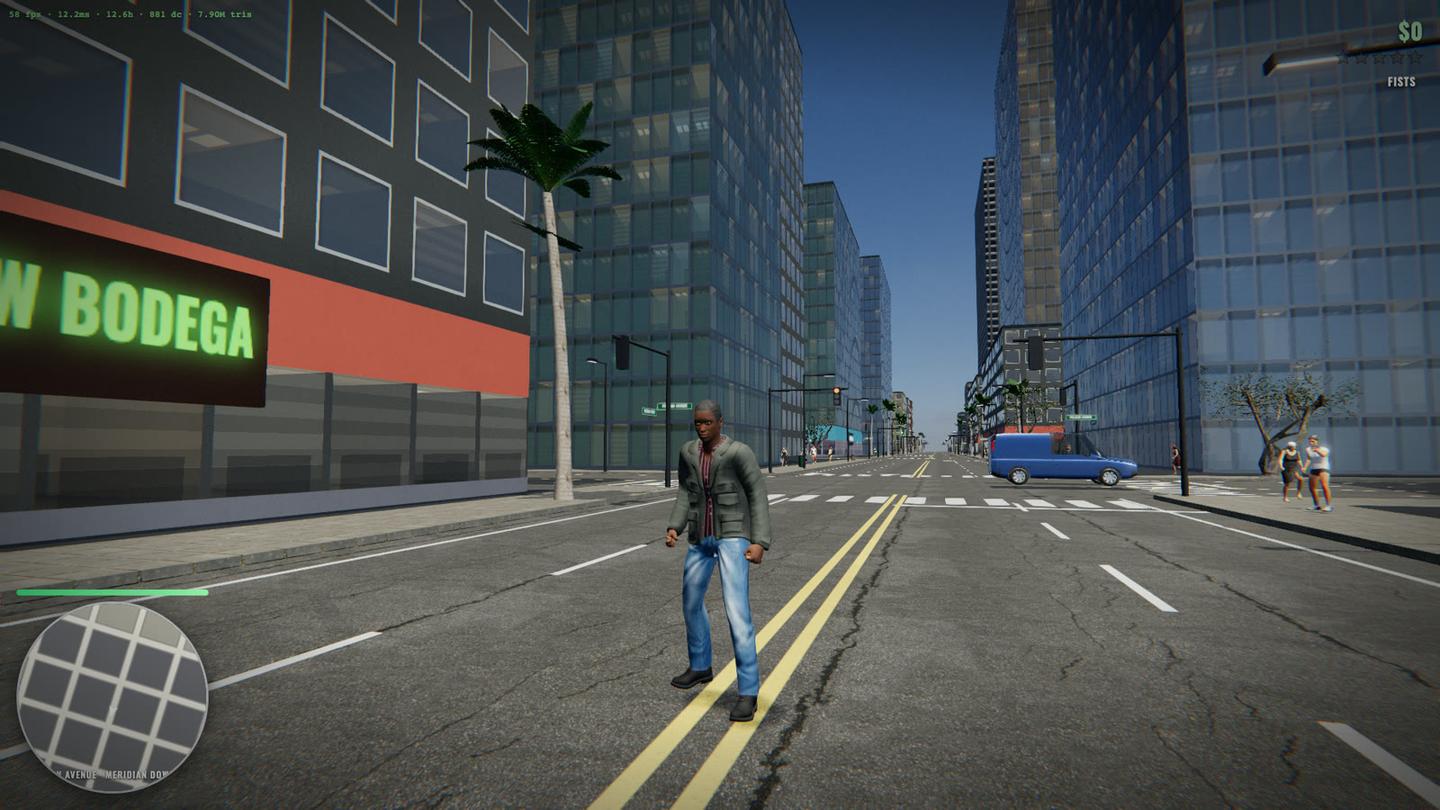
- [ ] BUILD_NOTES.md written; final state committed.What you get: seven districts with photo textures, rain, people who react to you, carjacking, cars that dent and burn, police up to roadblocks and a helicopter, three story missions and a radio. The people still look like an older game.
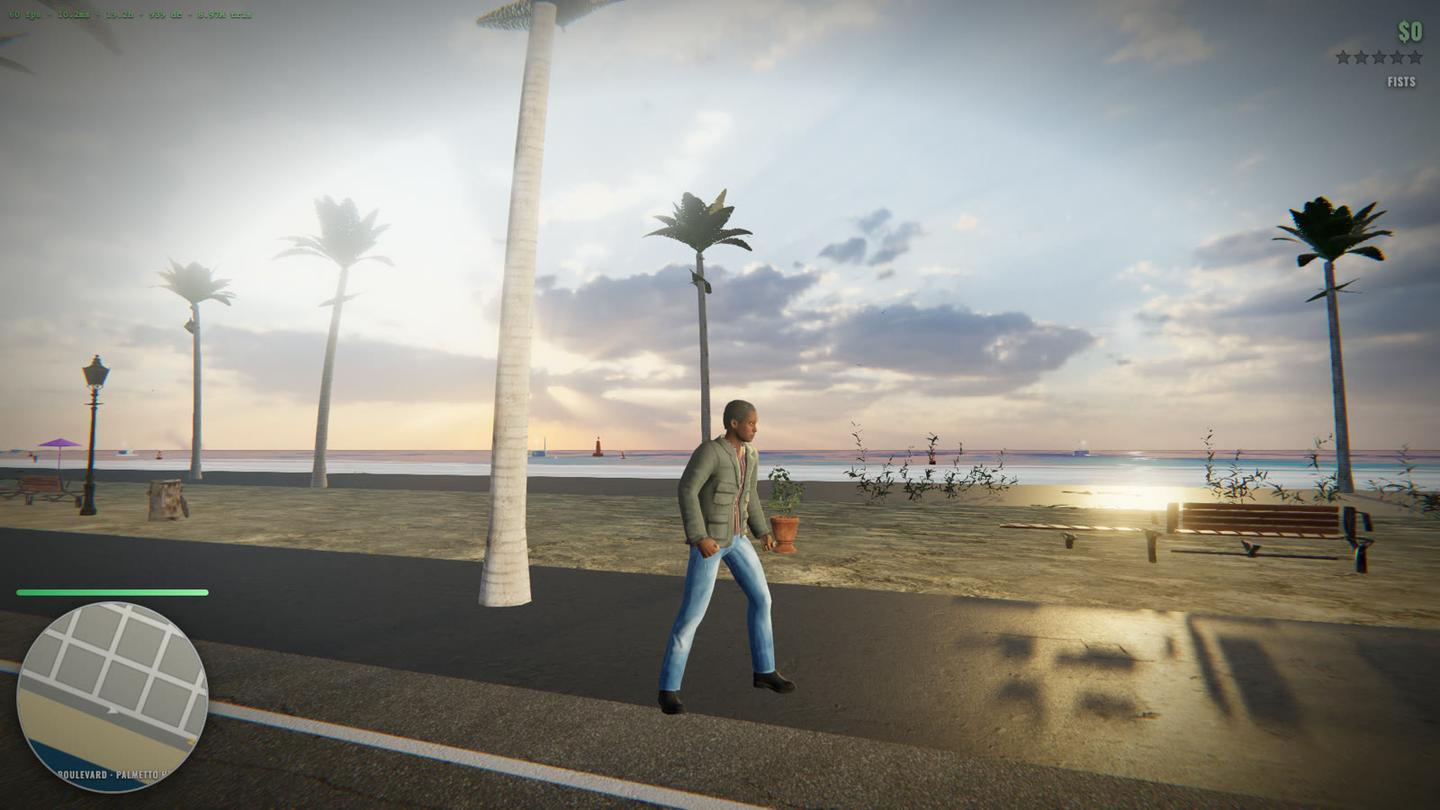
Run it yourself: the same steps as the 1-hour build, with a 10-hour deadline. The agent is the lead and starts its own helper agents. For voices, give it a Fish Audio API key and a hard budget; 415 lines cost $1.48.
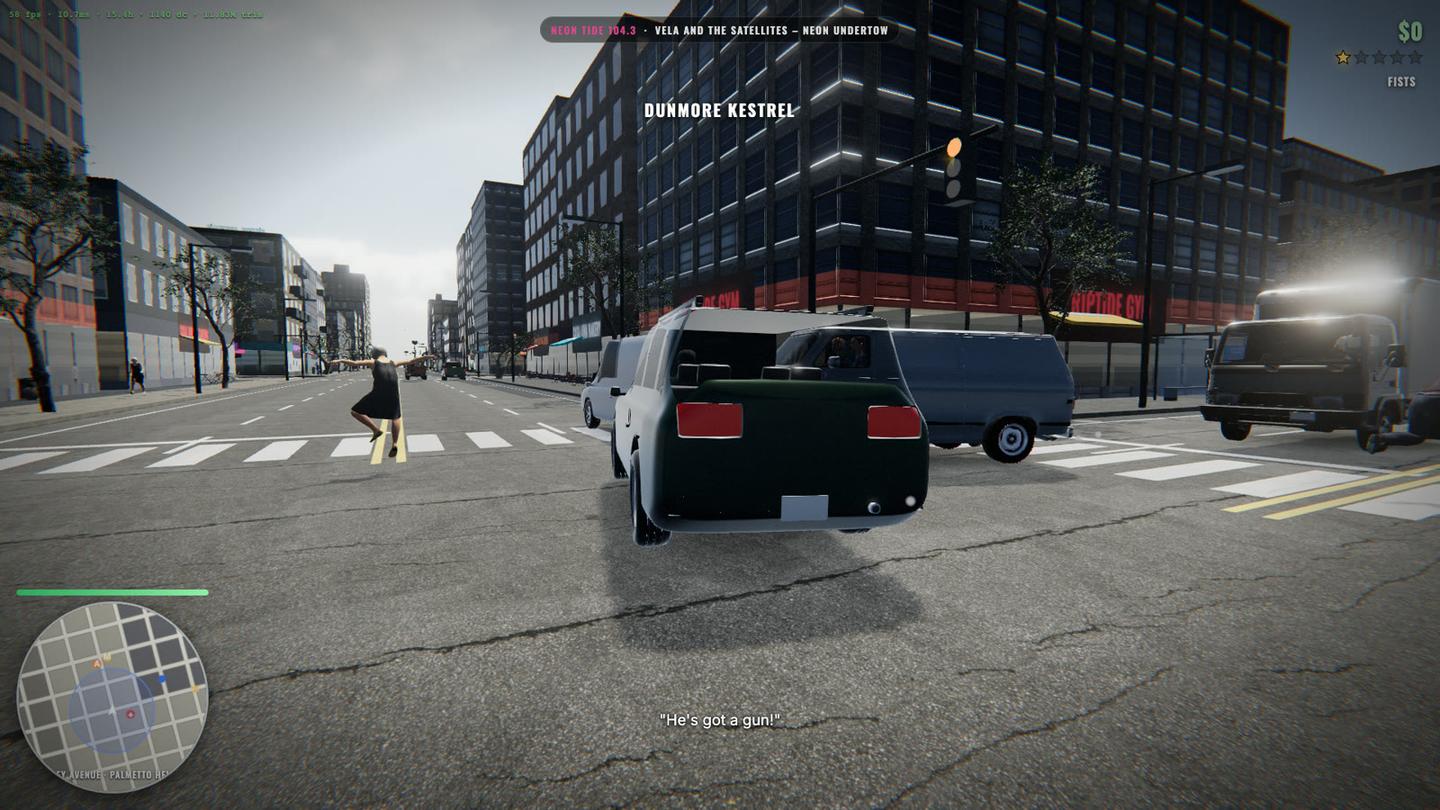
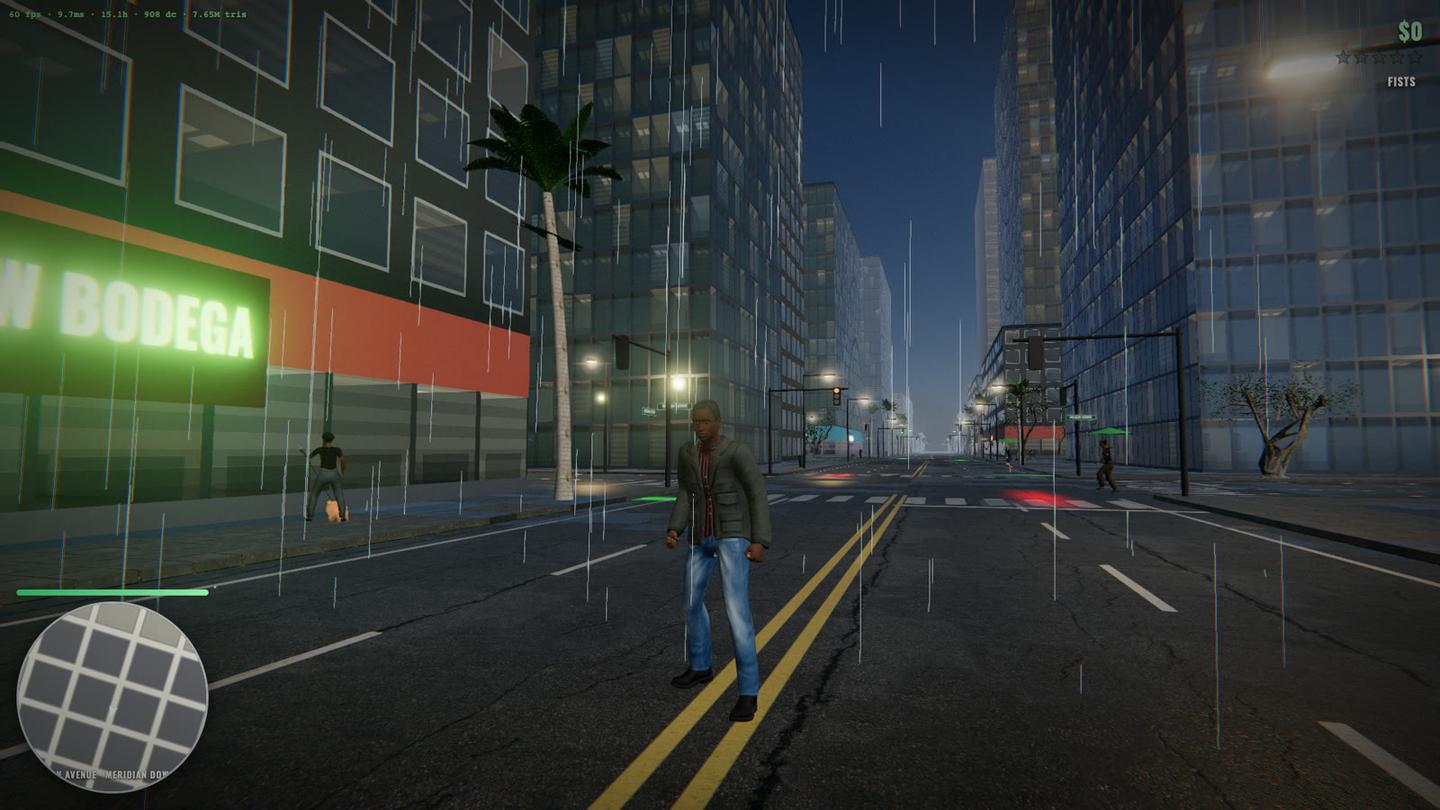
Lesson: to change course mid-run, put the change at the top of the spec file marked TOP PRIORITY. A request typed into the chat gets ignored. The three blocks at the top of the prompt are exactly that.
The 100-hour build: the agent team
You are the orchestrator for the Vibe City Unreal build until the deadline in DEADLINE.txt. Read ORCHESTRATOR.md (below) first and follow it: it has the goal (GTA 6 as the quality bar, PRD feature parity), Pat's open feedback, how to delegate to execution agents within the usage limits, the QA system, the milestones M3 to M6 and the hard rules. Start now: read the reviews and reports, write PLAN.md and GAP-TO-GTA6.md, start the lanes that need no VM, and start the VM lanes as soon as the VM answers. Acceptance for each milestone: tag, package, slice video, the 8 fixed shots with sheets, a play-test video, a report, an updated PRD-PARITY.md, and a fresh-agent review with every score 4 or 5 against the GTA 6 reference set. Never stop early; when a milestone passes, start the next.

# VIBE CITY: orchestrator brief (M3 to final, Nov 10 to Nov 16)

You are the orchestrator and creative director of Vibe City. You run until the deadline in DEADLINE.txt. The video publishes Wed Nov 18; Pat films the finished game Nov 16-17.

## The goal
Pat's words (Nov 9): "we should see GTA 6 as the goal then do everything we can to get there", and "I shouldn't be having to even give this feedback". The bar is GTA 6 as shown in its trailers and screenshots, plus feature parity with the PRD (`prd/`, tracked in PRD-PARITY.md: 0 of 150 documents at parity today). You hold that bar yourself. Pat should never be the one who spots a defect.

## Pat's feedback on M2 (all open)
- Dax does not look realistic. He needs a photoreal adult man's face, hair, skin, clothes and build. Dax is a white or light-skinned man.
- Pedestrians' heads are turned backwards on their bodies. Find the cause (retarget or head-lift chain), fix it, and add a head-yaw-vs-torso row to the motion gate.
- The helicopter looks good. Keep it.
- Pat wants to PLAY it: walking, running, driving and flying must feel good under real keyboard and mouse input, not only in scripted captures. Tune against research/FEEL-TARGETS.md.
- Earlier, permanent: REVIEW-CHECKLIST.md section 5, REVIEW-FIXES.md, and the three REVIEW-2026*.md files (all FAIL). Read them all first.

## How you work
You architect, decide and review. You do not do the bulk building yourself.
- Split the work into independent lanes and delegate each to a subagent with a /goal-style brief: the outcome, the acceptance checks, the files it owns, and the hard rules. Keep working while they run.
- Execution agents, in order of preference: (1) Codex (`codex exec`); (2) Claude subagents on model opus. At most 3 execution agents at a time, and at most 2 on Claude. Usage is limited: no fan-out beyond that, no re-reading huge files, keep briefs short.
- One Unreal project, one VM: agents that touch the VM must not collide. Give each a git branch or its own plugin/content folders, and serialize editor/cook/package jobs through one queue (a lock file on the VM).
- Port, don't reinvent: research/OPEN-SOURCE-GTA.md lists cmlmonkey/GT-caliber (MIT, UE 5.8: wanted, police, pursuit, missions, vehicles, aircraft, weapons) and other MIT sources. Port in test-gated waves with credit in CREDITS.md.
- Use the asset library first (ASSETS.md, the Fab library, Sketchfab, Poly Haven, ambientCG). For people, use the most realistic route available (MetaHuman plugins are enabled; otherwise high-quality scanned characters).

## QA (the part that failed before)
Three M2 reviews failed because checks passed while the picture was wrong. So:
1. Build a GTA 6 reference set once: frames from the official trailers and screenshots, sorted by category (character close-up, walk, crowd, traffic, street, facade, skyline, aerial, night, interior, driving, vehicle). Save under qa/gta6-ref/. Every review compares our frame beside the matching reference.
2. Every feature gets a check that can fail: a measured row AND a frame sheet judged by a fresh agent that did not build it. "Not measured" counts as fail.
3. A play-test bot drives the packaged game with real input events for 10 minutes every milestone (walk, sprint, turn, enter car, drive, crash, shoot, get wanted, fly) and records video; a fresh agent watches the sheets for anything a player would call broken or fake.
4. Whole-body sanity on every character type every take: head faces forward, no twisted joints, feet on ground, hands not through body, eyes and face present, clothes textured.
5. Nothing is reported as done without evidence you looked at in this session. Keep an honest GAP-TO-GTA6.md: ranked list of what a viewer would notice first. Work it top down.

## Milestones (each ends with a tag, package, slice video, 8 fixed shots, report, PRD-PARITY update)
- M3 (by Nov 11 12:00 UTC): people and movement right (Dax, crowd variety, heads, gait gate that can fail), playable feel on foot and in cars, city no longer grey from the air (roofs, materials, greenery, filled lots), dense varied traffic.
- M4 (by Nov 13 00:00 UTC): gameplay systems ported and working in play: weapons, wanted 1-5 stars, police escalation, pursuit, helicopter pursuit, drone swarm, damage; more districts (PAT-DIRECTION.md lists seven); enterable interiors.
- M5 (by Nov 14 12:00 UTC): story and content: missions from MISSIONS.md, AI-themed Easter eggs, the AI radio and voiced NPCs (Fish Audio and ElevenLabs, $15 cap each), HUD, map, phone, money, shops.
- M6 (by Nov 16 12:00 UTC): polish, performance, night and weather, full play-through, final package Pat can play, final slice and the 8 shots.
Re-plan whenever evidence says the order is wrong. Write the live plan in PLAN.md and a two-line status in STATUS.md at least hourly.

## Infrastructure
- VM: one rented Vast.ai GPU machine (details in INFRA.md). It is currently STOPPED because the credit ran out. The publisher restarts it after a top-up. Until `ssh` to it works, do the work that needs no VM: read everything, PLAN.md, GAP-TO-GTA6.md, the GTA 6 reference set, the QA scripts, the port plan for GT-caliber (clone it locally), character and asset sourcing, briefs for the lanes. Check the VM every 15 minutes.
- If the VM cannot be restarted (GPU taken), the publisher will tell you; the bundles and LFS store are on the VM disk and notes are in this folder.
- Log the GPU credit in INFRA.md; write to ALERT-PAT.md when credit runs low or anything needs Pat.

## Hard rules
One Vast instance. Never print or commit secrets. Never touch the runner's files. Never delete saved versions. No copyrighted music, logos or real brands; the game is original (Vibe City), GTA 6 is only the quality bar. Realistic weapons only. No ragdoll requirement. Commit at least every 30 minutes. Keep 5 GB of disk free, captures as JPEG or mp4.
This one is not released, but the setup is. The game ran in Unreal Engine 5.9 on a rented NVIDIA RTX graphics card, with the agents on a Mac. To set it up on your own computer, follow the guide below.
- Prep. An agent played GTA V and measured movement, like a 1.75 m/s walk. Three agents then wrote a spec with a target and a test for every feature.
- One lead. Plans, splits the work and decides what is done. It does not build. I used Fable 5.2.
- Builders. One job, one set of files and a written brief each. I used Claude Opus 5.5.
- Fresh reviewers. An agent that did not build the change checks full-size frames and writes PASS or FAIL.
- A blind critic. Gets two frames in random order, yours and one from a GTA 6 trailer, picks the real one and names the biggest giveaway. That giveaway is the next job.
- A playtest bot. Plays the newest build with real keyboard and mouse input, and a fresh agent lists every moment that looks fake.
Lesson: ship a fix into the playable build only after a reviewer passes before and after shots of it.
Brief for fixing motion
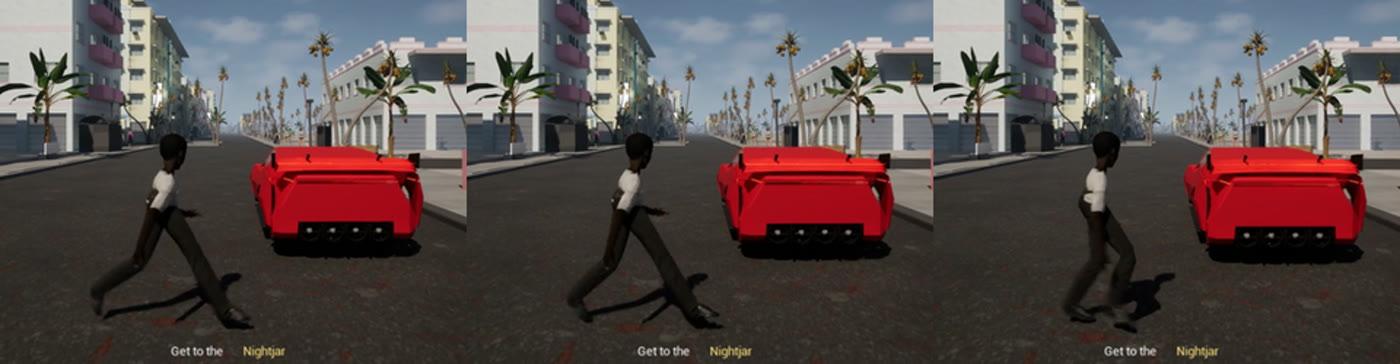
Fix walking so it looks like a real person, for Dax AND every pedestrian and officer, within the deadline in DEADLINE.txt. The publisher rejected M1's locomotion on sight: captures/m1/PAT_REJECT_walk_close.png shows Dax crouched and hunched, legs splayed in a wide lunge, knees over-bent, arms limp; the speed numbers passed but nobody looked at the motion. Likely cause: the 100STYLE data and the Sketchfab bodies are retargeted badly onto the mannequin rig (pose/proportion mismatch). Steps: (1) diagnose with frame sheets (side and back views, 12 fps, 3 s) of Dax and three pedestrian bodies; (2) establish a known-good baseline first: Epic's UE5 mannequin template walk/run on Manny, then retarget it properly to each body with the IK Retargeter (matching retarget poses, pelvis height, leg length, foot IK), and only then bring back motion matching (100STYLE, or Mixamo clips if better) on top; (3) VISION GATE, mandatory: after every change, render a 6x3 frame sheet of the walk, a run, a start and a stop for Dax and two NPCs, look at each sheet yourself and compare against GTA reference frames in research/ (shots/onfoot) and against real human gait: upright torso, natural stride width (feet nearly in line), arm swing opposite the legs, heel-toe contact, no foot sliding, no crouch. Write the verdict per sheet in WALK-QA.md with the image paths. Nothing is "done" until three consecutive sheets pass the vision gate. Then re-record the slice, tag m1b, and write a short before/after (old sheet vs new sheet) in WALK-QA.md for the video. Same hard rules as before (one GPU machine, credit log, never print secrets, never touch the runner's files). Never stop early.
Every walking speed and timing test passed while everyone walked in a crouched lunge. Make the agent render side and back views, compare them with real walking, and call it done only after three passes in a row.
Brief for a fresh reviewer
You are the independent REVIEWER for the Vibe City build. You did not build it and you never approve your own work. Read REVIEW-CHECKLIST.md. Find the newest review frame sheets under captures/ (the fixed review shots, 6x3 sheets) and the newest slice video; if a fixed shot is missing, extract a sheet from the slice video with ffmpeg yourself. Look at every sheet with your own vision. Compare against the GTA V reference frames in research/ and shots/ (onfoot, vehicle, city) and against real life. Score each checklist item 1-5 with one sentence of concrete evidence (what you see, where), check the content quotas by counting what is visible, and list the exact fixes needed, most important first. Be blunt: the publisher rejected the last version on sight because the walking looked fake while every number passed. Write REVIEW-<UTC timestamp>.md with: scores table, quota counts, PASS or FAIL, and the fix list. Then append the fix list to REVIEW-FIXES.md (the builder reads it). Do not edit any build files. Done = the review file is written.
Keep the key line: you did not build it, and you never approve your own work. Builders passed their own work that fresh reviewers failed, like pedestrians with their heads on backwards.
Walkthrough: the 100-hour build
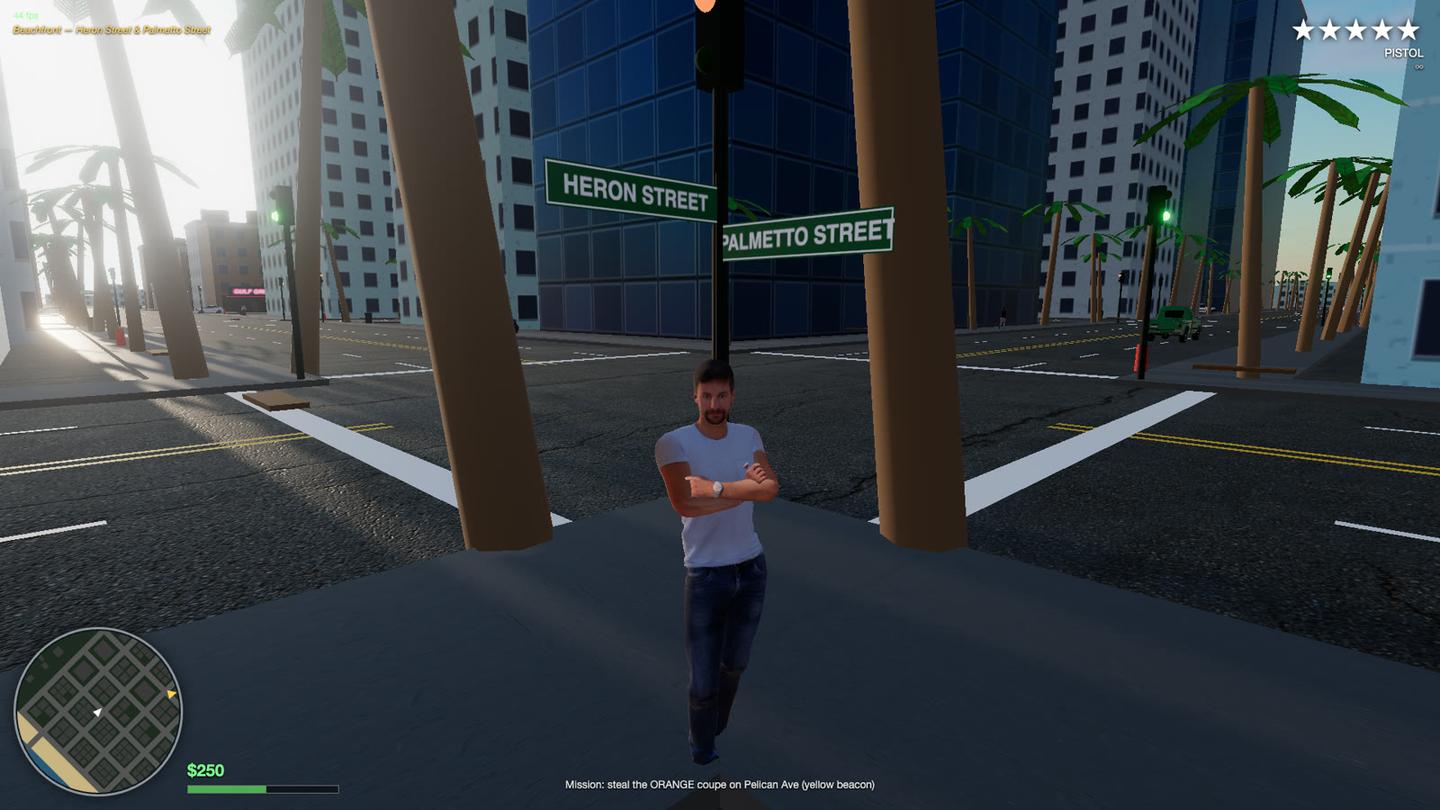
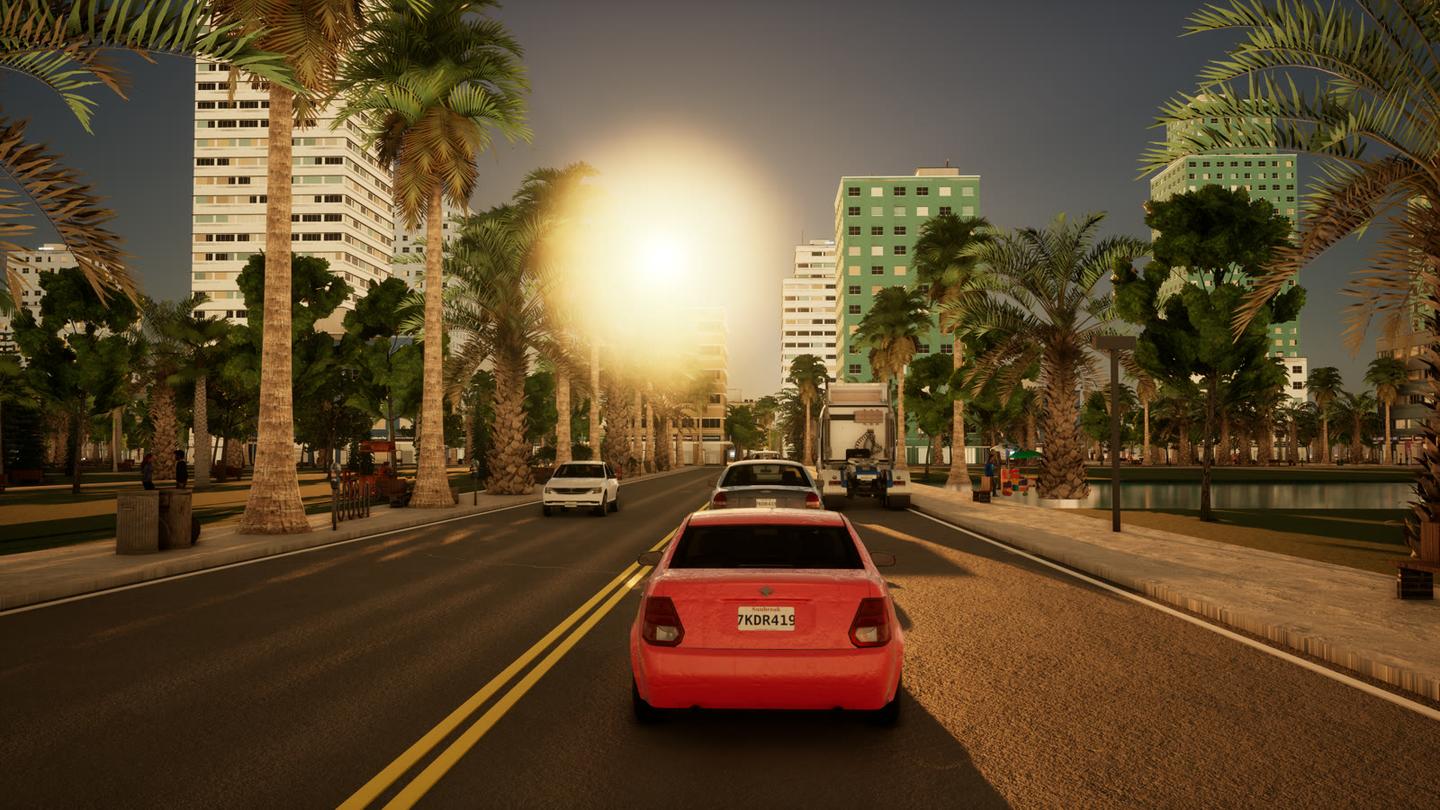
A pastel Art Deco beach town: three districts, 665 buildings from a 27-piece modular kit plus a generator, a playable MetaHuman lead, five missions, five radio stations and a helicopter.
Controls
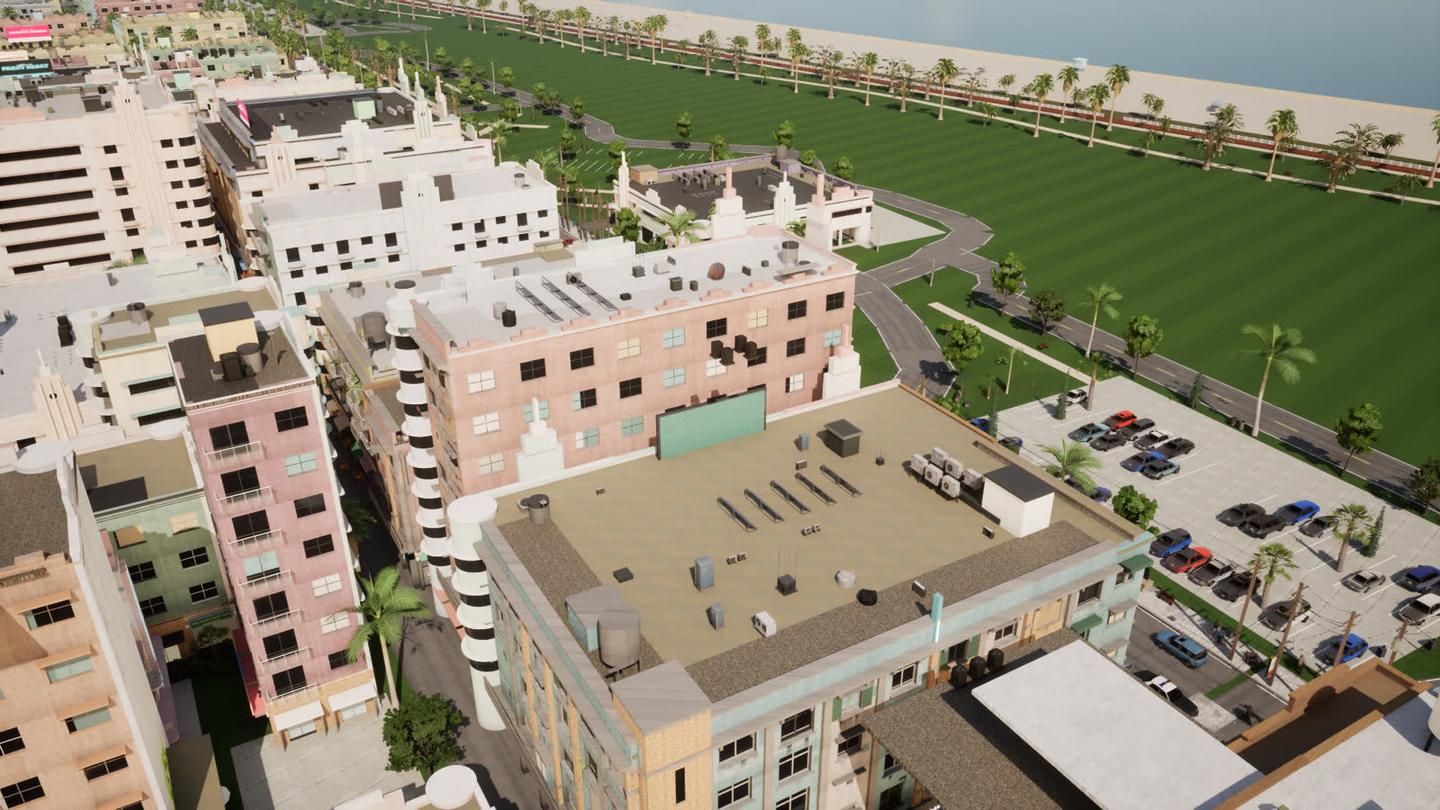
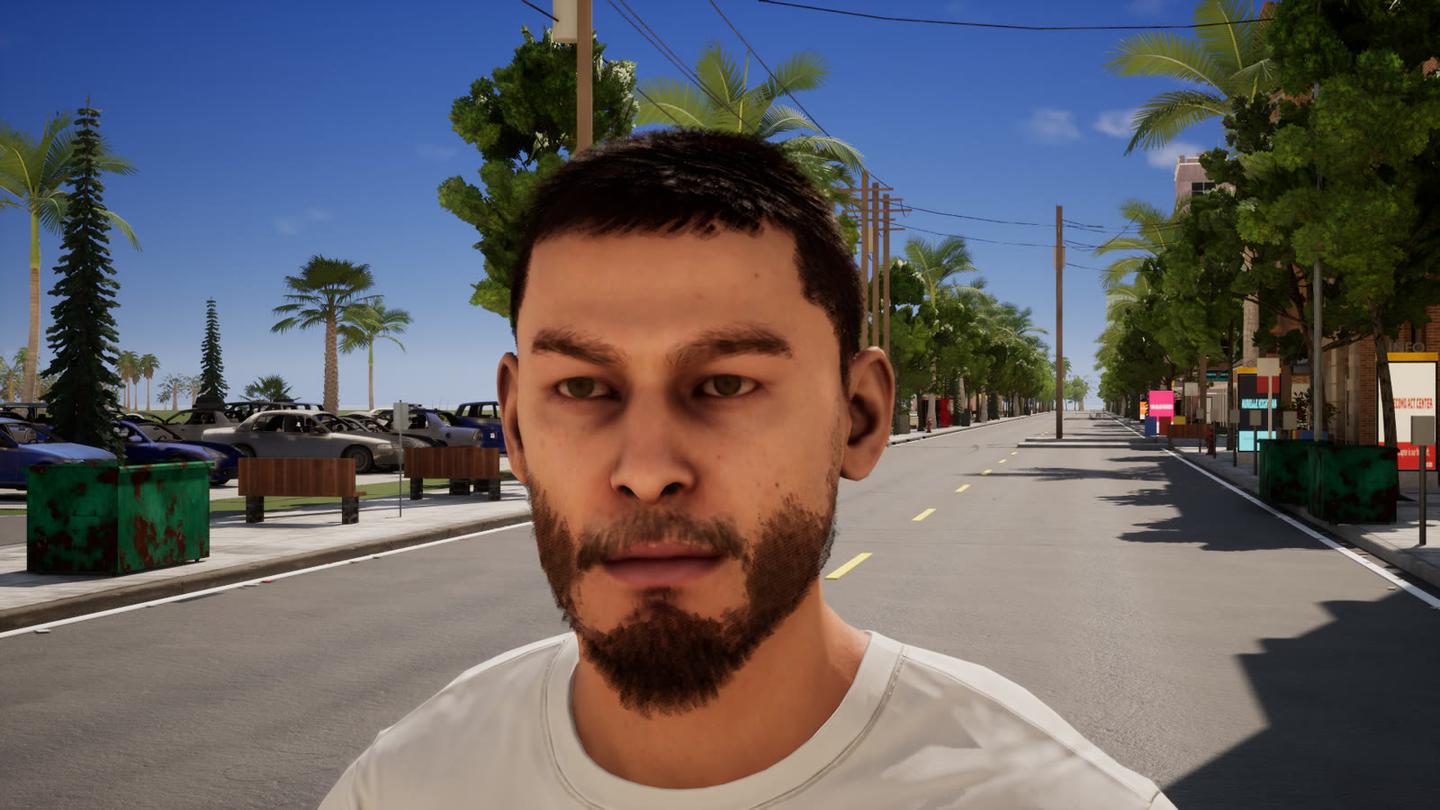
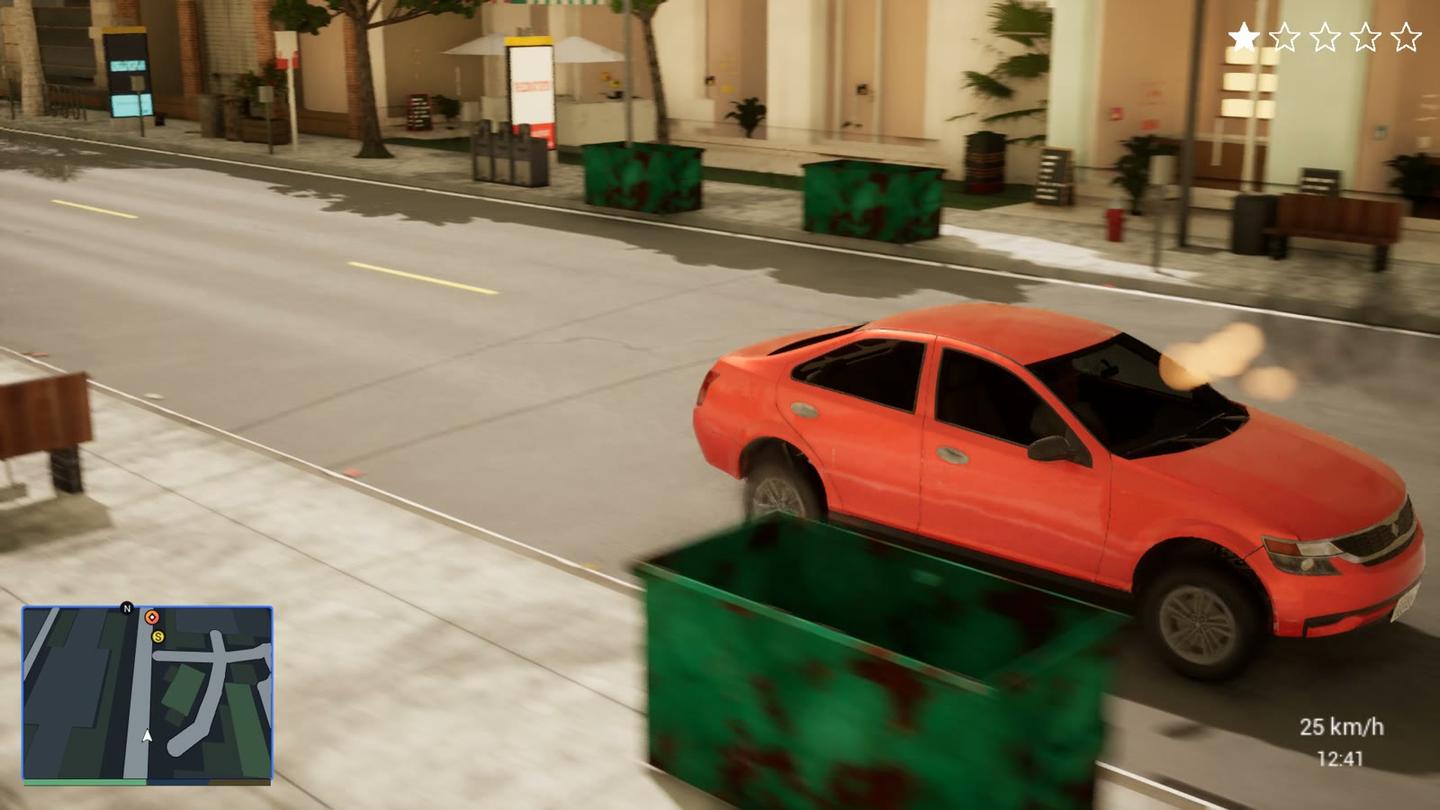
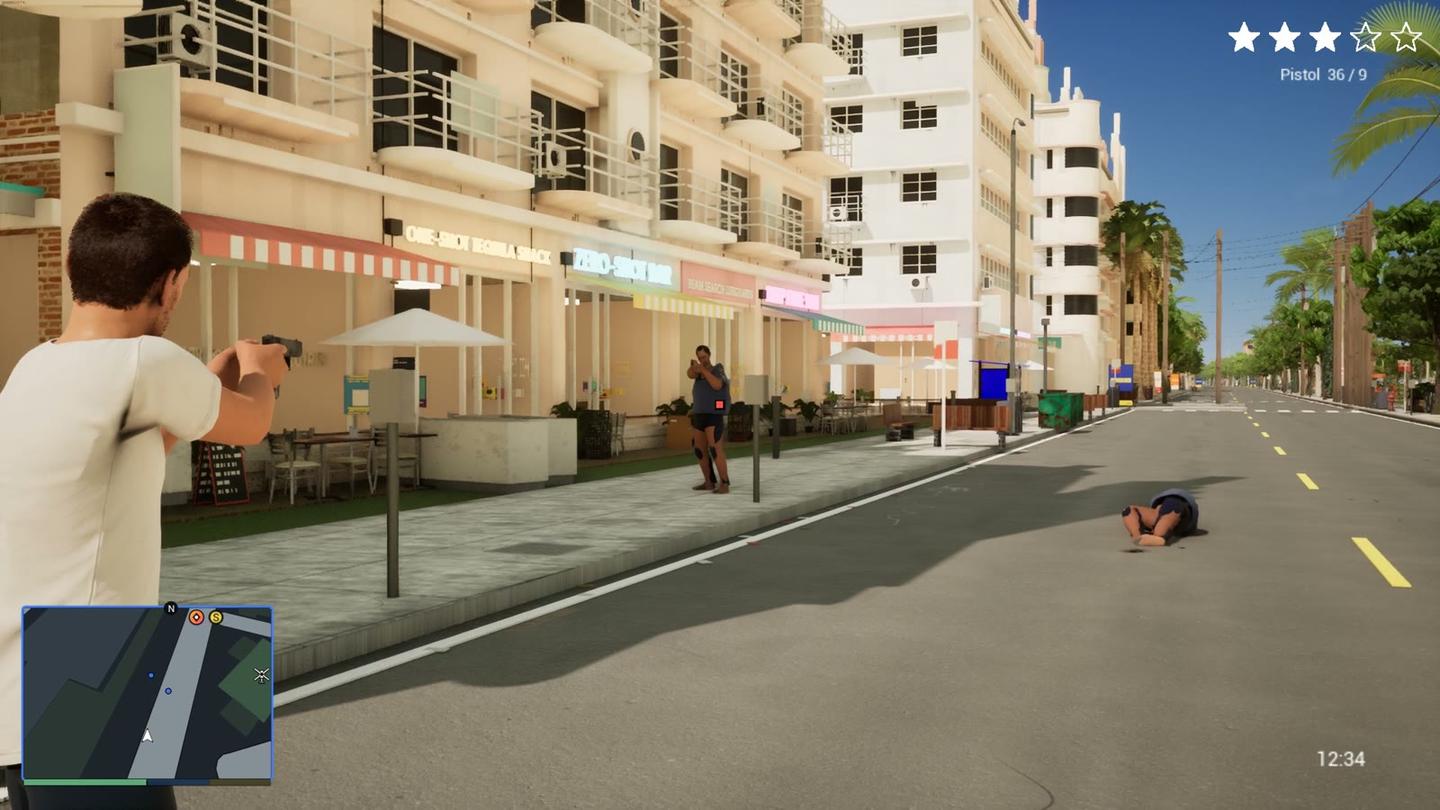
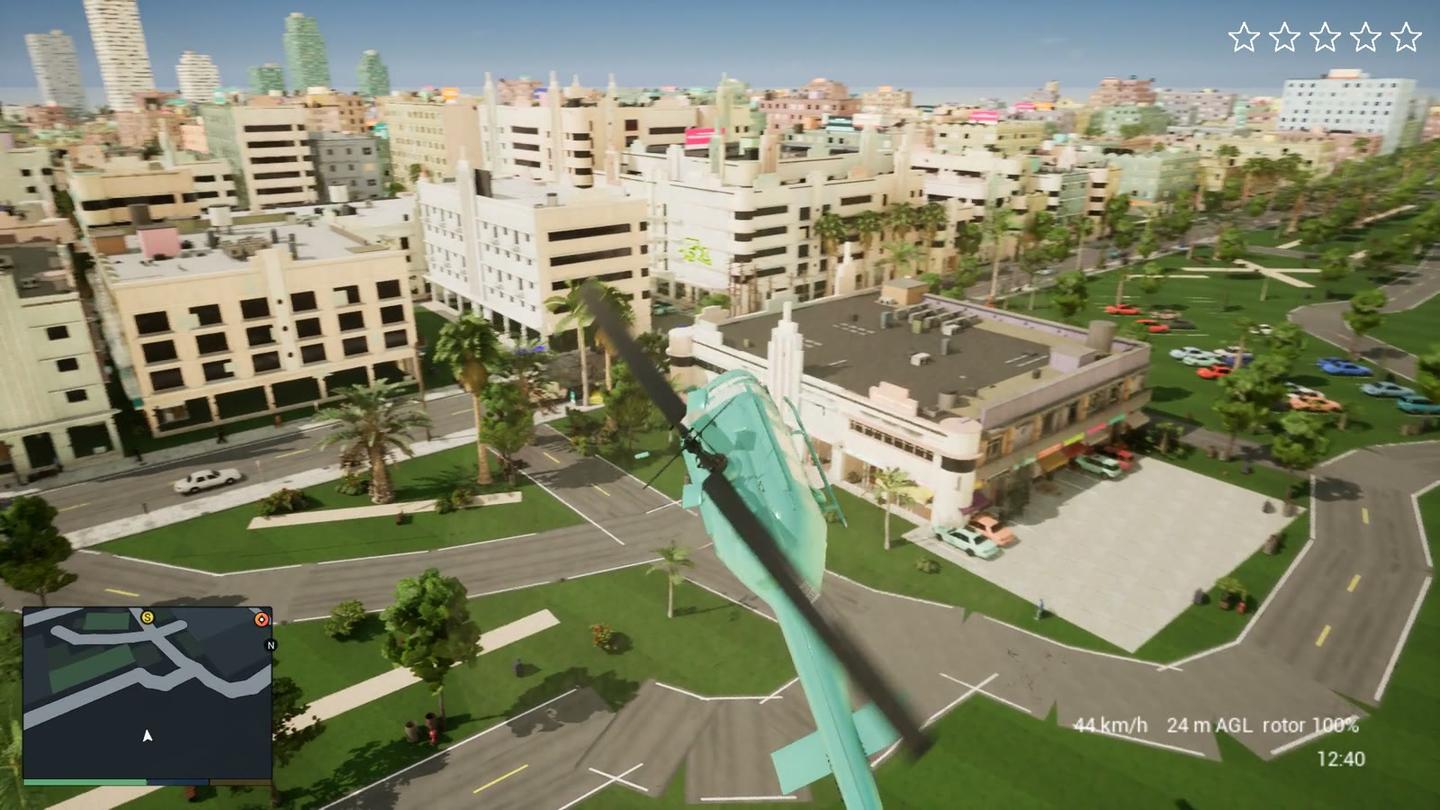
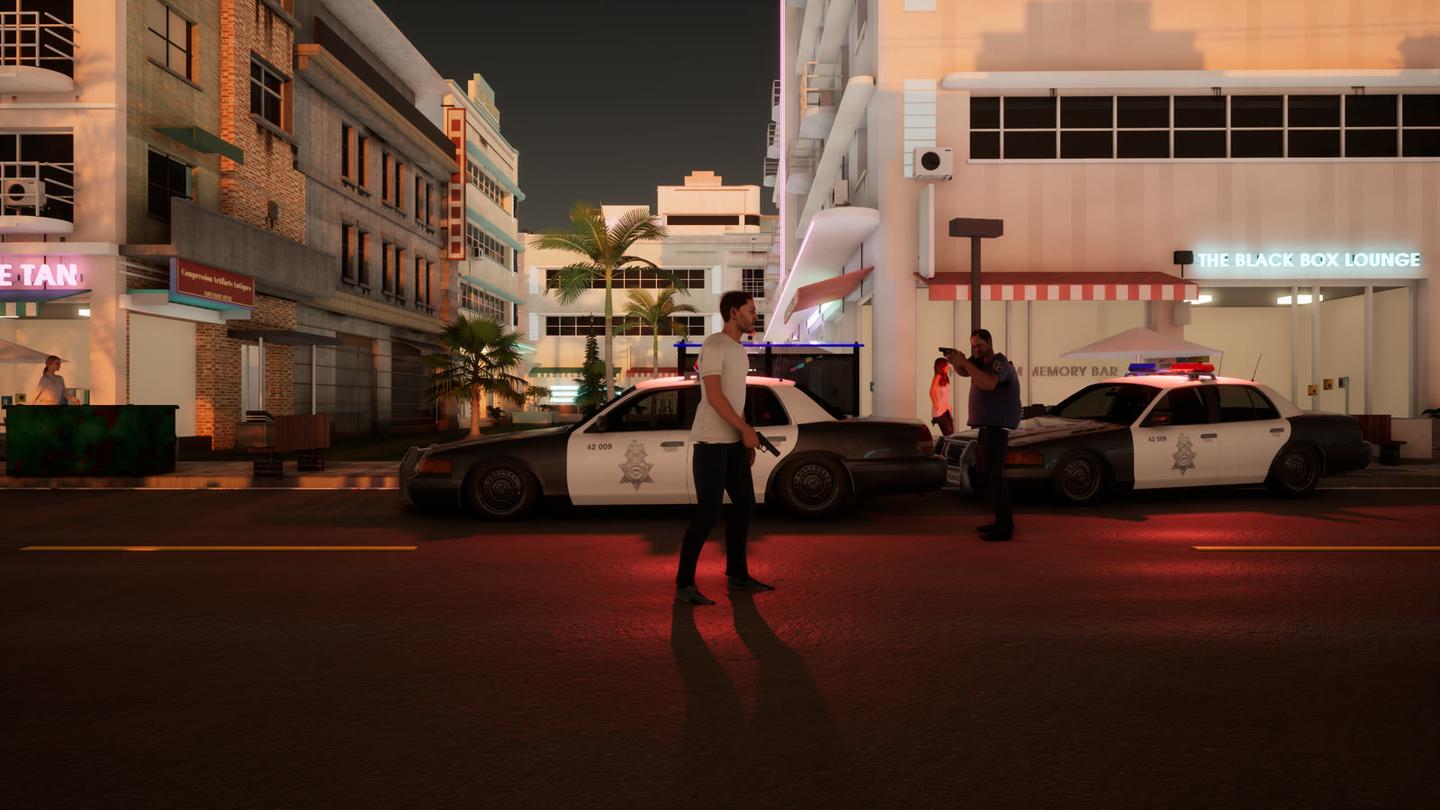
Where it still falls short of GTA 6:
- Three districts of the seven planned, and no buildings you can walk into.
- Streets are too empty and night looks flat.
- Officers never shoot back, and run-overs and some fight poses still look wrong.
What it cost
Claude numbers are API-equivalent: Anthropic's API prices applied to the usage logs by ccusage, a free tool. It all ran on Claude subscriptions, so I did not pay these amounts. Rows marked real money were paid.
The presentation
The deck from the video, with every before and after and the full briefs.
Guide: set up Unreal Engine on your own computer
You can do all of this on your own computer without renting anything. Unreal Engine is free to download and use; Epic only takes a royalty if a game earns more than a million dollars.
- The computer. A Windows PC with an NVIDIA RTX graphics card is the easy path. Hardware ray-traced lighting, the look in my 100-hour build, needs a card like that. My agents used an RTX 3090 and then a 4090, both with 24 GB of video memory; a smaller RTX card works at lower settings. Plan on 32 GB of memory or more and a fast drive with a few hundred gigabytes free.
- On a Mac. Unreal runs on a Mac too. My build was tuned on an NVIDIA RTX card, and on my Mac Studio it ran noticeably choppier, so a Mac is fine for learning the editor and writing game code.
- Install it. Download the Epic Games Launcher from epicgames.com, sign in, open the Unreal Engine tab and install the newest version.
- Start a project. Launch the engine, pick the Games category and the Third Person template. That gives you a character who already walks, runs and jumps. Choose C++ if you want Claude to write game code; on Windows that also needs Visual Studio, and Epic's setup page lists the parts to tick.
Free assets from Fab. Fab is Epic's asset store, and its free Unreal content covers most of what an open-world game needs. Add these to your library on fab.com, then download them from the Launcher's Library tab or the Fab panel inside the editor:
- City Sample. A whole city with cars, traffic and crowds. It is a very large download, so open it on its own first and copy the pieces you want with Unreal's Migrate option, which brings along everything an asset depends on.
- Game Animation Sample. Over 500 animations for walking, running, jumping and turning, already wired up.
- MetaHuman. Epic's tool for realistic people. My main character was a MetaHuman the agents built themselves.
- Free giveaways. Fab gives away a few assets every couple of weeks. Add them to your library while they are free and they stay yours.
Guide: give Claude access to Unreal
Claude Code cannot click around the editor like you do. It works through scripts, the command line and, in newer versions of Unreal, tools Epic built for agents. These are the four ways in:
- Python scripts in the editor. Epic's Python Editor Script Plugin lets a script do almost anything you can do by hand: place buildings, set up materials, import models. The agents ran their scripts through the command-line editor (UnrealEditor-Cmd), with no window open.
- C++ game code. The agents wrote the game's code in C++ and compiled and packaged it with the build tools that come with Unreal.
- Rendering with no screen. The same command-line editor can run the game offscreen and save screenshots. Add test modes to the game (walk forward, get in a car, take a picture at second 8, quit at second 20) and you can film any situation from a script.
- Unreal MCP. Unreal 5.9 ships an MCP server, a standard way for AI agents to use software. With it switched on, the agents could place things in the level, play the game inside the editor, read frame timings and install Fab assets by tool call. It is experimental, so the scripts stayed the dependable path.
To do the same on your computer:
- Install Claude Code, open a terminal in your Unreal project folder and run
claude. - In the editor, open Edit, then Plugins, search for Python Editor Script Plugin, turn it on and restart.
- Ask Claude for an editor Python script and have it run the script with the command-line editor. For example: Write a Python script that lines this street with 20 palm trees, 12 meters apart, and run it headlessly.
- For gameplay, let Claude edit the C++ code and compile from the command line. Close the editor first, or use Live Coding.
- On Unreal 5.9 or later, also turn on the Model Context Protocol and All Toolsets plugins, start the server, and connect Claude Code with
claude mcp add --transport http unreal http://localhost:8000/mcp. - Make Claude check its own work. Ask it to add a test mode that drives the character and saves screenshots, render it, and look at the pictures before it says something is done. For anything that moves, ask for a short clip and a strip of one frame per second.
Guide: when renting a cloud GPU makes sense
Only if you do not have an NVIDIA PC. Vast.ai rents an RTX 3090 or 4090 by the hour (about $0.70 to $1.50). Stream the game to your computer with Sunshine, a free streaming server, and Moonlight, the free player app. Ask for the streaming ports when you create the machine, and set a balance alarm: when the credit hits zero the machine stops, and you can lose its graphics card to someone else.
Guide: the workflow that worked
- Write the spec first. For each feature: what it is, what the real game does with numbers, and a test that proves it works.
- Give one goal prompt and a deadline. Point the agent at the spec and let it run. Something other than the agent has to own the clock, because left alone it decides it is finished early.
- Send changes through the spec. A request typed into the chat halfway through got ignored. Put it at the top of the spec file as TOP PRIORITY.
- Split the work. One lead that plans and does not build. Builders with one job and their own files each.
- Use a fresh reviewer. An agent that did not build the thing checks full-size frames and writes PASS or FAIL. Never let a builder grade its own work.
- Compare against a real frame. Give a fresh agent two pictures of the same kind of shot, one yours and one from the real game, ask which is real and what gave it away. Fix that one thing. Match the light, distance and height of the real shot, and show one thing per frame.
- Watch the motion, not only the numbers. Clips catch what stills and numbers miss.
- Write briefs as what must be visible. "A dark patch under each shoe" works. "Add contact shadows" or "12 people near the camera" sends builders in circles.
- Replace a stuck agent. If the same complaint comes back three rounds in a row, hand it to a fresh agent with a short brief and what already failed.
- Keep one playable build and play it yourself. Ten minutes of playing finds problems no test catches.
Guide: challenges and solutions
Everything below came up in my build. Open the area you are working on.
Unreal setup and builds
- The packaged game shows an empty map. Add your city to the list of maps to package, and launch every package once to check it loads.
- The disk keeps filling up. Shader caches, autosaves and old packages pile up. Delete them regularly; Unreal rebuilds what it needs.
- Backups that will not restore. If you use Git LFS for big files, test restoring a backup before you need it.
- Upgrading Unreal mid-project. Try the new version on a copy. An older Unreal cannot open files a newer one has saved.
- Downloaded models render invisible. Check their materials; re-import the colour textures if they come in empty.
Walking and animation
- The walk looks wrong while every number passes. Render side and back views and compare them with real walking.
- Every clip plays as a sideways shuffle. Make sure the animations face the same way as the body playing them.
- Your main character is a downloaded body. Use Unreal's own skeleton (a MetaHuman or the template character) from day one. Save scanned bodies for the distant crowd.
- The character walks in its driving pose. Clear the seated pose when they get out of the car.
- Fixes that change nothing. Find which part is wrong first: one picture of the body alone, one of the clothes alone.
Cars and driving
- Steering is twitchy and one tap rolls the car. Ramp steering and throttle in, steer less at speed, soften the springs and let the chase camera lag.
- Cars die after two crashes. Count each hit once, from the impact speed. Aim for smoke, then fire, then a wreck over about six hard crashes.
- Traffic drives like a conga line. Give each car its own speed and gap.
- Moving cars look smeared. Move traffic so the engine knows it is moving. Cars moved as teleports get blurred by the upscaler.
- Parked cars cannot be entered. Swap a parked car for a drivable one when the player presses the key.
- City Sample cars look grey and blotchy. They expect virtual texturing. Turn it on, or remove the tiled bump texture.
People and crowds
- The agent keeps adding people and nothing improves. Ask a fresh critic what gives the people away. For me it was blur, flat light and no shadow under their feet.
- The pavement looks packed. Aim for 2 to 5 people in view on a normal street and fewer on side streets.
- People pop in as white figures. Load their textures before showing them.
- Glitches only show in motion. Check crowds with clips, and keep the same body from repeating within about 30 meters.
- People you fight fade away. The camera fades out anyone between it and the player. Exempt the person you are fighting.
Police and wanted level
- Wanted stars the moment the game starts. The click that focuses the window was firing the gun. Ignore that click.
- One punch leads to death in a minute. No star for a scuffle, one for a knock-down, and let heat build slowly.
- Crimes nobody saw. Only give stars for a crime a person or officer actually witnessed.
- Escaping feels random. Set clear times out of sight: about 30 to 45 seconds at one or two stars, 60 to 90 at three to five.
Guns and aiming
- The gun hangs at the hip or points up. Check the model's orientation and which hand bone it is attached to.
- You cannot hit anyone. Add a soft lock-on and a crosshair that changes over a target.
- Blood appears in mid-air. Place it on the body, not on the edge of the invisible hit capsule.
- Arm and leg hits show nothing. The physics body needs parts for the arms and legs, or there is nothing to push.
Ragdolls, deaths and run-overs
- People fall like a plank. Use an active ragdoll, physics that keeps trying to hold a pose, with a separate get-up animation.
- The dead character keeps aiming. Turn off the aim pose when they die.
- Cars stop dead against a person. The person's invisible collision capsule blocks the car when the hit check misses. Cover bumper corners and side swipes.
- People ride the bumper. At city speeds they should leave the bumper in about a third of a second.
The helicopter
- Nobody can find it. Put it on open ground near the start, and add a key that spawns one.
- It flies like a toy. Gradual turns and a gentle hover, not instant braking when you let go.
- The paint looks like plastic. Car paint did not work on it. Judge the look from the camera the player actually uses.
Lighting and time of day
- The street looks dark and washed out. Fix exposure first, measured against the reference (asphalt, wall, sky), then work on materials.
- Colours drift between rounds. Sample the average colour of the same surface in the real frame and yours, and give the agent the gap.
- The sky does not match the buildings. Move the sun, sky, street lamps and window lights together with the time of day.
- Night looks flat. Make shop windows, neon and lamps throw light onto the street.
- Signs look grainy and crawl. Very bright signs act as noisy lights in Lumen. Lower their glow and render at full resolution.
Audio and voices
- Agents cannot hear the game. Have them transcribe each clip with a speech-to-text model and measure loudness.
- Voices with nobody there. Fade voices with distance, and start them only once the world is on screen.
- The radio is quieter than the engine. Duck the engine under the radio, and measure the result instead of calculating it.
- Music for a video. Use free, no-copyright tracks. Copyrighted music gets the video claimed.
Performance
- The frame rate is a slideshow. Stop simulating far-away cars, animate people only when on screen, and cut detail in the distance.
- Timings jump around. Compare with and without a change back to back, and repeat.
- Undoing a change does not fix the slowdown. Check for edited files that git ignores.
- A test says PASS while the game fails. Make the test print the exact rule it checked.
Working with many agents
- Agents break each other's work. One agent per set of files, edits as small patches, and a check after each commit for lost lines.
- Two jobs on one graphics card crash. Run compiling, filming and packaging one at a time through a queue, or give each builder its own project copy.
- The editor builds but the game does not. Package the game often. Editor-only code has to be kept out of the game.
- Agents stop with work unsaved. Say plainly in the brief: do not stop with jobs queued or work uncommitted.
- A job reports success with nothing to show. Someone has to look at the frames it produced.
Guide: the assets I used
Every outside asset in the 100-hour build, with its license. CC0 is public domain. CC BY 4.0 is free with credit. Fab Standard is fine inside an Unreal game and in videos, but you cannot share the raw files. MIT is a free software license that keeps its notice. The agents made the building kit, shop signs, decals, HUD art and all the code themselves.
Every asset and its license
Watch the video
The video walks through all three builds with gameplay.



Comments
Sign in to join the conversation.