Kimi K3.1 Pro: No-Hype Full Review & Testing
Moonshot's new model is officially out, so I ran it through four hard builds against Opus 5.5, Fable 5.1, GPT-6 Astra and DeepSeek V4.1 Flash.

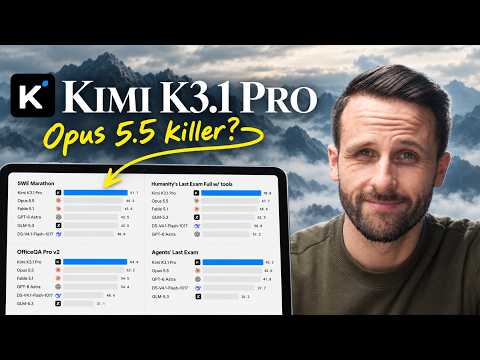
The open-weight model drops are back. Kimi K3.1 Pro is officially out, and Moonshot is claiming it matches the strongest proprietary models across coding, agentic and knowledge benchmarks.
The demos across 3D and web design are incredibly impressive, and it's matching the frontier models in a lot of ways across the benchmarks.
So I put it through three builds across game development, web design and motion graphics, against Opus 5.5, Fable 5.1, GPT-6 Astra and DeepSeek V4.1 Flash, to see how true that actually is.
DeepSeek V4.1 Flash is the latest from DeepSeek and one of the best open-weight models out there. For every build I clocked how long it took, what it cost and how many tokens it burned.
The weights themselves aren't out yet. Moonshot says they'll land by November 4, so for now you use it through Kimi's apps, Kimi Code or the API.
What I tested
Every model got the exact same prompt, with no steering from me, and every one ran unattended in goal mode at high effort.
Kimi K3.1 Pro ran in Kimi Code, Moonshot's own command line tool, on my subscription. Opus 5.5 and Fable 5.1 ran in Claude Code, GPT-6 Astra ran in Codex, and DeepSeek V4.1 Flash ran in Claude Code through OpenRouter.
The three tests line up with what Kimi showed off at launch: a first-person billiards game, a clone of a product-launch website, and a shot-for-shot rebuild of Kimi's own launch video.
For the website clone and the launch video, every model also followed one of my skills. Both are free on GitHub and linked right below.
The skills used in these builds (free on GitHub)
Test 1: A first-person billiards game
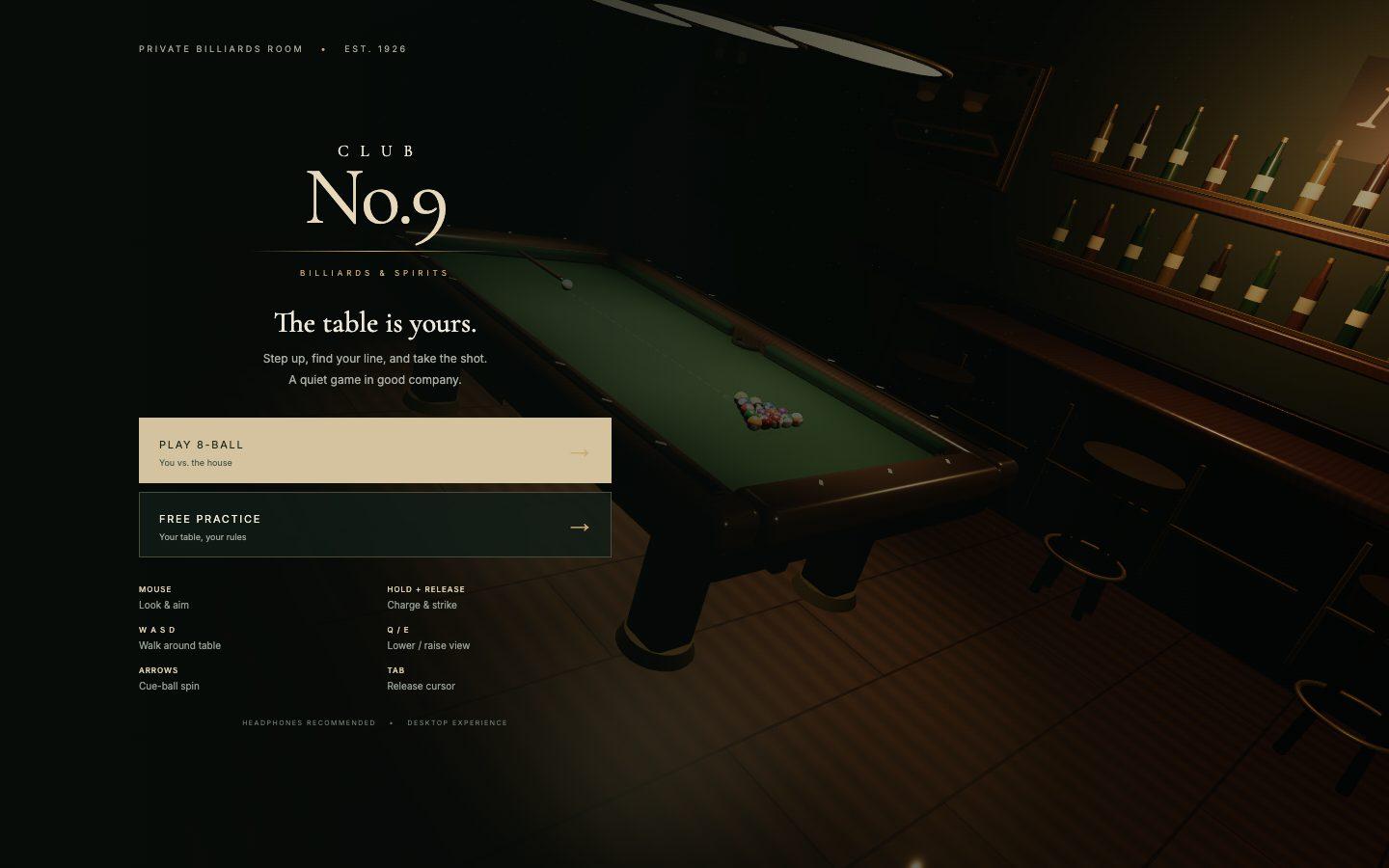
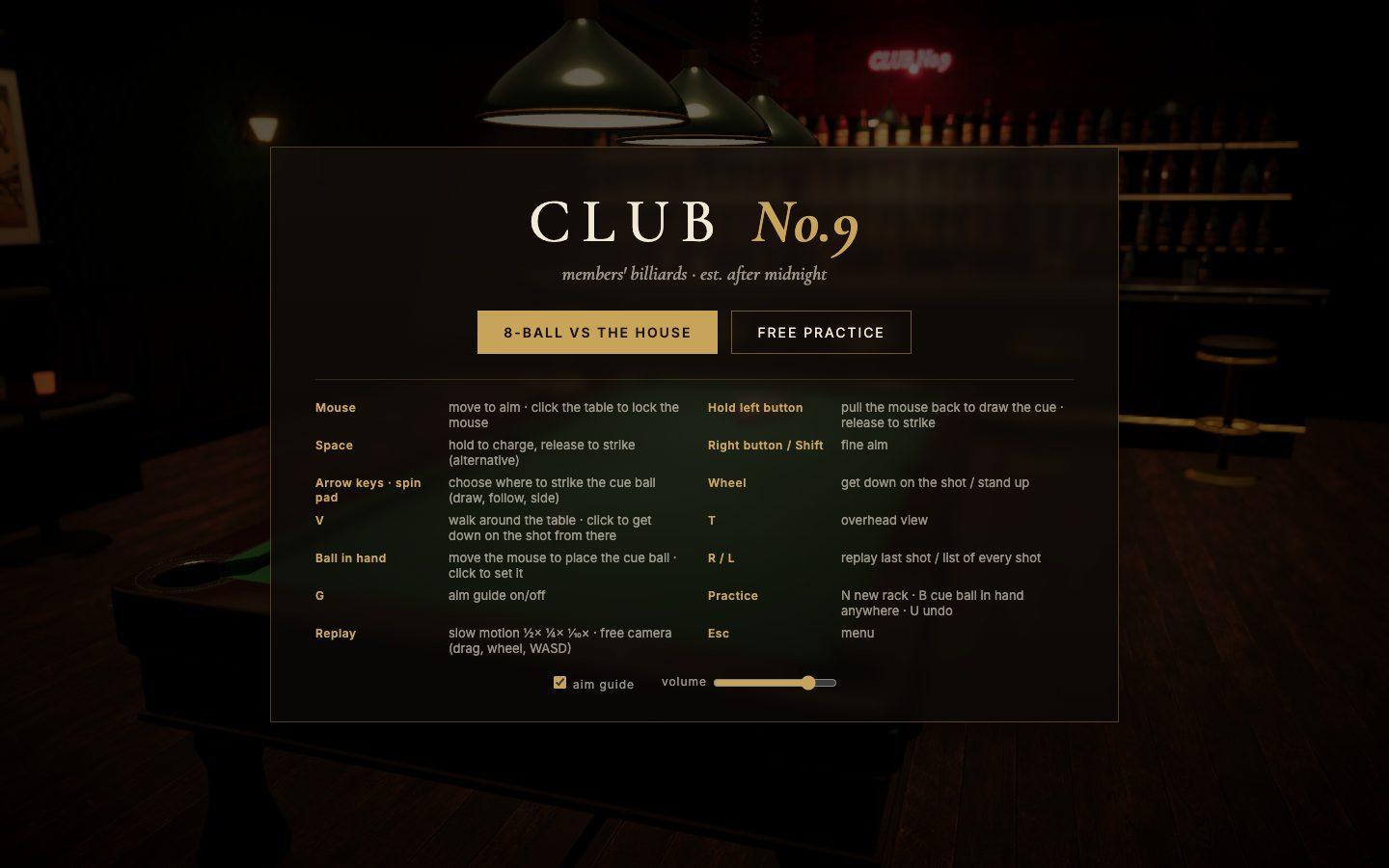
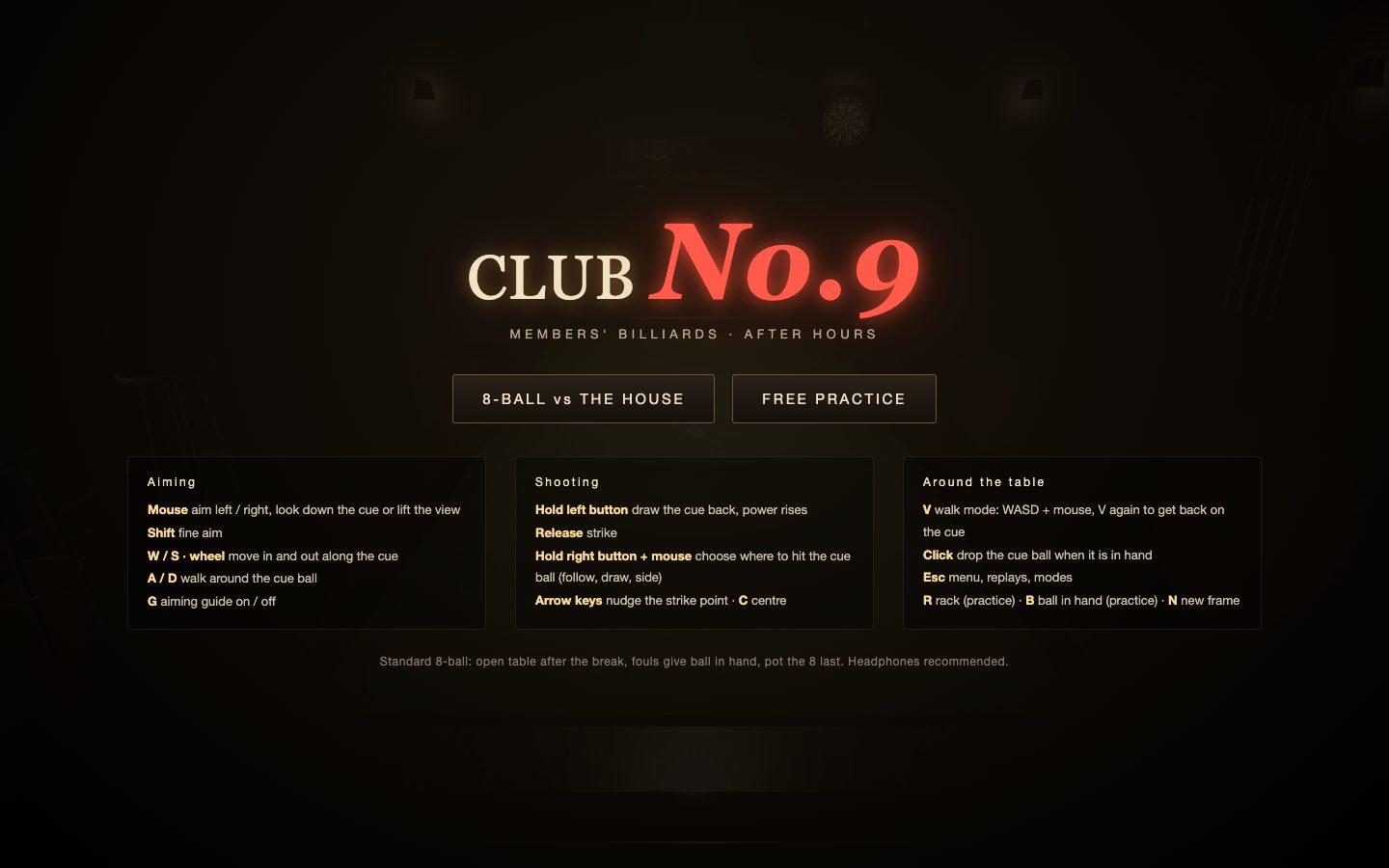
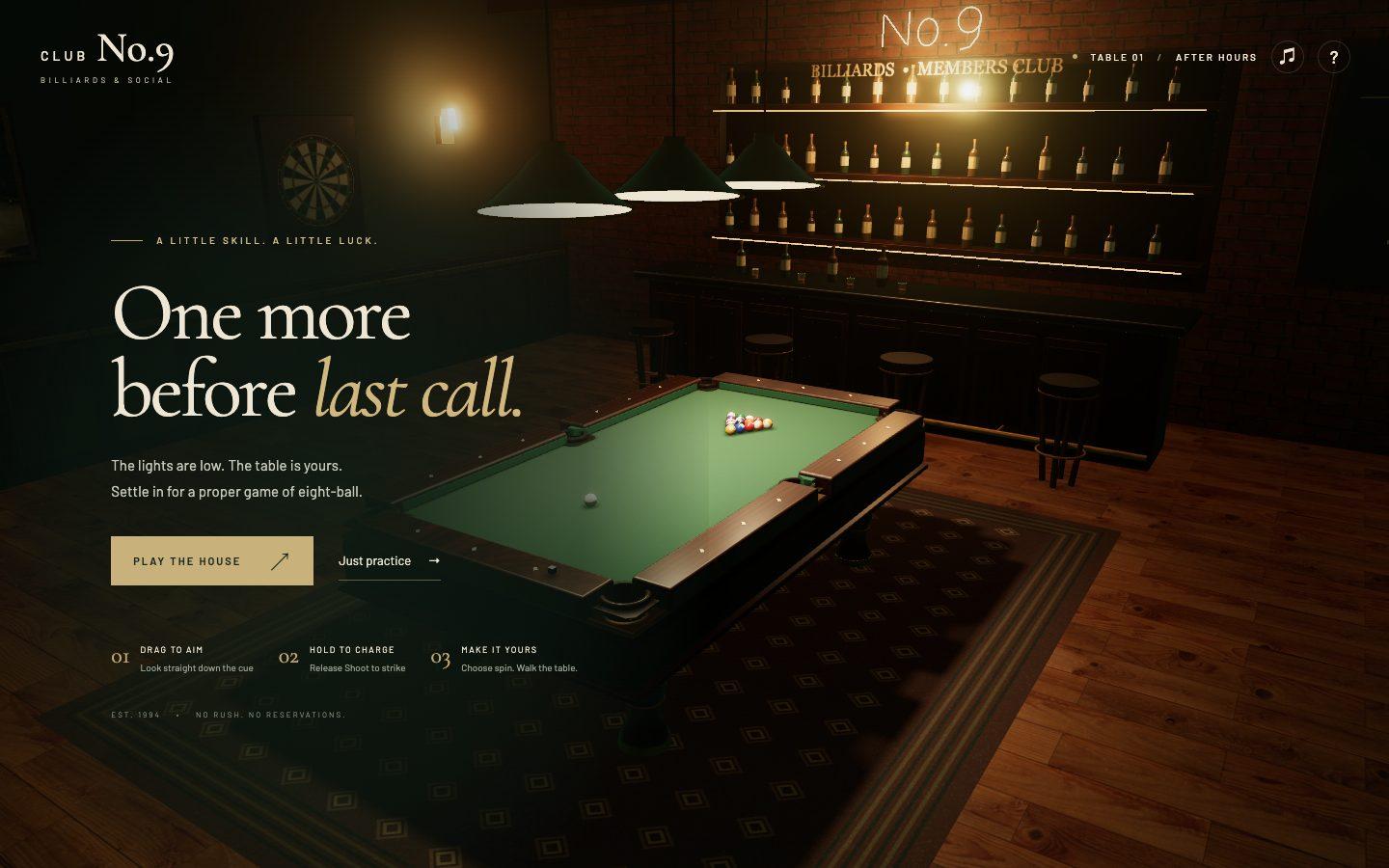
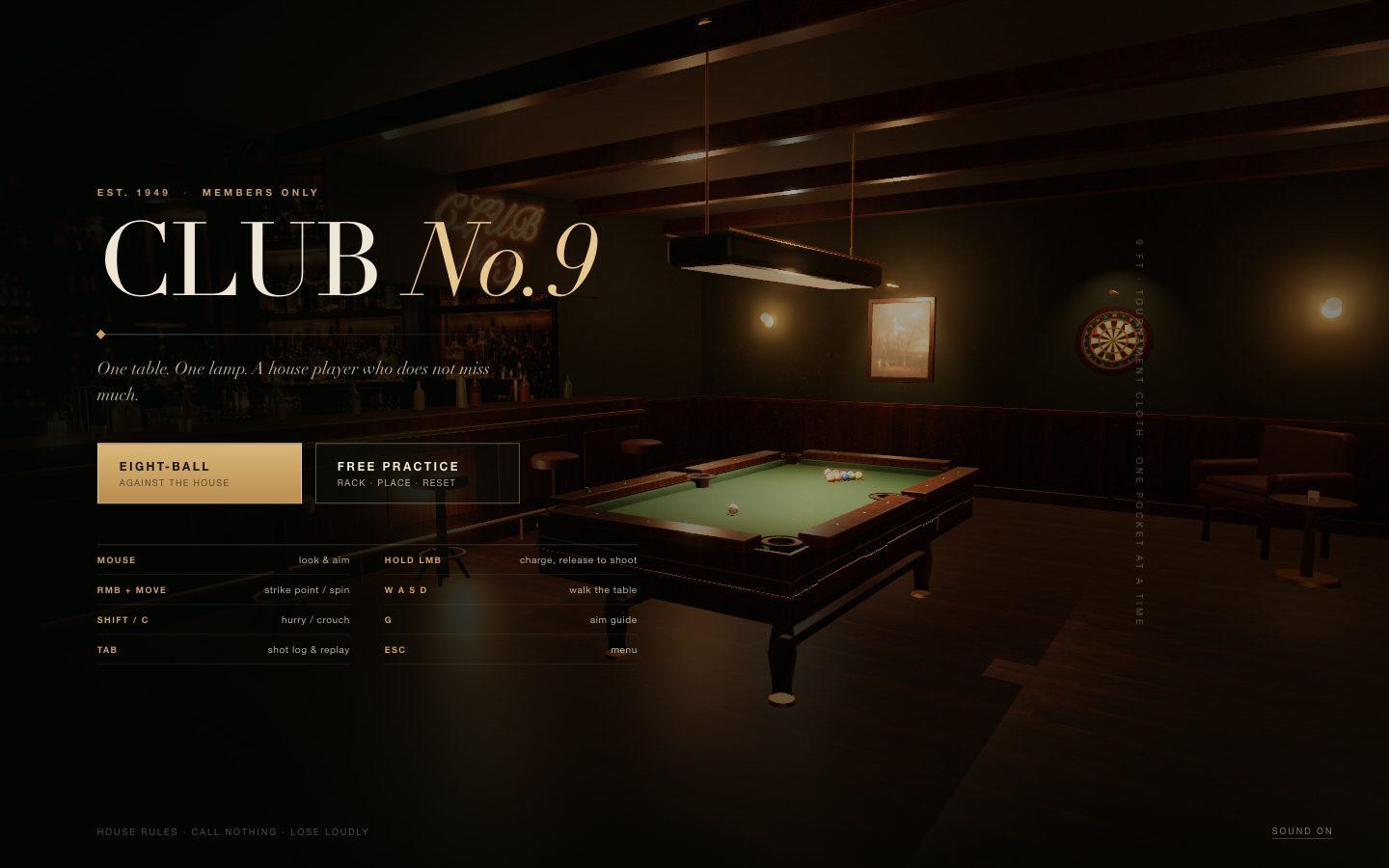
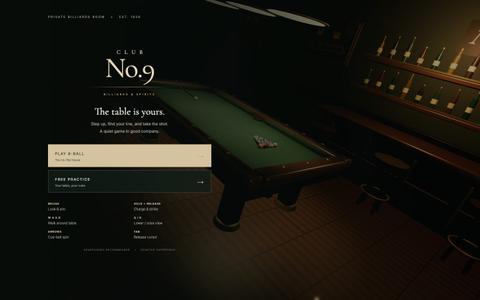
A first-person 3D billiards game in the browser with real ball physics, a computer opponent and shot-by-shot replay, set in a photoreal pool bar.
Use Three.js and Rapier to build CLUB No.9, a first-person 3D billiards web game. Include realistic ball collisions and pockets, mouse-controlled aiming, charged shots, free practice and shot-by-shot replay.

Context you should know: this is going into a video watched by a large audience. Your game is played on camera next to other frontier models given this identical prompt.

The comparison is blind. Never put your model name, your company's name, or any mention of which AI made it anywhere in what you build: not in on-screen text, credits, the page title, file names, code comments, or metadata.

**It must look and play like the real thing. This is judged strictly.** CLUB No.9 is a moody members' pool bar at night: a full-size table with worn green baize, polished wood rails and leather drop pockets, a lamp hanging low over the table that throws a pool of warm light and real soft shadows, glossy phenolic balls with correct numbers, stripes and reflections, a chalked cue. The room is alive behind the table: a dartboard on the wall with darts in it, a bar with bottles and neon, stools, a scoreboard chalkboard, framed pictures, dust in the lamp light. Physically based materials, filmic tone mapping, anti-aliasing. No cartoon, low-poly or flat art, no placeholder boxes, no untextured primitives. If a frame looks like a prototype, it is not done.

Requirements:

1. **Real physics.** Balls slide, then roll, then stop the way real balls do on cloth. Ball-to-ball and ball-to-cushion collisions conserve momentum believably, with throw and cushion rebound that a pool player would recognise. Spin matters: hitting above or below centre gives follow and draw, left or right gives side spin that changes the angle off the cushion. Balls drop into pockets only when they really go in, and can rattle in the jaws.
2. **First-person play.** You stand at the table and look down the cue. The mouse aims, a hold-and-release (or pull-back) charges the shot with a visible power meter, and you can choose where on the cue ball you strike. Walk around the table to line up a shot.
3. **Modes.** Free practice (rack, place the cue ball anywhere, reset) and a real 8-ball game against a computer opponent that plays sensible shots, with fouls, ball-in-hand and a win condition.
4. **Shot-by-shot replay.** Every shot is recorded; replay any shot from the list, with a slow-motion option and a free camera.
5. **Sound.** Cue strike, ball clicks scaled to impact speed, cushion thuds, pocket drops, and quiet bar ambience.
6. **Runs smoothly** in a desktop browser at 1920x1080, with the controls shown on a start screen.
7. **Deliver** a runnable project with a documented run command and a README.

DONE when: a full 8-ball game can be played start to finish with the mouse, spin visibly changes the cue ball's path, balls only drop when they actually reach a pocket, every shot can be replayed, it runs smoothly, and every frame holds up as photoreal.
Test 2: A pixel-for-pixel website clone
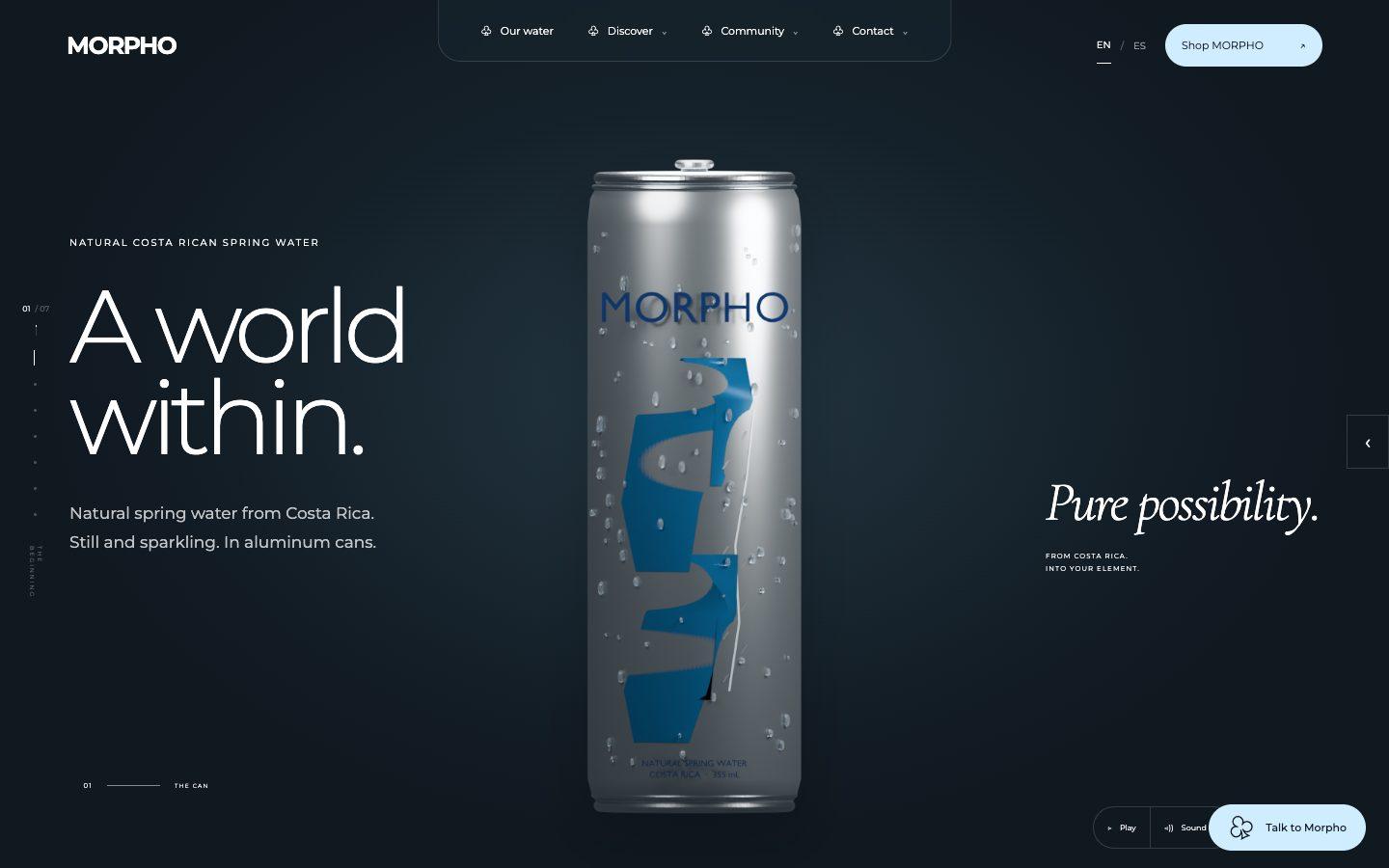
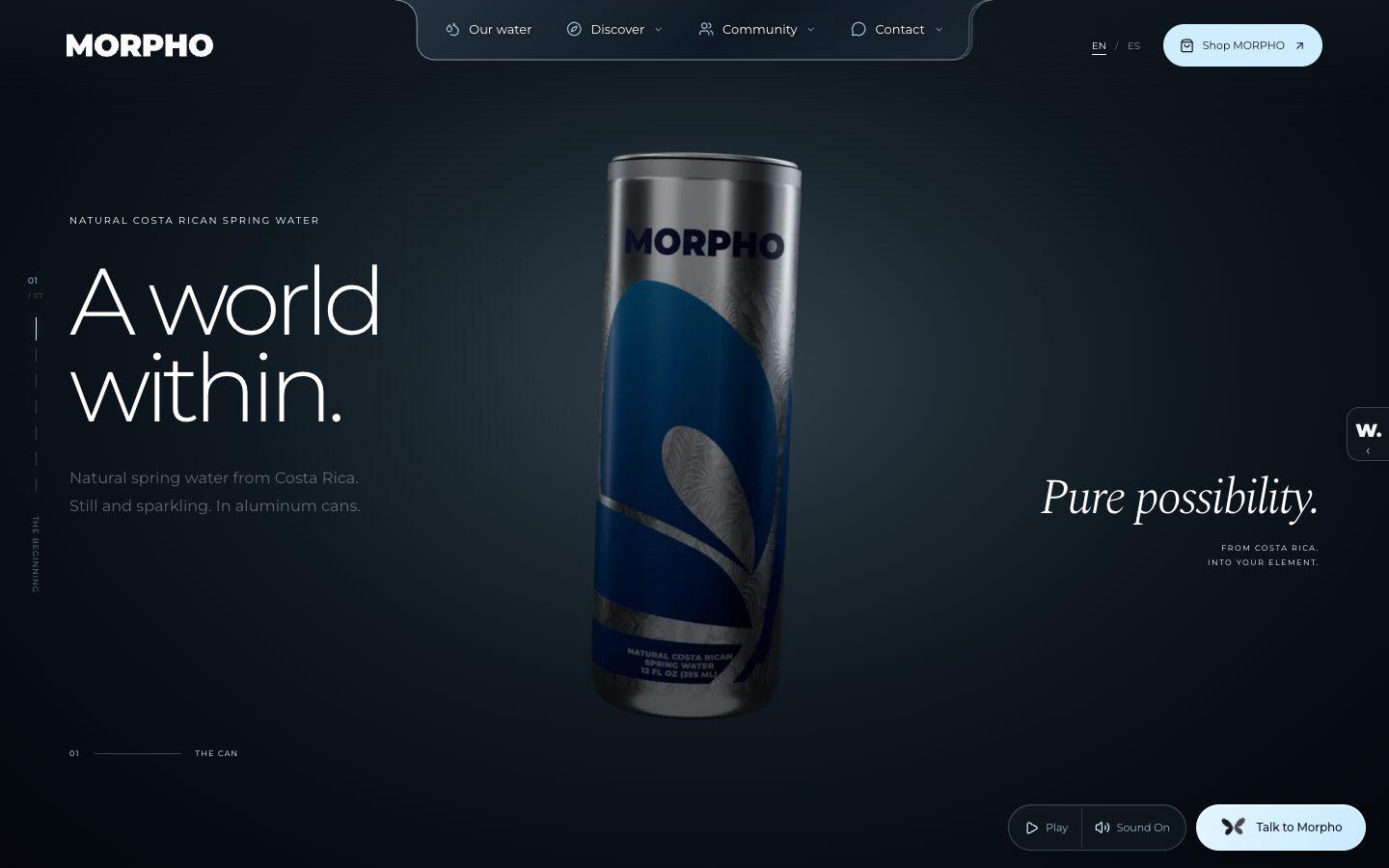
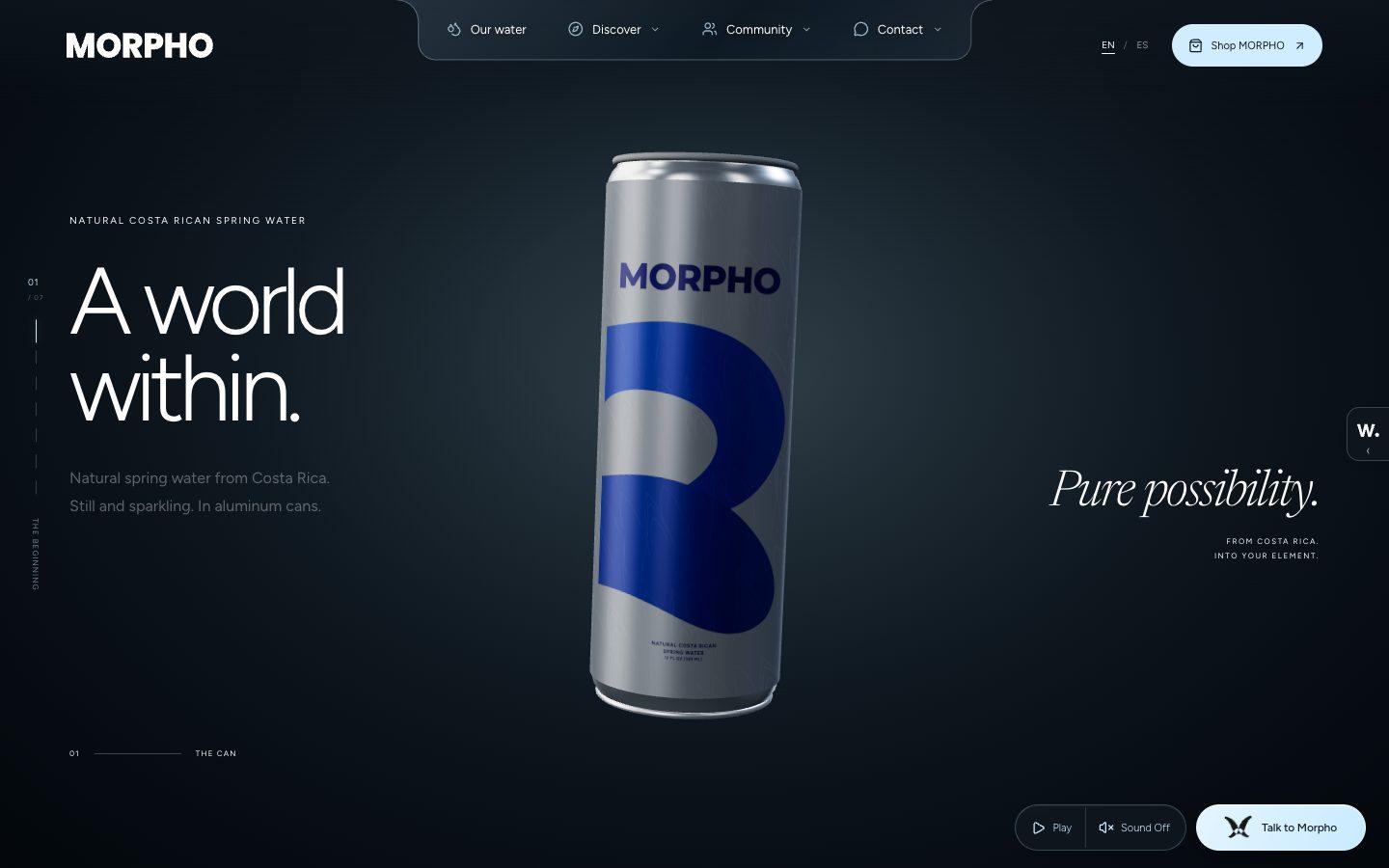
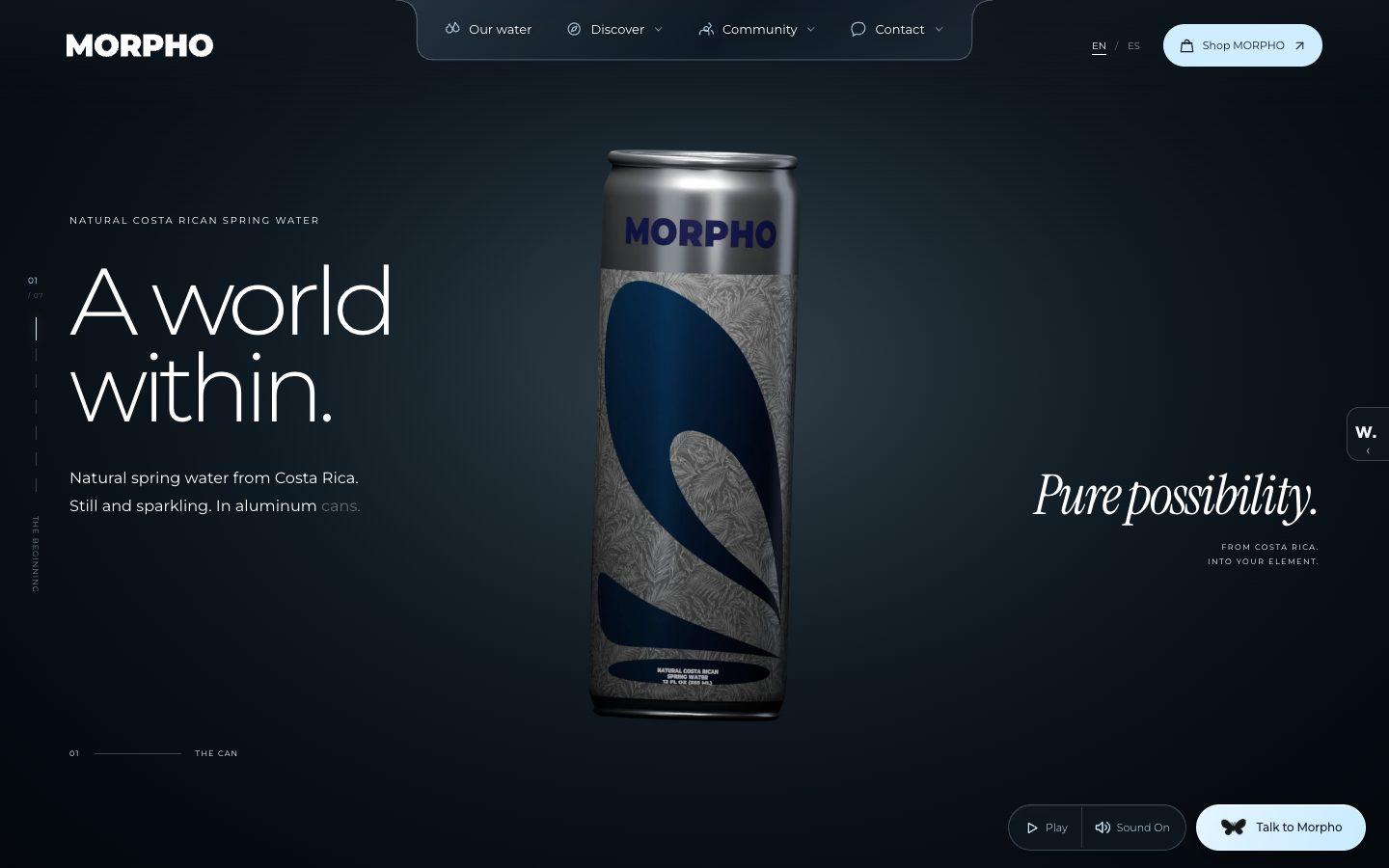
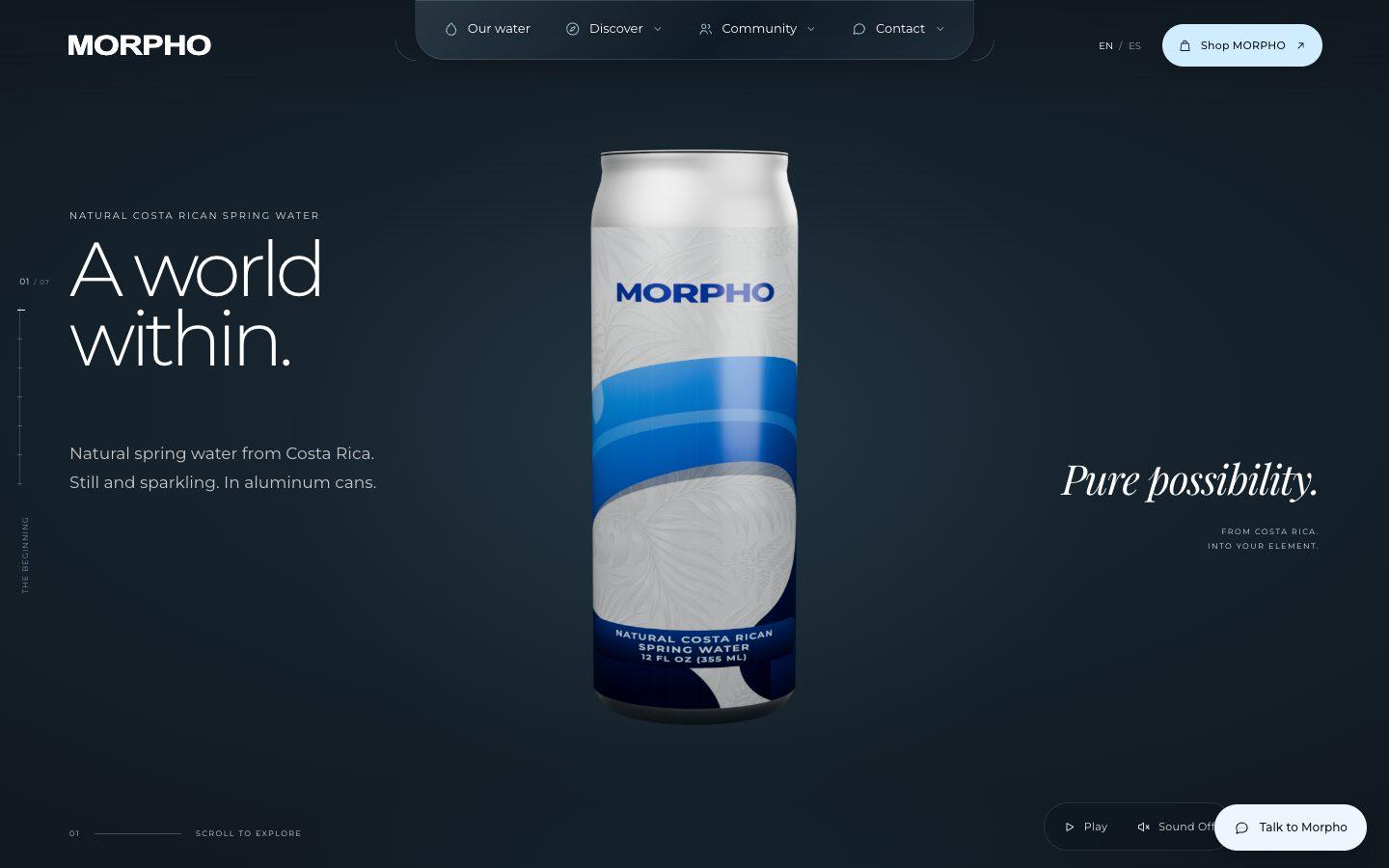
A rebuild of the morphowater.com product site with its 3D can and scroll motion, using no assets taken from the original, following my clone-app-pat-pro playbook.
Rebuild https://morphowater.com/ pixel for pixel, motion and 3D included, making every asset yourself.

Context you should know: this is going into a video watched by a large audience. Your clone is put on screen next to the real site and next to other frontier models given this identical prompt, at the same viewport.

The comparison is blind. Never put your model name, your company's name, or any mention of which AI made it anywhere in what you build: not in on-screen text, credits, the page title, file names, code comments, or metadata.

**First, read the methodology.** Clone `https://github.com/per-simmons/clone-app-pat-pro-public` and read `SKILL.md` and `references/00-contract.md` before anything else, then each stage reference as you reach it. Follow its workspace layout, artifacts, verification gate and convergence loop. `scripts/assert-styles.mjs` is the gate.

Two overrides, and they win where they conflict with the repo:

- **Do not stop to check in.** You are running unattended. Run the whole pipeline start to finish without asking for approval or asking questions.
- **Use your own browser automation**, headless Playwright or Puppeteer, anywhere the repo says to use the Claude Chrome extension. Computed styles read off the live page through the CSSOM are ground truth. Screenshots and screen recordings are visual reference only, never the gate.

You have two creative tools: **Blender**, driven headless with Python scripts and rendered on a GPU render machine, and an **image generator** you call from the command line. Every raster image in your clone comes from the image generator. Every 3D model and every video loop comes from Blender or your own code.

**The graphics must be hyper-realistic and match the original exactly. This is judged strictly, side by side.** The MORPHO can must read as a real brushed-aluminum can: accurate proportions, printed label, anisotropic metal highlights, condensation where the original has it, real studio lighting and soft shadows. The coast, forest and mist footage must read as real places, with water that moves like water. Every image you generate must match the original's subject, framing, lighting and color so closely that a viewer has to look twice. No cartoon, low-poly, flat or placeholder art, no plastic-looking defaults, no "close enough" substitutes.

Requirements:

1. **Recon the whole page before writing code.** Every section top to bottom at desktop and mobile widths, the intro and "Skip the introduction", the section counter and side navigation, every hover, click and scroll-triggered state, the Blue Zones selector, the video sections, and the footer.

2. **Extract, don't guess.** Pull real computed values off the live page: type scale, exact colors, spacing, radii, borders, grid and container widths, breakpoints, easing curves and durations, font families and weights.

3. **The can and the motion are the site.** The opening can reveal, the scroll-driven transitions between the seven sections, the Blue Zones selector, the looping landscape footage and every hover must all work and feel like the original.

4. **No lifted assets.** Do not hotlink, download, or trace the original's images, video, 3D files, or fonts. Make the can in Blender or code, the footage in Blender or code, and every image with the image generator. Fonts come from an open CDN with metrics matched as closely as you can. List every substitution in the README.

5. **Rebuild it all.** Every section, every component, every interactive state, at desktop and mobile. A static skin over a site whose identity is the can and the motion is a failed clone.

6. **Prove the match.** Run `assert-styles.mjs` against your extracted tokens and iterate until there are zero failures and the project builds clean. Then compare your clone to the real site at the same viewport, desktop and mobile, section by section, and fix what your eye catches that the assertions missed, until the two are indistinguishable.

7. **Ship it runnable**, with a documented run command and a README covering what you substituted, how you made the 3D, the footage and the imagery, and your final assertion results.

8. **Depth over breadth.** If you have to choose, an opening can reveal, Pacific section and Blue Zones section that are indistinguishable from the original beat a whole page that is approximately right.

DONE when: the clone passes the style gate with zero failures, runs from a documented command, its can reveal, scroll transitions and Blue Zones selector work like the original's, and it holds up next to the real site at full screen.
This video is sponsored by ClinePass
ClinePass is a $9.99 a month subscription to a curated set of open-weight models, including DeepSeek, Kimi, GLM and MiniMax, with about five times the limits of standard API access.
It's optional, and it works inside Cline Desktop, which is free and open source.
Test 3: A shot-for-shot launch video rebuild
A shot-for-shot rebuild of Kimi's own 94-second K3.1 Pro launch video with my launch-video-clone skill, with no footage or audio taken from the original.
Rebuild the Kimi K3.1 Pro launch video shot for shot, as close to the original as you can get it.

Context you should know: this is going into a video watched by a large audience. Your rebuild is played on screen side by side with the original and next to other frontier models given this identical prompt.

The comparison is blind. Never put your model name, your company's name, or any mention of which AI made it anywhere in what you build: not in on-screen text, credits, the page title, file names, code comments, or metadata. Kimi, K3.1 Pro and Moonshot appear in the video because they are its subject; that is the only exception.

**Follow the skill.** Clone https://github.com/per-simmons/launch-video-clone and read its SKILL.md first. Use its **Clone mode**: analyze the reference shot by shot, write the breakdown, build, render, compare against the reference frame by frame, and fix, following every step, the type file that fits each shot, and the motion rules in references/motion-feel.md.

**The reference** is `./reference/ref.mp4`: 1920x1080, 25 fps, 94 seconds, with sound.

Requirements:

1. **Same edit.** Every shot in the same order, at the same length, cut on the same frames, with the same transitions, holds and camera moves.
2. **Same look.** The cinematic and game-engine shots must read as real rendered footage, not flat illustrations: depth, real lighting, atmosphere, motion in the clouds and water, motion blur on fast camera moves. Rebuild them with 3D, code-drawn graphics and generated imagery. Every HUD label, UI frame and line of type matches the original's position, size, font and timing.
3. **Make every asset yourself.** Do not cut, trace or reuse frames, footage or audio from the reference in the final video. The reference is for measuring only.
4. **Sound.** A soundtrack and sound design that follow the original's beats and hits, made with ElevenLabs.
5. **Deliver** `final.mp4` in this folder (1920x1080, 25 fps, about 94 seconds, with sound), the project that renders it, and a side-by-side against the reference.

DONE when: final.mp4 renders from the project, plays start to finish with sound, matches the reference's shot list and timing, and a side-by-side review finds no shot that a viewer would call a different shot.
What it cost
On the API, Kimi K3.1 Pro costs $2 per million input tokens and $10 per million output. That's half the price of Opus 5.5 and a fifth of the price of Fable 5.1 and GPT-6 Astra.
DeepSeek V4.1 Flash is far cheaper again, at $0.15 in and $0.60 out per million tokens off-peak.
The per-token price doesn't tell the whole story, though. Artificial Analysis found K3.1 Pro very verbose, with 150 million tokens on its index against a median of 87 million.
Kimi K3.1 Pro ran on my Kimi subscription, so its numbers are API-equivalent: its real token counts priced at Moonshot's published API rates.
The billiards and website clone numbers are in each test's table, and so are the launch videos that have landed. I'll fill in the rest, and each model's totals below, once every build finishes.
These are API-equivalent costs, meaning the real token counts from each build priced at each model’s published rates, even though the builds themselves ran on subscriptions.
The takeaway
Across the board, it really wasn't close. Kimi K3.1 Pro came in last on all three builds, behind Opus 5.5, Fable 5.1, GPT-6 Astra and DeepSeek V4.1 Flash.
These were three heavy builds, mostly 3D and intense coding work, so I didn't test day-to-day knowledge work. It ranked very high on GDPval, so it might be worth experimenting with there.
If you want an open-weight model, DeepSeek makes the most sense for now. If you're mainly after cost savings, Sonnet 5.5 or Haiku makes more sense.
When Kimi K3 came out, it was close to the frontier models and beat them in a number of my tests. Seeing K3.1 this far behind makes me question the benchmarks.
Every prompt is above, so you can run one yourself and see how your results compare.


Comments
Sign in to join the conversation.