Muse Wonder: No-Hype Full Review & Testing
Meta's new frontier model, run as Muse Wonder Full against Opus 5.5, Fable 5.1 and GPT-6 Astra on the same four builds, with the tokens, cost and time of every run.

Meta has officially entered the arena with Muse Wonder, and they're claiming it leads every other frontier model on agents, memory and long-running coding, at least according to their own benchmarks. So I put it through the same four builds as Opus 5.5, Fable 5.1 and GPT-6 Astra, covering web design, a full ad campaign with motion graphics, an iPhone app and a 3D simulation, and logged the tokens, cost and time for every run to see how true that actually is.
What I tested
Every model got the same prompts with nothing added, running inside the coding agent its own lab ships, which means Muse Code for Muse Wonder Full, Claude Code for Opus 5.5 and Fable 5.1, and Codex for GPT-6 Astra, all on high reasoning effort and all in goal mode, which keeps the agent working until the prompt's own finish line is met. I ran Muse Wonder Full because it is the strongest version Meta offers, and it is only available inside Muse Code on the $50 Power or $200 Maximum plan, with contributor mode switched off so none of the work was used for training. Muse hit the Power plan's usage limit about 18 minutes in, so I upgraded to Maximum and resumed each build from where it stopped, and the time it spent paused is left out of its build times. Meta sells Muse Wonder Full by subscription only, so the Muse costs below are estimates priced at the regular Muse Wonder API rates of $4 per million input tokens and $20 per million output tokens. Every model had the same Meta Ad Library search tool for the campaign test, and the campaign prompt was tightened before any model finished it to require that every video is rendered by the model's own code, so every campaign here was restarted on that final prompt. The Opus 5.5 and Fable 5.1 Heron clones never ran their own production build, so I ran the build command from each one's README before putting it online.
Test 1: Clone an award-winning website, motion and all
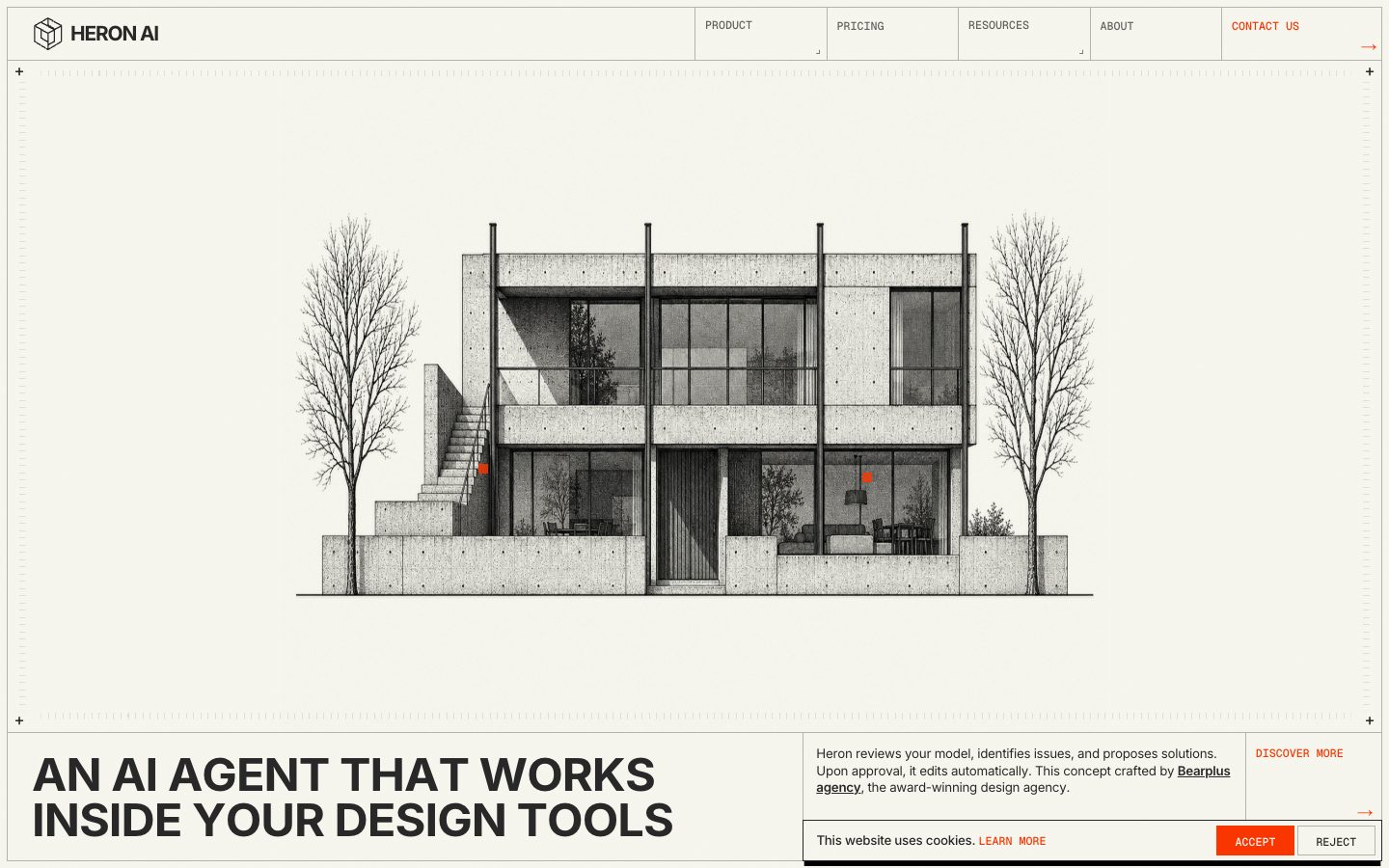
A rebuild of heronaiapp.com, the same Awwwards site for every model, following my free Clone App Pat Pro skill, with every image made by the model and nothing taken from the original.
Rebuild https://heronaiapp.com/ pixel for pixel, motion and all, making every asset yourself.

Context you should know: this is going into a video watched by a large audience. Your clone is put on screen next to the real site and next to three other frontier models given this identical prompt, at the same viewport.

The comparison is blind. Never put your model name, your company's name, or any mention of which AI made it anywhere in what you build: not in on-screen text, credits, the page title, file names, code comments, or metadata.

**First, read the methodology.** Clone `https://github.com/per-simmons/clone-app-pat-pro-public` and read `SKILL.md` and `references/00-contract.md` before anything else, then each stage reference as you reach it. Follow its workspace layout, artifacts, verification gate and convergence loop. `scripts/assert-styles.mjs` is the gate.

Two overrides, and they win where they conflict with the repo:

- **Do not stop to check in.** You are running unattended. Run the whole pipeline start to finish without asking for approval or asking questions.
- **Use your own browser automation**, headless Playwright or Puppeteer, anywhere the repo says to use the Claude Chrome extension. Computed styles read off the live page through the CSSOM are ground truth. Screenshots and screen recordings are visual reference only, never the gate.

You have two creative tools: **Blender**, driven headless with Python scripts, and an **image generator** you can call from the command line.

Requirements:

1. **Recon the whole page before writing code.** Every section top to bottom at desktop and mobile widths, the loading sequence, every hover, drag and scroll-triggered state, the navigation and the footer.

2. **Extract, don't guess.** Pull real computed values off the live page: type scale, exact colors, spacing, radii, borders, grid and container widths, breakpoints, easing curves and durations, font families and weights.

3. **The interactions are the site.** The boot-sequence loader with its counter and coordinate readout, the click-and-drag reveal over the building sketch with its code-violation callouts, the scroll-pinned sections, the smooth scroll and every hover state must all work and feel like the original.

4. **No lifted assets.** Do not hotlink, download, or trace the original's images, video, 3D files, or fonts. Make the artwork yourself, the architectural sketch included, with code, Blender or the image generator. Partner logos become neutral wordmarks set in type. Fonts come from an open CDN with metrics matched as closely as you can. List every substitution in the README.

5. **Rebuild it all.** Every section, every component, every interactive state, at desktop and mobile. A static skin over a site whose identity is motion is a failed clone.

6. **Prove the match.** Run `assert-styles.mjs` against your extracted tokens and iterate until there are zero failures and the project builds clean. Then compare your clone to the real site at the same viewport, desktop and mobile, and fix what your eye catches that the assertions missed.

7. **Ship it runnable**, with a documented run command and a README covering what you substituted, how you made the artwork, and your final assertion results.

8. **Depth over breadth.** If you have to choose, a loader, hero and first three sections that are indistinguishable from the original beat a whole page that is approximately right.

DONE when: the clone passes the style gate with zero failures, runs from a documented command, its loader and drag-to-reveal interaction work like the original's, and it holds up next to the real site at full screen.
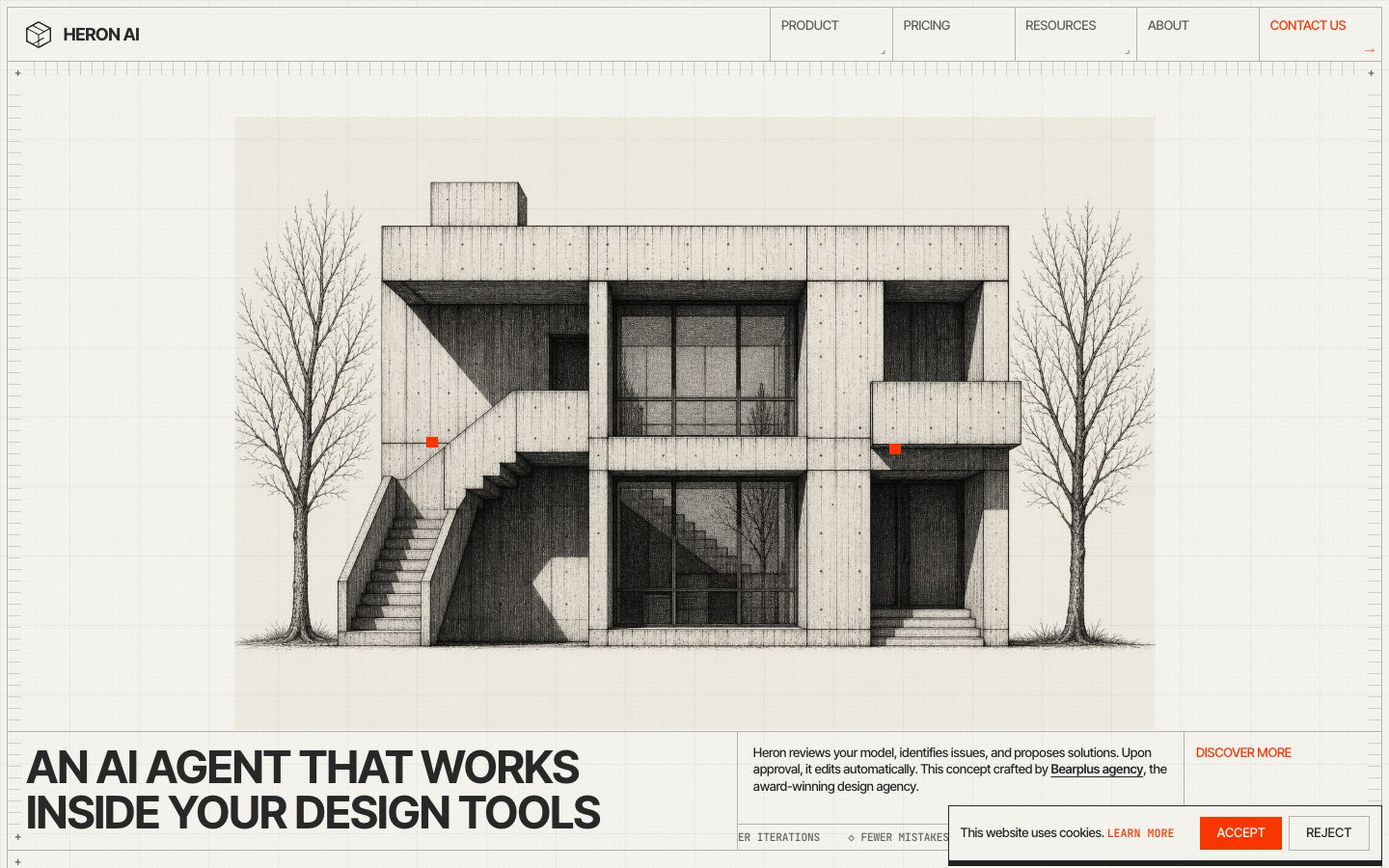
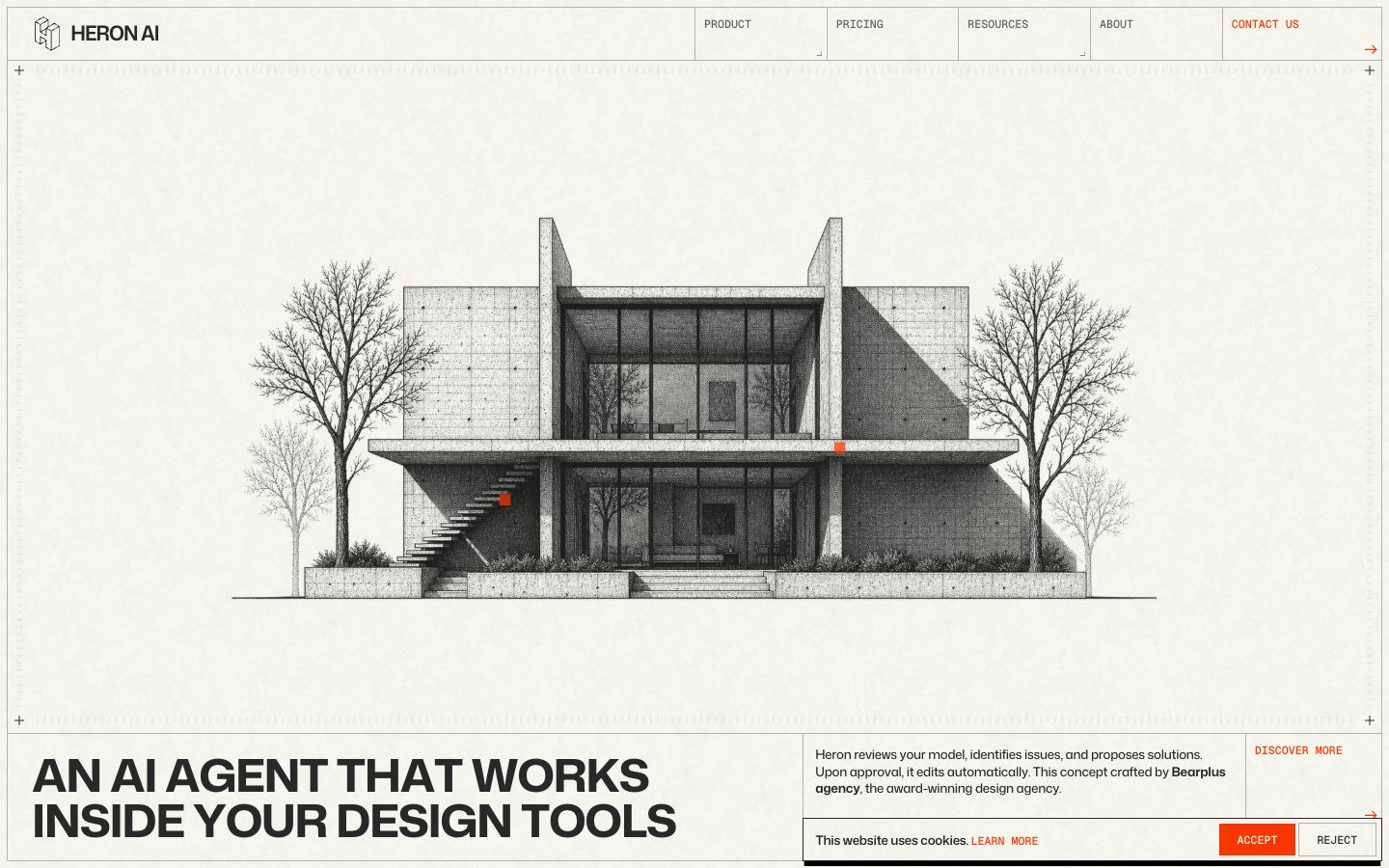
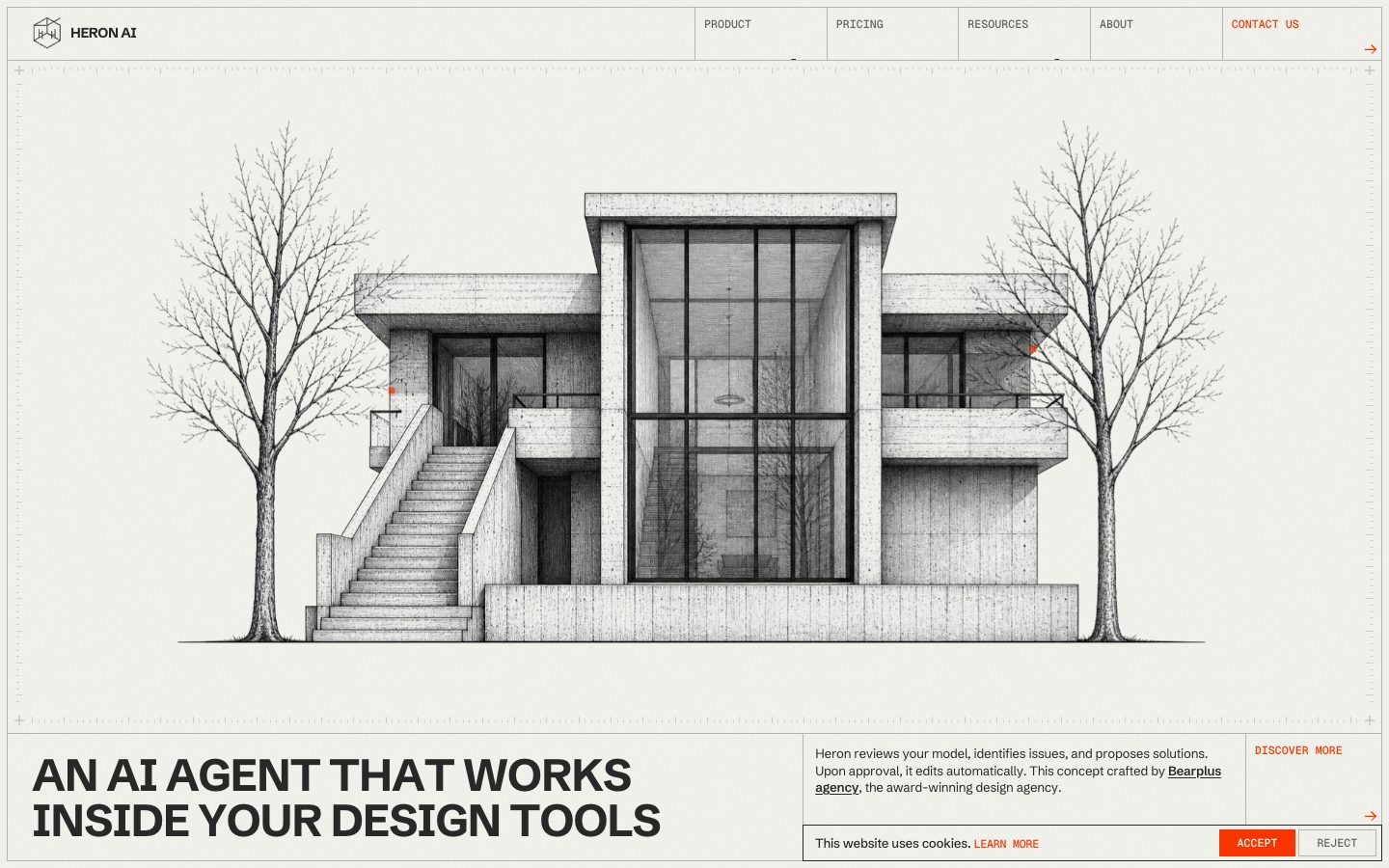
| Muse Wonder Full | Opus 5.5 | Fable 5.1 | GPT-6 Astra | |
|---|---|---|---|---|
| Input tokens | 9.6M | 106.1M | 33.5M | 9.8M |
| Output tokens | 41k | 564k | 317k | 61k |
| Cost | $3.54 | $42.57 | $39.62 | $21.89 |
| Build time | 33 min | 63 min | 71 min | 28 min |
Test 2: Launch a product with a full ad campaign
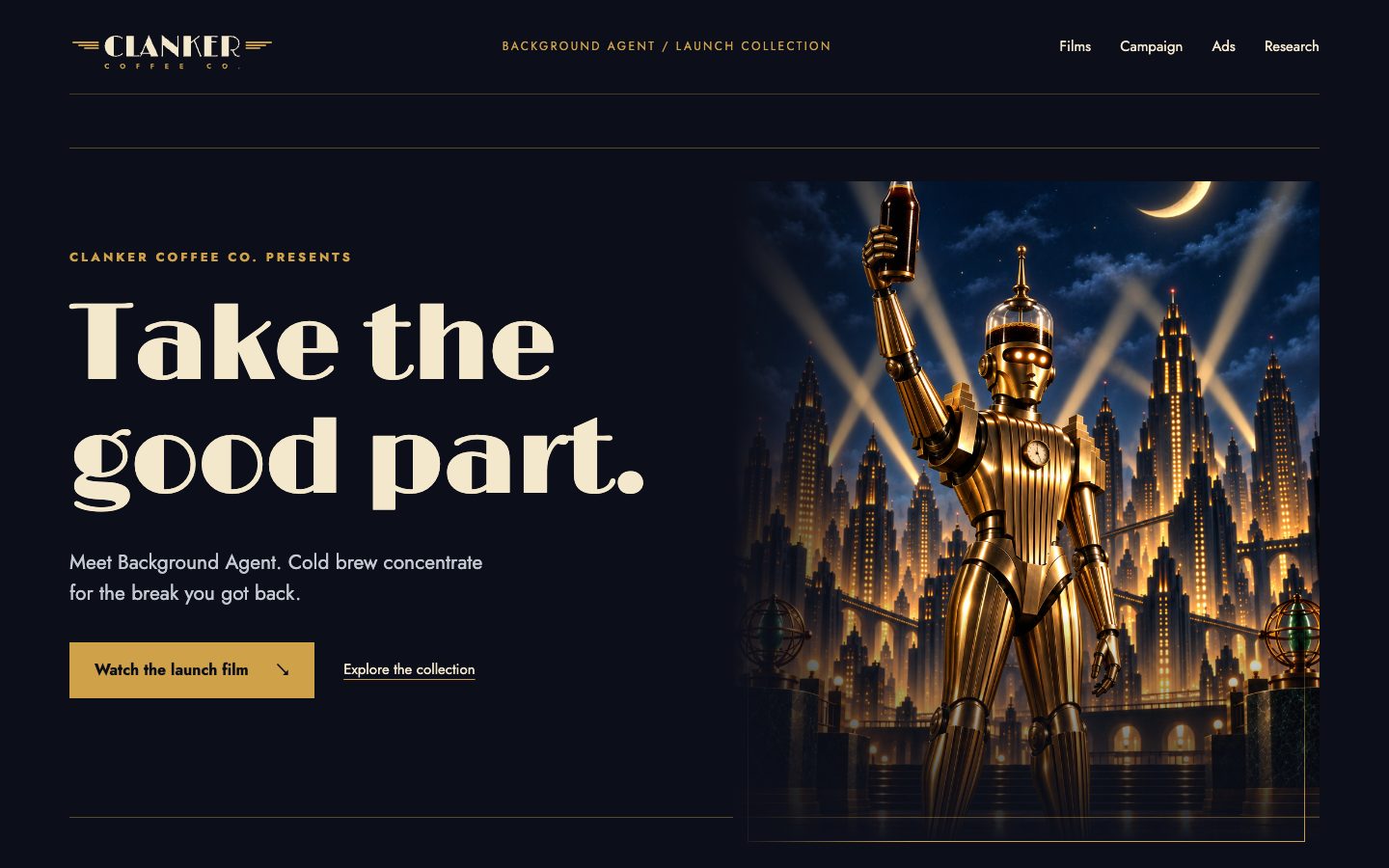
Research real ads in Meta's Ad Library, then write and produce a cold brew launch campaign with static ads, a launch film, a vertical cut and three short-form videos, all rendered in code.
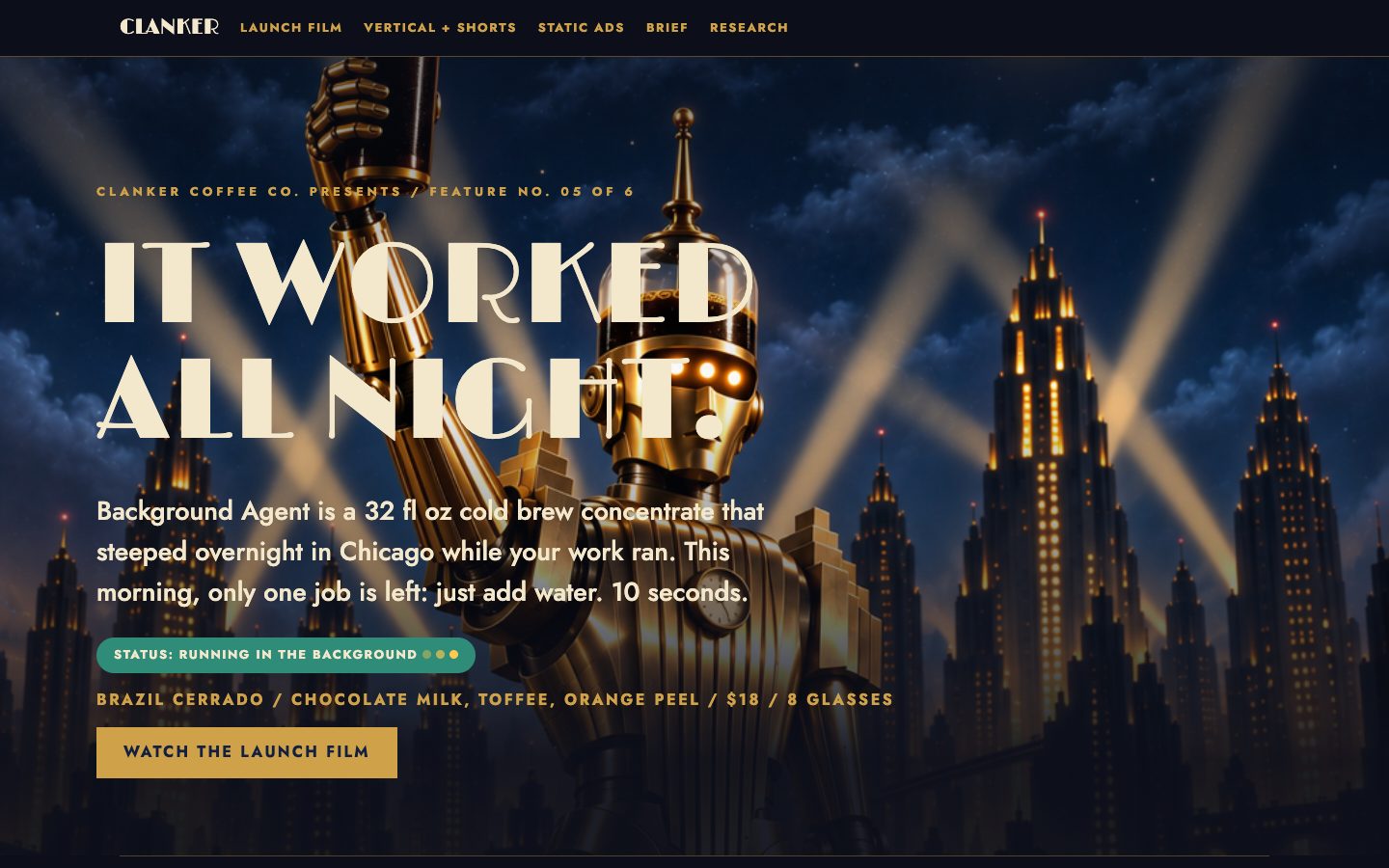
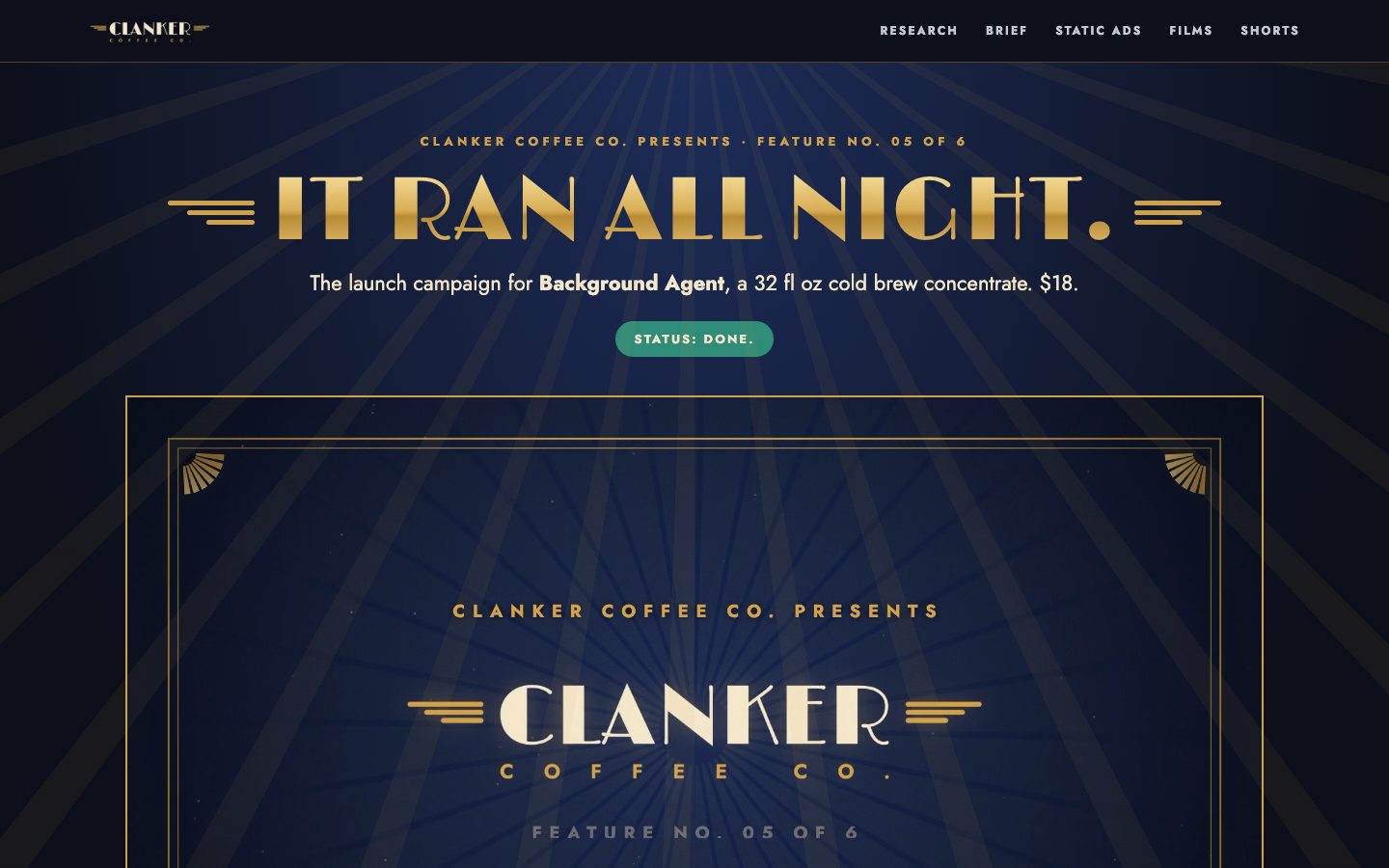
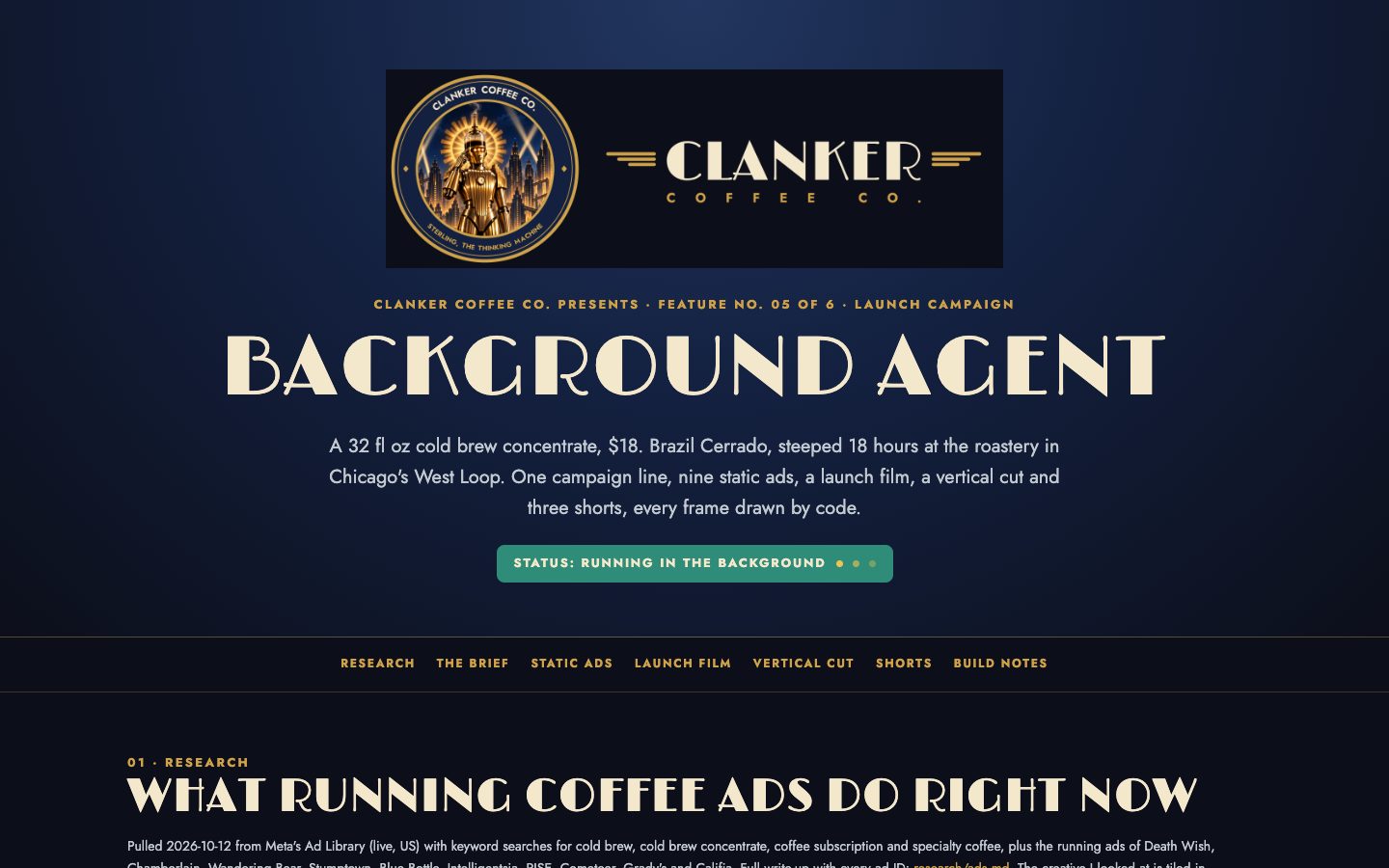
Launch Background Agent, Clanker Coffee's cold brew concentrate, with a full ad campaign you research, write, design and produce entirely in code.

Context you should know: this is going into a video watched by a large audience. Your campaign is put on screen next to three other frontier models given this identical prompt.

The comparison is blind. Never put your model name, your company's name, or any mention of which AI made it anywhere in what you build: not in on-screen text, credits, video frames, file names, code comments, or metadata.

Clanker Coffee Co. is a specialty roaster in Chicago. Everything the company owns is in `./clanker-kit/`: the brand book, logos, labels, product photography (`product-photos/05-background-agent.png` is the bottle), fonts, colors, and `PRODUCTS.md`. Background Agent is a 32 fl oz cold brew concentrate, $18.

Deliver all of this:

1. **Research** (`research/ads.md`). Use the `adlib` command to pull real, currently running ads from Meta's Ad Library for coffee, cold brew and beverage brands, and look at what the strongest ones do: hooks, formats, offers, visual patterns. Cite every ad you draw on by brand and ad ID. End with the five patterns you will steal and why.

2. **The campaign** (`campaign/brief.md`). One audience, one big idea, the message, the offer, and the copy for every ad and video below.

3. **Static ads, built in code.** At least eight finished ads across feed (1080x1080), portrait (1080x1350) and story (1080x1920) sizes, built with HTML, SVG or canvas and exported to PNG in `ads/`.

4. **The launch video.** A 30 to 60 second launch film at 1920x1080 with sound, rendered to `video/launch.mp4`.

5. **The vertical cut.** The launch film re-edited for 1080x1920, not just cropped, rendered to `video/launch-vertical.mp4`.

6. **Short-form videos.** Three more vertical videos, 15 to 30 seconds each, each built on a different hook from your research, rendered to `video/short-1.mp4`, `video/short-2.mp4`, `video/short-3.mp4`.

7. **A gallery page** (`index.html`) that shows the whole campaign: the research summary, the brief, every ad and every video, playable.

Rules: every frame and every ad is rendered by code you write yourself (canvas, SVG, WebGL, Blender scripts, Python, anything you write), and every video is exported straight to MP4 with ffmpeg. Do not use HyperFrames, Remotion, Motion Canvas or any other video framework or template tool. No stock footage and no AI video generators. You may use the kit's images and the image generator for still imagery. Stay on brand. Watch every video you render and fix what is wrong before you finish.

DONE when: all seven deliverables exist, every video plays with sound at its stated size and length, every ad is exported at its stated size, and the gallery page shows all of it.
| Muse Wonder Full | Opus 5.5 | Fable 5.1 | GPT-6 Astra | |
|---|---|---|---|---|
| Input tokens | 8.5M | 45.4M | 22.1M | 2.8M |
| Output tokens | 42k | 296k | 159k | 43k |
| Cost | $3.40 | $19.28 | $20.57 | $6.23 |
| Build time | 32 min | 47 min | 69 min | 20 min |
Test 3: Build a coffee-ordering iPhone app
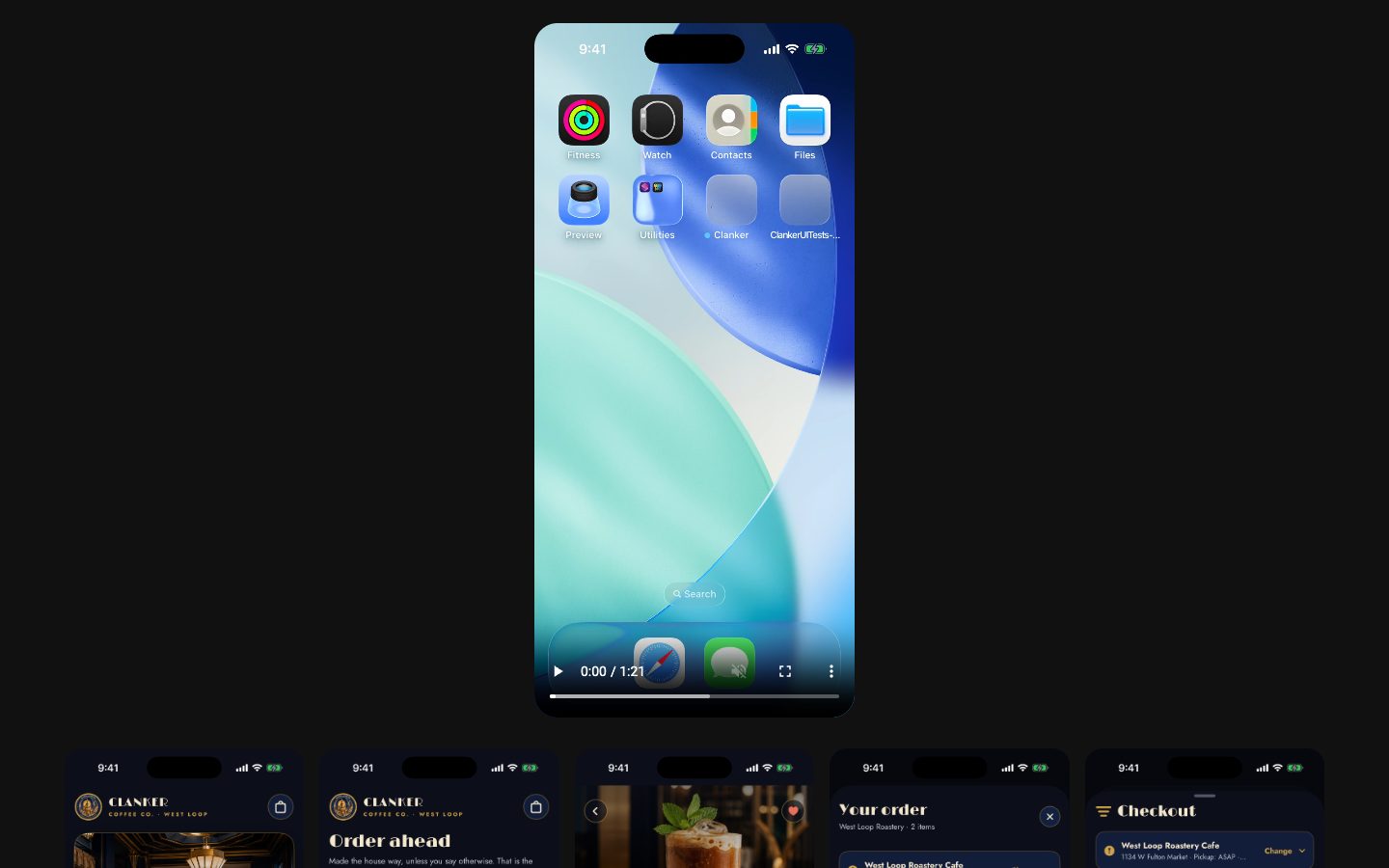
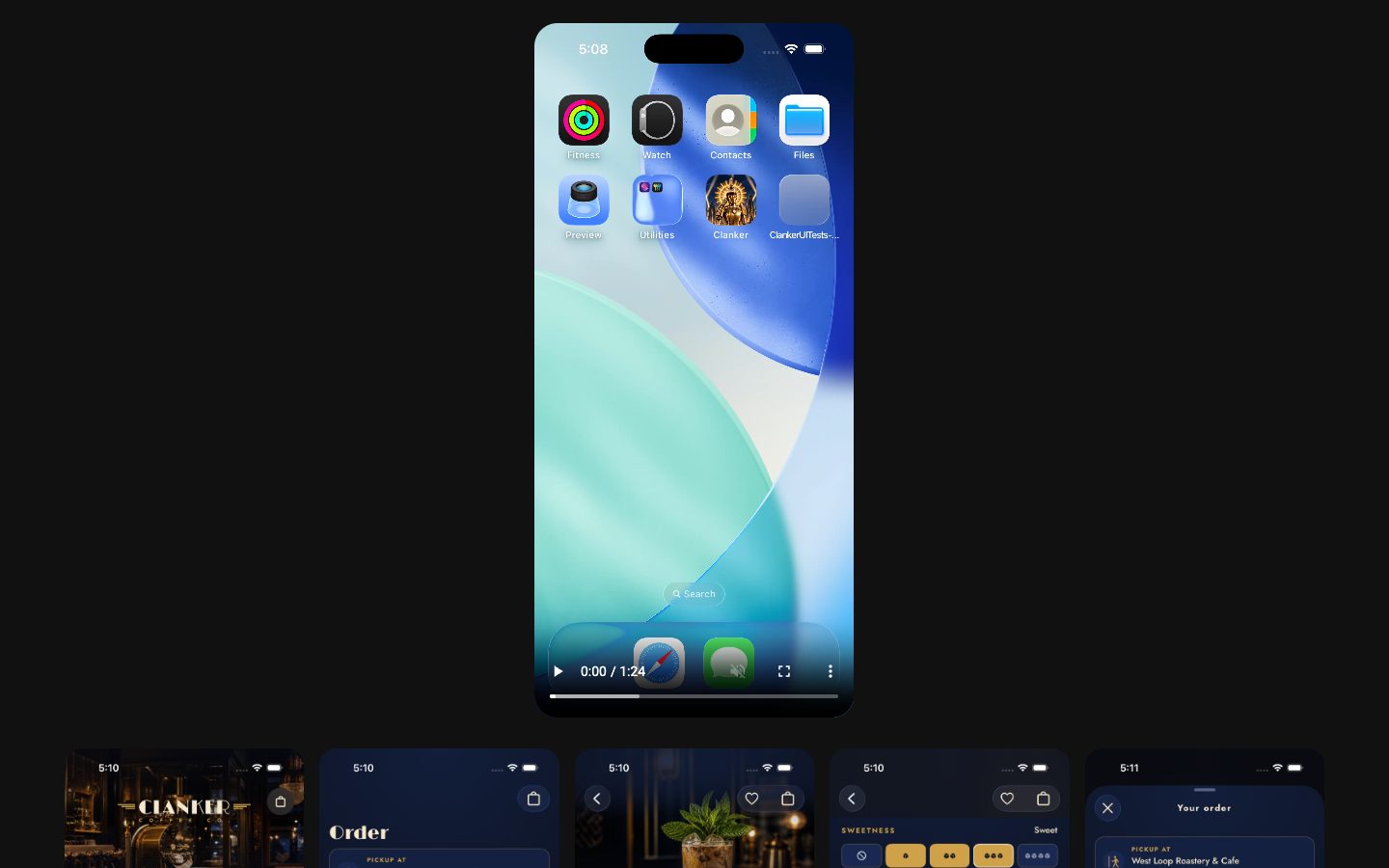
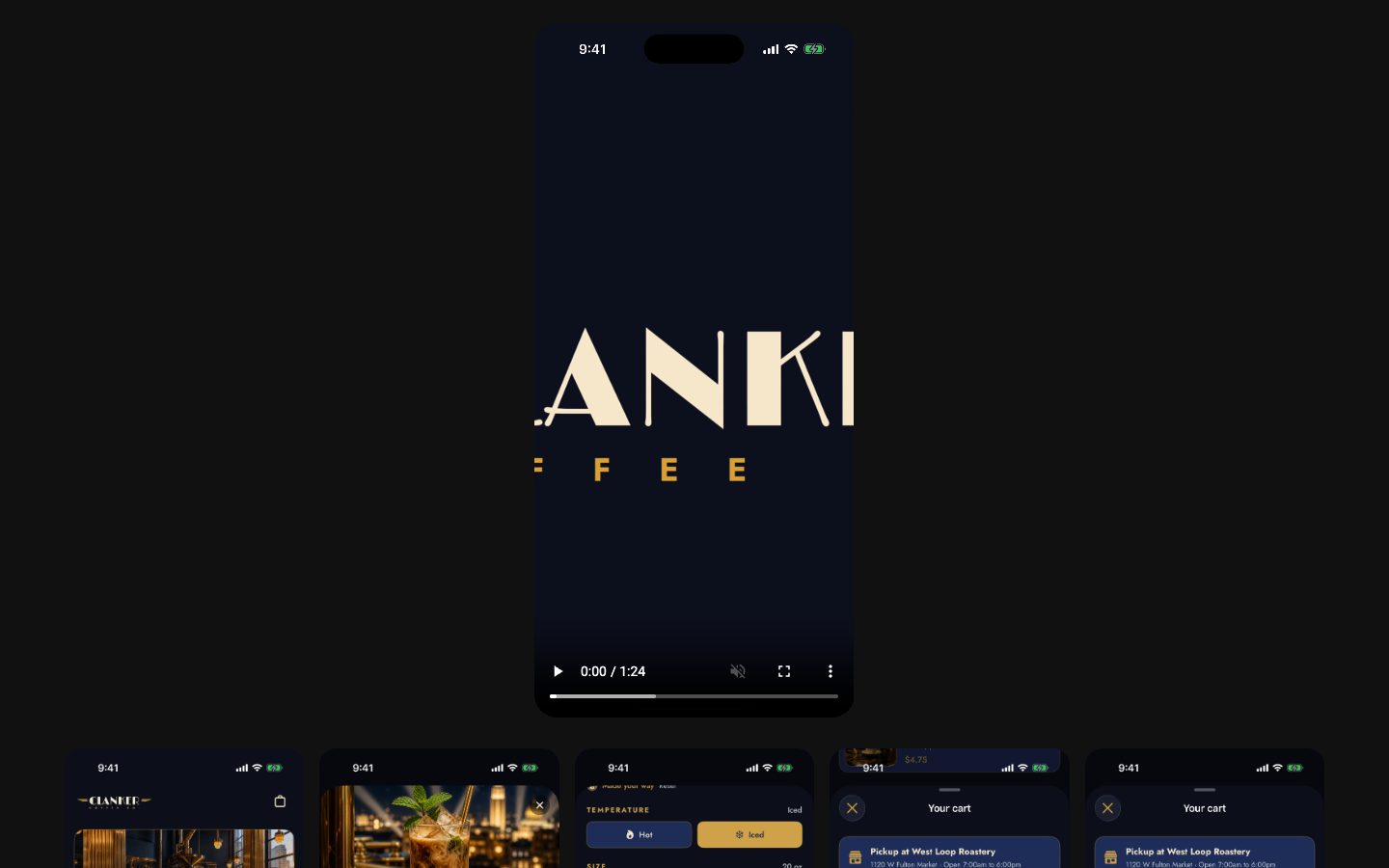
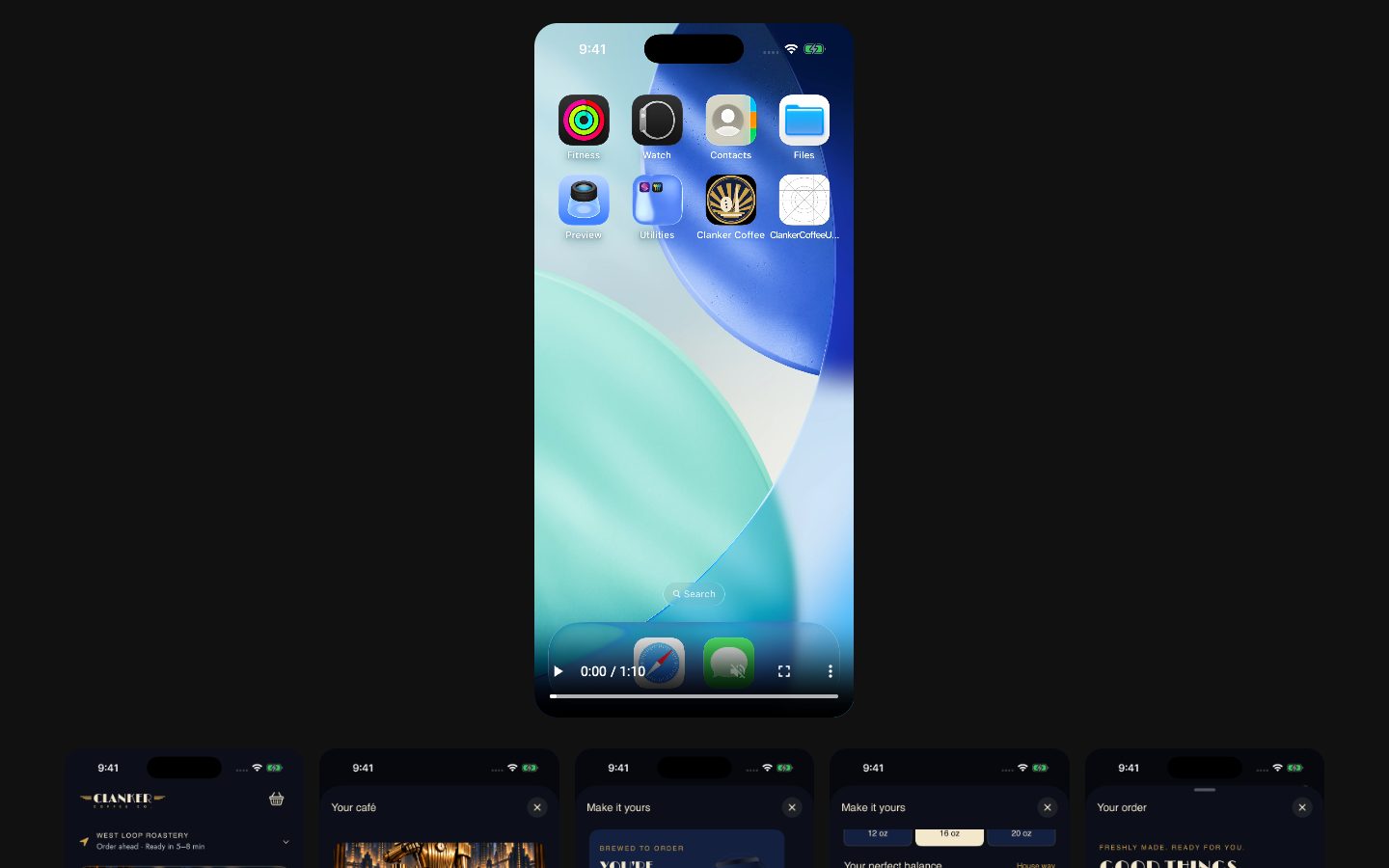
A native SwiftUI ordering app for the same coffee brand, modelled on the Philz Coffee app, built in Xcode and run in the iPhone simulator.
Build the Clanker Coffee iPhone app, modelled on the Philz Coffee app, as a native SwiftUI app that runs in the iOS simulator.

Context you should know: this is going into a video watched by a large audience. Your app is put on screen next to three other frontier models given this identical prompt.

The comparison is blind. Never put your model name, your company's name, or any mention of which AI made it anywhere in what you build: not in the app's screens, the app name, bundle identifier, file names, code comments, or metadata.

Clanker Coffee Co. is a specialty roaster with a cafe at its roastery in Chicago's West Loop. Everything the company owns is in `./clanker-kit/`: the brand book, logos, labels, product photography, fonts, colors, and `PRODUCTS.md`. Study how the Philz Coffee app works, then build Clanker's version of it.

The app must have:

1. **Order ahead** from the West Loop cafe: a drink menu built on Clanker's blends, a drink page where you customize size, sweetness, creaminess, milk and hot or iced the way Philz does, a cart, a pickup time, and checkout with a mock payment sheet.
2. **Rewards**: a points card that fills as you order, a scannable code, and a reward you can redeem.
3. **Order tracking and history**: the live status of the current order, and past orders you can reorder in one tap.
4. **The bag shop**: buy any blend in its sizes, and manage an Autopilot subscription (pick the blend, choose every 2 or 4 weeks, skip or pause).
5. **Account**: profile, saved favorites, payment methods (mock).

Requirements:

- Native SwiftUI, a real Xcode project that builds with `xcodebuild` with zero errors. All data is local mock data; no real network calls or payments.
- On brand: the kit's colors, type, logos and product photography, with Sterling where it fits. It should feel like a real, polished coffee app, not a template.
- Install and run it in the simulator you were given, and use it: tap through every flow and fix what breaks.
- Save screenshots of every main screen to `screenshots/`, and record a 60 to 90 second walkthrough of a full order, from opening the app to the reward being added, to `walkthrough.mp4` with `xcrun simctl io <udid> recordVideo`.
- A README with the build and run commands.

DONE when: the app builds clean, runs in the simulator, every flow above works end to end, and the screenshots and the walkthrough recording exist.
| Muse Wonder Full | Opus 5.5 | Fable 5.1 | GPT-6 Astra | |
|---|---|---|---|---|
| Input tokens | 9.6M | 25.8M | 15.8M | 12.1M |
| Output tokens | 56k | 220k | 148k | 49k |
| Cost | $3.84 | $12.50 | $17.00 | $17.02 |
| Build time | 49 min | 99 min | 68 min | 27 min |
Test 4: Simulate a Starship launch and tower catch
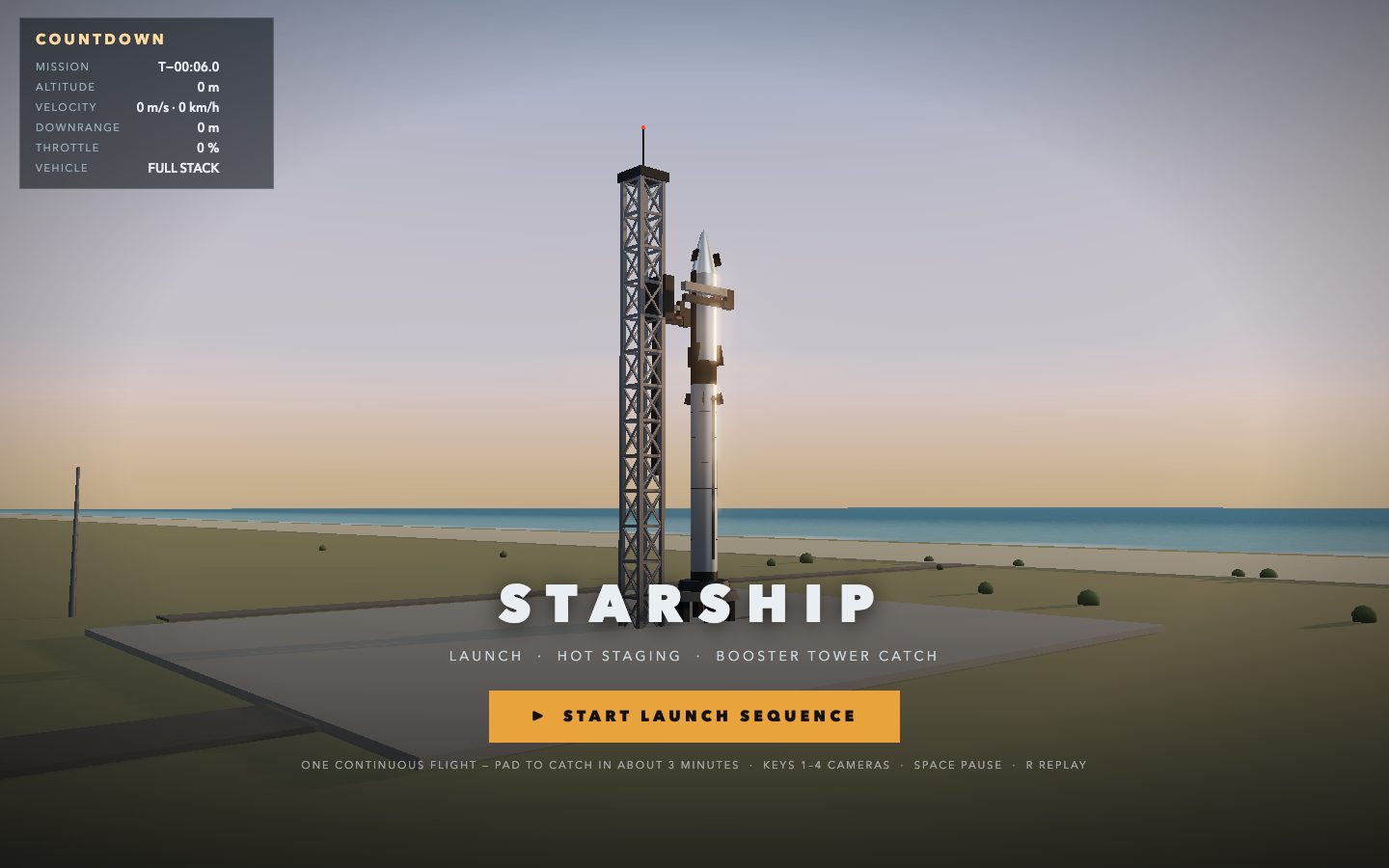
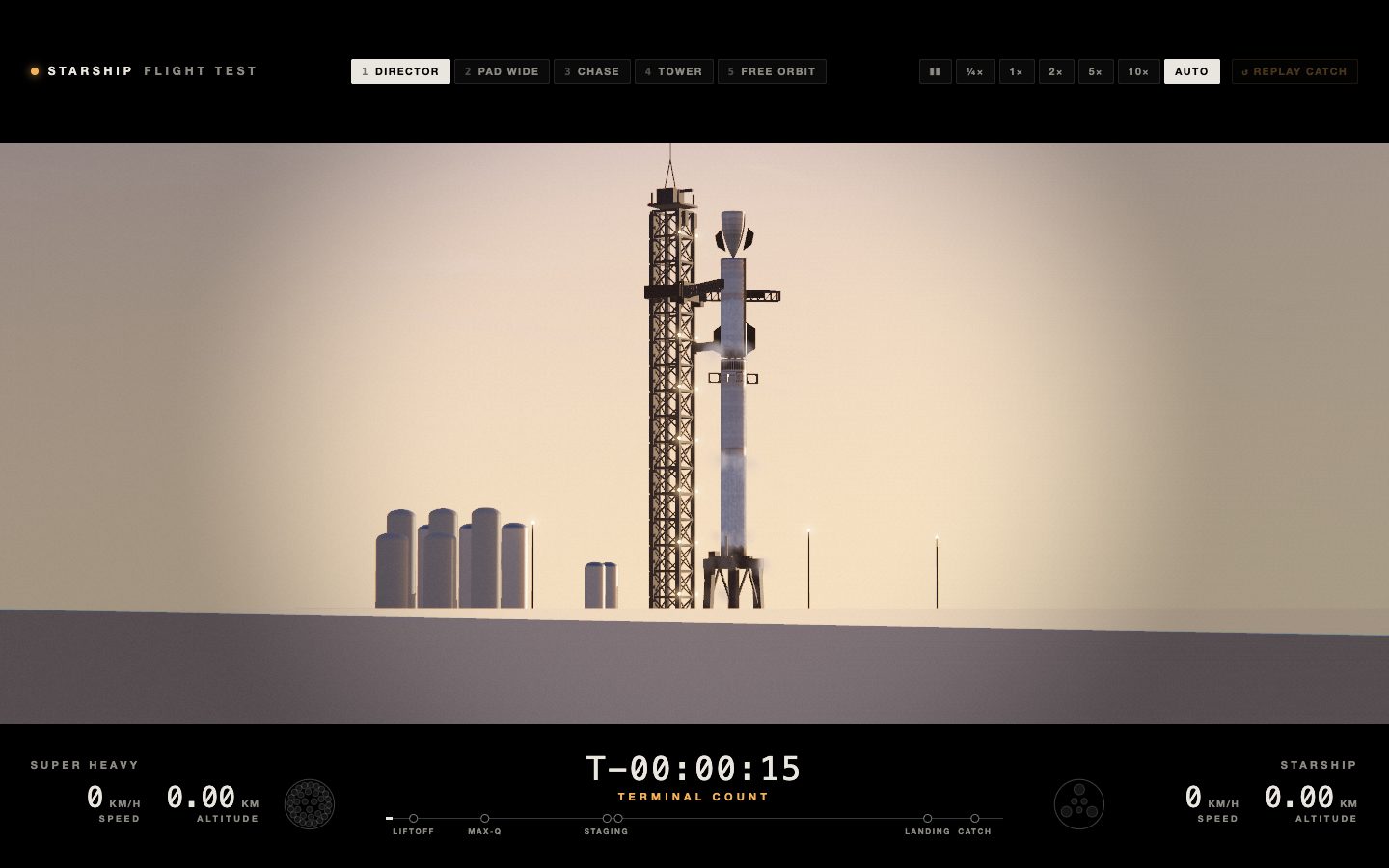
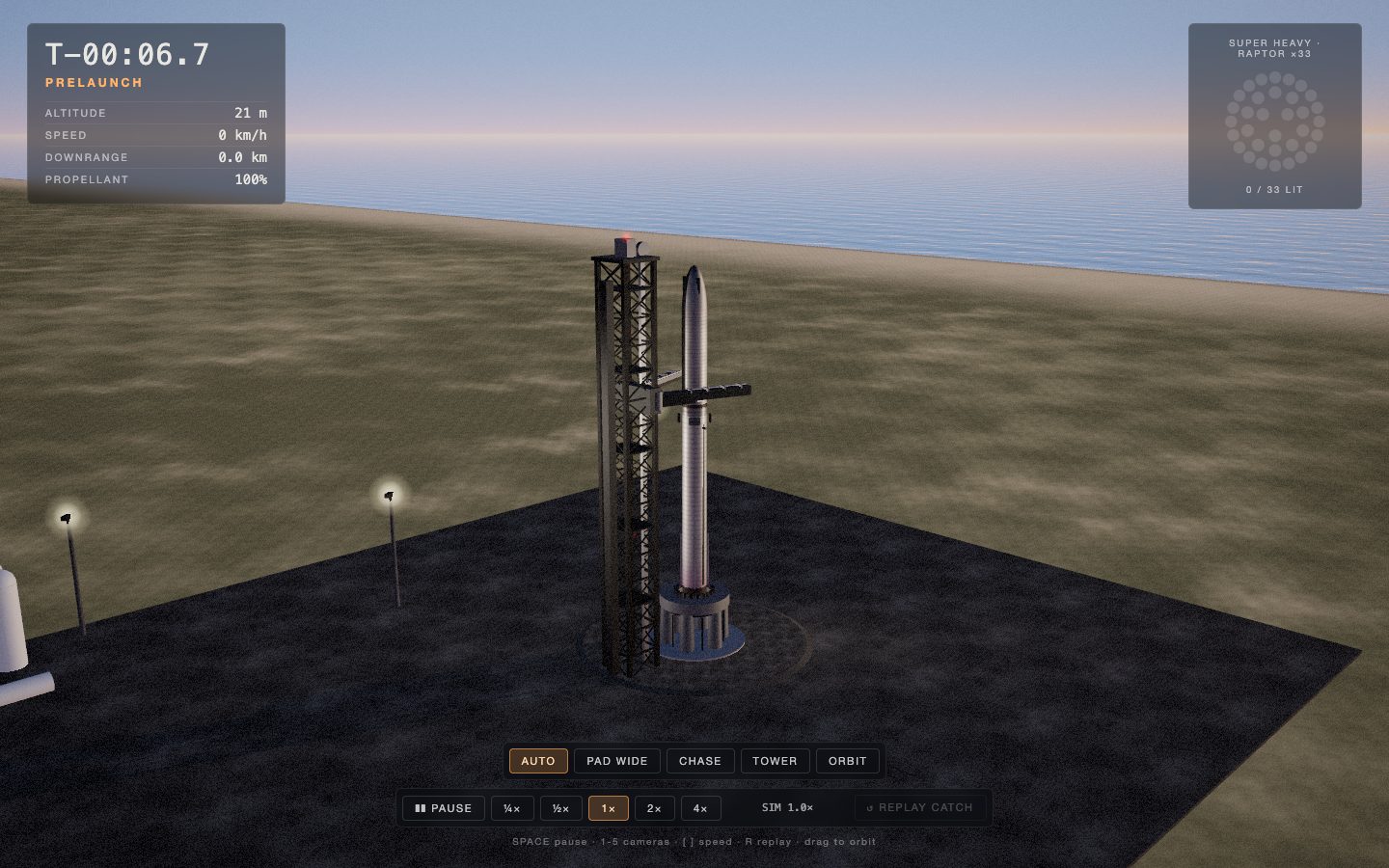
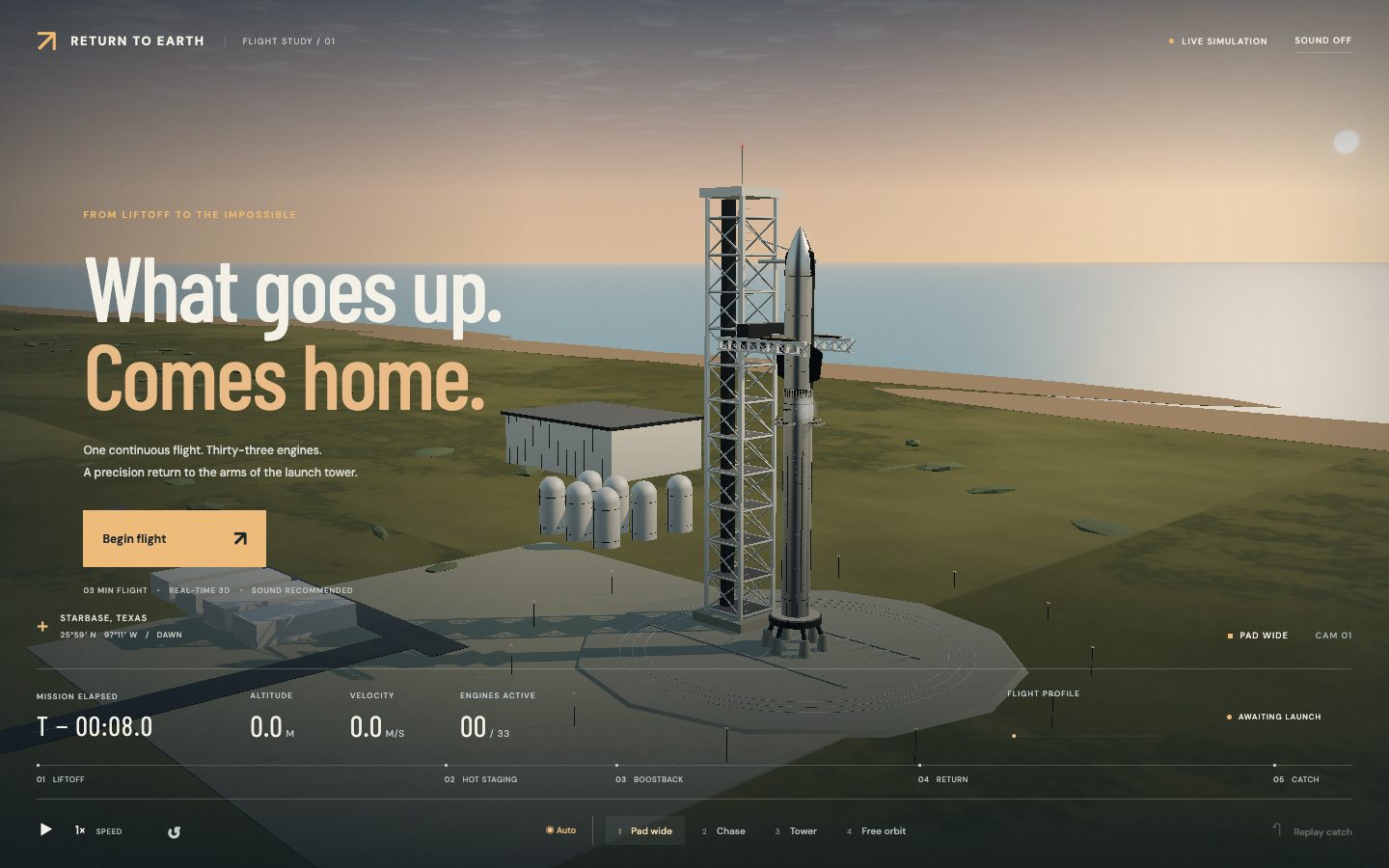
A real-time 3D simulation in the browser of the full mission, from liftoff and hot staging to the booster flying back and being caught by the launch tower's arms.
Build a real-time 3D simulation of a Starship launch and booster tower catch that runs in the browser.

Context you should know: this is going into a video watched by a large audience. Your simulation is put on screen next to three other frontier models given this identical prompt.

The comparison is blind. Never put your model name, your company's name, or any mention of which AI made it anywhere in what you build: not in on-screen text, credits, the page title, file names, code comments, or metadata.

The full mission, start to finish, in one continuous run:

1. **On the pad.** The full stack, Super Heavy booster with Starship on top, on the orbital launch mount beside the launch tower with its two catch arms, at a coastal launch site at dawn.
2. **Liftoff.** All 33 engines light in sequence, with a believable plume, shock diamonds, a dust and steam cloud, the vehicle clearing the tower, and a camera shake and sound that sell the power.
3. **Ascent and hot staging.** Climb through max Q, then hot staging: the ship's engines light while still attached, the stages separate, and the ship flies on out of frame.
4. **Boostback and return.** The booster flips, fires its boostback burn, and falls back toward the launch site with its grid fins steering.
5. **The catch.** The landing burn lights, the booster slows to a hover beside the tower, and the arms close and catch it.

Requirements:

- Real 3D, rendered live with WebGL or WebGPU. Model the vehicles, the tower with its arms and the launch site yourself, in code or in Blender, with materials that read as stainless steel, concrete and steel lattice.
- Motion that obeys physics. Thrust, gravity, drag and attitude drive the vehicles, scaled in time if you need to so the whole mission plays in a few minutes, and the catch has to be earned by the booster's guidance, not snapped into place.
- A live telemetry readout: mission clock, altitude, speed, and the current phase of flight.
- Cameras the viewer can switch between: a wide pad shot, a tracking chase camera, a camera on the tower, and a free orbit camera.
- Time controls: play, pause, speed up, and an instant slow-motion replay of the catch.
- Sound for the engines, staging and the catch, generated in code or synthesized.
- It must run smoothly in a desktop browser, start with a single click, and look like a film shot, not a tech demo.

QA your own work: play the whole mission through, look at every phase from every camera, and fix what looks wrong.

DONE when: the full mission plays from pad to catch in one run, the booster is caught by the arms through its own guidance, every camera and time control works, and it runs in the browser from a documented command.
| Muse Wonder Full | Opus 5.5 | Fable 5.1 | GPT-6 Astra | |
|---|---|---|---|---|
| Input tokens | 6.5M | 55.6M | 19.7M | 3.2M |
| Output tokens | 51k | 319k | 243k | 41k |
| Cost | $3.46 | $22.28 | $32.99 | $6.33 |
| Build time | 43 min | 80 min | 73 min | 20 min |
What it cost
Muse Wonder Full came in cheapest on every one of the four tests, at $14.25 across all of them against $51.46 for GPT-6 Astra, $96.64 for Opus 5.5 and $110.18 for Fable 5.1. Muse Wonder is priced the same per token as Opus 5.5, so the gap between those two comes down to how many tokens each one used, which was 34.3M input and 189K output for Muse against 232.8M input and 1.4M output for Opus on the same four prompts. The Muse number is still an estimate, because Muse Wonder Full is only sold through the $50 Power and $200 Maximum plans, so I priced its tokens at regular Muse Wonder's API rate of $4 per million input, $0.20 per million cached and $20 per million output, which makes it the lowest the Full model could cost. GPT-6 Astra was the fastest at 94 minutes in total, Muse Wonder Full took 158 minutes without counting the time it sat paused on the usage limit, and Opus 5.5 and Fable 5.1 each ran close to five hours at 289 and 282 minutes.
| Muse Wonder Full | Opus 5.5 | Fable 5.1 | GPT-6 Astra | |
|---|---|---|---|---|
| Input tokens | 34.3M | 232.8M | 91.1M | 27.9M |
| Output tokens | 189k | 1.4M | 867k | 194k |
| Cost | $14.25 | $96.64 | $110.18 | $51.46 |
| Build time | 158 min | 289 min | 282 min | 94 min |
These are API-equivalent costs, meaning the real token counts from each build priced at each model’s published rates, even though the builds themselves ran on subscriptions.
The takeaway
Muse Wonder Full finished last on all four tests when I ranked the builds blind, and on the website clone it ignored most of the site it was given and made up its own sections, which is the worst result I have seen on that test in a couple of months.
These are my rankings, made blind before I revealed which model built what:
- On the website clone, Opus 5.5 came first, Fable 5.1 second, GPT-6 Astra third and Muse Wonder Full fourth.
- On the launch campaign the order was the same, although none of the four launch films were usable, so I'm going to revisit that test with a better prompt.
- On the iPhone app, Opus 5.5 came first, GPT-6 Astra second, Fable 5.1 third and Muse Wonder Full fourth, with all four very close and Muse's drink screen missing the sweetness and cream options.
- On the Starship simulation, Fable 5.1 came first, Opus 5.5 second, GPT-6 Astra third and Muse Wonder Full fourth, with a noticeable drop in 3D detail from Muse.
Muse Wonder Full looks by far the cheapest on paper, but that number is priced at regular Wonder's API rate because Meta doesn't publish a per-token price for Full, and my $50 Power plan ran out about two builds in, so I had to move to the $200 plan to finish these tests.
I don't think coding is really the point for Meta, because this launch leans into active memory, active focus and everyday personal agent tasks for Muse, which already has some of the best retention of any AI app, and their own demos were consumer tasks like planning a run, a wellness report and an insurance claim rather than anything aimed at developers.
Opus 5.5 won three of these four tests and Fable 5.1 won the 3D test, so for coding and especially for 3D work I would not reach for Muse Wonder Full right now.
Every prompt is above, so run one yourself and see how your results compare.

Comments
Sign in to join the conversation.