
Perplexity Desktop App: What Personal Computer Does on Mac and Windows, and How to Get It
Perplexity's desktop app, Personal Computer, runs on macOS 15 or later and Windows 10 or 11, and lets its Computer agent work with your files, apps and the web.

On this page
- Is Perplexity available on desktop?
- What is Perplexity Personal Computer?
- Personal Computer vs Perplexity Computer: what's the difference?
- How to download and set up Perplexity on a Mac
- Can you use Perplexity AI on a Windows PC?
- How much does Perplexity's desktop agent cost?
- What it can touch on your computer, and what it asks first
- Questions people ask
Yes, Perplexity runs on desktop. Its desktop app is called Personal Computer, and it works on any Mac running macOS 15 Sequoia or later and on PCs running Windows 10 or Windows 11, according to Perplexity's help article on Personal Computer. It can work with local files you allow, native Mac apps and the web, and on Windows it alerts you before a sensitive step such as sending an email or deleting a file.
Perplexity Computer, the agent that carries out multi-step jobs for you, runs in the cloud and is built into Personal Computer. Ordinary Ask searches use no credits. Computer jobs use credits (100 credits cost $1), and paid Pro plans now include a weekly amount of Computer use. Download the app from perplexity.ai, or on Windows from the Microsoft Store.
Last checked November 27, 2026: system requirements, setup steps, plan availability and credit amounts, all from Perplexity's own product pages and help center, linked below where each fact appears.
Is Perplexity available on desktop?
Yes. Perplexity has one desktop app for Mac and Windows, and Personal Computer is built into it. Perplexity's help center calls it "the Perplexity desktop app for Mac and Windows, rebuilt from the ground up around Computer."
The Mac version needs macOS 15 Sequoia or later. The Windows version needs Windows 10 version 1809 or later, or Windows 11. On Linux, Perplexity offers Portable Computer instead, which runs AI models on NVIDIA DGX Spark and on PCs with a supported NVIDIA RTX graphics card.
Download it from Perplexity itself. When we checked Google on November 27, 2026, the top result for "perplexity desktop" was a SourceForge download page labeled "Simplexity AI", which is not Perplexity's site. Perplexity's help center sends Mac users to perplexity.ai/personal-computer and Windows users to the Microsoft Store or Perplexity's own download page.
What is Perplexity Personal Computer?
Personal Computer is Perplexity's desktop app with Computer, its agent, built in, so the agent can work with what's on your machine as well as on the web. Perplexity says Computer splits a job across teams of agents running on 20+ AI models and picks the models for each task itself, so you don't choose one.
Here is what the desktop app adds, per the help article:
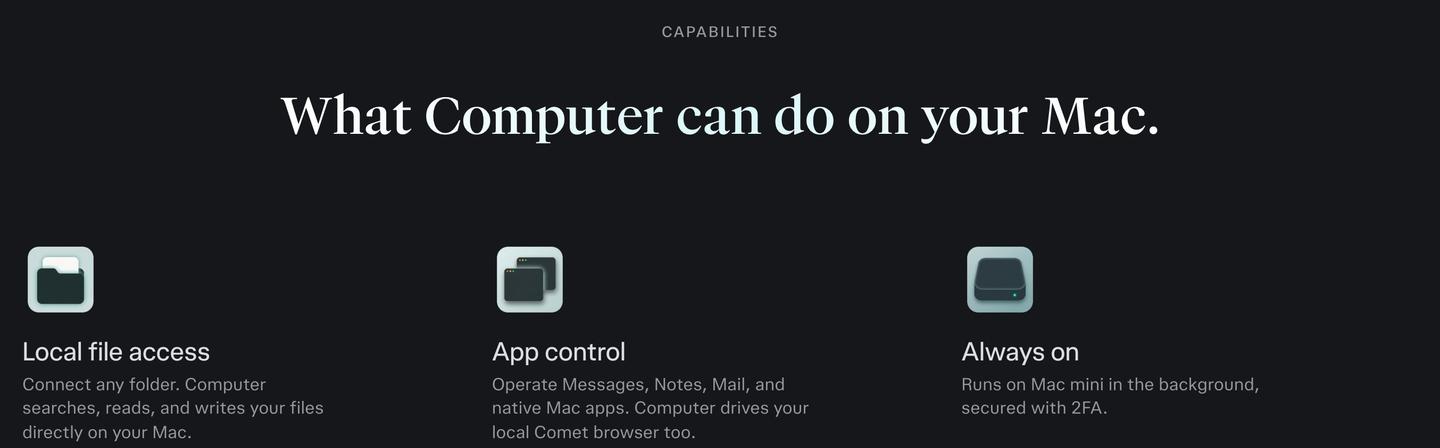
- Local files: connect any folder, and Computer can read, write and search it.
- A floating task bar that one keyboard shortcut opens from any app.
- Control of Mail, Finder, Slack, Messages, Notes and other native Mac apps (not yet on Windows).
- Voice mode, so you can say what you want done.
- Always-on use on a Mac mini, which keeps working when your laptop is closed.
- An iPhone remote for starting tasks away from your desk.
- Local models that run tasks on your own hardware.
Local models need strong hardware. On a Mac that means Apple silicon with 32 GB of memory or more (36 GB is recommended for Local mode, where the whole task stays on the Mac), or 16 GB for one smaller model in Hybrid mode, which splits the work with the cloud. Local models are available to Pro, Max and Enterprise subscribers, and work the local model does uses no Computer credits.
Personal Computer vs Perplexity Computer: what's the difference?
Computer is the agent, and Personal Computer is the desktop app that gives that agent access to your machine. Perplexity puts it this way: "Personal Computer is the superset; Computer is a feature within it."
Perplexity Computer is web-based and runs its tasks in the cloud, in an isolated sandbox (a sealed-off workspace). Personal Computer does everything Computer does and can also reach your files, apps and desktop. If a job only needs the web, Computer in the browser covers it. If it needs a spreadsheet on your hard drive or your Mac's Mail app, it needs Personal Computer.
For the rest of what the company has shipped lately, see Perplexity's latest updates.
How to download and set up Perplexity on a Mac
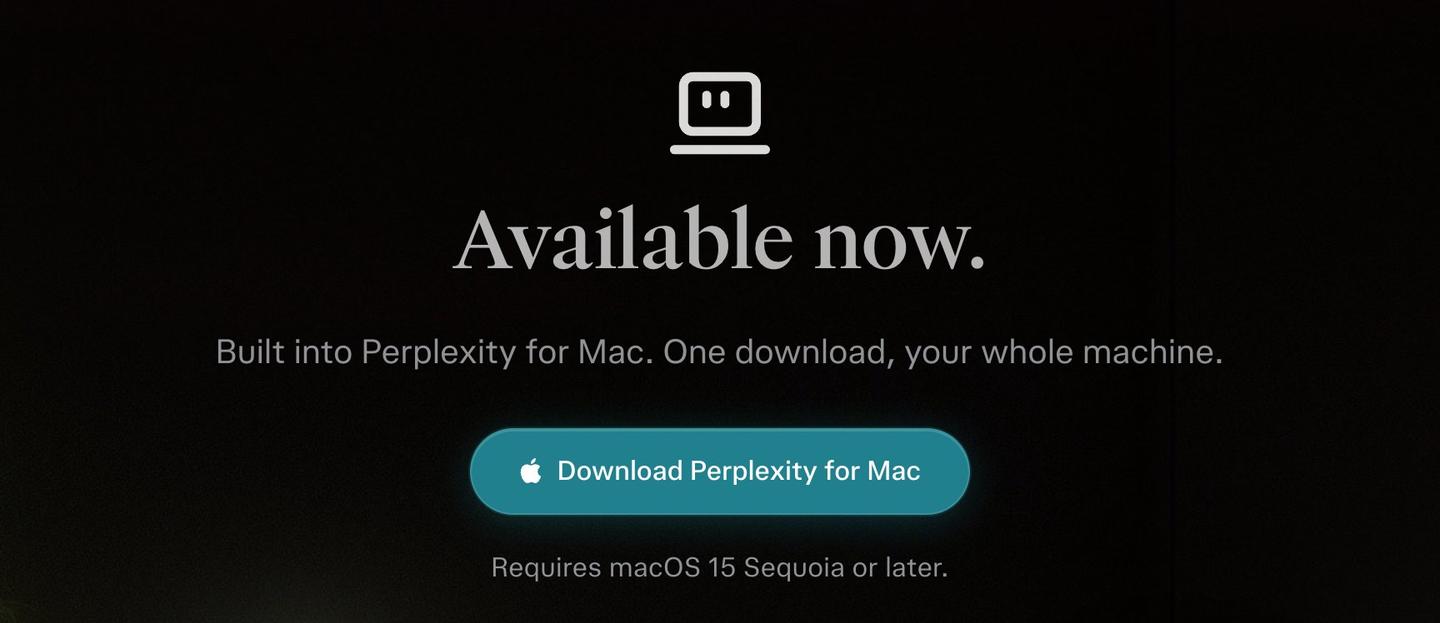
Download the app from Perplexity's Personal Computer page, open the disk image (DMG) it downloads, drag Perplexity into your Applications folder, then open it and sign in. Keep it in Applications: Perplexity says the Mac app only updates itself automatically from there.
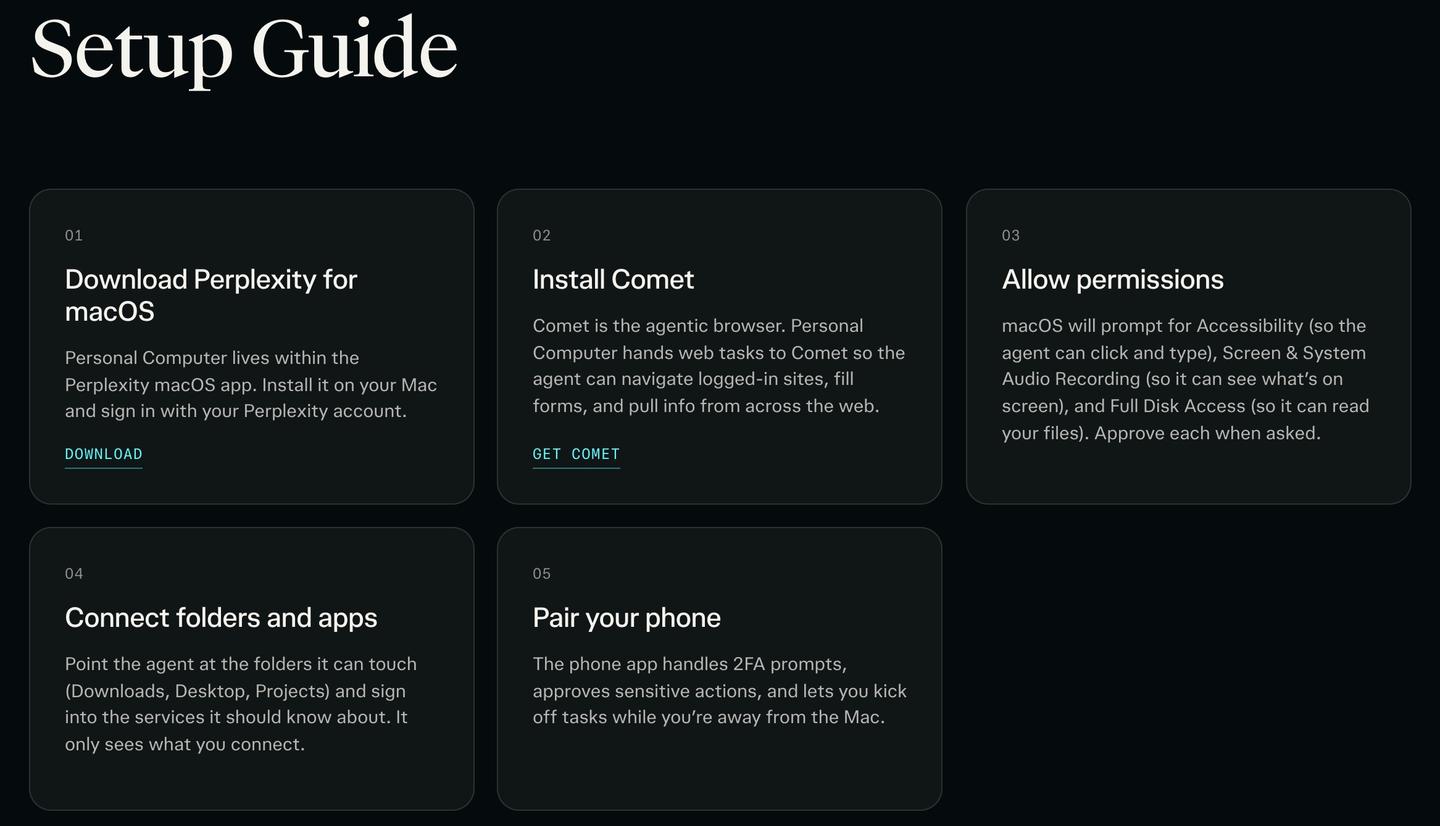
Perplexity's setup guide for Mac then lists five steps:
- Install the Perplexity macOS app and sign in with your Perplexity account.
- Install Comet, Perplexity's browser, which the agent uses for web tasks on sites you're signed in to.
- Approve the Accessibility, Screen & System Audio Recording and Full Disk Access prompts when macOS asks.
- Point the agent at the folders it may touch (for example Downloads, Desktop and Projects) and sign in to the services it should use.
- Pair your phone, which handles two-factor sign-in prompts, approves sensitive actions and starts tasks while you're away.
Comet is optional if you already use Chrome or another Chromium browser: the help center says the Perplexity extension in a Chromium browser also lets Computer control your browser. Neither the Mac page nor the setup guide names a required plan for the Mac app. Computer jobs still draw on credits or Pro's weekly allowance, covered in the cost section below.
Can you use Perplexity AI on a Windows PC?
Yes. Perplexity launched Personal Computer for Windows on July 28, 2026, and its launch post says it is available to Pro, Max and Enterprise subscribers on Windows 10 and 11.
To install it, Perplexity's getting-started article gives two routes: install Perplexity from the Microsoft Store, or download and run the Windows installer from Perplexity's download page (it uses the Microsoft Store's install and update system in the background). Then open the app and sign in. On first run the app can offer "Enable local access", which turns on access to your files in one step.

Perplexity's launch post lists what it can do on Windows. It can create or edit local Word and Excel files, find files in Downloads and move them into the right File Explorer folder, and work through a to-do list in Notepad across local files, Outlook email, connected apps and the web. You can start a task on your phone and have Computer finish it on the PC.
One Mac feature is missing on Windows: control of other installed apps is Mac-only for now. Browser control works on both through Comet or the Perplexity extension in a Chromium browser.
How much does Perplexity's desktop agent cost?
Searches don't use credits: Perplexity's credits article says Ask searches use no credits. Credits are used only by Computer, and today 100 credits cost $1. Paid Consumer Pro plans include a weekly amount of Computer use before any credits are needed.
| Plan | Computer use included | Credits each month | One-time new-subscriber bonus |
|---|---|---|---|
| Pro (paid) | A weekly amount, separate from credits | None | 4,000 credits, expire in about 30 days |
| Max | Credits only | 10,000 | 35,000 credits, expire in about 30 days |
| Enterprise Pro | Credits only | 500 | 8,000 credits, expire in about 30 days |
| Enterprise Max | Credits only | 15,000 | 40,000 credits, expire in about 30 days |
The weekly Pro allowance resets 7 days after you first use it, and unused time does not roll over. It doesn't apply to promotional or non-paying Pro plans. If you have the allowance but no credits, Computer runs on the Light effort setting, and the other settings become available once you have credits. Perplexity Pro now includes weekly use of Computer covers that change in detail.
Perplexity gives these example costs per task, and says they are examples, not guarantees:
| Task | Typical credits | In dollars at 100 credits = $1 |
|---|---|---|
| Quick fact or definition | 15 to 70 | $0.15 to $0.70 |
| Multi-step research report | 350 to 950 | $3.50 to $9.50 |
| Data dashboard | 2,400 to 9,800 | $24 to $98 |
| Entire app or multi-day build | 15,000+ | $150+ |
On plan prices, Perplexity's plan guide lists Enterprise Pro from $40 a month or $400 a year per seat, and Education Pro at $10 a month for verified students and educators. Our guide to what Perplexity's free plan gets you covers the free plan and what Pro costs.
What it can touch on your computer, and what it asks first
Personal Computer only sees the folders, apps and accounts you connect. The setup guide says "It only sees what you connect," and on a Mac it asks for these permissions:
| macOS permission | What Perplexity uses it for | When it asks |
|---|---|---|
| Accessibility | Identify the windows and apps you're working with | During setup |
| Screen Recording | Capture app previews for visual context | When a feature needs it |
| Full Disk Access | Search and open files across your Mac | When a feature needs it |
| Microphone | Voice input | When a feature needs it |
Working with Notes or Mail can prompt for more access. Inside a folder you've connected, Perplexity's app overview says it can use files without asking every time, though sensitive actions may still need your approval.
Perplexity says on-device authorization protects sensitive steps, and its Windows launch post says the app always alerts you before sending an email or deleting a file. Your paired phone can approve those steps when you're away, and Mac mini sessions are secured with two-factor authentication. In Hybrid mode on a Mac, a privacy gate can mask sensitive details, keep a step on the Mac, refuse the action or ask for your consent before information from a protected file goes to the cloud.
If your organization manages your Perplexity account, an administrator has to allow desktop tools before Perplexity can use files on your computer. Perplexity also says Perplexity Enterprise doesn't train on company data.
Questions people ask
Do I need a Mac mini to use Personal Computer?
No. It works on any Mac running macOS 15 Sequoia or later. Perplexity recommends a Mac mini only for always-on use, since it can run in the background while your laptop is closed.
Is there a Perplexity desktop app for Linux?
Linux gets Portable Computer, installed with apt (Ubuntu's package installer). It runs on Ubuntu PCs with a supported NVIDIA RTX graphics card with 24 GB or more of video memory, and on NVIDIA DGX Spark. The whole task can run on your device, and it asks before sending anything to the cloud.
I have the old Perplexity desktop app. Will it update itself?
No. Perplexity's upgrade guide says older Windows and Mac apps don't upgrade to the new app automatically: install the new one, sign in to the same account, check your work is there, then delete the old app. Removing the old app doesn't delete your account, Projects or cloud threads. Perplexity set the old Windows app to stop working on October 15, 2026.
Can Personal Computer control my web browser?
Yes, on Mac and Windows. Install the Perplexity extension in a Chromium browser, or use Comet, and Computer can open websites, read pages and fill in forms on sites you're already signed in to.
Is Perplexity's desktop app better than ChatGPT's or Claude's?
AI for Mortals hasn't tested Personal Computer against other desktop apps, so this page makes no pick. For the chat products themselves, Perplexity vs ChatGPT and Perplexity vs Claude compare search, writing, coding and price from each company's own pages.
Sources
- Perplexity Help Center: What is Personal Computer?
- Perplexity: Personal Computer is now available on Windows (July 28, 2026)
- Perplexity: Personal Computer for Mac
- Perplexity: Personal Computer setup guide
- Perplexity Help Center: Get started with the desktop apps
- Perplexity Help Center: About the app
- Perplexity Help Center: Upgrade from the old app
- Perplexity Help Center: How credits work on Perplexity
- Perplexity Help Center: Which Perplexity subscription plan is right for you?



Comments
Sign in to join the conversation.