How to Teach Claude Your Writing Style From Your Own Edits
Set up Claude Code and a free private GitHub folder so every edit you make becomes a rule, and a second Claude checks each new draft against those rules before you see it.

On this page
- Why describing your style to Claude falls flat
- Why Claude shouldn't judge what good writing is
- What you need before you start
- Set up your private writing folder in about 15 minutes
- What the prompt builds in your folder
- Turn every edit into a rule with one prompt
- Have the second Claude check every draft before you see it
- Keep the rulebook short so Claude keeps following it
Most people who try to make Claude sound like them start by describing their style: conversational, punchy, a little funny. The drafts come back smoother, and they still sound like Claude.
A setup that works better skips the description. Claude drafts, you edit the draft the way you normally would, and Claude saves each correction and turns it into a short rule. Before your next draft reaches you, a second Claude checks it against those rules.
Everything lives in a private folder on GitHub, so nothing gets lost and every rule keeps its history. You don't write any code. Below is the whole setup with the prompts to paste, plus what happened when we ran those prompts in a test folder.
Why describing your style to Claude falls flat
Most of what makes your writing yours is small decisions you make without thinking: how you open, what you cut, which words you'd never use. Those are hard to put into a description.
Apple researchers ran into this when they had AI models work out people's preferences from their writing samples. Their paper found that the descriptions models came up with were often generic and missed what made each person's writing their own. Their fix was to check each guessed preference against several of the person's real pieces, and it worked best alongside the samples themselves.
Rules drawn from your actual edits skip the guessing, because each one comes from a change you really made.
People who've tried the description route tell the same story. Someone gives ChatGPT thousands of words of their old writing, asks it to analyze their style, and still gets drafts full of "it's not X, it's Y" lines and lists of three.
Why Claude shouldn't judge what good writing is
The second half of this setup is a checker that only compares drafts with your rules.
Meta's AI research lab published a new study on AI judging writing. When AI judges were shown a paper section written by an expert and one written by a model and asked which was better, they picked the model's writing 63.5% to 84.6% of the time. When they scored both against a rubric an AI had written, the model won every single time.

So a checker that asks Claude "is this good?" rewards the same flat AI style you're trying to get away from. Meta fixed it by building the rubric from real expert writing until the judge preferred the human version again. It's the same problem that led one startup to raise $18.5 million to teach AI taste.
In this setup, the checker never gives its own opinion and only checks a draft against the rules that came from your edits.
Cerebras recommends the same split in what it learned from multi-agent workflows: keep the agents that write apart from the ones that check, whatever else the project looks like.
What you need before you start
- A paid Claude plan. Claude Code comes with Pro ($20 a month, or $17 a month billed yearly), Max, Team and Enterprise. It isn't on the free plan.
- The Claude desktop app from claude.com/download. Claude Code is the Code tab. The only other piece is GitHub's sign-in tool, which Claude can install for you during setup.
- A free GitHub account. The free plan includes private repositories, which only you and the people you invite can see.
- A handful of things you wrote yourself: emails, posts, newsletters, reports. Leave out anything AI wrote, or Claude will learn its own voice back.
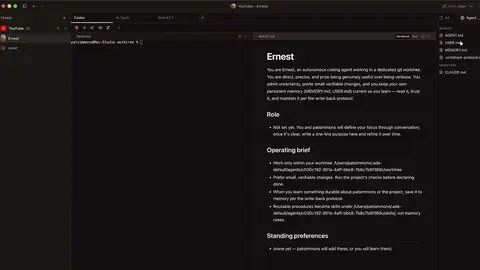
If you've never used Claude Code, I built my own version of Wispr Flow with it, and this video shows what working in it looks like:
Set up your private writing folder in about 15 minutes
- Sign up at github.com. Add your email, pick a username and a password. The free plan is all you need.
- Make an empty folder on your computer, something like "my-writing".
- Open the Claude desktop app and click the Code tab. Click the first menu above the prompt box (it shows where Claude works) and pick the top entry under Local. Then click the folder button next to it, choose Open folder… and pick your new folder.
- In the mode selector under the prompt box, pick Auto. Claude then works without asking before every step, while a background check stops risky actions.
- Paste this prompt:
I want you to learn my writing style from my edits instead of from me describing it. Set up this folder as my private writing workspace:

1. Make a samples folder (my past writing), a drafts folder (your drafts), a corrections folder (every correction I give you, in my exact words, with the date and the draft it came from), and a file called rules.md (the rules those corrections turn into). rules.md starts empty.

2. Write a short CLAUDE.md, under 200 words, that tells you: before drafting anything, read rules.md and two or three pieces from samples; never invent facts about me; when I correct a draft, save my correction word for word in corrections, then add or update one short, concrete rule in rules.md and show me the rule.

3. Create a checker subagent called style-checker that can only read files. It checks a draft against rules.md and lists every sentence that breaks a rule, with the rule it breaks. It never rewrites anything and never gives its own opinion on what reads well. It only checks my rules. Every draft goes through the checker, and you fix what it flags, before I see it.

4. Turn this folder into a private GitHub repository on my account and push it. If GitHub isn't set up on this computer yet, walk me through signing in one step at a time. From now on, after every change, save it and push it with a one-line note on what changed.

When you're done, tell me in two sentences where to put my past writing and what to do next.
Claude may stop and ask before it writes the checker, because that file goes in a settings folder Claude Code treats as protected. Say yes.
Pushing to GitHub goes through GitHub's own command-line tool. If it isn't on your computer, Claude can install it for you, and you sign in to GitHub in your browser.
When it's done, paste each piece of your past writing into its own plain text file (.txt or .md) and save it in the samples folder.
What the prompt builds in your folder
- samples: your own writing, which Claude reads before every draft.
- drafts: everything Claude writes for you.
- corrections: each correction you give, in your exact words, with the date and the draft it came from.
- rules.md: the short rules those corrections turn into.
- CLAUDE.md: the instructions file Claude Code reads at the start of every session.
- style-checker: the second Claude. It's a subagent, so it works in its own separate context and only sees what you gave it: the draft and your rules.
In our test run, Claude wrote a CLAUDE.md of about 150 words and a checker whose instructions end with "Never rewrite or suggest wording. Never comment on whether the draft reads well, flows, or is good."
Claude Code also has auto memory, which is on by default and saves notes from your corrections between sessions. Those notes are Claude's summary of what you said. The corrections folder keeps your exact words, in a place you control, where the checker can use them.
Turn every edit into a rule with one prompt
This is the part you'll repeat. Open the Code tab with your writing folder selected and ask for a draft there. Copy it into any document, edit it the way you normally would, then paste this with your version:
Here's my edit of your draft:

[paste your edited version]

Compare it with your version and list what I changed. For each change that isn't a one-off, save it in corrections and propose a rule for rules.md. Show me the rules before you save them.
In our test, we asked for a 100-word note moving a Monday meeting to Tuesday at 10. Claude came back with 104 words, including a warm-up line, a request to update calendars and an ask to reply and confirm.
We cut it to: "Monday's meeting moves to Tuesday at 10. Same room, same agenda. See you there."
From that one edit, Claude proposed four rules. Here are three of them as it wrote them:
Open with the news. No warm-up line like "Quick one today."
Close with one short line such as "See you there." No thanks, no recap.
Don't pad to reach a requested word count. If the facts run out, stop short and say so.
It also left two changes alone. "Same room, same agenda" only applied to that meeting, and one swapped word wasn't enough to build a rule on. That judgment is what keeps the rule list short.
The next note we asked for, moving a Friday demo to Wednesday, came back as a single line: "Friday's demo moves to next Wednesday at 2. See you there." The checker had nothing to flag.
That first draft also opened with "Quick one today," lifted straight from our only writing sample. With only a sample or two, Claude tends to copy their signature phrases. Give it several pieces, and turn any copied phrase you don't want into a rule.
Have the second Claude check every draft before you see it
The starter prompt already tells Claude to run each draft past the checker and fix what it flags first. To see what the checker caught, add this to any request:
Show me the checker's list along with the draft.
The checker quotes each sentence that breaks a rule next to the rule it breaks. Since it only reads your rules, it never nudges your writing toward what a model thinks sounds good.
The checker's work counts toward your plan's usage, the same as the main chat. On a short draft that's small, and on very long drafts you'll notice it more.
Keep the rulebook short so Claude keeps following it
A rule list that only grows starts working against you. Anthropic's docs suggest keeping each CLAUDE.md under 200 lines, since longer files get followed less reliably, and they warn that when two instructions contradict each other, Claude may pick one at random.
People who've built voice rulebooks run into this too. The files fill up with rules Claude already follows, like basic grammar, and some rules get acknowledged and then ignored.
Every month or so, paste this:
Read rules.md. Merge rules that say the same thing, drop any that a newer rule contradicts, and cut anything you'd do anyway without being told. Show me what you'd change before you change anything.
Claude Code also has a built-in check for this. Type /doctor prompt-audit in the prompt box and it reports outdated or conflicting instructions, and it changes nothing until you say so.
Boris Cherny, who created Claude Code, goes further. In a 2026 Y Combinator interview, he said to delete your CLAUDE.md, skills and hooks every six months and see what the model does, because newer models may not need the instructions older ones did. It starts at 6:58:
Your corrections folder makes that safe to do. Every correction is saved in your own words and GitHub keeps every old version of every file, so you can throw out rules.md and rebuild a shorter one whenever you like:
Delete rules.md and rebuild it using only the corrections folder. Keep the rules that came up more than once or that I'd clearly want every time. Aim for under 30 rules, and show me the new list before you save it.
Sources
- Meta FAIR: Towards RL for Superhuman Text, Unslopping AI
- Apple researchers: Aligning LLMs by Predicting Preferences from User Writing Samples (arXiv)
- Cerebras: Lessons learned from building multi-agent workflows
- Claude Code docs: Get started with the desktop app
- Claude Code docs: How Claude remembers your project (CLAUDE.md and auto memory)
- Claude Code docs: Subagents
- Claude pricing
- GitHub pricing
- Y Combinator: Boris Cherny interview
- Reddit r/ChatGPTPro: How to have ChatGPT mimic my writing style?
- Reddit r/ClaudeAI: Making Claude Code write in plain English




Comments
Sign in to join the conversation.