Kimi K3.1 Pro review
I tested Moonshot's open-weight model against Opus 5.5, Fable 5.1, GPT-6 Astra and DeepSeek V4.1 Flash.

On this page
Moonshot's published benchmark scores put Kimi K3.1 Pro close to the frontier models. I ranked every test blind before revealing which model built what: a first-person 3D billiards game, a pixel-for-pixel rebuild of the morphwater.com site with its 3D can and spinning globe, and a shot-for-shot remake of Kimi K3.1 Pro's own launch video. Kimi K3.1 Pro finished last in all three.
Moonshot prices Kimi K3.1 Pro at $2 per million input tokens and $10 per million output tokens, about half the price of Opus 5.5. You can run it in Kimi Code, Moonshot's desktop app for Mac, in the terminal, through extensions for Cursor or VS Code, or through the API. Its published scores sit close to Opus 5.5 on Terminal Bench and on GDPval, OpenAI's test of knowledge work across 44 jobs.
Fable 5.1 won the billiards game, and Opus 5.5 won the website rebuild and the launch video. DeepSeek V4.1 Flash, the other open-weight model in the lineup, beat Kimi in all three tests, and its billiards game and website each cost about $1 at API prices. For open-weight work, DeepSeek is my pick right now, and these results make me doubt Kimi's benchmark scores.
Chapters
- 0:00Intro
- 0:44Test 1: 3D billiards game
- 10:07Billiards rankings and reveal
- 12:02Kimi K3.1 Pro pricing
- 12:59How to access Kimi K3.1 Pro
- 13:24Benchmarks
- 16:12Test 2: Website clone
- 18:01Sponsor: Cline
- 19:44Website clone results
- 29:11Website clone rankings and reveal
- 32:02Test 3: Launch video rebuild
- 40:23Launch video rankings and reveal
- 41:55Is Kimi K3.1 Pro worth it?
The full write-up
Kimi K3.1 Pro: No-Hype Full Review & TestingEvery live build, the prompts and the full cost tables.Read the write-upTranscript
Show the full transcript
All right, the openweight models are officially back. Kimmy K31 has just dropped and the demos across 3D and web design in particular are looking incredibly impressive. Not to mention, Kim K31 is matching the Frontier models and many notable benchmarks. So, let's put Kimk 3 Pro to the test. In this video, we'll be having K31 handle game development, web design, motion graphics, and 3D architecture. We will also compare each build to Opus 55, Fable 51, GBT6 Astra.
So, all the Frontier models as well as Kimmy's closest openweight competition, DeepSeek V41 Flash. We'll clock how fast each one builds, what it costs, and how many tokens they burn. So, by the end, you'll see how well Kimmy K31 actually holds up, whether it's worth it when it comes to cost and efficiency, and how to use it yourself. So, let's get right into it. And before we get into the benchmarks, let's just kick it off with a build. I'm tired of just jumping into these benchmarks.
So, here is the prompt. Use 3JS and Rapier to build Club 9, a firstp person 3D billiards web game. Include realistic ball collisions and pockets, mouse control, aiming, charge shots, and shotby-shot replay. It must look and play like the real thing. This is judged critically. And so we give more requirements on the actual generations as well as the physics of the ball.
This is all being done by each model in Blender Headless. And we'll actually play each one of these games to see how they feel. All these prompts and live builds, by the way, will be available in the blog post below. So you can run these and play around with them yourself. And I got this idea from Kimmy actually. So they have a cool showcase here.
If you just go to inspiration, this is something that I'm surprised the other model providers don't do. This immediately just gives you a sense of what Kimmy is capable of. You can see a lot of 3D in here. I mean this Tiffany lamp, very impressive. Uh but I saw this billiard's game here and it's actually playable here right in the browser. So I wanted to see how Kimmy compares to the generation that they're promoting on their website.
So, let's take a look at each of these model generations. We're going to play around with each one of these, blind rank them, then I will reveal which model built what at the end. So, we'll start with column A here first. Open that up in a new tab. And here we are. Club number nine.
Let's start with eight ball. So, first just looking at the actual environment. Pretty darn impressive. Kind of weird dust specs. I don't know why there's her floating. Maybe that was in the prompt.
But I do love this dart board here. The lights on the wall maybe a little funky. Doesn't look exactly like a light or a lamp, but I love this like nice touch of these people just on horses here. Pretty impressive 3D in the actual environment. And then the bar, too. Very well done.
Lighting, shading, texture, all of that. So, that's the actual environment. Now, let's play this and see how well gameplay is. And I'm assuming if I just hold this. Boom. Okay.
Little little weird. Let's play it one more time. That like break is a little strange. I think it went just like a little too fast. Okay. One more time.
Hold it. Yeah, it goes pretty fast. I guess that's realistic. Nice little sound effects, too. I don't know where it generated those sound effects. That's pretty impressive.
Uh, this is a little funky. I'm looking at these different pockets here. Uh, it's kind of broken on the left here. It's like raised. Yeah. On all of these except for this one.
Huh. Weird. Yeah. So, the pockets are a little funky. So, the actual physics is pretty good. And then let's see if we just do something like this.
Yep, this looks pretty good. Okay, then what happens? Okay. Yeah, it doesn't like rotate. Would have been nice to actually go to different sides of the table. So now I just have to do this and my actual pool stick is like going through the table.
I guess if I just do this. Well, yeah. Okay, that's a little weird. So, not exactly totally. Oh, there we go. Now it's moving.
Oh, okay. So, the house is actually moving properly, but you can't move around. Collision feels pretty good. Let's see what the others are looking like. So, let's open up column B in a new tab here and check out this generation. So, we'll play eightball.
Okay. All right. Just looking around the environment first. Yeah, not as realistic in the actual bar or the bottles or the dart board or the actual pool table. Interestingly, the pockets, even though they still don't look totally realistic, but they are better than the last generation. They're not like raised even though it looks a little funky.
It doesn't look there's actually like a hole there. But this model at least got that. And then yeah, just kind of a basic environment other than that pool. The actual balls look much less realistic than the last. But let's actually see the game play here. So I'm just going to go here.
Not as realistic of a sound too. Like the actual the column A generation made a much more realistic sound. I don't know where it generated that sound effect, but that was impressive. And then yeah. Okay. This is like a little funky.
Okay. What's floating here? That's kind of weird. Actual pool stick. Doesn't look very realistic. Again, you can't rotate around the pool table too.
Just like column A. Let's just hold this. Okay. Weird. Yeah, definitely not as realistic of physics. Do we scratch here?
Okay. The house is ball in hand. Okay. The house is playing now. Even the way you aim is a little weird. Like I don't know if I'm aiming if I aim to the right here, is it going to strike the blue ball?
Okay. Yeah. Did do that. This one is not great. Let's take a look at column C. Open this in a new tab.
Paintball versus the house. Okay. Whoa. Jeez. Well, the actual environment looks pretty realistic. The bottles are massive.
They look very realistic, but they're just huge. It did a great job of the lighting and the glass on these bottles. The actual whiskey glasses, too. Again, they look huge. Got this neon sign. Looks kind of realistic.
Lights. did a better job of lighting than column A. This is nice that you can actually move up and down so you can face the pool table bit. I like this aim here. It kind of shows where the ball is going to go. What else in the environment?
Cool table looks pretty realistic. You got like that felt texture on it. The actual pockets, at least these seem to have gotten that down on the right has this weird kind of artifact on the left side. You can see it's kind of covering it when I rotate this way. But the actual lighting very impressive. Wool balls look very realistic.
Strike here and see the physics. Oh yeah, nice sound. Nice movement. Okay. Weird noises. House playing.
Okay. Oh, nice. Yep. This is exactly what we needed. Yeah. Okay.
I love this, too. You can see exactly where it's going to go. And we're actually rotating. Huge. Plus, this is definitely the best one yet. Let's see if we can knock this baby in.
Okay. Yeah. Yeah. I'm sure I still don't really have the ability to realistically show the ball going into the pocket. Let's see if we can show this again. Okay.
Yeah, not bad. But it still doesn't look totally realistic. This is actually a good test. Let's do this one more time. Ah, I just lost. Okay, that one is definitely the best.
Column D. Now play the house. All right, kind of an in between column A and B. It looks a little bit more realistic in the balls, but then the pool table, you don't have that like felt texture. Again, these pockets. None of the models have been able to get these pockets down correctly.
I don't know why they're being covered. You have these liquor bottles in the background, but they don't actually look like liquor bottles, so got a little bit lazy. The lighting on the actual pool table looks really good. The shading and all that. Got this nice rug here. Hardwood floors look great.
Rest of the environment pretty basic. I don't even know how to rotate around. It doesn't really let you rotate around. You can though walk right. Okay, walk left. Okay, so it allows you to Okay, nice.
That's actually kind of nice little touch overhead. I don't know how to get back to normal. I guess I'm going to go Okay, there we go. New rack. All right, let's see the physics here. Okay, I have to hold this to shoot.
Don't love that weird sound effect. Not as realistic physics. Yeah, balls falling in the pockets. It's not as realistic. Let's see if we can just move to the other side of the table and if that actually works. Somehow didn't scratch there.
Yeah, physics not nearly as realistic. Okay, and then it doesn't rotate around the table. The only thing that you can do is just hit walk right, which doesn't actually walk you right or walk left. It just kind of rotates the camera. So, I would say definitely more to the back of the pack. And then let's look at the fifth and final generation eightball versus the house.
Okay, balls again look pretty realistic. Just place this here and rotate around our environment. The actual texture of the table looks a bit more realistic. Again, the liquor bottles, I got kind of lazy with that. bars and bar stools. Not great.
Nice little rotation here when you move your mouse wheel. Hardwood floors look nice. Actual table wood. That looks pretty realistic. I like this aiming here. So, let's see the actual physics of the ball break.
I don't know how to do that. Hold left and pull back to shoot. Interesting. So, and then I pull back. Okay. Weird.
Very weird. Very weird. Just immediately jumps to 100% power. Balls look very realistic. Okay. Nice.
This one actually was able to move the camera view to where it needs to go. However, it's very difficult to actually move this to the right. I don't even know how to do this. Like I can't go I can't look at the other balls here. It's really tough. Okay.
V walk. Maybe that does something. You press V. It kind of does that. But yeah, it's like a little stuck here. My only option is to just shoot this and then look at this power when you click and pull back.
Oh, I see. So you if you pull back very fast. Okay. It's actually a nice little feature here. The pockets are definitely much more realistic as well. Let the house play.
Okay. And then we'll go. Okay. Yeah. So, this is what's weird. I can't rotate around the table unless maybe I press something.
No. T overhead. No. V. Walk. Okay.
WD to walk. Okay. Interesting. So, you actually have to walk around. This is so weird. And then click to get down to shoot from here.
Okay. Okay. So, that's all right. That's just a little funky. So, let's just do this one more shot. So, we click and then you just pull back subtly.
Like if I pull back all the way, it'll just go back very fast. But then if I pull back here, I actually do like that. I do like that. Then we'll go right here. And there we go. Okay, that one was pretty good.
So, let's rank these now. I would say this one was number one just because of how realistic it looked. Here's a reminder of what we had here. How realistic it looked as well as the physics. One. This one was very close.
I did like the bar stool generations. Dinged for not being able to walk around the table, however. So, let's go two here. So, I think this one was actually better because you were able to, even though it was kind of a weird way to actually go around the table, but these two were very close. I'm just going to say three here. This one here was by far the worst.
It's number five. And this is number four. All right, let's do the big reveal here. So, start with five. Oh god, K31. You hate to see that.
Dang. So, that was really not close to their example. Here is our output. Same exact prompt. Here is Kimmy K's output like from Moonshot. I mean, you can already see just in the in the 3D generations here.
Looks way different. You don't like to see that. All right. Kimmy K3. Not off to a great start. Number four is GBC 6 Astra.
Wow. So, Deepseek is up there. Number three, Deepseek. Wow. And Deepseek was very close to whatever number two is, which is Opus 55. Interesting.
And then Fable was first. Wow. Okay. Geez. I guess I should have made a video on DeepSeek. Let's take a look at costs as well.
So with Kimmy K31 Pro cost $346 API equivalent pricing took 63 minutes. GPT6 Astra costs $15.58, took 68 minutes. Deep Seek V41 Flash cost $1,ook 82 minutes. So much cheaper than Kimmy for a much better output. And then Opus cost $31, took 117 minutes. And then Fable 51 cost $26, took 82 minutes.
So that was a decent test. I'm going to run that one again in the future. We got to test 3D gameplay, physics, all of that. None of these models really crushed it, too. So this will be a good future test. But you are certainly not making an eightball pool game every day, so we're going to get into some more relevant stuff in a second.
But first, let's take a look at Kimmy K31's blog post here and go through some of the benchmarks. Just quickly gloss over the benchmarks because we never really know how benchmarks these are. But some notable callouts. First, another great website from Kimmy as well as their launch video. Very impressive stuff. Props to their marketing team.
Really cool website. We'll get into their actual launch video in a test in a second. But if we just scroll down here, couple call outs just at the top. First, Kim K 31 Pro. There's two versions of this. There's pro and there's pro highspeed.
Highspeed is two to three times faster than 31. However, it is about twice as costly as well. So when it comes to price, Kim case is $2 per million input tokens, $10 per million output tokens, which is the same price of Gemini Argon, about half the price of Opus 55, and then a fifth of Fable 51 and GBT6 Astra. So incredibly cost- effective. We'll see how actually efficient it is. I think in our initial test, too, we did see it was quite a bit cheaper across the board, at least relative to the Frontiers.
So that's price. And then let me quickly talk about how to actually access this. So there's a few ways to do it. The first is through what's called Kimmy Code which is their agent harness. This is their desktop app. So if you just go to kimmyode, kimmy.com/code, you can download for Mac OS, which is very similar to codeex.
You also have terminal via the CLI. So you can just copy this curl command here to access it in terminal. And then you have extensions available as well in an IDE like cursor or VS code. And then there's the API as well. So that's how to access Kimmy. And then if we scroll down to the benchmarks, this is where it gets a little bit interesting.
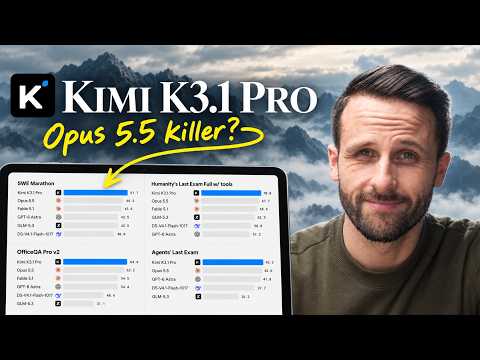
We have Terminal Bench first, perhaps one of the better benchmarks to measure how well a model performs across the board. You can see Kimmy coming in a very close second with Opus 55 at 65.7. Opus is at 66 and it's beating out the rest of these models by a pretty large margin. When we get into the rest of the test, we'll see how well it actually holds up, but it is very close across the board on all these different benchmarks. How well we can actually trust these benchmarks still to be determined. We'll see when we actually get into these tests if this thing is a bit benchmaxed.
But let me just quickly gloss through the rest of these. So, SU Marathon, notably Deep Su is missing from these benchmarks. SU Marathon, Kimmy K beating out all the frontiers. Science, this is where it does fall short. So, if we look at terminal bench science, Kimmy at 38.1, GBT6 Astra in the lead of 30 30 percentage points ahead at 68.1. We have Kimmy Codebench Long Horizon, their own benchmark.
Not sure how much we can trust this, but Kimmy was humble enough to put their model in second behind GBT6 Astra. Couple other notable benchmarks. So, Agents last exam beating out even Opus 55 at 43.2. Couple more interesting ones. So, Benchcad, this is what they call out specifically in their blog post at the top and in their examples below. It is a really good 3D modeler.
We didn't however see that in our tests. It did not do a great job of 3D, but we'll give it the benefit of the doubt and see in our next couple tests how well it actually performs. Another notable call out is GDP valve. So this is an open AI benchmark that covers knowledge work across 44 different jobs. You can see Kimmy K3 very close to Opus 55 and beating out the other frontiers as well as DeepSeek by a pretty large margin. If you haven't already started routing your work by the way to these openweight models, now is probably a good time to do that.
At least set up some sort of system, especially if you are hitting your usage limits on these frontiers because these models just across the board. I mean whether it's DeepSeek or Kimmy K31 are pretty exceptional at least in my experience with knowledge work coding of course they're not always going to beat out the frontiers but when it comes to this type of knowledge work you know whether it's writing spreadsheets all of that and you're comfortable testing or routing to different models now's a good time to do that I've been doing that myself I've seen a lot of cost savings across the board so I just wanted to mention that then of course we have OSWorld so agent computer use not quite as good as Opus but you know pretty close it's beating out Astra as well and very close to Fable 5.1 and Humanity's last exam, which we can see is actually beating out the other Frontier models when it has tool use, when it can actually search. So, a highly capable model, at least according to the benchmarks. Now, I don't know how much we can really trust these benchmarks anymore because all these different model providers seem to be gaming the system, but it is our best way to from a kind of macro level look at where Kimmy K31 is performing because even the tests that I'm going to be doing now are not totally all-encompassing. So, with that, let's get into our second test, which will be a much better comparison of just day-to-day website design. And what we're going to do is clone this website, pixel for pixel, morphwater.com.
Let's take a look at this. Now, it is a beautiful looking site with a lot of 3D. There are a ton of complexities here. Let's just quickly scroll through this. First of all, you can see this 3D can is fully 3D generated. As you scroll, the can comes more and more into view.
It lights up and you scroll in. I've yet to see the models get the actual can top correct. So, we'll see how well they do there. And then if you keep scrolling and see it gets into this environment where we have this like waterfall. We'll see how the models do this. I actually didn't give them access to any sort of video generation.
So, we'll see how well they do. So, I'm curious what they're going to do with that. And then as you keep scrolling, it just transitions into different environments. This is something too, by the way. It's pretty easy to just include from stock video. So, there's not really any tests there if the models don't do a good job.
But then as we keep scrolling, it's more video. This looks like some sort of photo generation. And then now we get into some more 3D work across the board. So the first thing is just this moving globe here. We'll see how they do with that 3D and just embedding into a website. As we keep scrolling, it goes through the different locations.
We'll see how well it actually highlights these different locations. And then we've got this nice zoom in here. Again, it like there's this fade here. We'll see how well the models do with that. Keep scrolling. Just some basic video with text overlaid.
And then we have this as well. We'll see what kind of video it includes there. And that is more of And then it comes out and we actually get the can again. So we'll see how well it does in transitioning that. Then a couple other cans as well. So it's really this 3D generation at the beginning and a couple other 3D and just embedding it into a website making it realistic with this navbar and stuff too as well.
So a good combination of tests for Kimmy K31. So while we wait on Kimmy and the rest of the models to complete that test, that brings me to the sponsor of today's video. So I'll be the first to admit it. I have a little bit of a token addiction. I'm paying for several AI subscriptions and I'm still hitting my usage limits by the end of the week. So, what I wanted was agents working overnight on things like security checks and debugging without eating into those maxed out subscriptions.
And that is exactly where today's sponsor, Klein Desktop, comes in. You've probably heard of Klein. It's the open source agent harness that started in VS Code. Klein Desktop just takes that same agent and puts it in its own application. Their beautiful looking desktop app works with pretty much any model. So under providers, I can sign in with my chat GBT subscription by clicking here.
I can add API keys for Anthropic or Open Router or Google Gemini. And the way I'm using it is through what's called Klein Pass. It's a 10 bucks a month subscription. And you get access to a handpicked set of the latest openweight models like Miniax, Deepseek, GLM53 with two to five times more usage you get just by paying regular API rates. So it is a great way to use the openweight models. And how I'm doing it in particular is I have these scheduled tasks here that are running.
So you can see we had a security scan run last night. We had some critical bugs run last night as well. For this agent, I'm using GLM 5.3 and it's looking at bugs in AI for mortals. It's identifying any of these. And once it does that, I can copy this. I can hand it over to another agent or I could use this customized connector here in the client desktop app and connect an issue tracker like Linear, for example, and have another agent just pick it up straight from there.
This is really just scratching the surface of what you can do with the client desktop app and client pass. If you want to try it, client desktop is completely free. I will also leave a link below for half off your first month of client pass. I have been a huge fan of clients for a long time. So supporting them means supporting the channel. Thank you so much in advance and let's get back to the builds.
All right, so we have our second generation of morphawwater.com ready to be reviewed. Let's see how well Kimmy K31 did in web and 3D. So we'll do our usual blind reveals. So, open this up in a new tab with column A. Here is Morpho water. Here is our generation and we'll start scrolling.
Kind of weird glitch. Is that what Morpho did with the natural spring water? Hey, it did do that. Wow. Okay, so it got the text. It is kind of a strange like all the text highlights then one word highlights one at a time, but it is doing that correctly.
And Morpho does come into view here. And then as we scroll, let's see how well it did with the actual generation of the cantop. Okay, pretty darn good. Okay, it even had some sound in there. Pretty darn good. I mean, still not totally realistic.
This is a limitation with these models. They don't really get the can top down correctly. But this is the best I've seen. It's just kind of missing the texture, but let's keep going. So, we'll open the can top and then is it going to show up? Okay.
Yep. We've got some water here. We'll scroll in. Okay. Yeah, it didn't do any That was my mistake. Not using a video generation model or giving it access to stock video.
It did include some butterflies in here. Is that what Morpho head? I don't even know. Hey, look at that. Great attention to detail. Wow, the fact that it even found those butterflies.
Jeez, whatever this model is, well done. It's got the butterflies in here. I'm just going to go sound off. That's annoying. We just have a static image, but adding stock video would probably be the easiest thing to do. So, let's keep scrolling.
Nice little fade. I think that's exactly what Morpho does. Yep. Fades right into the next even the actual image it generated. Very close to Morpho's video. We'll keep scrolling.
Yeah, all of this is relatively easy and straightforward. similar image generation. Okay, let's see how it did with this globe. Here is Morphos. Here is ours. Ours is even more realistic, I think, of a map.
Morphos missed the actual island of Japan. Interesting. They're probably using AI to do their 3D generations. But let's keep scrolling. Yeah, nice scrolling globe. Models seem to have no trouble with that.
Or at least this model doesn't. And then let's see if we scroll into Costa Rica. Pretty darn close to Morphos. Yeah, perfect little fade there. And we keep going. Okay.
Oh wow. Jeez. I don't even know where it generated this. I think it generated that with code. That's pretty impressive. So, here is this is just a video.
I mean, this is probably just a stock video, you know, not as realistic kind of a weird like stream of water, but the fact that it generated this cuz again, I didn't give it any access to a video generation model. Fact that it generated that pretty darn impressive. Yeah, it generated all that in I believe Blender. It's much faster than morphos and doesn't have this like slow kind of slow motion high frame rate. But the fact that it generated this water is pretty darn impressive. And then we scroll and then we have morpho.
And then let's see if it gets the final cans here. If we keep scrolling. Okay. Yeah, look at that. Nice. Boom.
And then we got and then we got another can. Oh, look at that bubbles. Nice little sparkling. And it even generated the social images. Well done. And then forgot about all these tabs, too.
Okay. No, it didn't build out all these. It's just the homepage, but we have all these tabs. Nice looking tabs here. That navigation bar. So, very well done.
Um, that is pretty darn impressive. About as close to Morpho as we might see. But let's take a look at the other generations. Okay, we can already see some lazier 3D work and less details across the board. But let's keep scrolling. Okay, it missed the the text highlight here when we scroll on the natural spring water.
Let's keep scrolling though. See what this can looks like. Okay. It doesn't really look like a can or a can top. Let's keep scrolling. It's also very glitchy as I scroll.
Zoom into the can. All right. Does not look like a can top. Okay. Just a weird little kind of iris transition there. And here is the image.
All right. Okay. Yikes. It even missed that. That is a really easy transition. It just needed to do like a cross fade into the next image.
It doesn't even do that. It just broke it up into sections and different images. And then the globe. Okay. completely missed the globe generation. Yikes.
Okinawa's down there. These Jeez, it just missed the geographies. Calling those out completely. We'll scroll. Okay. And then it just like randomly Sardinia comes in out of nowhere.
Then it fades away. Then Greece just randomly placed. And then North America, Costa Rica completely misses. Okay. And then it starts scrolling in on Costa Rica. Oh no, it didn't even do a 3D generation of the globe.
I can tell this looks like this is probably an image that it just generated. Not good. Not good. Not even close. Okay, keep going. Other images.
All right, completely missed the water flowing generation. And then we have this. And then let's see. Okay. Yeah, it just like broke this up into sections and then just does a random glitch into a morpho can and then another morpho can. All right, so that model missed the mark.
Uh, that's hopefully the worst of them. Let's take a look at the next. Okay, looks like a little bit more realistic of a can. Did it get the text animation? Uh, yeah, it looks like it did. Highlights multiple words, then it just gets that one word in aluminum cans.
All right. And let's scroll. Okay. Oh, the can top pretty darn close. Missing some texture in the actual can. The can does go from dark to light, but we're just missing a little bit of texture.
That column A that model did a little bit better. But if we scroll here, can top about the same as column A. And then we'll scroll in here. And oh wow, it made the effort of trying to generate a waterfall in code. That's That's well done. A little bit shaky for some reason.
It did add the butterflies. Nice touch. Scroll. We've got that nice cross dissolve into the next image. Okay. Try to create this with code.
I think I'm guessing it generated an image and then just overlaid something to make it look like a video. And we'll fade into here. Yep. Does the same thing. Very trippy kind of image, but good effort. A for effort.
And then we scroll. Okay. And let's see how well it did with this 3D generation of the globe. This looks pretty good. Pretty similar to column A and those generations. Looks like it's actually 3D work done.
And then we'll scroll in here. Nice little zoom in. Looks exactly like Morpho. And some more images. Some more images did. Okay, it didn't do as detailed of water flowing as column A.
That model just added like a little bit of movement and random parts. And let's see how the cans at the end do as well. Okay. Yeah, kind of a kind of a glitchy little transition. It just moves a little too fast. And like I said, not as detailed in the can work as column A.
It did get that sparkle though. That's a nice touch. And then we have these fake social posts. Nav bars look good. So, that wasn't bad. Definitely close to column A, but I still think column A is the best.
Let's now check out our fourth build. And yikes, it's not looking great here. Got it open in a new tab. Oh boy. Oh boy. Uh, okay.
Did it get this text highlight? No, it did not. Okay. Whoa. And it just does this crazy transition here. Didn't even bother zooming in.
Is this even 3D? I don't even think it did 3D. Yep. This just looks like a static image. And we'll keep zooming in. All right.
Terrible job. And it did that same kind of sections here. Not great. Oh, yikes. That is terrible. It just didn't bother.
Reminder, too, with each model had the exact same prompt. And I mentioned how strict these models are supposed to be. Not to mention, I gave it a skill here. this clone app pat bro scale which is available in the blog post below which goes through a number of different tests and QA loops that tell the models you need to create a pixel for pixel recreation. So the fact that it just didn't listen to any of that. All these ran on a/goal prompt too by the way.
The fact that it didn't listen to any of that is uh not great for whatever this model is. It's even worse than column B. Yikes. What is this? Opus 4. I mean my goodness.
All right. It just randomly placed different locations like Costa Rica's and South America. I don't even know like what is this a Pangia map? Maybe it was referring to the old Pangia map. Maybe maybe it just didn't have updated information on how continents look. Let's keep scrolling.
And wow. Yeah, completely missed the mark. It just did a circle for the water coming through. Yeah, even the image generations aren't great. And then it just Okay. Yeah, so that does look like 3D.
So, I think it did attempt 3D. Just didn't do a great job. I mean, it even missed the the sparkling version. Like, it just used the same copy of it. All right, that one was terrible. And then let's take a look at the final generation here.
Looks to be a little bit better. Scroll here. So, okay, it does. As you scroll, it it does it didn't really understand the text highlight there, but the can does come into view. And then as we scroll, okay, very glitchy and weird. Oh, the can top.
That actually looks pretty good. And it just needs to be a little bit higher heightwise, but it's got a little bit of texture and lighting in there. the actual can as a whole. Not as good as the other models, but not bad. And let's zoom in. Okay.
Oh, look at this. Huh. It attempted to create a video with code. It is properly cross- dissolving the images. And then let's see how well it did with the map. Okay.
Yeah, it missed the island, but even Morpho missed Japan. And then if we keep scrolling, rotate the globe. Let's see how well it did with the rest of this globe 3D. Okay, not bad. We've got some good rotation. Very close.
Let's see. Costa Rica. Zoom in. Nice fade. And we're fading. And okay.
All right. I made some attempt here with the water. Not great. If you ever want to see how well a model does with 3D, ask it to create water or some sort of liquid. This has been a good test cuz it's still not exactly close. And then let's just keep scrolling here.
It doesn't do that same transition that Morpho has. Just kind of comes in, slams in out of nowhere. Uh, but it did get the other can style. Nice little sparkle there. And the social post. So that's the fifth generation.
And let's rank these. I think it was pretty clear. We had column D and last. Column A was definitely number one. Already forgetting what the other ones looked like. So this is column B here.
Yeah, that was terrible as well. So we're going to say fourth. And then this one I think was a little bit better than column E. So we're going to go second and third here. This one by far the best. Just based on these tests, I'd be willing to guess which one that is.
But let's first take a look at these last ones because I really don't know. Big reveal. Is it Kimmy? Oh, Kimmy, you hate to see it yet again. This was egregious. This was bad.
And just across the board, terrible 3D work and just web design in general. Yikes. This is probably worse than Kimmy K3. Maybe my tests are just a little bit harder, but you really don't like to see that. And then it's four. Is this Deep Seek?
Yeah, this is Deep Seek. Yeah. Yeah, I mean this is a hard 3D task with this can deepsee just based on that billiards game but would do a little bit better at 3D. So the open weight models still have a ways to go with 3D honestly probably just as good as Gemini Argon and Muse Wonder if I'm just being fully transparent. Let's take a look. What was three?
Astra. Yeah, Astra. Okay. And then Fable and then again Opus 55 just continues to crush it. I figured Opus was at the top just clearly the best. Opus continuing to win all of these build competitions.
I mean, it's like probably at this point 17 for 17, but this video is about Kimmy K31, and the headline is not looking great with 3D. Before we move on to the final build, let's take a look at costs as well. So, we'll start at Kimmy K's cost for its Piscore generation of that website. It cost $17.69. Took about 177 minutes. Wow.
So, we went through quite a bit of turns. 78 million input tokens, 117,000 output tokens. Deepseek, it costs $1 for 180 minutes of generation. This is this is where Deepseek, again, I should have done a video on DeepSeek. I will next time. This is where Deepseek is so incredibly cheap.
You know, obviously it's not exactly usable, but $1 on this. Pretty darn impressive for how long it's spent. This is all API equivalent pricing, too, by the way. Then we have Astra, $118, and it took 95 minutes. Then we have Fable 51, $57, it took 68 minutes. and Opus second costly.
It was generating for a long time. 297 minutes, $84. It took forever on that water generation. That's what took it so long. And that's where costs got pretty expensive. So, we can see where Kimmy is landing in terms of cost across the board, but really, I mean, not usable.
I mean, maybe you could. Yeah. No, I I don't even want to I can't even make the argument that any of this would be usable. So, any kind of 3D embeds in a website, I don't even know if I trust it with with web design. It's interesting because Kimmy K3 was much closer in these types of tests. So, just my opinion in these initial tests, but let's now move on to our final test.
So, next up, we're going to see how well Kim K31 and the rest of the models fare in launch video generation. This is something that I've been experimenting with quite a bit and stress testing with Opus 55 in generating videos with just code. So, motion graphics, animating still images, that kind of stuff. And Opus 55 has been absolutely exceptional at it. So, I've been putting video generation to the test across the rest of the models, and we'll see how these models do with this next test, which is rebuilding the Kim K31 Pro launch video, shot forshot. Here is Kim K31's launch video.
By the way, the Moonshot team, as always, have done a fantastic job in their video generation. But let me just quickly play this. All right, I'm not going to play the whole thing, but basically we have this character here and then the we have like characters kind of come into different environments is like flying in. We have all these different generations, you know, game development. So, we've got like real gameplay going on, racing games, firstperson shooters. We've got a bunch of different characters.
A lot of game generation. I don't know how the models are going to interpret that, actually. Generate those. And then it gets into 3D architecture visualization. We'll see how well the models do in that. some more gameplay, some more 3D websites, product animations, and then some of these assets like in the website actually come out the screen.
We'll see how well it they do with that. Little bit of motion graphics here. We've got this website with the Rodon statue. Ton of stuff. So, we'll see how well the models interpret this. A lot of this is like you almost need to code this yourself to show off.
Like there's only so much you can do, you know, showing off gameplay like this. So, we'll see how well the models have interpreted that prompt and let's start revealing. Oh, let me just quickly go through the actual prompt as well. So, I'm first just giving this skill here. You'll have access to it in the blog post below. Launch video clone.
I've been working with Opus 55 separately on building out a that shows models how to create a kind of pixel for pixel clone of a video. So, there's all sorts of detail in that skill that each of the models have access to. And then we just give some requirements, you know, same edit, same look, make every asset yourself, sound. So we have a soundtrack and sound design that's being generated with 11 Labs. So there's a lot here and really to get a pixel for pixel clone you almost need to create each one of those games websites 3D. So I'm really interested to see how well the models have actually done in generating those.
So first let's take a look at column A here. So we'll hit play here. I'm probably not going to play through all of these videos. Probably just scrub through these. But let's just see how these first opening frames look. Jesus.
All right, that's enough of that. Okay. Hey, not bad. The actual character here, it does kind of look like it's going through this environment. Kimmy K31, the actual type looks relatively similar to Kimmy's. All right.
You know, we've got some we've got some movement here, even though that's probably just images. The models do have access to GBT image gen, by the way. We got Okay. Not bad. All right. Okay.
Okay. Probably could have done a little bit better on the racing game. This looks like it's just an image. Got some shooting here. More image. Oh, okay.
Oh, they have this character moving. Like that's actually pretty impressive. Like like it didn't generate the actual game, but probably generated two images of the character moving. Just got it floating. Okay. All right.
Kind of kind of funky. Kind of funky. I mean, the fact that it's even like doing like it did this flip here. I don't know. Did it just generate multiple images like that or I guess Oh, it probably just took it and rotated it one by one. Hey, pretty impressive.
of the models can even do this. Like I said, this is probably going to be a good test because in order to really create a pixel for pixel clone, you would have to generate all of these separate games. And then we keep going. 3D architecture visualization. Okay, just like an image gen. Uh, did it get any movement here?
No, it's just an image. Not a bad like camera movement though. It's like nice and smooth. We got this head moving somehow. Okay. Weird kind of fly in there.
Exactly like a car. All right. to get this interactive 3D website with this little flying thing. Oh, hey, look at that. That thing's flying right at you. Not bad.
And then website looks very similar. And that's just image generation. Okay. Hey, that one wasn't bad. Let's next take a look at column B here. I can already tell just based on the type that they use.
It's probably not going to be a great generation because this just looks nothing like Kimmy K31's type they used the beginning of their video. But let's check it out. Uh okay. Jeez. All right, that's enough of that. All right, this just looks like images that are kind of moving around.
We don't have that flying character. Okay. Yeah, there's just an image. More images. All right, so this is just kind of like a slideshow of different images. Got truly nothing.
Okay, we did get one animation here or kind of shows the websites and then Okay. Yep. kind of messed that up as well and more images. All right, that one was pretty bad. Column C. Jeez.
Oh my goodness. Models are not great at sound design yet. All right, some more images. More images. These are all just images that are just moving around. Again, you can see that tight face.
Not even close to Kimikate 31. Some more images. This just another PowerPoint images stitched together. There's no movement or anything like that. No animations. Did it get this website?
Okay, it didn't even get the row down. Not bad to have these websites appearing though, I guess. And more images. Okay, not great. I don't know. I don't know which one was worse.
All right, column D. They play here. Okay, that's cool. Turn that off. Clouds are moving. Do we get the character in here?
Okay, yeah, we get the character. All right. Hey, a little bit of Okay. Yeah, very nice. I mean, I don't know how it did this in code. This is pretty impressive right here.
It just flies by. Look at the motion blur statue coming right at you. Pretty impressive. Type looks kind of similar to Kimmy K 31. Got the character flying again. All right.
Kind of a weird transition there. All right. Arcade game. Little bit of a stretch. You can see it just kind of gets lazy on some some generations are better than others to get this. Yeah, not really.
Okay. And then we have this character. Just like a bunch of probably images of the character, different like positions of the character stitched together. However, again, look at this motion blur. Impressive that it even did that. And then did it do any architecture visualization?
Oh, it did. Look at this. That's pretty impressive. Actually showed Yeah, like a time lapse of 3D being generated. Wow. I don't know how it did that in code.
Keep scrubbing through here. Some images. All right. Oh, we got some movement. That's did a great job with that. got lazy with damage.
Did it get this little flying creature here? No, it did not. Missed the mark. Did get Rod doll. Good job. And it made an attempt at a person walking.
And sure, why not? Okay, that one that one was probably the best. And then finally, we have column E. So, let's hit play for a second. Jeez, that's aggressive. We have character come in maybe.
Yep, there it is. Okay. Doesn't actually feel like it's really flying, but the transitions, however weird they may be here, are a little bit more advanced than a couple of these models. Just static images. More static images. Crazy transitions.
More static images. Did it do any sort of 3D? No, did not visualization there get this flying creature thing. No, it did not. More static images. Not bad with the actual websites.
And more images. All right. So, I think this one was definitely number one. Let's say this is two. This one is three. And then these last two.
I think we can start to guess which these two are. Probably the open weights. Which one was worse is the question. They both just kind of put images together. I would say this one was the worst and this is the second worst. All right, big reveal.
Kimmy. Ah, Kimmy, you hate to see it again. Jeez. Came in last across the board. This surely is Deepseek. Okay, Astra.
Oh, Fable 51. Look at that. And then Astra. Astra. And then Opus 55 yet again. The GOAT.
Even Opus 55. I mean, this is a hard task because really to get the most accurate version of this, you would have to just generate all of this and code all these different scenes like actually generate the gameplay and assets. So, that was a tough one, but hey, I hate to see Kimmy K31 coming in last across the board. Deepseek beating it out. Let's quickly take a look at cost. So, Kimmy K31 $14 took 147 minutes.
Deepseek $143 took 53 minutes. Let's see how cheap Deepseek is. We have Fable 51. Yeah, it ran a long time. $216 cost $592 in API equivalent pricing. I'm just roasting tokens.
And then we have Opus 55, $160, took 214 minutes. And then Opus $97 took 253 minutes. So that is a down and dirty walkthrough with a few tests of Kim K31 relative to the other models, both Frontier and Deepseek with open weight across 3D and websites and video generation. So, let's quickly wrap this thing up. If we look at Kimmy K31 Pro across the board, it really wasn't close in cost and efficiency and timing in its output, it was really falling behind. Now, of course, we're only doing three tests.
A lot of this is very heavy 3D generations, really kind of intense coding work. So, maybe for, you know, day-to-day tasks that we didn't really test across knowledge work, remember that on GDP val it was ranking very high, it might be worth experimenting with. But I mean, for anything open weight related, it just seems to make more sense to go to DeepSeek, at least for the time being. But if you're strictly going to the open weights for cost savings and efficiency, if I'm being honest, in the current state of model performance, it would just make the most sense to go to a Sonnet 55 or a Haiku, even a Terra or a Luna on the OpenAI side. But if you are really looking to use the open weights, I mean, just in those limited tests, but I'd be willing to bet that this carries through across the board, Deepseek just makes the most sense. So, kind of a bummer.
You know, when Kimmy K3 came out, it was very close to the Frontiers and actually outperforming them in a number of my tests. So, to see it that far behind with Opus, Fable, even Astra, kind of a bummer. It really makes you question the benchmarks, too. I think this one is certifiably benchmaxed. Anyway, curious to hear your thoughts on these. If you've experimented with Kimmy K31 at all, let me know in the comments below.
Let me know, too, if you have any ideas for different tests. Just a reminder, too, to check out Climb Pass if you haven't already. I know they're the sponsor of this video, but it's actually a great way to do a smaller kind of set of tests that I'm doing here just using client pass. So, you can just select, you know, Kimmy K31, paste in one of my prompts or your own type of tests, and then do the same thing with Deep Seek V41 Flash for your specific use case and see which model performs better. Related to that too, I just want to say thank you to everyone who's supported the channel. running these builds and these tests and really stress testing all of these different models isn't exactly cheap.
So, sponsorships like this help cover the cost so I can keep doing it, putting out these videos, hopefully help you actually use AI in your day-to-day and keep up with how fast all this is moving. So, I couldn't have done it without all of you and all your support as well. So, thank you so much and I'll see you very





Comments
Sign in to join the conversation.