How to Delete Your ChatGPT Account, Chats and History (and What OpenAI Keeps)
Delete your ChatGPT account from Settings, or keep the account and clear one chat, every chat or what ChatGPT remembers about you. Each path below comes from OpenAI's own help pages, along with what OpenAI keeps afterwards and for how long.

On this page
- Which option removes what
- How do I delete my ChatGPT account?
- What happens when you delete your OpenAI account?
- Can you delete ChatGPT without logging in?
- Export your ChatGPT data before you delete anything
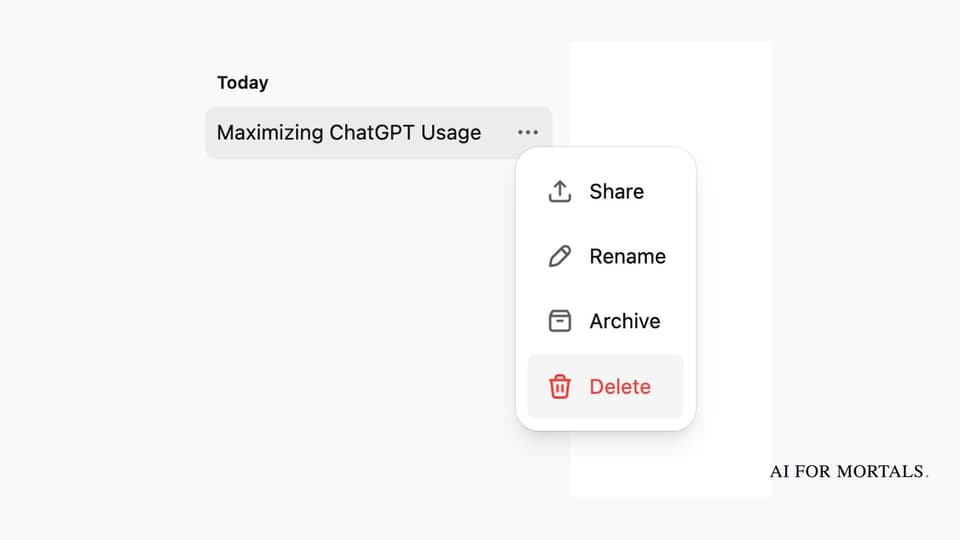
- How do I delete a ChatGPT chat?
- How to delete all your ChatGPT history at once
- How do I delete ChatGPT's memory?
- Can my employer see my ChatGPT history?
- Questions people ask
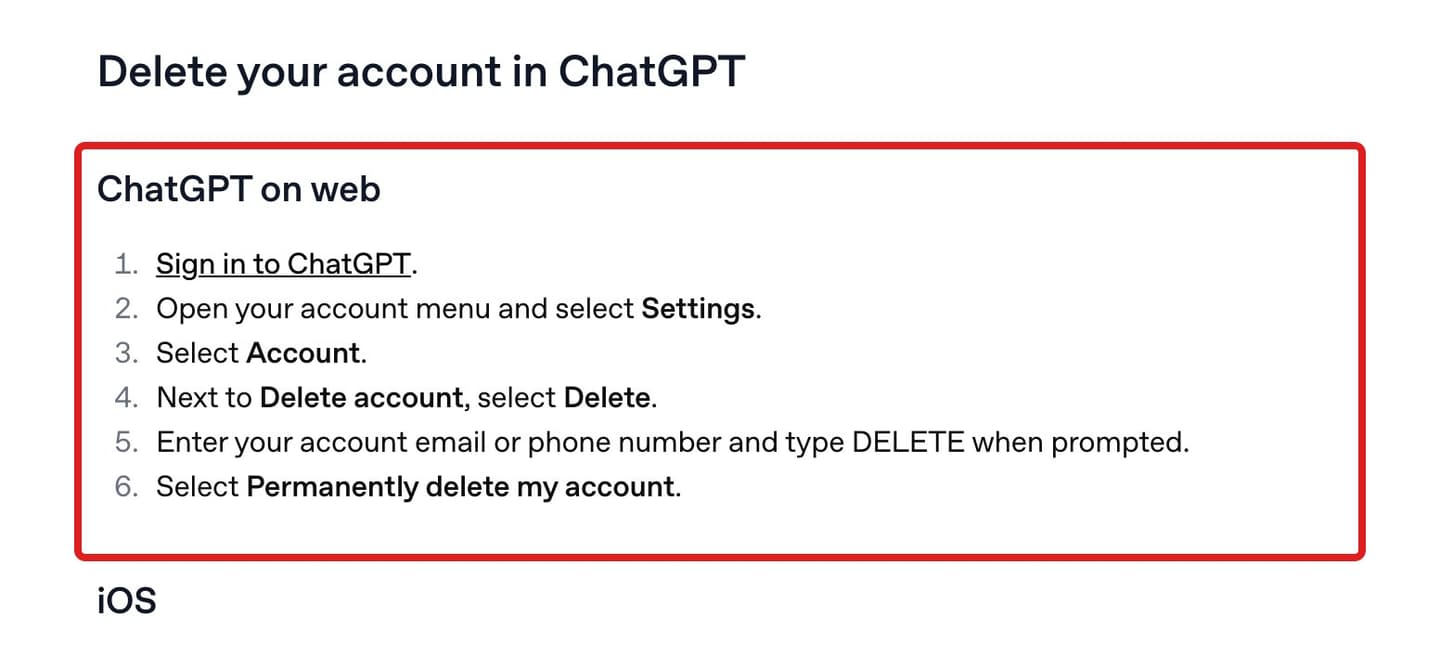
To delete your ChatGPT account on the web, sign in, open your account menu and select Settings, then Account. Next to Delete account, select Delete, enter your email or phone number, type DELETE and select Permanently delete my account. Those are the steps in OpenAI's account deletion article, which also says deletion is permanent and closes the account for both ChatGPT and OpenAI's API.
OpenAI says it deletes your data within 30 days, except a limited set it may keep for longer where the law requires or permits it. Deleting the account doesn't cancel a plan you bought through Apple, so cancel your ChatGPT subscription first if you paid in the App Store or Google Play.
If you want to keep the account and only clear your history, you can delete one chat from its ••• menu, or every chat at once under Settings, Data controls, Delete all chats. What ChatGPT remembers about you is stored apart from your chats, and you clear it under Settings, Personalization, Memory. Every step and number on this page comes from OpenAI's own help pages and privacy policy, last checked November 6, 2026.
Which option removes what
Each option below removes something different, and none of them erases data from OpenAI's systems the moment you click. The 30-day window and its exceptions are OpenAI's own wording, linked in each row.
| Option | Where to find it | What it removes | What stays | How long OpenAI may keep it |
|---|---|---|---|---|
| Delete one chat | The chat's ••• menu, then Delete | That conversation and its shared link | Saved memories made from it, and files saved in Library or Space | Up to 30 days, longer for security or legal reasons |
| Delete all chats | Settings, Data controls | Every chat in the account or workspace, including chats in projects | Saved memories and saved files | Up to 30 days, with the same exceptions |
| Archive | The chat's ••• menu, or Settings, Data controls | Nothing; the chat leaves the sidebar but stays searchable | The whole chat | Until you delete it |
| Lock a chat | The chat's ••• menu, then Lock chat | Nothing; the chat moves to a PIN-protected folder | The chat, what ChatGPT remembered from it, and any shared link | Same as before you locked it |
| Temporary chat | Temporary, in a new chat | Keeps the chat out of your history and out of model training | A copy for safety purposes | Up to 30 days |
| Delete memories | Settings, Personalization, Memory | What ChatGPT saved about you | The chats where you said it | Logs of deleted saved memories for up to 30 days |
| Turn off training | Settings, Data controls, Improve the model for everyone | Use of your new chats to train OpenAI's models | Your chats and shared links | Deletes nothing; chats stay until you delete them |
| Delete account | Settings, Account (web) or Data controls (apps) | The account, your chats, and access to ChatGPT and the API | Copies other people saved from your shared links | Within 30 days, except data the law requires or permits OpenAI to keep |
How do I delete my ChatGPT account?
You delete your ChatGPT account from the settings, and the path depends on where you do it. On the web it's under Account; in the iPhone and Android apps it's under Data controls. On chatgpt.com, OpenAI's six steps are:
- Sign in to ChatGPT.
- Open your account menu and select Settings.
- Select Account.
- Next to Delete account, select Delete.
- Enter your account email or phone number and type DELETE when prompted.
- Select Permanently delete my account.
On an iPhone, open the ChatGPT app and your account settings, select Data controls, then Delete account. If you pay through Apple, the app shows a subscription warning first, with a Manage subscriptions button to cancel it. Review the confirmation and select Delete account.
On Android, open Settings from your profile menu, select Data controls, then Delete OpenAI account (older versions of the app call it Delete Account), and confirm.
Either app may ask you to sign in again to prove the account is yours. OpenAI warns that finishing a sign-in prompt doesn't by itself mean the account was deleted: if the app drops you back into your chats without a deletion confirmation, use the Privacy Portal route in the section below on deleting without logging in.
If you sign in through a ChatGPT Business, Enterprise or Edu workspace, you can't delete that account yourself. OpenAI says self-service deletion isn't available in those workspaces and points you to your organization for help.
What happens when you delete your OpenAI account?
The account closes for good, along with your access to every OpenAI service that used it, including ChatGPT and the API (the service developers use to build OpenAI's models into their own apps). OpenAI's deletion article says it deletes your data within 30 days, except a limited set it may keep longer where required or permitted by law. Deleted accounts can't be reactivated.
OpenAI's US privacy policy (updated September 10, 2026) lists what can be kept longer: data from accounts or content banned for breaking its usage policies, data it's legally required to keep, such as under a subpoena, payment records for a Plus or Pro subscription, and a record that you asked for deletion, so it can show it complied.
A few other things happen, or don't, when the account goes:
- Subscriptions you pay ChatGPT for directly are cancelled.
- Apple App Store subscriptions keep running until you cancel them with Apple.
- Your shared conversation links stop working.
- Copies other people saved from your links stay in their accounts.
OpenAI tells you to check any App Store or Google Play subscription before deleting. It also says to delete any shared links to scheduled tasks first, from Settings, Data controls, Shared links.
If the same email signs you in to OpenAI's Ads Manager, deleting the OpenAI account may lock you out of that Ads account, and active campaigns may keep running and charging. OpenAI says to pause or end them and make sure another authorized person can get in first.
You can open a new account with the same email address after 30 days, as long as the old account was fully deleted rather than deactivated. A phone number is removed from OpenAI's system after 30 days too, and can then be used to sign up again, unless the account was disabled for breaking OpenAI's terms. Deleting doesn't let you switch from a Google, Apple or Microsoft sign-in to a password; OpenAI says you may be able to add a password under Settings, Security and login instead.
Can you delete ChatGPT without logging in?
Yes. If you can't sign in, OpenAI takes deletion requests through its Privacy Portal. The steps in OpenAI's deletion article are:
- Go to the Privacy Portal.
- Select Make a Privacy Request.
- Select I have a consumer ChatGPT account.
- Select Delete my ChatGPT account, then follow the verification steps.
You need to be able to verify the email address or phone number already linked to the account. If you can't reach either, OpenAI says to contact its support team for an ownership review.
Export your ChatGPT data before you delete anything
Download a copy first, because OpenAI says an export can't bring back chats that are already deleted. On the web, open your profile menu, select Settings, then Data controls, and under Export data select Export, then Confirm export. In the iPhone and Android apps it's Data controls, Export data, then confirm.
According to OpenAI's export guide, ChatGPT sends an email or text message when the file is ready, which can take up to 7 days. The Download data export link expires 24 hours after you receive it, and it works only while you're signed in to the account that asked for it. You get a ZIP file with your chat history and other account data.
Exports from settings work on Free, Go, Plus and Pro, and on some ChatGPT Edu workspaces. They aren't available in Business or Enterprise workspaces, or while you're signed out. If you can't sign in, the Privacy Portal has a Download my data option under the same Make a Privacy Request steps.
If you're switching to another assistant, our guide to ChatGPT alternatives and what they cost compares the plans.
How do I delete a ChatGPT chat?
Open your chat history, select the ••• menu next to the chat, select Delete and confirm. In the iPhone or Android app, tap the menu icon (two horizontal lines), press and hold the chat's title, and select Delete. Those steps are from OpenAI's article on deleting and archiving chats.
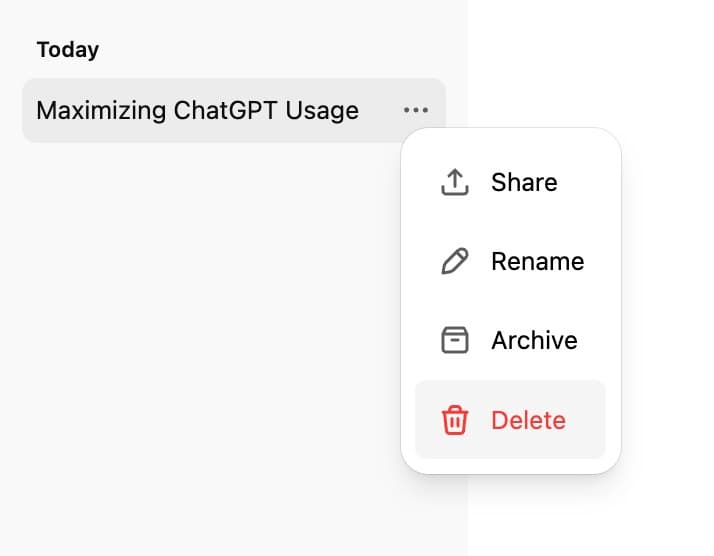
The chat leaves your account right away. OpenAI then deletes it from its systems within 30 days, unless it was already de-identified and separated from your account, or OpenAI has to keep it longer for security or legal reasons. Neither you nor OpenAI's support team can restore it.
Deleting a chat leaves two things behind. Files saved separately in Library or Space stay until you delete them there. Anything ChatGPT saved to memory from that chat also stays (the memory section below covers how to clear it).
If the chat used a connected app such as your email, deleting it removes the app data held inside that conversation, but the original emails or files in the app stay where they are. Disconnecting an app stops future access without deleting past chats that used it, which matters if you connected iCloud Mail to ChatGPT or another app.
To hide a chat without deleting it, choose Archive in the same menu. The chat leaves the sidebar but stays in your account and in search, and you can find it again under Settings, Data controls, Archived chats. Another option is to lock private chats behind a PIN instead of deleting them, which takes them out of your history and search; OpenAI's Locked Chats article says locking doesn't change how long it keeps them.
How to delete all your ChatGPT history at once
Open Settings, select Data controls, then Delete all chats, and confirm. It clears every chat in your current account or workspace, chats inside projects included, and OpenAI says it can't be undone. Archive all chats sits right above it if you'd rather hide everything and keep it.
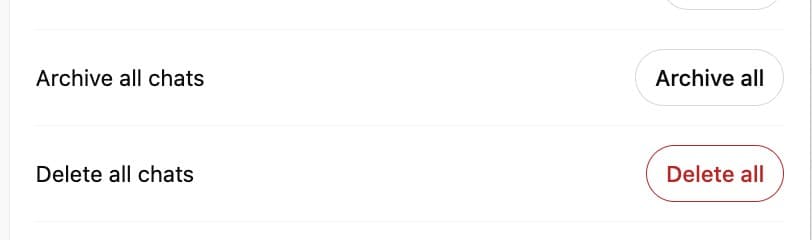
Bulk deletion runs on the same schedule as deleting one chat: OpenAI removes the chats from its systems within 30 days, with the same security and legal exceptions, according to OpenAI's chat and file retention article. To clear the other places your chats leave traces, also delete your memories, your saved files in Library or Space, and your shared links (Settings, Data controls, Shared links, Manage).
To stop new chats piling up, start a Temporary chat. OpenAI's Temporary chat article says it stays out of your history, isn't used to train its models and doesn't create or update memories while it stays temporary. OpenAI may keep a copy for up to 30 days for safety purposes, and a temporary chat set to Personalized can still use memories you already have.
To keep your history but stop OpenAI training on it, turn off Improve the model for everyone under Settings, Data controls. OpenAI's Data controls article says turning it off doesn't delete or hide any saved chats. On Free, Plus and Pro, OpenAI's training article says it then stops using your new conversations to improve its models. If you rate an answer with a thumbs up or down, though, OpenAI may still use that whole conversation for training.
How do I delete ChatGPT's memory?
Open Settings, select Personalization, then Memory. Depending on your account, you'll see controls such as Manage, Saved memories or a Memory summary, where you can delete single items. In the memory summary, the ••• menu has Delete and turn off memory, which deletes what the summary shows and switches Memory off. You can also ask ChatGPT to forget a saved memory.
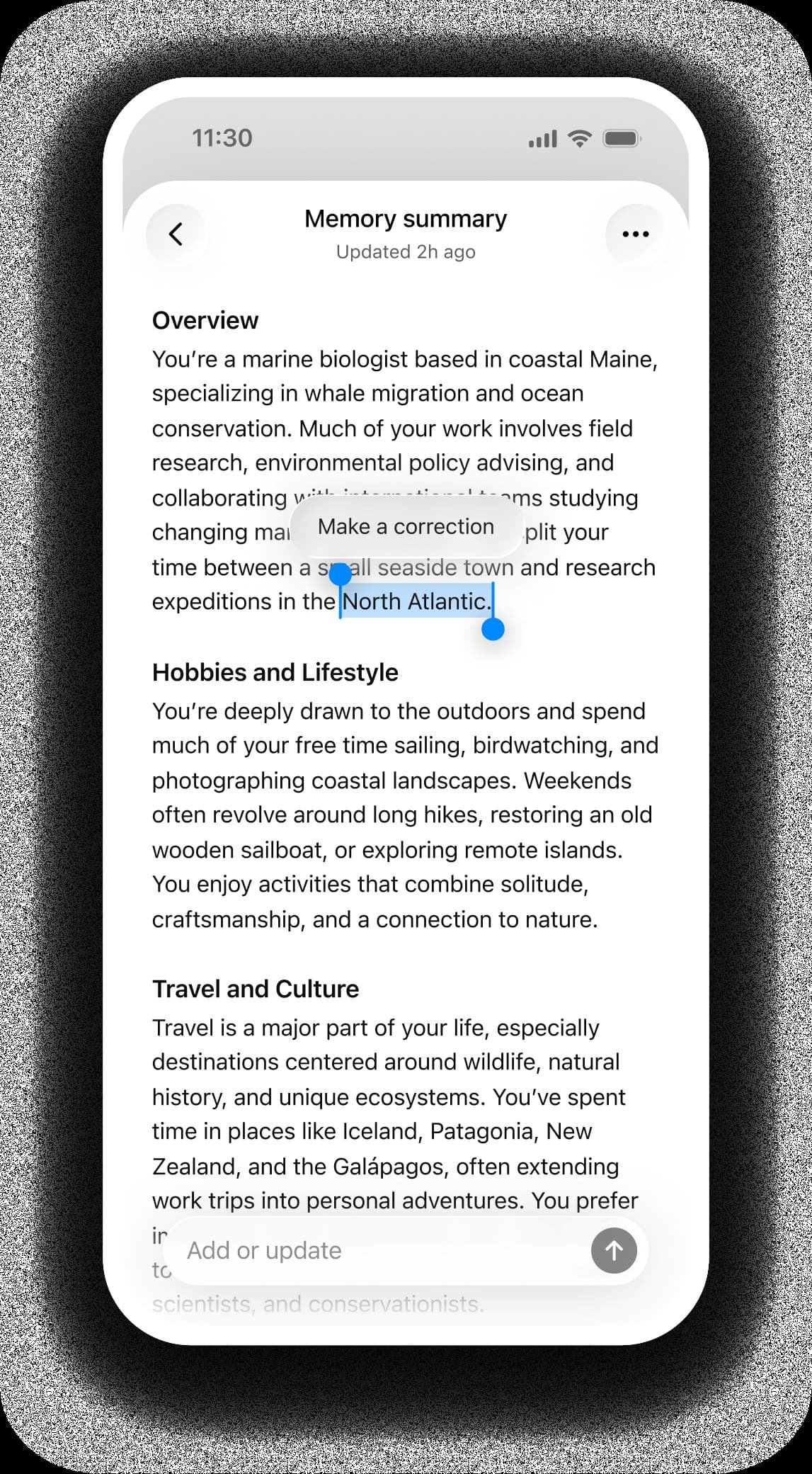
Memory and chats are stored separately, so clearing one leaves the other. OpenAI's Memory article says deleting a chat doesn't automatically delete a saved memory made from it, and deleting a memory doesn't remove the old chats that mention it. To remove something completely, delete the saved memory and the chat where you first said it, plus any copies in archived chats, Library or Space, or a connected app.
If your settings include Reference chat history, turning it off schedules what ChatGPT picked up from past chats for deletion within 30 days. OpenAI may also keep logs of deleted saved memories for up to 30 days for safety and debugging.
Can my employer see my ChatGPT history?
If you use ChatGPT through your employer's Business, Enterprise or Edu workspace, its admins can reach your conversations there. OpenAI's enterprise privacy page says Business admins can view, access, export and delete members' conversations in the workspace, and Enterprise and Edu admins can access an audit log of conversations through OpenAI's Compliance API, a compliance tool OpenAI offers organizations. The company also decides how long that workspace keeps your data.
OpenAI describes those admin powers for conversations inside the company's workspace, and shared links made in a workspace open only for members of that same workspace.
Other people can read a chat from a personal account through a shared link. According to OpenAI's sharing article, anyone who has the link can view the conversation as it was when you shared it. Links don't show your name by default and aren't meant to be indexed by search engines, but anyone can forward them.
To see and remove yours, open Settings, Data controls, and select Manage next to Shared links, where More actions has Delete all shared links. Deleting the original chat removes its link too, but copies someone already saved into their own account stay there.
Questions people ask
Can you delete ChatGPT history?
Yes, one chat at a time from its ••• menu, or all at once under Settings, Data controls, Delete all chats. OpenAI removes deleted chats from its systems within 30 days, apart from its security and legal exceptions.
How do I delete ChatGPT history on iPhone?
In the ChatGPT app, tap the menu icon (two horizontal lines), press and hold a chat's title and select Delete. To clear everything, go to your account settings, then Data controls, and use Delete all chats.
Can I get a deleted chat back?
No. OpenAI says deleted chats, including those removed with Delete all chats, can't be restored in ChatGPT or by its support team. An archived chat can be brought back with Unarchive.
Does deleting my account cancel ChatGPT Plus?
It cancels a subscription you pay ChatGPT for directly. It doesn't cancel an Apple subscription, and OpenAI tells you to check App Store and Google Play subscriptions before you delete. Our guide covers how to cancel your ChatGPT subscription in each store.
Can I reactivate a deleted ChatGPT account?
No. You can sign up again with the same email address after 30 days, unless that email belonged to an Enterprise organization or the account was disabled for breaking OpenAI's terms.
Can I still use ChatGPT without an account?
Yes. OpenAI says you can chat while signed out, one conversation at a time, and you need to sign in or create an account to save it.
If I forget my Locked Chats PIN, are my chats deleted?
Forgetting the PIN doesn't delete anything, but resetting it permanently deletes every locked chat and anything stored only with them, according to OpenAI's Locked Chats article. Neither a workspace admin nor OpenAI's support team can unlock them for you.
For everything else ChatGPT can do and what's changed lately, see our ChatGPT features and updates page, and for the company behind it, what OpenAI is and what it sells.
Sources
- OpenAI Help Center: Deleting your ChatGPT account (checked November 6, 2026)
- OpenAI Help Center: Deleting and archiving chats in ChatGPT
- OpenAI Help Center: Chat and file retention in ChatGPT
- OpenAI Help Center: Exporting your ChatGPT history and data
- OpenAI Help Center: Memory in ChatGPT
- OpenAI Help Center: Temporary chat in ChatGPT
- OpenAI Help Center: How your data is used to improve model performance
- OpenAI Help Center: Sharing conversations and scheduled tasks in ChatGPT
- OpenAI Help Center: Using locked chats in ChatGPT
- OpenAI: Enterprise privacy
- OpenAI: US Privacy Policy (updated September 10, 2026)
- OpenAI Privacy Portal




Comments
Sign in to join the conversation.