Midjourney V8: Release Date, What's New in V8.1 and V8.2, and What It Costs
Midjourney's V8 image model went into alpha in March 2026, and V8.2 has been the default since July 24, on plans from $10 a month.
On this page
- What is Midjourney V8?
- When did Midjourney V8 come out?
- What was the Midjourney V8 alpha?
- What's new in Midjourney V8.1 and V8.2?
- How is Midjourney V8 different from V7?
- How to use Midjourney V8 (turning it on and the parameters that changed)
- How much does Midjourney V8 cost, and is it free?
- Questions people ask about Midjourney V8
Midjourney V8 is the eighth generation of Midjourney's image model. The first build went out as an alpha test on March 17, 2026. V8.1 followed on April 14 and became the default on June 10, and V8.2 has been the default since July 24, 2026, according to Midjourney's Version help article. You can pick a version in the settings panel or by adding --v and the version number to a prompt. Midjourney has no free trial on its website or in Discord, and its plans cost $10 to $120 a month.
Last checked November 23, 2026: the version dates in Midjourney's help center, its V8 update posts and the prices on its plans page.
What is Midjourney V8?
Midjourney V8 is the family of image models Midjourney has released since March 2026: the V8.0 alpha, V8.1 and V8.2. Each one is a separate model, and older versions such as V7 stay available if you prefer their look.
When Midjourney opened the first build, its V8 Alpha post said V8 is "much better at following detailed directions," makes more coherent and detailed images, renders text better than before when you put the words in "quotes," and generates images about five times faster. The same post says V8 works with the style tools Midjourney users already rely on: personalization (a profile built from images you have rated), moodboards (a set of your own images it takes a look from) and style references, or srefs (an image or code whose style it copies).
Midjourney also warned that V8 is "an entirely new model with unique strengths and weaknesses" that "may require totally new prompting styles." You use it on midjourney.com and, since a V8.1 update, in Discord as well. Our Midjourney updates and new features page tracks the changes as they ship.
When did Midjourney V8 come out?
Midjourney V8 came out in stages during 2026: an alpha test on March 17, V8.1 on April 14, V8.1 as the default model on June 10, and V8.2 as the default on July 24. Anyone still asking when V8 is coming out can use it today, because V8.2 is what a new prompt runs on unless you choose another version.
| Version | Released | Default model | Headline change |
|---|---|---|---|
| V7 | April 3, 2025 | June 17, 2025 to June 9, 2026 | Introduced Draft Mode and Omni Reference |
| V8.0 alpha | March 17, 2026, on alpha.midjourney.com | Never; switched off July 24, 2026 | Better at detailed prompts and text, about 5x faster, new 2K HD mode |
| V8.1 | April 14, 2026 | June 10 to July 23, 2026 | Midjourney's fastest model, a look close to V7, cheaper HD |
| V8.2 | July 24, 2026 | Since July 24, 2026 | Better aesthetics, image quality and personalization, plus a new Edit Model |
Dates come from Midjourney's Version help article; the changes come from Midjourney's own update posts, all checked November 23, 2026.
What was the Midjourney V8 alpha?
The V8 alpha was an early test build, V8.0, that Midjourney opened to its community on its separate alpha website, alpha.midjourney.com, on March 17, 2026. Midjourney asked people to try it and rate images ("I like this image" or "I don't like this image") to help improve the next versions.
At launch the alpha supported several aspect ratios and the --chaos, --weird, --exp and --raw parameters, and it worked with V7 personalization profiles, moodboards and srefs. It added a --hd mode that renders images at 2K resolution, and a --q 4 setting for "a little bit of extra coherence."
Relax mode, Midjourney's slower queue that doesn't use up your monthly fast hours, wasn't supported on day one. HD, --q 4, sref and moodboard jobs each ran four times slower and cost four times as much as a regular job "for now." A later alpha update on Midjourney's updates page switched V8 Relax on for Standard, Pro and Mega subscribers.
The alpha ended when V8.1 replaced it. V8.0 stayed on the alpha website until July 24, 2026; the images people made with it are still in their galleries, but nobody can make new ones with it.
What's new in Midjourney V8.1 and V8.2?
V8.1 made V8 faster and cheaper to run and brought its default look back toward V7. V8.2 focused on image quality, aesthetics and personalization, and came with a new Edit Model for changing images with plain instructions.
V8.1 (April 14, 2026)
Midjourney's V8.1 Alpha post says the model has "a consistent and familiar aesthetic in the spirit of V7," and that moodboards and srefs are now stable. HD mode became three times faster and three times cheaper than in V8.0, and standard resolution (SD) became 50% faster and 25% cheaper. A "Run as HD" button reruns any SD image in HD.
The update also brought back image prompts and image weights, added a prompt shortener that kicks in when a prompt runs over the length limit, and updated Describe, the tool that writes a prompt from an image, so its prompts match V8's style.
When V8.1 became the default, Midjourney's announcement said images appear in about 4 seconds in SD and 12 seconds in HD, and that with HD on, V8.1 renders at twice the size and four times the resolution of V7 images. The Version article calls V8.1 "our fastest model so far," with standard jobs about four to five times faster than earlier versions.
V8.2 (July 24, 2026)
Midjourney's V8.2 announcement says images should be "more creative, bold, sophisticated, edgy and fresh," that random low-quality results should be "dramatically reduced," and that personalization will understand your taste much better, especially if your profile has a lot of ratings. Building a new personalization profile for V8.2 also draws from a larger pool of images.
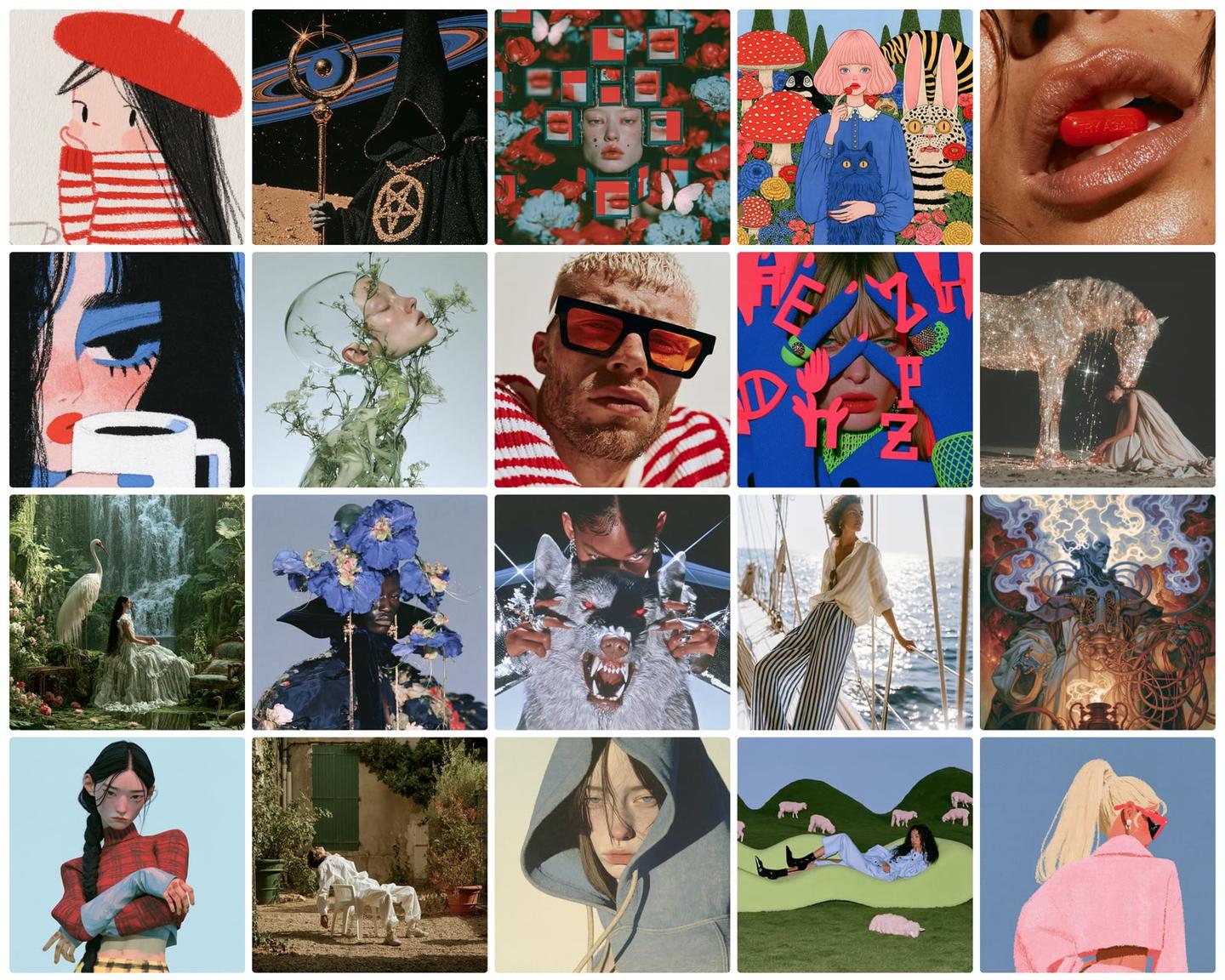
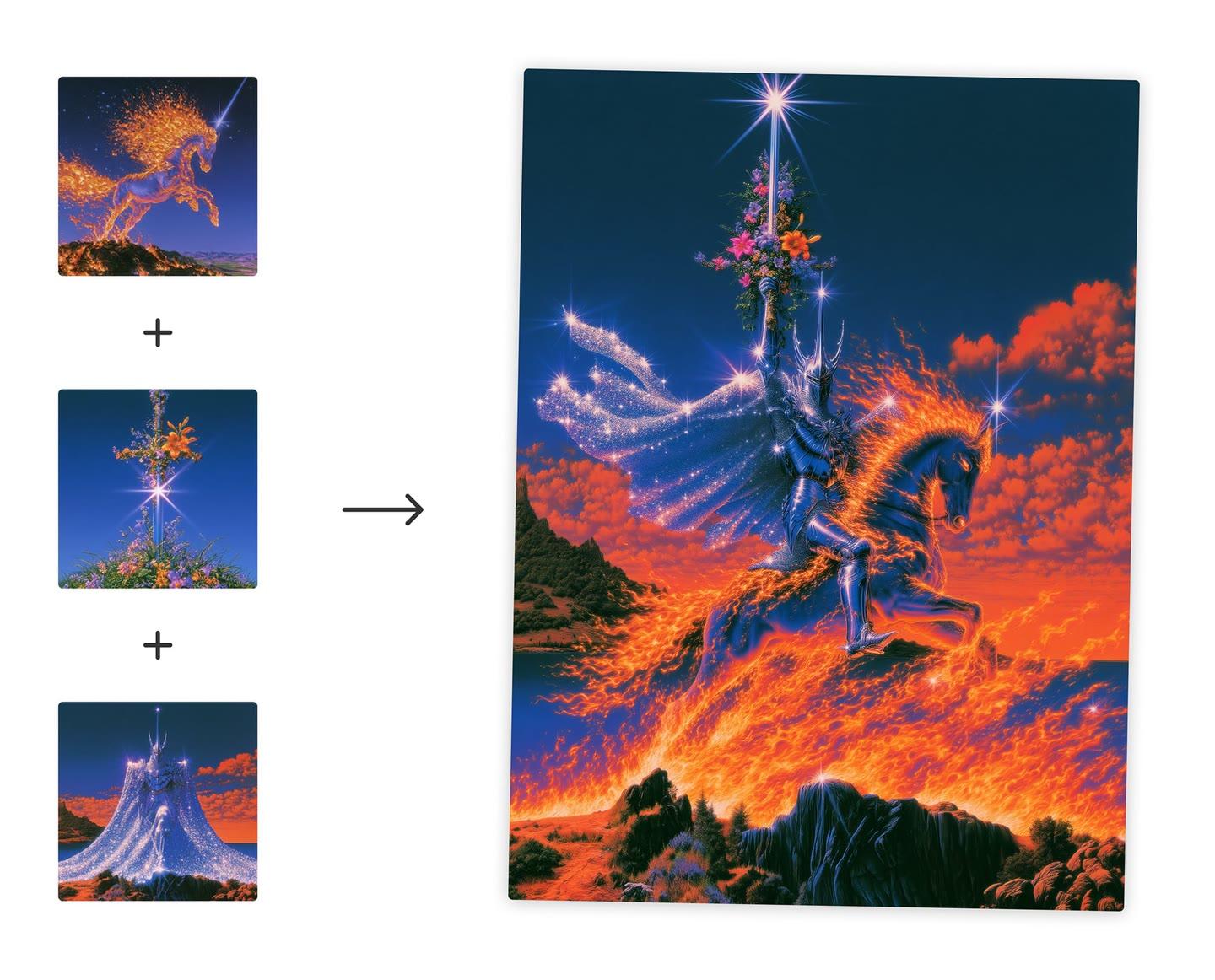
V8.2 also brought the Edit Model, which the Version article says replaces three older tools: Omni Reference, Character Reference and Retexture. Midjourney's Edit Model post lists what it does:
- Edit an image by typing instructions
- Make a new image from up to four reference images at once
- Change one area of an image (inpainting) or extend the canvas (outpainting)
- Use your personalization, moodboards and srefs while editing
To use it, drag images into the prompt bar under "attach to prompt," click "edit" in the lower right of the lightbox (the full-size image view), open the Edit tab on the left and upload an image, or type --edit followed by an image link in Discord.
Midjourney is also testing a "Thinking Mode" on its alpha website. It reruns a V8.2 job (a regular image or an edit), looks for where the image missed your prompt, such as wrong objects, layout, anatomy or text, and generates it again. Midjourney calls it an early version.
How is Midjourney V8 different from V7?
By Midjourney's own account, V8 follows detailed prompts more closely, renders text better, makes images faster and can make 2K images without upscaling, while V7 style references and personalization keep working. AI for Mortals hasn't run its own V8 tests, so everything in this section is what Midjourney says and documents.
- Speed: about 4 seconds per SD image and 12 seconds per HD image in V8.1
- Resolution: HD images at 2K resolution, twice the size of V7 images
- Text: better text in images when you put the words in quotes
- Styles: srefs, personalization and aesthetics stay consistent between V7 and V8.1
Some V7 features work differently or not at all. The comparison chart in the Version article shows V8.1 and V8.2 without Omni Reference (the Edit Model handles reference images now) and without the quality parameter, which V7 supported at 1, 2 and 4. Midjourney's GPU speed article says Turbo mode, the faster and pricier queue, isn't supported in V8.1.
The chart also shows the widest aspect ratio at 14:1 for both versions, but only 4:1 for V8 HD images. Pan, Zoom Out and the Editor now run on the Edit Model, and the upscalers work on SD images only.
How to use Midjourney V8 (turning it on and the parameters that changed)
You don't need to turn anything on: V8.2 is the default, so a new prompt on midjourney.com or in Discord already uses it. To choose a version yourself, add --v and the version number to the end of your prompt, or set a default for all future prompts in the settings panel, which opens from the settings button in the Imagine bar. In Discord, the settings command has a version dropdown.
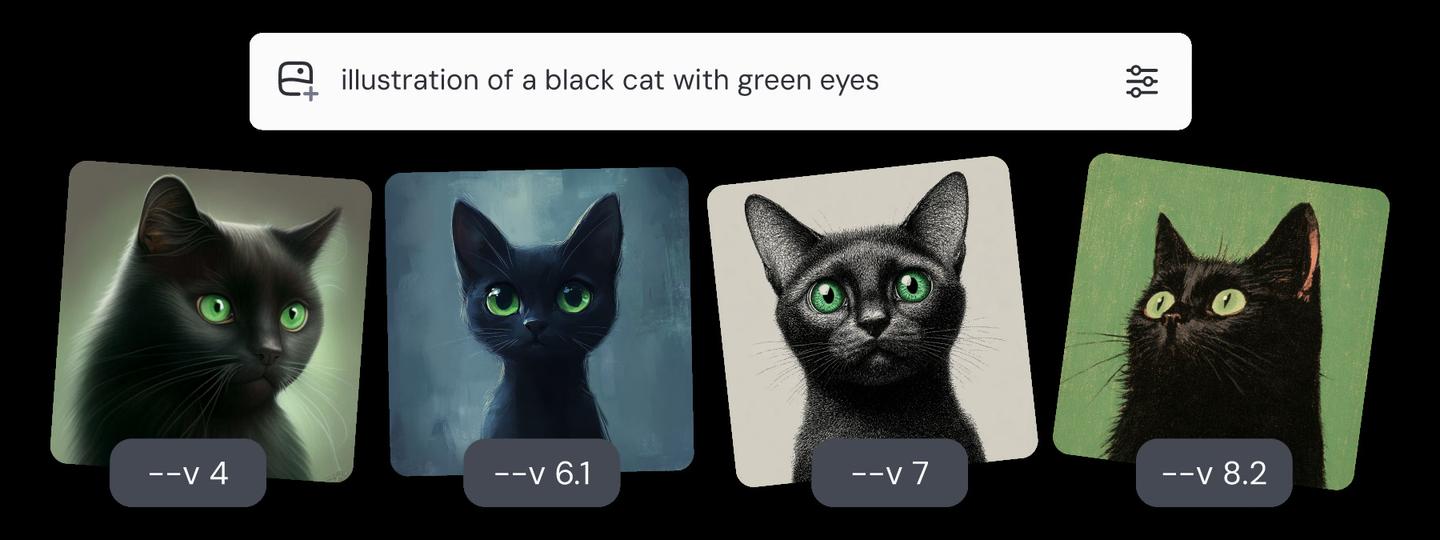
The main parameters in V8 (the settings you type after a prompt, starting with two hyphens):
--hdand--sdswitch between 2K HD and standard images--rawremoves Midjourney's default styling so it sticks closer to your prompt--chaos,--weird,--expand--stylizestill work--editplus an image link sends a job to the Edit Model in Discord
You can also turn on HD in the Version section of the settings panel on the web. If you edit an HD image with Pan, Zoom Out or Vary Region, the result drops to SD, and you can upscale it to get HD back.
For prompting, the V8 Alpha post recommends longer, more specific prompts, quotes around any text you want in the image, and --raw, moodboards or srefs if you want photos or a plainer look.
How much does Midjourney V8 cost, and is it free?
Midjourney V8 has no free version. Midjourney's Free Trials article says no free trial is available on midjourney.com or in Discord, and its four plans cost $10 to $120 a month. The plans differ in how much fast GPU time you get, whether Relax mode and Stealth mode are included, and how many jobs you can run at once.
| Plan | Monthly | Yearly | Fast GPU time | Relax mode | Stealth mode |
|---|---|---|---|---|---|
| Basic | $10 | $96 ($8 a month) | 3.3 hours (200 minutes) a month | No | No |
| Standard | $30 | $288 ($24 a month) | 15 hours a month | Unlimited images | No |
| Pro | $60 | $576 ($48 a month) | 30 hours a month | Unlimited images and SD video | Yes |
| Mega | $120 | $1,152 ($96 a month) | 60 hours a month | Unlimited images and SD video | Yes |
Source: Midjourney's Comparing Midjourney Plans article, checked November 23, 2026. Every plan can buy extra fast time at $4 an hour, and paying yearly saves 20%. A company with more than $1 million in yearly gross revenue must be on Pro or Mega.
Fast GPU time is the processing time Midjourney spends making your images, and it resets each month without rolling over. Relax mode, on Standard and above, puts jobs in a slower line (Midjourney says waits run from 0 to 30 minutes) without using your fast time. Stealth mode keeps your images and videos private.
Midjourney's GPU speed article lists what each job costs in fast time:
| Job | Approximate fast time |
|---|---|
| SD prompt | 0.8 minutes |
| HD prompt | 1.3 minutes |
| Edit Model SD prompt | 1 minute |
| Edit Model HD prompt | 2.3 minutes |
By that math, Basic's 200 fast minutes cover about 250 SD prompts or about 150 HD prompts a month.
Two ways to get extra time cost nothing. Each day, the 2,000 people who rate the most images get an hour of fast time, according to Midjourney's Earning Free Fast Time article, though you need an active subscription to use it and it expires after 30 days. Midjourney's Free Trials article also mentions a limited trial in the niji · journey app for iOS and Android, made for Niji, Midjourney's separate series of anime-style models.
Our guide to Midjourney's plans, fast hours and Relax mode explained covers what each plan includes and how to subscribe or cancel.
Questions people ask about Midjourney V8
Can I still use Midjourney V7?
Yes. Add --v 7 to a prompt or choose V7 in the settings panel. The Version article lists V7 alongside V8.1 and V8.2.
Can I still use the V8.0 alpha?
No. V8.0 was switched off on July 24, 2026. Images you made with it stay in your gallery.
Is Midjourney V8 available in Discord?
Yes. Midjourney put V8.1 in Discord as well as on midjourney.com, and V8.2 is the default in both.
Do my V7 style references and moodboards work in V8?
Yes. Midjourney says V8 works with V7 personalization profiles, moodboards and srefs, and that V8.1 keeps them consistent with V7.
How much fast time does one V8 image prompt use?
About 0.8 minutes for an SD prompt and 1.3 minutes for an HD one. Midjourney's GPU speed article says older model versions may take more time.
For more on AI image and video tools, see our creators section.
Sources
- Midjourney, Version (help center)
- Midjourney, V8 Alpha
- Midjourney, V8.1 Alpha
- Midjourney, V8.1 is now the default model
- Midjourney, V8.1 Updates
- Midjourney, Version 8.2
- Midjourney, Edit Model for V8
- Midjourney, Updates
- Midjourney, Comparing Midjourney Plans
- Midjourney, GPU Speed (Fast, Relax, Turbo)
- Midjourney, Free Trials
- Midjourney, Earning Free Fast Time
Comments
Sign in to join the conversation.