Mistral Vibe Explained: The Le Chat Rename, Free vs Pro, and How to Start Coding With It
Mistral Vibe is the new name for Le Chat plus Mistral's coding agent, with a free plan, a $14.99 Pro plan and a one-line terminal install.

On this page
- What is Mistral Vibe?
- Is Mistral Vibe the same as Le Chat?
- Can I use Mistral Vibe for free?
- Does Mistral Vibe have a desktop app?
- How do you install the Mistral Vibe CLI?
- Which models does Mistral Vibe run on?
- Claude Code vs Mistral Vibe: which should you use?
- How Mistral Vibe has changed since launch
- Questions people ask about Mistral Vibe
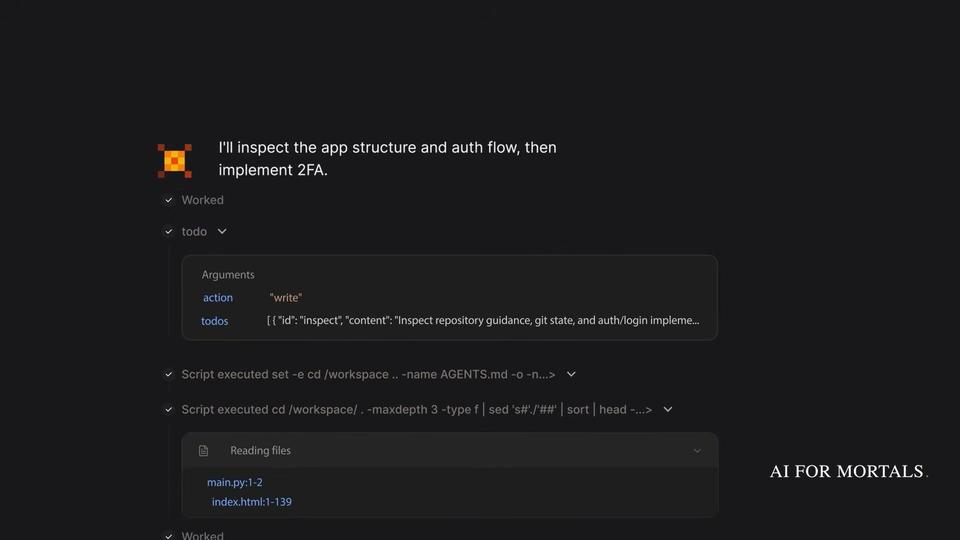
Mistral Vibe is Mistral AI's assistant and coding agent in one product. It has two parts: Vibe for work, the chat assistant that was called Le Chat until May 28, 2026, and Vibe for code, a coding agent you can run in your terminal, in VS Code or JetBrains, or on the web. Mistral's Vibe page describes it as an AI chat assistant and an AI coding agent "in a single product for individuals, teams, and enterprises."
The free plan includes limited coding sessions. Pro costs $14.99 a month before tax and adds "all-day coding in the CLI, IDE, or on web", and Team costs $24.99 per user a month, according to Mistral's pricing page. The terminal version (the CLI, short for command-line interface: you type instructions to it in a terminal window) is open source under the Apache 2.0 license and installs with one command.
Last checked November 27, 2026: the plans and prices on Mistral's pricing page, the desktop and phone apps on the Vibe product page, the install steps on the Vibe GitHub page, and Claude's prices for the Claude Code comparison.
What is Mistral Vibe?
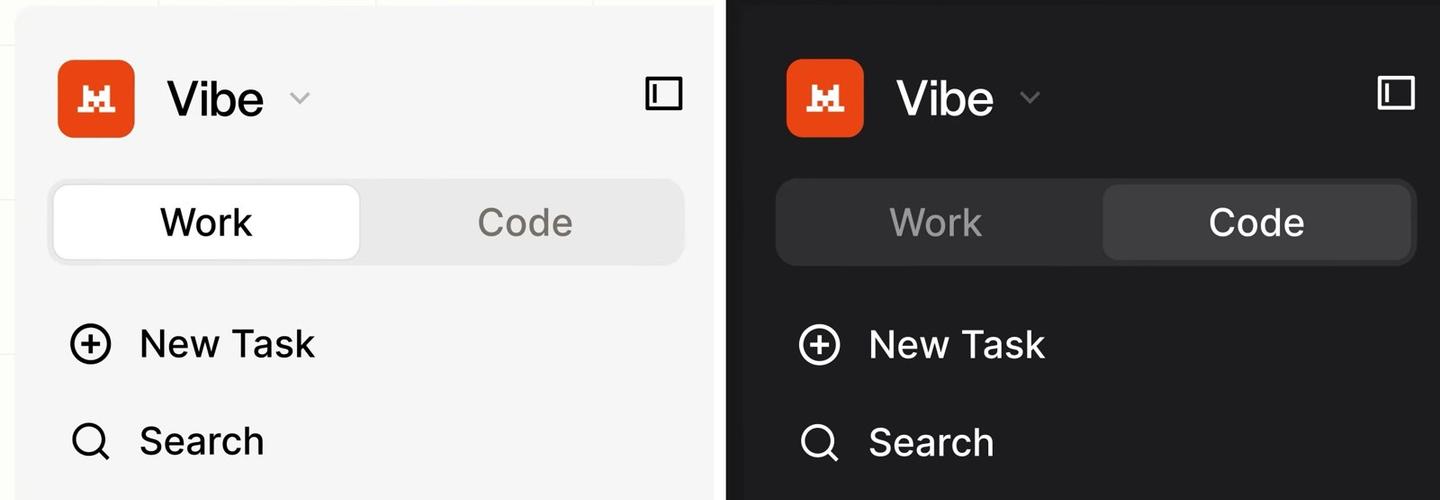
Mistral Vibe is one product with two modes: Work, an agent for office tasks, and Code, an agent that writes and changes software. Mistral says it "runs on flagship Mistral models optimized for reasoning, agentic tasks, tool calls, and coding."
In Work mode, Vibe maps out a plan, gets your sign-off before it starts, and then works across your connected apps to finish the task. Mistral's May 28 announcement lists what Work mode does today: it searches your documents, mail and Slack, analyzes a spreadsheet or database you give it, drafts a brief, report or board deck in Canvas (its built-in document editor), and runs a prompt once or on a daily, weekly or monthly schedule.
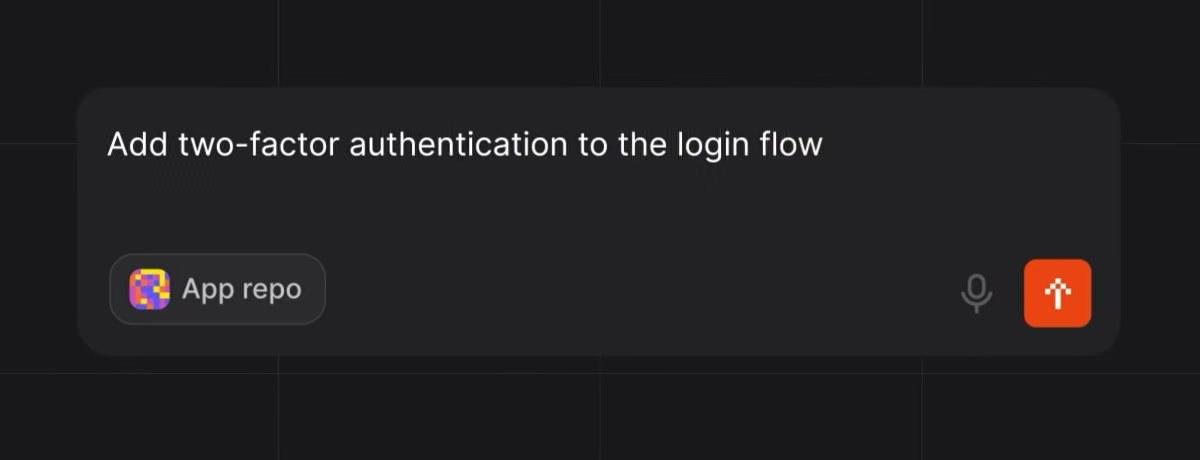
In Code mode, Vibe builds features, fixes bugs and opens pull requests (a pull request is a proposed set of code changes that a person reviews before it goes in). You can run it on your own computer through the terminal or your code editor, or hand the job to a remote agent that works in a sandbox, an isolated computer in Mistral's cloud, and keeps going while your machine is off.
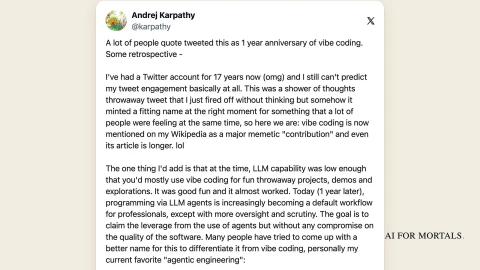
The name is unrelated to what vibe coding means, which is describing software to an AI in plain English and keeping what works. Vibe coding is a way of working that you can do with any coding tool, and Mistral Vibe is one of those tools.
Is Mistral Vibe the same as Le Chat?
Yes. Mistral renamed its Le Chat assistant to Vibe on May 28, 2026 and put its coding agent into the same product, calling the result "one agent and one licence across work and code."
Your conversations, settings and plan carried over from Le Chat. Mistral's announcement says your old history sits in the app's Chat mode, and that it will stay available in Work mode once Mistral retires Chat mode.
Can I use Mistral Vibe for free?
Yes. Vibe's free plan includes chat, web search and limited coding sessions, and Mistral's pricing FAQ says it covers "Vibe for code for agentic coding in your terminal." The pricing page lists Free's messages, web searches and coding sessions as "limited" and gives no numbers.
Mistral's product page says the free plan is for quick answers, web search and simple tasks, and points you to Pro "for agents, long-horizon tasks, and all-day coding." Here are the plans as Mistral's pricing page showed them on November 27, 2026, in US dollars before tax:
| Plan | Price | Coding | Also included |
|---|---|---|---|
| Free | $0 | Limited coding sessions | Web and mobile access, limited messages and web searches, basic image generation, 100+ connectors |
| Pro | $14.99 a month | All-day coding in the CLI, IDE or on web | More messages and web searches, faster responses, spreadsheets and slides, chat and email support |
| Education | $5.99 a month | All-day coding in the CLI, IDE or on web | For verified students at accredited higher-education institutions who haven't used Vibe or Le Chat before, for up to 12 months |
| Team | $24.99 per user a month | Higher limits than Pro | Up to 30GB of storage per user, domain name verification, data export |
| Enterprise | Contact sales | Custom models, agents and workflows | Audit logs, SAML single sign-on, white label, deployment on your own servers or private cloud |
Pro and Team are "subject to fair usage limits." When you hit your plan's limit, Mistral sells pay-as-you-go credits so you can keep going, "paying only for what you use beyond it at API rate."
The free plan used to leave out coding. When Mistral released Vibe 2.0 in January 2026, the coding agent needed a paid Le Chat Pro or Team plan; the current pricing page lists limited coding sessions on Free.
Does Mistral Vibe have a desktop app?
Yes, for macOS and Windows. On November 27, 2026, the Vibe product page offered desktop downloads for both, with Linux marked "Coming soon."
Vibe also runs in these places, according to Mistral's product page and its announcements:
- The web, at chat.mistral.ai, with Code mode at chat.mistral.ai/code
- iPhone and Android apps
- Your terminal, through the open-source Vibe CLI
- VS Code, JetBrains editors, and Zed, through the Agent Communication Protocol (ACP)
- Slack
The VS Code extension shows the agent in a side panel that reads, edits and runs commands next to your files. It runs on the same harness as the CLI, Mistral's word for the code that drives the agent, and Mistral says features are copied across both.
Vibe connects to more than 100 tools, including email, calendar, Slack, GitHub and Jira, and works with MCP, a standard way to plug outside tools into an AI agent. You can also talk to it: voice input runs on Voxtral, Mistral's speech model.
How do you install the Mistral Vibe CLI?
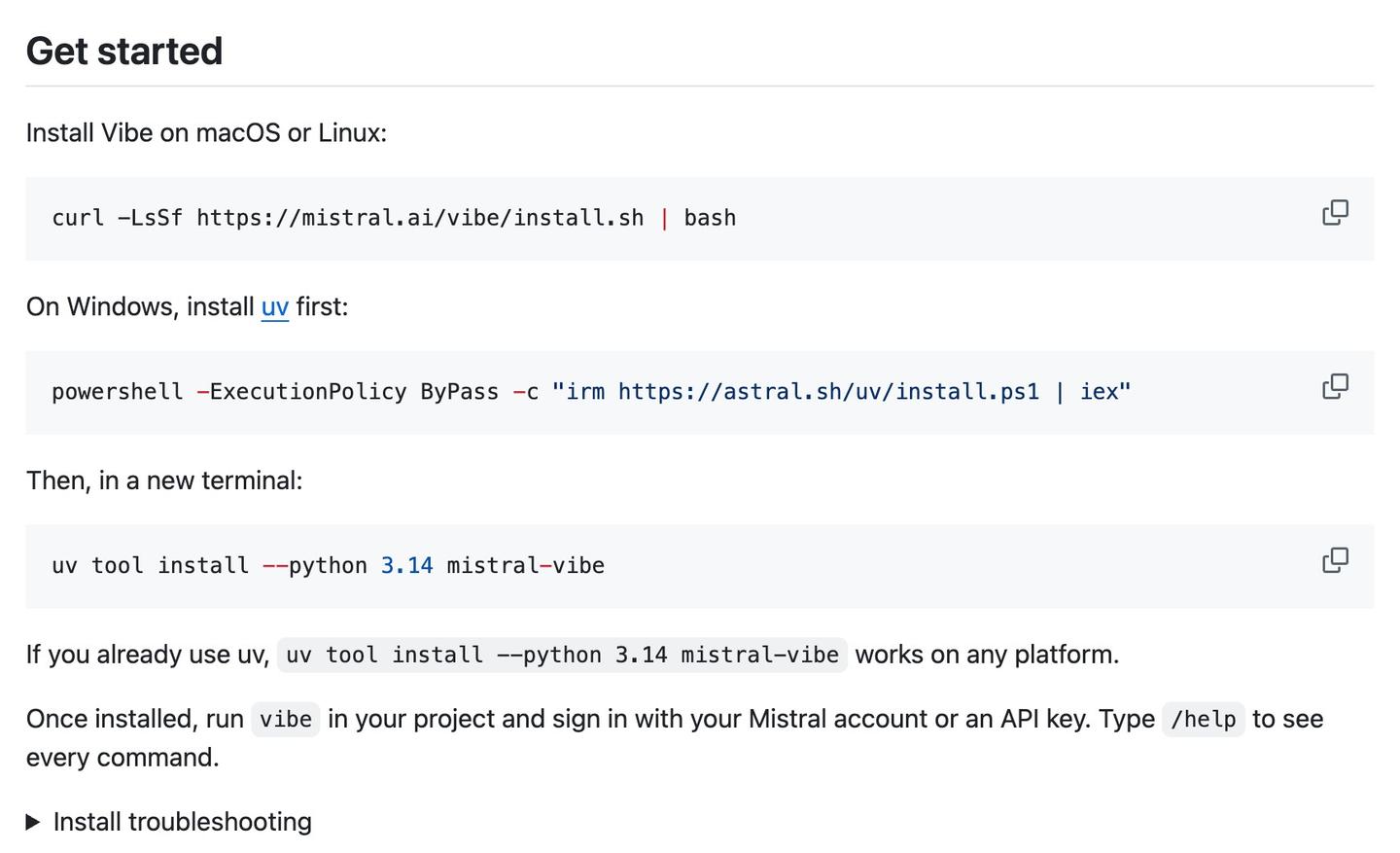
On a Mac or a Linux computer, open a terminal and run this one command from the Vibe GitHub page:
curl -LsSf https://mistral.ai/vibe/install.sh | bashOn Windows, first install uv, a free tool that installs Python programs, by pasting this into PowerShell:
powershell -ExecutionPolicy ByPass -c "irm https://astral.sh/uv/install.ps1 | iex"Then open a new terminal and run:
uv tool install --python 3.14 mistral-vibeIf you already use uv, that second command works on any platform. Vibe needs Python 3.12 or later, and the README says uv downloads Python 3.14 for you if you don't have it.
Once it's installed, go to your project's folder in the terminal, type vibe, and sign in with your Mistral account or an API key. Type /help to see every command. If a new terminal says it can't find vibe, the README's fix is to run uv tool update-shell and open another terminal.
To turn off telemetry and crash reporting (the usage data and error reports Vibe sends to Mistral), set enable_telemetry = false in Vibe's config.toml settings file.
Which models does Mistral Vibe run on?
Vibe runs on Mistral's own models. Mistral Medium 3.5 replaced Devstral 2 as the default model in the Vibe CLI and became the default in the chat app, according to Mistral's May 22, 2026 post.
Medium 3.5 has 128 billion parameters (the numbers a model learns in training, a rough measure of its size) and a 256,000-token context window, the amount of text it can hold in view at once. Mistral says it scores 77.6% on SWE-Bench Verified, a coding benchmark, ahead of Devstral 2.
Mistral's own pages don't all match on this. On November 27, 2026, the pricing page still described the Vibe CLI and the VS Code and JetBrains plugin as "powered by Devstral", Mistral's line of coding models, while its FAQ recommended Mistral Medium "for most tasks and coding."
Devstral 2 launched with the CLI in December 2025. Mistral described it as a 123-billion-parameter model that scored 72.2% on SWE-bench Verified, alongside a smaller Devstral Small 2 that can run on your own computer.
Mistral releases many of its models as open weights, which means anyone can download the model and run it on their own machines. Medium 3.5 is out under a modified MIT license, and Mistral says it can run on as few as four GPUs. Devstral Small 2 and the Vibe CLI itself use the Apache 2.0 license, and Enterprise customers can run Vibe on their own servers. Our page on who Mistral AI is covers the company behind it.
Claude Code vs Mistral Vibe: which should you use?
Pick Vibe if you want to try a coding agent for free, want the cheaper paid plan, or want an agent whose code and models you can run yourself. Pick Claude Code if you already pay for Claude, because its Pro, Max and Ultra plans include it.
Pat Simmons hasn't tested Vibe on his channel, so this section compares what each company publishes and makes no claim about which one writes better code. Both are coding agents of the kind used in agentic engineering: you describe the change, and the agent reads your project, edits files and runs commands.
| Mistral Vibe | Claude Code | |
|---|---|---|
| On the free plan | Limited coding sessions | Not included |
| Cheapest plan that includes it | Pro, $14.99 a month before tax | Pro, $20 a month billed monthly, or $17 a month billed yearly |
| Bigger plans | Team, $24.99 per user a month; Enterprise by quote | Max, $100 a month; Ultra, $200 a month |
| Where you can code with it | Terminal, VS Code, JetBrains, Zed, web | Terminal, VS Code, JetBrains, desktop app, web, Claude phone app |
| Models | Mistral's own, with Medium 3.5 the CLI default since May 2026 | Anthropic's Claude models |
| Move work between your terminal and the cloud | Yes: /teleport moves a live session between your terminal and the cloud | Yes: start a task on the web or the Claude phone app, then pull it into your terminal with teleport (needs a Claude subscription) |
Prices are from Claude's pricing page and Mistral's pricing page, and Claude Code's surfaces are from the Claude Code docs, all checked November 27, 2026. The Claude Code docs say most of its surfaces need a Claude subscription.
In its December 2025 launch post for Devstral 2, Mistral reported that in human evaluations run by an outside annotation company, Claude Sonnet 4.5 "remains significantly preferred" over Devstral 2. Both companies have released newer models since then. For plan-by-plan prices and API rates, see Mistral vs Claude on price and coding.
How Mistral Vibe has changed since launch
Vibe started in December 2025 as a terminal tool for developers, and by May 2026 it had taken over Le Chat's name.
December 9, 2025: Mistral released the Vibe CLI together with Devstral 2, as an open-source agent for the terminal under Apache 2.0. Devstral 2's API was free to use at launch.
January 27, 2026: Vibe 2.0 added custom subagents (helper agents you build for one job, such as reviewing pull requests), multiple-choice questions when a request is unclear, skills you load with a slash command, custom agent modes and automatic updates.
The same release put Vibe on the paid Le Chat Pro and Team plans, with pay-as-you-go use past the limit or the option to bring your own API key. Devstral 2's API became paid at $0.40 per million input tokens, with free API use kept on Mistral's Experiment plan.
May 22, 2026: remote coding agents arrived. They run in Mistral's cloud, several at a time, can open a pull request on GitHub when they finish, and can take over a session from your terminal. Mistral Medium 3.5 became the default model in the CLI on the same day.
May 28, 2026: Le Chat became Vibe, with Work and Code modes, a Code mode in the web app and the VS Code extension. The CLI gained a plan you can edit before the agent runs, permissions you set for each session, and /teleport to move a live session between your terminal and the cloud.
As of November 27, 2026: the product page lists desktop apps for macOS and Windows with Linux "Coming soon", and the free plan includes limited coding sessions.
Questions people ask about Mistral Vibe
Is Mistral Vibe open source?
The Vibe CLI is, under the Apache 2.0 license, and its code is on GitHub. Mistral takes bug reports and feature requests there but says it does not accept pull requests from outside contributors.
Is there a student discount for Mistral Vibe?
Yes. Verified students can get Pro for $5.99 a month instead of $14.99, for up to 12 months, if they haven't used Vibe or Le Chat before.
What happens when you hit your Vibe usage limit?
You can buy pay-as-you-go credits and keep working, paying Mistral's API rates for the extra use until your plan's allowance resets.
Does Mistral Vibe work in VS Code?
Yes. Mistral released a Vibe extension for VS Code on May 28, 2026. Open files attach to the conversation automatically, and you can @-mention other files or folders to give the agent more context.
What does Mistral Medium 3.5 cost through the API?
Mistral prices it at $1.50 per million input tokens and $7.50 per million output tokens. A token is a small chunk of text, roughly a short word.
Can a company run Mistral Vibe on its own servers?
Yes, on the Enterprise plan. Mistral says Enterprise customers can deploy Vibe on their own servers, in a private cloud, or on Mistral Cloud with full data residency, meaning the data stays in the region they choose.
Sources
- Mistral: Vibe product page
- Mistral: Pricing
- Mistral: Vibe gets to work (May 28, 2026)
- Mistral: Remote agents in Vibe, powered by Mistral Medium 3.5 (May 22, 2026)
- Mistral: Terminally online Mistral Vibe, Vibe 2.0 (January 27, 2026)
- Mistral: Introducing Devstral 2 and Mistral Vibe CLI (December 9, 2025)
- GitHub: mistralai/mistral-vibe README
- Anthropic: Claude pricing
- Anthropic: Claude Code overview docs


Comments
Sign in to join the conversation.