The prompt
Build a real-time 3D simulation of a Starship launch and booster tower catch that runs in the browser.

Context you should know: this is going into a video watched by a large audience. Your simulation is put on screen next to three other frontier models given this identical prompt.

The comparison is blind. Never put your model name, your company's name, or any mention of which AI made it anywhere in what you build: not in on-screen text, credits, the page title, file names, code comments, or metadata.

The full mission, start to finish, in one continuous run:

1. **On the pad.** The full stack, Super Heavy booster with Starship on top, on the orbital launch mount beside the launch tower with its two catch arms, at a coastal launch site at dawn.
2. **Liftoff.** All 33 engines light in sequence, with a believable plume, shock diamonds, a dust and steam cloud, the vehicle clearing the tower, and a camera shake and sound that sell the power.
3. **Ascent and hot staging.** Climb through max Q, then hot staging: the ship's engines light while still attached, the stages separate, and the ship flies on out of frame.
4. **Boostback and return.** The booster flips, fires its boostback burn, and falls back toward the launch site with its grid fins steering.
5. **The catch.** The landing burn lights, the booster slows to a hover beside the tower, and the arms close and catch it.

Requirements:

- Real 3D, rendered live with WebGL or WebGPU. Model the vehicles, the tower with its arms and the launch site yourself, in code or in Blender, with materials that read as stainless steel, concrete and steel lattice.
- Motion that obeys physics. Thrust, gravity, drag and attitude drive the vehicles, scaled in time if you need to so the whole mission plays in a few minutes, and the catch has to be earned by the booster's guidance, not snapped into place.
- A live telemetry readout: mission clock, altitude, speed, and the current phase of flight.
- Cameras the viewer can switch between: a wide pad shot, a tracking chase camera, a camera on the tower, and a free orbit camera.
- Time controls: play, pause, speed up, and an instant slow-motion replay of the catch.
- Sound for the engines, staging and the catch, generated in code or synthesized.
- It must run smoothly in a desktop browser, start with a single click, and look like a film shot, not a tech demo.

QA your own work: play the whole mission through, look at every phase from every camera, and fix what looks wrong.

DONE when: the full mission plays from pad to catch in one run, the booster is caught by the arms through its own guidance, every camera and time control works, and it runs in the browser from a documented command.
The exact prompt from the article.
The builds
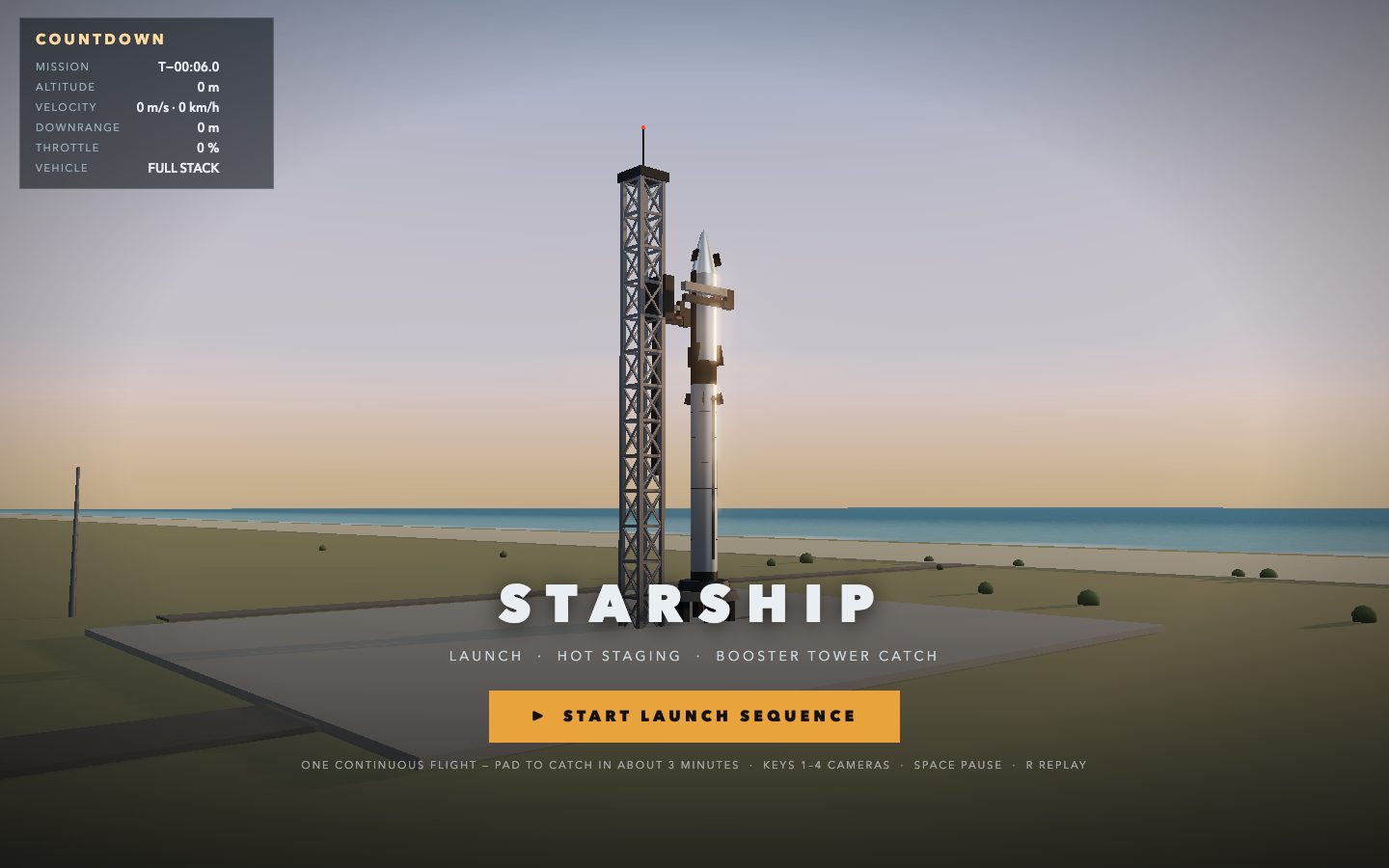
Muse Wonder Full · Screenshot of the buildRuns in your browser

Written by
Pat Simmons. Pat tests AI models and tools on his YouTube channel.