The prompt
Rebuild https://heronaiapp.com/ pixel for pixel, motion and all, making every asset yourself.

Context you should know: this is going into a video watched by a large audience. Your clone is put on screen next to the real site and next to three other frontier models given this identical prompt, at the same viewport.

The comparison is blind. Never put your model name, your company's name, or any mention of which AI made it anywhere in what you build: not in on-screen text, credits, the page title, file names, code comments, or metadata.

**First, read the methodology.** Clone `https://github.com/per-simmons/clone-app-pat-pro-public` and read `SKILL.md` and `references/00-contract.md` before anything else, then each stage reference as you reach it. Follow its workspace layout, artifacts, verification gate and convergence loop. `scripts/assert-styles.mjs` is the gate.

Two overrides, and they win where they conflict with the repo:

- **Do not stop to check in.** You are running unattended. Run the whole pipeline start to finish without asking for approval or asking questions.
- **Use your own browser automation**, headless Playwright or Puppeteer, anywhere the repo says to use the Claude Chrome extension. Computed styles read off the live page through the CSSOM are ground truth. Screenshots and screen recordings are visual reference only, never the gate.

You have two creative tools: **Blender**, driven headless with Python scripts, and an **image generator** you can call from the command line.

Requirements:

1. **Recon the whole page before writing code.** Every section top to bottom at desktop and mobile widths, the loading sequence, every hover, drag and scroll-triggered state, the navigation and the footer.

2. **Extract, don't guess.** Pull real computed values off the live page: type scale, exact colors, spacing, radii, borders, grid and container widths, breakpoints, easing curves and durations, font families and weights.

3. **The interactions are the site.** The boot-sequence loader with its counter and coordinate readout, the click-and-drag reveal over the building sketch with its code-violation callouts, the scroll-pinned sections, the smooth scroll and every hover state must all work and feel like the original.

4. **No lifted assets.** Do not hotlink, download, or trace the original's images, video, 3D files, or fonts. Make the artwork yourself, the architectural sketch included, with code, Blender or the image generator. Partner logos become neutral wordmarks set in type. Fonts come from an open CDN with metrics matched as closely as you can. List every substitution in the README.

5. **Rebuild it all.** Every section, every component, every interactive state, at desktop and mobile. A static skin over a site whose identity is motion is a failed clone.

6. **Prove the match.** Run `assert-styles.mjs` against your extracted tokens and iterate until there are zero failures and the project builds clean. Then compare your clone to the real site at the same viewport, desktop and mobile, and fix what your eye catches that the assertions missed.

7. **Ship it runnable**, with a documented run command and a README covering what you substituted, how you made the artwork, and your final assertion results.

8. **Depth over breadth.** If you have to choose, a loader, hero and first three sections that are indistinguishable from the original beat a whole page that is approximately right.

DONE when: the clone passes the style gate with zero failures, runs from a documented command, its loader and drag-to-reveal interaction work like the original's, and it holds up next to the real site at full screen.
The exact prompt from the article.
The builds
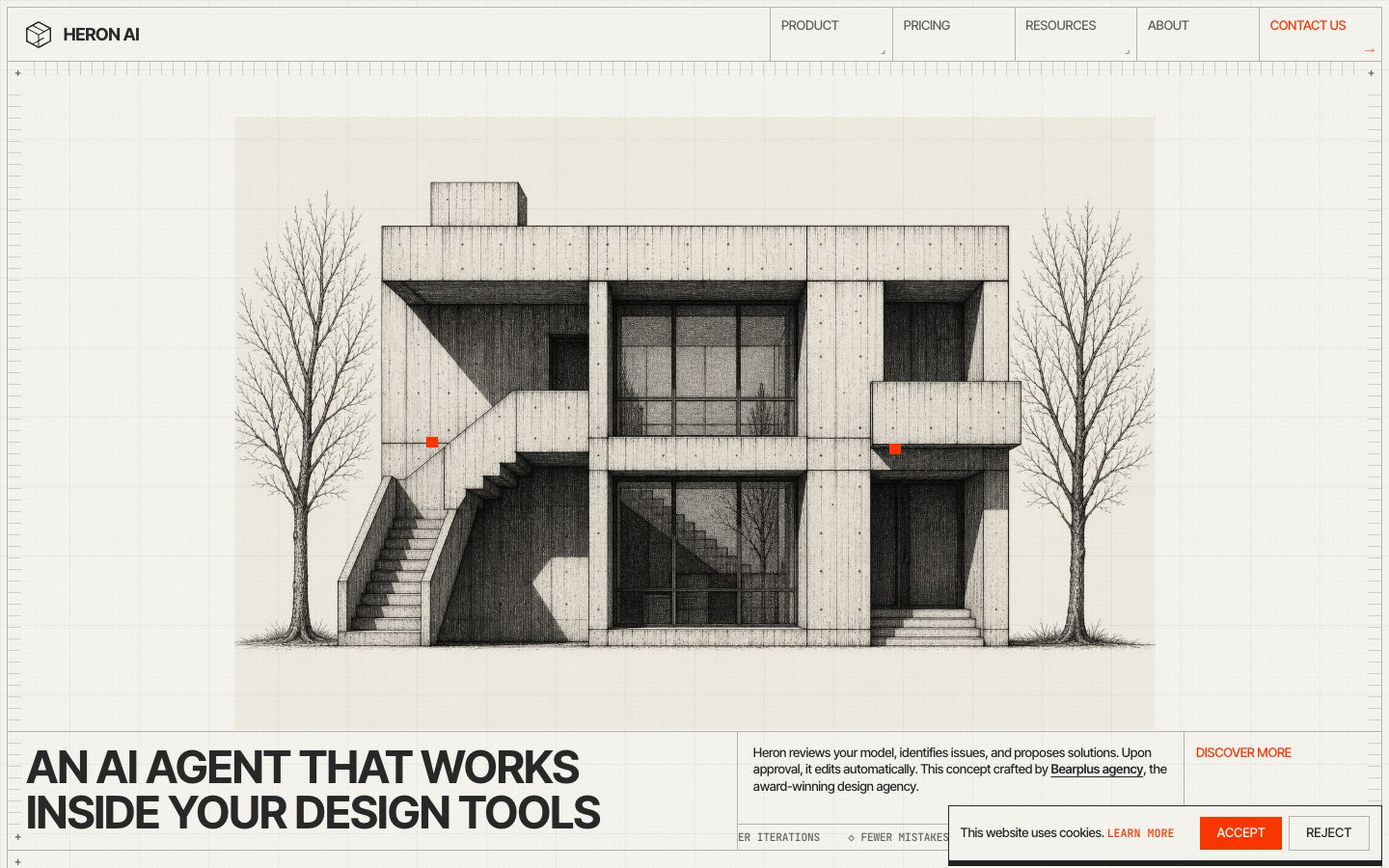
Muse Wonder Full · Screenshot of the buildRuns in your browser

Written by
Pat Simmons. Pat tests AI models and tools on his YouTube channel.