The prompt
Write, and fully shot-list, a ~30-second trailer for a Quentin Tarantino film — as a complete, ready-to-generate shot plan for an AI text-to-video model.

You are directing this for an AI video generator (a text-to-video model like Seedance / Veo / Kling — native audio, ~5–10 second clips per generation, stitched together). Your shot prompts will be pasted, shot by shot, straight into that generator. So they have to be written the way those models actually want to be prompted.

Requirements:

1. **Research first.** Do a quick research pass on how to prompt a modern AI text-to-video model well — shot/clip duration limits, how to describe camera (angle, lens, movement), lighting, blocking, motion and pacing, how to specify dialogue and audio/SFX, and how to keep character and setting continuity across separate clips. Briefly note the best practices you're applying (2–4 lines) so it's clear you directed this deliberately.

2. **The scene.** First write the trailer scene as a real screenplay: scene heading (INT./EXT. — LOCATION — TIME), sparse action, character cues, dialogue. Two to four characters, one location. It must have a three-act micro-arc inside the ~30 seconds — setup, a turn, a button — and it must sound like peak-1990s Tarantino: oblique dialogue where people talk about one thing while meaning another, menace under banality, subtext over exposition. Give it a title.

3. **The shot list — the main deliverable.** Break the scene into a numbered sequence of shots that total ~30 seconds. For EACH shot, write a render-ready block:
   - **Shot # + duration** (keep each within the generator's clip limit, e.g. ≤8s).
   - **Video prompt** — one tight paragraph a text-to-video model can render: framing + shot size, camera angle/lens/movement, subject and exact action, lighting and color grade (Tarantino's 90s visual grammar — saturated, low angles, long takes, tense close-ups), setting, mood. Concrete and visual, not literary.
   - **Dialogue / audio** — the spoken line(s) for that shot (verbatim) plus any SFX or score cue, formatted the way the generator's native-audio track wants it.
   - **Continuity note** — what must match the previous shot (character look, wardrobe, location, lighting) so the stitched clips read as one scene.

4. **Make it directly usable.** The output should be something a person could take shot-by-shot into the AI video tool and generate the whole trailer without rewriting anything. Include a one-line stitch/edit note at the end (order, any hard cuts, where the title card lands).

DONE when: there's (a) a short research/best-practices note, (b) the Tarantino scene, and (c) a complete numbered shot list where every shot has a render-ready video prompt + dialogue/audio + continuity — enough to generate the full ~30s trailer end to end. The win condition is a shot list good enough to paste straight into an AI video generator.
The exact SimmonsBench test prompt every model received.
The builds
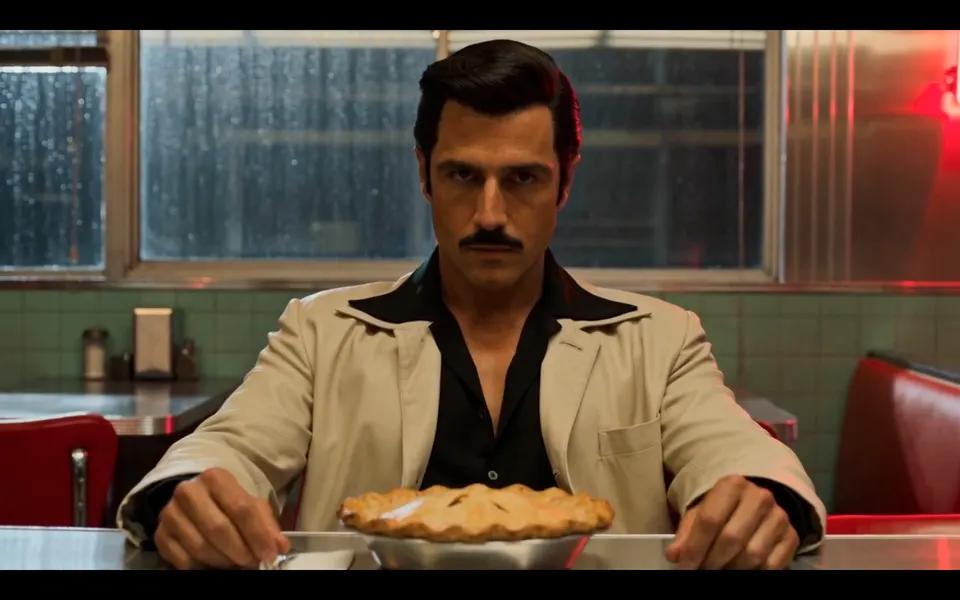
GPT-5.6 Sol · Screenshot of the buildRuns in your browser
Featured in
Kimi K3 Is Here! (Better Than Opus 4.8?)
This build’s chapter starts at 32:45.
Written by
Pat Simmons. Pat tests AI models and tools on his YouTube channel.