AI Generated Video: How to Make One With Seedance, Gemini or Kling, What It Costs, and Which AI Can Watch a Video
How to make an AI generated video with Seedance, Gemini Omni or Kling, what each costs per second, and which AI can watch and summarize a video for you.

On this page
An AI generated video is a clip that a video model makes from a typed description, a photo or a mix of reference files, with no camera involved. Seedance 2.5 and Kling 4.0 make clips of up to 30 seconds in one go and Gemini Omni 1.2 Flash up to 15, and all three, along with Grok Imagine 1.5, can make the sound in the same pass.
You can start free: Google Vids gives anyone with a Google account three 15-second clips a month. If you pay by the second through a developer account (an API, the pay-as-you-go access companies sell to programmers and apps), the 720p prices we checked on November 27, 2026 run from about $0.07 a second (Gemini Omni) to $0.23 (Seedance 2.5), and Grok Imagine costs $0.25 a second at 1080p. Pat Simmons made a one-minute Seedance 2.5 explainer for about $15.
To have an AI watch a video for you instead, the Gemini app reads uploads of up to 5 minutes on the free plan and up to an hour on Google AI Pro or Ultra.
What is an AI generated video?
An AI generated video is footage a model invents from your instructions. You describe the shot in words (text-to-video), give it a still image to bring to life (image-to-video), or combine photos, short clips and audio as references, and the model returns a finished clip, often with sound.
Each model sets its own limits. ByteDance's Seedance 2.5 generates video with synchronized sound from text, images, video clips and audio, and returns clips up to 30 seconds long in a single generation. Kling 4.0 makes clips of 3 to 30 seconds with stereo audio and lip sync. Google's Gemini Omni 1.2 Flash goes up to 15 seconds, set in one-second steps from 3 to 15, and you can change a finished clip by typing what you want, such as a new background or different lighting, instead of starting over.
Google built Omni 1.2 Flash for jobs such as product explainers, virtual try-on clips and social ad spots, and Pat has used Seedance for product ads and a Vox-style explainer.
How do you make an AI generated video?
You write a precise prompt, give the model a photo if you have one, pick the length, shape and resolution, generate, then fix what looks off with a revised prompt. In his beginner's guide to product ads, Pat says: "The more precise your language, the better the output's going to be," and adds that you should be specific about lighting, camera movement and shot timing (0:51 in the video below).
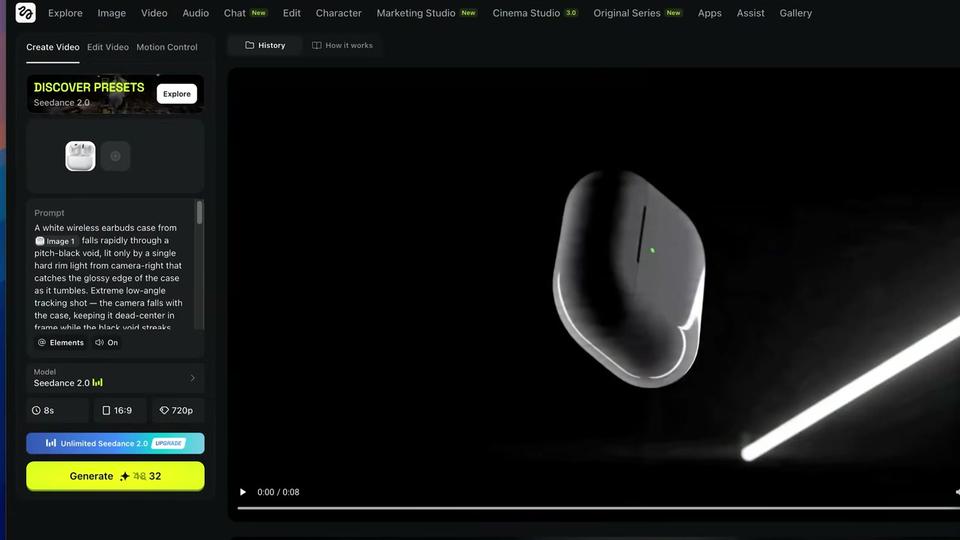
Pat made four product ads that way with Seedance 2.0 inside Higgsfield, a web app that runs several video models: AirPods, a Wild Roman skincare product, a Liquid Death can and a New Balance running shoe, each from a single product photo. He had Claude write the prompts with his free Seedance Prompt Builder skill. These are the steps he shows:
- On the skill's GitHub page, click Code, then Download ZIP.
- In Claude, open Customize, then Skills, click the plus, choose Create skill, then Upload a skill, and drag in the zip file.
- Start a new chat, attach your product photo and type: "Create a product ad with Seedance for the attached product image."
- Copy the shot list Claude writes, paste it into Higgsfield's video prompt, upload the same photo, pick a length and shape, and click Generate.
- If something looks wrong, describe it to Claude and ask for a revised prompt.
Claude's prompt is a timed shot list (0 to 2 seconds, 2 to 4 seconds and so on), each shot with its action, camera movement and lighting. Seedance calls this multi-shot generation: one prompt with timestamps comes back as one video with the cuts already in it. Higgsfield also checks each uploaded image before it lets you generate.
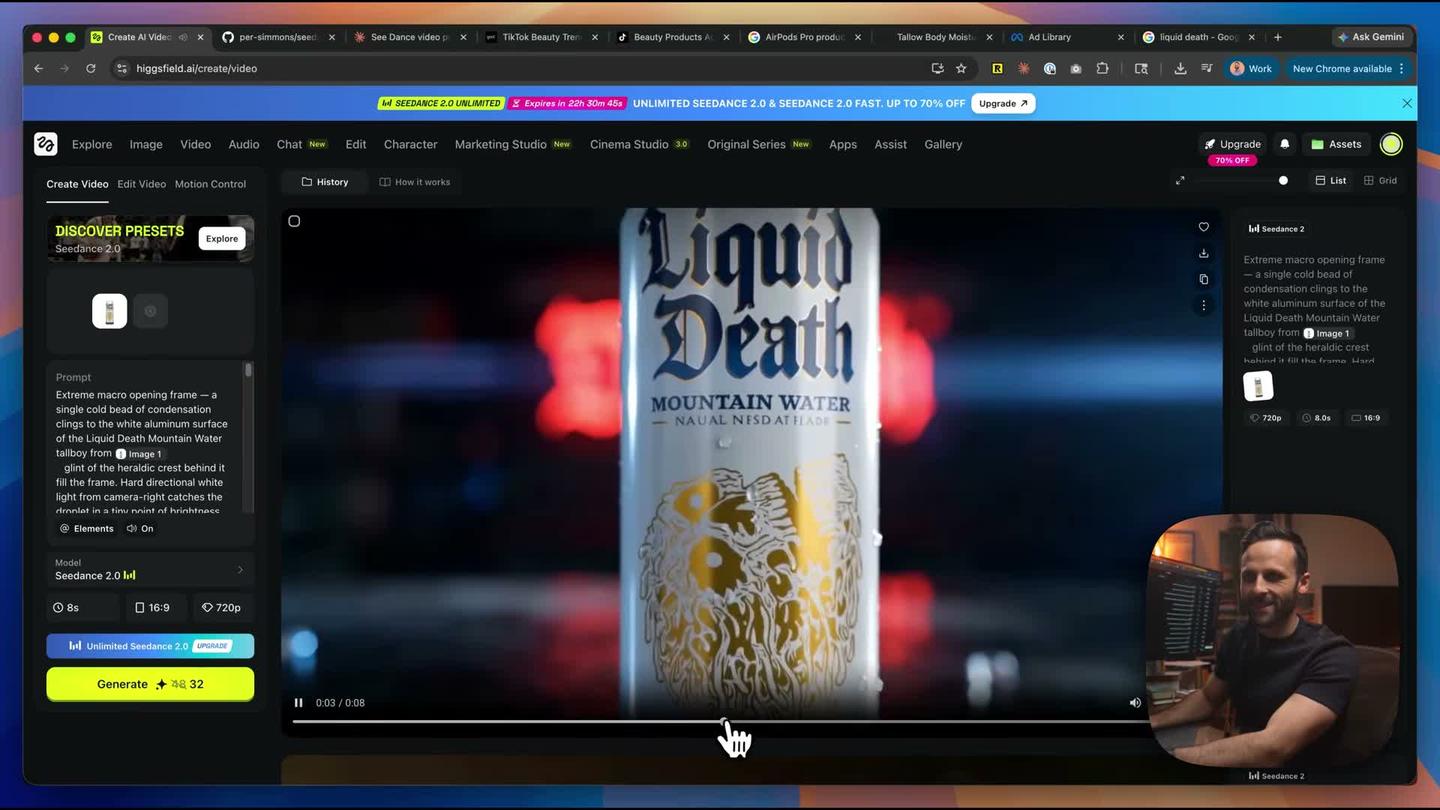
The AirPods ad worked on the first try. Pat first set Higgsfield to 15 seconds, then switched to 8 because 15 "felt a little too long for a quick product video" (5:16), and his verdict was: "for a first generation, that's pretty darn impressive" (5:40). The later ads showed where the model still slips. The Liquid Death can's small lettering came out wrong, and on the spinning shoe in his first shoe ad Pat said, "The physics are a little strange, this rotation here" (9:21).
His last test added a photo of his own face to the shoe ad. It went through once he had accepted Higgsfield's and Seedance's terms, and as he understood it, uploading someone else's face still breaks those terms. The full walkthrough, from installing the skill to the four results, is in his video:
What does an AI generated video cost?
Paying by the second, a clip made from text or a photo costs between about $0.07 and $0.25 a second on the models below that list a dollar rate, so a 10-second clip runs from roughly 70 cents to $2.50. Monthly plans sell the same thing as credits. Prices and limits are from each company's page, checked November 27, 2026:
| Model | Where you use it | Price | Longest clip |
|---|---|---|---|
| Gemini Omni 1.2 Flash | Gemini API | $0.07 a second at 720p | 15 seconds |
| Grok Imagine 1.5 | xAI API | $0.08, $0.14 and $0.25 a second at 480p, 720p and 1080p | Not listed on the API price page |
| Seedance 2.5 | Replicate | $0.1028 a second at 480p, $0.2312 at 720p (from text or images) | 30 seconds |
| Kling 4.0 | Kling API | 1 unit a second at 720p, 1.5 at 1080p, 3.5 at 4K, from prepaid unit packages | 30 seconds |
| Runway Gen-4.5 | Runway Standard plan | $12 a month billed yearly; 625 monthly credits make 52 seconds at 12 credits a second | Not listed on the plan page |
| MAGI-2 | Higgsfield API | $2.40 for a 30-second 1080p clip | 30 seconds |
Google cut Gemini Omni's price by 30% from Omni 1.1 with this release, and suggests drafting at 360p or 720p, fixing details with a follow-up edit, and upscaling your best clips to 1080p or 4K. Runway was also running 30% off the first year of Standard when we checked.
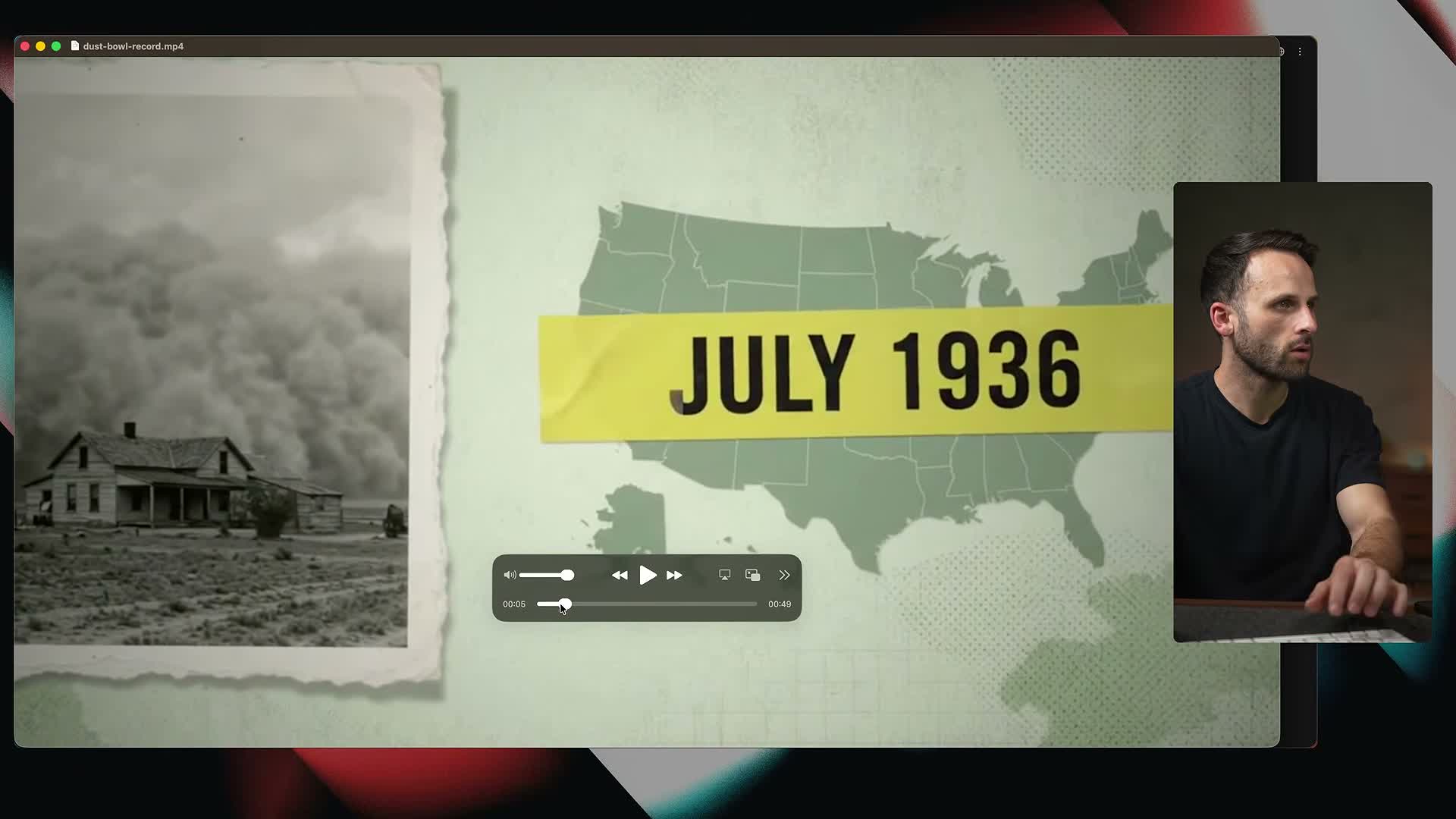
Pat's one-minute, Vox-style explainer about the Dust Bowl, built by Fable 5.1 with Seedance 2.5 on Replicate, cost about $14 to generate at 720p and about $15 with music and voiceover, plus a couple of dollars in extra Claude credits. At Replicate's $0.2312 a second, 60 seconds of 720p is about $13.90, in line with what he paid.
AI for Mortals had Claude cast, shoot and cut a 15-second ad with Gemini Omni 1.2 Flash making the clips, and the video generation bill came to $7.71 for 28 minutes of work. The full breakdown is in how Claude directed a 15-second AI video ad. To compare plans tool by tool, see which AI video generator fits your job.
Can you make an AI generated video for free?
Yes. Google Vids now runs on Gemini Omni 1.2 Flash, and anyone with a Google account or Google Workspace subscription can generate up to three 15-second videos a month there at no cost. We ran three everyday work clips through it in free AI video clips in Google Vids.
Runway's free plan gives you 125 credits once, and they don't expire or refill. At 12 credits a second, that is about 10 seconds of Gen-4.5 video.
Can Grok make videos?
Yes. Grok Imagine 1.5 is xAI's video model, and it makes sound effects, ambience and dialogue in the same pass as the picture, and it can start from an image you give it plus a description of the motion. The Fast version makes a 6-second 720p clip in about 25 seconds. In the Grok app, the Plus plan at $8 a month includes Imagine, and the Super plan at $100 a month adds 1080p, 15-second videos.
Through xAI's API it costs $0.08 a second at 480p, $0.14 at 720p and $0.25 at 1080p, the top of the range in the table above.
What can AI do with videos you already have?
AI can edit footage you shot and it can watch a video and tell you what is in it. For editing, Claude Opus 5.5 now does about 95% of Pat Simmons's edit in Premiere Pro: it transcribes each take, cuts the pauses, removes the bad takes he flags out loud, and hands back one review cut per section. The skill and the Premiere Pro bridge he built for it are free on GitHub, and the setup is in Claude Opus 5.5 editing video in Premiere Pro.
For other editing tools and what each one does, see the best AI for editing video you shot.
Which AI can watch and analyze a video?
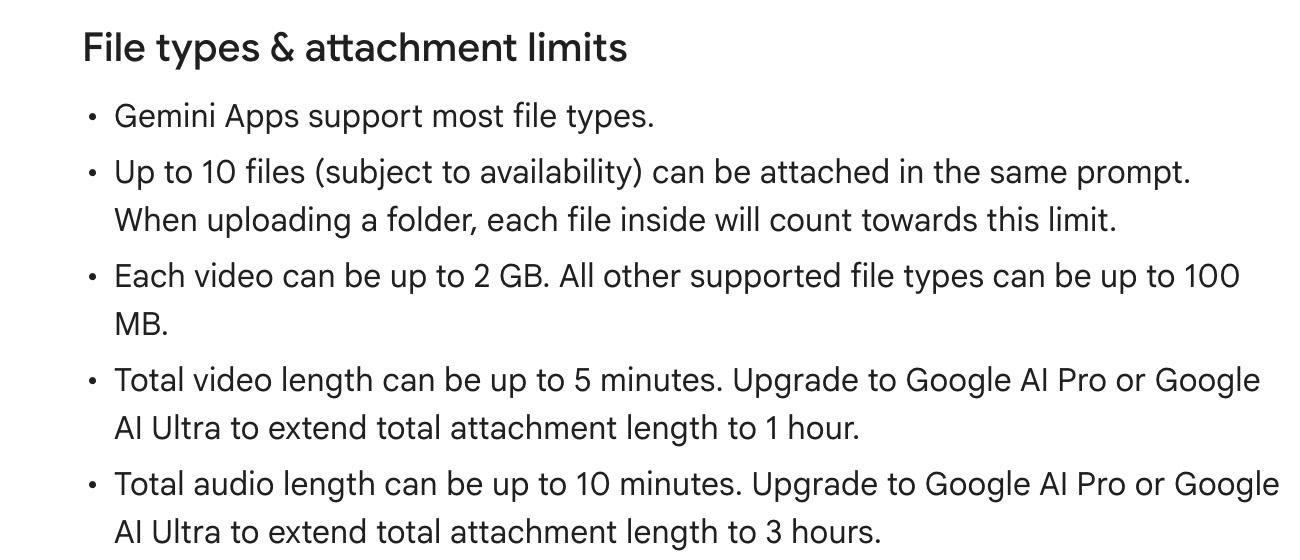
Gemini can. In the Gemini app you attach a video and ask about it, and Google's help page sets the limits: up to 5 minutes of video in total on the free plan, extended to 1 hour on Google AI Pro or Google AI Ultra, with each video up to 2 GB and up to 10 files in one prompt.
Developers get more through the Gemini API. Google's video understanding docs say Gemini can describe, segment and pull information from videos, answer questions about them, and refer to specific timestamps, using both the sound and the picture. Three details from those docs shape what you get back:
- It looks at one frame per second by default, so it can miss fast motion or quick cuts.
- It takes links to public YouTube videos, a preview feature with no charge for now.
- Models that can read 1 million tokens at once handle up to 3 hours of video at low resolution, at about 100 tokens (the chunks a model reads and bills by) per second of video.
In AI for Mortals' ad test, Claude could look at the clips but could not listen to them. It checked each take by pulling frames out of the clip and looking at them, and it wrote at the top of its report: "I cannot hear." Every judgment about the voices and music came from asking Gemini to listen. Grok's API has a narrower tool: xAI's price page lists X Video Understanding, which analyzes videos Grok finds while searching X.
Questions people ask about AI generated video
How long can an AI generated video be?
Seedance 2.5, Kling 4.0 and MAGI-2 each make up to 30 seconds in one generation, and Gemini Omni 1.2 Flash makes up to 15. For anything longer, you generate several clips and join them.
Do AI generated videos have sound?
Many do. Seedance 2.5, Kling 4.0, Gemini Omni 1.2 Flash, Grok Imagine 1.5 and MAGI-2 all generate sound with the picture, including dialogue on some of them. Check the model's page before you pay.
Can you tell if a video is AI generated?
For Google's model, yes: Gemini Omni 1.2 Flash outputs carry SynthID, an invisible watermark Google adds to what its models make.
Can Claude make a video?
Not by itself. Claude writes, plans and looks at images, and the clips come from video models such as Gemini Omni, Kling or Seedance that Claude can drive for you through connectors, as it drove Gemini Omni in our 15-second ad.
What happened to Sora?
OpenAI shut it down. The Sora web and app experiences ended on April 26, 2026, and the Sora API on September 24, 2026.
Can AI summarize a YouTube video?
Gemini can, through the Gemini API, which accepts links to public YouTube videos (not private or unlisted ones) and answers questions about them with timestamps.
Sources
- Replicate: Seedance 2.5 model page and per-second pricing
- Kling AI: Kling 4.0 model release
- Kling AI: API pricing
- Google: Introducing Gemini Omni 1.2 Flash
- Google: Omni 1.2 Flash in Google Vids
- xAI: API pricing
- xAI: Grok plans
- Runway: Pricing
- Google: Attach and analyze files in Gemini Apps
- Google AI Studio: Video understanding
- OpenAI Help Center: What to know about the Sora discontinuation
- xAI: Grok Imagine Video 1.5
- Higgsfield: MAGI-2



Comments
Sign in to join the conversation.