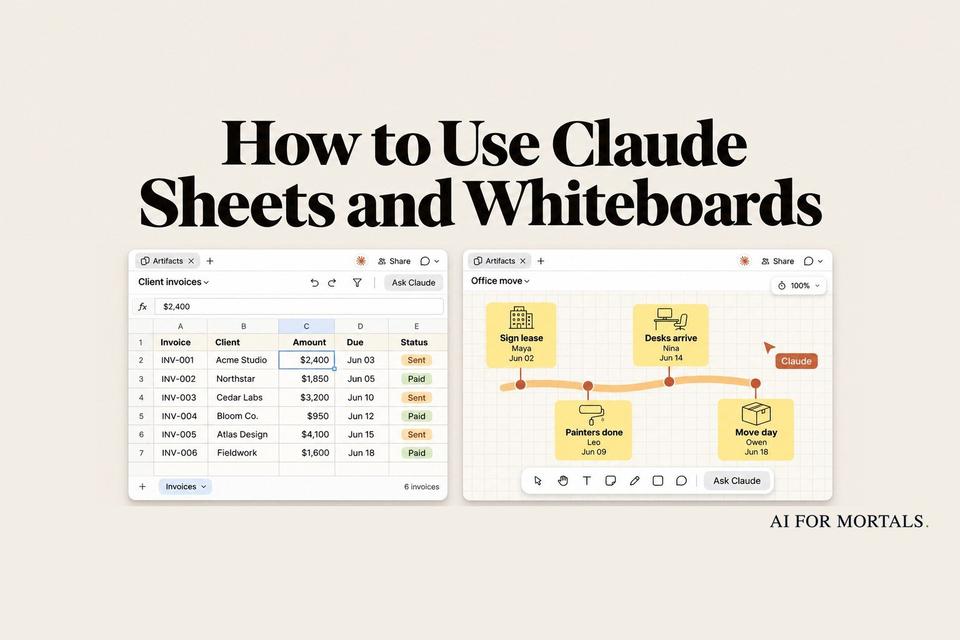
How to Use Claude Sheets and Whiteboards on Real Work
Bring your own numbers into Claude Sheets, talk a stuck project onto a Whiteboard, and know when Excel is still the better tool.
 AI for Mortals Staff
On this page
Claude Sheets is Anthropic's new AI spreadsheet generator. You describe a tracker or a budget, hand over your numbers, and Claude builds a working sheet with tabs, formulas and drop-downs that your team can edit with you.
Its partner, Claude Whiteboards, takes a plan you talk through out loud and lays it out as a board of steps.
Both arrived in beta on every paid Claude plan on November 10. Our launch story covers what was announced. This guide is about using them on your own work: what to give Claude, what comes back, and where Excel still wins.
Where to find Claude Sheets and Whiteboards
Both live in the Artifacts tab on the left of the Claude app. Open it and pick the Sheets or Whiteboard tile, or just ask for "a sheet" or "a whiteboard" in any chat.
They're rolling out gradually, so if the tiles aren't there yet, check again in a day or two.
You need Pro, Max, Ultra, Team or Enterprise. Sheets runs on the web and the desktop app, and on a phone you can only read a sheet. Whiteboards also works in the mobile app.
On Enterprise, an admin has to switch both on first, under Organization settings, then Artifacts.
Use Claude Sheets as an AI spreadsheet generator on your own data
The fastest way to a useful sheet is to start from numbers you already have. A blank sheet with "make me a budget" gets you a generic template you'll spend an hour fixing.
A new sheet gives you four ways in: ask Claude, import a CSV, import from Excel, or import from Google Sheets. Pasting cells straight from Excel or Google Sheets works too.

In that walkthrough, a creator pulls in a follower tracker they'd filled in by hand for months: daily YouTube, Instagram and TikTok counts across hundreds of rows.
Claude reports that all 7,828 filled cells came over, and the color coding came with them.

Once your data is in, use the "Describe a change" box at the bottom of the sheet. Anthropic's help page gives "Add a column for budget remaining" and "Highlight anything that's overdue" as examples.
Each change Claude makes is outlined as it lands, so you can see which cells it touched. The formulas stay in the cells, so you can click any total and check how it was worked out.
A prompt to build a tracker from a CSV
Anthropic's one tip for better sheets is to say what the sheet is for, say what you track, and give Claude your real numbers. This prompt puts all three in one message. Fill in the brackets and attach your file.
Build a sheet to [track / budget / forecast what], so I can see [the one answer I want at a glance].

What I track: [your columns, for example client, amount, due date, status].

My numbers: they're in the attached file. Keep every row.

Rules: [for example, a status drop-down, overdue rows in red, monthly totals on a second tab, a bar chart of totals by month].

Ask me questions first if anything is unclear.
Ask about a group of cells
You can also select a range and ask Claude about only those cells.
Anthropic's example is "Why is this total higher than last month?" It's handy when someone else built the sheet.
Look at the cells I've selected. Why is this total higher than last month? Point me to the rows that explain most of the difference.
How Claude Whiteboards turns a brain dump into a plan
Whiteboards is for the stage before a spreadsheet, when a project is still a mess in your head.
Click the microphone next to the send button and talk for a minute or two. Name the steps you know, who's doing what, and any dates. Claude groups related ideas, puts the steps in order and draws arrows between the ones that depend on each other.
Press the microphone again or Escape to stop. Your words stay in the box so you can fix a name before you send them.
Start a whiteboard for the project I'm about to describe.
Put the steps in order, with the owners and dates I mention.
Then show me what's missing between the steps.

When the board is up, drag across one area to ask Claude about only that part, or ask what's missing between two steps. Claude adds its suggestions to the board, and you decide which ones to keep.
Whiteboards works on data, too
A whiteboard is also a good way to read a messy export before you build anything from it.
In the walkthrough, the creator attaches a YouTube analytics export for their last 50 videos and asks Claude to sort them into topics with the numbers for each.

The board that came back split the videos into colored groups, each with its average views, click rate and new subscribers, and a headline on top that summed up what was working.

You can copy the shape of that request for any list you need to make sense of, like survey answers, support tickets or a sales export:
Here's my [export / list] of [what it is]. Turn it into a whiteboard:
1. Group every row into clusters by topic, one color per cluster.
2. Put each cluster's [average / total of the number you care about] on it.
3. Make a "Do more", a "Stop doing" and a "Try next" section.
4. Add 3 ideas to "Try next", each linked to the item that inspired it.
When the plan is settled, ask Claude to "Turn this board into a project plan" and it writes a doc or slide deck from it. You can also send a board to Lucid, Miro or Zoho Vani, or export it as a PNG.
Claude Sheets vs Excel: what it can't do yet
Anthropic says Sheets covers "common spreadsheet work" for now. Its help page lists what's missing at launch:
- Pivot tables, find and replace, filter views, sorting by more than one column and protected ranges.
- Excel macros, VBA, Power Query and print layouts.
- Live data from your connected apps. A sheet won't refresh itself from Salesforce or your bank.
- Exporting as a PDF.
A sheet holds up to 100,000 cells and has 144 built-in functions. That's plenty for a tracker or a team budget and too small for a big financial model.
When you outgrow it, export the sheet as an Excel or CSV file. Anthropic's own advice is to use Sheets for "a light, shared sheet that you build with Claude."
Claude Sheets vs Claude for Google Sheets and Excel
If your file already lives in Google Sheets or Excel, you may not need Claude Sheets at all.
Claude for Google Sheets and Claude for Excel bring Claude into the file you already have, with every feature those apps already offer.
Here's how we'd choose:
- A quick tracker or budget your team edits with Claude: Claude Sheets.
- The file already lives in Google Sheets: Claude for Google Sheets.
- You need pivot tables, macros or a big model: Claude for Excel.
- The plan isn't clear yet: start on a Claude Whiteboard.
Microsoft is going the other way and putting Word, Excel and PowerPoint inside Copilot, and Google's Gemini app makes Sheets files from a chat. So whichever office suite your company already pays for, its AI now builds files for you too.
Sharing, usage limits and privacy
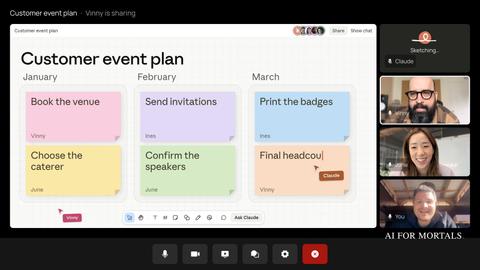
A sheet or board starts private. Click Share to bring teammates in, and they edit in the same cells or on the same board at the same time as you and Claude.
Version history lets you roll a sheet back to an earlier version. Restoring an old version also removes every edit made after it, including your colleagues' work, so check with them first.
Both count toward your plan's usage limits like any other Claude chat, so a big import or a long whiteboard session uses more of your allowance.
On Team and Enterprise plans, Anthropic says it doesn't train its models on your work by default. On Pro and Max, your chats can be used for training if the Model Improvement setting is on, so check it in your privacy settings before you import company numbers.
Sources
- Anthropic: Introducing Claude Whiteboards, Claude Sheets, and Claude Data
- Claude Help Center: Get started with Claude Sheets
- Claude Help Center: Get started with Claude Whiteboards
- Anthropic Privacy Center: Is my data used for model training?
- Claude on YouTube: Introducing Claude Whiteboards, Sheets, and Data
- YouTube walkthrough: Claude Whiteboard, Sheets and Data



Comments
Sign in to join the conversation.