Claude Now Builds Spreadsheets and Whiteboards You Share With Your Team
Anthropic launched Claude Sheets and Claude Whiteboards in beta on every paid plan.
 AI for Mortals Staff
On this page
- What Claude Sheets builds from one request
- What Claude Sheets can't do yet, and when to use Claude for Excel
- How Claude Whiteboards turns a spoken plan into a timeline
- Claude Data is the new name for Claude Dashboards
- Which Claude plans get Sheets and Whiteboards, and where to find them
- Your other apps now open inside Claude, and a meeting note-taker is coming
- Claude now competes with Microsoft Office on documents, slides and spreadsheets
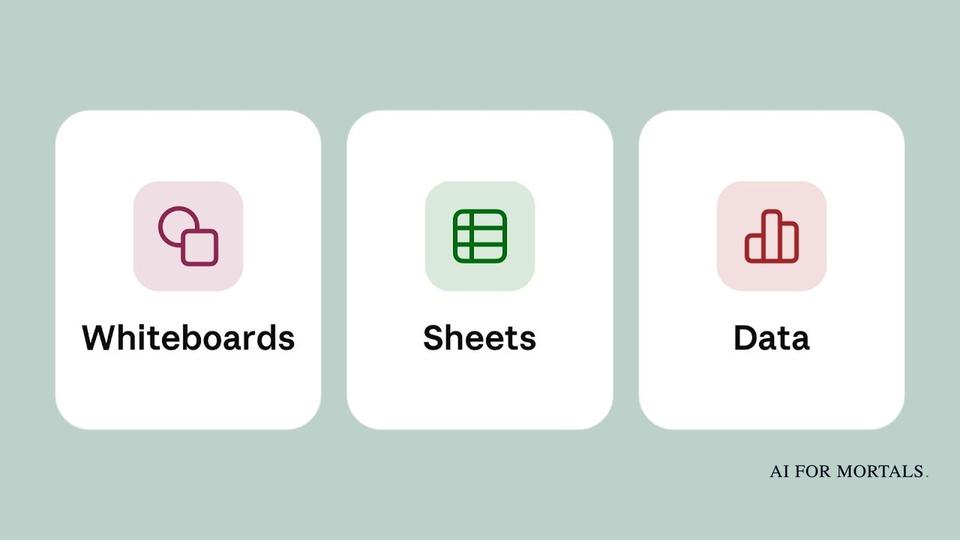
Anthropic launched Claude Sheets and Claude Whiteboards, a spreadsheet and a planning board built into Claude that a whole team can edit together, next to the documents and slide decks Claude already makes. Both are in beta on every paid plan.
Claude Sheets builds a working spreadsheet from one request. Claude Whiteboards turns a plan you talk through out loud into a timeline with owners and dates.
Anthropic also renamed Claude Dashboards to Claude Data, and it says a note-taker for calls, Claude Meetings, is coming soon.
What Claude Sheets builds from one request
You ask for a sheet in any chat, and Claude builds it with tabs, formulas, formatting and drop-downs already in place.
Anthropic's help page gives these as requests to start from:
"Build a campaign tracker with owners, dates, and status."
"Make a hiring budget by team and quarter."
"Forecast next quarter from these deals and flag what's at risk."
Anthropic's advice is to say what the sheet is for and to give Claude your real numbers, so it builds from your own data.
After that, you and Claude edit the same cells. Claude outlines every cell it changes, and the formulas stay in the cells, so you can click a number and see how it was calculated.

You can also select a group of cells and ask about them. Anthropic's example is "Why is this total higher than last month?"
A sheet starts private to you. Once you share it, your teammates work in it at the same time as you and Claude, and a version history lets you restore an earlier version if a change went wrong.
What Claude Sheets can't do yet, and when to use Claude for Excel
Anthropic says Sheets has only "simple spreadsheet functionality" for now. The help page lists the limits at launch:
- No pivot tables, find and replace, filter views or protected ranges.
- No Excel macros or Power Query.
- 144 built-in functions, and up to 100,000 cells in a sheet.
- No live data from your connected apps.
- On a phone you can read a sheet but not edit it.
When you need more, a sheet exports to Excel or CSV, and you can send it on to Airtable, Asana, monday.com or Smartsheet.
Anthropic's own guidance is to use Claude Sheets for "a light, shared sheet that you build with Claude."
If your file already lives in Excel or Google Sheets, it points you to Claude for Excel or to Claude inside Google Sheets, which bring Claude to the file where it already is.
How Claude Whiteboards turns a spoken plan into a timeline
A whiteboard is a shared board that you, your team and Claude all work on.
You can type or sketch on it, or press the microphone and talk a messy plan through. Claude groups the related ideas, puts the steps in order and connects the ones that depend on each other.
In Anthropic's video, one request produces a 12-day launch plan for a pie company, from choosing the flavor to holiday delivery.

Anthropic's other example is a retro, the meeting where a team looks back on a project. Everyone adds their notes to the board, and Claude sorts them by theme and drafts each person's action items.
The Whiteboards help page suggests starting with a request like one of these:
"Start a whiteboard to plan our product launch."
"Put the options for this decision on a whiteboard, with the trade-offs of each."
Once a board exists, you can:
- Drag a box around one part of it and ask Claude about only that part.
- Ask what's missing between two steps, and Claude adds its suggestions to the board for you to check.
- Follow a teammate around the board to see what they're looking at.
- Invite people outside your company by email.
When the plan is settled, Claude can turn the board into a doc or a slide deck, send it to Lucid, Miro or Zoho Vani, or export it as an image.
At launch Claude works only from what's on the board and doesn't use anything from your connected apps.
Claude Data is the new name for Claude Dashboards
Claude Dashboards, which launched in beta in October, is now out of beta under the name Claude Data.
It answers questions about a company's own numbers, so it needs a connection to where those numbers are kept, such as Snowflake or Salesforce.

Two additions are in beta. A data team can certify the calculations everyone should use, so two dashboards don't show different numbers for the same thing. A shared dashboard can also show current numbers to colleagues who don't have access to the data behind it.
Claude can also turn a dashboard into a written data story or a short narrated video, which you review before sharing.
Which Claude plans get Sheets and Whiteboards, and where to find them
Sheets and Whiteboards are in beta on Pro, Max, Ultra, Team and Enterprise. They aren't listed for the Free plan, and our guide to what Claude's Free plan includes covers what you get there.
Anthropic's post on X says they're "starting to roll out today," so they may not be in your account yet. When they are, you'll find them in the Artifacts tab, or you can ask for a sheet or a whiteboard in any chat.
Both count toward your plan's usage limits, like the rest of your work with Claude.
If your company is on Team, all three tools are on by default. On Enterprise, Sheets and Whiteboards stay off until an admin turns them on, and Claude Data turns on by default on November 19.
A shared sheet can hold company numbers, and Anthropic's training rules differ by plan.
On Team and Enterprise plans, Anthropic says it doesn't use your work to train its models by default. On personal plans like Pro and Max, your chats can be used for training if the Model Improvement setting is on in your privacy settings.
Your other apps now open inside Claude, and a meeting note-taker is coming
Interactive connectors, the apps you connect to Claude, can now open as full apps beside your chat or in full screen. You can work in the app yourself or ask Claude to make the changes while you watch.
Anthropic is starting with Asana, Canva, Carta, Dropbox, monday.com, Smartsheet, Vercel and Webflow. This works on all plans, on the web and in the desktop app, once your account has the new Claude experience.
Claude Meetings is listed as coming soon. Anthropic says you'll be able to add Claude to a call to take notes and update the documents your team is working on during the conversation.
Claude now competes with Microsoft Office on documents, slides and spreadsheets
Claude now competes with Microsoft Office on all three of its main jobs: documents, slide decks and spreadsheets.
Microsoft started putting Word, Excel and PowerPoint inside Copilot in October, and now Anthropic has its own versions of all three inside Claude.
Until this launch, Anthropic's approach to spreadsheets was to put Claude inside other companies' apps. Last month Claude started working inside Google Sheets, and Claude for Excel does the same in Microsoft's app.
Now it has its own spreadsheet, next to the docs, slides and design tools it made free in October.
OpenAI added slides a team can edit together to ChatGPT the same month.
At launch a Claude sheet has no pivot tables and holds up to 100,000 cells, and Anthropic's own help page tells anyone who needs more to use Excel or Google Sheets.
Sources
- Anthropic: Introducing Claude Whiteboards, Claude Sheets, and Claude Data
- Anthropic: More ways to work with Claude: Sheets, Whiteboards, and Interactive Connectors
- Anthropic: Your apps can now open in Claude, and Claude can work in them
- Claude Help Center: Get started with Claude Sheets
- Claude Help Center: Get started with Claude Whiteboards
- Anthropic Privacy Center: Is my data used for model training?
- Claude on X: Whiteboards, Sheets and Data launch
- Claude on YouTube: Introducing Claude Whiteboards, Sheets, and Data



Comments
Sign in to join the conversation.