ChatGPT Planning: How to Plan Your Family's Week, Meals and Trips
Copy-paste prompts for a week plan, dinners, chores, school runs and trips, plus how ChatGPT's reminders work and which plan includes them.

On this page
- How do you use ChatGPT to plan your week?
- Copy-paste ChatGPT prompts for meals, chores, school runs and trips
- Can ChatGPT remind you or add the plan to your calendar?
- Which ChatGPT plan do you need for planning?
- Can Gemini plan for your family instead?
- How do you save or download a ChatGPT plan?
- What not to share when you plan with ChatGPT
- Questions people ask
ChatGPT planning works best when you put the whole week into one message: who lives in the house, the fixed times (work, school, practices), what has to get done, and your limits on money, food and driving. Then ask for a day-by-day table and follow up to move things around, swap meals or turn the plan into a shopping list.
Planning in the chat works on the Free plan, and OpenAI's pricing page lists unlimited text chats on it. Scheduled tasks, which send you a reminder or a fresh plan at a set time, are listed on Go ($8 a month), Plus ($20 a month) and Pro (from $100 a month), and every plan, Free included, can connect iCloud Calendar. The prompts on this page are fill-in templates built from OpenAI's own help pages.
Last checked November 11, 2026: ChatGPT's plans and prices, OpenAI's help pages on scheduled tasks, projects, sharing and exporting, and Google's help pages on family sharing and Gems.
How do you use ChatGPT to plan your week?
Give ChatGPT everything it needs in a single message and ask for the plan as a table. Include these five things:
- Who's in the house, with kids' ages
- The fixed times, with days and hours
- This week's extra jobs, like errands, forms and birthdays
- Your limits: budget, dietary needs, driving distance, bedtimes
- The format you want back
Paste this into a new chat and fill in the brackets:
Help me plan our family's week.\n\nWho's in the house: [names and ages].\nFixed times: [work hours, school start and end, practices, lessons, appointments, with days and times].\nThis week we also need to: [errands, birthdays, forms to sign, bills].\nLimits: [grocery budget, dietary needs, how far we'll drive, bedtimes].\n\nMake a day-by-day table with columns for morning, after school and evening, and say who handles each pickup. Flag any day where two things clash. If something you need is missing, ask me one question before you write the table.
Once the table is there, keep going in the same chat. Ask ChatGPT to give a pickup to the other parent, move an errand to a lighter day or fit in a birthday party, and to show the updated table each time.
You don't have to retype your family's details every week. You can tell ChatGPT about your family once with custom instructions, a note it considers in every chat, and every plan has them.
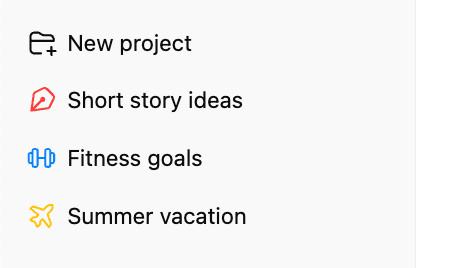
A project keeps all your planning in one place. OpenAI's projects help page says a project keeps related chats, files and instructions together so ChatGPT can use the same context, and you can start on one device and carry on from another. OpenAI's pricing page lists projects on every plan, Free included. Instructions you add to a project apply only inside that project and override your general custom instructions, so a "Family planning" project can hold the school calendar, the team schedule and a standing note like "plan dinners under 30 minutes".
Copy-paste ChatGPT prompts for meals, chores, school runs and trips
Each prompt below is a template: swap the brackets for your own details and paste it into a new chat or your planning project. They work on any plan, since they only use the chat.
A week of dinners and the shopping list to match
Plan [number] dinners for this week for [number] people, including [ages of kids].\nDietary needs: [allergies, vegetarian nights, foods someone won't eat].\nBudget: about [amount] for the week.\nOn [busy days], dinner has to be ready in [minutes] or less.\nWe already have: [what's in the fridge and pantry].\n\nGive me a table with the day, the meal and the cooking time. Then write one shopping list for the whole week, grouped by store section, leaving out what we already have.
If a meal doesn't suit, ask for a swap that reuses ingredients already on the list, so the shopping list stays short.
A chore chart the kids can follow
Make a weekly chore chart for [names and ages].\nChores that need doing: [dishes, laundry, bins, pet care, tidying rooms].\nRules: [younger kids get simpler jobs, nobody gets the same chore two days running, weekends are lighter].\n\nShow it as a table with one row per day and one column per person. Keep each chore to a few words a [youngest age]-year-old can read.
Paste the finished table into a document or a note you can print and stick on the fridge.
School runs and carpools
Help me plan school runs for this week.\nSchools and times: [school name, start and end time for each child].\nAfter-school activities: [activity, day, start and end time, location].\nDrivers: [who can drive, and when each person is free].\nCarpool families: [names and which days they can help].\n\nMake a table of every drop-off and pickup, with the driver for each. Flag any trip that has no driver, and any day where one person has to be in two places at once.
When a practice time changes, paste the new time into the same chat and ask ChatGPT to update the table and list what changed.
A family trip, day by day
We're taking a [number]-day trip to [place] in [month].\nTravelers: [adults and kids' ages].\nBudget: about [amount] for activities and food, not counting [flights or hotel].\nWe like: [beaches, museums, hikes, theme parks].\nLimits: [nap times, how much walking the kids can do, anyone who gets carsick].\n\nMake a day-by-day plan with a morning activity, lunch, an afternoon activity and a rest break, and keep the driving between stops short. Then write a packing list for this trip.
Check opening hours and ticket prices on each place's own website before you book anything from the plan.
Can ChatGPT remind you or add the plan to your calendar?
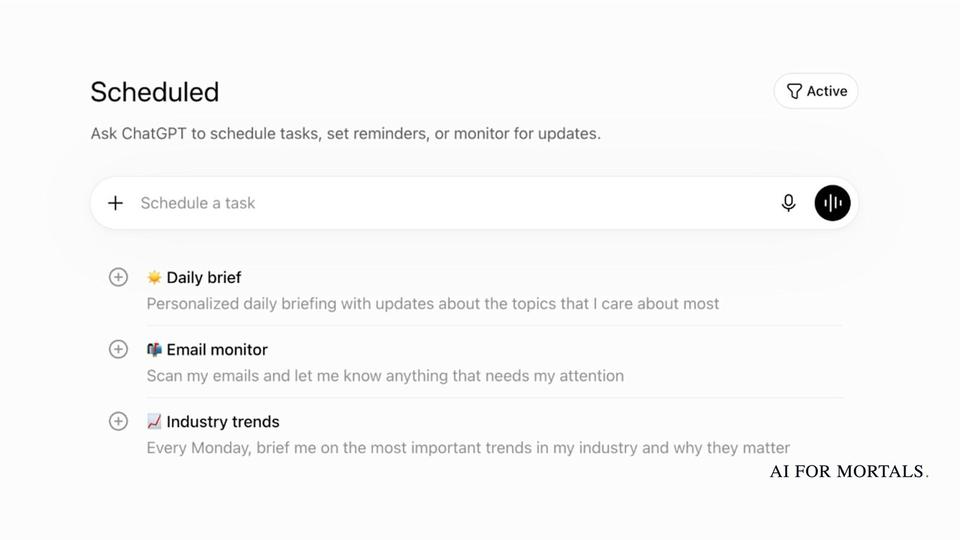
Yes. A scheduled task sends you a reminder or runs a prompt at the time you choose, and ChatGPT can read and change your iCloud Calendar once you connect it.
OpenAI's scheduled tasks help page says you create one by going to Scheduled or by asking ChatGPT in a chat to do something later, using the example "Let me know when my package is delivered." To choose how ChatGPT notifies you, go to Settings, then Notifications, and pick Push, Email or both. For notifications on your phone, create the task in the ChatGPT mobile app and allow notifications when it asks.
Every [day] at [time], send me a plan for the week ahead.\nFixed times: [work, school, practices, with days and times].\nInclude a dinner idea for each night, a shopping list grouped by store section, and a list of anything that needs signing, paying or booking this week.
To change a task later, select its title in the chat where you made it. The task panel lets you edit it, pause it or delete it.
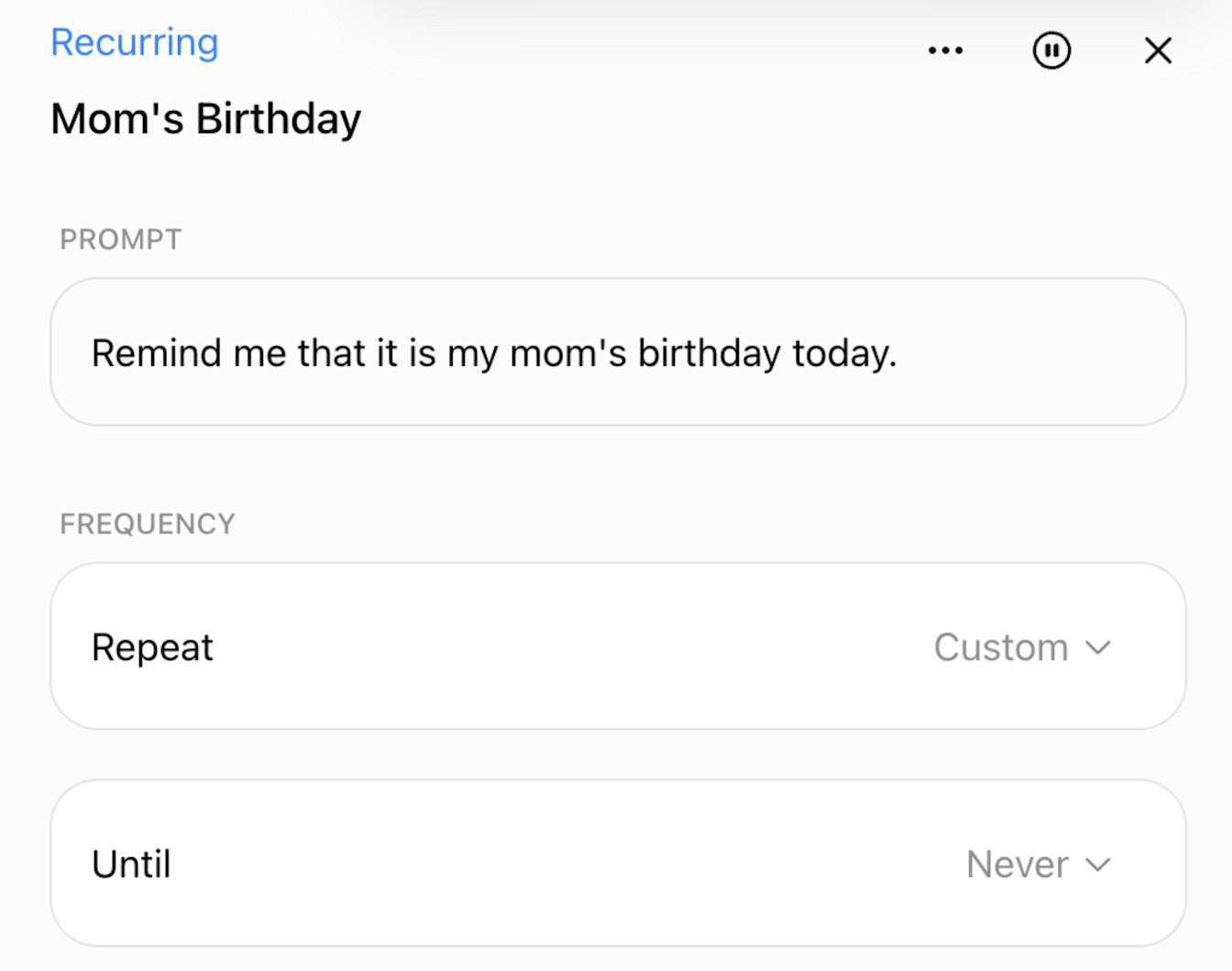
The same help page sets some limits worth knowing before you build a family routine on tasks:
- Free and Go can have 3 active tasks, Plus 5 and Pro 15.
- Free tasks run at most once a day, in a loose window like morning or night.
- Exact times and hourly schedules need a paid plan.
- A task made inside a project can't read that project's files.
- Tasks don't work in voice chats, GPTs or locked chats.
The Free limits come from the help page; the pricing page lists scheduled tasks on Go, Plus and Pro only, and the help page adds that availability depends on your account, app and app version. Because of the project rule, paste the details a task needs into the task itself. A finished task also uses your plan's allowance even when it has nothing to tell you, so pause the ones you no longer use.
Scheduled tasks also took over from Pulse, the morning briefing OpenAI tested with Pro subscribers. OpenAI retired Pulse in June 2026 and moved daily briefings into scheduled tasks; our explainer covers how scheduled tasks replaced Pulse's morning briefings.
For the calendar itself, you can connect iCloud Calendar to ChatGPT on every plan, Free included, using an app-specific password from Apple, and you can make ChatGPT ask before it sends anything or changes an event. Once it's connected, a prompt like this puts the plan in:
Look at my iCloud Calendar for next week. Compare it with the plan in this chat and list anything that clashes. Then show me the events you'd add from the plan, with dates and times, and wait for me to approve them before you add anything.
Which ChatGPT plan do you need for planning?
The Free plan covers planning in the chat, with projects and unlimited text chats. Go ($8 a month) adds longer memory and scheduled tasks at exact times. Plus ($20 a month) adds expanded memory and room for 5 active tasks. Pro, from $100 a month, is the only plan with Dots, OpenAI's always-on agent.
The table uses OpenAI's own wording from the pricing page, plus the task limits from its scheduled tasks help page, both checked November 11, 2026. OpenAI's Go plan card also says the plan may include ads.
| What you get | Free | Go | Plus | Pro |
|---|---|---|---|---|
| Price | $0 | $8 a month | $20 a month | From $100 a month (3 usage tiers) |
| Text chats | Unlimited | Unlimited | Expanded messages and uploads | Unlimited |
| Projects | Yes | Yes | Yes | Yes |
| Memory | Limited | Yes (longer memory) | Expanded | Expanded |
| Scheduled tasks (pricing page) | No | Yes | Yes | Yes |
| Active tasks (help page) | 3, once a day at most | 3 | 5 | 15 |
| Dots, the always-on agent | No | No | No | Yes |
OpenAI's Go help page says Free and Go both get unlimited everyday text chats, subject to abuse safeguards, while uploads, images and data analysis have higher limits on Go. Planning in the chat plus a weekly-plan task and a birthday reminder fits inside the 3 active tasks on Free or Go. For the rest of the difference, read what ChatGPT Plus adds over Free and Go, and for features that arrived since this check, our page on ChatGPT's latest features.
Can Gemini plan for your family instead?
Gemini's version of a reusable family planner is a Gem, a saved set of instructions and files you open whenever you plan. Separately, Google AI Pro subscribers can share some AI benefits with their Google family group.
Google's Gems help page says you write instructions for a Gem and can add files under "Knowledge", and a Gem made in the Gemini web app also appears in the Gemini mobile app. You can paste the weekly-plan prompt above into a Gem's instructions and add the school calendar as a file. Two limits apply: you must be 13 or over (or your country's age) to create and use Gems on a personal Google Account, and from November 2026 Gems on personal accounts are moving over to skills.
For sharing, Google's Google One help page says members of a Google AI Pro family group get "select AI benefits and features at no extra cost," and each person gets their own daily limits for Google Photos' generative AI tools, Photo to video and Remix. The page doesn't list which Gemini features are shared, and some benefits can't be shared at all, including Google Developer Program premium and YouTube Premium Lite.
How do you save or download a ChatGPT plan?
Share a link to the chat for one plan, or export your whole ChatGPT history for everything.
To send a plan to your partner, open the chat, select Share, then Create link or Copy link. OpenAI's sharing help page says anyone with a link from a personal account can view it, the link is a snapshot that doesn't pick up later messages, and shared links are anonymous by default. You can share a scheduled task the same way, from the task's menu in Scheduled, and the other person can schedule their own copy if their plan has room for another task.
To download everything, follow OpenAI's export steps on the web:
- Open your profile menu and select Settings.
- Select Data controls.
- Under Export data, select Export.
- Select Confirm export.
The iPhone and Android apps have the same Export data option under Data controls. ChatGPT emails or texts you when the export is ready, which can take up to 7 days, and the download link expires 24 hours after it arrives. The download is a ZIP file with your chat history, and export works on Free, Go, Plus and Pro.
What not to share when you plan with ChatGPT
Keep health details, financial details, passwords and account numbers out of anything you share, which is OpenAI's own list for shared chats and tasks. A shared link can show the names and personal details you typed, and a task's title can show up in a link preview.
On Free, Plus and Pro, OpenAI can train its models on your chats until you switch that off in settings. Read what ChatGPT keeps and how to switch off training before you paste in a school form or a medical appointment letter. Kids' full names, your address and school names are details a plan rarely needs; "the 8-year-old" and "school" work just as well in a prompt.
If you shared too much, you can delete a single chat, all your chats or ChatGPT's memories without closing your account. Our guide on deleting ChatGPT chats and history has the steps.
Questions people ask
Is ChatGPT planning free?
Yes, planning in the chat is free: OpenAI's pricing page lists unlimited text chats and projects on the Free plan. Reminders at exact times need Go ($8 a month) or higher.
How many reminders can ChatGPT send me?
OpenAI's scheduled tasks help page allows 3 active tasks on Free and Go, 5 on Plus and 15 on Pro. A recurring task counts as one, so a weekly plan and a birthday reminder use two.
Can my partner get the same reminder?
Yes, by sharing the task. The link carries the task's title, instructions, schedule and time zone, and leaves out your chat history, memories, custom instructions and connected apps. Your partner schedules their own copy, which needs a free task slot on their plan.
Do scheduled tasks use up my ChatGPT limits?
Yes. OpenAI says a completed task can use your plan's allowance even when it doesn't post an update, so pausing tasks you've stopped using saves allowance.
Can you set a reminder by talking to ChatGPT in voice mode?
No. OpenAI's help page says scheduled tasks don't work in voice chats, so type the request in a regular chat.
Sources
- OpenAI: ChatGPT pricing (checked November 11, 2026)
- OpenAI Help Center: Scheduled tasks in ChatGPT
- OpenAI Help Center: Projects in ChatGPT
- OpenAI Help Center: What is ChatGPT Go?
- OpenAI Help Center: Sharing conversations and scheduled tasks in ChatGPT
- OpenAI Help Center: Exporting your ChatGPT history and data
- Google: Use Gems in Gemini Apps
- Google One Help: sharing Google AI Pro benefits with your family group





Comments
Sign in to join the conversation.