Cursor 3 Explained: The Agents Window, What's New and How to Get It
Cursor 3 rebuilt the AI coding app around agents, with an Agents Window that runs many of them at once across your projects, your computer and the cloud.

On this page
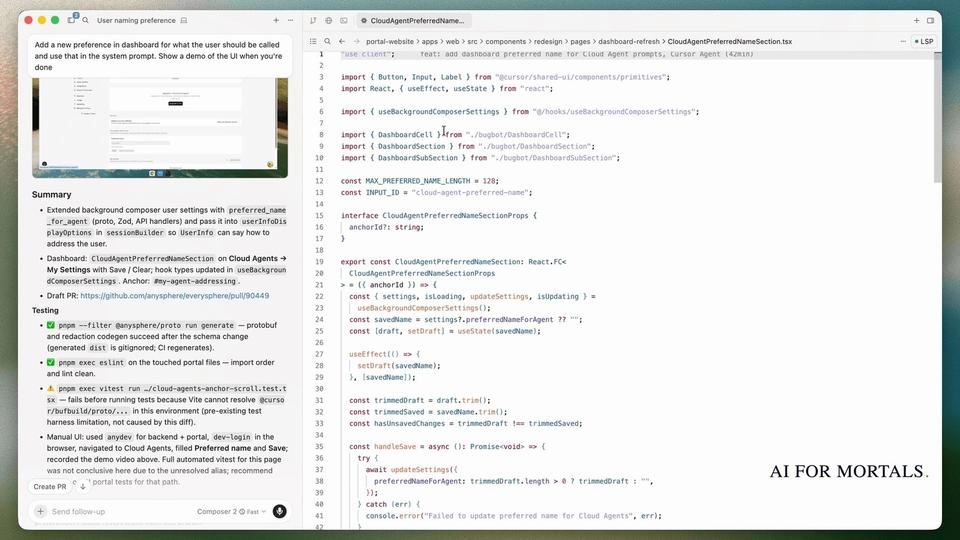
Cursor 3 is the version of the Cursor AI coding app released on April 2, 2026. Cursor rebuilt it around agents and calls it "a unified workspace for building software with agents" in its launch post. The main new piece is the Agents Window, which lists every agent you've started (on your computer, in the cloud, from your phone, Slack, GitHub or Linear) in one sidebar, works across several projects at once, and lets you review and commit the agents' changes in a new diffs view.
The classic Cursor editor is still there, and you can switch back or keep both open. To get Cursor 3, update Cursor, press Cmd+Shift+P and run "Open Agents Window". Cursor has a free plan, and paid plans cost $8 to $200 a month, with third-party models (models from other AI companies) billed separately at API list price, according to Cursor's pricing page on November 26, 2026.
What is Cursor 3?
Cursor 3 is Cursor's agent-first redesign: a new main window built for handing coding work to AI agents and checking what they did, with the older code editor kept as a second view.
Cursor began as a fork of VS Code, the popular free code editor, which means it started from VS Code's code and reshaped it. For Cursor 3, the company says it built the new interface from scratch, "centered around agents".
Cursor's documentation calls the result the Agents Window, an "agent-first interface" that works across several code repositories (a repository, or repo, is the folder that holds one project's code and its history). It also runs agents in different places: on your own computer, on Cursor's cloud computers, and on remote machines you connect to over SSH, a standard way to log in to another computer.
What's new in Cursor 3
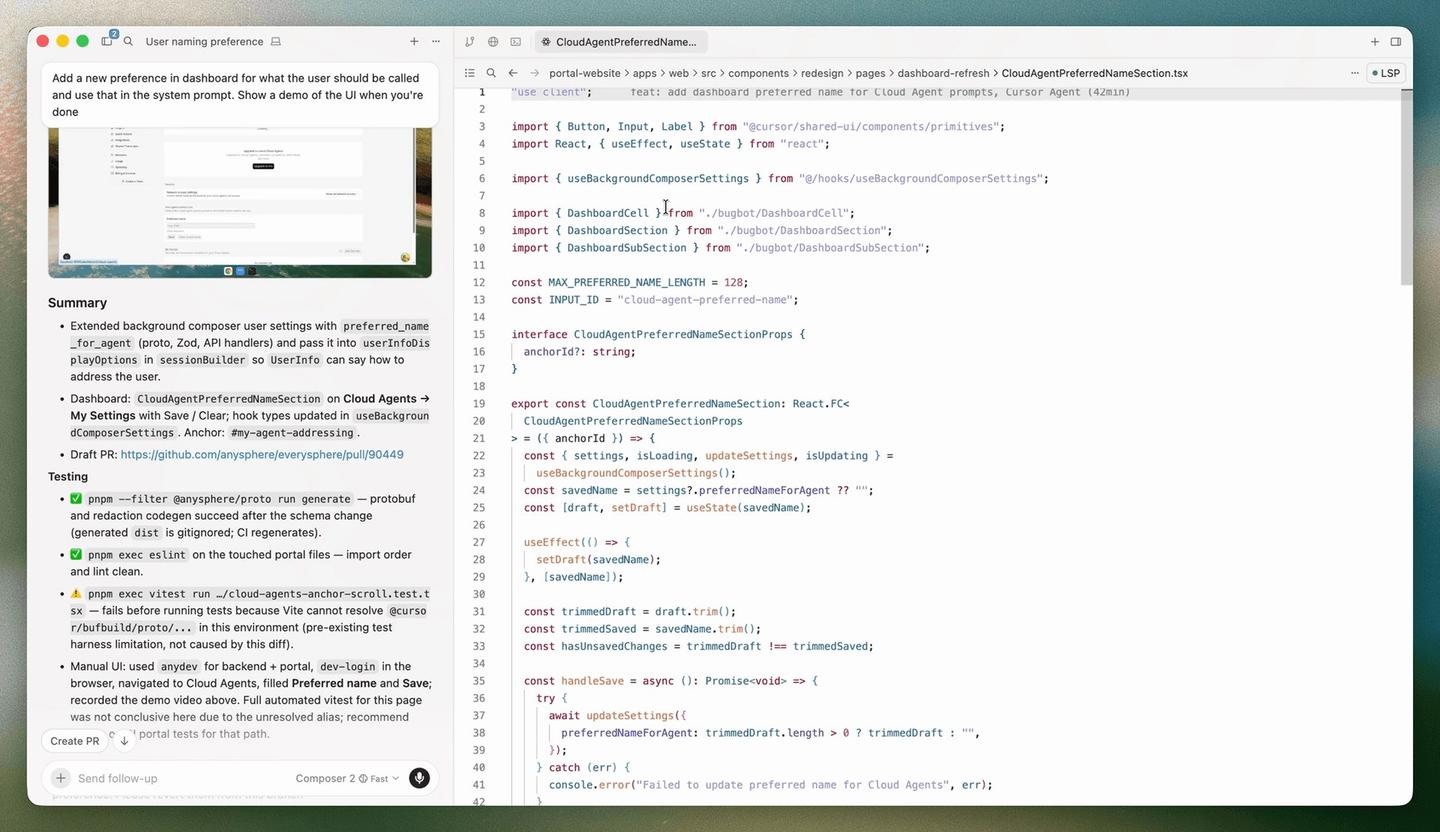
Cursor 3 adds one sidebar for all your agents, work across several projects at once, quick moves between your computer and the cloud, a new way to review and commit changes, and a built-in browser, all listed in Cursor's launch post.
Every agent in one sidebar
All local and cloud agents appear in the sidebar, including the ones you start from Cursor's mobile app, the web, the desktop app, Slack, GitHub and Linear. Cloud agents produce demos and screenshots of their work so you can check it.
Several projects in one window
The new interface is multi-workspace, so you and your agents can work in different repos from the same place.
Move an agent between your computer and the cloud
You can move a running agent session from the cloud to your computer when you want to edit and test its work yourself. You can also move it the other way, so a long task keeps running in the cloud after you close your laptop.
From commit to merged pull request
A new diffs view shows what each agent changed, line by line, and lets you edit those changes. From the same view you can stage and commit them and manage pull requests, which are proposed changes waiting for someone to approve them.
Files, a browser and plugins
You can open any file and jump to where a piece of code is defined, using the same code-understanding tools a full editor has. A built-in browser lets the agent open and click through websites running on your computer, and you can give it instructions about what it sees there.
The Cursor Marketplace has plugins that give agents new abilities, such as MCP connectors to other apps and data, skills and subagents. They install with one click, and companies can set up a private team marketplace of their own plugins.
Composer 2, Cursor's own model
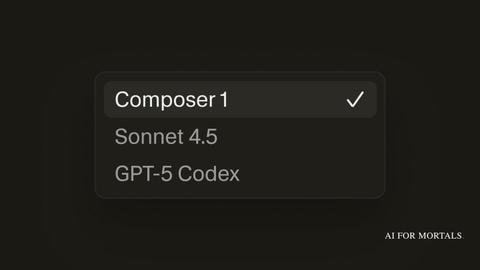
Cursor launched Cursor 3 alongside Composer 2, its own coding model, which it described at launch as having "high usage limits". Our page on Cursor's in-house Composer models covers the earlier and later versions.
How the Agents Window differs from the Cursor editor
The Agents Window is for running and managing many agents at once, and the editor is the classic code editor with VS Code extensions and split screens for looking at many files side by side. Cursor's docs say it will keep supporting and improving both.
The docs recommend the Agents Window "if you are using agents to write most of your code", and the editor when you want to work in the code directly. These features are found only in the Agents Window:
- Several projects in one window
- The new diffs view for reviewing, committing and pull requests
- Many cloud agents running in parallel
- Quick moves between your computer and the cloud
- Cloud subagents, started with /in-cloud or /autopilot
- Worktrees, which give each agent its own separate copy of the code
Cloud subagents let you send a long job to its own cloud computer and branch while you keep working locally. Typing /in-cloud hands off a task, and /autopilot does the same for a pull request.
You don't have to leave the Agents Window to read code. Cmd+P searches for a file by name, and Cmd+Shift+F searches inside every file.
To go back to the classic editor, press Cmd+Shift+P and run "Open IDE", which opens the same project in the editor. You can also keep both windows open at the same time.
How do you get Cursor 3 and check for updates?
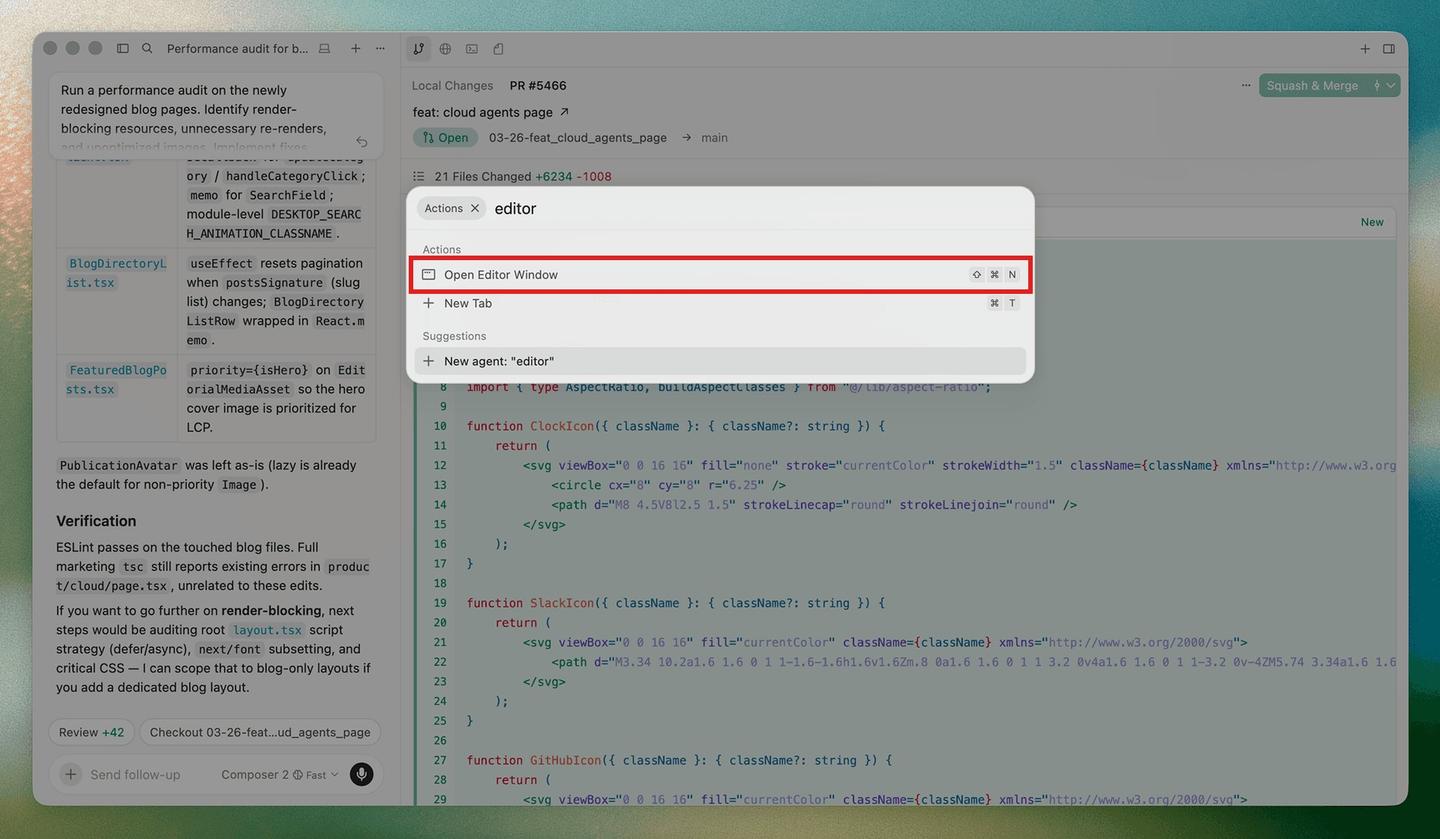
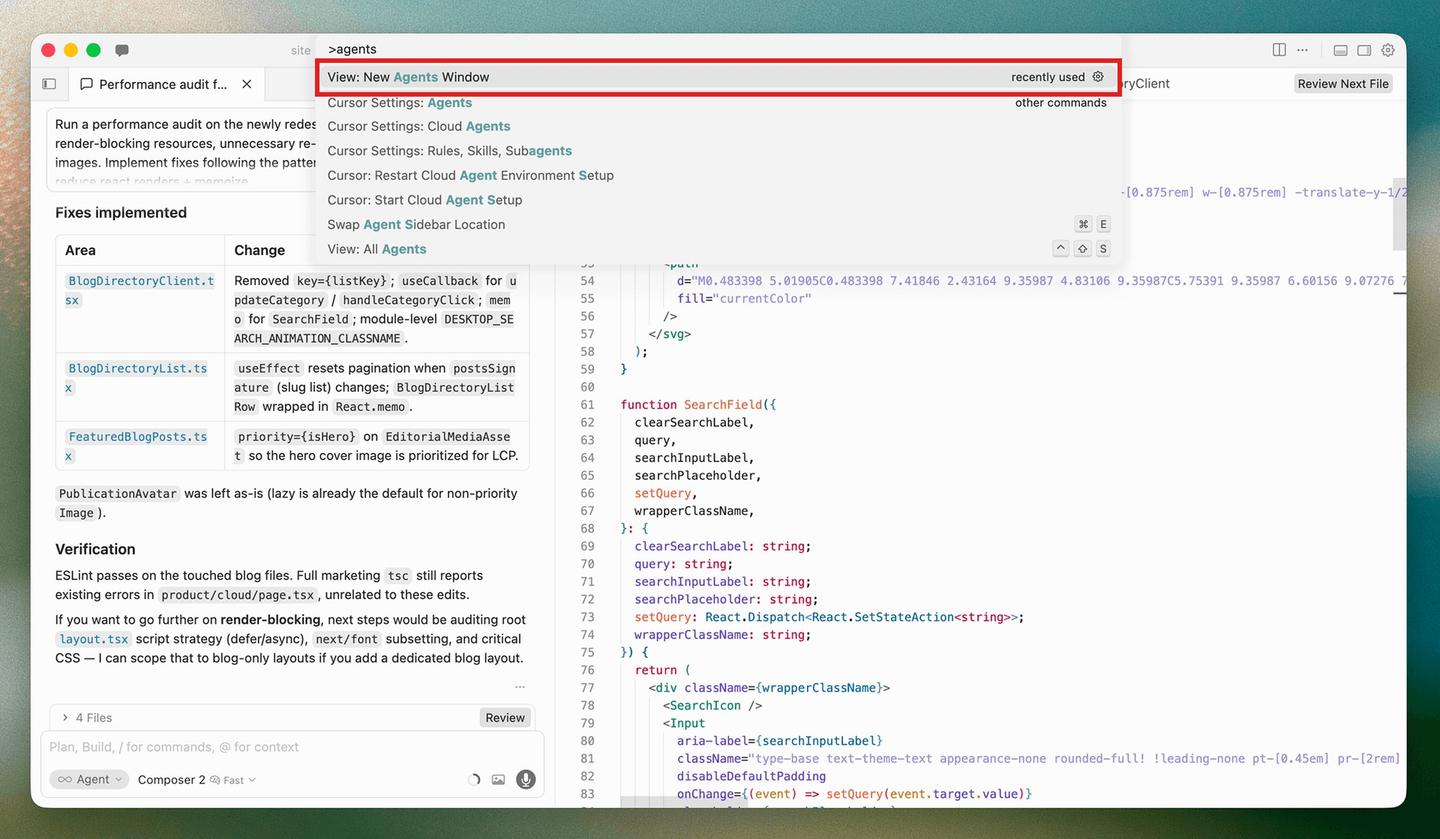
Update the Cursor app, then press Cmd+Shift+P (Ctrl+Shift+P if you're not on a Mac) and run "Open Agents Window". Cursor's launch post gives the same two steps: upgrade Cursor, then open the Agents Window from the Command Palette.
The Command Palette is the search box for every command in Cursor. Typing "agents" into it is enough to find the right command, and in the screenshot from Cursor's docs it appears as "View: New Agents Window".
Every user has the Agents Window by default. Cursor's docs say it became generally available with Cursor 3, that Enterprise admins could control who got it for the two weeks after launch, and that all users would have it after that rollout period.
Is Cursor 3 free?
Yes, Cursor has a free plan at $0 a month with limited agent and Chat requests, and the Agents Window comes with every plan. Cloud agents, the ones that keep working after you close your laptop, start on the $30 Premium plan.
Cursor's current plans are the plans of The X Subscription, which SpaceXSI announced as one plan covering Grok, Grok Bot, Cursor and X Premium, so Cursor's pricing page also lists X features such as a checkmark and fewer ads. SpaceXSI says people who already paid for Cursor can keep their old plan or switch. We covered the bundle in Grok, Cursor and X Premium in one plan.
These are Cursor's prices as listed on its pricing page on November 26, 2026, in US dollars, before taxes. "Usage" is the size of your AI allowance compared with Plus, the cheapest paid plan.
| Plan | Price | Usage | What you get in Cursor |
|---|---|---|---|
| Free | $0 a month | Limited | Limited agent and Chat requests |
| Plus | $8 a month | Basic | Cursor with Grok models only |
| Premium | $30 a month | 4x Plus | Cloud agents and automations, Bugbot code reviews, third-party models at API list price |
| Super | $100 a month | 15x Plus | Everything in Premium, plus priority model access at peak times |
| Ultra | $200 a month | 50x Plus | Everything in Super, plus earliest access to new products and models |
| Teams | $30 or more per user a month | 4x to 50x Plus | A private team marketplace for rules, skills and plugins, single sign-on and central billing |
| Enterprise | Custom | Pooled | Invoice billing, detailed spending controls and audit logs |
Third-party models cost extra on every plan that has them. The pricing page says third-party model usage in Cursor is not included in the monthly price and is billed separately by usage. Our guide to what each Cursor plan includes, from $0 to $200, goes through every plan in detail.
Does Elon Musk own Cursor now?
SpaceX, Elon Musk's rocket and AI company, owns Cursor. Cursor announced on August 14, 2026 that it "has officially been acquired by SpaceX", completing a process that began in April with a partnership with SpaceXAI to train its models.
SpaceX said in June that it would spend $60 billion to buy Cursor, days after its stock market debut. Our story on SpaceX's $60 billion purchase of Cursor covers why the deal happened.
Cursor's acquisition post says the deal gives it access to "the largest fleet of GPUs in the world", the chips used to train and run AI models. Inside the product, the $8 Plus plan uses Grok models only, and Cursor's new voice chat runs on Grok Voice.
What Cursor has added since Cursor 3
Since Cursor 3, the biggest additions have been voice calls with agents, apps that agents build and publish for you, and Projects for larger jobs. The table covers every entry on the two newest pages of Cursor's changelog, which run from August 27 to November 6, 2026, as checked on November 26, 2026. Our Cursor tool page keeps a running list of its changes and updates.
| Date | Update | What it does |
|---|---|---|
| Nov 6, 2026 | Voice chat with agents | Talk with an agent in a live voice call in the Agents Window, the editor, on the web and in the iPhone app |
| Nov 5, 2026 | Build live apps | A cloud agent builds an app, sets up its database and sign-in, and publishes it at a link you can share |
| Oct 20, 2026 | Agent SDK | Developers build an agent as a folder of code, test it and run it on Cursor or their own servers |
| Oct 16, 2026 | Cloud agent canvases | Cloud agents can build interactive canvases you share by link, and cloud setups now hold up to 300 repos |
| Oct 13, 2026 | Origin App Marketplace | Origin, Cursor's code-hosting service, now connects to over 20 apps, including Cloudflare, Linear and Sentry |
| Oct 6, 2026 | Remote control for local agents | See and reply to the agents running on your computer from the Cursor iPhone app |
| Sep 23, 2026 | Rollouts and Security Review | Two bots for Teams and Enterprise plans: one watches each change as it goes live, the other reports exploitable bugs in pull requests |
| Sep 10, 2026 | Projects | A coordinator agent plans a large job and hands the pieces to other agents, running in the cloud (in beta) |
| Sep 2, 2026 | Self-hosted machines | Agents run their tools on a company's own computers, so code and secrets stay inside its network |
| Aug 27, 2026 | Start from scratch | Cloud agents can start without a GitHub project and save the work to a Cursor Origin repo |
Voice chat, the newest entry, lets you describe a change out loud, ask what an agent is working on and hear short progress updates while it works. On an iPhone you can say "Hey Siri, call Cursor" to start a call with a new agent, and with Privacy Mode on, voice chat keeps no data.
Cursor says Build live apps lets anyone in a company build tools for their own work, and that people in its sales, operations, legal and finance teams use it for internal tools such as dashboards and onboarding guides. It is available on all paid plans that include cloud agents.
Who Cursor 3 is for, and what to use instead
Cursor 3 is built for people who hand most of their coding to agents and want to run several at once, while the classic editor still suits people who write and read code by hand. That is how Cursor's docs split the two, and both views come with every plan.
If you're weighing Cursor against Claude Code, our comparison of Cursor vs Claude Code, by job sets out which one fits which kind of work and what each costs.
Questions people ask about Cursor 3
Can I still use the old Cursor editor?
Yes. Run "Open IDE" from the Command Palette to switch back, or keep the editor and the Agents Window open side by side. Cursor says it will keep improving both.
Can I control Cursor agents from my phone?
Yes. Agents you start from the mobile app show up in the Agents Window sidebar, and since October 6, 2026 the Cursor iPhone app can also see and reply to agents running on your computer, as long as the computer stays on and online. We covered Cursor's iPhone app when it launched.
Do third-party models cost extra in Cursor 3?
Yes. Third-party models are available from the $30 Premium plan up, and their usage is billed on top of the plan at API list price. The Free and Plus plans don't include them.
Does Cursor 3 need a GitHub account?
No. Since August 27, 2026, cloud agents can start from scratch without a connected GitHub project and save the work to a repo on Cursor's own Origin service.
Sources
- Cursor: Meet the new Cursor (Cursor 3 launch post)
- Cursor Docs: Agents Window
- Cursor: Pricing
- Cursor: Changelog
- Cursor: Changelog, page 2
- Cursor: Voice Chat with Agents
- Cursor: Cloud Agent Canvases and Environment Improvements
- Cursor: Cursor is now a part of SpaceX
- The Verge: SpaceX is officially buying Cursor for $60 billion
- SpaceXSI: Introducing The X Subscription



Comments
Sign in to join the conversation.