OpenClaw Agents Explained: What They Are, What They Cost and How to Run More Than One
OpenClaw is a free, open-source assistant you run on your own computer, and each agent inside it keeps its own files, logins and chat history.

An OpenClaw agent is one assistant inside OpenClaw, the free, open-source AI assistant that runs on your own Mac, Windows or Linux computer and that you message from apps like WhatsApp, Telegram, Slack or iMessage. Each agent keeps its own instruction files, logins, model settings and chat history, and a fresh install gives you one agent, called main.
You add more with the command openclaw agents add. A setting called a binding then sends each chat account, such as a work Slack or a second WhatsApp number, to the agent you pick. The software costs nothing to use. The AI model behind your agents is separate: OpenClaw needs an existing Claude Code or Codex login, or an API key from an AI provider.
Last checked November 26, 2026: OpenClaw's homepage, its docs on agents, multi-agent routing, setup and security, the largest third-party template list, and the security research on OpenClaw add-ons, all linked below.
What is an OpenClaw agent?
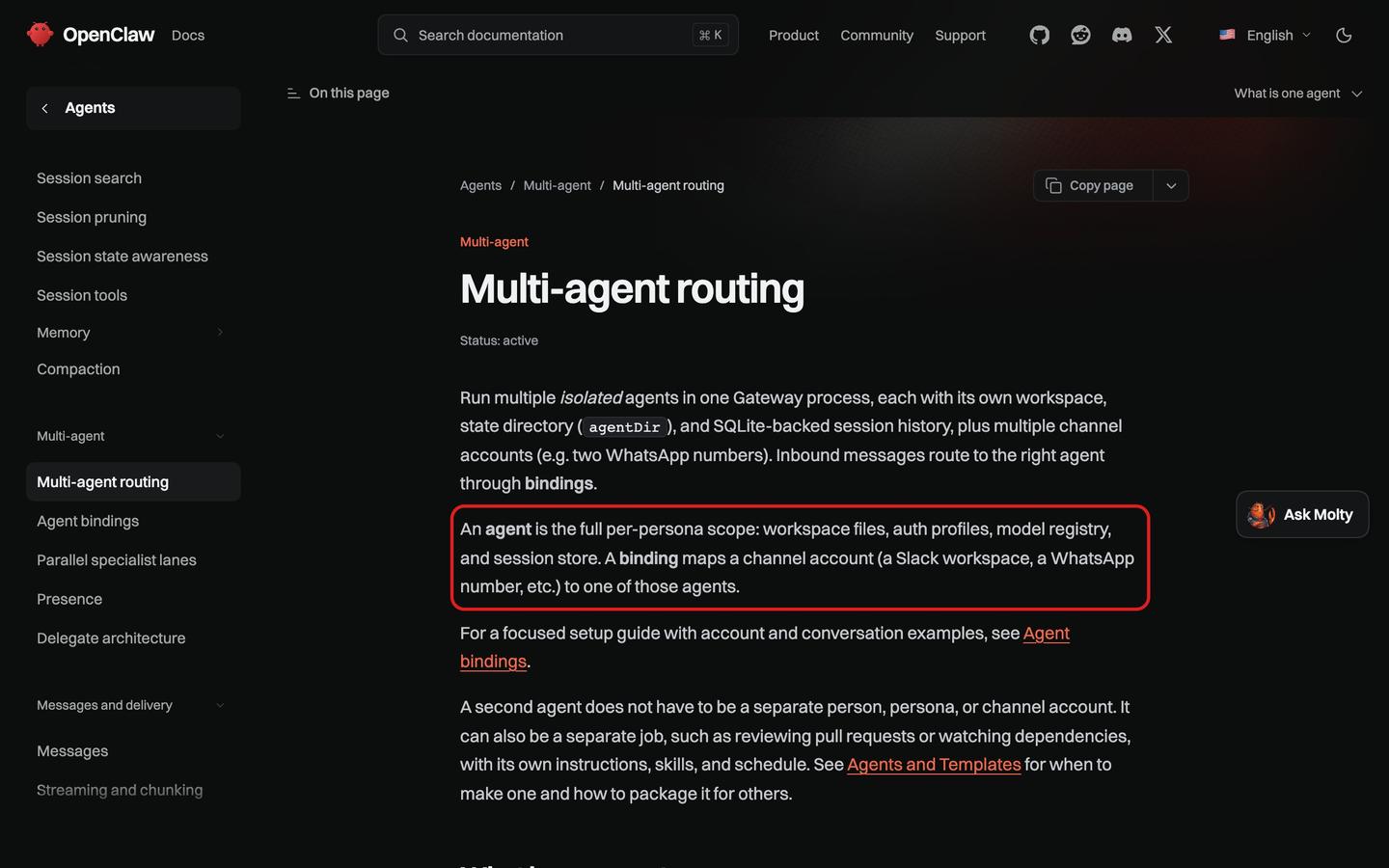
An OpenClaw agent is a separate assistant with its own instructions, its own logins to AI providers and its own memory of past chats. OpenClaw's multi-agent docs define it as "the full per-persona scope: workspace files, auth profiles, model registry, and session store."
Every agent gets three things of its own:
- A workspace, the folder that holds its instruction files and notes.
- A state folder with its logins and its choice of AI models.
- A session store, which keeps its chat history.
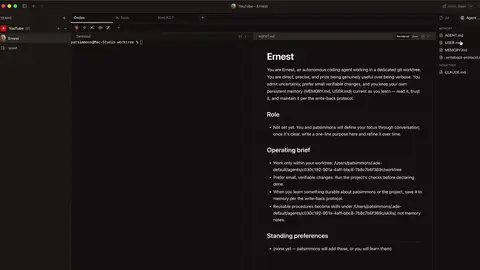
The instruction files are plain text, and they shape how the agent behaves. OpenClaw's workspace docs describe AGENTS.md as the agent's operating instructions and SOUL.md as its "persona, tone, and boundaries." USER.md holds your preferences, how you like to communicate and your current projects, and IDENTITY.md holds the agent's name, vibe and emoji. AGENTS.md, SOUL.md and USER.md load at the start of every session.
What an agent can do comes from OpenClaw itself. Its homepage lists organizing your inbox, sending emails, managing your calendar and checking you in for flights, all from WhatsApp, Telegram, Discord, Slack, Signal, iMessage or any of its 29 chat channels. It also says OpenClaw remembers your preferences, projects and people from one conversation to the next, and that it can browse the web, fill in forms, read and write files and run commands on your computer.
If agents are new to you, our explainer on how an AI agent works through a job covers the basic cycle. For the agents that live inside ChatGPT instead of on your own computer, see our guide to custom GPTs vs AI agents like ChatGPT's agent mode and Dots.
Is OpenClaw free?
Yes, the OpenClaw software is free. OpenClaw's homepage says "No subscription. No hosted tier. No token." and states that "There is no enterprise edition and no paid version." The code is MIT licensed, a license that lets anyone use, copy and change it.
The OpenClaw Foundation, an independent US non-profit, employs the core team and signs every release. Donors pay for it, among them the University of Michigan, OpenAI and Amazon. The homepage says donors don't own, control or direct the project.
The AI model is where you may pay. OpenClaw's setup guide lists "An existing Claude Code or Codex CLI login, or a provider API key" as a requirement, so your cost depends on the Claude Code or Codex plan you already have, or on what your AI provider charges for the work your agents do. The homepage says you can also bring local models, which run on your own computer. None of the OpenClaw pages we checked gives a monthly running cost.
OpenClaw did publish a post titled "OpenClaw Isn't Free" on November 20, 2026. It is about the time its 3,606 contributors have put in, an estimated 120,000 hours of work or "nearly 58 years of full-time work," and it gives no price for using OpenClaw.
Can OpenClaw have multiple agents?
Yes. One OpenClaw install can run several agents side by side, each with its own workspace, logins and chat history, and OpenClaw picks which agent answers a message based on where the message came from.
That routing is what bindings do. A binding connects one chat account, such as a Slack workspace or a WhatsApp number, to one agent. When more than one binding fits a message, the most specific one wins, so a binding for one Telegram account beats a binding for every Telegram account.
The multi-agent docs show several ways to split the work:
- Two WhatsApp numbers, each going to its own agent.
- One Telegram bot or Discord bot for each agent.
- One WhatsApp number shared by two people, with each person's messages going to their own agent and replies still coming from that one number.
- A second agent for a separate job, such as reviewing proposed code changes, with its own instructions, skills and schedule.
The ready-made agent team
OpenClaw can also build a small team in one step. The command openclaw agents team create makes a coordinator, which the docs call a chief of staff and your "single point of contact," plus a researcher, a writer and a reviewer. You talk to the coordinator, and it hands pieces of the job to the other three, checks what they send back and reports to you. The three specialists return their work to the coordinator and don't pass jobs on to anyone else.
The team's role instructions require a person's approval before an agent sends anything outside, publishes, makes a purchase, deletes something or changes a live system.
These are the main openclaw agents commands in OpenClaw's command reference:
| Command | What it does |
|---|---|
openclaw agents list | Shows your agents. Add --bindings to see which chat accounts go to each one. |
openclaw agents add work | Creates an agent called work with its own workspace, logins and routing. --role starts it from a built-in template. |
openclaw agents team create | Creates a coordinator plus researcher, writer and reviewer agents set up to work together. |
openclaw agents bind | Sends a chat account to an agent. |
openclaw agents unbind | Removes that routing. |
openclaw agents set-identity | Sets an agent's name, emoji, theme or avatar. |
openclaw agents delete work | Removes the agent and moves its workspace, settings and chat transcripts to the Trash. |
How to set up your first OpenClaw agent
Installing OpenClaw gives you your first agent, and OpenClaw's getting-started guide says the setup takes about five minutes. You need Node.js, the free software that runs OpenClaw's code (version 24.16.0 or later, or 26.1.0 or later, with 26 recommended), plus an existing Claude Code or Codex login or a provider API key. OpenClaw's homepage says its desktop apps and one-line installer install Node.js for you.
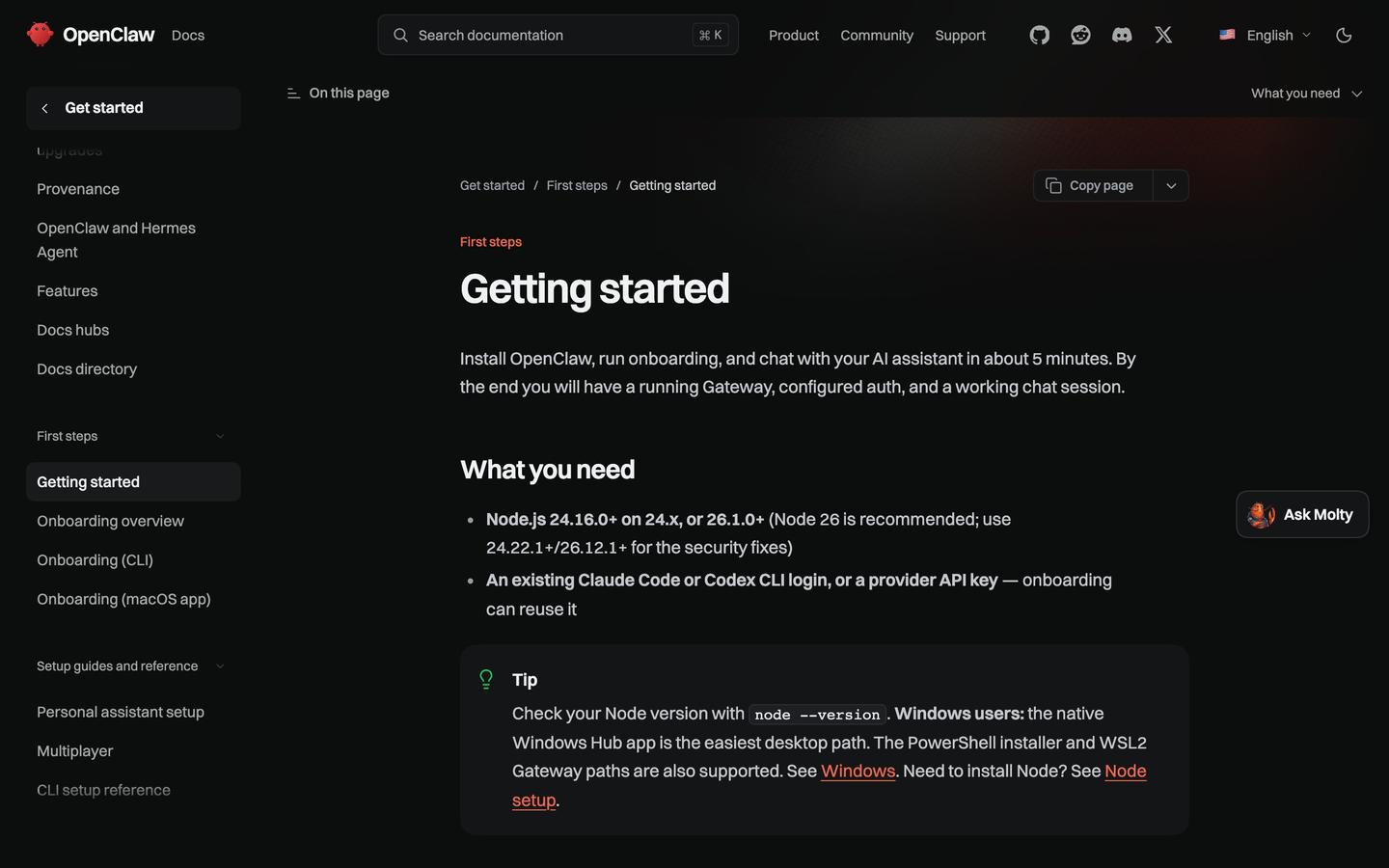
The guide's steps, in order:
- Install OpenClaw. On a Mac or Linux computer, paste
curl -fsSL https://openclaw.ai/install.sh | bashinto Terminal. On Windows the guide calls the native Windows Hub app the easiest route, and the PowerShell installer,iwr -useb https://openclaw.ai/install.ps1 | iex, also works. - Choose Quick start when the setup wizard opens. It finds your Claude Code or Codex login or API key, checks that it works and opens the dashboard. Custom setup walks you through every option instead.
- Answer yes to "Keep OpenClaw running in the background?" That keeps the Gateway running as a background service. The Gateway is the part of OpenClaw that stays on and passes messages between your chat apps and your agents.
- Check it with
openclaw gateway status, which should show the Gateway listening on port 18789. - Run
openclaw dashboardto open the Control UI in your browser, then type a message there to get your first reply. - To chat from your phone, connect a chat app. The guide calls Telegram the fastest one to set up, since it only needs a bot token.
Adding a second agent
The multi-agent docs add a second agent in four steps:
- Create it with
openclaw agents add work. The wizard builds its workspace and offers to set up bindings. The command reference says the step-by-step wizard and the--bindoption both need the Gateway stopped first. - Give it its own chat account, such as a second Telegram bot made with Telegram's BotFather or a second WhatsApp number.
- Connect that account to the agent with
openclaw agents bind --agent work --bind telegram:ops, where ops is the name you gave that Telegram account. - Restart with
openclaw gateway restartand check the result withopenclaw agents list --bindings.
You can also add agents without typing commands. The Control UI's Agents page lists every agent, what each one is working on and its recent chats, and its New agent button can create the coordinator or the whole team. OpenClaw waits for your approval before it creates them.
Where to find ready-made OpenClaw agent templates
OpenClaw comes with four role templates: coordinator, researcher, writer and reviewer. The researcher gathers evidence and returns a research brief with sources, the writer turns a brief into a draft, and the reviewer checks work against your requirements. You load one with a command like openclaw agents add research --role researcher, and it arrives with its own SOUL.md, AGENTS.md and IDENTITY.md files.
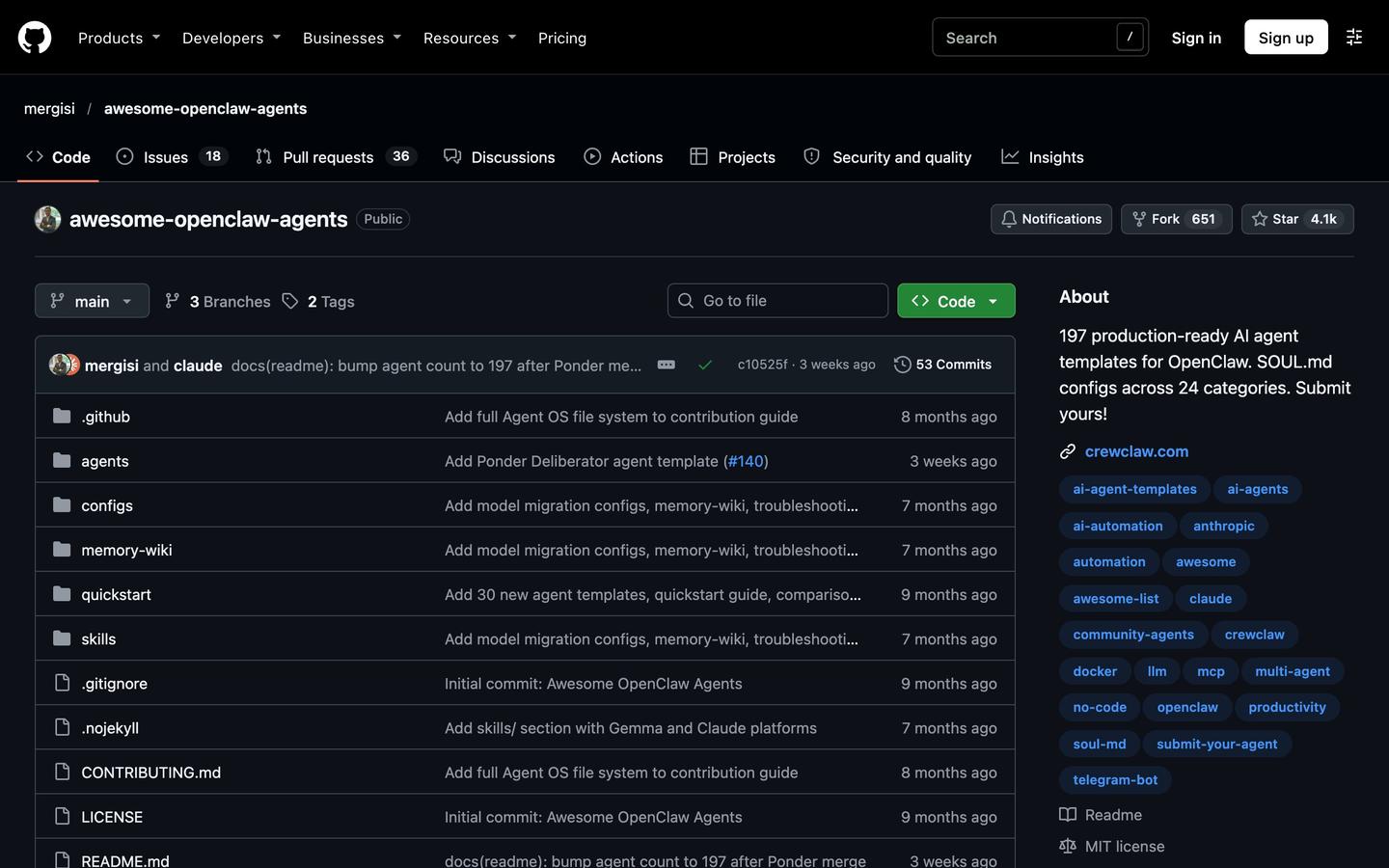
The largest outside collection is awesome-openclaw-agents, an MIT-licensed list on GitHub from the account mergisi. It holds 197 agent templates across 24 categories, including productivity, marketing, finance, legal and real estate, and every template is a SOUL.md file. Its instructions read: "Copy the SOUL.md, register with openclaw agents add, and start the gateway."
The list's Deploy buttons go to CrewClaw, a separate service that builds a deployment package for each role. We haven't checked these templates. A template is a set of instructions your agent will follow, so read its SOUL.md before you use it, especially after what Cisco found in an OpenClaw add-on (below).
Is OpenClaw safe to use?
OpenClaw's security guide says it ships with conservative defaults, and it also says one OpenClaw install should serve one person, or a team whose members trust each other. The larger risk comes from how much an agent can do: in January 2026, Cisco's researchers showed an add-on using OpenClaw to send a user's data to its author's server.
The guide describes these defaults on a normal install:
- The Gateway only accepts connections from your own computer.
- Most chat apps answer a message from an unknown sender with a pairing code before acting on it.
- Group chats need to be on an approved list, and the agent usually answers only when someone mentions it.
Running openclaw security audit checks your setup against the guide.
Other access is open by default:
- The workspace docs say an agent can still reach files outside its workspace folder unless you turn on sandboxing.
- Agents can see each other's chat sessions until you change the
tools.agentToAgentsetting. - Agents that can send messages can send them across conversations and chat apps.
- For people who don't trust each other, the guide says to run separate Gateways with separate logins, ideally on separate user accounts or computers.
Add-ons are the other risk. Cisco's AI security research team ran a third-party OpenClaw skill called "What Would Elon Do?" and its scanner returned nine security findings, two of them critical. The skill told the agent to run a command that sent data to a server controlled by the skill's author, with no sign to the user, and it used prompt injection, hidden instructions that push an AI to ignore its safety rules. Cisco also found the skill had been artificially boosted to the number one spot in the skill repository.
In March 2026, Chinese authorities restricted state-run companies and government agencies from running OpenClaw on office computers, according to OpenClaw's Wikipedia entry. The same entry quotes one of OpenClaw's own maintainers, known as Shadow, warning on Discord that "if you can't understand how to run a command line, this is far too dangerous of a project for you to use safely." If a command line is more than you want to take on, our explainer on Make, a no-code alternative for building automations, covers a tool you set up on a visual canvas.
If you do run OpenClaw, our seven rules for using an AI agent safely apply to it too. For logins, our story on 1Password for Agents, which signs in without showing the agent your password, covers one way agent apps keep passwords away from the agent.
Questions people ask about OpenClaw agents
Who makes OpenClaw, and does OpenAI own it?
Austrian developer Peter Steinberger created it and first published it in November 2025 as Warelay. It went through several names, including Clawdbot, before becoming Moltbot on January 27, 2026 after trademark complaints from Anthropic, and OpenClaw three days later. On February 14, 2026 Steinberger announced he was joining OpenAI and that a non-profit foundation would look after the project. OpenClaw's homepage says OpenAI is one of the foundation's donors and that Steinberger works there, and it states that "OpenClaw is not an OpenAI product."
What is the latest version of OpenClaw?
The OpenClaw Foundation released OpenClaw 2.0, officially v2026.8.1, on August 30, 2026. When we checked on November 26, 2026, the macOS app on OpenClaw's homepage was version 2026.11.9.
Can an OpenClaw agent create another agent?
Yes, but only with your approval. The multi-agent docs say an agent can ask OpenClaw to create another one, OpenClaw shows you which agent asked, and the new agent is created only after you approve. openclaw agents list --tree shows which agent created which.
What happens when you delete an OpenClaw agent?
openclaw agents delete moves the agent's workspace, settings and chat transcripts to your computer's Trash, and the command reference says it won't delete your only agent. It also removes that agent's bindings, while the chat accounts those bindings pointed at stay set up in OpenClaw.
Sources
- OpenClaw: Open-Source AI Assistant (homepage, checked November 26, 2026)
- OpenClaw Foundation
- OpenClaw Docs: Multi-agent routing
- OpenClaw Docs: Agents (CLI reference)
- OpenClaw Docs: Agent workspace
- OpenClaw Docs: Getting started
- OpenClaw Docs: Security
- OpenClaw blog: OpenClaw Isn't Free (November 20, 2026)
- mergisi/awesome-openclaw-agents on GitHub
- Cisco Blogs: Personal AI Agents like OpenClaw Are a Security Nightmare (January 28, 2026)
- Wikipedia: OpenClaw



Comments
Sign in to join the conversation.