ElevenLabs SFX v3: Sound Effects From One Prompt, Tested
We ran 19 sound effects through ElevenLabs' new model and the old one, from a door-to-car-engine sequence to a scored product clip. Here's what got better, what didn't, and what it costs.

On this page
- What SFX v3 is and where you can use it
- How much SFX v3 costs and how far your credits go
- How we tested SFX v3 against v2
- Test 1: Four sounds in a row, door to car engine
- Test 2: A crowd that cheers, then boos
- Test 3: Sound for a 10-second product clip
- Test 4: Vague prompts versus detailed ones
- Test 5: Gongs and singing, the two other upgrades
- Five things to know before you use SFX v3
- Who should try SFX v3
ElevenLabs released SFX v3 on October 29, its newest model for making sound effects from a text description. You type something like "a door creaks open, then footsteps on gravel," and it gives you back an audio file.
The new model is built for prompts that describe several sounds in a row. ElevenLabs says more of what you describe makes it into the audio, music and singing sound more convincing, and ringing sounds like gongs and chimes come out cleaner than they did with SFX v2.
We tested those claims on launch day. We ran 19 generations through the API across six tests, comparing v3 with v2 on the same prompts. You can listen to the clips below and judge for yourself.
What SFX v3 is and where you can use it
SFX v3 is the model behind ElevenLabs' sound effects tool. You can use it in four places inside ElevenCreative, the company's app for making audio and video: the Sound Effects tab, Flows, Studio and the Music Editor. It's also in the ElevenLabs mobile app and in the API for developers.

Each generation can be up to 30 seconds long. You can set the length yourself or let the model pick one, and you can ask for a loop for background sounds like rain or room tone. Downloads come as MP3, or as 48 kHz WAV for effects that don't loop, according to the sound effects docs.
The docs also say SFX v3 is in limited access and may not be available in every region yet. If your account can't use it, the API returns an "Unknown model" error. Our pay-as-you-go API account had access on launch day.
Here's ElevenLabs' own 45-second demo:
How much SFX v3 costs and how far your credits go
Sound effects cost 40 credits per second of audio when you set the length, per the docs. A 10-second effect costs 400 credits.
ElevenLabs' plans all include sound effects:
| Plan | Price | Credits a month | Seconds of sound effects |
|---|---|---|---|
| Free | $0 | 10,000 | about 250 |
| Starter | $6 a month | 30,000 | about 750 |
| Creator | $22 a month | 121,000 | about 3,000 |
Credits are shared with everything else you make in ElevenLabs, including voiceovers and music. If you're testing, keep clips short and set the length yourself so you know what each one costs.
How we tested SFX v3 against v2
We sent every prompt to both eleven_text_to_sound_v3 and eleven_text_to_sound_v2 through the API, which runs the same models as the app. Most clips came back in 1 to 7 seconds. The slowest, a vague two-word prompt, took 17 seconds.
To judge each clip, we had Google's Gemini 2.5 Pro listen to it and write a timestamped log of every sound it heard, then checked the timing against each file's loudness data. We also had to level the volume of every clip before comparing them, because v3's output volume swung a lot (more on that below).
The players below use those leveled files, so the comparisons are fair. Headphones help.
Test 1: Four sounds in a row, door to car engine
This is the main thing ElevenLabs says v3 fixes. We asked for four sounds in sequence:
A wooden front door creaks open, then footsteps on a gravel driveway, then a car door shuts and an old car engine starts and idles.
SFX v3 picked a 15-second length on its own and got all four sounds in order: the creak, about four seconds of gravel footsteps, the car door, then the engine starting and idling. We ran it a second time and got the same order again.
SFX v2 picked a 2-second length when we let it choose. That's too short for four sounds, so it dropped the footsteps and squeezed the door creak into a squeak.
When we gave v2 the same 15 seconds, it got all four sounds in order too.
On a simple sequence like this one, a lot of v3's improvement comes from picking a sensible length. If you're still on v2 for any reason, set the length yourself and you'll get much closer.
Test 2: A crowd that cheers, then boos
Next we used ElevenLabs' own example from its launch thread, where the crowd's mood has to change partway through:
Football stadium: crowd cheering loudly, a ball thuds on the grass, then the same crowd starts booing.
SFX v3 got the cheer, a faint thud under it, and then a clear switch to booing about four seconds in.
SFX v2, given the same 10 seconds, cheered the whole way through and never booed.
This is the clearest win we found for v3. The ball thud was weak in both versions, so if one small sound matters, generate it on its own and layer it in.
Test 3: Sound for a 10-second product clip
This is the job most people will actually use it for. We screen-recorded 10 seconds of our own site, scrolling the homepage and clicking into a post, and asked v3 for three separate pieces:
1. A single crisp mouse click (1 second)
2. A short airy whoosh for a page transition in an app video (1.5 seconds)
3. Soft ambient background bed for a tech product video: warm low synth pad with a gentle pulse, calm and modern, no drums (10 seconds)
Then we lined them up under the video, with the click and whoosh on the moment the page changes and the background pad turned down underneath. The three pieces cost about 500 credits at 40 per second.
The whoosh and the pad worked on the first try. The click came out a little soft for "crisp," so if your edit needs a sharp UI click, ask for "a sharp, high plastic click" and try two or three takes.
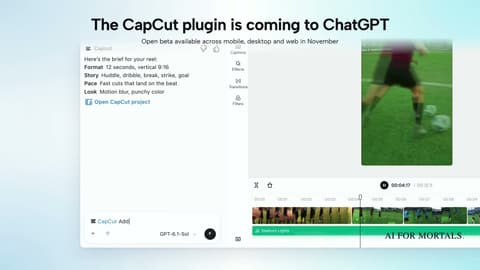
Asking for each sound separately gives you more control than describing the whole clip in one prompt, because you can place each one exactly where it belongs. Any editor works for this. CapCut is coming to ChatGPT as a plugin, and if you build product clips with code, I made a video on doing motion graphics with Codex and HyperFrames:
Test 4: Vague prompts versus detailed ones
We asked v3 for "spooky sound" and got a 5-second, heavily processed monster scream. It's spooky, but it's a horror-movie sting you probably didn't want.
Then we described a scene:
Inside an empty Victorian house at night: wind whistling through a broken window, a floorboard creaks slowly upstairs, then a distant music box plays three notes and stops.
That gave us 25 seconds of low wind, a few creaks and a distant three-note music box. The creaks sounded more like an old door hinge than a floorboard, but the scene held together.
ElevenLabs' docs give the same advice: describe the action, the setting, the mood and how the sound should play out, and skip broad categories like "spooky." Notice that v3 picked a 25-second length for the detailed prompt, which is more audio than you may need, so set the length when you care about cost.
Test 5: Gongs and singing, the two other upgrades
ElevenLabs says v3 is less likely to add crackle to ringing sounds and handles music and vocals better. Our results were mixed on both.
The gong. Both models made a convincing gong. The first v3 take had a slight warble in the fading ring, and a second take came out clean. The v2 gong was already clean, so we couldn't hear a clear improvement on this one.
Singing. We asked for a street busker singing over guitar with traffic and a bus pulling up. Neither model sang at all, and both played guitar only. When we asked more simply for a woman singing "la la la" in a busy café, both sang. The v3 version left out the espresso machine and the café crowd, while v2 included the espresso hiss but let it drown out everything at the end.
If you need a voice in your sound effect, make the singing the main thing in the prompt and keep the background short. For actual songs or narration over music, a music tool like Suno's new Speech mode is a better fit.
Five things to know before you use SFX v3
v3 clips can come out much quieter. The v2 clips all landed at roughly normal loudness. The v3 clips ranged from loud to about 15 to 20 decibels quieter, including the door sequence, the click and one of the two gong takes. Turn them up or use your editor's "normalize" option before you judge them or drop them into a video.
Set the length yourself. Letting the model choose gave us everything from 2 seconds to 25 seconds. Setting it keeps the cost predictable and stops multi-step prompts from being squeezed into a clip that's too short.
Write the sounds in the order you want them. Use "then" between steps, the way we did in the door test. v3 followed that order in every sequence we gave it.
Generate small sounds on their own. Quiet details like a ball thud or a single click get buried under crowds and music. Generate them separately and layer them.
Make two or three takes. The two gong takes from the same prompt sounded different, and so did the two door sequences. At 40 credits a second, a few short takes are cheap.
Here's a prompt you can adapt for any scene:
[Where it happens and the mood], [first sound], then [second sound], then [third sound]. [How it ends: fades out / stops suddenly / keeps going as background].
Who should try SFX v3
If you make short videos, ads, podcasts or game prototypes and you've been hunting through stock sound libraries, SFX v3 is worth trying on the free plan. It's best at short single sounds and at scenes with a clear order of events.
If you already use v2, switch for anything with more than two steps or a change partway through, like the crowd test. For single sounds you'll hear less difference, so judge it on your own prompts, which ElevenLabs' docs also recommend.
Sources
- Introducing SFX v3 in ElevenCreative and ElevenAPI (ElevenLabs blog)
- Sound effects capability docs, including SFX v3 and pricing per second (ElevenLabs docs)
- Create sound effect API reference (ElevenLabs docs)
- ElevenLabs pricing
- SFX v3 launch post and video (@ElevenLabs on X)
- Introducing SFX v3 (ElevenLabs on YouTube)
- SFX v3 announcement thread (r/ElevenLabs)


Comments
Sign in to join the conversation.