What an AI Prompt Is and How to Write a Good One for ChatGPT, Claude and Gemini
An AI prompt is what you type into ChatGPT, Claude or Gemini; a good one gives the task, the reader, your facts, the format and what to skip.

On this page
- What is an AI prompt?
- How do you write a good AI prompt?
- AI prompt examples you can copy and fill in
- What OpenAI, Google and Anthropic say about AI prompting
- What a 27-run prompt test showed changes the answer
- How do you make ChatGPT write like a human?
- What are the main types of prompting?
- Questions people ask about AI prompts
An AI prompt is the question or instruction you type into ChatGPT, Claude or Gemini to get a response. A good one covers five things: what you want, who it's for, the facts only you have, the length and format, and what to leave out.
OpenAI's guide boils it down to three steps (outline the task, give context, describe the output you want). Google's names four parts (persona, task, context, format) and says you don't need all four. In our 27-run test on Claude Opus 5.5, the facts, the length and format, the audience and what to leave out changed the answers, while personas, all caps, "think step by step" and an offered $200 tip changed nothing we could measure.
Copy this and fill in the brackets:
[What you want, in one sentence.] It's for [who will read it and why]. [Any facts it needs: dates, rules, numbers.] Keep it [length and format]. [Anything to leave out.]
Last checked November 11, 2026: the prompting guides from OpenAI, Google and Anthropic, each linked where it's quoted below.
What is an AI prompt?
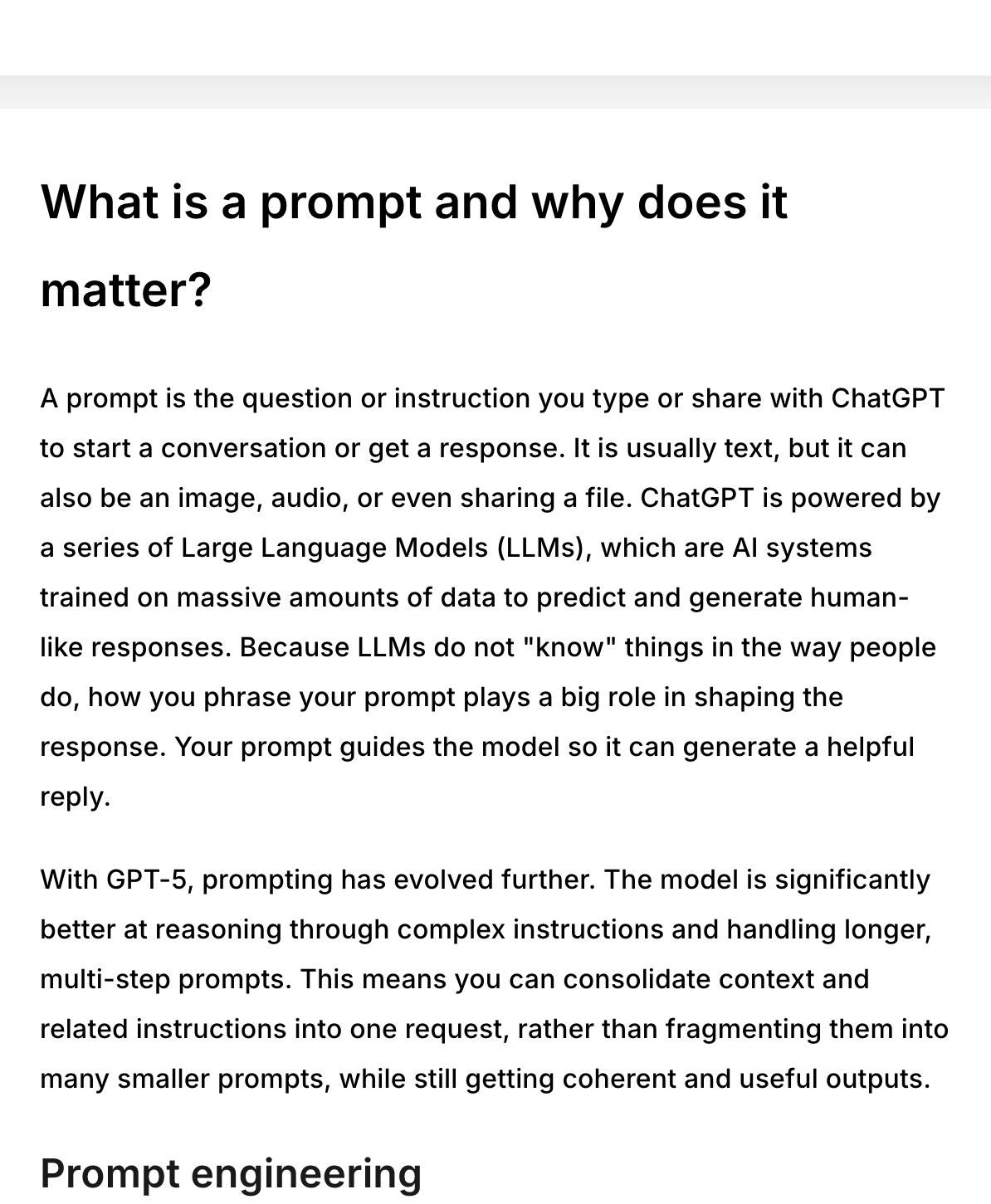
An AI prompt is whatever you give a chatbot to start a conversation or get an answer. OpenAI Academy's prompting guide defines it as "the question or instruction you type or share with ChatGPT to start a conversation or get a response," and adds that it is usually text but can also be an image, audio or a file.
Claude and Gemini work the same way. A prompt can be one line ("Summarize this email") or a long brief with documents pasted in or attached.
Google's Prompting guide 101 calls a prompt "a conversation starter" and notes that you might write several prompts as a conversation goes on. AI prompting, then, is the skill of writing those messages so the first answer is close to what you need.
How do you write a good AI prompt?
Write what you want in one sentence, then add only what the AI can't know without you: who it's for, your facts, the length and format, and what to leave out. Each step below has one line you can copy, taken from our tests or the vendors' own examples.
1. Say what you want in one sentence
Start with the job itself. This is the trimmed meeting-notes prompt from our test, and every run listed the same seven tasks with the right owners and dates:
List the action items from this meeting, grouped by person, with deadlines.
2. Say who it's for
In our spreadsheet test, one extra line about the reader produced the answers that read most like a careful analyst's, starting with the numbers that most needed checking:
This is going to our CEO, so flag anything in the data that looks off.
3. Give the facts only you have
Your policy, your numbers, today's date and the reason behind a rule all count. Adding "Today is Wednesday, October 29" to the meeting prompt let Claude point out which tasks were already overdue.
Anthropic's guide shows why the reason helps. "NEVER use ellipses" works less well than this version, which explains why:
Your response will be read aloud by a text-to-speech engine, so never use ellipses since the text-to-speech engine will not know how to pronounce them.
4. Set the length and format
A word limit and a shape (a list, a table, bullet points, "just the email") changed the answers in our test, and lines asking the AI to try harder didn't. The trimmed customer-email prompt in our test used this line and got the same email as a ten-rule prompt, in about 4 seconds instead of 7:
Keep it under 150 words and only give me the email.
5. Say what to leave out
Without this line, the bare email prompt in our test added notes nobody asked for. For anything with facts about you, say what the AI must not invent:
Don't add any job, title, number or skill that isn't in my resume.
Anthropic's prompting best practices give a quick check for the finished prompt: "Show your prompt to a colleague with minimal context on the task and ask them to follow it. If they'd be confused, Claude will be too."
AI prompt examples you can copy and fill in
A weak prompt names the task and stops, and a good one adds the material, the reader and the format. The first three good versions below are OpenAI Academy's own sample prompts, word for word; the weak versions are ours, written to show what's missing.
A product launch email
Weak: "Write an email about our product launch."
Draft a two-paragraph announcement email for our upcoming product launch using the feature list and positioning notes in the attached launch brief. Format the email with a short subject line, an engaging opening sentence, and a clear call to action.
A policy summary for employees
Weak: "Summarize our parental-leave policy."
Create a one-page overview of our updated parental-leave policy for employees, based on the policy document linked below and highlight any changes from the 2023 version. Present the overview in plain language with section headings and bullet points.
A meeting summary with next steps
Weak: "Summarize this meeting."
Summarize the key takeaways from this week's sprint retrospective from the attached meeting transcript and suggest two process improvements. Deliver the summary as numbered action items followed by a short paragraph explaining the impact of each.
Action items from meeting notes
Here the weak version is the long one. Our 196-word meeting prompt had a persona, ten numbered rules, all caps and a $200 tip, and its rule to write "No deadline" when none was stated made all three long runs label a task "No deadline" that the shorter prompts correctly marked "Before Nov 1." The 18-word version avoided that:
List the action items from this meeting, grouped by person, with deadlines. Today is Wednesday, October 29.

[paste the transcript here]
A resume rewrite (the template filled in)
This is the five-blank template with every blank filled. Swap the brackets for your own details:
Rewrite the summary and bullet points of my resume for a [job title] role at [company]. It's for the hiring manager reading the applications. Here's the job ad and my current resume: [paste both]. Keep it to one page, and start each bullet with a verb. Don't add any job, title, number or skill that isn't in my resume.
For prompts we ran on bigger jobs, including the ones that built and rebuilt whole apps, see 12 Claude prompts we ran, with the results.
What OpenAI, Google and Anthropic say about AI prompting
All three companies say the same core thing: state the task, give the context, and describe the output you want. Each guide adds its own advice on top.
OpenAI: three steps for ChatGPT
OpenAI Academy's three steps are to outline the task (what you want, who it's for and why), give helpful context, and describe your ideal output, including the role, audience or format.
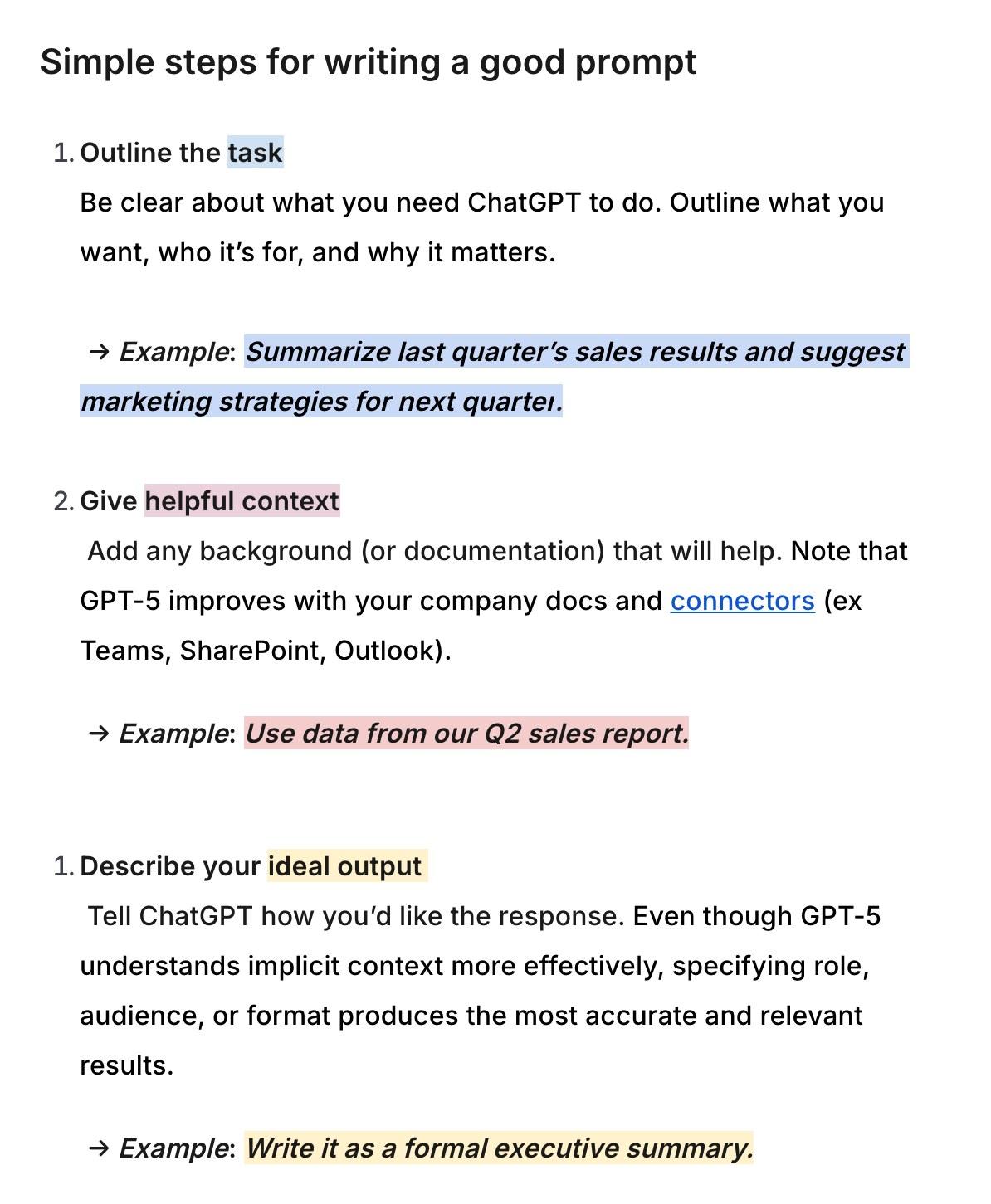
Its other advice: break big tasks into smaller steps, be specific without piling on detail that doesn't help, ask for options ("Suggest two different ways to present this report"), say what comes first for you (accuracy, creativity or speed), and say what tone and format you want.
Google: persona, task, context, format
Google's guide for Gemini names "four main areas to consider when writing an effective prompt": persona, task, context and format. It then adds, "You don't need to use all four in every prompt, but using a few will help!"

You are a program manager in [industry]. Draft an executive summary email to [persona] based on [details about relevant program docs]. Limit to bullet points.
Google also says to write in natural language and full sentences, be specific and iterate, keep it brief and free of jargon, use follow-up prompts, and point Gemini at your own Google Drive files.
Anthropic: treat Claude like a new hire
Anthropic tells you to think of Claude as "a brilliant but new employee who lacks context on your norms and workflows." The more precisely you explain what you want, the better the result.
Its guide also says examples are "one of the most reliable ways to steer" format, tone and structure, and suggests three to five of them. And it says to tell Claude what to do instead of what not to do: in place of "Do not use markdown in your response," try "Your response should be composed of smoothly flowing prose paragraphs."
What a 27-run prompt test showed changes the answer
Short prompts with the right facts did as well as long ones. In our test of long, trimmed and bare Claude prompts, we gave Claude Opus 5.5 three everyday jobs (meeting notes, an angry customer email and a sales spreadsheet), each in three versions run three times, and all 27 runs got the main answers right, including the traps we planted.
The table shows the averages over three runs each: words of instructions in the prompt, words in Claude's answer, and seconds to answer.
| Prompt | Words in the prompt | Words in Claude's answer | Seconds |
|---|---|---|---|
| Meeting, long | 196 | 99 | 5 |
| Meeting, trimmed | 18 | 223 | 8 |
| Meeting, bare | 9 | 209 | 5 |
| Email, long | 180 | 137 | 7 |
| Email, trimmed | 30 | 141 | 4 |
| Email, bare | 10 | 242 | 8 |
| Sheet, long | 193 | 424 | 19 |
| Sheet, trimmed | 40 | 340 | 18 |
| Sheet, bare | 18 | 209 | 10 |
How we tested: Claude Opus 5.5 at its default effort, through Claude Code with its tools switched off, three runs of each version, every answer checked against an answer key. Nine runs per job is a small sample, and the test ran on Claude only. The ChatGPT and Gemini guides point the same way on facts and format.
Four kinds of lines changed the answer: facts Claude couldn't know (like a refund policy), the length and format, what to leave out, and who the output was for. An expert persona, numbered rules, all caps, "think step by step," triple-checking and an offered $200 tip changed nothing we could measure.
Some long-prompt rules cost time. The spreadsheet prompt's "show all of your reasoning" rule produced answers of about 420 words in about 19 seconds, where the bare prompt took about 210 words and 10 seconds.
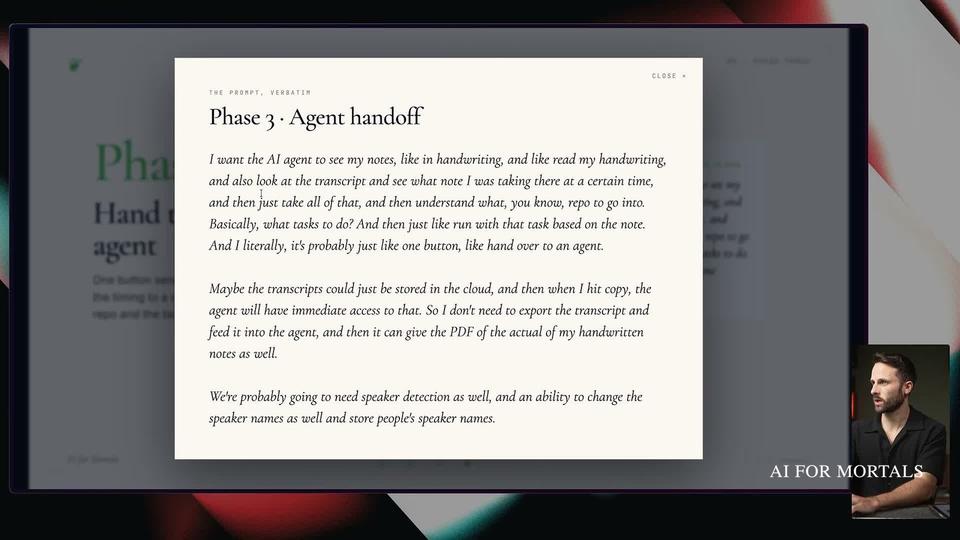
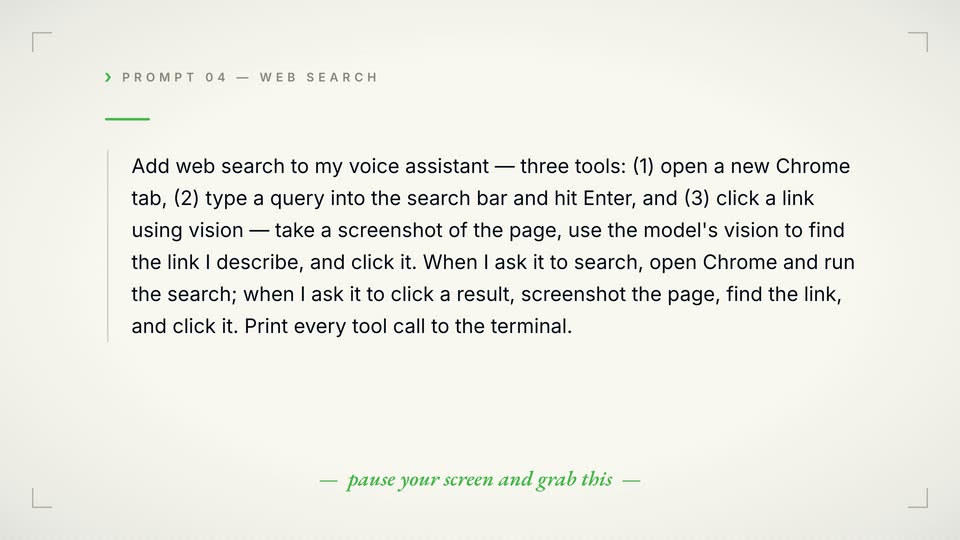
Long prompts still make sense when the length is the material itself: a style guide, examples you want matched, or a client brief. The header image above shows a longer prompt, Pat's dictated instructions for one phase of an iPad app rebuild, as it appears at 25:20 in his video.
How do you make ChatGPT write like a human?
Let the AI draft, edit the draft yourself, and have it turn your edits into rules. Describing your style ("conversational, punchy") rarely gets you there, because most of what makes writing sound like you comes from small choices that are hard to put into words. We set this up in Claude Code in teach Claude your writing style from your own edits, and the core prompt reads like this:
Here's my edit of your draft:

[paste your edited version]

Compare it with your version and list what I changed.
Give it samples of your own writing only. If you paste in text an AI wrote, it learns its own voice back.
Anthropic's guide adds two formatting rules for Claude. Say what you want instead of what you don't ("Your response should be composed of smoothly flowing prose paragraphs" works better than "Do not use markdown"), and write your prompt in the style you want back, because removing markdown from your prompt can reduce the markdown in the answer.
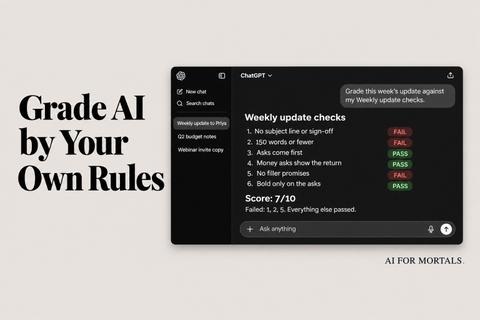
When the same corrections keep coming up, you can turn your corrections into a checklist and grade every draft against it.
What are the main types of prompting?
The vendor guides describe four types you can use in any chat app: a plain instruction, a prompt with examples, a prompt that writes a prompt, and follow-up prompts in a conversation.
A plain instruction
This is every prompt above: the task plus your context and format, in full sentences. OpenAI's three steps and Google's four areas both describe this type.
Prompts with examples (few-shot or multishot)
You paste in a few samples of the output you want, and the AI matches them. Anthropic calls this few-shot or multishot prompting and suggests three to five examples that are relevant to your task, varied enough to cover the odd cases, and clearly marked off from your instructions.
A prompt that writes a prompt (meta-prompt)
You ask the AI to write or improve the prompt for you. Google's version for the Gemini app is to start with "Make this a power prompt:" and paste your draft after it. Our guide on how to have ChatGPT, Claude or Gemini write the prompt for you has a template that works in all three and covers the prompt tools OpenAI and Anthropic offer.
Make this a power prompt: [original prompt text here]
Follow-up prompts in a conversation
Your second and third messages are prompts too. Google's guide says to "make it a conversation" and refine with follow-up prompts when the first answer misses, and OpenAI's suggests clarifying mid-conversation instead of starting over.
Questions people ask about AI prompts
What is an AI prompt generator?
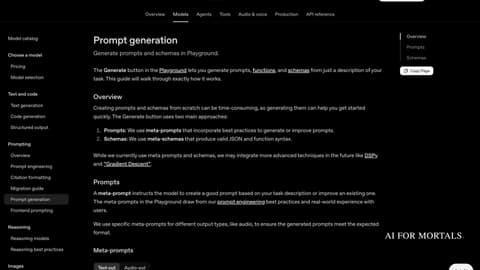
An AI prompt generator is a tool or a template that writes a prompt for you from a short description of your task. Anthropic's developer Console added one in May 2024, OpenAI's Playground has a Generate button, and in a chat app you can paste a generator template, covered in the guide linked in the section above.
What are some good prompts for creative writing?
The five-blank template works for fiction too. Here it is filled in for a short story; swap in your own idea:
Write a short story about [a lighthouse keeper who finds a letter addressed to her in a bottle]. It's for [my writing group, who like quiet endings]. [It's set in 1950s Maine and the keeper is named Ruth.] Keep it [under 800 words, first person, past tense]. [Leave out dream sequences and a twist ending.]
What is a GPT prompt?
A GPT prompt is an AI prompt written for ChatGPT, which runs on OpenAI's GPT models. Everything on this page applies, and the three OpenAI examples above are written for ChatGPT.
How long should an AI prompt be?
A prompt should be as long as your facts need. In our test, trimmed prompts of 18 to 40 words did as well as versions of about 180 to 200 words, and a long prompt earned its length only when the length was material like a style guide or examples.
Does "think step by step" still help?
On Claude Opus 5.5 in our test, "think step by step" changed nothing we could measure. The long spreadsheet prompt's "show all of your reasoning" rule made answers longer and slower (about 420 words in 19 seconds vs about 210 in 10) without changing whether they were right. OpenAI's guide says something different for ChatGPT: if you want deeper reasoning, ask for it explicitly ("think hard," "think carefully") to trigger higher-effort answers.
Can a prompt be an image or a file?
It can. OpenAI's guide says a prompt is usually text but can also be an image, audio or a shared file, and Google's suggests pointing Gemini at your own files in Google Drive.
Can I save a prompt so I don't retype it?
You can keep the template with its brackets in a note, or in Claude save the whole job as a skill; see Claude Skills: saved instructions you don't retype.
Sources
- Prompting, OpenAI Academy
- Prompting guide 101: How to write effective prompts, Google Workspace
- Prompting best practices, Claude Platform Docs
- Are Your Long Claude Prompts Worth It? We Cut Them Down to Find Out, AI for Mortals
- 12 Claude Prompts We Actually Ran on Opus 5.5 and Claude Code, With the Results, AI for Mortals
- AI Prompts Generator: Make ChatGPT, Claude or Gemini Write Your Prompt, AI for Mortals
- How to Teach Claude Your Writing Style From Your Own Edits, AI for Mortals
- Opus 5.5 Just Cloned a $6M/Month App (steal my prompts!), Pat Simmons on YouTube
- All vendor pages checked November 11, 2026

Comments
Sign in to join the conversation.