The prompt
Rebuild https://www.agrumeafarm.it/en pixel for pixel, every page, every animation and every interaction, making every asset yourself.

Context you should know: this is going into a video watched by a large audience. Your clone is put on screen next to the real site and next to other frontier models given this identical prompt, at the same viewport, and someone clicks, drags and scrolls through both. It is judged strictly on whether a viewer can tell them apart.

The comparison is blind. Never put your model name, your company's name, or any mention of which AI made it anywhere in what you build: not in on-screen text, credits, the page title, file names, code comments, or metadata.

**First, read the methodology.** Clone `https://github.com/per-simmons/clone-app-pat-pro-public` and read `SKILL.md` and `references/00-contract.md` before anything else, then each stage reference as you reach it. Follow its workspace layout, artifacts, verification gate and convergence loop. `scripts/assert-styles.mjs` is the gate.

Two overrides, and they win where they conflict with the repo:

- **Do not stop to check in.** You are running unattended. Run the whole pipeline start to finish without asking for approval or asking questions.
- **Use your own browser automation**, headless Playwright or Puppeteer, anywhere the repo says to use the Claude Chrome extension. Computed styles read off the live page through the CSSOM are ground truth. Screenshots and screen recordings are visual reference only, never the gate.

You have two creative tools: **Blender**, driven headless with Python scripts and rendered on a GPU render machine, and an **image generator** you call from the command line. Every raster image in your clone comes from the image generator or a Blender render.

**Scope: the home page and every page linked from the menu** (Pantry, Production, Experience, About, Contacts, and the product pages you reach by clicking a jar), plus the 404 page. Recon every one of them before you write code, at 1440x900 and 390x844, including the loader, every hover, drag, click and scroll state, the menu, and the transitions between pages.

**What you must nail.** Each of these is checked one by one on camera, side by side with the original:

1. **The loader.** The orange serif percentage counter running 0 to 100%, while faceted fruit shapes fall with real physics and pile up at the bottom of the screen, and you can grab and throw them. Then the full-screen orange panel that sweeps up and off with the thin cream line, and the header revealing itself (IT/EN pills, the farmer-with-basket logo sliding up, the MENU pill).

2. **The home page does not scroll.** It is one screen. The wheel, trackpad and drag move the jar carousel, not the page. A scrolling home page is a failed clone.

3. **The jar carousel.** An endless arc tilted like the original, jars scaling up toward the center and shrinking, blurring and dimming toward the edges, flinging with momentum and leaning with velocity, with the maroon octagon dome and the rotating "WE GROW · WE SERVE" text ring behind it turning as the carousel moves.

4. **The jars are 3D.** Each jar's label wraps around a real cylinder and spins a full 360 degrees on intro. On hover the jar leans toward the cursor and, after a short pause, the label spins a full turn to show the nutrition panel on the back. The glass, lid and label must read as real product photography.

5. **The cursor pill.** The white pill that follows the cursor and changes its text by context ("DISCOVER THE PRODUCT" over jars, "DRAG" over sliders), with the same easing and lag.

6. **Jar to product page.** Clicking a jar flies it into the product page's hero, label still spinning, with no hard cut. On the product page the giant title, the jar rising from the bottom, tilting and spinning its label as you scroll.

7. **Inner pages.** The rounded hero photo card that opens to full width in the first scroll, the cover title, headings revealing letter by letter and paragraphs line by line, the floating tab bar with the sliding orange pill on Pantry and Production, the giant words with a cut-out jar or figure in front of them ("SAVOURY", "VISION"), the pinned About section where the fruits fly in as you scroll, the pinned Experience cards that stack in 3D with the one underneath shrinking, tilting and darkening, and the endless draggable photo slider with momentum.

8. **The menu.** The orange full-screen panel dropping from the top, the huge diagonal links revealing letter by letter and rolling on hover, and closing the same way.

9. **Page transitions.** The maroon panel that covers the screen and lifts off the top between pages, the header hiding on scroll down and returning on scroll up, the smooth-scroll feel on inner pages, the outro photo and the giant "AGRUMEA Farm" wordmark footer on maroon.

10. **Contacts and 404.** The same physics fruit pile; on the 404 the error digits fall too, and a click blasts everything outward.

11. **Extract, don't guess.** Pull real computed values off the live page: the cream, orange, maroon and yellow, type scale, letter spacing, spacing, radii, container widths, breakpoints, and every easing curve and duration you can read from the CSS and JS. Match the timing of each animation to the original within a frame or two.

12. **No lifted assets.** Do not hotlink, download, trace or embed the original's images, SVGs, label artwork, logos or fonts. Make the jars, labels and photos with the image generator or Blender, draw the fruit shapes, dome, ring text and logo yourself, and use open fonts with metrics matched as closely as you can. List every substitution in the README.

13. **Mobile.** Every page and interaction works at 390x844 the way the original does on a phone.

14. **Prove the match.** Run `assert-styles.mjs` against your extracted tokens and iterate until there are zero failures and the project builds clean. Then record your clone and the real site doing the same actions (the loader, a carousel fling, a jar hover, a jar click, the menu, each page transition, each pinned section) and compare them frame by frame, fixing what your eye catches that the assertions missed, until the two are indistinguishable.

15. **Ship it runnable**, with a documented run command and a README covering what you substituted, how you made the jars and imagery, and your final assertion results.

16. **Depth over breadth.** If you have to choose, a loader, home carousel, jar hover, jar-to-product flight and menu that are indistinguishable from the original beat every page approximately right.The exact prompt from the article.
The builds
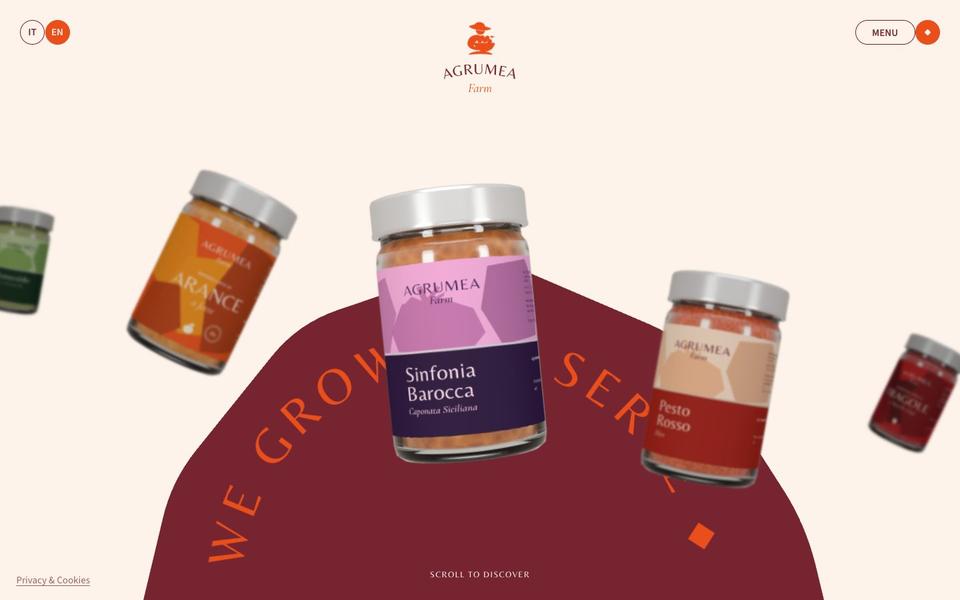
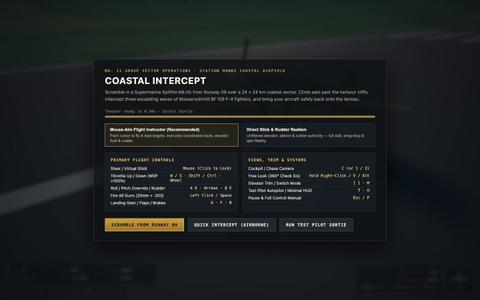
Gemini 4 Carbon · Screenshot of the buildRuns in your browser

Written by
Pat Simmons. Pat tests AI models and tools on his YouTube channel.