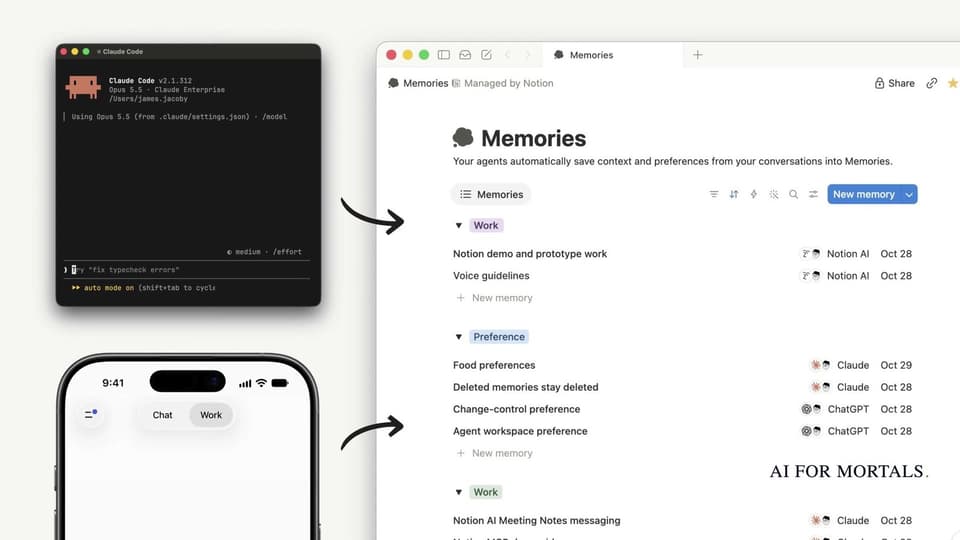
Notion Becomes One Shared Memory for ChatGPT, Claude and Your Other Assistants
Notion launched a setup that lets ChatGPT, Claude, Muse and Grok Bot save what they learn about you into the same place in Notion and share skills there. Here's how to set it up, what your assistants will save and skip, and what it costs.
 AI for Mortals Staff
Notion launched a setup that lets ChatGPT, Claude, Meta's Muse and Grok Bot all save what they learn about you into the same place in Notion. They can also share skills there, the saved instructions for jobs you do often.
It runs on the Notion MCP, the connection that lets outside assistants read and write your Notion pages, and it works on every Notion plan, free included.
How to connect ChatGPT and Claude to Notion as shared memory
You start it with one prompt. ChatGPT users can open ntn.so/chat and Claude users ntn.so/claude. For any other assistant, paste this into a chat:
"Help me set up Notion as my context system using this guide: http://developers.notion.com/prompts/setup"
That link is Notion's setup guide, written for the assistant to follow, one step at a time:
1. Connect Notion. The assistant asks you to sign in to the Notion MCP, then confirms it worked by telling you your name and workspace.
2. Pick how much to set up. "Shared context layer" is the recommended option and saves your memories, work and skills to Notion. "Basic setup" only connects Notion and adds a guide your assistants check first.
3. Create the guide and paste one block of text. The assistant creates a private page called the Agent Operating Guide and gives you a short block of text to paste into your custom instructions. In Claude, that's your name in the bottom left, then Settings, Account and "Instructions for Claude". In ChatGPT, it's your photo or initials, then Personalization and "Custom instructions".
That pasted text is what makes every future chat check Notion first, and Notion's guide calls it the most important step.
4. Turn on a daily check, if you want one. More on that below.
5. Bring your existing context over. The assistant offers to copy your memories, recent work and installed skills into Notion.

What your assistants save to Notion, and what they skip
Notion's guide tells assistants to save decisions and the reasons behind them, corrections, preferences, project status, useful research and plans, the kind of thing another assistant would need to pick up your work.
They're told to skip passwords and other secrets, small talk, temporary progress and copied code. When something already exists, they update that page instead of making a near-copy.
The guide also has them ask before they create a new database, file something in a shared space for the first time, change who can see a page, or move, archive or delete anything. If Notion is down, the assistant shows you the change in the chat and tells you it wasn't saved.
Everything lands in pages you can open, so if Claude saved a preference wrong, you fix it in Notion and ChatGPT reads the corrected version next time.
What the daily Notion check does
The optional daily routine, called "Daily Notion memory and setup check", copies anything new worth keeping into Notion, skips duplicates and keeps links back to where each item came from.
It also checks whether Notion has published a newer version of the setup guide and, if so, sums up what changed and suggests edits. Notion's guide says it won't read full chat transcripts, reorganize your pages or install updates without asking.
Skills you write once and use in every assistant
Skills are the saved instructions for jobs you do often, like proofreading a project brief your way. Notion says you can write one in Notion and every connected assistant can use it.

If you've never set one up, our test of five free Claude skills for office work shows what a good one does and where they fall flat.
What it costs, and what needs a paid Notion plan
The Notion MCP works on every Notion plan, including the free one. A few extras need Notion's Business or Enterprise plan with Notion AI, like searching apps you've connected to Notion and running unlimited database queries.
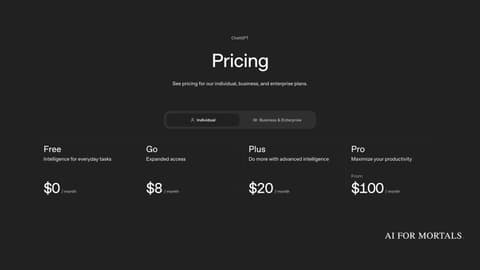
Notion's guides don't say which ChatGPT or Claude plan you need.
Why one memory beats two chat histories
Back in October, Notion rebuilt its connection for outside assistants so they could save memories there, and said shared skills were coming next. This setup adds the skills, plus the instructions that make each assistant check Notion before it answers.
If you use ChatGPT for some jobs and Claude for others, your preferences and project notes stop living in two separate chat histories, and you can switch to a new assistant without explaining yourself from scratch. It's the same idea as Notion's earlier move to let you assign tasks to Claude and Cursor like teammates, now with a memory they all share.


Comments
Sign in to join the conversation.