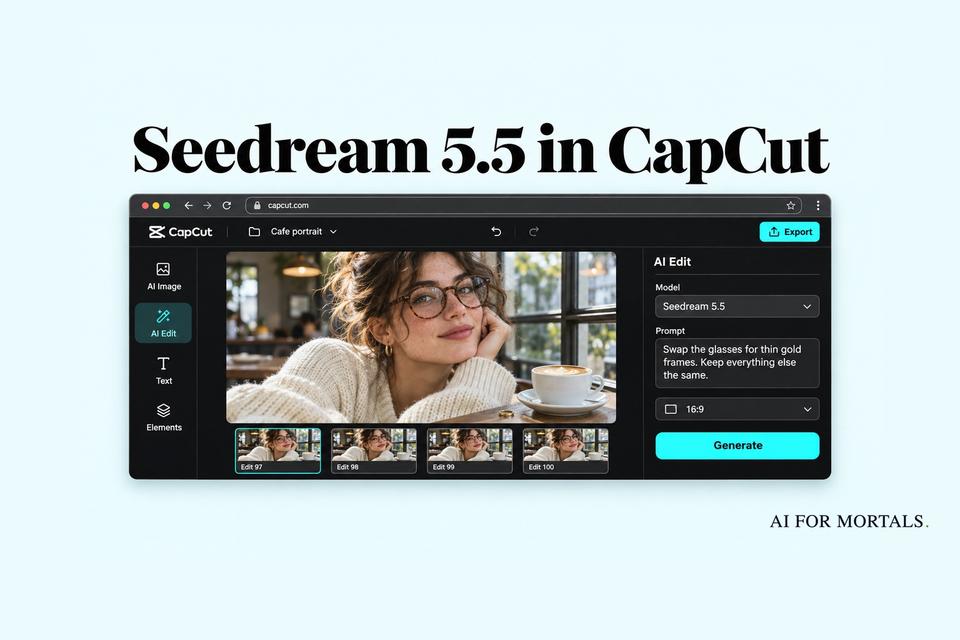
Seedream 5.5 in CapCut: Can It Really Edit the Same Image 100 Times?
Seedream 5.5 promises 100 rounds of edits on one image without the picture slowly falling apart, plus transparent backgrounds and sharper text. It's rolling out in CapCut now, but the US is still waiting, and the 'unlimited' offer covers one plan, 11 countries and one week.
 AI for Mortals Staff
Seedream 5.5, the new image model behind CapCut's AI image tools, launched on November 9 with one headline promise: you can keep editing the same picture, round after round, and the parts you didn't touch stay exactly as they were.
That fixes a real annoyance. With most image tools, the tenth "just change one more thing" comes back with slightly different skin, washed-out colors or a face that has drifted, because every edit quietly redraws the whole image.
ByteDance's Seed team says Seedream 5.5 holds up across 100 edits in a row. It also makes images with transparent backgrounds in one step, and it's better at small, exact text.
Can you use Seedream 5.5 in CapCut yet?
Yes, in most places, but not in the US yet. CapCut's launch post says it's "available now across supported regions, with the US launch coming soon." No US date has been given.
Where you'll find it, per CapCut's announcement:
- Phone app: Edit Photo, then AI Edit, AI Lab or AI Image
- CapCut on the web: Design Studio and Video Studio
- Desktop app: AI Ad Maker and AI Image
In the image tools, look for a model picker and choose Seedream 5.5. CapCut's own help pages still show Seedream 5.0, so the menu names may shift a little as the update reaches your account.
ByteDance also says Seedream 5.5 is coming to Dreamina, CapCut's separate AI image site, which already has a Seedream 5.5 page.
What "unlimited" actually covers
CapCut's post leads with "UNLIMITED generation," and the small print narrows it a lot. Unlimited Seedream 5.5 images are only for Ultra subscribers, only in 11 countries (the UK, France, Germany, Italy, Spain, Mexico, Brazil, Canada, Japan, South Korea and Australia), and only from November 12 to 18.
If you're on the free plan or Pro, or you live in the US, each image comes out of your normal AI credits. CapCut's pricing page lists 1,200 monthly AI credits on Pro and 8,645 on Ultra, and it hasn't published how many credits a Seedream 5.5 image costs yet.
So if you're in one of those 11 countries and already pay for Ultra, that week is the time to throw 50 edits at one picture and see where it breaks. Everyone else should treat each generation as something that costs credits.
Can it really edit the same image 100 times?
ByteDance showed it, but nobody has measured it independently yet. In its demo, the team made 100 edits in a row to a photo of one person, each starting from the previous result, swapping clothes, accessories and things on the table. By round 100 it could still change small details like a ring or an eyeglass frame cleanly.
The trick, per ByteDance, is training the model to leave untouched areas alone "at the pixel level," with no color shift creeping in. That's the exact complaint people had with Seedream 5.0: on community forums, users posted edit chains that got more washed-out and overbaked with every pass.
Two caveats are worth knowing:
- It's a single demo. ByteDance didn't publish how often round 100 actually looks right, or how the edits were picked.
- The numbers vary by page. The Seed blog says 100 rounds, while ByteDance's business page for the same model says "80+ iterations."
For everyday use, the realistic win is the first 10 to 20 edits. Swapping a shirt color, then a background, then a prop, without the face slowly changing, is what most people actually need.
Seedream AI vs ChatGPT Images and Nano Banana
ByteDance's own tests put Seedream 5.5 ahead of GPT Image 2.5 Sunburst and Nano Banana 2.1 on getting text right, and ahead of both on realism when you make an image from scratch. These are ByteDance's numbers, from its own panel of reviewers comparing images side by side.

Read the chart closely and there's one loss. When editing an existing photo, reviewers preferred Nano Banana 2.1 for realism. If you mostly edit real photos of people, Nano Banana is still worth a side-by-side (we compared the Nano Banana versions in our Nano Banana 2.1 guide).
The comparison also skips OpenAI's newest model. ByteDance tested against GPT Image 2.5, while ChatGPT Images 2.6 now sits at the top of Artificial Analysis's public image leaderboard, which hasn't listed Seedream 5.5 yet.
Text is where the gains look most useful. ByteDance says badly garbled text now shows up in 0.4% of images, down from 2.8% on Seedream 5.0 Pro.

That matters for posters, product labels, menus and slides, where one misspelled word sends you back to try again. ByteDance's own sample is a whole newspaper page of small print.

Seedream already had fans for natural-looking people. In side-by-side threads on Reddit, people who make realistic portraits for clients often pick it over ChatGPT, while others find ChatGPT's results look less AI-made and handle long, complicated prompts better.
ByteDance says version 5.5 also tones down the glossy, overexposed look some of its images had.
Transparent backgrounds in one step
Seedream 5.5 can make an image with a see-through background directly, including half-transparent parts like glass, smoke or soft feathers. You no longer need to generate an object and then run a background remover, which can leave a ragged white edge.
That's handy for stickers, logos, product cutouts and anything you want to drop onto a slide or a video. CapCut's post says you can make these "with transparent or semi-transparent backgrounds in one step."
Four Seedream 5.5 prompts to try first
These line up with what the model is supposed to be good at. Each one is a quick way to see whether it lives up to the launch claims.
1. A product shot from a text prompt. This tests the realism and lighting claims. Run the same prompt in ChatGPT or Gemini and compare (our AI image generator comparison has more side-by-sides).
A product photo of a matte sage-green ceramic coffee mug on a light oak table, morning window light from the left, soft natural shadow, a few coffee beans scattered beside it, shallow depth of field, shot on a 50mm lens. Photorealistic, no text.
2. Ten small edits in a row. Start with a photo of yourself or a product, then send these one at a time, each on the newest result. After the last one, compare the face and background with the original.
Change only the shirt to navy blue. Keep everything else exactly the same.
Now add a small silver watch on the left wrist. Keep everything else exactly the same.
Keep going with your own one-change requests: the background, a mug on the table, a hat, the time of day. Saying "keep everything else exactly the same" each time helps.
3. A graphic with a see-through background. Good for a slide or a thumbnail.
A glossy 3D icon of a rocket launching, white and coral colors, soft studio lighting, on a fully transparent background. The smoke trail should be semi-transparent so whatever is behind it shows through.
4. A poster with exact words. Put the wording in quotes and count the letters in the result.
A clean, modern poster for a neighborhood bake sale. Headline: "Saturday Bake Sale". Below it: "10 AM to 2 PM · Maple Street Community Hall". At the bottom in smaller text: "All proceeds go to the school library". Warm cream background, hand-drawn illustrations of cookies and pies.
How it compares with ChatGPT's image tool
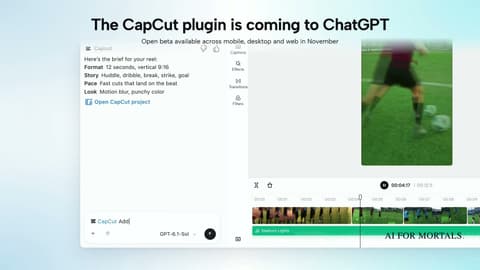
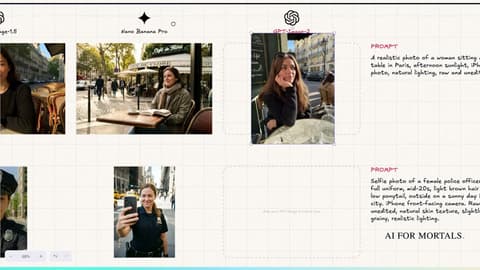
If you're choosing between tools, we tested ChatGPT Images 2.0 against Nano Banana on more than 50 prompts, including text and realistic people, in the video below. That's the bar Seedream 5.5 now has to clear, and CapCut's editor is also headed into ChatGPT itself.
ByteDance says a Pro version of Seedream 5.5 is coming next. When CapCut opens it up in the US, the first thing worth checking is how many credits each image costs, since that decides whether 100 edits on one picture is something you'll actually do.
Sources
- ByteDance Seed: Introducing Seedream 5.5
- CapCut's launch post on X (where to find it, the "unlimited" terms)
- ByteDance Seed launch post on X
- BytePlus: Seedream 5.5 for business ("80+ iterations")
- BytePlus launch post on X
- CapCut pricing (monthly AI credits by plan)
- Dreamina: Seedream 5.5
- Artificial Analysis text-to-image leaderboard
- Reddit: repeated Seedream 5.0 edits getting washed out
- Reddit: ChatGPT Images 2.5 vs Seedream 5 Pro for client photography


Comments
Sign in to join the conversation.