What Is GitHub Agent HQ? Claude, Codex and Copilot in One Place
Agent HQ lets you hand GitHub coding jobs to Copilot, Claude or Codex and review what they send back, on Copilot plans that start at $10 a month.

On this page
- What is Agent HQ?
- Which AI agents work in Agent HQ?
- Is Agent HQ free? What each Copilot plan costs
- How to start your first agent task in Agent HQ
- Is Agent HQ the same as an "agent hub"?
- Agent HQ vs using Claude Code or Codex on their own
- Who Agent HQ is for, and what non-coders should use instead
- Questions people ask about Agent HQ
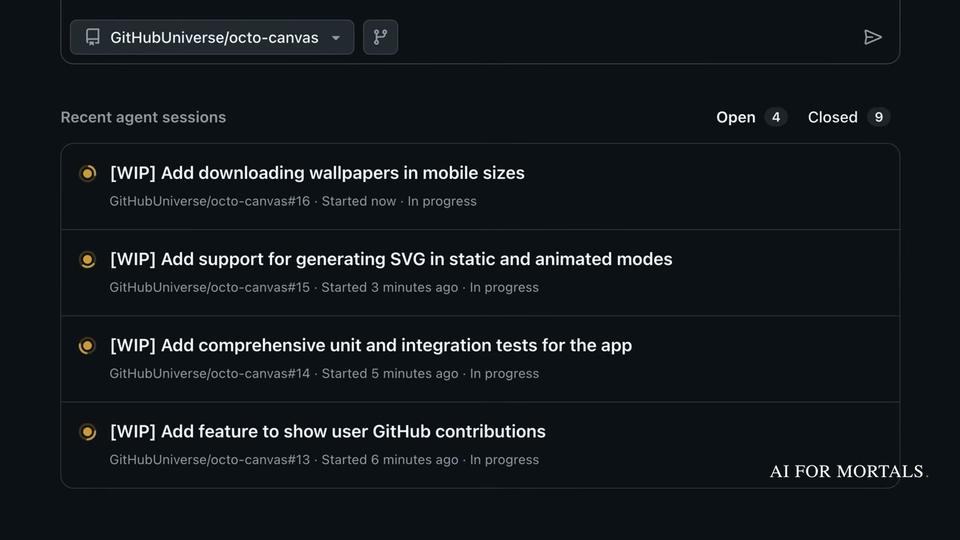
Agent HQ is the name GitHub gave to letting you hand coding jobs to several AI agents (its own Copilot, Anthropic's Claude and OpenAI's Codex) from inside GitHub and follow their work in one list. Each agent takes a task, works on its own copy of the code and hands back a pull request, a proposed set of changes you read and approve before they go in.
There is no separate Agent HQ subscription. The agents come with paid GitHub Copilot plans, which start at $10 a month, and they are built for people who write code. If you don't, Claude Cowork and ChatGPT Work do the same "hand it a job" thing for documents and apps.
What is Agent HQ?
Agent HQ is GitHub's name for bringing AI coding agents from several companies into GitHub itself, so they work through the same tools a human developer uses. GitHub announced Agent HQ at its Universe conference on October 28, 2025, writing that "Agents shouldn't be bolted on" and that it was "making agents native to the GitHub flow."
In practice the agents work with issues and pull requests. A repository is a project's folder of code on GitHub, and an issue is a to-do item or bug report filed on that project. You give an agent an issue or a written request, it works in the background, and it comes back with a pull request for you to review.
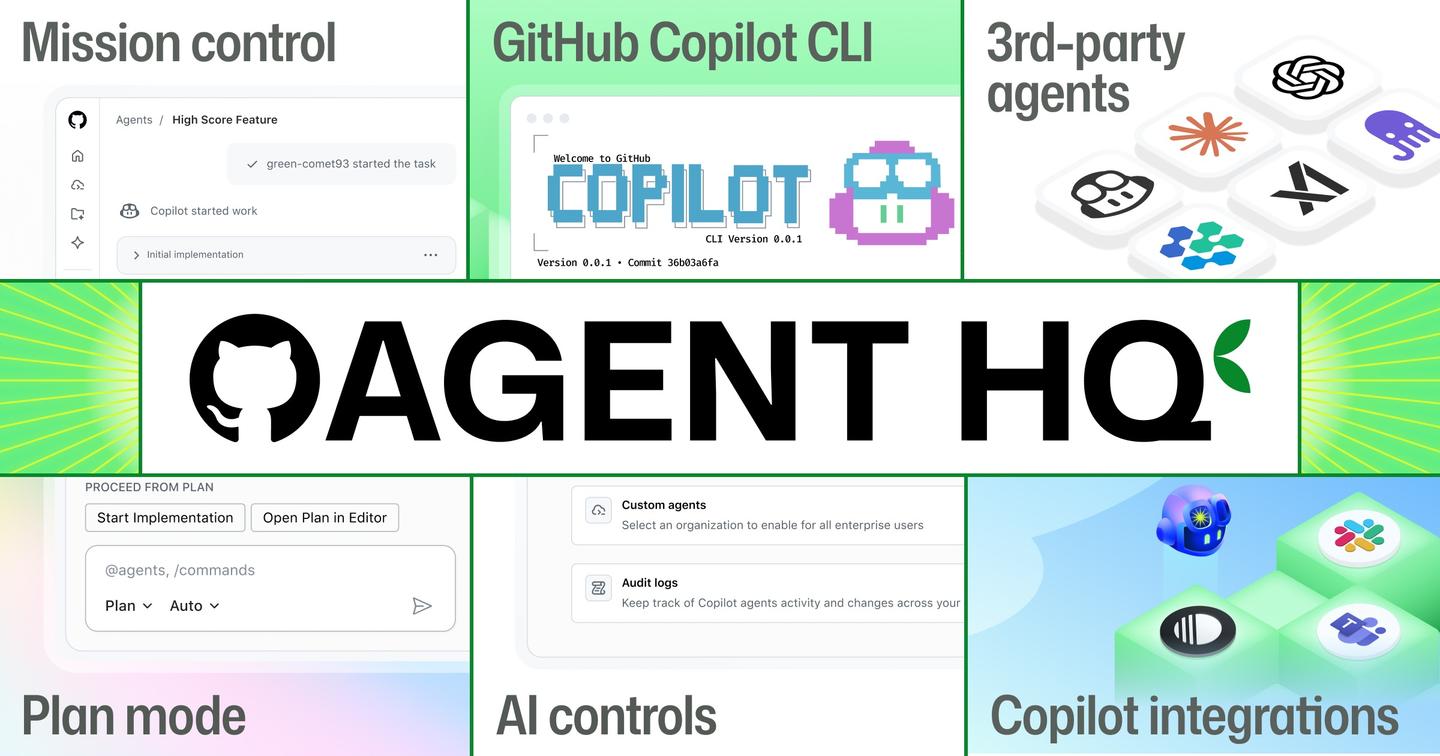
The main piece was "mission control," which GitHub described as "a single command center to assign, steer, and track the work of multiple agents from anywhere." GitHub said it would look the same on github.com, in VS Code (Microsoft's code editor), in GitHub Mobile and in the Copilot CLI, the version of Copilot that runs in a terminal window.
GitHub announced several other pieces in the same post:
- Plan Mode in VS Code, which asks clarifying questions and builds a step-by-step plan before any code is written
- Custom agents set up with AGENTS.md files, written rules such as "prefer this logger" that Copilot follows without being reminded
- The GitHub MCP Registry, a catalog of add-ons that connect Copilot to services such as Stripe, Figma and Sentry
- A code review step inside the Copilot coding agent, and a Copilot metrics dashboard for companies
- A control plane where company admins choose which agents are allowed
- New connections for Slack and Linear, on top of Jira, Microsoft Teams, Azure Boards and Raycast
GitHub's current Copilot pages no longer use the Agent HQ name. The same features sit under GitHub Copilot, and GitHub's docs call the outside agents "third-party coding agents," which are in public preview, GitHub's label for a release that can still change.
Which AI agents work in Agent HQ?
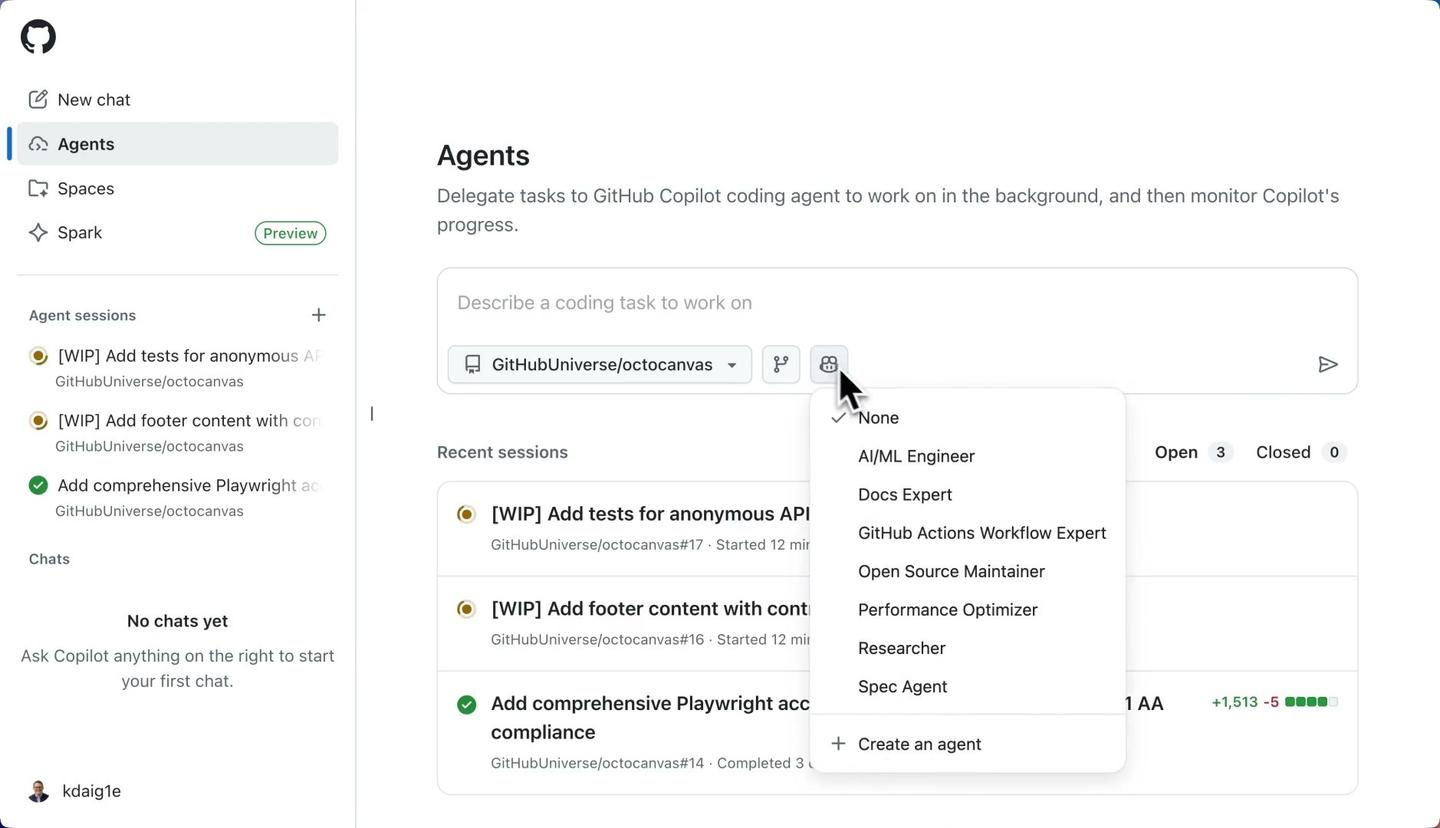
Three agents work in it, according to GitHub's docs: GitHub's own Copilot coding agent, Anthropic's Claude and OpenAI's Codex. The third-party coding agents page lists only Claude and Codex as supported outside agents, and marks both as public preview.
When you start a task, you can also pick the model the agent runs on. For Claude, the docs list Claude Sonnet 4.6, Claude Sonnet 5, Claude Opus 4.8 and Claude Fable 5.1 and 5.2, plus an Auto setting that picks one for you. For Codex, they list GPT-5.3-Codex and GPT-5.4 nano, again with Auto.
At launch in 2025, GitHub said coding agents from Anthropic, OpenAI, Google, Cognition and xAI would arrive "over the coming months," and Google's Jules was quoted as becoming "a native assignee." On November 16, 2026, the docs still list only Claude and Codex, so the Google, Cognition and xAI agents remain announced and unlisted.
Anthropic chief product officer Mike Krieger described the Claude agent in GitHub's announcement: "Claude can pick up issues, create branches, commit code, and respond to pull requests, working alongside your team like any other collaborator." A branch is a separate copy of the code where changes are made without touching the main version.
Is Agent HQ free? What each Copilot plan costs
No. Agent HQ has no price of its own, and the free Copilot plan leaves out the cloud agent that does the work on GitHub. The agents come with paid Copilot plans, which start at $10 a month for Pro, according to GitHub's Copilot plans page, checked on November 16, 2026.
Every plan includes a monthly allowance of AI credits, and one credit is worth $0.01. Chatting with Copilot and running agents spend credits, and how many depends on the model you pick and the size of the job. When a paid plan's allowance runs out, you can set a dollar budget for extra usage, wait for the monthly reset or switch to a cheaper model.
| Plan | Price | AI credits included each month | Copilot cloud agent | Claude and Codex agents |
|---|---|---|---|---|
| Free | $0 | Limited chat and agent usage | Not included | Not included |
| Pro | $10 per user a month | $15 | Included | Listed on the Pro plan card, marked not included in the comparison table |
| Pro+ | $39 per user a month | $70 | Included | Included |
| Max | $100 per user a month | $200 | Included | Included |
Whether the $10 Pro plan includes Claude and Codex depends on which part of GitHub's page you read. The Pro plan card lists "Access to 3rd party agents (Claude Code and Codex)," while the comparison table further down marks third-party agents as included only on Pro+ and Max. GitHub's third-party agents docs give steps for turning the agents on for Pro, Pro+ and Max subscribers (and for Business and Enterprise through policies) but don't list which plans include them. If Claude or Codex is the reason you're buying, check the agent settings in your Copilot account before you pick Pro.
There are two more costs on top of the plan price. Agent sessions use GitHub Actions minutes, the time on GitHub's computers that the agent runs on, as well as AI credits, and the docs say that within your included minutes and credits "you can use agents without incurring additional costs." Separately, the "Sign in with Copilot" option in the Codex extension for VS Code is only for Pro+ and Max subscribers.
GitHub also sells Copilot Business and Copilot Enterprise for companies. On those plans, admins set usage limits and decide whether extra paid usage is allowed.
How to start your first agent task in Agent HQ
You start a task from a repository on github.com, after turning the agents on. These steps follow GitHub's third-party agents docs.
- Turn on Claude or Codex in your Copilot settings (on Business and Enterprise plans, an admin does this through the organization's policies).
- Open a repository and go to its Agents tab, at github.com/OWNER/REPO_NAME/agents.
- Pick the agent under the prompt box, then describe the job and send it.
- Wait for the agent to finish; it tells you, and asks you to review the pull request it made.
- Leave comments on the pull request if you want the agent to change anything.
Turning on a partner agent installs a GitHub App for it (the docs name them "anthropic code agent" and "openai code agent"), and what those apps do shows up in your audit log. There are four other ways to start a task:
- Assign the agent to an existing issue, the way you'd assign a teammate
- Mention @ and the agent's name in a comment on a pull request to ask for changes
- Start a new agent session from the Home view of GitHub Mobile
- Start a session in VS Code's chat view, or hand an existing session to a different agent
GitHub checks what a third-party agent writes before the pull request is finished. CodeQL code scanning looks for security problems, secret scanning looks for leaked passwords and API keys, and any new software package the agent adds is checked against GitHub's Advisory Database of known vulnerabilities. The docs say this works without a GitHub Advanced Security license.
Is Agent HQ the same as an "agent hub"?
No. Searches for "agent hq" and "agent hub" mix GitHub's product with unrelated projects that use similar names, including a Reddit community called r/AI_agent_HQ and a newsletter called Agent AI HQ. Neither is connected to GitHub. GitHub's Agent HQ covers coding agents working on code stored on GitHub, and nothing else.
Agent HQ vs using Claude Code or Codex on their own
Inside GitHub, the Claude agent runs on Anthropic's Claude Agent SDK and the Codex agent on OpenAI's Codex SDK, and the docs say both "can be powered by your existing Copilot subscription." Their usage comes out of your Copilot credits and Actions minutes.
On their own, Claude Code runs on your computer under an Anthropic plan and Codex runs inside ChatGPT under an OpenAI plan. Our explainers cover what Claude Code is and what it costs and OpenAI's Codex, explained.
Running them through GitHub changes how a job is recorded. The job starts from an issue or a short request on the website and ends as a pull request, so the request, the changes and the review stay in the project's history where teammates can see them. You also get the security scans described above and admin controls for companies that want to choose which agents are allowed. The trade-offs are that the third-party agents are still in public preview and that every session spends GitHub Actions minutes.
GitHub's Copilot agents page says you can run several tasks in parallel, each in its own session tracked from one view, and pick up a long task again from the Copilot desktop app for Mac, the CLI, your editor, github.com or GitHub Mobile. Each session is one agent working through the loop an agent repeats until the job is done: look at the code, make a change, check the result.

Who Agent HQ is for, and what non-coders should use instead
Agent HQ is for people who already keep code on GitHub: developers, and teams that file issues and review pull requests. Every step assumes a repository, and what comes back is code to review.
If you want to hand an AI agent a job that involves documents, files and apps, the closer matches are Claude Cowork, which now runs on the web and your phone, and ChatGPT Work, OpenAI's answer to Claude Cowork. Our guide to agents for people who don't code: Antigravity, Claude Cowork and ChatGPT Work compares them with Google Antigravity's Knowledge Work layout, which hides code and terminals. For the idea underneath all of them, start with how an AI agent differs from a chatbot.
Questions people ask about Agent HQ
Is there a free AI agent in GitHub Copilot?
Copilot Free costs $0 and includes "limited chat and agent usage," including agent mode and the Copilot CLI. The cloud agent that works on GitHub, and the Claude and Codex agents, need a paid plan.
Does Agent HQ work with Claude?
Yes. Anthropic Claude is one of the two third-party agents in GitHub's docs, in public preview, and it can run on your Copilot subscription.
Does Agent HQ work with Codex?
Yes. OpenAI Codex is the other third-party agent, also in public preview. Signing in to the Codex extension in VS Code with your Copilot account is limited to Pro+ and Max.
What is GitHub mission control?
Mission control is the single view GitHub launched with Agent HQ in October 2025 for assigning, steering and tracking several agents at once, on github.com, VS Code, GitHub Mobile and the CLI.
Can Copilot agents run tasks on a schedule?
Yes. GitHub's agents page says you can run reusable agent tasks on demand, on a schedule or from supported triggers.
Which editors does GitHub Copilot work in?
GitHub's plans page lists VS Code, Visual Studio, Xcode, JetBrains IDEs, Neovim, Eclipse, Zed, Raycast and SQL Server Management Studio, alongside github.com and the CLI.
Where can I follow changes to Copilot's agents?
Our GitHub Copilot page tracks what changed and when.



Comments
Sign in to join the conversation.