What Is ChatGPT Codex? What It Does, What It Costs and How to Run Your First Task
Codex is OpenAI's agent that builds, debugs and ships code inside ChatGPT, included on every plan from Free to Pro, with a first task step by step.

ChatGPT Codex is OpenAI's agent for building software. You describe a goal in plain English, and it reads and changes the files in a folder you pick, runs tools, and builds, debugs and ships code. In the ChatGPT app you switch to it by choosing Codex from the ChatGPT dropdown, where OpenAI labels it "Build, debug, and ship."
It comes with every ChatGPT plan. As of November 15, 2026, Free ($0) and Go ($8 a month) get it for quick or lightweight coding tasks in the desktop app, Plus ($20 a month) adds the web, the command-line and code-editor versions, iOS and automatic code review, and Pro starts at $100 a month.
You don't need to be a programmer to try it. Pat Simmons had Codex build a working 3D iPod app for his Mac from one prompt, and that build is below with the rest of his Codex tests.
What is ChatGPT Codex?
Codex is the part of ChatGPT that works on code. OpenAI's quickstart shows two choices in the desktop app's dropdown: ChatGPT, labelled "Create, learn, and explore," and Codex, labelled "Build, debug, and ship." OpenAI says to pick Codex "for software development with codebase context and developer tools." A codebase is the folder of files that makes up a software project.
Codex works directly on files. You point it at a folder on your computer, and it reads the files, edits them and runs commands to check that what it built works, within the permissions you set.
OpenAI's docs list six places it runs: the ChatGPT desktop app, the ChatGPT mobile app, ChatGPT on the web, Codex CLI (a version you type commands into in the terminal), the Codex IDE extension (an add-on for code editors) and Codex Cloud, for tasks that run remotely instead of on your computer.
You can also teach it repeat jobs. A skill "packages instructions and supporting resources for a specific task or workflow," and a plugin is "an installable bundle that can include skills and Model Context Protocol (MCP) servers," which connect Codex to services such as GitHub, Google Drive or Slack. ChatGPT and Codex share one plugin directory, and OpenAI's skills and plugins page says you can build your own skill in Codex by starting with $skill-creator.
What does Codex cost on each ChatGPT plan?
Codex costs nothing extra: it is included in every ChatGPT plan, the free one too. OpenAI's Codex pricing page says "ChatGPT Work and Codex are included in your ChatGPT Free, Go, Plus, Pro, Business, Edu, or Enterprise plan." This is what each plan gets, as listed on November 15, 2026:
| Plan | Price | Where Codex runs | Models and usage |
|---|---|---|---|
| Free | $0 | Desktop app, for quick coding tasks | GPT-6 Luna at Standard speed, subject to rollout |
| Go | $8 a month | Desktop app, for lightweight coding tasks | GPT-6 Luna at Standard speed, subject to rollout |
| Plus | $20 a month | Adds the web, the CLI, the IDE extension and iOS, plus automatic code review and Slack | GPT-6.1 Sol and GPT-6 Luna; extra usage with ChatGPT credits |
| Pro | From $100 a month ($100, $200 or $500 plans) | Everything in Plus | Ultrafast mode on the $500 plan; no five-hour limit for now |
| Business | $20 a user a month billed yearly (2+ users), or $25 billed monthly | Desktop and mobile apps, larger cloud machines | Extra usage with ChatGPT credits |
| Enterprise and Edu | Contact sales | Everything in Business | Priority processing and admin controls |
How far a plan goes depends on the model, the size of the task and whether it runs on your computer or in the cloud. For Plus, OpenAI estimates 15 to 160 local messages with GPT-6.1 Sol, or 350 to 3,000 with GPT-6 Luna, in each five-hour window, and says these are estimates and not fixed limits. Plus and Pro users who reach their limit can buy credits to keep working without upgrading.
Codex already shares its allowance with ChatGPT Work. From December, chats with ChatGPT's stronger models join that same pool on Plus, Pro and Business, as we explain in how ChatGPT and Codex will share one usage allowance. Credits, resets and the full plan comparison are in what each ChatGPT plan gets in Codex.
How do you start your first Codex task?
Install the ChatGPT desktop app, open a folder, choose Codex from the dropdown and describe what you want. These steps follow OpenAI's quickstart for the desktop app, which is also where the Free and Go plans get Codex.
- Install the ChatGPT desktop app for macOS, Windows or Linux.
- Open the app and sign in with your ChatGPT account.
- Start a chat, create a project or open a folder; ChatGPT "can read and modify files in the folder you choose."
- Select Codex from the ChatGPT dropdown.
- Check the permission mode below the message box (the modes are explained next).
- Describe your goal, add any files or context it needs, and send it.
OpenAI's example first message for an app you already have is: "Inspect this app, identify one high-impact usability improvement, implement it, update the relevant tests, and verify the result on mobile and desktop."
Developers who would rather stay in a terminal or code editor can use Codex CLI or the Codex IDE extension. You can also sign in to Codex with an API key, paid at API rates, though OpenAI notes some features might not be available that way, including cloud features such as code review in GitHub.
Choose how much Codex can do without asking
The permission mode sets what Codex can do on its own. OpenAI's permissions page shows four choices in the control below the message box:
- Ask for approval: "Always ask to edit external files and use the internet"
- Approve for me: "Only ask for actions detected as potentially unsafe"
- Full access: "Unrestricted access to the internet and any file on your computer"
- Custom: the rules you write in a settings file called config.toml
OpenAI's advice for most work is to start with Ask for approval, which "lets ChatGPT work within the current workspace and pauses before reaching beyond that boundary."
Pat walks through his own Codex setup in his full course, which he describes as the video "where I show you the exact setup I use to run my whole workday through Codex."
Can Codex see my screen?
Yes, once you turn on Computer Use, and only in the apps you allow. OpenAI's Computer Use page says that with it, "ChatGPT can view screen content, take screenshots, and interact with windows, menus, keyboard input, and clipboard state in the target app." It works in the ChatGPT desktop app on macOS and Windows, with Codex or ChatGPT Work, in supported regions.
To set it up, open Settings, then Computer use, and under Control install or switch on Any App. During a task it asks before it uses each app, and you can choose Always allow for apps you trust. On a Mac you also grant two system permissions when asked: Screen Recording, so it can see the app, and Accessibility, so it can click, type and move around.
To start a task, mention @Computer or the app by name, such as @Chrome, and say exactly which app or window it should use. On Windows it takes over the pointer and keyboard while it works, so you can't use the same desktop at the same time.
Some things stay off limits. It can't operate terminal apps or ChatGPT itself, can't sign in as an administrator, and can't approve security and privacy permission prompts on your computer.
What are Codex subagents?
A subagent is, in OpenAI's words, "a delegated agent that Codex starts to handle a specific task." Codex can run several at once, each on its own piece of a job, and then gather their results into one answer.
They start when you ask for them. OpenAI's subagents page gives instructions such as "spawn two agents," "delegate this work in parallel" or "use one agent per point," and Codex can also delegate when your project or skill instructions tell it to. In the desktop app you can open each subagent's thread to see its work, and in the CLI the /subagents command switches between them.
Each subagent hands back a summary instead of pages of test logs and command output, which keeps the main conversation focused on your requirements and decisions. OpenAI suggests starting with read-heavy jobs such as exploring a codebase, running tests, triage and summarizing, and taking more care when several agents edit code at once, because their changes can conflict.
They also use more of your allowance. Because each subagent does its own model and tool work, subagent runs "consume more tokens than comparable single-agent runs." Tokens are the small units of text the model reads and writes; this explainer covers what tokens are and why they set your limits.
What has Pat built with Codex?
Pat Simmons has used Codex for a 3D iPod app, a D-Day reconstruction that ran for almost 11 hours and a sales tracker fed by his HubSpot account. Each run below comes from one of his videos, with the model and plan he used at the time.
A 3D iPod that plays its own music
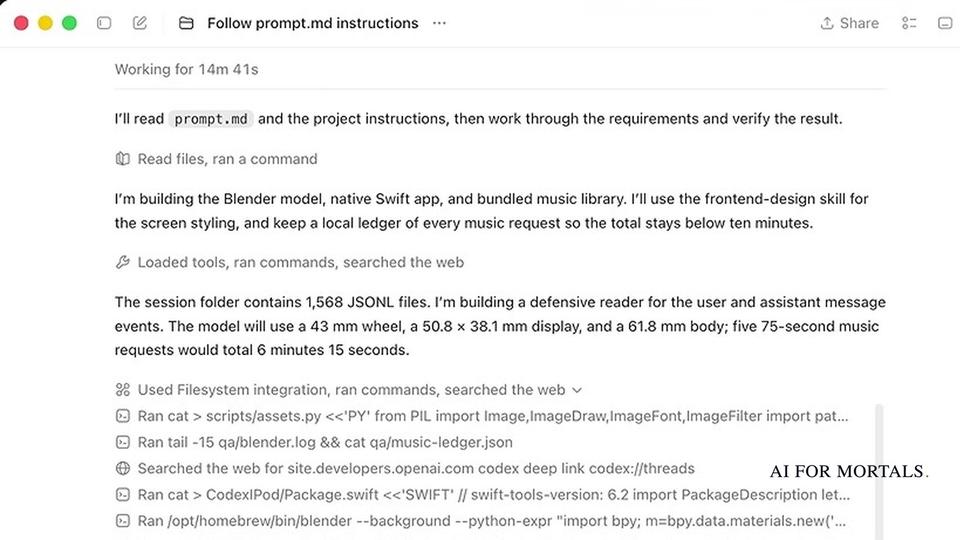
In a head-to-head published September 5, 2026, Pat ran GPT-6 Astra inside Codex with a /goal command telling it to follow a long prompt file and not stop until everything was complete. The prompt asked for a native Mac app: a 3D iPod Classic that browses his Codex conversations with a working click wheel and plays five original songs it generated to sound like the early 2000s. Astra finished it in 37 minutes.
Codex didn't show a price for the run, so Pat asked it what the build would have cost at API rates, and it estimated about $13. Pat treats these self-reported figures as a rough guide, and he pointed out on camera that its answer counted fixes that never happened.

A D-Day reconstruction that ran for almost 11 hours
The second build in the same video asked for a realistic 3D reconstruction of D-Day with a timeline you can scrub through. Astra in Codex worked on it for 10 hours and 51 minutes. Pat was on ChatGPT Pro's 20x plan at the time and said he didn't hit his usage limits during the run. The prompts, live builds and costs are in Pat's GPT-6 Astra vs Fable 5.1 results.
In a later three-model test, published September 25, 2026, one build (an animated storybook of Moby Dick scenes drawn entirely in code) took his remaining Codex usage on the same plan from about 95% to 81%, roughly 14%. In that video Pat said, "I'm still partial to Astra in my day-to-day," and that he's "definitely still reaching for Astra" for "big refactors, large like multi-step site architecture."
Codex Sites: a working app his team could log into
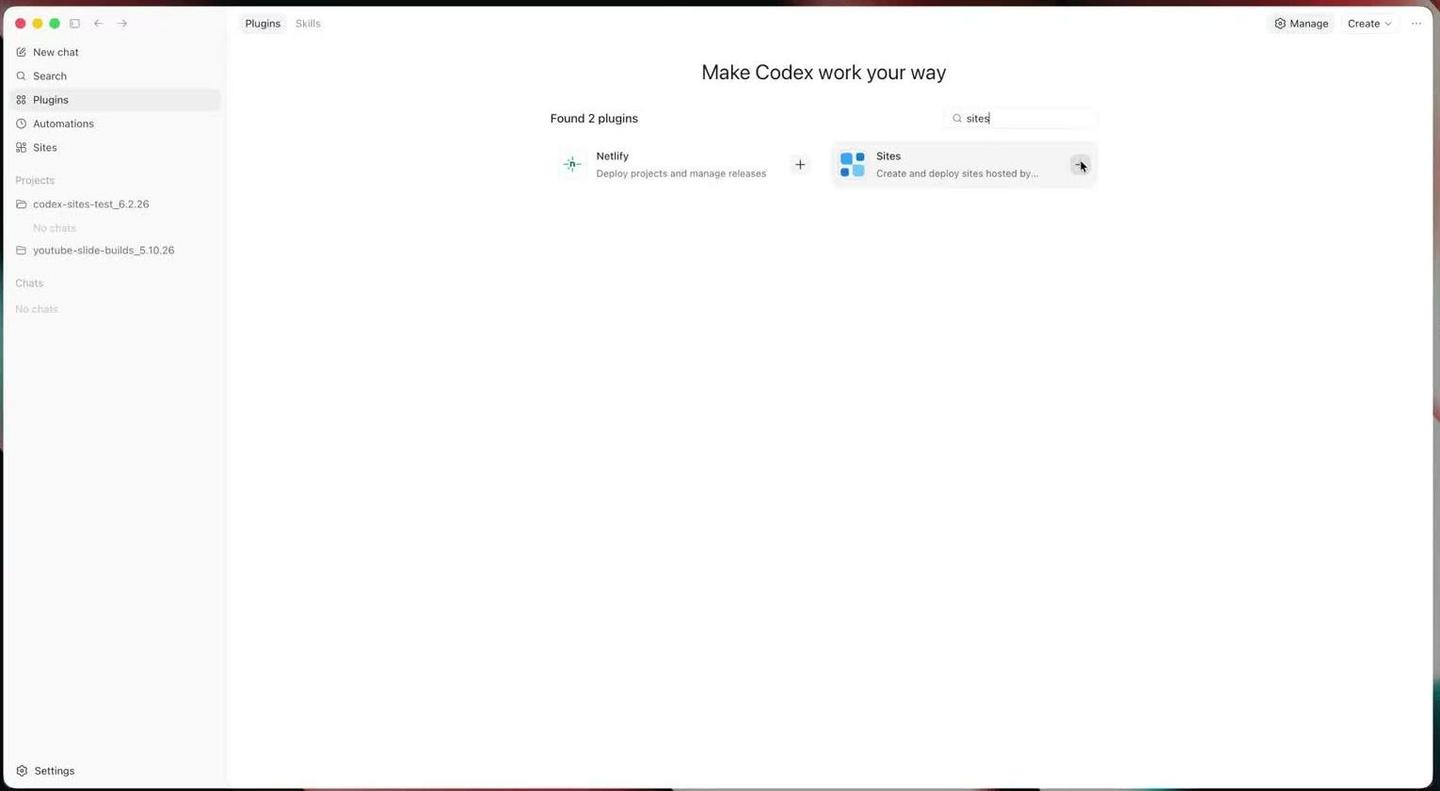
In June 2026 Pat tested Codex Sites, which turns a description into a hosted app with a database, logins and file storage. OpenAI's Sites docs describe it as a way to "build, host, and share a website by describing it in ChatGPT or Codex." Pat installed it from the Plugins page by searching "sites" and clicking the plus.
At launch it was only on Business and Enterprise plans, and Plus and Pro subscribers couldn't use it. OpenAI's pricing page now says Sites is "included with eligible ChatGPT plans during public beta," with availability depending on your plan, region and workspace settings.
As Pat found in OpenAI's docs, the apps run on Cloudflare Workers, with Cloudflare's D1 database, R2 storage and sign-in built in, so there was no separate database or login service to connect. When he built a request tracker for a team, the app made him sign in with his OpenAI account, and when he signed in with a second account on his team plan, it saw the same dashboard.
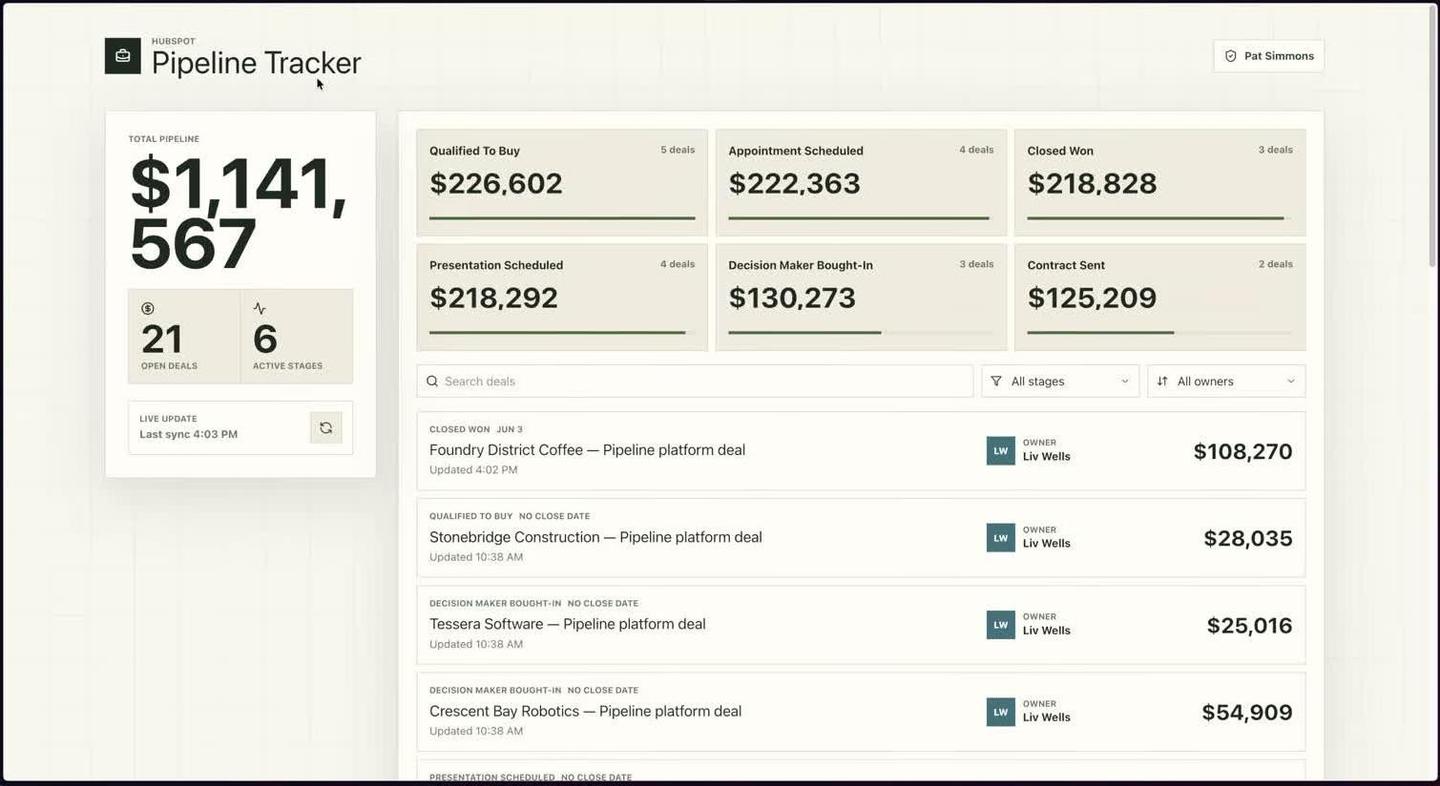
His last test connected Codex to his HubSpot demo CRM through the HubSpot plugin and asked for a sales pipeline tracker. He then had Codex change a deal in HubSpot, and the tracker showed the new amount after a refresh.
Pat's verdict, comparing Sites with AI website builders such as Lovable and Replit: "now that Codex does basically the same thing while handling the tedious parts like security, like databases, login, I really don't see myself going back anytime soon."
Questions people ask about Codex
Is Codex free?
Yes. ChatGPT's Free plan includes Codex for quick coding tasks in the desktop app with GPT-6 Luna, which OpenAI lists as "subject to rollout." Plus, at $20 a month, is the first plan with Codex on the web, in the CLI and in code editors.
What is another name for Codex?
OpenAI uses the name Codex for every version and tells them apart by where they run: Codex in the ChatGPT app, Codex CLI, the Codex IDE extension and Codex Cloud.
What is Codex programming?
It means describing what you want built in plain words and letting Codex write, run and fix the code in your project folder, while the permission mode you picked decides which actions need your approval.
Is there a Codex app?
Codex is built into the ChatGPT desktop app for macOS, Windows and Linux, where you select it from the dropdown. On a phone, OpenAI's quickstart says to open Codex in the ChatGPT mobile app for remote work.
Where can I follow what's new in Codex?
Our Codex page tracks the latest Codex updates and new features.
Sources
- ChatGPT and Codex docs (OpenAI)
- Quickstart (OpenAI)
- Codex pricing (OpenAI)
- Permissions (OpenAI)
- Computer Use (OpenAI)
- Subagents (OpenAI)
- Skills and plugins (OpenAI)
- Sites (OpenAI)
- Did OpenAI Just Kill Every Website Builder? (Codex Sites), Pat Simmons
- I Made GPT-6 Astra & Fable 5.1 Build the Same App (RAW RESULTS), Pat Simmons
- I Made Opus 5.5, Fable 5.1 & GPT-6 Build the Same App (RAW RESULTS), Pat Simmons




Comments
Sign in to join the conversation.