The prompt
Build me a visually stunning, fully interactive 3D hardware gadget that runs entirely in the browser — a rugged desktop "command center" device I can look at from any angle AND actually operate.

Requirements:

1. A photoreal 3D device rendered in Three.js — a chunky, industrial desk unit with a carry handle, a big embedded touchscreen on the top face, and a physical control panel below it. PBR materials, soft studio lighting, subtle shadows, smooth 60fps orbit. It should read like a product-shot render, not programmer art.
2. The embedded SCREEN is a live dashboard: current temperature with a small history sparkline, humidity gauge, air-quality readout, energy usage, and a network/status strip with a clock. The numbers must update on a realistic loop (simulated sensor data is fine), not sit frozen.
3. The control panel must have WORKING physical controls the user can operate with the mouse: a rotary knob, at least three toggle switches, a brightness slider, and two push buttons. Each control must actually drive the device — e.g. the knob changes a screen value, a toggle powers a subsystem on/off, the slider dims the screen backlight, a button switches the screen theme. Controls animate (the knob rotates, switches flip, buttons depress).
4. Make it feel like real hardware: a power-on sequence, panel LEDs, and tactile feedback (the screen reacts the instant a control moves).
5. Ship it clean — no console errors, works on first load, orbit + all controls functional.

Research any Three.js techniques you need first, then build, then QA: load it, orbit it, and operate every single control — confirm each one visibly changes the device state. Fix anything dead. Deploy live to Vercel.

DONE when: the deployed gadget looks like a real product, orbits smoothly, and every physical control does something visible on the screen. If a control is decorative-only, it's not done — wire it up.
The exact SimmonsBench test prompt every model received.
The builds
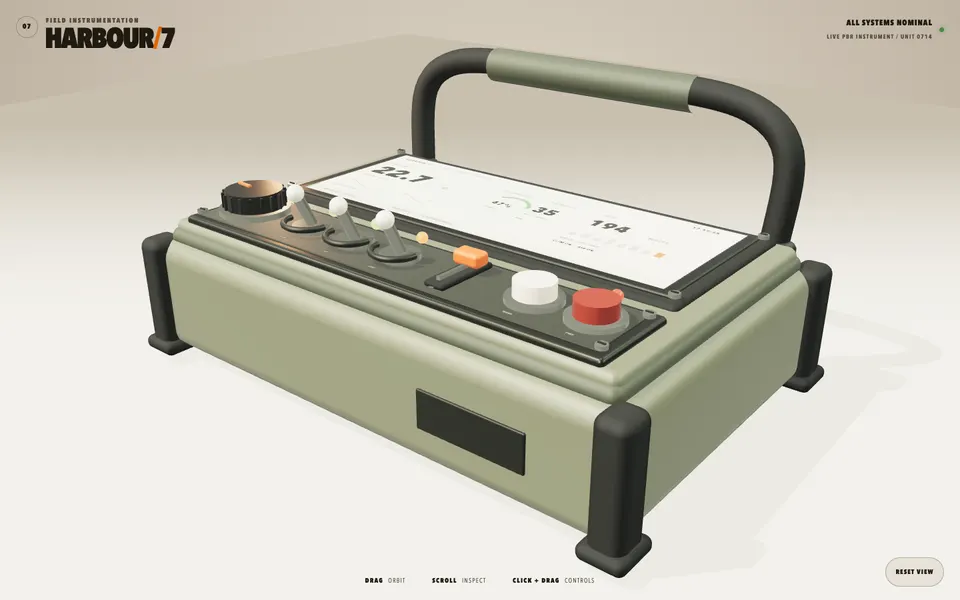
GPT-5.6 Sol · Screenshot of the buildRuns in your browser
Featured in
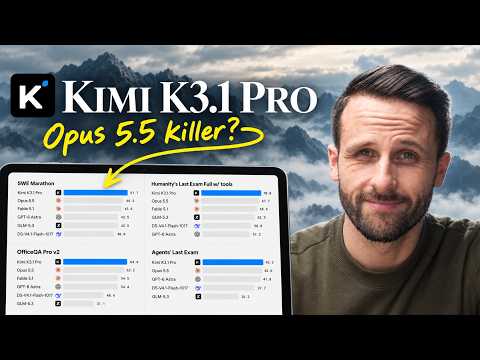
Kimi K3 Is Here! (Better Than Opus 4.8?)
This build’s chapter starts at 6:41.

Written by
Pat Simmons. Pat tests AI models and tools on his YouTube channel.