We Had Claude Audit a Year of Bank Statements Without Linking a Bank. Here's What It Found
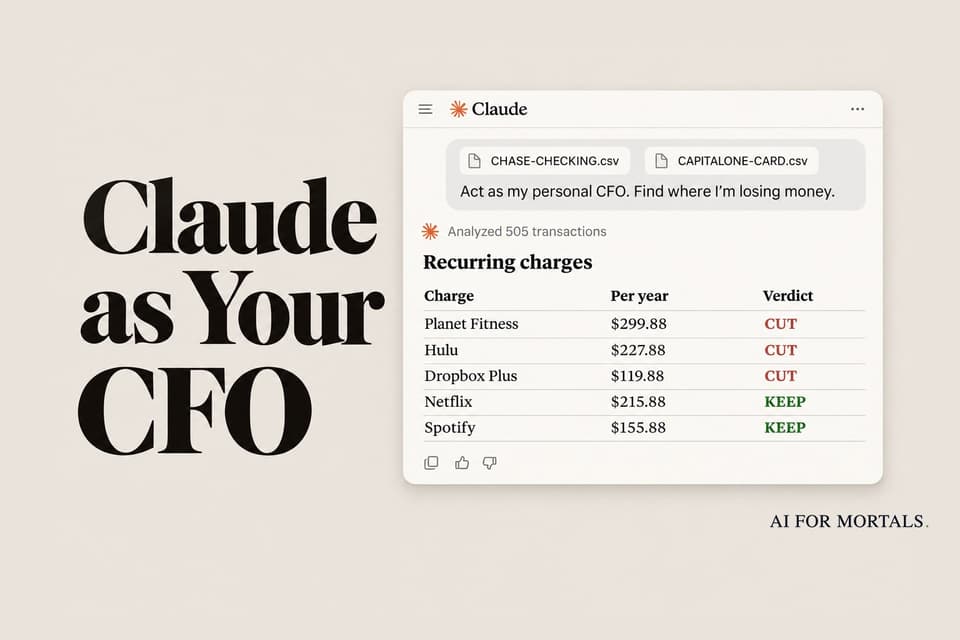
You can get an AI budgeting audit without connecting your bank to anything. Download your transactions as CSV files, hand them to Claude with one prompt, and it finds forgotten subscriptions, price hikes, double charges and fees, then writes the cancel emails. We tested it on a year of transactions with 15 problems hidden inside.
 AI for Mortals Staff
On this page
- What Claude caught in a year of transactions
- Why use statements instead of linking your bank
- How to download your bank statements as CSV files
- Three Claude settings to check before you upload
- The prompt we used
- How we tested Claude on a year of statements
- How to find all your subscriptions, including the hidden Apple ones
- Where Claude got it wrong
- The cancel emails and call scripts Claude wrote
- Update it every month
AI budgeting usually starts with a request to connect your bank account. Plenty of people stop right there.
There's a way around it. Your bank already lets you download your transactions as a spreadsheet file (a CSV). Give Claude those files and the right prompt, and it audits a year of spending without ever seeing a password.
We built a realistic year of transactions for a two-person household, hid 15 money problems inside, and ran the whole thing through Claude Opus 5.5. It found all 15, plus one we hadn't planned. It also made a few mistakes, which are worth knowing about before you act on its advice.
What Claude caught in a year of transactions
Here's everything we hid in the files and whether Claude found it.
- A gym membership nobody uses: found.
- Audible, Dropbox and two Apple charges nobody could name: found.
- Hulu still billing after it was cancelled: found, once we told Claude we'd cancelled.
- Four price rises (Netflix, Spotify, Xfinity, NYT): found, with dates.
- A free trial that turned paid: found.
- The same $86.40 dinner charged twice: found.
- Bank and card fees, $242.53 in all: every one found.
- Card payments and savings transfers that could count twice: all taken out.
Both prompts we tried ended with an action list and a cancel email or call script for every step. The longer one, which also shopped for cheaper phone and internet plans, added up to $4,852 a year plus $398 back in refunds.
The extra find was a foreign transaction fee on a card that's sold with no foreign fees. We had made the card a Capital One Quicksilver without thinking about it, and Claude checked Capital One's own page.
Why use statements instead of linking your bank
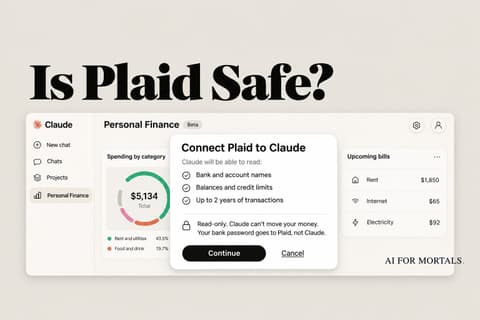
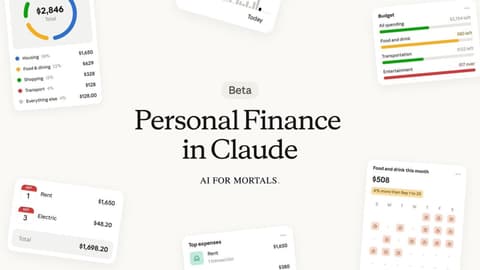
Claude now has a Personal Finance feature that links your accounts through Plaid. It's a beta for paid plans in the US, and Anthropic's help page says chats that use it "may not be able to run code."
The CSV route works on the free plan. Anthropic says code execution and file creation is on for every Claude user by default, so Claude can add up every row with real math.
You also decide exactly what it sees. It gets the months and accounts you pick, as a one-time copy, and nothing updates in the background. If you're weighing the linked option instead, our guide to whether Plaid is safe covers what you'd be agreeing to.
How to download your bank statements as CSV files
Look for a Download or Export button near your list of transactions, and pick CSV or "spreadsheet." Get 12 months if your bank allows it, since yearly subscriptions only show up once a year.
A few banks spell it out:
- Chase: on a computer, you can download transactions as a spreadsheet (CSV) for the last two years. The mobile app only gives you PDFs.
- Wells Fargo: Accounts tab, then Download Account Activity, then "Comma Delimited." Some accounts go back 18 months, but credit cards stop at 90 days or 300 transactions.
- American Express: you can download recent activity and your past six statements as a CSV.
- PayPal: History, the download icon, then Custom. Each report covers up to 12 months, and you can go back seven years.
- Venmo: on venmo.com, Statements, pick a month, then Download CSV.
Grab every account you spend from, including the card you pay off each month. When a file is missing, Claude can see you paying that card but not what you bought with it.
Put the files in one folder and name each one after the bank and account, like CHASE-CHECKING.csv. Claude can take up to 20 files in one chat.
Three Claude settings to check before you upload
1. Turn off training. In Claude, go to Settings, then Privacy, and switch off "Help improve our AI models." With it on, Anthropic says it may keep chats for up to five years. With it off, the limit is 30 days.
2. Skip Incognito for this. Incognito chats aren't used for training, but Anthropic's help page says that in the new Claude experience they can't create files or run code. Without code, Claude would be reading 500 rows by eye.
3. Delete the chat when you're done. Anthropic says deleted chats leave its systems within 30 days. If you plan to update the audit monthly, keep the chat and delete it when you stop.
Open each file before you upload it and delete any column you'd rather not share, like a card or account number.
ChatGPT works too. Its training switch is under Settings, then Data controls, "Improve the model for everyone." Free accounts are limited to three file uploads a day.
The prompt we used
Attach your CSV files, then paste this. Claude will stop halfway and ask you questions, since it can't know which subscriptions you still use until you tell it.
Act as my personal CFO. The CSV files I've attached are 12 months of transactions from my bank and card accounts. Find where I'm losing money and tell me what to cut, keep or renegotiate, biggest savings first.

Rules: use code for every number, never estimate by reading. Never ask for a password or account number. Mark anything that's a guess as a guess.

1. Clean up. For each file, tell me the bank, date range and number of transactions. Take out money that only moves between my own accounts (card bill payments, transfers to savings, refunds) so nothing counts twice. If I pay a card or account you don't have a file for, say so. Split charges from Apple, Google, PayPal or Amazon by amount and day of the month so each hidden subscription gets its own line.

2. Summary. Money in, money out and what's left, per month. My spending by category, biggest first. Every recurring charge with its price, how often it bills, and the next date.

3. Stop and ask me 5 to 8 short questions before you judge anything: which charges I still use, what the ones you can't name are, anything I've already cancelled. Wait for my answers.

4. Audit. Mark each recurring charge KEEP, WATCH or CUT with one line why. Then list: forgotten subscriptions, charges that went up, free trials that turned paid, charges after I cancelled, duplicate charges, and every fee or interest charge.

5. Act. For each CUT or fee, write the exact cancel email, chat message or call script. End with an action list sorted by yearly savings, with a total. Then build one page I can come back to with my numbers, recurring charges and the action list as checkboxes.
Answer the questions in plain words, like "I haven't been to Planet Fitness in over a year, I cancelled Hulu back in June, and I moved everything to Google Drive."
When we answered with letters meant for a different prompt's multiple-choice questions, Claude said it couldn't tell what they meant. It marked those items WATCH instead of guessing.
Our prompt doesn't shop for better deals. The longer prompt we tried did, and that step found most of its savings: a cheaper phone plan for two lines ($1,012 a year) and a cheaper internet offer ($540). To add it, send this once the audit is done:
For every bill that renews (phone, internet, insurance, software, memberships), search the web for today's price of the same thing where I live. Give me the 2 or 3 best offers with the price, a link and the date you checked. Then write the switch steps, or a call script asking my current provider to match the best offer, and add the savings to my action list.
How we tested Claude on a year of statements
We didn't use anyone's real money. We built a year of transactions (November 2025 to October 2026) for a made-up San Francisco couple: a Chase checking account with 161 rows and a Capital One card with 344, each in that bank's real export layout.
Inside, we hid 15 problems and kept an answer key: subscriptions nobody uses, four price rises, a trial that turned paid, a cancelled service that kept billing, a double charge, six kinds of fees, a card with no file, and card payments that would count twice if Claude wasn't careful.
We ran it in Claude Code on a Mac, which reads the files from a folder on your computer. In the Claude app you attach them instead, and both run code on them. We ran two prompts, a longer CFO-style prompt that's been passed around this month and our shorter one above. Each audit took two turns of about two and a half minutes: one to clean up and summarize, then one after we answered its questions.
The totals were right to the cent. Our answer key said the household really spent $47,617.61 once transfers, savings and the refund came out, and Claude got exactly $47,617.61.

How to find all your subscriptions, including the hidden Apple ones
Subscriptions are where most people lose track. A 2022 C+R Research survey found people guessed they spent $86 a month on subscriptions and actually spent $219, and 42% were still paying for one they'd stopped using.
Both runs listed about 20 recurring charges with the price, how often each one bills and the next date. It also caught every price change, like the New York Times going from $4 to $25 in March when an intro offer ran out.

Apple is the hard part. Every app subscription shows up on your statement as the same "APPLE.COM/BILL," so three different subscriptions look like one merchant.
Claude split them by amount and billing day: $2.99 on the 3rd, $9.99 on the 3rd, and $49.99 once a year at the end of December. It couldn't tell us what the two mystery ones were, but it told us where to look: on an iPhone, open Settings, tap your name, then Subscriptions.
Hulu needed us. The charges looked like any other subscription until we said we'd cancelled in June. Then Claude counted the four charges since ($75.96) and wrote the refund request.
Where Claude got it wrong
Most of the audit held up, but these mistakes would have cost us money or time if we'd trusted the page blindly.
Bills that change every month looked bigger than they are. In the longer prompt's run, the "per year" column on the subscriptions table multiplied the latest charge by 12. Venmo showed $750 a year, while the real total was $587. The spending summary higher up had the right number, so check the two against each other.
It stated a guess as a fact. Claude said Planet Fitness "billed again around Nov 2." Our files stopped on October 28, so it was predicting the charge.
It flagged a double charge that wasn't one. Our prompt's run spotted two Shell gas charges on the same day ($44.09 and $44.03) and called it a possible duplicate. Our prompt asks Claude to label its guesses, and it labeled this one.
The deals need checking. For the "re-shop" step, Claude searched the web and came back with specific phone plans, a promo code, internet offers and savings rates, each with a link and the date it checked. Prices like these change weekly, and we didn't verify the code, so open every link before you switch anything.
It can only see the files you give it. We left out a Discover card on purpose. Claude flagged the $1,929 a year of payments to it and asked about them, but nothing it bought could be audited.
Some savings are best cases. Getting the Times back to $4 a month was counted as $252 saved, with a note that retention offers aren't guaranteed. The $996 from moving idle cash into savings depends on a rate that changes.
The cancel emails and call scripts Claude wrote
Every cut came with the words to use: a chat message for Hulu, a call script for the bank fee, a certified letter for the gym, and steps for switching phone carriers.

The scripts are specific because they come from your own rows. Each one names the date, the amount and what you want back, which saves you digging through statements while you're on hold.
Claude also flagged a deadline we'd have missed: Adobe was due to renew two days after the audit.
Update it every month
Keep the chat. Once a month, download the new month's transactions from each bank, attach them, and paste this:
Here are my new exports. Add this month to my page. Count any transaction you've already seen only once, keep every past month, and redo every number with code. Then tell me in 5 lines or fewer: what changed, any new or higher recurring charges, and whether each thing I cut has stopped charging.
We tried it with the first five days of November. Claude added the eight new rows without counting anything twice, and caught Netflix going up again, from $17.99 to $19.99.
It also told us Planet Fitness was still charging. Hulu and the bank fee weren't due yet, so it said it was too early to tell and added a "Did my cuts stop?" table to the page to check next month.
For other jobs Claude can repeat for you on a schedule, Pat walks through the routines he runs every day:
For more on the pages Claude builds at the end of a job like this, our test of making Claude's reports easier to read shows how to get a cleaner one.
Sources
- Create and edit files with Claude (Claude Help Center)
- Upload files to Claude (Claude Help Center)
- Use Personal Finance in Claude (Claude Help Center)
- Use incognito chats (Claude Help Center)
- How long do you store my data? (Anthropic Privacy Center)
- What is Chase Spending Planner? (Chase)
- Account activity FAQs (Wells Fargo)
- Download or export transactions (American Express)
- View and download statements and reports (PayPal)
- Transaction history (Venmo)
- Data controls FAQ (OpenAI)
- Subscription service statistics and costs (C+R Research)




Comments
Sign in to join the conversation.