Claude Skills: What a Skill Is, How to Add One, and How to Make Your Own
Claude skills are folders of instructions that Claude loads when your request matches them, and you can add them in the Claude app or Claude Code or write your own.

On this page
- What is a Claude skill?
- How do Claude skills work?
- How to add skills to Claude and Claude Code
- How to create a Claude skill (copy this SKILL.md)
- Where to find Claude skills: the marketplace and the repo
- Claude skill examples: what Pat Simmons built
- Does ChatGPT have skills like Claude?
- Are Claude skills safe to install?
- Questions people ask about Claude skills
A Claude skill is a folder with a SKILL.md file inside. The file holds the instructions for one job, and the folder can also carry scripts, templates and reference files. Claude reads only each skill's name and one-line description up front and loads the rest when your request matches, so you set a job up once and then ask for it in plain words.
Skills work on every Claude plan from Free to Enterprise as long as code execution is turned on, according to Anthropic's Help Center. Anthropic's built-in skills for Word, Excel, PowerPoint and PDF are already active. To add your own in the Claude app, you zip the folder and upload it under Customize > Skills. In Claude Code, you put the folder in ~/.claude/skills/ or install it from a plugin marketplace with /plugin.
Last checked November 25, 2026: Anthropic's Help Center, its Agent Skills and Claude Code docs, its skills repo and its Complete Guide PDF, plus OpenAI's ChatGPT release notes, each linked where its facts appear.
What is a Claude skill?
A Claude skill is a saved set of instructions for one kind of job, packaged as a folder. The Help Center describes skills as "folders of instructions, scripts, and resources that Claude loads dynamically to improve performance on specialized tasks." Its own examples include applying your brand guidelines to documents, following a company email template and structuring meeting notes in your team's format.
Anthropic's developer docs call them Agent Skills. The format is published as an open standard at agentskills.io, so the same folder can work in other AI tools that adopt it.
There are two kinds. Anthropic's skills for Excel, Word, PowerPoint and PDF files come with Claude, and Claude uses them by itself when a request calls for one. Custom skills are the ones you or your company write, or download from someone else.
Skills sit next to three other Claude features that also shape its answers. The Help Center separates them like this:
| Feature | When Claude uses it | What it's for |
|---|---|---|
| Project | Always, in every chat inside that project | Background files and knowledge |
| Custom instructions | In every conversation | Your general preferences |
| Skill | Only when your request matches its description | How to do one specific task |
| MCP connector | When it needs another app's data or tools | Connecting Claude to that app |
Skills and MCP work together: a connector gives Claude access to an app, and a skill teaches it how to use that access well. We cover connectors in what MCP is and how it differs from a skill.
How do Claude skills work?
Claude skills load in stages, which Anthropic calls progressive disclosure. At startup Claude reads only each skill's name and description, about 100 tokens per skill (tokens are the chunks of text an AI model counts). When your request matches a description, Claude opens that skill's SKILL.md and reads the instructions, which Anthropic's docs put at under 5,000 tokens.
Any other files in the folder load only when the instructions send Claude to them. When a skill runs a script, only the script's output enters the conversation, and the code itself stays on disk. Anthropic's docs say this is why you can install many skills at once: until one is triggered, only its name and description take up space.
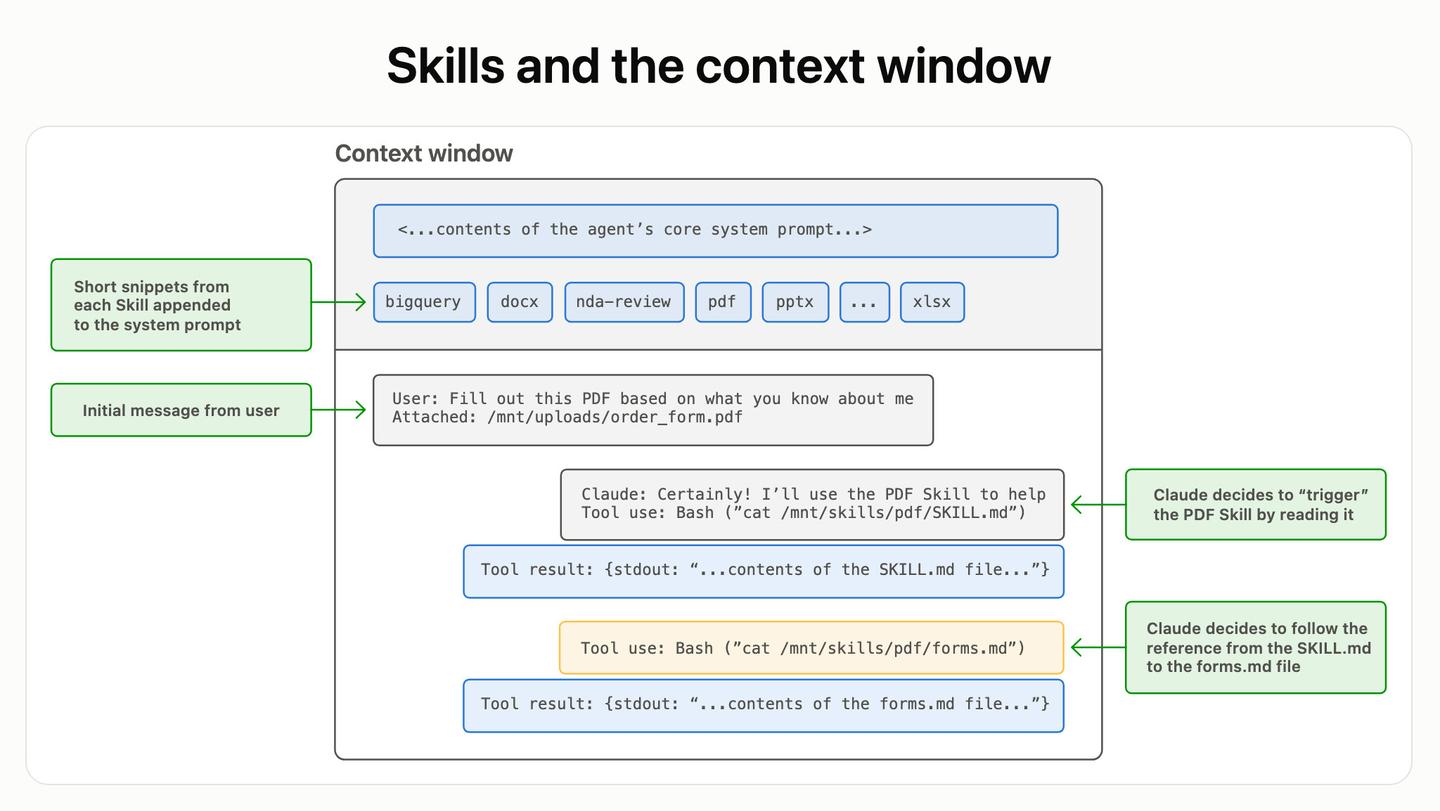
The description decides when a skill loads, because Claude matches your request against it. You can also name the skill in your prompt, as in the Help Center's example "Use my brand guidelines skill to create a presentation." In Claude Code you can run a skill directly by typing a slash and its name, like /meeting-notes.
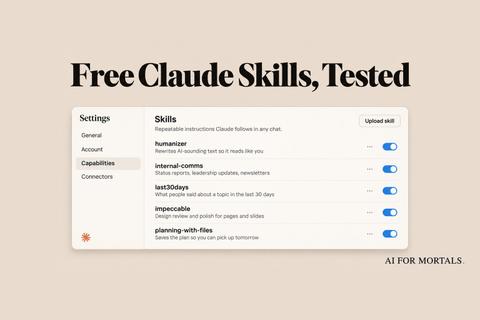
Naming it can make the difference. In five free Claude skills we tested against plain Claude, Claude never opened the Planning with Files skill when we had only installed it, because its description says it's for jobs with five or more steps. Typing /planning-with-files in front of the request made it load.
How to add skills to Claude and Claude Code
To add a skill to the Claude app, you upload it as a ZIP file under Customize > Skills. To add one to Claude Code, you put the skill folder in a skills folder on your computer or install it from a plugin marketplace. Where you add a skill decides where it works:
| Where | How to add the skill | Who gets it | Shows up elsewhere? |
|---|---|---|---|
| Claude app | Zip the folder, then Customize > Skills > + > + Create skill > Upload a skill | You; Team and Enterprise can share it | Downloads into Claude Code when you sign in there with the same account (v2.1.273 or later); not on the API |
| Claude Code, personal | ~/.claude/skills/<name>/SKILL.md | All your projects on that computer | No |
| Claude Code, project | .claude/skills/<name>/SKILL.md | That project; commit it and your team gets it | No |
| Claude Code, plugin | /plugin install <name>@<marketplace>, then run it as /plugin-name:skill-name | Wherever the plugin is turned on | No |
| Claude API | Upload through /v1/skills and run it with the code execution tool | Everyone in the API workspace | No |
In the Claude app
- Go to Settings > Capabilities and turn on "Code execution and file creation" (called "Create and edit files" in the newer Settings layout).
- Go to Customize > Skills, click "+", then "+ Create skill".
- Choose "Upload a skill" and pick the ZIP file of your skill folder.
- Switch the skill on in your skills list.
Those are the steps on Free, Pro, Max and Ultra, from the Help Center's guide to using skills. On Team plans skills are on by default, and on Enterprise an owner has to turn on both code execution and Skills under Organization settings > Plugins & skills. Skills you upload stay private until you share them, and sharing with colleagues is a Team and Enterprise feature.
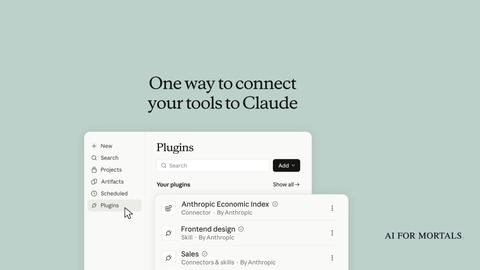
Anthropic's pages disagree on one point. The Help Center lists uploading your own skills on Free, while the Agent Skills overview for developers lists custom uploads on Pro, Max, Ultra, Team and Enterprise. If a Free account has no upload option, the paid plans are the ones both pages agree on. Since November 23, skills also appear on Claude's new Plugins page, next to connectors.
In Claude Code
Claude Code reads skills from folders. Put a skill in ~/.claude/skills/<name>/SKILL.md (the ~ is your home folder) to use it in all your projects on that computer. Put it in .claude/skills/<name>/SKILL.md inside a project to use it there, and commit it so everyone working on the project gets it too. Claude Code notices a new or edited skill during the session, and you run it by typing a slash and its name.
To install skills someone else packaged, use a plugin marketplace. Claude Code adds Anthropic's official one, claude-plugins-official, the first time you start an interactive session, so you can install from it right away, as in this example from the Claude Code skills docs:
/plugin install skill-creator@claude-plugins-officialFor any other marketplace, add it first with /plugin marketplace add owner/repo, as the plugin install guide shows. A skill that comes inside a plugin runs as /plugin-name:skill-name.
When you sign in to Claude Code with your Claude account, the skills you turned on in the Claude app download into Claude Code too, on version 2.1.273 or later. The sync runs one way, from the app into Claude Code, and it's off when Claude Code runs on an API key. Run /skills to see them under "claude.ai sync". The developer overview still says custom skills don't sync between surfaces; the Help Center and Claude Code docs both describe this one-way download, so go by those for Claude Code. If you don't have Claude Code yet, we list which Claude plans include Claude Code.
On the Claude API
Developers upload custom skills through the Skills API (the /v1/skills endpoints) and run them with the code execution tool. Skills from the Claude app don't carry over, so each one has to be uploaded to the API separately, and Anthropic's Word, Excel, PowerPoint and PDF skills are called there by their IDs: docx, xlsx, pptx and pdf. Those four built-in skills aren't available in Claude Code.
How to create a Claude skill (copy this SKILL.md)
To create a Claude skill, make a folder named after the skill, put a SKILL.md file in it with a name and a description at the top, and write the instructions underneath in plain Markdown (ordinary text, with # for headings and - for lists). A simple skill needs no code. This one is complete, and you can copy it and change it to fit your team:
---
name: meeting-notes
description: Turns raw meeting notes or a transcript into our team's summary format, with decisions, owners and due dates. Use when someone pastes meeting notes or a transcript, or asks for action items.
---

# Meeting notes

## Instructions
1. Read the notes or transcript the user pasted.
2. Write a three-sentence summary of what the meeting covered.
3. List every decision under "Decisions".
4. List every task under "Action items" as: task, owner, due date. If nobody said an owner or a date, write "not set".
5. Keep product names and numbers exactly as written in the notes.

## Example
Input: "Sam will send the Q3 deck by Friday. We agreed to drop the March launch."
Output:
Decisions: Drop the March launch.
Action items: Send the Q3 deck, Sam, Friday.
Save it as SKILL.md inside a folder called meeting-notes. The block between the two lines of three hyphens is the frontmatter, the part Claude reads at startup. The description says what the skill does and when to use it, and Claude matches requests against it, so write it in the words people will type.
Name and description limits in the app, Claude Code and the API
Each place you can add a skill sets its own limits on those two fields:
| Where | name | description |
|---|---|---|
| Claude app upload | Up to 64 characters, and the folder name must match it | Up to 200 characters |
| Claude API | Up to 64 characters; lowercase letters, numbers and hyphens; can't include "anthropic" or "claude" | Up to 1,024 characters; must say what it does and when to use it |
| Claude Code | Optional (the folder name becomes the command) | Optional, but recommended so Claude knows when to use it |
The template above fits all three: its name is lowercase with a hyphen, and its description runs 190 characters. Keep the SKILL.md itself short, too. The Claude Code docs suggest under 500 lines, with longer reference material moved into separate files that the instructions point to.
Zip it for the Claude app
The Claude app takes a ZIP file with the skill folder at its root. Zip the meeting-notes folder itself, so the ZIP opens to meeting-notes/SKILL.md. The Help Center's guide to creating skills marks a ZIP with the loose files at its top level as the wrong structure, and a folder name that doesn't match the skill name is one of the common reasons an upload fails.
Have Claude build the skill for you
You can also skip most of the writing. The skill-creator skill, which Anthropic says is built into Claude.ai and available for Claude Code, writes a skill from a plain description, formats the SKILL.md and suggests the phrases that should trigger it. Anthropic's guide gives the prompt as "Use the skill-creator skill to help me build a skill for [your use case]." In Claude Code, the install command above adds it, and the docs say it can also test a skill against plain Claude and propose a better description when the skill loads on the wrong requests.
On a Mac, Cowork can record a skill. You record up to about 10 minutes of your screen, clicks, typing and voice while you do the task, and Claude proposes a skill for you to review and save. Recording works on Pro, Max, Ultra and Team, and the Help Center says it isn't available in chat, on Windows, or on the Free and Enterprise plans.
Once a skill exists, you can change it in chat: highlight the text you want changed in the skill files open beside the conversation, click "Edit with Claude" and type the change.
What Anthropic's Complete Guide to Building Skills says
The Complete Guide to Building Skills for Claude is a 33-page PDF from Anthropic. Its distribution chapter is dated January 2026, so its upload path (Settings > Capabilities > Skills) is older than the Customize > Skills path the Help Center gives now. Its advice on writing a skill matches the current docs:
- Start from two or three concrete jobs the skill should do.
- Name the file exactly SKILL.md, in capitals.
- Name the folder in lowercase words joined by hyphens.
- Leave any README.md out of the skill folder.
- Write the description as what it does plus when to use it.
- Keep SKILL.md under 5,000 words.
The guide also covers a skill that misfires. If it doesn't load when it should, add detail and keywords to the description. If it loads for unrelated requests, make the description more specific and say when the skill shouldn't be used. The Help Center adds two habits: put example inputs and outputs in the SKILL.md, as the template above does, and test after each change.
Where to find Claude skills: the marketplace and the repo
The main places to find Claude skills are Anthropic's plugin marketplace, the skills directory inside the Claude app and Anthropic's skills repo on GitHub. Plugins are bundles that can hold skills, connectors or both, and the marketplace lists skills in that form.
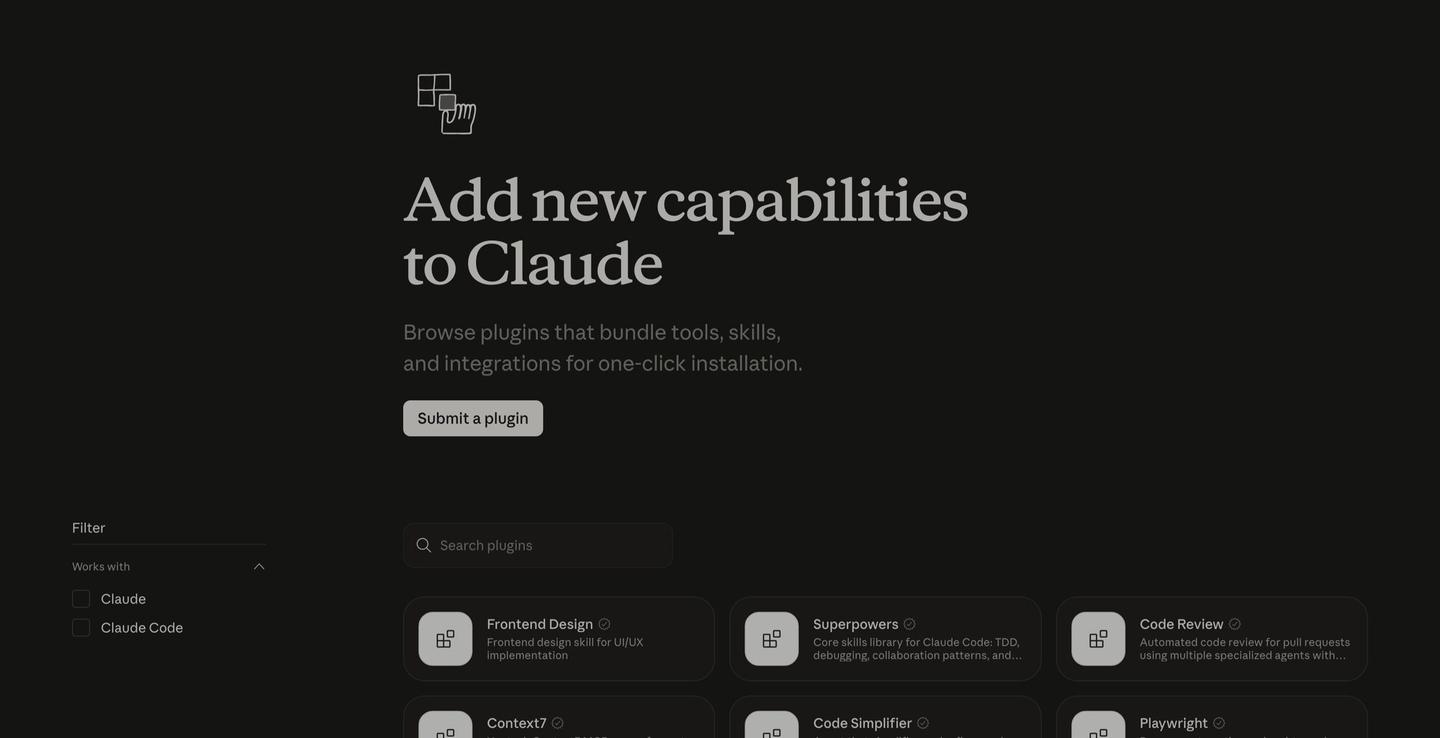
The marketplace at claude.com is public, so you can browse it without signing in. Inside the Claude app, click Customize, go to Skills, then click "+" and "Browse skills" to open the directory, which also carries partner skills from companies including Notion, Figma and Atlassian. In Claude Code, the official marketplace is already added, and its plugins appear on the Discover tab of /plugin.
Anthropic's own repo, github.com/anthropics/skills, holds its example skills plus the document skills behind Claude's Word, Excel, PowerPoint and PDF work. The README says they are "for demonstration and educational purposes only." To install them in Claude Code, add the repo as a marketplace, then install one of its two bundles:
/plugin marketplace add anthropics/skills
/plugin install document-skills@anthropic-agent-skills
/plugin install example-skills@anthropic-agent-skills
In the Claude app there's nothing to install, since the README says these example skills are already available on paid plans. The Help Center points to the same repo for example skills to use as templates, and each one is a folder you can open and read.
Claude skill examples: what Pat Simmons built
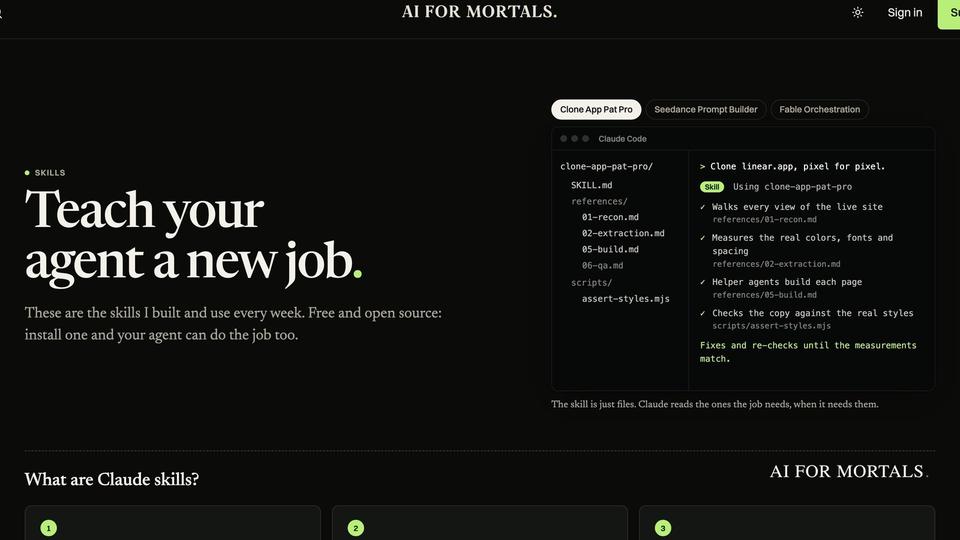
Pat Simmons publishes his own skills, free and open source, in Pat Simmons's Claude skills library. Each skill page lists what the skill does, what you need, how to install it, example requests and its limits. The Claude Code skills there include Clone App Pat Pro, which rebuilds a web app from its URL and measures the copy against the original, and Launch Video Clone, which makes product launch videos in HyperFrames.
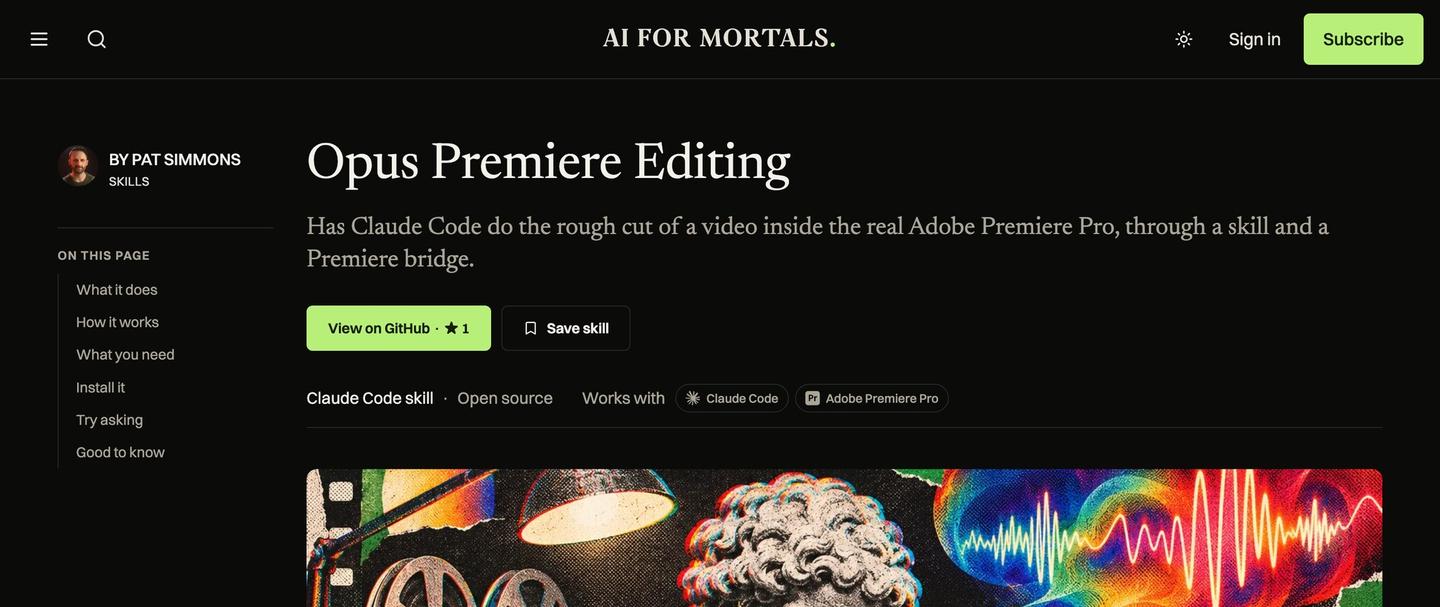
The Opus Premiere Editing skill has Claude Code do the rough cut of a video inside Adobe Premiere Pro. It sorts each take into its section's bin, removes pauses, cuts false starts and repeated lines, and builds one REVIEW sequence per section. It's written for Opus 5.5 and needs macOS, Premiere Pro, Node and python3. This is the install from its page:
git clone https://github.com/per-simmons/opus-premiere-editing.git
cp -R opus-premiere-editing/skill ~/.claude/skills/premiere-editing
cd opus-premiere-editing/bridge && python3 install.py --install
The second line is the step that makes it a skill: it copies the skill folder into ~/.claude/skills/, the personal skills folder from the Claude Code section above. The third installs the Premiere extension the skill talks to, and the page says to turn on Adobe's CEP debug mode because that extension is unsigned. After that, you ask for the job in plain words, like the page's example requests:
- "Rough-cut this folder of takes in Premiere following the skill."
- "Do the Pauses pass and the waveform Pause Cut on this section."
- "Cut the bad takes from this section's transcript and assemble the REVIEW sequence."
For skills other people built, the five-skill test linked above ran each one next to plain Claude on Opus 5.5. Planning with Files and Impeccable earned a spot, and Humanizer did no better than plain Claude.
Does ChatGPT have skills like Claude?
Yes, ChatGPT has skills for Enterprise and Edu users. OpenAI's ChatGPT release notes for July 9, 2026 say skills are generally available on those plans, under Plugins in the sidebar on the Skills tab of the Plugin Directory. The same update replaced ChatGPT's App Directory with that Plugin Directory, and a plugin can package skills, apps and app templates.
Codex had them first. On March 26, 2026, its plugins directory started bundling skills, app integrations and MCP server settings, and on June 18 the Codex app for macOS added Record & Replay, which turns a workflow you demonstrate once into a reusable skill. That works much like recording a skill in Claude's Cowork.
Gemini is moving the same way. Google is turning personal-account Gems into skills, and those Gems became read-only on November 17, 2026, as we explain in what Gemini Gems are and why they're becoming skills. Since the SKILL.md format is an open standard, a skill you write for Claude can also run in other tools that support it.
Are Claude skills safe to install?
A Claude skill is as safe as whoever wrote it. Anthropic's docs say to use skills only from trusted sources, meaning ones you created yourself or got from Anthropic, because a malicious skill can direct Claude to run code or call tools in ways that don't match what it says it does.
The Help Center names the two biggest risks: prompt injection, where hidden instructions steer Claude into actions you didn't ask for, and data exfiltration, where a skill's code or instructions leak your data somewhere else.
Before you turn on a skill from someone else, including a colleague, open every file in the folder and read it. Look hardest at scripts, at packages the skill installs and at any instruction that sends Claude to an outside website, since a fetched page can carry instructions of its own. In skills you write, never put passwords or API keys.
On Enterprise, an organization can turn on skill scanning, which checks each uploaded skill for malicious content, usually in one to two minutes. The Help Center describes that scanning for Enterprise only, so on other plans treat a skill you upload as unchecked. A skill that edits your files earns one more precaution, and Pat's Premiere skill page gives it: use it on a copy of your project first.
Questions people ask about Claude skills
Are Claude skills free?
Yes. The Help Center lists skills on the Free plan as well as Pro, Max, Ultra, Team and Enterprise, with code execution turned on. Anthropic's built-in skills are available to every user, and many of the skills in its GitHub repo are open source.
What are skills called in Claude?
The Claude app calls them skills, under Customize > Skills. Anthropic's developer docs call them Agent Skills, which is also the name of the open standard.
Is there a Claude PowerPoint skill?
Yes. Anthropic's PowerPoint skill (pptx) comes with Claude, and the Help Center says asking for something like "Create a PowerPoint presentation about Q3 results" makes Claude use it on its own. It isn't built into Claude Code, but the document-skills bundle from Anthropic's repo adds it there.
Is there a Claude design skill?
Anthropic's marketplace lists Frontend Design, marked Anthropic verified, as a "Frontend design skill for UI/UX implementation." Anthropic's Complete Guide also names a frontend-design skill as its example of a skill for making documents, designs and other output.
What is Superpowers for Claude?
Superpowers is a plugin in Anthropic's marketplace, marked Anthropic verified and described as a "Core skills library for Claude Code: TDD, debugging, collaboration patterns, and proven techniques."
How long should a SKILL.md file be?
The Claude Code docs say under 500 lines, and Anthropic's Complete Guide says under 5,000 words. Put longer material in separate files inside the skill folder and point to them from the SKILL.md.
How many skills can you have turned on?
Anthropic's Complete Guide suggests reviewing your setup if you have more than 20 to 50 skills on at the same time, and turning on only the ones you use.
Can one skill use another?
A skill can't call another skill by name, the Help Center says, but Claude can use several skills together on one task.
Do Claude skills work in Excel, Word and PowerPoint?
Yes. Skills you turn on in Claude also work in the Claude add-ins for Excel, PowerPoint, Word and Outlook, where you can type / to pick one or describe the task and let Claude choose.
Can you share a Claude skill with your team?
On Team and Enterprise plans you can share a skill with specific colleagues, or publish it to your organization's library. In Claude Code, commit the skill to the project's .claude/skills/ folder and everyone working on the project gets it.
Why isn't Claude using my skill?
Check that the skill is switched on in Customize > Skills, then rewrite its description so it says clearly when to use it. If it still doesn't load, name the skill in your request.
Sources
- What are skills? (Claude Help Center)
- Use skills in Claude (Claude Help Center)
- How to create custom skills (Claude Help Center)
- Agent Skills overview (Claude docs)
- Extend Claude with skills (Claude Code docs)
- Install and manage plugins (Claude Code docs)
- The Complete Guide to Building Skills for Claude (Anthropic, PDF)
- anthropics/skills (GitHub)
- Claude Marketplace: plugins (Anthropic)
- Agent Skills overview (agentskills.io)
- ChatGPT release notes (OpenAI)


Comments
Sign in to join the conversation.