Gemini Now Talks With You on Apple CarPlay
The Gemini app is rolling out on Apple CarPlay to every Gemini user on iPhone, so you can talk through your day or your inbox hands-free while you drive.
 AI for Mortals Staff
Google brought the Gemini app to Apple CarPlay, so Gemini on CarPlay now gives iPhone owners a hands-free, back-and-forth voice conversation from the car's screen.
It's rolling out worldwide starting November 11 to every Gemini user on iPhone, in every language that Gemini Live (Gemini's voice chat) supports.
The Gemini app is now available directly on Apple CarPlay. iOS users can have free-flowing conversations with Gemini Live right from their car's display, hands-free.
Google on X, November 11, 2026
How to set up Gemini on CarPlay before your next drive
Google lists three things to do on your iPhone first, and the Gemini icon won't do much in the car until you have:
- Update the Gemini app to the latest version from the App Store.
- Turn on microphone access for the Gemini app.
- Have one Gemini Live conversation on your phone. Open the Gemini app, start a voice chat and say anything.
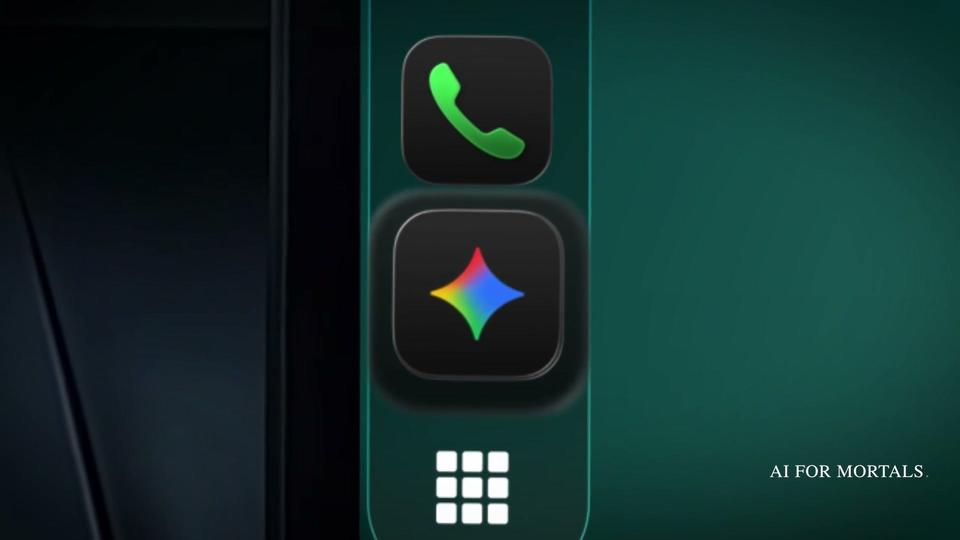
Do all three while you're parked. The next time you plug in or connect to CarPlay, the Gemini icon appears on the car's screen and in the side rail of app icons down the left edge.

What a conversation in the car actually looks like
Tap the Gemini icon, then either start a new conversation or open a recent chat to carry on where you left off.
From there it's all voice. The screen shows only whether Gemini is listening, thinking or responding, plus buttons to end the chat or mute it.

That bare screen is Apple's rule. When Apple opened CarPlay to voice chat apps in iOS 26.4, it required them to use its own voice screen and said they shouldn't show text or images in reply, which keeps your eyes off the display.
You can talk at your own pace. Google says you can interrupt Gemini to add a detail, change the subject mid-chat, or pause the conversation while you focus on an exit.
When you park, the whole conversation is waiting in the Gemini app on your iPhone, because CarPlay chats save to your chat history automatically.
Six things to ask Gemini on your commute
These are Google's own example requests, grouped the way Google groups them.
Get ready for the day. Gemini can read your Google Calendar, tell you when to leave for your next appointment and help you rehearse what you want to say.
What does my day look like?
Help me prep for my 10am with the design team.
Go through your inbox. Because Gemini connects to Gmail and Google Calendar (here's how to turn on AI Inbox in Gmail), it can catch you up on unread email, summarize a long thread and help you talk through a quick reply.
Catch me up on my unread emails and summarize Sarah's Q4 budget thread.
Google's "daily brief" request ("Give me my daily brief for today") only works once you've switched on Gemini's Daily Brief feature, and it isn't available to users under 18 or in the European Economic Area and Nigeria.
Find a place to stop. Ask for a lunch spot or the story behind a landmark where you're headed.
What's a quick lunch spot in downtown Austin that's easy to get in and out of?
Think out loud. Google pitches the quiet car as a place to rehearse a presentation or learn something.
Let's roleplay my Q4 pitch. Act as a skeptical VP and challenge my strategy.
Gemini vs ChatGPT on CarPlay
ChatGPT got there first. OpenAI added ChatGPT to CarPlay on March 31, so Google arrives about seven months later.
The two work much the same way. Both are voice-first apps you open by tapping their icon, both let you start a new voice chat or continue a recent one, and ChatGPT's works on every ChatGPT plan, while Google says Gemini's is coming to all Gemini users on iOS.
ChatGPT in CarPlay needs an iPhone on iOS 26.4 or later, and it has no wake word, so you open the app each time. It can also start a voice chat inside one of your ChatGPT projects.
OpenAI's CarPlay help page is clear about the limits: ChatGPT in the car can't see maps, vehicle information or your live location, and it can't control your car or other apps such as Maps, Mail or Slack.
Gemini's advantage is the Google account you probably already use. It can answer from your own Gmail and Google Calendar, so "what's my next meeting" or "anything urgent in my inbox" gets a real answer about your day.
Where Gemini already was in your car
This app is separate from the Gemini you may have met in Google Maps. In October, Google put Gemini inside Google Maps on CarPlay, where it helps with the drive itself: finding parking, reporting a traffic incident or changing your route. The same month, Gemini on Android Auto started answering from your Gmail and Calendar.
Now iPhone drivers get that second half too. Gemini has its own icon on CarPlay, separate from Maps, and it can talk through your inbox and your day.
Gemini on CarPlay brings your email, calendar and voice chats together on one screen in the car. If you'd rather keep your inbox out of the car, skip the email requests and use it for planning and thinking out loud.






Comments
Sign in to join the conversation.