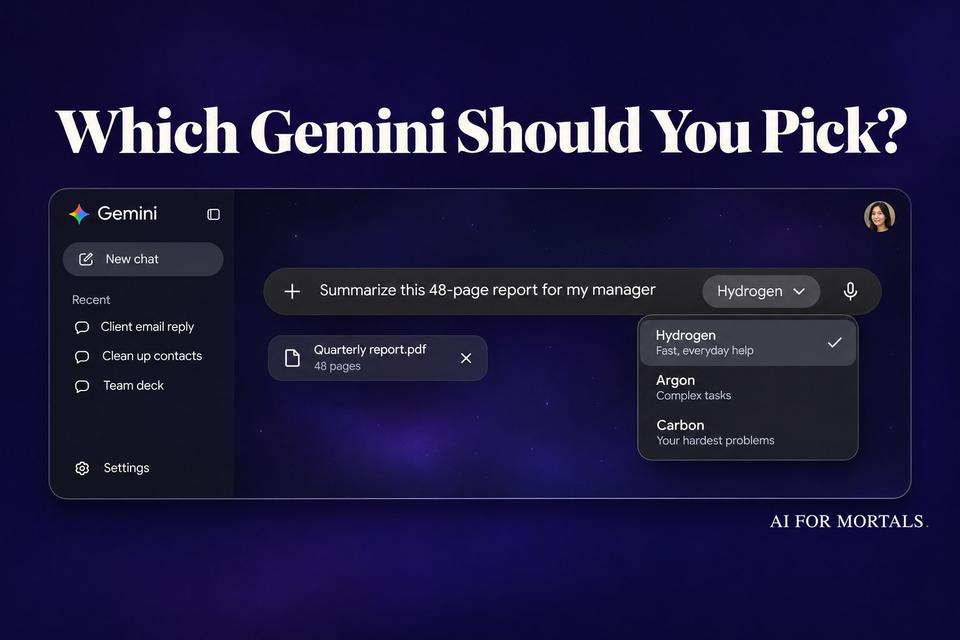
Gemini 4 Hydrogen vs Carbon and Argon: Which Gemini Should You Pick?
We gave Google's new everyday model the same seven jobs we ran on Argon and Carbon, and it got every one right, usually fastest.
 AI for Mortals Staff
On this page
- Gemini 4 Hydrogen vs Argon vs Carbon: the short answer
- Which Gemini model you get on each plan
- What Google says Hydrogen is for
- The seven jobs we gave Hydrogen, Argon and Carbon
- Speed and cost: Gemini 4 Hydrogen vs Argon and Carbon
- When to switch from Hydrogen to Argon or Carbon
- How to test Hydrogen on your own work
The old Gemini flash vs pro question just got new names. On November 12, Google released Gemini 4 Hydrogen, its fast everyday model, in the Gemini app, Google Search and AI Studio. It sits below Gemini 4 Argon and Gemini 4 Carbon, the two deep thinkers.
Google says Hydrogen finishes tasks 2.5 times faster than 3.8 Flash and scores a point above Argon on the Artificial Analysis Intelligence Index (51 to 50).
Gemini 4 Hydrogen is here, bringing cutting-edge intelligence to everyone for fast, everyday help.
Google Gemini (@GeminiApp) November 12, 2026
So we tested it. Hydrogen got the same seven jobs we gave Carbon and Argon two days ago: five office jobs and two hard ones with a provable right answer.
Hydrogen got all seven right, in every run. It was the fastest of the three on five of them, often by half.
Gemini 4 Hydrogen vs Argon vs Carbon: the short answer
- Emails, summaries, slides and small tools: use Hydrogen. It matched Argon and Carbon on every one of these jobs and usually answered in half the time.
- Big spreadsheets and long cleanups: Hydrogen still got them right, but it thought harder and took longer than Argon here.
- Hard reasoning and debugging: Hydrogen solved our puzzle and fixed all eight bugs in our code, just like the others. Carbon took five times as long on the bugs.
- Free and AI Plus users: Hydrogen is the big upgrade for you. Plus ($4.99 a month) lets you pick it from the menu, and free accounts get it automatically when Gemini decides a question needs it.
- Pro and Ultra: make Hydrogen your default and switch to Argon or Carbon when a job is long, tangled and worth the wait.
Which Gemini model you get on each plan
Google's help page lists the models per plan, and Hydrogen is the first Gemini 4 model below Pro:
- No plan (free): Auto picks for you. Most prompts go to Flash-Lite, and the ones that need more reasoning may go to Hydrogen. You can't pick Hydrogen yourself.
- Google AI Plus, $4.99 a month: Flash-Lite, Hydrogen and Gemini Pro in the model menu.
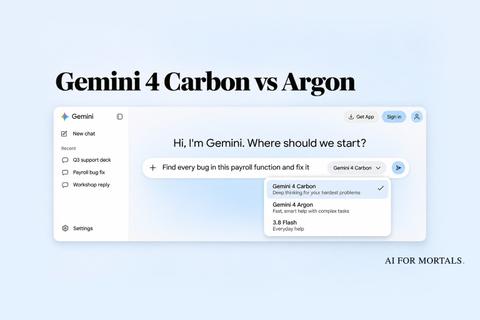
- Google AI Pro, $19.99 a month: adds Argon. Tasks can run on Hydrogen or Argon.
- Google AI Ultra, from $99.99 a month: adds Carbon, with 5 or 20 times Pro's usage.
In our Gemini pricing guide we break down what else each plan includes.
Every plan gets three thinking levels in the app: Low, Medium and High. If you don't pick one, Gemini uses Low, so pick High for anything that matters. Our tests ran at Medium and High.
Google Search changed for everyone. Hydrogen now writes the AI answers in Search worldwide, which Google calls its biggest model upgrade to Search yet.

Hydrogen now answers for every Search user, so we had no old version left to run our own before-and-after against. Google's example above shows the kind of change to expect: more specific picks, prices and pictures.
What Google says Hydrogen is for
Google built Hydrogen for "rapid execution" and says Argon and Carbon are still the models for "deep, long-horizon reasoning on your hardest problems."
For app users, Google says Hydrogen follows your tone, format and rules more closely, so email drafts and rewrites come back ready the first time. It also says Hydrogen picks the right tool more often, like reaching into Gmail or Drive when your question needs them.
Google's benchmark table puts Hydrogen against similar fast models from other labs, Claude Sonnet 5.5 and GPT-6.1 Terra:

Google also says Hydrogen cuts made-up claims by more than five times compared with 3.8 Flash. When information is missing, it's built to flag the gap and ask.
The busiest launch threads mostly argued about the names. Plenty of people pointed out that nothing in "Hydrogen, Argon, Carbon" tells you which is the small one. Others said smaller models always look great on benchmarks and then disappoint on real work, which is what our test was built to check.
The seven jobs we gave Hydrogen, Argon and Carbon
We ran every job on Hydrogen four times through Google's API: twice at Medium and twice at High, its default. The Argon and Carbon results come from our test two days ago, with the same prompts and files, at their default Medium.
Every prompt below is the one we used. Paste it into Gemini and swap in your own material.
A messy email thread: Hydrogen in about 6 seconds
The thread was six emails about booking a staff workshop at a clinic. The date moved from November 19 to 20, the budget rose from $2,400 to $2,800 with a $150 travel cap, and one person asked about laptops and patient data.
Here's a messy email thread. Write the reply Dana asked for, addressed to everyone on the thread. Keep it short and friendly, and include a short agenda for the workshop.

[paste the whole thread here]
All four Hydrogen replies got every detail right: Friday, November 20, 8:30 to noon, $2,800 with travel capped at $150, a plan for the six staff without laptops and a clear promise of no patient data.
Hydrogen answered in about 6 seconds. Argon took about 12 and Carbon about 20.
A 48-page report: five for five
We gave each model the full text of NIST's AI Risk Management Framework and asked for a 150-word summary plus five questions. One was a trap: it asked what penalties the framework sets, and it sets none, because it's voluntary.
Below is a long document. First, summarize it in about 150 words for a busy manager. Then answer these five questions, quoting the document where you can:
1. What are the framework's core functions, and which one is described as cross-cutting?
2. List the characteristics of trustworthy AI the framework names.
3. How many categories does each core function have?
4. Is the framework mandatory, and what penalties does it set for organizations that don't follow it?
5. What does MANAGE 4.1 ask organizations to do?

<document>
[paste the document here]
</document>
Hydrogen answered all five correctly in all four runs and caught the trap every time. We checked every quote against the report, and all of them are real.
It took about 14 seconds, a little quicker than Argon (16) and Carbon (22).
A 172-row contact list: perfect, and slower
We built a contact list with 26 hidden duplicate rows, phone numbers in six formats, dates in four, and six pairs of different people who share a name.
Clean up this contact list. Two rows are the same person only when the email address matches (ignoring capitals and stray spaces); two people can share a name. Merge duplicate people into one row each, and when the copies disagree on the signup date, keep the earliest. Format names as First Last in normal capitalization, emails in lowercase with no spaces, phone numbers as (555) 555-5555, states as two-letter codes, and dates as YYYY-MM-DD (dates with slashes are month/day/year). Return the cleaned CSV in a code block, then say how many rows are left, how many duplicate rows you removed, and list any people who share a name but are different people.

[paste your CSV here]
We compared every cell against our answer key. All four Hydrogen lists came back with exactly 146 people and no errors, and every run kept the six same-name pairs apart.
Hydrogen also got the summary under the list right every time: 146 rows left, 26 removed. Carbon and Argon both miscounted that line at least once.
This was the one office job where Hydrogen was slowest. It thought through 19,000 to 26,000 tokens first and took about 85 seconds, against Argon's 59 and Carbon's 66.
A 10-slide deck from rough notes: the cleanest decks of the three
We gave each model the notes you'd jot before a team meeting: quarterly support numbers, a missed target, two new hires, a shoutout and a budget ask. We asked for the deck as a single web page.
Turn these notes into a 10-slide presentation for a Monday all-hands. Make it a single self-contained HTML file: each slide is a 16:9 section (1280x720) stacked vertically, clean modern design, readable from the back of a room, no external libraries or images. Use only the numbers in the notes. Return only the HTML in one code block.

[paste your notes here]
All four Hydrogen decks had exactly 10 slides, and nothing ran off a slide. One of Argon's decks had a summary slide that ran off the bottom.

Two of the four decks made one small slip. They labeled 4h 10m as the weekday response time, but our notes gave it as the overall average. It's worth a quick check before you present.
Hydrogen built each deck in 28 to 40 seconds. Argon took about a minute and Carbon about 80 seconds.
A small invoice tool: every build passed
For the build, we asked for an invoice maker a freelancer could use. Then a script typed real and bad numbers into each one.
Build an invoice maker as a single self-contained HTML file (no external libraries). I'm a freelancer and I want to type in a client name, add and remove line items (description, quantity, rate), set a discount percent and a tax percent, and see the subtotal, discount, tax and total update as I type. Apply the discount first, then tax on the discounted amount. Keep my invoice if I close the tab and come back. Add a Print button that prints a clean invoice without the form controls. Handle bad input (empty, negative, letters) gracefully. Make it look good on a phone and a laptop. Use these ids and classes so I can wire it up later: #client, #addItem, each line item row has class .item with inputs .item-desc, .item-qty, .item-rate and a button .item-remove, #discount, #tax, and outputs #subtotal, #discountAmount, #taxAmount, #grandTotal, plus #print. Start with one empty line item. Return only the HTML in one code block.
The line about ids and classes is only there so our test script could find each field. You can delete it.
All four Hydrogen builds worked first time. Three line items with a 10% discount and 8.25% tax came to $2,932.46 in every one, which is right.
Each build kept the invoice after a reload, ignored negative and empty quantities, printed without the buttons and fit a phone screen. Hydrogen took about 30 seconds. Argon took 56 and Carbon 41.
A scheduling puzzle with one right answer: about 12 seconds
Five people, five rooms, five time slots and five topics, with 14 rules and exactly one schedule that fits. We confirmed that by testing every possible schedule.
I need to book rooms for tomorrow and my notes are a mess. Work out who meets when, where and about what, using every rule below. Give the final schedule as a table sorted by time, then say in one line whether any other schedule also fits all the rules.

[paste your people, rooms, times and rules here]
Hydrogen found the one right schedule in all four runs and correctly said no other schedule fits. It took 11 to 12 seconds, against Argon's 14 and Carbon's 35.
A payroll function with eight hidden bugs: all eight, in 20 seconds
This is the job Google says to save Carbon for. We planted eight bugs in a short payroll function, from a 24-hour shift counted as zero hours to a time zone slip that puts Sunday shifts in the wrong week.
Our payroll function is giving wrong totals and staff are complaining. Below are the pay rules and the current code. Find every bug, list each one in a single line, then return the complete fixed file in one JavaScript code block. Keep the same function name and export. Our server runs in US Pacific time.

[paste your rules and code here]
We ran every fix against 400 made-up timesheets with known totals. Hydrogen fixed all eight bugs in all four runs, and its totals matched ours to the cent, same as Argon's and Carbon's.
Hydrogen took about 20 seconds. Argon took 15. Carbon took nearly two minutes, because it thought through about twice as many tokens first.
Speed and cost: Gemini 4 Hydrogen vs Argon and Carbon
Here's what the five office jobs took through Google's API. Hydrogen's numbers are the average of its two runs at each level:
| Five office jobs | Time | Cost now | Cost from Dec 1 |
|---|---|---|---|
| Hydrogen (High) | 2 min 58 s | $0.49 | $0.49 |
| Hydrogen (Medium) | 2 min 36 s | $0.39 | $0.39 |
| Argon | 3 min 26 s | $0.26 | about $0.52 |
| Carbon | 3 min 48 s | $0.27 | about $0.54 |
Hydrogen's price per token is lower: $1.50 per million tokens in and $7.50 per million out. Argon and Carbon cost $2 and $10 until November 30, then double to $4 and $20, according to Google's pricing page.
Hydrogen still cost more on our jobs this month because it thinks before it answers, and Argon mostly didn't on these office jobs. Most of the gap came from the contact list, where Hydrogen's long think cost about 26 cents.
After December 1, Hydrogen becomes the cheapest of the three. It's also the only one of the three you can use for free in AI Studio.
In the Gemini app you don't pay per token, but the same thinking comes out of your usage limit. (Our guide to what a token is explains why.)
When to switch from Hydrogen to Argon or Carbon
On our seven jobs, you'd never have needed to switch. Hydrogen got the same answers as the bigger models.
Our jobs were short, though. In Pat's Gemini 4 Argon review, the long builds were where the models pulled apart, and that's the kind of work Google built Argon and Carbon for.
Here's a simple rule. Start on Hydrogen at High. If the answer is wrong on a long, many-step job, run it again on Argon, and keep Carbon for the problem Argon also gets wrong.
To see which model you're on, tap More under any answer and choose See response details. The model menu sits at the bottom of the chat box.
How to test Hydrogen on your own work
Pick a job you do every week where you'd spot a wrong answer, like a report you summarize or a list you clean up. Run it on Hydrogen at High, then start a new chat and run the same prompt on Argon if your plan has it.
A prompt like this one shows quickly whether Hydrogen sticks to your rules:
Here's last week's project update from my team. Rewrite it as a 120-word update for my manager: three bullet points, plain language, every date and number exactly as written, and a final line listing anything that's late. Don't add anything that isn't in the original.

[paste your update here]
Then check every date and number against your original. If Hydrogen gets it right in half the time, you've found your new default.
Sources
- Google: Introducing Gemini 4 Hydrogen
- Google: Google Search gets a major upgrade with Gemini 4 Hydrogen
- Google AI Studio: What's new in Gemini 4 Hydrogen (thinking levels, choosing between models)
- Google AI Studio: Gemini API pricing
- Gemini Help: About Gemini models (which plan gets which model)
- Google: Google AI plans
- NIST: AI Risk Management Framework (AI RMF 1.0), the report we tested with




Comments
Sign in to join the conversation.