GPTs vs Agents: Are Custom GPTs AI Agents, and Which One Do You Need?
A custom GPT answers inside a chat, while ChatGPT's agent mode and Dots work through jobs on their own computer, and OpenAI retires custom GPTs on December 11.

On this page
Custom GPTs mostly aren't agents. A custom GPT is ChatGPT set up once with your instructions, files and chosen tools, and it answers when you send it a message. OpenAI's own guide defines agents as "systems that independently accomplish tasks on your behalf", and ChatGPT's agent mode fits that: it works through a multi-step job on its own virtual computer and asks your permission before actions such as a purchase.
A GPT with Actions can call an outside service when you ask it to, which makes it the closest a GPT gets to an agent. It still waits for your next message instead of planning and finishing the job by itself.
OpenAI is also phasing GPTs out. It says custom GPTs are scheduled to retire on December 11, 2026, and personal ChatGPT accounts can no longer create new ones.
Last checked November 17, 2026: OpenAI's help pages for GPTs, the GPT retirement, ChatGPT agent and plugins, the ChatGPT pricing page, the Dots page, and OpenAI's launch posts for GPTs, the GPT Store, ChatGPT agent, AgentKit and workspace agents, each linked where its facts appear.
Are GPTs considered agents?
By OpenAI's definition, a GPT on its own falls short of an agent. The guide says an agent is built from three parts: a model, tools, and instructions that define how it behaves. A custom GPT has all three, but it runs one answer at a time, inside the chat, each time you write to it.
An agent keeps going on its own. It repeats the cycle of an agentic loop (gather context, pick a step, use a tool, check the result) until the job is done or it needs you. OpenAI's guide gives booking a restaurant reservation, resolving a customer service issue and generating a report as examples of the multi-step workflows an agent runs for you.
OpenAI's builder guide says Actions connect a GPT to outside APIs that you define, so it can "retrieve data or take actions in external systems." Even then, the GPT calls that service because your message asked for it, and you stay the one who decides each next step.
OpenAI drew the same line when it launched GPTs. Its November 6, 2023 announcement said people would "eventually be able to let them take on real tasks in the real world," adding: "In the field of AI, these systems are often discussed as 'agents'."
GPTs vs agents, side by side
ChatGPT now has three different things in this space: custom GPTs, agent mode (OpenAI's help center calls it ChatGPT agent), and Dots, the always-on agents OpenAI added to ChatGPT. The table compares them using OpenAI's help pages and the ChatGPT pricing page, as of November 17, 2026.
| Custom GPT | Agent mode (ChatGPT agent) | Dot | |
|---|---|---|---|
| What it is | ChatGPT set up for one purpose with saved instructions and files | ChatGPT working through a task on its own virtual computer | An always-on agent with its own cloud computer that keeps working between conversations |
| Who drives each step | You: it answers each message | The agent, pausing for logins and to confirm important actions | The dot, which works out next steps and brings you decisions to review |
| Tools | Knowledge files, web search, image generation, Canvas, Code Interpreter & Data Analysis, apps or Actions | Visual browser, text browser, terminal, connected apps | Its own computer, Codex and your connected tools; you can also let it use your computer |
| Clicks through websites | No | Yes, in its virtual browser | Yes, in its own browser |
| Plans | Anyone signed in can use existing GPTs; personal accounts can't create new ones | Paid plans only: 40 agent requests a month on Plus, 400 on Pro | Pro (from $100 a month), Business Premium and Enterprise, where the admin turns them on |
| Where you find it | Explore GPTs, or chatgpt.com/gpts | The tools menu in the message box, or type /agent | Top left of ChatGPT |
| Status | Retiring December 11, 2026 | Current | Current |
Agent mode is something you switch on inside a normal chat. You pick it from the tools menu or type /agent, describe the task, and it starts working. It can draw on apps you connect, such as Gmail or Google Calendar, alongside web search.
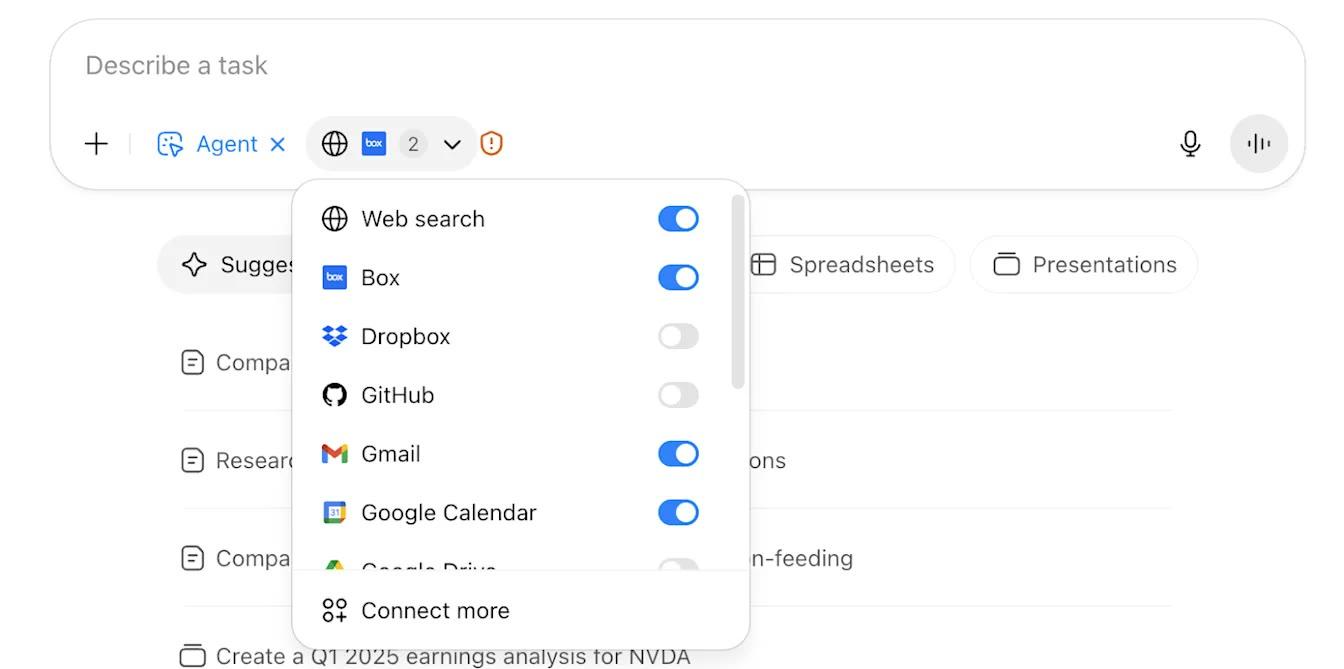
Only the requests you start count toward the monthly limit; follow-up clarifications and login steps don't. Each run of a scheduled agent task does count.
Custom GPTs: what they are and how you make one
A custom GPT is a saved version of ChatGPT for one job, and on a personal account you can no longer make a new one. OpenAI introduced GPTs on November 6, 2023 as "custom versions of ChatGPT that you can create for a specific purpose," with no coding needed.
OpenAI's builder guide lists what goes into one:
- Name, description and conversation starters
- Instructions for how it behaves and what it avoids
- Knowledge: up to 20 files, each up to 512 MB
- Capabilities: web search, image generation, Canvas, Code Interpreter & Data Analysis, and apps
- Actions that call outside APIs (a GPT can use apps or Actions, not both at once)
Who can create one has narrowed. The help center now says "New GPT creation and publishing are not available on personal ChatGPT accounts, including Free, Go, Plus, and Pro." Existing GPTs stay usable, and you can keep editing GPTs you made before if your plan allows it. The pricing page still lists custom GPTs among the Plus features, but the help center wording is the one that reflects the retirement.
In Business, Enterprise and Edu workspaces, creating a GPT depends on the workspace settings and your permissions. New GPT creation ended on October 26, 2026 for affected Enterprise workspaces, except FedRAMP ones. Where it is still allowed, you build on the web (the mobile apps can use GPTs but not make them):
- Open Explore GPTs in the ChatGPT sidebar, or go to chatgpt.com/gpts.
- Select Create to open the GPT builder.
- Describe what you want in the conversational builder, or fill in the fields yourself in the configuration view.
- Test it in Preview, then select Create.
After December 11, 2026, custom GPTs and their pages can't be opened. FedRAMP workspaces and workspaces with an approved deferral have until February 11, 2027. If you built a GPT, OpenAI's migration turns it into a plugin: go to My GPTs and select Migrate to plugin once it shows up for your account. Custom Actions don't transfer automatically.
OpenAI names two replacements. A plugin bundles skills (reusable instructions), connected apps and other tools for one task, and you make one by installing Plugin Creator from the plugin directory and chatting with @plugin-creator. The pricing page lists creating and sharing plugins on Go, Plus and Pro, and not on Free. A project keeps related chats, files and instructions together, which OpenAI suggests for GPTs used for ongoing writing, research or planning. Our guide to what a custom GPT is and what replaces it covers migration and instruction templates in detail.
What different GPTs are there?
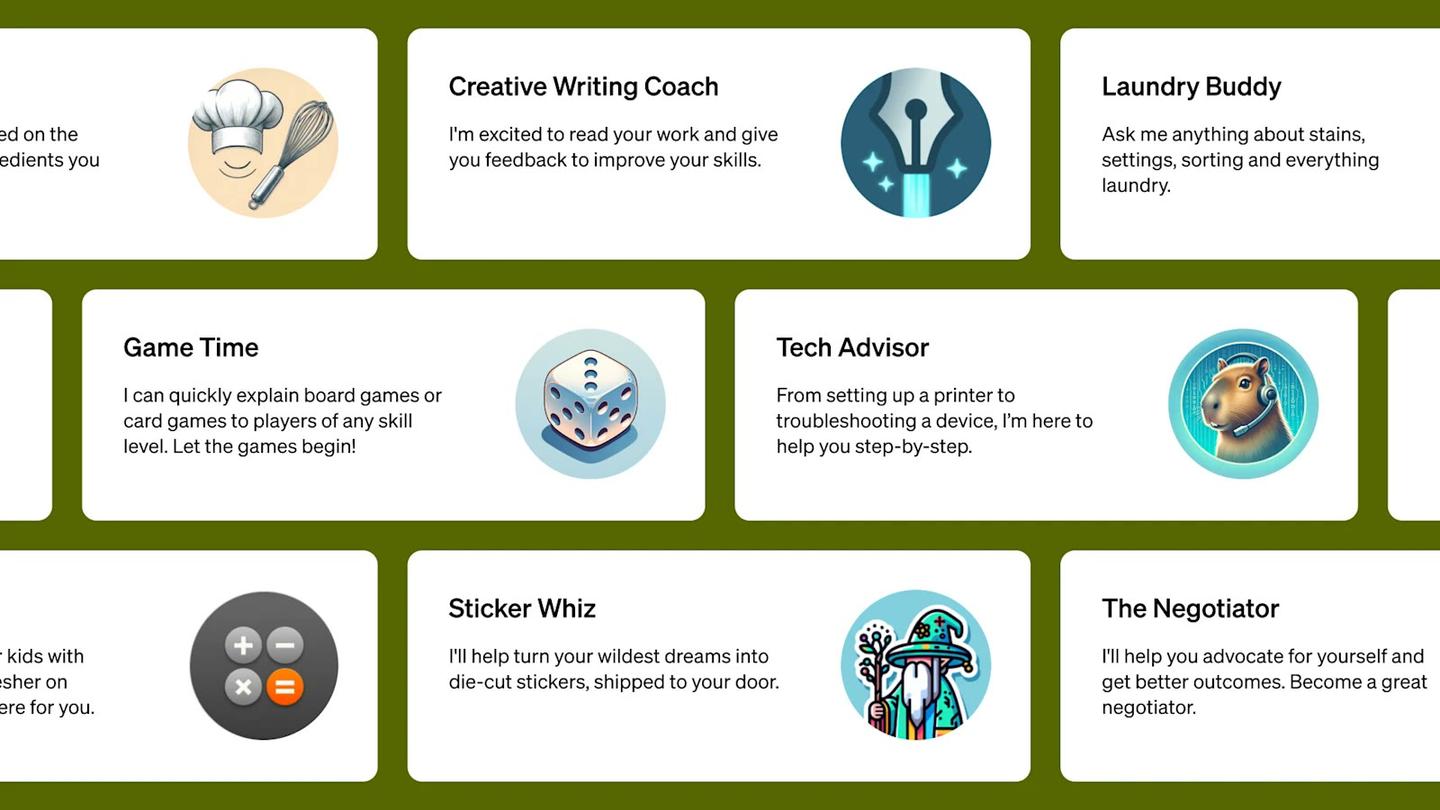
Custom GPTs come in three kinds by who can see them: GPTs made for yourself, internal GPTs for your company, and public GPTs listed in the GPT Store. OpenAI's launch post put it as making them "for yourself, just for your company's internal use, or for everyone."
OpenAI opened the GPT Store on January 10, 2024, saying people had already created over 3 million custom versions of ChatGPT in the two months since launch. The store grouped public GPTs into categories "like DALL·E, writing, research, programming, education, and lifestyle," with a community leaderboard and featured GPTs each week. At the November 2023 launch, OpenAI's first example GPTs included ones from Canva and Zapier.
To list a GPT in the store, a builder had to save it for Everyone and verify a builder profile. Personal accounts can no longer publish new GPTs, and the store's GPTs follow the same December 11, 2026 retirement date.
"GPT" is also the name of OpenAI's models, which is a different thing from a custom GPT. The pricing page lists the models in ChatGPT by plan: Free and Go get GPT-6 Luna, while Plus adds models including GPT-6 Astra, GPT-6 Sol and GPT-6.1 Sol. For the rest of OpenAI's lineup, see what OpenAI makes.
What is an AI agent? Examples you can try
An AI agent is an AI you give a goal to, which then works through the steps itself, using tools such as a browser, until the job is done or it needs your decision. In ChatGPT you can try two of them today: agent mode on a paid plan, and a dot on Pro, Business Premium or Enterprise.
OpenAI's ChatGPT agent launch post from July 17, 2025 gives three requests to try:
- "look at my calendar and brief me on upcoming client meetings based on recent news"
- "plan and buy ingredients to make Japanese breakfast for four"
- "analyze three competitors and create a slide deck"
The post says agent mode combines Operator's ability to click, scroll and type on websites with deep research's ability to analyze and summarize, and can hand back editable slideshows and spreadsheets. It asks before purchases, and OpenAI trained it to refuse high-risk tasks such as bank transfers.
Dots go a step further. OpenAI describes them as "remarkably capable, always-on agents" that work on their own cloud computers and keep "making progress between conversations." You can let a dot connect to your apps and your own computer, and set rules for which actions it can take alone and which need your approval.
Pat Simmons set up a dot on camera and handed it real errands; his write-up of a day with Dots covers every job. On setup, he said: "You can see just how easy it is to set this up. Just a few clicks." His dot picked its own name, László.
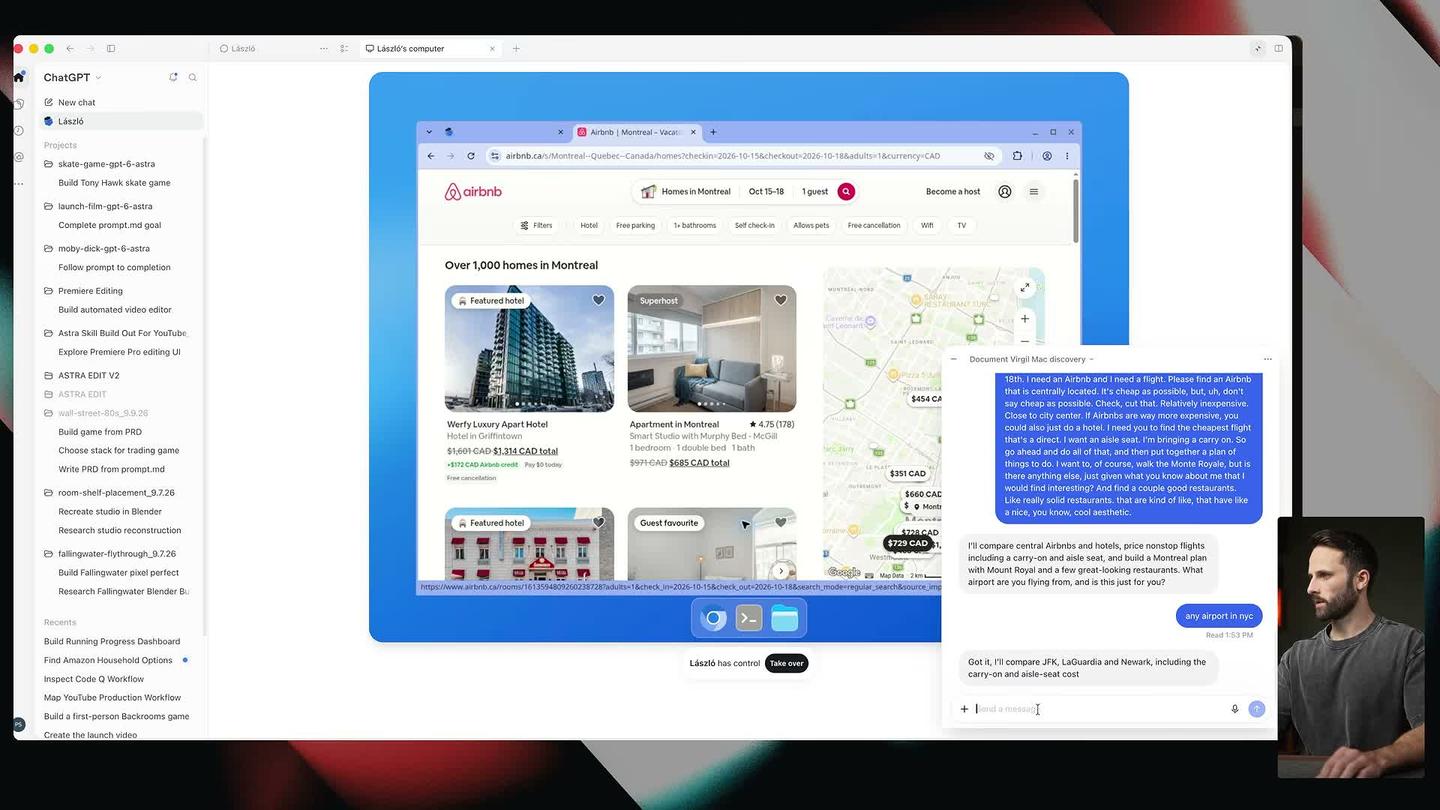
The trip went well: the dot found a central Airbnb, flagged repeated reviews about "a loud squeaking Murphy bed," compared hotels and started entering his details on Air Canada. "As a travel planner, I feel as though it's definitely there," Pat said. Shopping went worse, because Amazon blocked the dot's browser, and he called it "not quite there yet" as a personal shopper.
His dot also acted without being asked. With only his Gmail connected, it flagged that a $22 Vercel payment had failed for the third time. "At no point did I say keep an eye on my invoices," he said.
Pat also gave Dots, Grok Bot and Meta's Muse the same three jobs: plan a weekend in Montreal, research and write a YouTube video, and run a fake coffee company for four hours. Grok Bot won all three, and during the trip job Dots got stuck on a security check on Porter's site. On the writing job, he said that when Dots isn't doing "simple straightforward admin tasks," and the work is "anything creative, anything that requires more thought, it just does not do a very good job."
Agents can also work as a team. Pat had a team of Claude agents build a murder mystery game, with Claude Opus 5.5 agents writing, casting, voicing, building and testing a browser game over eight days.
How to build an agent in ChatGPT
On a personal plan, you start a ChatGPT agent from any chat: choose agent mode from the tools menu or type /agent, then describe the job. When a task finishes, you can set it to repeat daily, weekly or monthly with the clock icon, and manage every repeating task at chatgpt.com/schedules.
On Pro, you set up a dot instead. Pat's dot sat at the top left of ChatGPT, and setup was connecting Gmail, Contacts and Drive and choosing where it could work: "Your dot has its own computer, but you can also let it use yours."
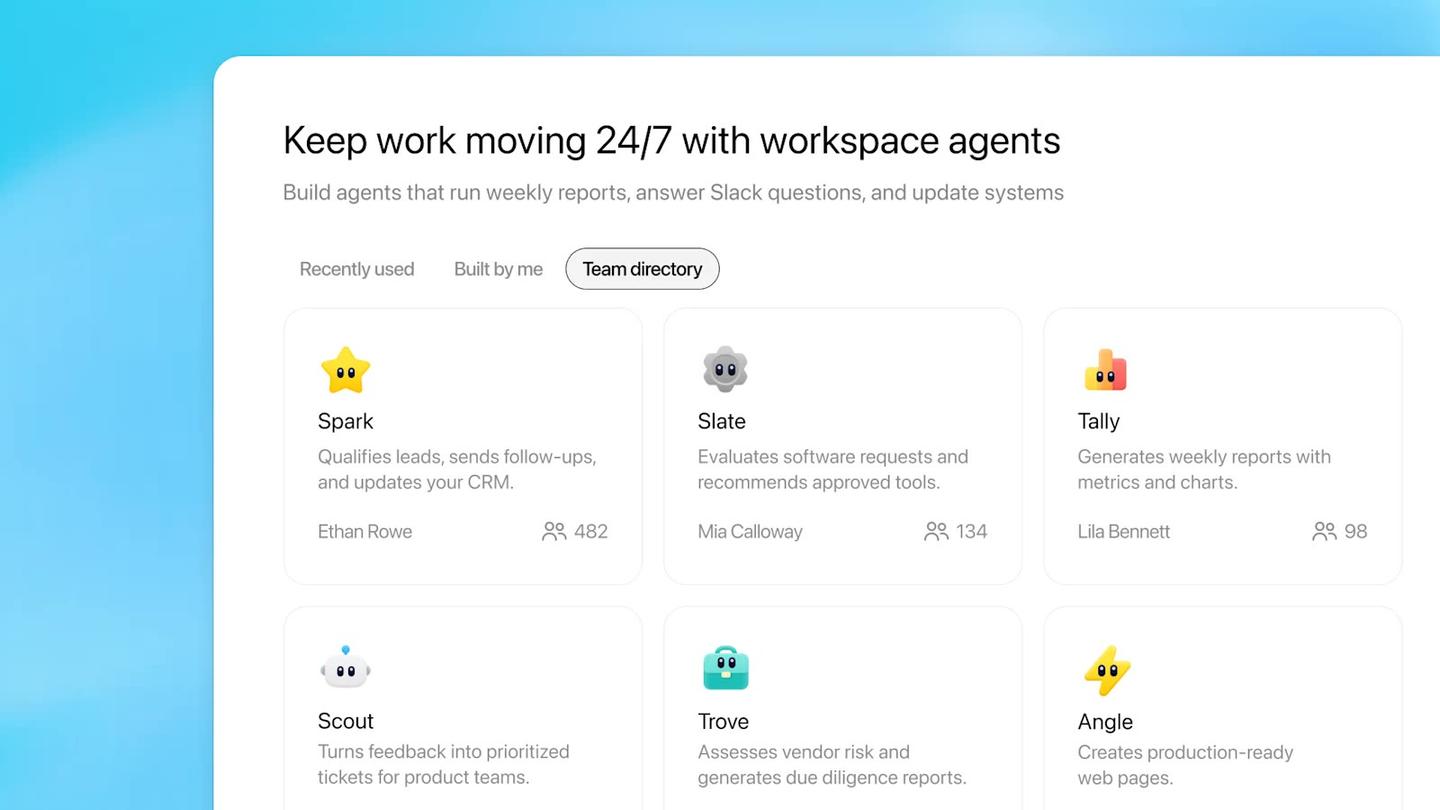
For teams, OpenAI's builder is workspace agents. Its April 22, 2026 announcement calls them "an evolution of GPTs": shared agents that run in the cloud, keep working when you're away, and can be used in ChatGPT or Slack. To build one, click Agents in the ChatGPT sidebar and describe a workflow your team does often, and ChatGPT walks you through turning it into an agent. They are in research preview on the Business, Enterprise, Edu and Teachers plans, with credit-based pricing from May 6, 2026.
Plugins can automate smaller jobs. OpenAI's plugins page says you can ask ChatGPT to automate a task, "such as preparing a daily summary or checking for updates every hour," and some plugins can react when something happens, like a reply in a thread.
Developers had a visual option in Agent Builder, part of the AgentKit launch on October 6, 2025, which let them drag and connect steps on a canvas. OpenAI is winding it down: from November 30, 2026, Agent Builder is no longer available, and OpenAI points people to its Agents SDK for code or to workspace agents in ChatGPT.
You can also build an agent outside ChatGPT without code. Make connects apps like Gmail, Google Sheets and Slack, and you can build an agent on Make's visual canvas on its free plan.
When to use a GPT and when to use an agent
Use a saved setup (a GPT while it lasts, then a project or plugin) for a helper you chat with over and over, and use an agent when the job means visiting websites, filling in forms or producing files across many steps. Pat hasn't tested custom GPTs against agent mode, so this is by job, from what OpenAI documents.
A repeatable chat helper
A style guide, an onboarding Q&A or an email-reply drafter works best as saved instructions plus reference files. Since GPTs retire on December 11, start new ones as a project or a plugin.
A one-off job across websites
Comparing prices, filling in a booking or building a slide deck from research is agent mode's job. Plus includes 40 agent requests a month, so save it for jobs with several steps.
Something that needs watching for weeks
A dot is built for ongoing responsibilities, like keeping an eye on an inbox. It needs the Pro plan (from $100 a month), Business Premium or Enterprise, where the admin turns dots on.
A workflow your whole team runs
A weekly report or a lead follow-up process fits a workspace agent on a Business, Enterprise, Edu or Teachers plan.
Agents also carry more risk, because they can see your emails and files and act on websites you log them into. OpenAI's agent help page recommends turning on only the apps a task needs and avoiding open-ended requests like "Check my email and handle everything."
Questions people ask about GPTs and ChatGPT agents
Is ChatGPT agent mode free?
No. OpenAI's help page says agent mode is only available on paid plans. Plus is $20 a month and Pro starts at $100 a month.
How many agent requests do you get a month?
Plus gets 40, Pro gets 400, and Business and Enterprise get 40, according to OpenAI's help page. Business and Enterprise workspaces on flexible pricing pay 30 credits per request instead.
Can a custom GPT browse websites or fill in forms?
A GPT can search the web and, with Actions, call outside services its builder set up. Clicking through a website and filling in forms is what agent mode's virtual browser does.
Is the GPT Store still open?
You can still use existing GPTs until they retire on December 11, 2026, but personal accounts can't publish new ones.
Is OpenAI's Agent Builder still available?
Only until November 30, 2026. After that it is no longer available on the OpenAI platform.
Does ChatGPT agent work on a phone?
Yes. OpenAI supports agent mode on the web, the iOS and Android apps, and the Mac and Windows desktop apps.
Do you have to watch the agent while it works?
Not the whole time. It pauses for you to take over the browser when a site needs a login, asks before high-impact actions, and requires you to watch on certain sites. You can stop a task at any point.
Sources
- OpenAI: A practical guide to building agents (PDF)
- OpenAI help center: GPTs in ChatGPT
- OpenAI help center: Creating and editing GPTs
- OpenAI help center: Custom GPT retirement and migration FAQ
- OpenAI help center: ChatGPT agent
- OpenAI help center: Plugins in ChatGPT
- ChatGPT plans and pricing (checked November 17, 2026)
- ChatGPT: Introducing dots
- OpenAI: Introducing GPTs (November 6, 2023)
- OpenAI: Introducing the GPT Store (January 10, 2024)
- OpenAI: Introducing ChatGPT agent (July 17, 2025)
- OpenAI: Introducing AgentKit (October 6, 2025, with the June 3, 2026 update)
- OpenAI: Introducing workspace agents in ChatGPT (April 22, 2026)




Comments
Sign in to join the conversation.