What Is Make.com? What It Does, What It Costs and Who It's For
Make connects apps like Gmail, Google Sheets and Slack into automations and AI agents you build on a visual canvas, with a free plan and paid plans billed in credits.

On this page
- What is Make.com used for?
- How a Make.com scenario works: triggers, modules and credits
- Is Make.com free or paid?
- How much does Make.com cost?
- Can Make.com build AI agents?
- What apps does Make.com connect to, like LinkedIn, Google and Slack?
- Make.com vs Zapier: which is better for you?
- How to start with Make.com (templates, Academy, help)
- Questions people ask about Make.com
Make.com, usually just called Make, is a no-code automation tool. You connect apps such as Gmail, Google Sheets, Slack or LinkedIn on a visual canvas, so that something happening in one app sets off actions in the others. Make calls each of these workflows a "scenario", and the same canvas now builds AI agents too.
Make says 3,500+ apps connect out of the box and 500,000+ teams build with it. There is a Free plan with 1,000 credits a month, and most actions use 1 credit. The paid plans are Core, Pro and Teams, with Enterprise priced on a custom contract.
Last checked November 15, 2026: Make's plans, prices, credit rules and AI features, and Zapier's plans for the comparison, all from the two companies' own pages listed under Sources.
What is Make.com used for?
Make is used to move information between the apps a business already runs, without someone copying it by hand. Its own examples are plain office jobs: when the marketing team adds a prospect to a Google Sheet, post a message to the sales team in Slack; when a new row lands in a Google Sheet, copy it into Airtable; when a deal is marked won in HubSpot, add the customer to Airtable, send a welcome email and post a summary in Slack.
Make's Solutions menu is organized by team: marketing, sales, operations, IT, finance, customer experience, productivity and HR. Its homepage FAQ says anyone comfortable mapping out a process, its steps, conditions and outcomes, can build without a developer, and that developers can add JavaScript or Python where they need it.
If you are still working out where tools like this fit, our guide to what AI automation is, with examples and costs puts Make next to Zapier, n8n and the others.
How a Make.com scenario works: triggers, modules and credits
A scenario is a chain of modules, and each module does one job in one app. Make's help center lists four types of module: triggers, which watch an app for something new; searches, which look data up; actions, which create, update or delete something; and universal modules for anything else.
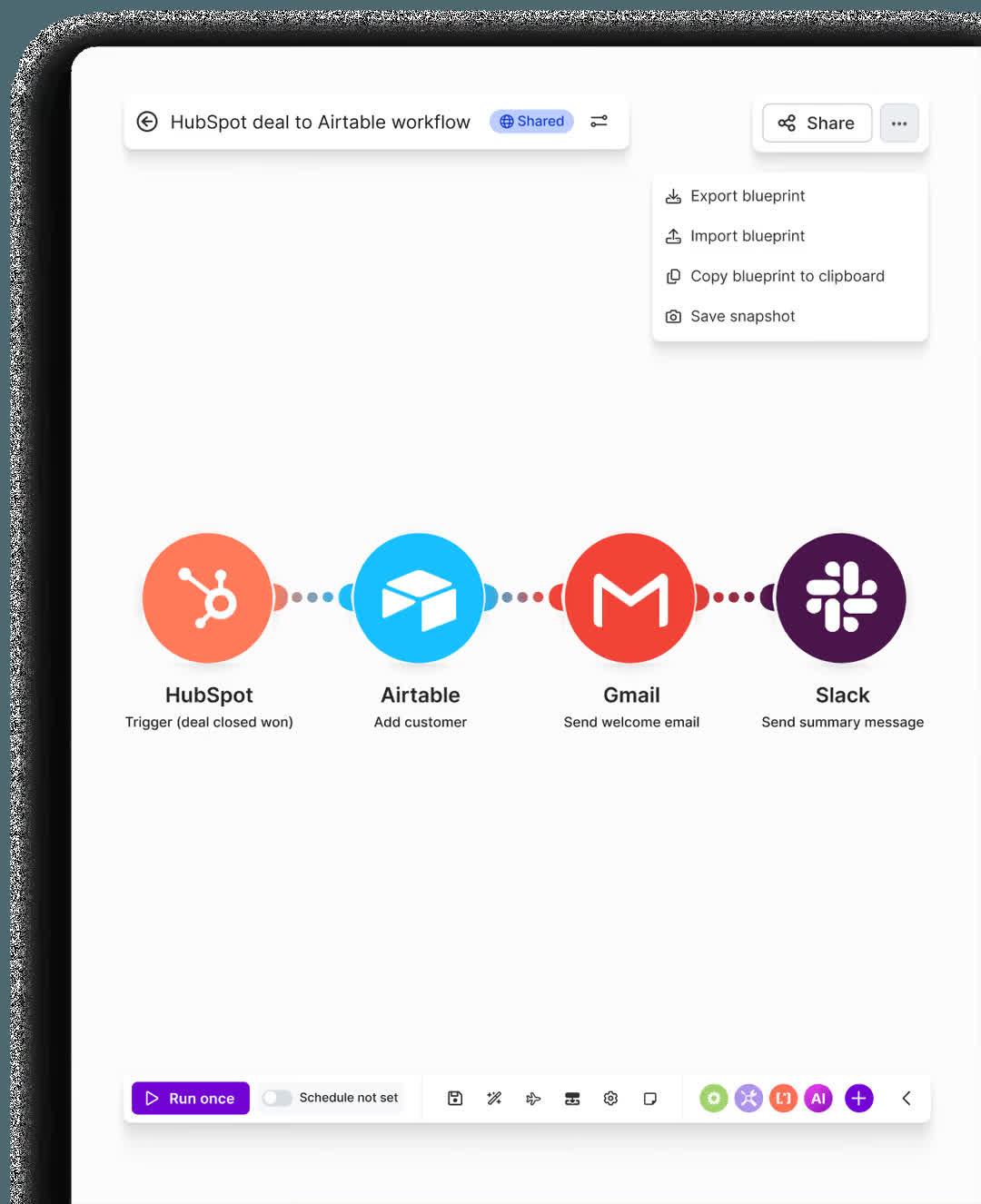
The trigger always comes first, and it starts the scenario in one of two ways. A polling trigger, usually named "Watch" something ("Watch a row"), checks the app for new data on a schedule. On the Free plan a scenario can run at most every 15 minutes; Core and the plans above it can schedule runs down to the minute.
The other way is a webhook, a web address that another app calls the moment something happens. Make's help center says a webhook runs the scenario immediately after its address receives a request, where a scheduled trigger has to keep asking the app for new data.
Between the trigger and the last step you can add routers, which split one scenario into several paths, and filters, which only let some items through. Both are on the Free plan.
Every module that does something uses credits, Make's billing unit. Reading a record, searching for data, writing a row into a Google Sheet or posting a message each count as one credit, so a single run can use anything from two credits to thousands. Routers and the error-handling modules use none.
Is Make.com free or paid?
Make has a free plan with no time limit and no credit card required, and paid plans for more volume and features. The Free plan on Make's pricing page includes:
- 1,000 credits a month
- the no-code visual builder
- the full 3,500+ app list
- routers and filters
- customer support
- runs no more often than every 15 minutes
- 1 MB of data storage and 1 data store (a small table Make keeps for you)
Most actions use 1 credit, but Make's AI features can use more than 1 credit per step, so the free allowance goes faster once AI is involved.
If your credits run out, your scenarios stop until more credits are added. Incoming webhooks wait in a queue until then, and scenarios that check for new data pick up from their last successful run.
How much does Make.com cost?
Make's paid plans start at $9 to $12 a month, billed yearly, for 10,000 credits a month. We loaded the pricing page several times on November 15, 2026, and it showed two different sets of prices for the same 10,000 credits billed yearly: Core at $9 or $12 a month, Pro at $16 or $21, and Teams at $29 or $38.
| Plan | Price shown, billed yearly, 10,000 credits a month | What it adds |
|---|---|---|
| Free | $0 (1,000 credits a month) | Visual builder, 3,500+ apps, routers and filters, customer support, runs every 15 minutes at most |
| Core | $9 or $12 a month | Unlimited active scenarios, scheduling down to the minute, higher data transfer limits, access to the Make API |
| Pro | $16 or $21 a month | Everything in Core plus priority scenario execution, custom variables and full-text search of run logs |
| Teams | $29 or $38 a month | Everything in Pro plus teams and team roles, and scenario templates you can share |
| Enterprise | Custom | Custom functions, enterprise app integrations, 24/7 enterprise support, overage protection and advanced security features |
The price moves with the number of credits you choose on the page's slider, so more credits cost more than these starting figures. Make's FAQ says paying yearly in advance is cheaper than paying monthly.
Each 10,000 credits a month also comes with 5 GB of data transfer, 10 MB of data storage and room for 667 webhooks in the queue. If you need more credits before the month ends, you can buy extra bundles of 1,000 or 10,000, or switch on automatic top-ups of 10,000 on Core, Pro and Teams. Unused credits expire at the end of the term.
Two discounts appear on the pricing page. Companies with fewer than 20 employees can check whether they qualify for Make's Start-up Plan, which the page advertises as "50% off Business", and nonprofits are asked to contact Make for details. If you cancel, your paid plan runs to the end of the billing period and the account then drops to the Free plan.
Can Make.com build AI agents?
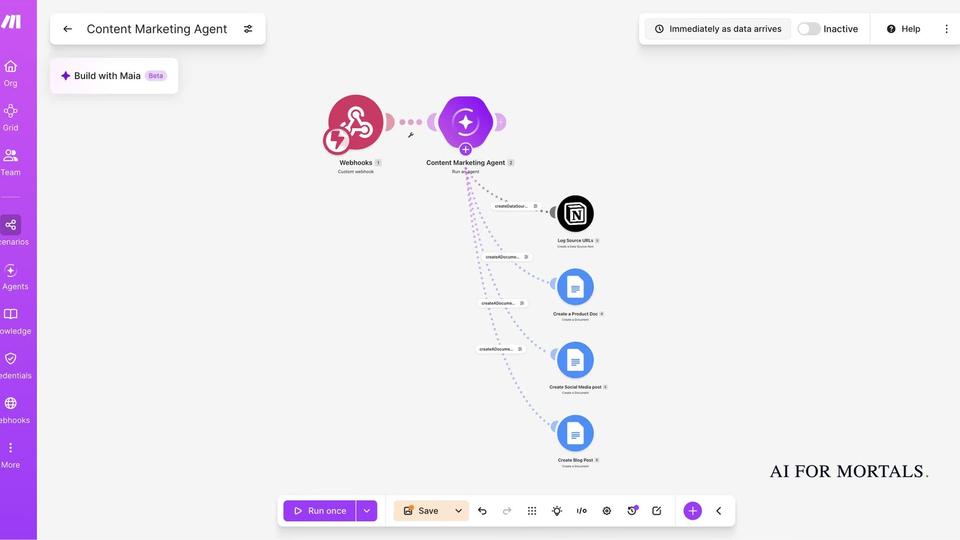
Yes. Make AI Agents are available on all plans, including Free. On Make's homepage the setup reads: you set goals, give the agent tools, define limits, and see the reasoning. In practice an agent is a step inside a scenario that decides what to do next, then calls other modules or scenarios as its tools.
Make shows the agent's decisions step by step in a Reasoning panel on the canvas, and says you can add rules, manual approvals or stopping points. Its own advice on when to use one: "Use an AI Agent when the workflow needs judgment or reasoning especially with unstructured input like text, messages, or documents. If it just needs doing, use automation."
AI steps are billed differently from ordinary ones. According to Make's help center, credits for Make's own AI provider are based on tokens (the chunks of text an AI model reads and writes) as well as operations, so the cost per run varies. On paid plans you can connect your own OpenAI or Anthropic account instead; then each step costs Make credits per operation, and you pay the AI company for the tokens.
Make has added two more AI features. Maia is an assistant built into the editor: you describe an automation in plain language and it builds the scenario on the canvas in front of you, asking questions as it goes. The Make MCP server lets ChatGPT, Claude and other AI apps that support MCP (a standard way for AI apps to use outside tools) run your Make scenarios from a chat.
If you want an agent without building a workflow, our review of OpenAI's Dots, an easier AI agent, covers one that takes jobs from a chat. Make's own new features and changes are logged on our Make tracker page.
What apps does Make.com connect to, like LinkedIn, Google and Slack?
Make connects to 3,500+ apps out of the box, among them Gmail, Google Sheets, Google Drive, Slack, Notion, Airtable, HubSpot, Telegram, OpenAI and Google Gemini. Anything with an API (a way for software to talk to other software) can be added as a custom app.
Each app comes as a set of modules. LinkedIn is a common example: Make's LinkedIn app has 19 modules, which split into 1 trigger, 13 actions and 5 searches. The trigger watches for new company posts, and the actions include creating text, image and video posts for a company page or a personal profile, and deleting posts.
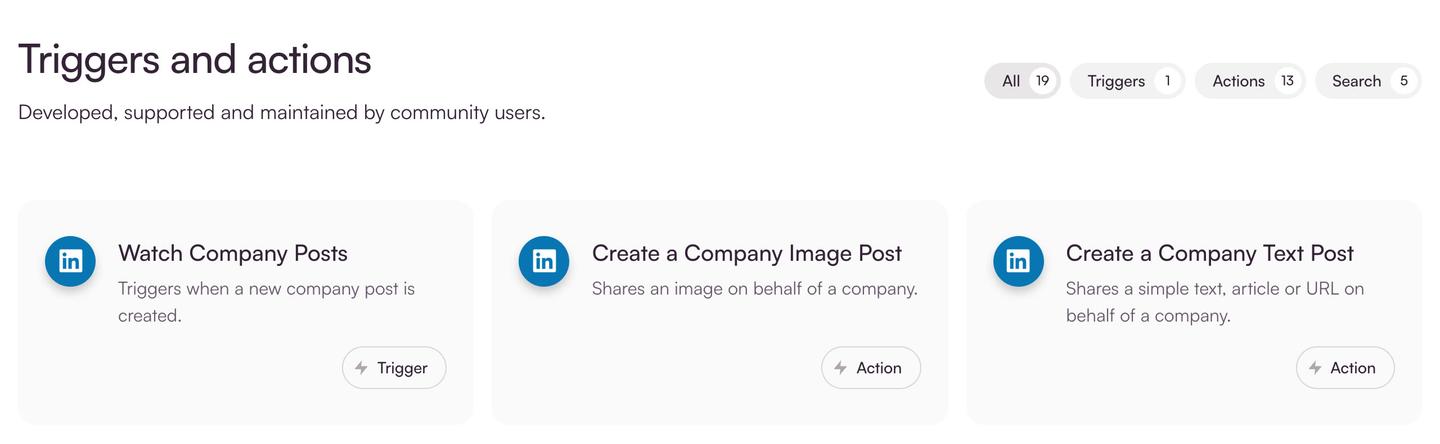
With those modules, a scenario can copy each new company post into a Google Sheet for reporting, or publish a company post from a row someone adds to a sheet.
Make.com vs Zapier: which is better for you?
Make costs less to start and lets free users build branching scenarios, while Zapier connects to far more apps. We haven't run the same jobs through both, so the comparison below sticks to what each company publishes.
| Make | Zapier | |
|---|---|---|
| Billing unit | Credits: most actions use 1, AI steps can use more | Tasks: every step in a Zap uses tasks, and rates vary for AI and code steps |
| Free plan | 1,000 credits a month, routers and filters, runs every 15 minutes at most | 100 tasks a month, two-step Zaps, checks for new data every 15 minutes |
| Cheapest paid plan | Core, $9 or $12 a month billed yearly for 10,000 credits | Professional, from $19.99 a month billed yearly or $29.99 billed monthly |
| Apps | 3,500+ | 9,000+ |
| AI agents | Make AI Agents, on all plans | Zapier Agents |
| Use from an AI chat | Make MCP server | Zapier MCP |
The numbers favor Make on price. Its Free plan includes 1,000 credits against Zapier's 100 tasks, and Zapier's free workflows are limited to two steps (a trigger and one action), while Make's Free plan includes routers and filters. Both companies count roughly one unit per step, but their rules differ, so the fair test is to price one of your own workflows on each pricing page.
Zapier's pricing page lists 9,000+ apps, so if a niche app you rely on isn't in Make's list, Zapier is more likely to have it. Zapier's paid plans also check for new data every 2 minutes on Professional and every minute on Team. Its latest changes are on our Zapier tracker page.
How to start with Make.com (templates, Academy, help)
The quickest start is a template. Make's template library has ready-made scenarios sorted by category, such as "Generate ChatGPT Completions from Google Sheets Rows", and each one has a "Use template" button.
For a course, Make Academy is Make's free online training, with hands-on lessons, badges and a learning path called "Automation to AI Agents". The help center at help.make.com has a short "Create your first scenario" guide that builds a Google Sheets to Slack alert.
Questions people ask about Make.com
Is Make.com safe?
Make's security page says it is GDPR compliant and has completed SOC 2 Type II and SOC 3 audits, independent checks of how a company protects customer data. It encrypts stored data with AES-256 and connections with TLS 1.2 and 1.3, keeps logs for 30 days by default, and supports sign-in with Google, Facebook or GitHub.
Is Make.com down?
Make posts outages and fixes on its status page, where you can also sign up for email or text alerts when Make opens, updates or resolves an incident.
Do I need to know how to code?
No. Scenarios are built by dragging modules onto the canvas or by describing them to Maia, and code is only for people who want to add their own JavaScript or Python.
What is a Make.com operation?
An operation is one action a module performs. Make used to bill in operations and now bills in credits; for ordinary apps one operation still equals one credit, and Make says plans and credit prices did not change with the switch.
Do unused Make.com credits roll over?
No. Credits expire at the end of the term. Extra credits you buy last one month on a monthly plan, or to the end of the year on a yearly Pro or Teams plan.
Sources
- Make: homepage and FAQ
- Make: Pricing (checked November 15, 2026)
- Make Help Center: Credits
- Make Help Center: Types of modules
- Make Help Center: Webhooks
- Make: AI Agents
- Make: Maia by Make
- Make: MCP server
- Make: LinkedIn integration
- Make: Security and compliance
- Zapier: Plans and pricing (checked November 15, 2026)



Comments
Sign in to join the conversation.