ChatGPT Apps for Mac, Android and iPhone: How to Get Them, What They Do and What They Cost
The ChatGPT apps are free on Mac, Windows, iPhone and Android. Paid plans start at $8 a month, and Plus ($20) is where ChatGPT Work, deep research and Codex expand.

On this page
- Is there a desktop version of ChatGPT?
- How to install the ChatGPT app on a Mac
- Why can't I get ChatGPT on my Mac?
- What the desktop app does that the website doesn't
- ChatGPT apps for Android and iPhone
- What does each ChatGPT plan get you in the apps?
- Can you use ChatGPT deep research in the app?
- Is the official app the best ChatGPT app for Mac?
- Questions people ask
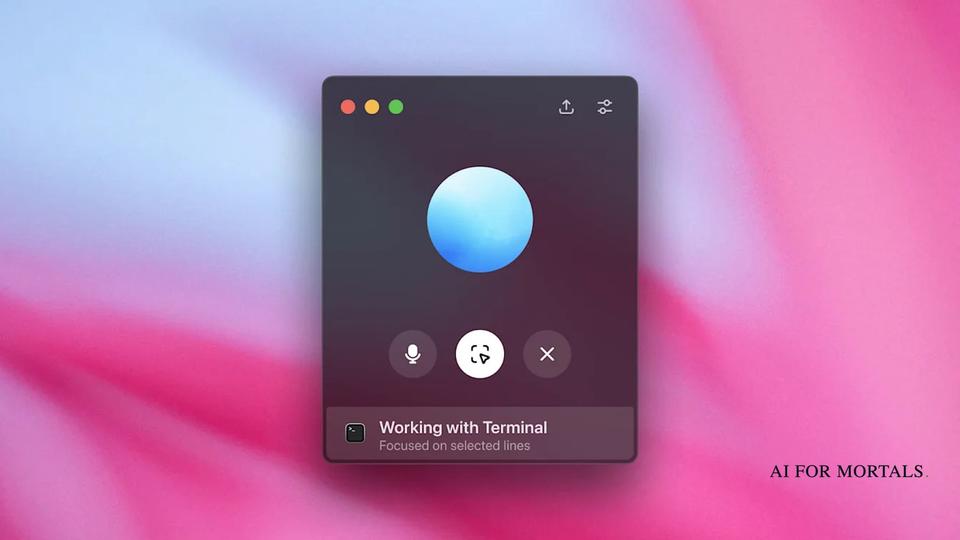
Yes, OpenAI makes a free ChatGPT app for the Mac, plus free apps for iPhone and Android. The Mac app comes from OpenAI's download page, the iPhone app from the App Store and the Android app from Google Play. OpenAI says the desktop app brings "ChatGPT Work and Codex, plus context from your email, screenshots, files, and anything on your screen." ChatGPT Work is the mode that carries out tasks you hand it, and Codex is OpenAI's coding agent.
Downloading the apps costs nothing. On OpenAI's pricing page, Go is $8 a month, Plus is $20 and Pro starts at $100. Bought inside the iPhone app, Plus is $19.99 and Pro comes in three tiers at $100, $200 and $500.
Your plan decides how much of the app you get. On Free and Go, ChatGPT Work is limited and runs only in the desktop app, and from Plus up it also works on the web and on your phone. Deep research, the feature that writes a cited report for you, is limited on Free and Go, expanded on Plus and at its maximum on Pro.
Every price and plan detail below comes from OpenAI's own pages and the two app store listings, checked on November 13, 2026.
Is there a desktop version of ChatGPT?
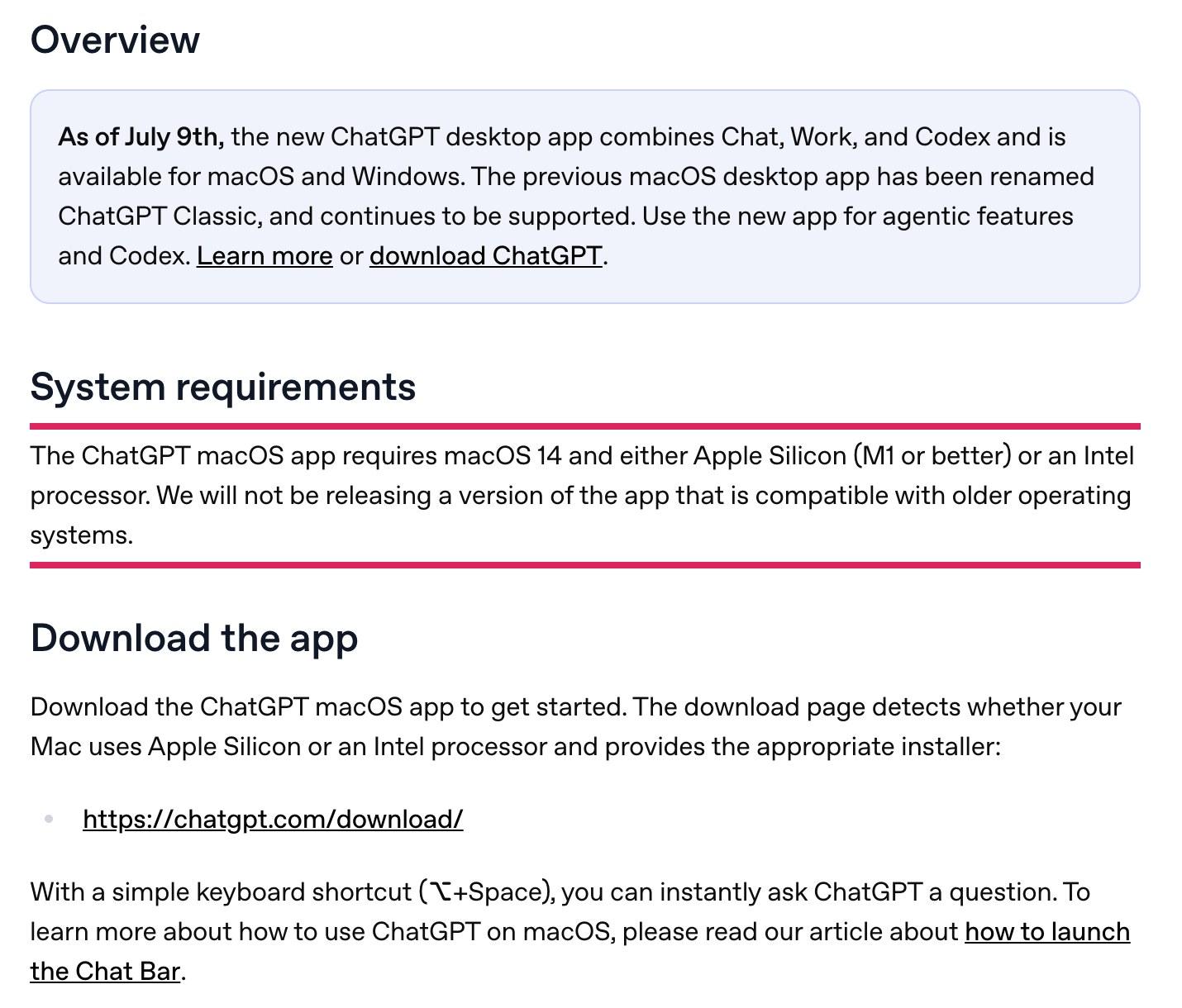
Yes, and it runs on both Mac and Windows. OpenAI's macOS help page says the new ChatGPT desktop app "combines Chat, Work, and Codex and is available for macOS and Windows."
The older Mac app still works under a new name, ChatGPT Classic. OpenAI says to use the new app for agentic features, the ones where ChatGPT takes actions for you, and for Codex. If you already had the separate Codex app, the download page says you can update to ChatGPT and open Codex from there.
The same download page also offers a Chrome extension, and ChatGPT's Chrome extension can work inside your tabs, reading what you have open and clicking through sites for you. You can skip the desktop app entirely and use ChatGPT in a browser, since OpenAI's pricing page lists access on the web, iOS and Android for every plan.
How to install the ChatGPT app on a Mac
Download it from chatgpt.com/download, open it, and sign in. OpenAI's help pages give these steps:
- Check that your Mac runs macOS 14 or later.
- Go to chatgpt.com/download and choose Download for macOS.
- Open the installer the page gives you.
- Find the ChatGPT app in Finder and launch it.
- Log in, or sign up for a free account.
You don't need to know which chip your Mac has. OpenAI says the download page "detects whether your Mac uses Apple Silicon or an Intel processor and provides the appropriate installer."
Once the app is running, press Option+Space to open the Chat Bar, ChatGPT's quick-question window. You can change that shortcut in the app under ChatGPT, then Settings, then Keyboard Shortcut.
Why can't I get ChatGPT on my Mac?
Your Mac needs macOS 14 or later, so an older version of macOS is the first thing to check. The app needs macOS 14 and either an Apple silicon chip (M1 or newer) or an Intel processor, and OpenAI says it "will not be releasing a version of the app that is compatible with older operating systems."
On a Mac that can't update, you can still use ChatGPT at chatgpt.com in your browser, and the Chrome extension from the same download page.
A few other things can make a feature look missing:
- You opened ChatGPT Classic, the older app, which lacks the new app's Work and Codex.
- You're on Free or Go and looking for Work on the web or your phone.
- Your work account's admin switched Work with Apps off.
OpenAI's help page says Enterprise admins can turn off the "Allow code edits on macOS" and "Work with Apps" settings for their workspace, so those features won't appear for staff. On Free and Go, OpenAI's pricing page lists ChatGPT Work as "Limited (desktop app)", which means it only shows up in the desktop app.
What the desktop app does that the website doesn't
The Mac app can see the other apps you're working in, and on Free and Go it's the only place you can use ChatGPT Work. The download page says it brings in context from "your email, screenshots, files, and anything on your screen."
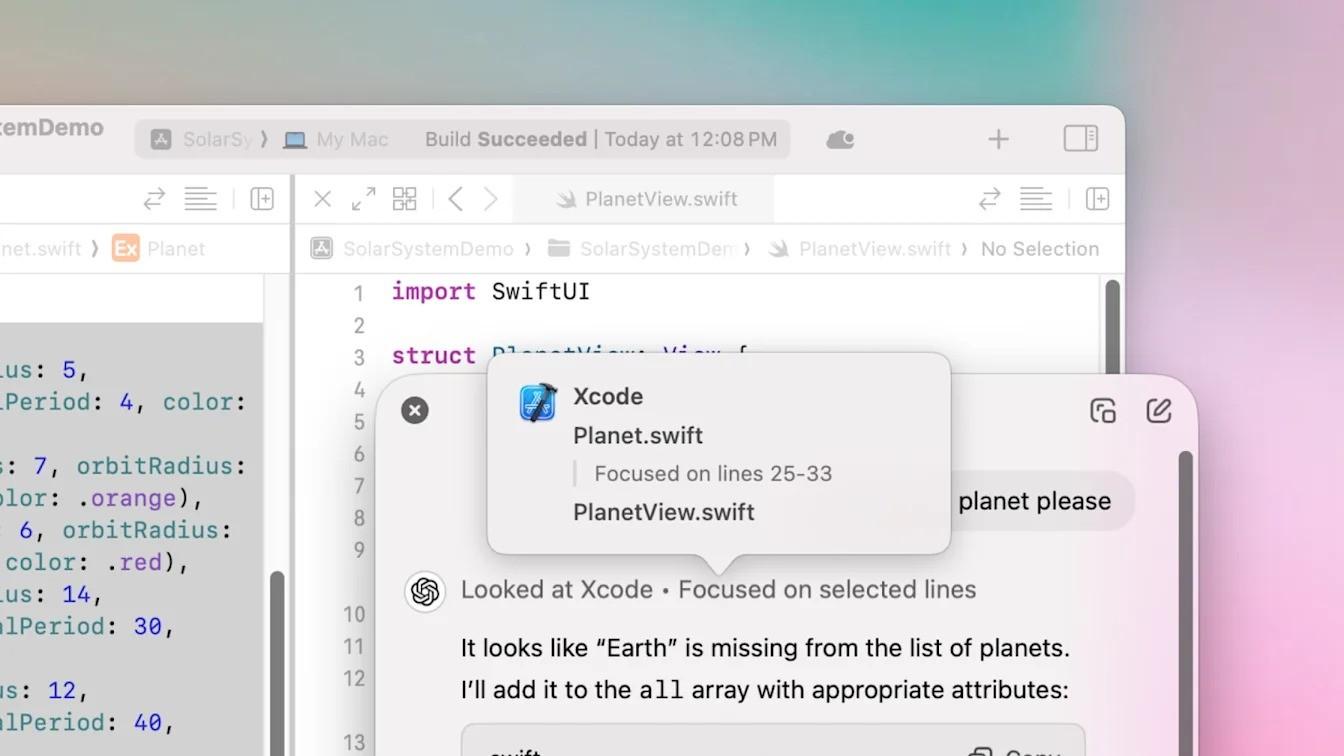
The feature behind that on the Mac is called Work with Apps. OpenAI's Work with Apps help page says ChatGPT "can now read and edit content in your coding apps," and its full list of supported apps covers these:
- Notes apps: Apple Notes, Notion, TextEdit and Quip
- Code editors: Xcode, Script Editor, VS Code (including Cursor and Windsurf) and JetBrains tools
- Terminals: Terminal, iTerm, Warp and Prompt
When you open the Chat Bar, a banner shows which app ChatGPT is looking at. It includes the last 200 lines of the open window, and if you highlight text, it focuses on your selection.
Editing only works in code editors. ChatGPT shows you the proposed change to review and apply, and you can undo it with Cmd+Z in your editor. OpenAI's pricing page lists "Code edits on macOS" on every plan, Free included.
To read other apps, ChatGPT needs the Mac's Accessibility permission, which you grant in System Settings. VS Code also needs a separate extension, which you install from inside VS Code. You can switch the whole feature off with the "Enable Work with Apps" setting in the app.
Whatever ChatGPT reads this way becomes part of your chat history. OpenAI says it may use that content to improve its models unless you turn off "Improve the model for everyone," and Temporary Chat keeps a conversation out of your history and out of training. Our guide to what ChatGPT keeps from your screen and chats covers the rest of those settings.
The desktop app's layout is also changing. ChatGPT is merging its Chat and Work tabs, and from December the Plus, Pro and Business plans share one usage allowance across ChatGPT and Codex.
ChatGPT apps for Android and iPhone
Both phone apps are free, made by OpenAI, and sync your chat history with your other devices. OpenAI's download page says the mobile apps let you "chat on the go, have voice conversations, create detailed photos, and use ChatGPT Work for delegated tasks from your phone," and adds that ChatGPT Work needs a Plus, Pro, Business or Enterprise plan.
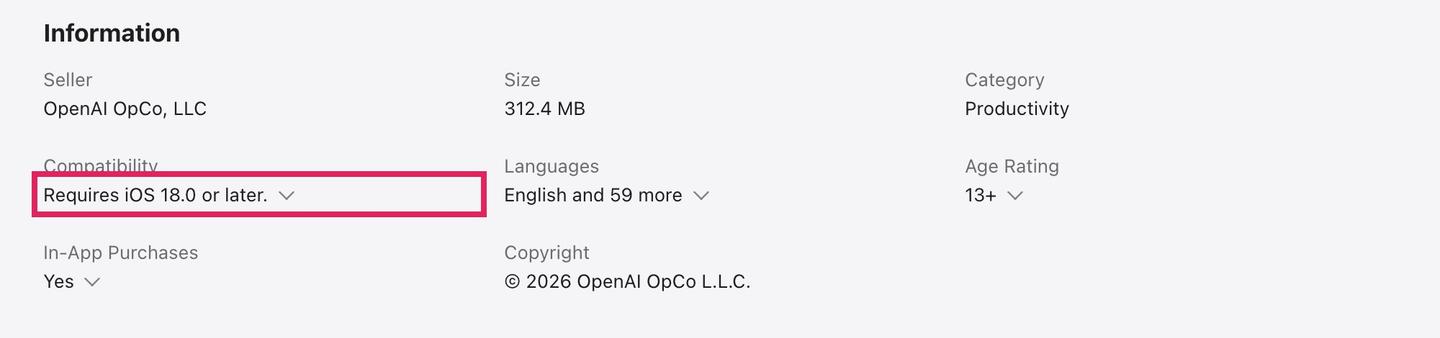
The iPhone app on the App Store requires iOS 18.0 or later and is rated for ages 13 and up. At the time of writing it had a 4.8 rating from 12 million ratings. The seller is listed as OpenAI OpCo, LLC, and checking that name tells the real app apart from the third-party chat apps the store suggests alongside it.
The Android app on Google Play lists OpenAI as the developer and shows more than 1 billion downloads and a 4.8 rating from 68.3 million reviews at the time of writing. The listing carries Google's "Contains ads" and "In-app purchases" labels, and it was last updated on November 9, 2026.
The Android listing also describes one feature the iPhone listing doesn't. In limited availability, Android users can let ChatGPT answer questions about what's on their screen through Android's Accessibility Services, without uploading a screenshot.
What does each ChatGPT plan get you in the apps?
Everyone downloads the same apps, and your plan sets how much you can do in them. The table uses OpenAI's pricing page for the web prices and features, and the App Store listing for in-app prices, both checked on November 13, 2026.
| Plan | Web price | iPhone in-app price | ChatGPT Work | Deep research | Codex | Projects |
|---|---|---|---|---|---|---|
| Free | $0 | Free | Limited, desktop app only | Limited | Limited | Included |
| Go | $8 a month | $8.00 | Limited, desktop app only | Limited | Limited | Included |
| Plus | $20 a month | $19.99 | Desktop, web and mobile | Expanded | Expanded usage | Included |
| Pro | From $100 a month | $100, $200 or $500 (Pro 100, Pro 200, Pro 500) | Desktop, web and mobile, longer sessions | Maximum | Longer sessions | Expanded |
Go gives you more messages with tools, more uploads, more image creation and more voice chats than Free, and OpenAI notes that the plan "may include ads." Plus adds custom GPTs, Sites and early access to new features.
Pro lets you pick one of three usage tiers and adds Dot, which OpenAI calls "your always-on agent," along with unlimited image creation and monthly API credits of $100, $200 or $500 depending on the tier. Our breakdown of which GPT-6 model you get on each ChatGPT plan covers the model side, and the guide to what the ChatGPT Free plan limits are and when they reset covers the free tier.
The App Store also sells credits inside the app: 100 credits for $4, 500 for $20 and 1,000 for $40.
What are ChatGPT projects?
A project keeps related chats, files and instructions together, so ChatGPT uses the same context every time you work in it. OpenAI's projects help page says you can start a project on one device and continue on another, and that project sharing works across the web and mobile apps. Free users can share a project with up to 5 files and 5 collaborators, Plus and Go users get 25 files and 10 collaborators, and Pro gets 40 files and 100 collaborators.
What is ChatGPT canvas?
Canvas is a separate editing window where you and ChatGPT work on a piece of writing or code side by side. OpenAI's canvas announcement says you can highlight a section to tell ChatGPT what to focus on, edit the text yourself, and restore earlier versions. Typing "use canvas" in your prompt opens it, and the projects help page lists canvas among the tools you can use inside a project.
Can you use ChatGPT deep research in the app?
Every ChatGPT plan includes deep research, with limited use on Free and Go. OpenAI's deep research help page describes starting it from the ChatGPT prompt box and doesn't tie it to a particular device. You can start a run in any of three ways:
- Type /Deepresearch in your message
- Choose Deep research from the + menu
- Choose Deep research from the sidebar
Deep research works through many sources and writes a structured report with citations. It can search the public web or sites you name, read files you upload and use apps you've connected. Before it starts, ChatGPT shows a research plan you can edit, and you can interrupt the run to change its focus.
OpenAI's deep research feature page describes "30-minute reports in what would otherwise take hours or days." For a quick fact, the help page suggests using regular search instead. Finished reports download as Markdown, Word or PDF.
How many deep research queries do you get per month?
OpenAI doesn't publish a number for any plan. The pricing page only says Limited on Free and Go, Expanded on Plus and Maximum on Pro. The help page says a counter in ChatGPT shows how many tasks you have left, and on plans with a fixed monthly allowance it resets every 30 days from the date you first used it. Deep research also isn't offered in every country.
Is the official app the best ChatGPT app for Mac?
The official app is the only one OpenAI makes, it's free, and it's the one with ChatGPT Work, Codex and Work with Apps. Third-party apps also put ChatGPT on your Mac, and one that shows up in search results for this question is MacGPT.
MacGPT's site describes a menu bar app with a pop-up text field you can open from anywhere and an Inline mode that types ChatGPT's answer into other apps. It can show the ChatGPT website inside the app or connect through OpenAI's API, which needs your own API key with a credit card attached. Its FAQ says it's "only supported on macOS Monterey and Ventura," and the site's copyright line reads 2023.
MacGPT isn't made by OpenAI, its site doesn't list a price for the app itself, and it doesn't mention ChatGPT Work or Codex. For the latest changes to ChatGPT across every app, see ChatGPT's latest updates and new features.
Questions people ask
Is the ChatGPT app free?
Yes. The App Store and Google Play listings both describe it as free, with in-app purchases for the paid plans.
Is there a ChatGPT app for Windows?
Yes. OpenAI's macOS help page says the new desktop app is available for macOS and Windows. The pages checked for this guide don't list Windows system requirements.
What keyboard shortcut opens ChatGPT on a Mac?
Option+Space opens the Chat Bar. You can change it in the app's settings under Keyboard Shortcut.
Do my chats sync between the Mac app and my phone?
Yes. Both phone app listings say the app "syncs your history across devices," so your chats follow your account from one device to the next.
Sources
- OpenAI: Download ChatGPT
- OpenAI Help Center: Downloading the ChatGPT macOS app
- OpenAI Help Center: Work with Apps on macOS
- ChatGPT: Plans and pricing
- App Store: ChatGPT
- Google Play: ChatGPT
- OpenAI Help Center: Deep research in ChatGPT
- OpenAI: Deep research in ChatGPT
- OpenAI Help Center: Projects in ChatGPT
- OpenAI: Introducing canvas
- MacGPT


Comments
Sign in to join the conversation.