Is AI Safe to Use at Work? What's Allowed, What to Keep Out, and the Settings to Check in ChatGPT, Claude, Copilot and Gemini
OpenAI, Anthropic, Microsoft and Google say their business plans don't train on your work chats by default; personal ChatGPT and Claude accounts need one setting checked first.

On this page
- Is it safe to use AI at work?
- Am I allowed to use AI at work? Check these 3 things first
- Is ChatGPT safe to use for work?
- Is it safe to use Claude AI for work?
- Are Microsoft Copilot and Gemini safe for work data?
- What should you never tell an AI at work?
- Can AI be 100% trusted with work answers?
- Copy-paste prompts that keep work data out of AI
- Questions people ask about using AI at work
Yes, AI is safe for most work tasks if you use the account your employer pays for and keep company secrets out of personal accounts. OpenAI, Anthropic, Microsoft and Google all say their business plans don't train AI models on your work chats by default. Personal ChatGPT and Claude accounts work differently, so check one setting before you paste anything from work into them.
The other half of "safe" is whether you're allowed. Your company's AI policy and your IT admin decide that, and on business plans the admin can often see what you type. This guide covers both: what each vendor says it does with your work data, what to check before you start, what to keep out of any chatbot, and prompts that let you get help without handing over the details.
Last checked November 23, 2026: the privacy, training and admin pages of OpenAI, Anthropic, Microsoft and Google, each linked below where it's used.
Is it safe to use AI at work?
It is on a business plan that your company has approved, because that's where the vendors promise not to train on your data and where your company controls who sees it. A personal account can be safe too, but only after you switch off training, and even then your employer may not allow it.
This table puts each vendor's own wording side by side, plan by plan. The pages it comes from are linked in the sections that follow.
| Plan | Trains on your chats by default? | Who controls it, and who else can see your chats | Where the vendor says so |
|---|---|---|---|
| ChatGPT Free, Plus, Pro | Yes: OpenAI says data sharing is on by default | You: Settings > Data controls > Improve the model for everyone | OpenAI Help Center, "Data controls in ChatGPT" |
| ChatGPT Business, Enterprise, Edu | No, unless your company opts in | Your admins: Business admins can view, export and delete chats; Enterprise and Edu admins get an audit log | OpenAI, "Enterprise privacy at OpenAI" |
| Claude Free, Pro, Max | Only if you allow it, or if a chat is flagged for a safety review | You: Settings > Privacy > Help Improve our AI models | Anthropic Privacy Center (consumer) |
| Claude for Work and the Anthropic API | No, unless you send feedback or opt in | Owners can switch off the thumbs up/down feedback button for everyone | Anthropic Privacy Center (commercial) |
| Microsoft Copilot and Copilot Chat for organizations | No: prompts, responses and Microsoft Graph data "aren't used to train foundation models" | Your company's existing permissions, sensitivity labels, retention and audit settings apply | Microsoft Learn, "Enterprise data protection" |
| Gemini with a Google Workspace work or school account | No, without your organization's permission | Admins set how long Gemini app chats are kept; in Gmail, Docs and Drive your prompts are visible only to you | Google Workspace, "Generative AI in Google Workspace Privacy Hub" |
"Doesn't train on your data" covers one risk: your words ending up inside a future model. It says nothing about whether the answer is right, whether your admin can read the chat, or whether your company lets you use that tool at all. The next sections cover each of those.
Am I allowed to use AI at work? Check these 3 things first
Only your employer can answer this, and the answer usually depends on which tool, which account and which kind of data.
1. Read your company's AI policy, or ask IT
Your company may have a written AI policy that names the approved tools and the kinds of data you can put in them. If you can't find one, ask IT or your manager which AI tools are approved and whether client or customer data can go into them. Get the answer in writing if you can.
2. Check which account you're signed into
A work account and a personal account in the same app follow different rules. OpenAI's help pages say the controls you see depend on your plan and your workspace settings, and on a company workspace, data exports and account deletion go through the workspace owner. If you have both, check which one you're signed into before you paste anything from work, and ask IT if you can't tell.
3. Assume your admin can see what you type
On a business plan, your company controls the chats. OpenAI says ChatGPT Business admins can view, export and delete conversations in the workspace, and Enterprise and Edu admins can pull an audit log of conversations through OpenAI's Compliance API. Google says Workspace admins choose whether Gemini app chats are saved and for how long, deleting them automatically after 3, 18 or 36 months (18 is the default).
Is ChatGPT safe to use for work?
On ChatGPT Business, Enterprise or Edu, OpenAI's enterprise privacy page says "We do not train our models on your data by default." Your company owns its inputs and outputs where the law allows, its admins control how long chats are kept, and OpenAI removes deleted conversations from its systems within 30 days unless the law requires it to keep them.
OpenAI also lists SAML single sign-on, which lets your company control logins through its own account system, and says ChatGPT Business, Enterprise, Edu and ChatGPT for Healthcare each completed a SOC 2 Type 2 audit, an outside check of a company's security controls.
On a personal plan it's a different setup. OpenAI's Data controls help article says that on ChatGPT Free, Plus and Pro, data sharing for model training is on by default. To switch it off on the web, open your account menu, select Settings, then Data controls, then Improve the model for everyone, turn it off and select Done. The setting follows your account across web and mobile.
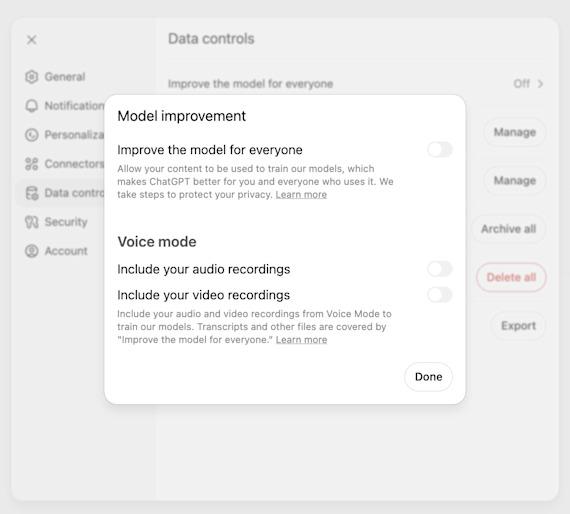
Three details from the same article are worth knowing before you use a personal account for anything work-related:
- Turning training off doesn't delete your saved chats.
- Temporary chats aren't used to train models, but OpenAI may keep them for up to 30 days for safety.
- After a thumbs up or down, the whole conversation can be used for training, even with the setting off.
Our longer guide shows how to switch off training in ChatGPT and the other chatbots, including Gemini, DeepSeek and Grok.
Is it safe to use Claude AI for work?
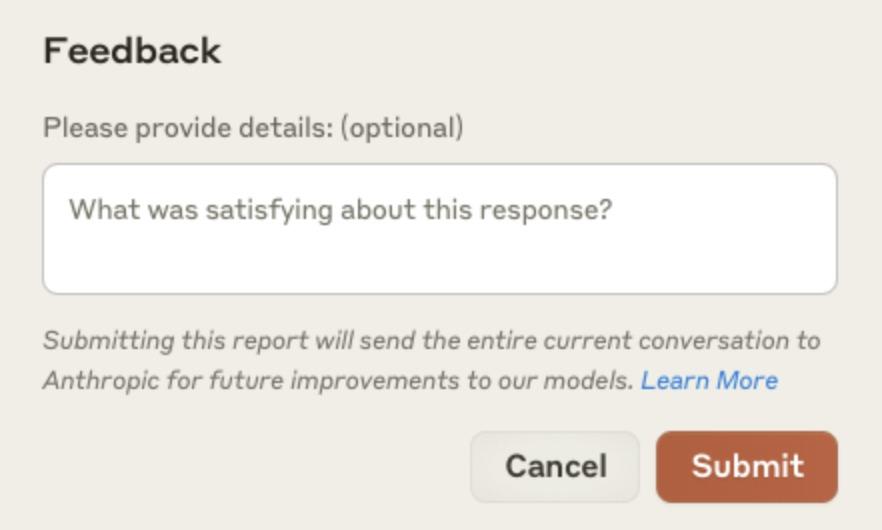
On Claude's business plans (Claude for Work) and the Anthropic API, Anthropic's commercial privacy article says: "By default, we will not use your inputs or outputs from our commercial products" to train its models. The exception is feedback. When anyone presses the thumbs up or down button, Anthropic stores the entire related conversation for up to 5 years and may use it for training.
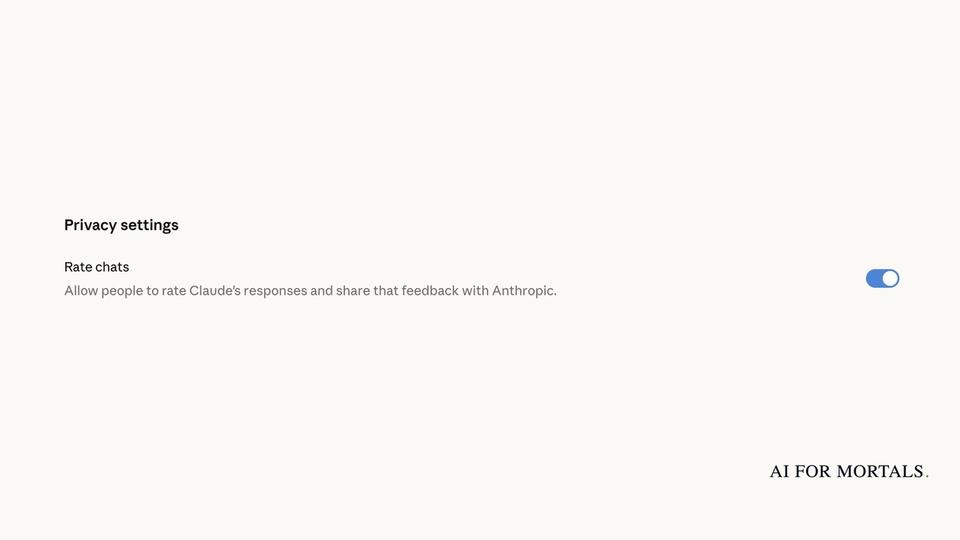
A Primary Owner or Owner of a Team or Enterprise plan can turn that button off for everyone with the Rate chats setting under Organization settings > Data and Privacy.
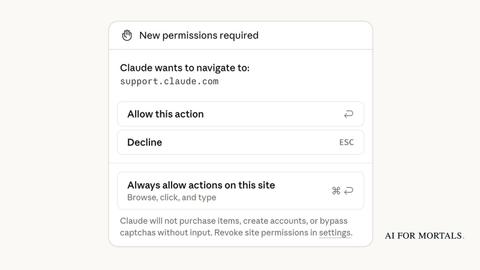
Personal Claude accounts (Free, Pro and Max) follow Anthropic's consumer training rules. Anthropic uses your chats and coding sessions to improve its models if you've allowed it, if a chat is flagged for a safety review, or if you've joined a program such as its Trusted Tester Program. If you've allowed it, that includes data from Claude for Chrome, the extension that can click and type in your browser tabs; our guide covers Claude in Chrome and what Anthropic says is still risky. Incognito chats aren't used for training, even with the setting on.
To check the setting, follow Anthropic's steps to change model improvement: open Settings, then Privacy, and switch Help Improve our AI models off. Anthropic says it then stops using your past and new chats in future training, though training runs already under way and models already trained still include them.
Deleting a chat removes it from your history straight away and from Anthropic's back-end storage within 30 days, according to its data retention article. If you allowed training, Anthropic may keep de-identified copies for up to 5 years.
Are Microsoft Copilot and Gemini safe for work data?
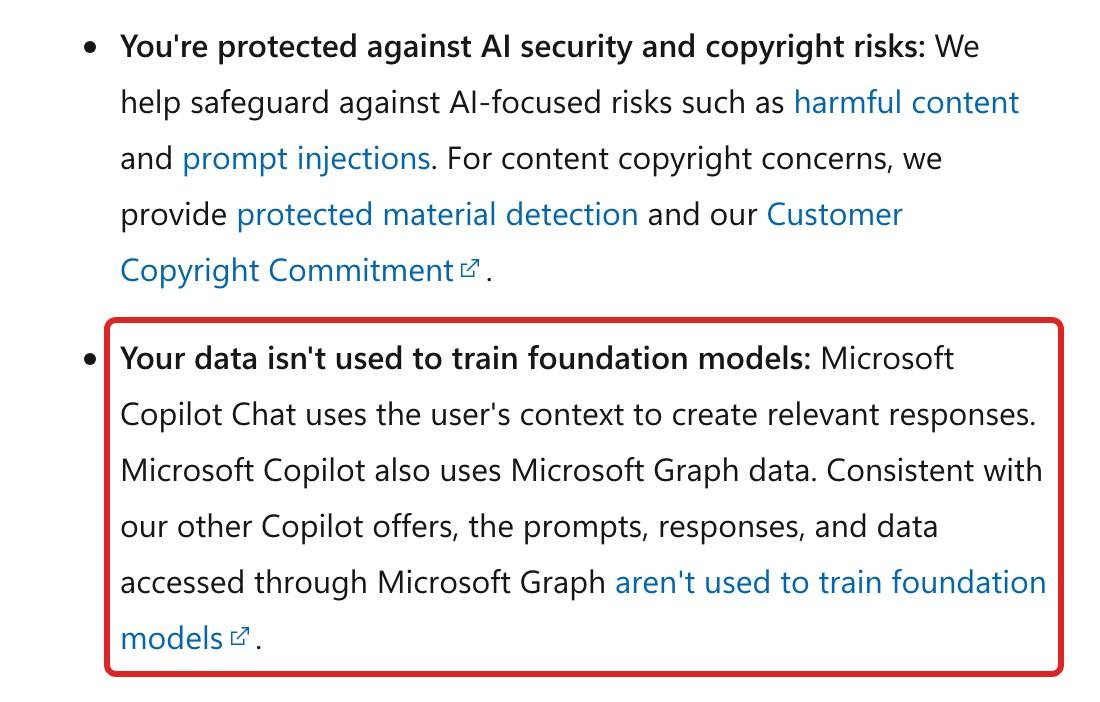
Microsoft says the Copilot your company signs you into doesn't use your prompts, its answers or the company data it reads through Microsoft Graph to train its foundation models, the large AI models behind Copilot. Its enterprise data protection page covers Microsoft Copilot and Copilot Chat "as used by organizations," and says Copilot follows your company's existing permissions, sensitivity labels, retention policies and audit settings.
Web searches are handled separately. When Copilot looks something up, it turns your prompt into a few search words and sends them to Bing with your user and company identifiers removed. Those searches fall under the Microsoft Services Agreement instead of your company's data protection terms, and Microsoft says HIPAA coverage doesn't apply to them. Microsoft's page also lists prompt injections among the risks it guards against, and our guide explains how hidden instructions can hijack an AI agent.
Google's Workspace privacy hub says Workspace "does not use customer data for training models without customer's prior permission or instruction," and that your prompts count as customer data under its Cloud Data Processing Addendum, the contract that governs your company's Workspace data. Chats and uploaded files in the Gemini app on a work account won't be reviewed by human reviewers or used for training without permission.
Inside Gmail, Docs and Drive, Google says your Gemini prompts and its answers are visible only to you, even in shared files. When a file is open to people outside your company, the Gemini side panel shows a banner warning that prompts and AI-generated content in that document may be visible to them. Google says the hub applies only to qualifying Workspace editions, so check with IT that your company's plan is one of them.
What should you never tell an AI at work?
Never put anything into an AI tool your company hasn't approved that you wouldn't be allowed to email to someone outside the company. In practice, that means keeping out details like these:
- Passwords, API keys and login codes
- Customer, patient or employee records
- Client names tied to contract terms or prices
- Unreleased financial results, deals or product plans
- HR cases about named colleagues
Even on an approved business plan, two habits help. Don't press thumbs up or down on a chat that holds client details, because both OpenAI and Anthropic say feedback can send the whole conversation for training. And remember that your admin may be able to read what you write.
For a plan-by-plan look at retention and which plans can take patient data under HIPAA, see our guide to what ChatGPT, Claude, Copilot and Gemini keep from your work, plan by plan. If an AI tool asks to connect to your accounts, the same care applies; we've written up what to check before you link your bank to an AI.
Can AI be 100% trusted with work answers?
No AI tool can be fully trusted with work answers, and OpenAI says so itself. Its help article, "Does ChatGPT tell the truth?", says ChatGPT "can produce incorrect or misleading outputs" and "might sound confident, even when it's wrong." It lists made-up quotes, studies and citations among the mistakes, and says ChatGPT can't reliably tell whether a piece of text was written by AI.
OpenAI's advice is to treat the answer as a first draft, check quotes, numbers and references yourself, and click through to the sources when ChatGPT searches the web. For work, that means a person checks anything that goes to a client, a manager or a public page before it's sent.
Copy-paste prompts that keep work data out of AI
You can get most of the help without the sensitive details. Swap names, amounts and dates for placeholders before you paste, then put the originals back yourself. Paste these into whichever approved tool you use.
Below is an email where I've replaced names, companies, amounts and dates with placeholders like [CLIENT], [AMOUNT] and [DATE]. Rewrite it to be shorter and clearer. Keep every placeholder exactly as written so I can put the original details back.

[paste your email with placeholders]
Use it for emails, proposals or meeting notes where the wording is the hard part and the details aren't.
I want help with this task: [describe the task in one or two sentences, with no names or numbers]. Before I share any material, list the information you'd need from me. For each item, say whether a made-up example or a placeholder would work just as well.
The list shows you how little of your actual material the job needs.
Go back through your last answer. List every fact, number, name, quote and source in it that I should check before I use it at work. For each one, say where it came from and how sure you are. If you're not sure, say so.
Run it after any answer you plan to send to someone, then check the items it lists.
Questions people ask about using AI at work
Can my boss see my ChatGPT chats?
On a company ChatGPT Business workspace, admins can view, export and delete conversations, according to OpenAI. On Enterprise and Edu, admins can access an audit log of conversations. A personal account isn't part of your company's workspace.
Does turning off training delete my ChatGPT history?
Turning training off leaves your saved chats in place, OpenAI says. You delete chats, or your account, separately.
Are temporary or incognito chats safe for work?
They aren't used for training: ChatGPT's temporary chats and Claude's Incognito chats are both excluded. OpenAI may still keep a temporary chat for up to 30 days for safety, and neither one changes what your company allows.
Is Copilot's web search covered by my company's contract?
Microsoft handles them separately: it says web queries go to Bing without your user and company identifiers and fall under the Microsoft Services Agreement, and that HIPAA coverage doesn't apply to them.
How long does Gemini keep my work chats?
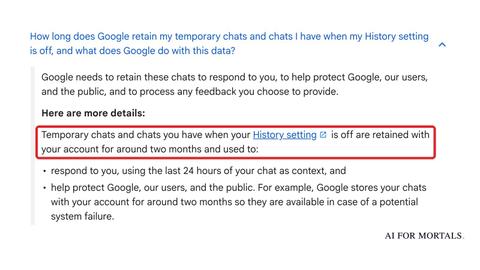
Your Workspace admin decides. For the Gemini app, Google says admins can auto-delete chats after 3, 18 or 36 months, with 18 as the default; with history off, new chats are kept for up to 72 hours.
Is Claude for Work trained on my company's data?
Anthropic says it doesn't train on Claude for Work chats by default. Its exception is feedback: a thumbs up or down sends the related conversation to Anthropic, where it's stored for up to 5 years and may be used for training.
Sources
- OpenAI: Enterprise privacy at OpenAI
- OpenAI Help Center: Data controls in ChatGPT
- OpenAI Help Center: Does ChatGPT tell the truth?
- Anthropic Privacy Center: Is my data used for model training? (commercial)
- Anthropic Privacy Center: Is my data used for model training? (consumer)
- Anthropic Privacy Center: How do I change my model improvement privacy settings?
- Anthropic Privacy Center: How long do you store my data?
- Microsoft Learn: Enterprise data protection in Microsoft Copilot and Copilot Chat
- Google Workspace: Generative AI in Google Workspace Privacy Hub


Comments
Sign in to join the conversation.